Journey Builder Design for Engage

Gaurav Rawat

About Engage
Engage is a B2C marketing platform tailored for Shopify brands, focusing on enhancing e-commerce revenue through streamlined loyalty marketing activities. It consolidates planning and execution, offering a single platform for businesses to maximize revenue from existing customers.
My role
Lead the end to end design process while collaborating with cross functional teams.
Team : 4 Engineers, 1 Designer, 1 Project Manager
🧩 Problem
Marketers know that timing and personalization are everything — but without a journey builder, staying in sync with user behavior is messy and manual. We were building this product from scratch, and this capability didn’t exist yet.
That meant marketing teams had no way to automate journeys or create personalized touchpoints at scale. Our goal was to solve this from the ground up — and make it feel intuitive from day one.
🎯 Objective
Build a journey builder that helps marketers easily automate and personalise user communication — without needing technical help.
We wanted to give them a way to:
Trigger messages based on user behaviour and timing
Visually map out campaigns across multiple channels
Monitor and optimise journeys without feeling overwhelmed
The key was to strike a balance between power and simplicity — something flexible enough for advanced users, but approachable enough for teams just getting started with automation.
🛠 Design Approach
We started by breaking down what a journey builder really needs to do — not just from a system standpoint, but from a marketer’s mental model.
Most users think in terms of goals and actions — not logic blocks or data events. So, we focused on designing an experience that aligned with how marketers plan campaigns, not how engineers build systems.
Our process included:
Benchmarking other tools like Klaviyo, Attentive, Hubspot to understand common -UX patterns — and pain points
User interviews with marketers to map their workflow and mental model
Low-fidelity prototypes to test structure, layout, and flow logic before investing in visuals
Close collaboration with PM and engineers to validate feasibility early on
We kept usability front and center — testing frequently, simplifying whenever we saw hesitation, and prioritizing clarity over flexibility in the first version.
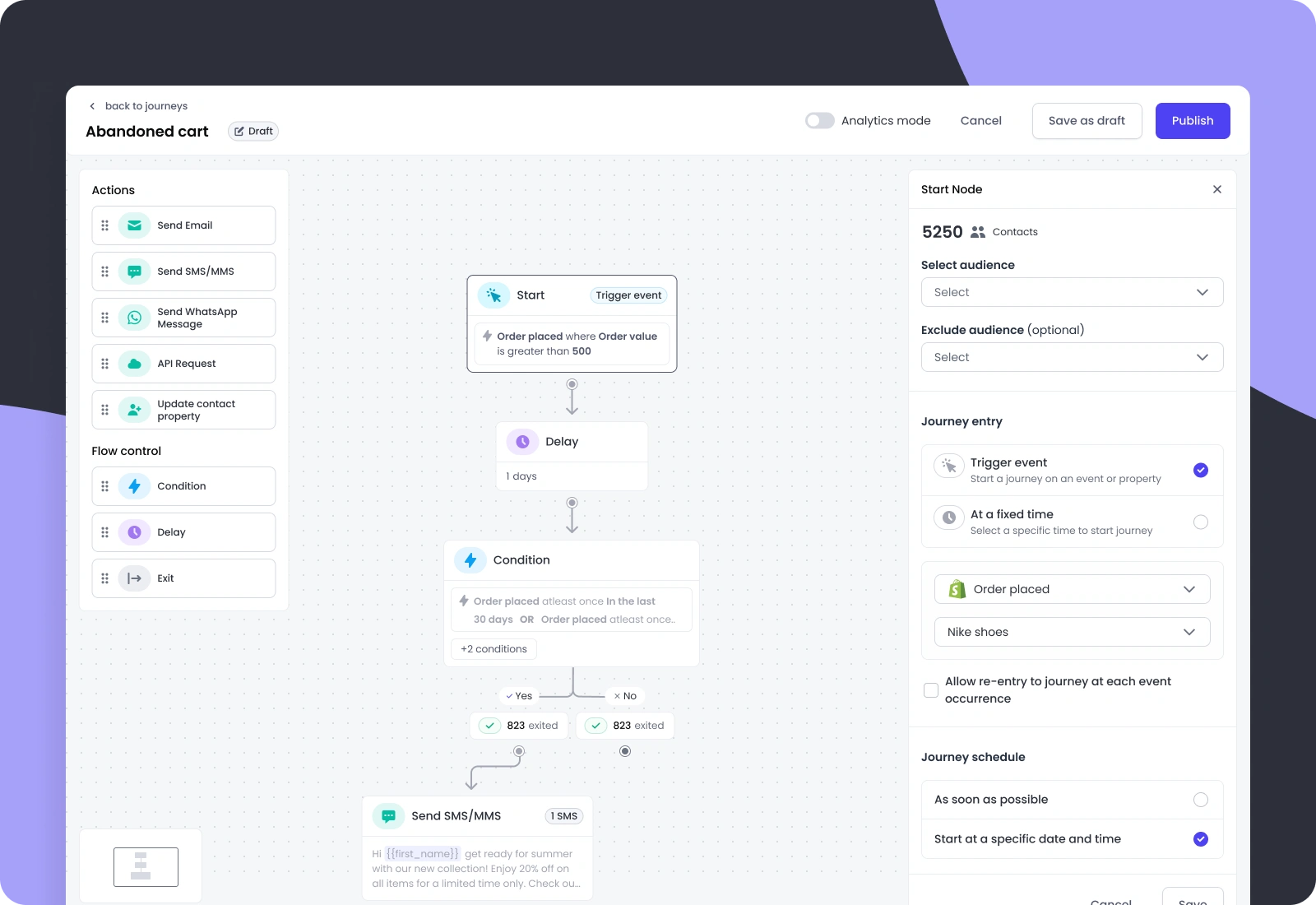
🔹 Start Node: Defining the Journey Trigger
The Start Node is the entry point of any journey. It defines when the flow begins and who enters it.
Marketers can either:
Trigger the journey based on an event (e.g., when a user places an order for a Nike shoe), or
Schedule it to run at a fixed time (e.g., every Monday at 10 AM)
This flexibility allows teams to tailor journeys around real user behavior or planned campaign schedules — giving them control over both timing and audience right from the first step.
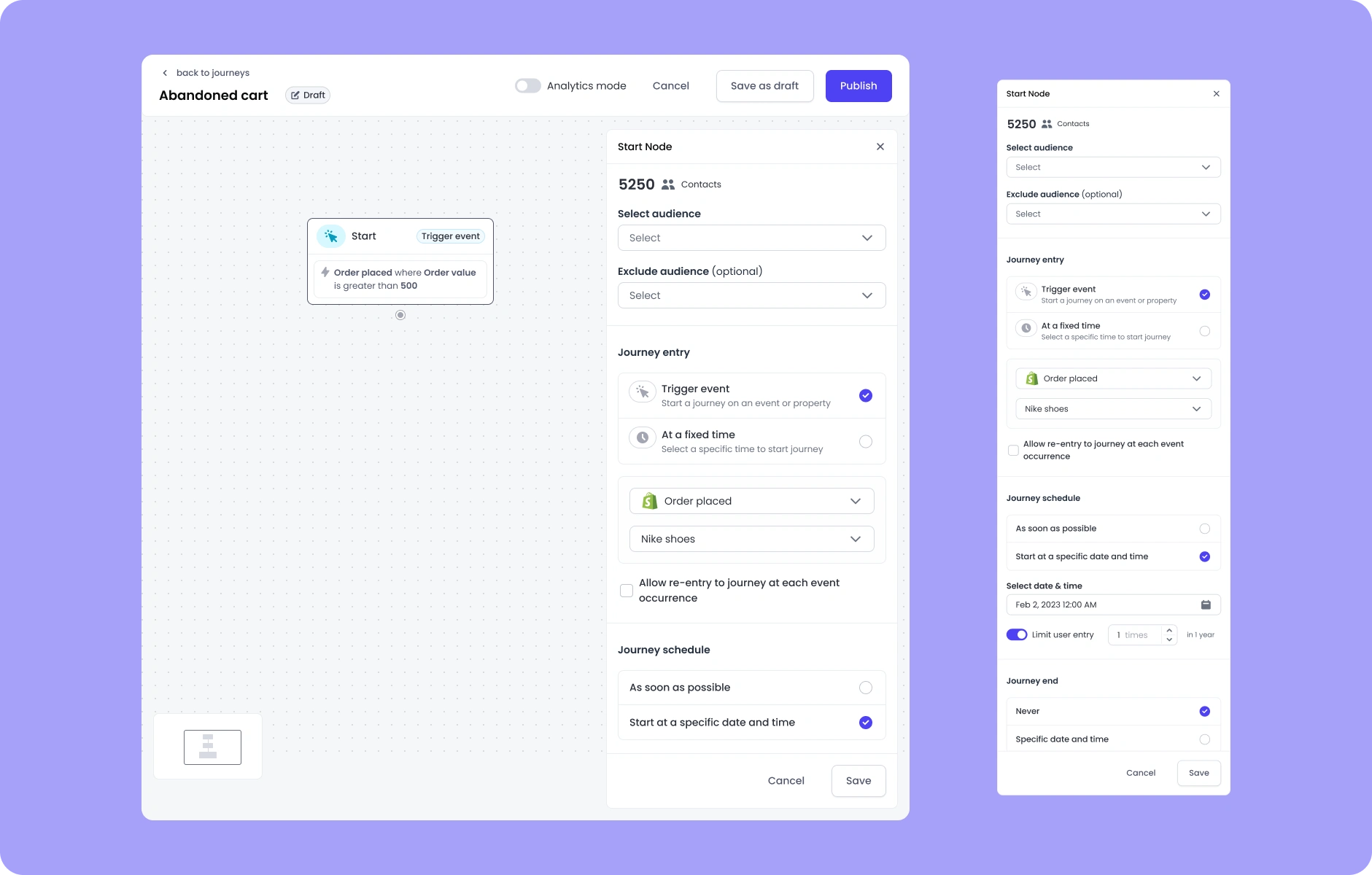
Start node
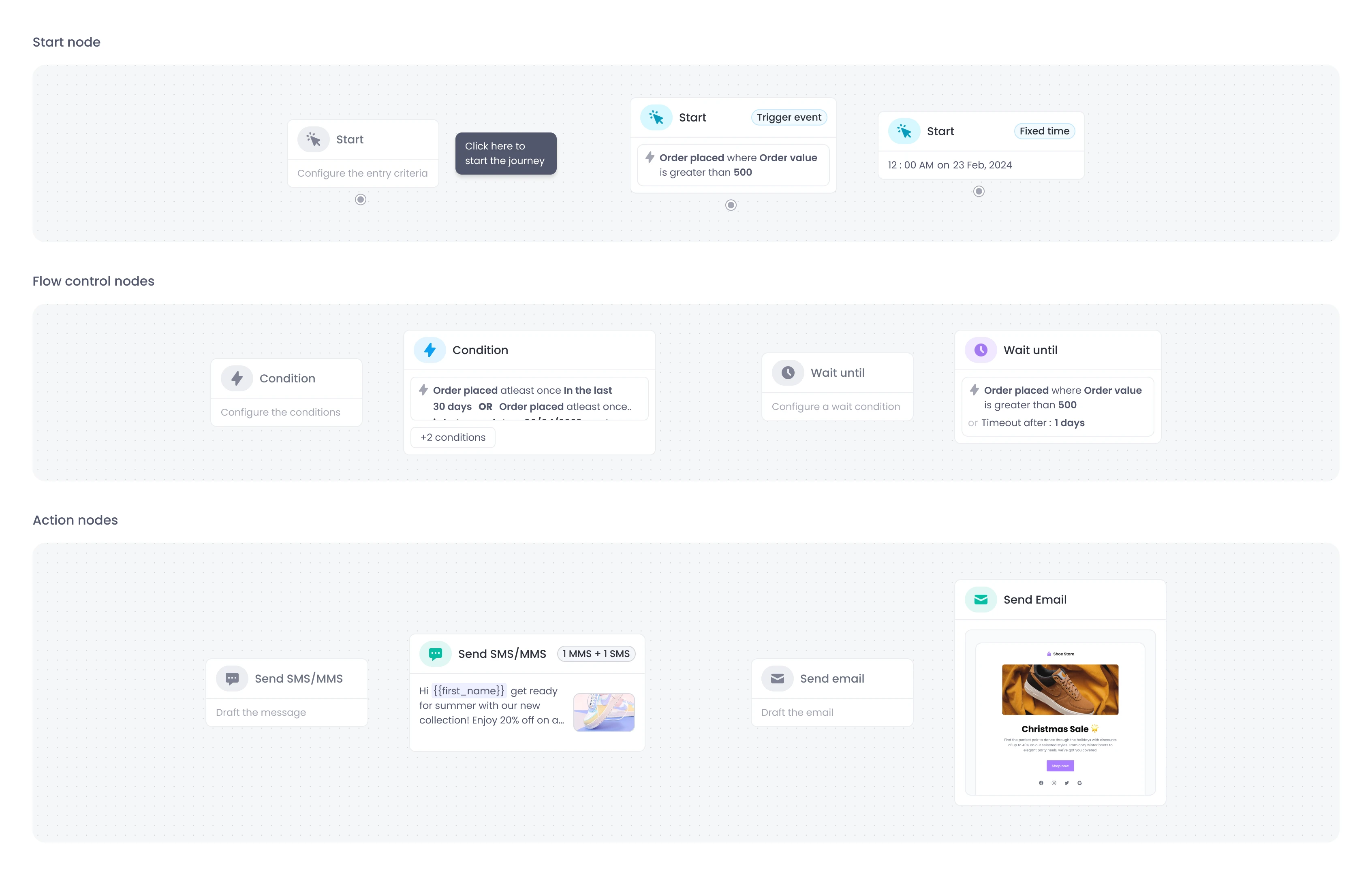
Types of nodes and states
🔹 SMS Node: Engaging Users with Personalised Messages
The SMS Node is one of the key action nodes in the journey builder, enabling teams to reach users directly via text.
Since SMS is a high-impact channel — especially for the US market — we focused on making it quick, personal, and flexible for marketers.
Key features:
Personalization with variables like the user’s first name, unique discount codes, or purchase links
Option to convert SMS to MMS by adding images or rich media
Pre-built templates for faster setup of common use cases like flash sales or order updates
An AI Assistant to help marketers quickly draft promotional messages or generate copy from simple prompts
This node empowers teams to deliver timely, relevant messages that drive action — all without leaving the flow.
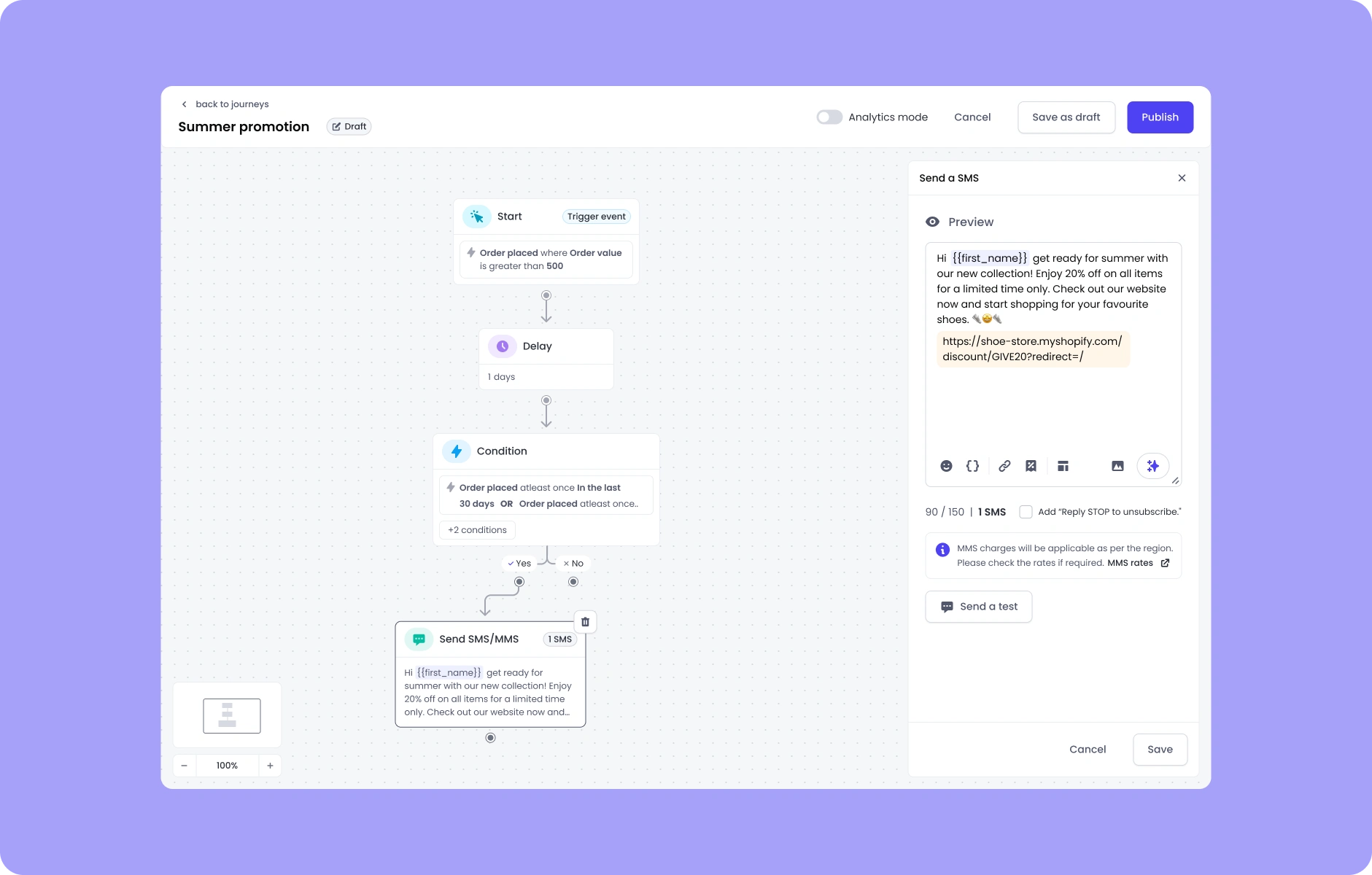
SMS node
🧠 Behind the Design
✅ Real-time character count and SMS segmentation
We added a live character counter with warnings when a message exceeds standard SMS limits (160 characters). This helps marketers understand when their message will be split into multiple parts — with preview labels like “Message will send as 2 parts.”
👀 Message preview for end-user view
A real-time preview panel shows how the message will look with personalization applied — helping users catch mistakes and visualize tone before sending.
📱 Mobile-focused layout decisions
Knowing that most messages are consumed on mobile, we optimized the message creation flow to mirror a mobile-friendly preview, ensuring messages feel right in context.
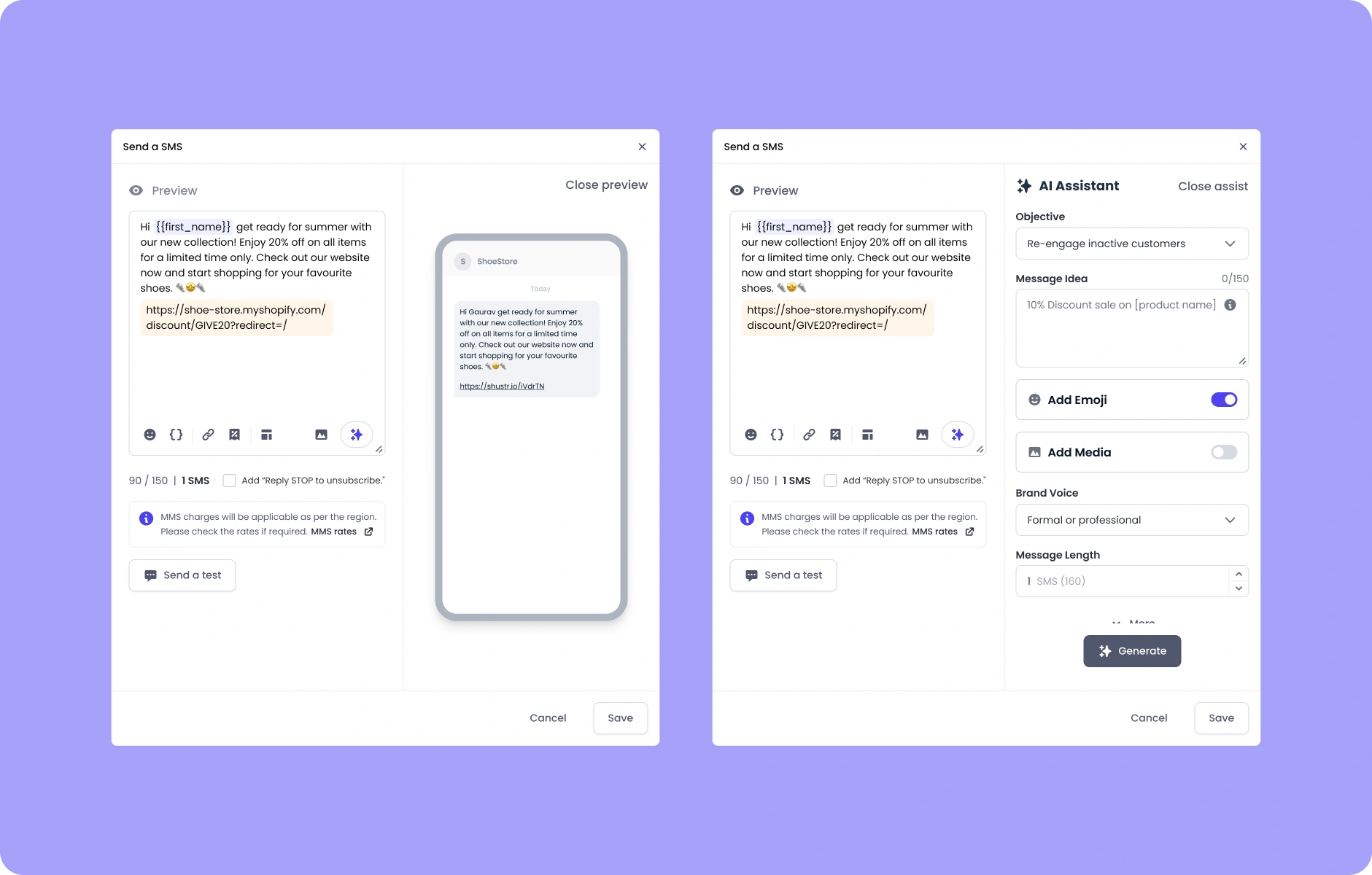
Mobile preview & AI Assistant
🔹 Email Node: Designing Rich, Personalised Campaigns
Since email remains a primary channel for lifecycle and promotional messaging, we focused on flexibility, ease of use, and brand consistency.
To move fast and offer a best-in-class editing experience, we integrated a third-party drag-and-drop email builder, customizing it to feel seamless within our product and aligned with marketers’ needs.
✨ Key Features
No-code email creation using a drag-and-drop editor embedded in our UI
Personalization with dynamic variables like {First Name}, product links, or promo codes
Branded templates to support quick setup while maintaining design consistency
AI assistant to generate subject lines, copy ideas, and CTAs based on tone and intent

Email builder
🧠 Behind the Design
🔌 Seamless integration with a third-party builder
We customized the embedded editor’s UI to match our system — hiding unused features, mapping actions to our backend, and ensuring it felt like a native experience.
👁🗨 Responsive preview and validation
Real-time previews with mobile/desktop toggles helped marketers catch layout issues early. We also added guardrails for things like variable validation and link tracking.
🧩 Built for scale
While the MVP focused on core functionality, the node was designed to scale with future features like A/B testing, conditional content, and deeper performance insights.
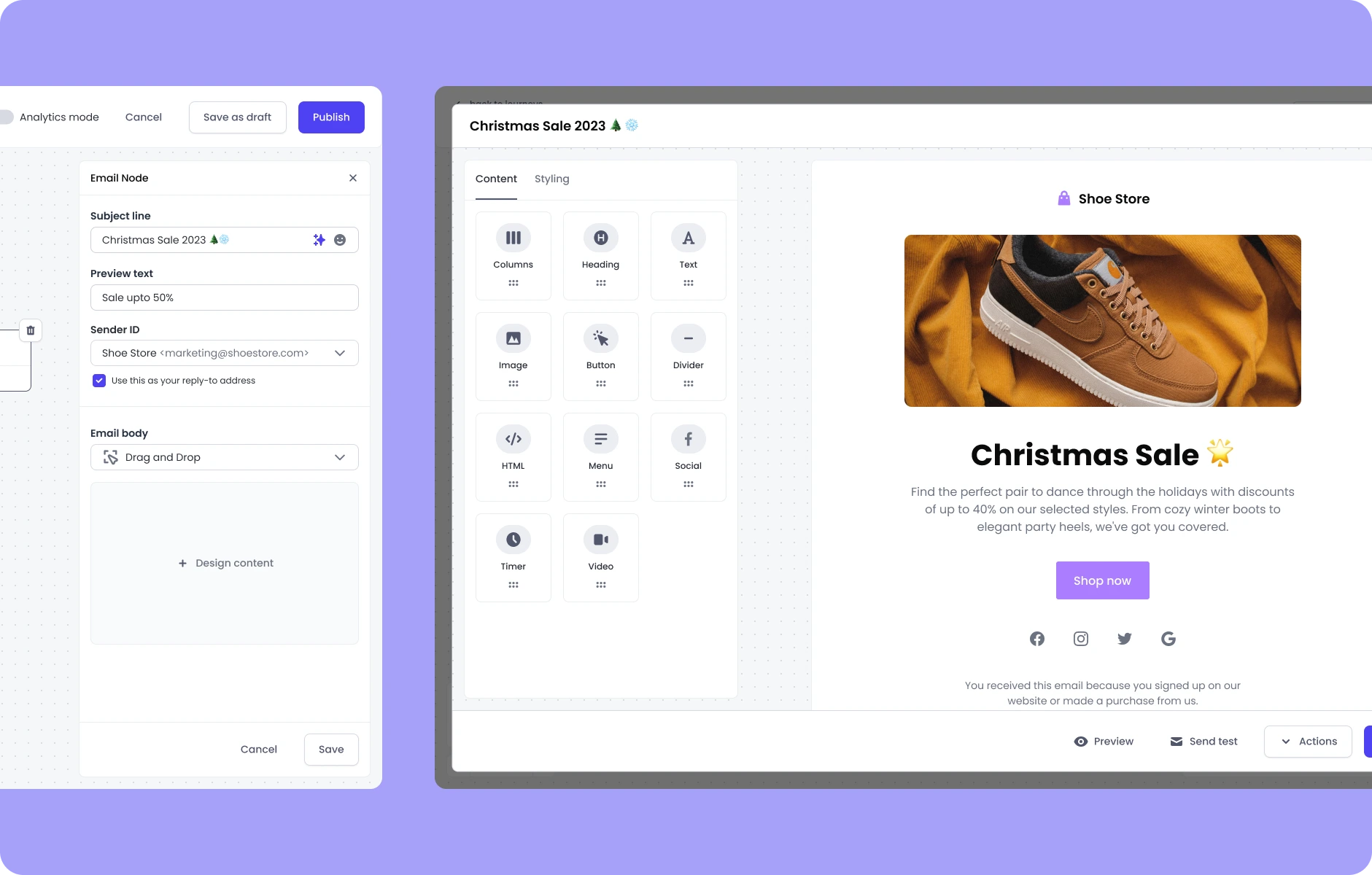
Email builder initial stage
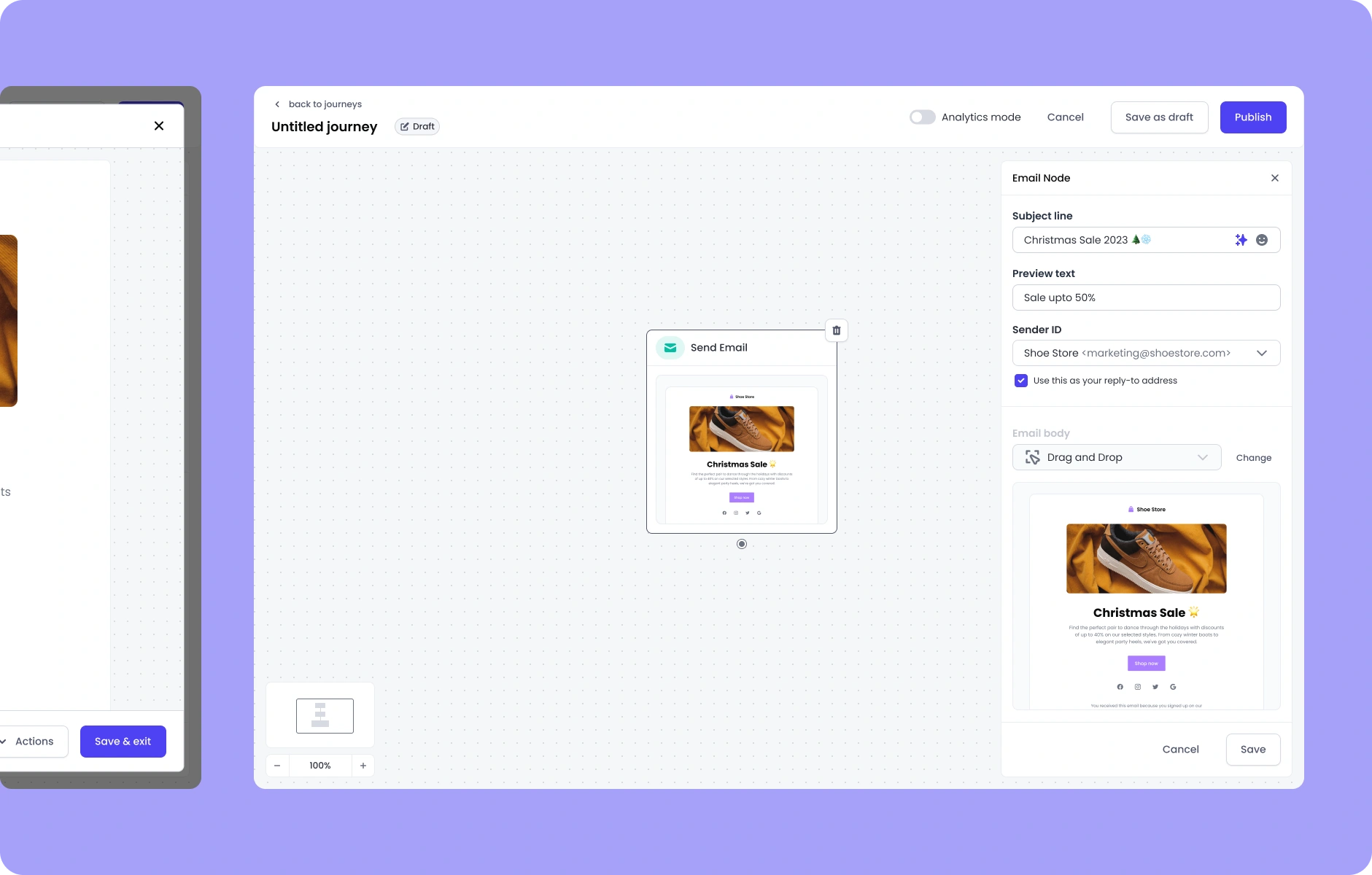
Email preview
📈 Published Journeys: Visibility & Control After Launch
Once a journey is live, marketers need visibility into how users are moving through it — and just enough control to manage it confidently without disrupting active flows.
We focused on delivering a clear and lightweight post-publish experience, centered around actionable metrics and built-in guardrails.
Node-level analytics display how many users have Entered, are currently Waiting, or have Exited — giving teams a quick sense of performance at each step without overwhelming them with data.
We kept the experience intentionally minimal, surfacing only the most essential metrics to reduce noise and help marketers answer one key question: Is this journey working as expected?
To protect live flows, we introduced edit restrictions on structural elements like the Start Node — allowing only safe updates, such as message content edits, once the journey is running.
This approach helped teams confidently monitor and optimize their journeys without introducing risk or friction.
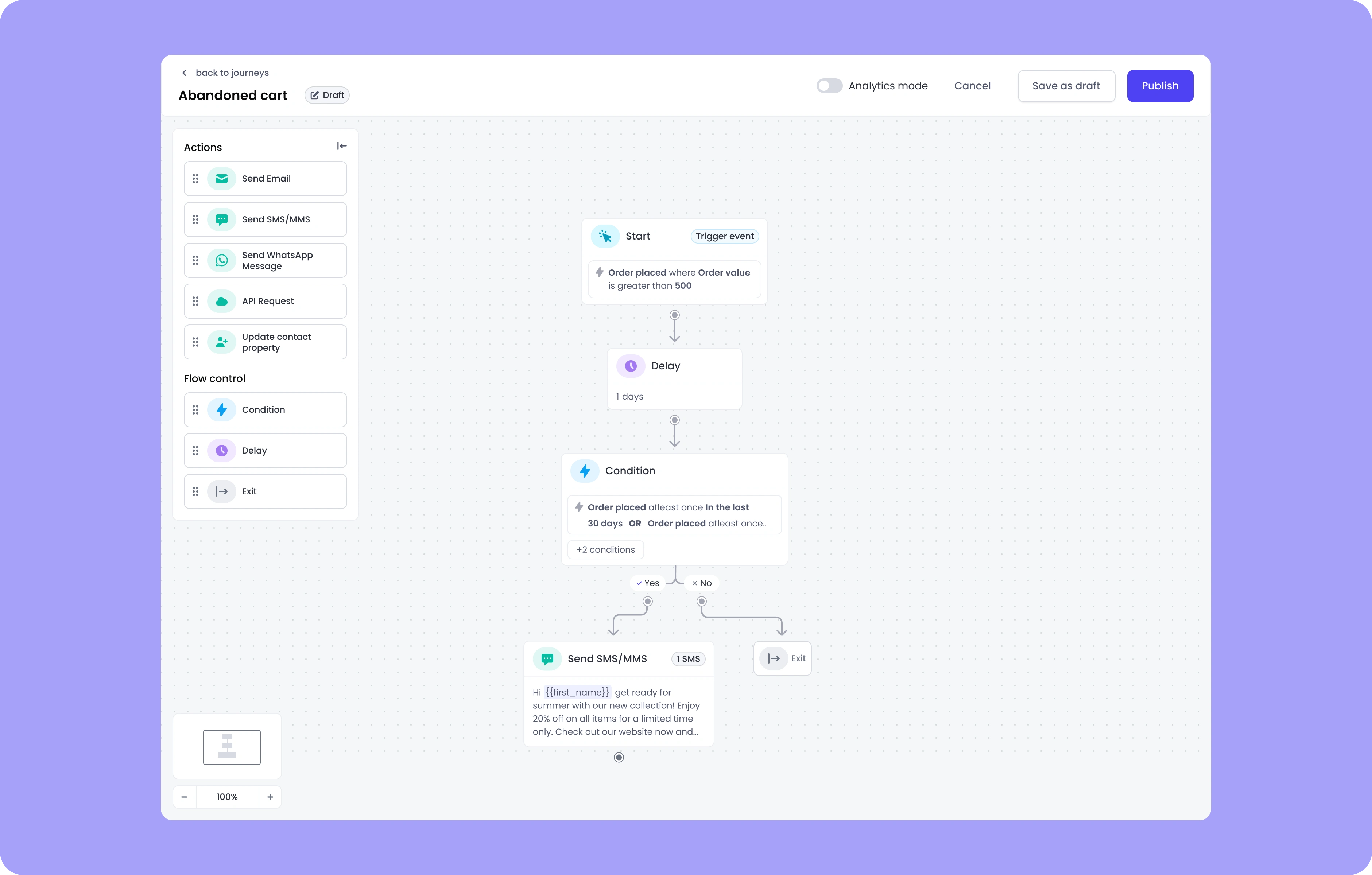
Published Journey

View mode with analytics
Like this project
Posted Aug 18, 2025
Designed Engage’s Journey Builder to help Shopify brands automate SMS & email with intuitive flows, personalization, and real-time insights.
Likes
1
Views
11