Workbench: a free, live design system playground

Daniel Petrevski


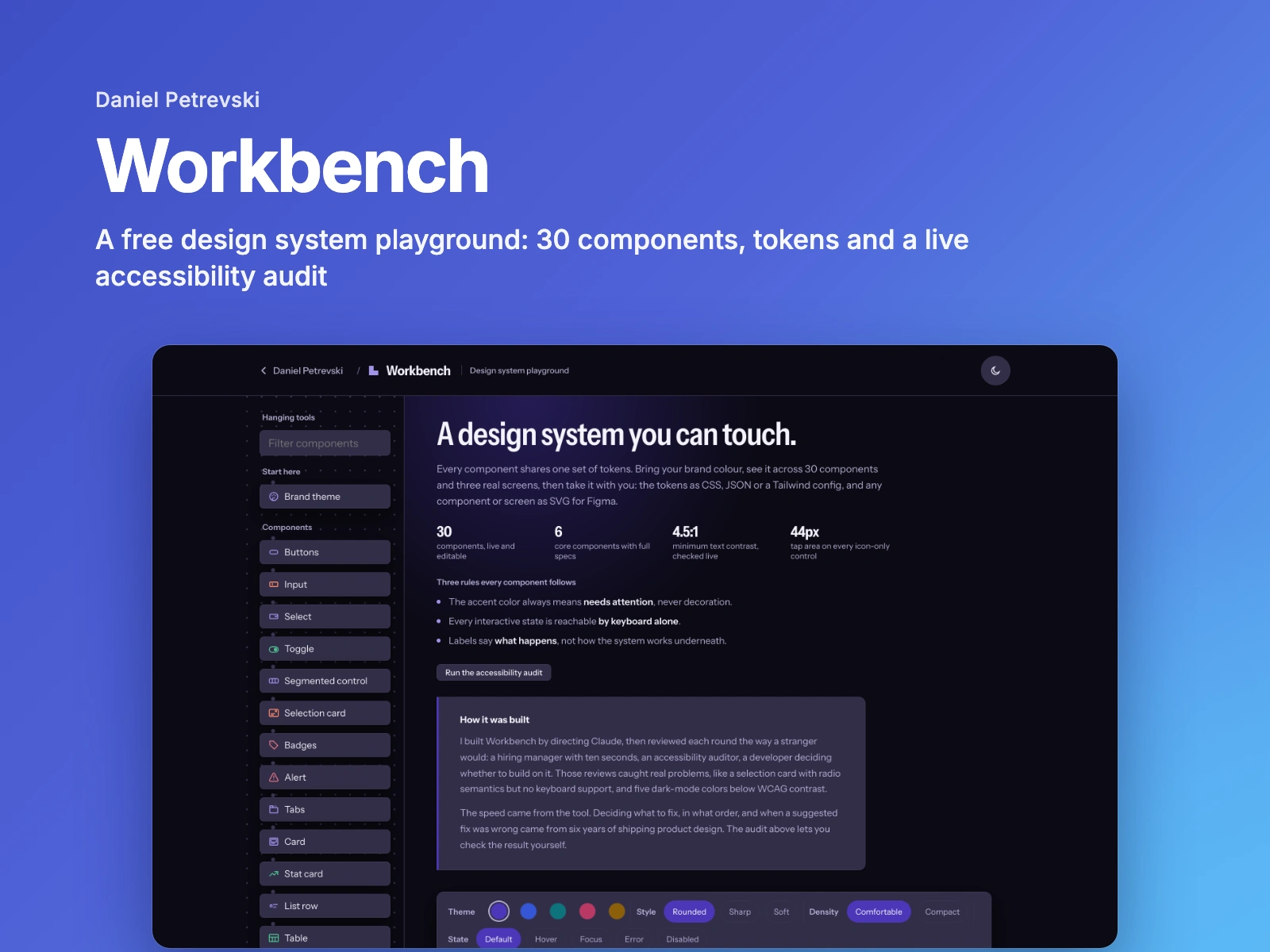
Workbench is a free, live design system: 30 components, three real screens built from them, and an accessibility audit that checks itself. I made it for other designers and developers to actually use, and as an honest look at how I build a system.
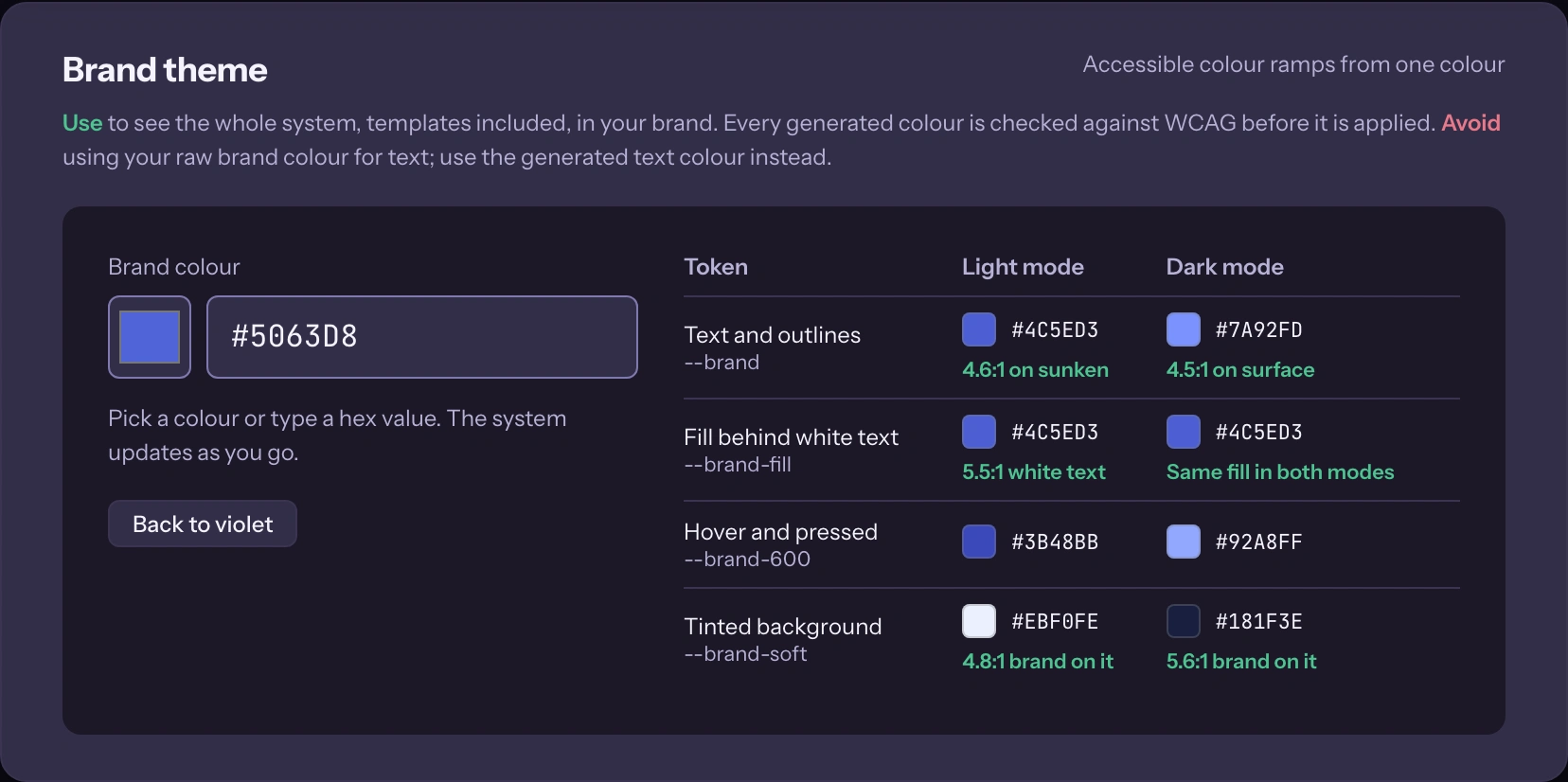
Bring your brand colour
Paste in a hex value and the whole system, templates included, switches to your brand. The generator works in OKLCH and darkens a colour only as much as needed for white text to pass 4.5:1, in light and dark mode.
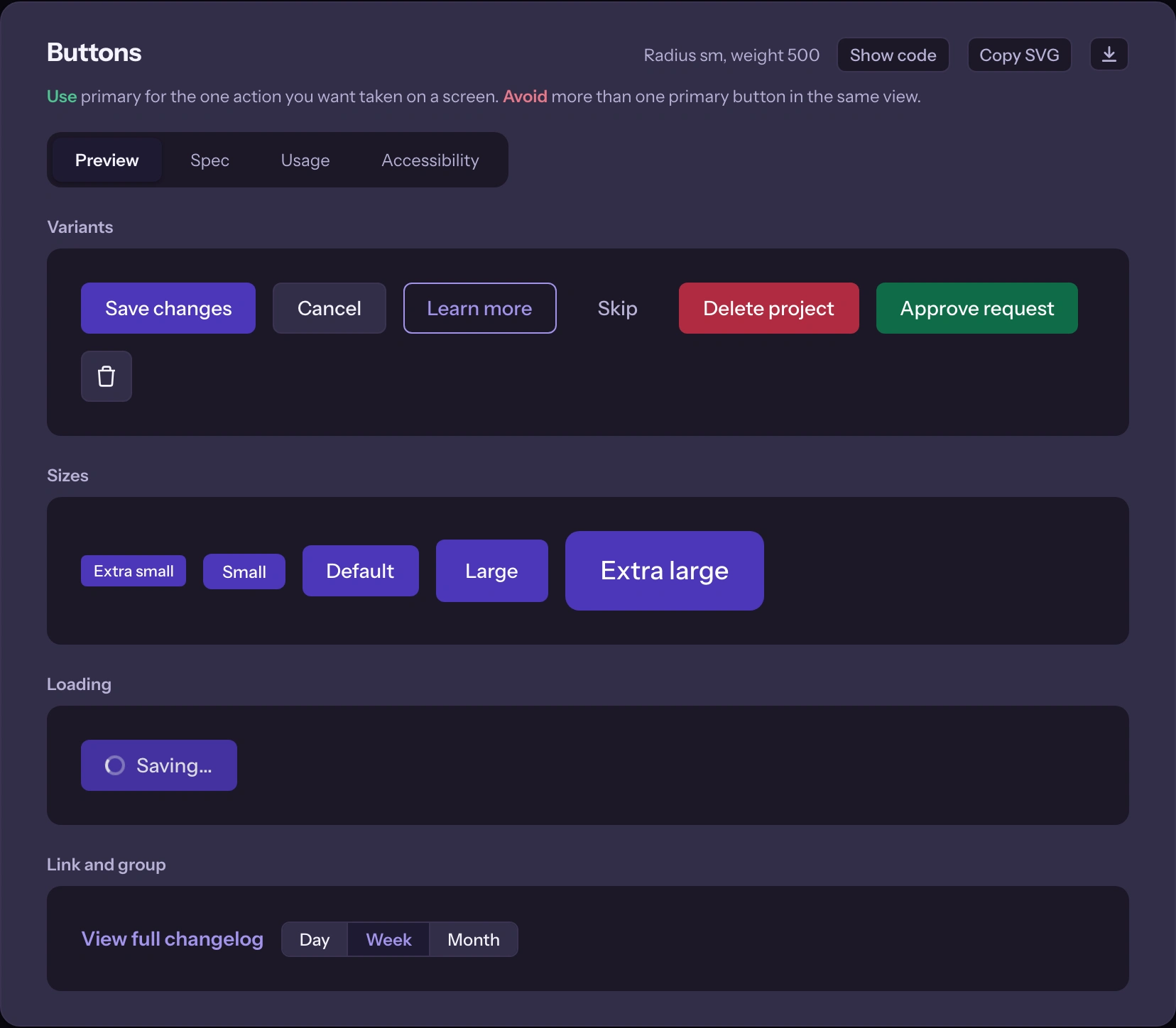
Full specs where they matter
Buttons, Input, Select, Modal, Toast and Table each have Preview, Spec, Usage and Accessibility tabs. Every component says when to use it and when to avoid it, and every icon-only control has a 44px tap area.
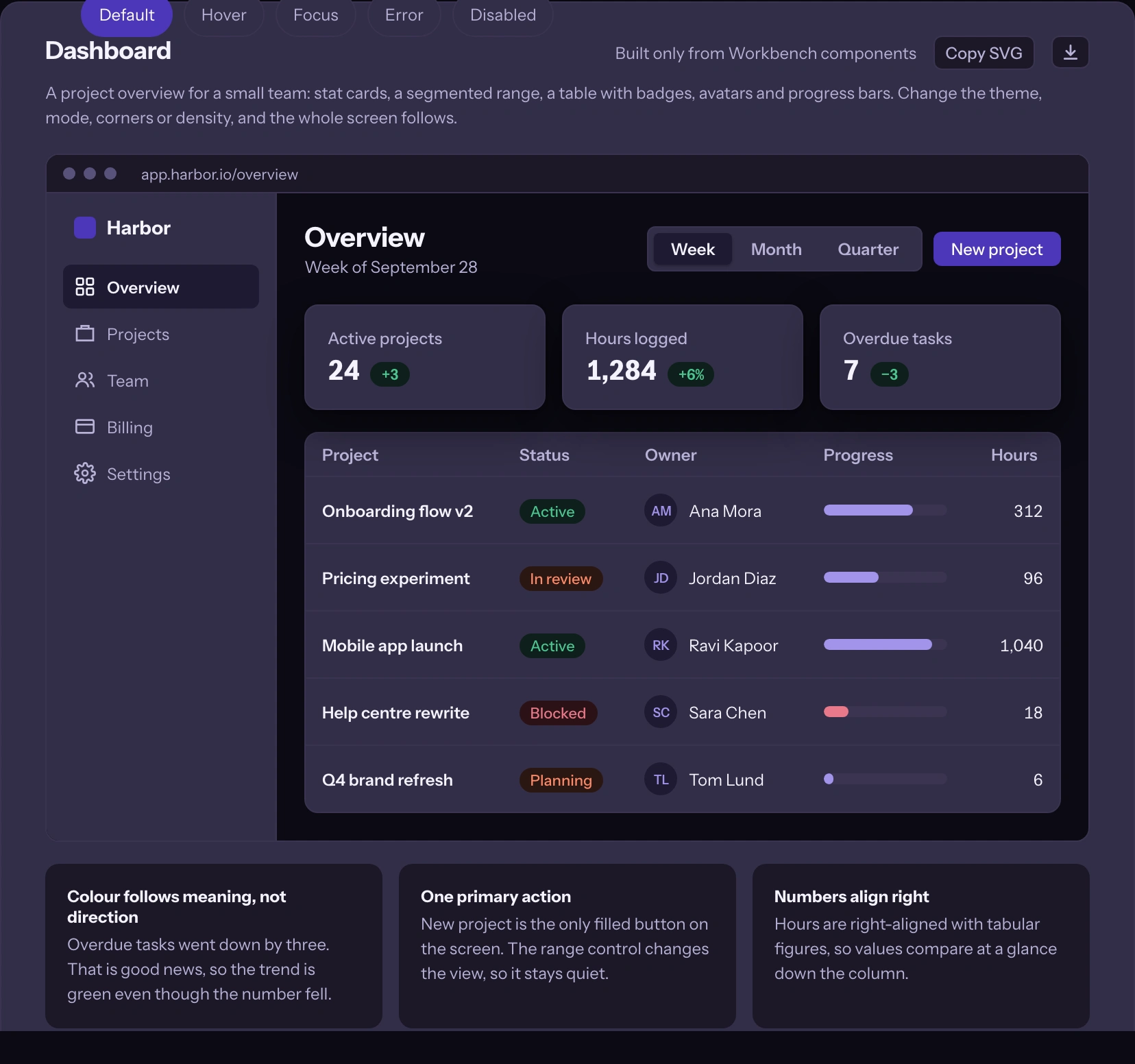
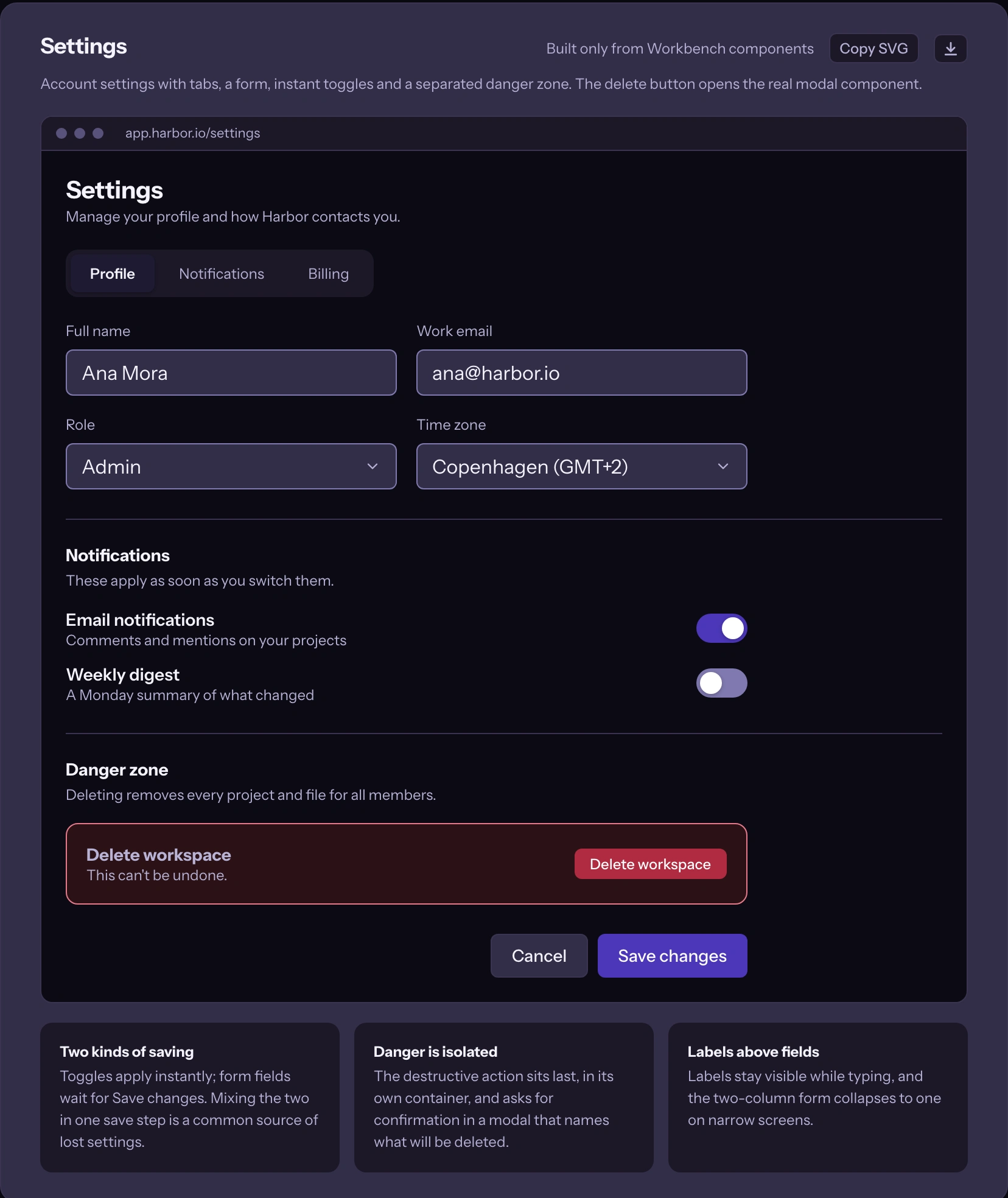
Three real screens
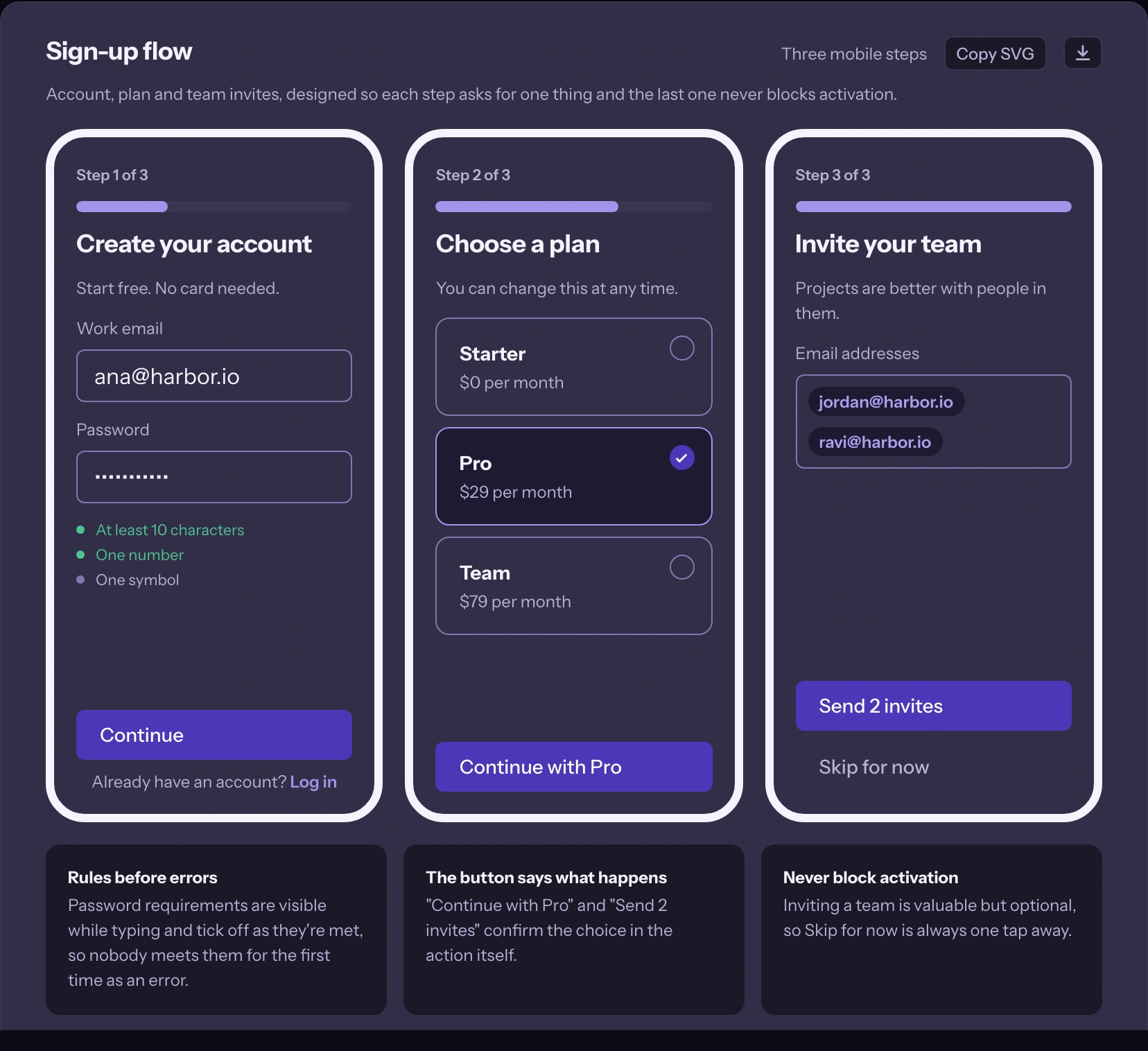
A dashboard, a settings page and a sign-up flow, built only from Workbench components. Change the theme, mode, corners or density and every screen follows. Each one notes the design decisions behind it, like the trend that stays green when overdue tasks go down.
Take it with you
Export the tokens as CSS variables, W3C design tokens JSON or a Tailwind config, all reflecting the active theme, corners and density. Any component or screen copies as SVG for Figma, with interactive ones like the modal and dropdown exported open.
How it was built
I built Workbench by directing Claude, then reviewed each round the way a stranger would: a hiring manager with ten seconds, an accessibility auditor, a developer deciding whether to build on it. Those reviews caught real problems, like a selection card with no keyboard support and dark mode colours below WCAG contrast. The audit lets you check the result yourself.
Open it at danielpetrevski.com/workbench. Free, no sign-up.
Like this project
Posted Oct 20, 2026
30 components, 3 real screens and a live accessibility audit. Paste a brand colour for an accessible theme, then export tokens or SVG for Figma.
Likes
0
Views
0