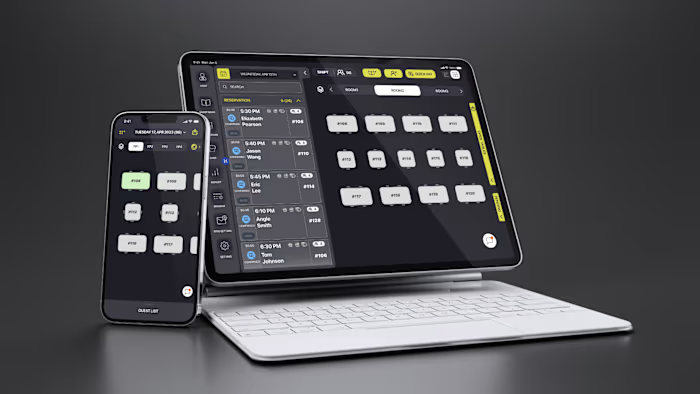
R365 Employee Deductions

Howie Y

R365 Employee Deductions
Payroll deductions managers can finally trust.
A redesign of the full deductions lifecycle in R365 — add, edit, end, version — automating multi-garnishment math and surfacing legal limits inline. Escalated support tickets dropped 71.5% and payroll efficiency rose 15.8%.
Role
Senior Product Designer
Type
SaaS · Web
Year
2025
Deliverables
Product Design · UI/UX · Design System
01 Brief
Redesigning the payroll screen managers trusted least
Employee deductions in R365 cover everything from elective benefits to court-ordered garnishments — every dollar taken out of a paycheck. The legacy module was slow, error-prone, and one of the least trusted workflows in payroll; managers often relied on support instead of completing tasks confidently themselves. This is the story of how the redesign earned that trust back — now live in R365.
Compliance risk is real
Garnishment errors and miscalculations create legal exposure.
CCPA caps and state-specific rules are non-negotiable.
Support burden was high
Deductions were one of the top sources of escalated support tickets; every error became a ticket, every ticket became cost.
Strategic for R365
Payroll trust starts here.
A reliable deductions module differentiates against generic HCM tools and earns customers' confidence.
02 Problem
Deductions were the screen managers feared
Multi-garnishment math was manual.

Validation came too late, after payroll bounced.

Garnishments were buried in a generic deduction picker.

Edits could rewrite past payroll silently.

Active and ended deductions lived on separate screens.

03 Insight
Garnishments are the screen we lose sleep over.
Designing for the hardest case — court-ordered, time-sensitive, legally binding — improved every other deduction flow too. Translate legal rules into UX rules, and the entire module becomes trustworthy.
04 Goal
Make the riskiest payroll screen the most trustworthy one
User goals
Manage it all in one place.
Set up deductions quickly, avoid payroll errors, and keep active and ended deductions together.
Business goals
Cut tickets, build trust.
Reduce escalated support tickets, improve payroll accuracy, and lower compliance risk on garnishments.
Design goals
Guidance built in.
Reduce setup complexity, surface legal limits inline, automate multi-deduction math, and build reusable workflow patterns.
05 Flow 01 · Entry point
Starting from the employee profile
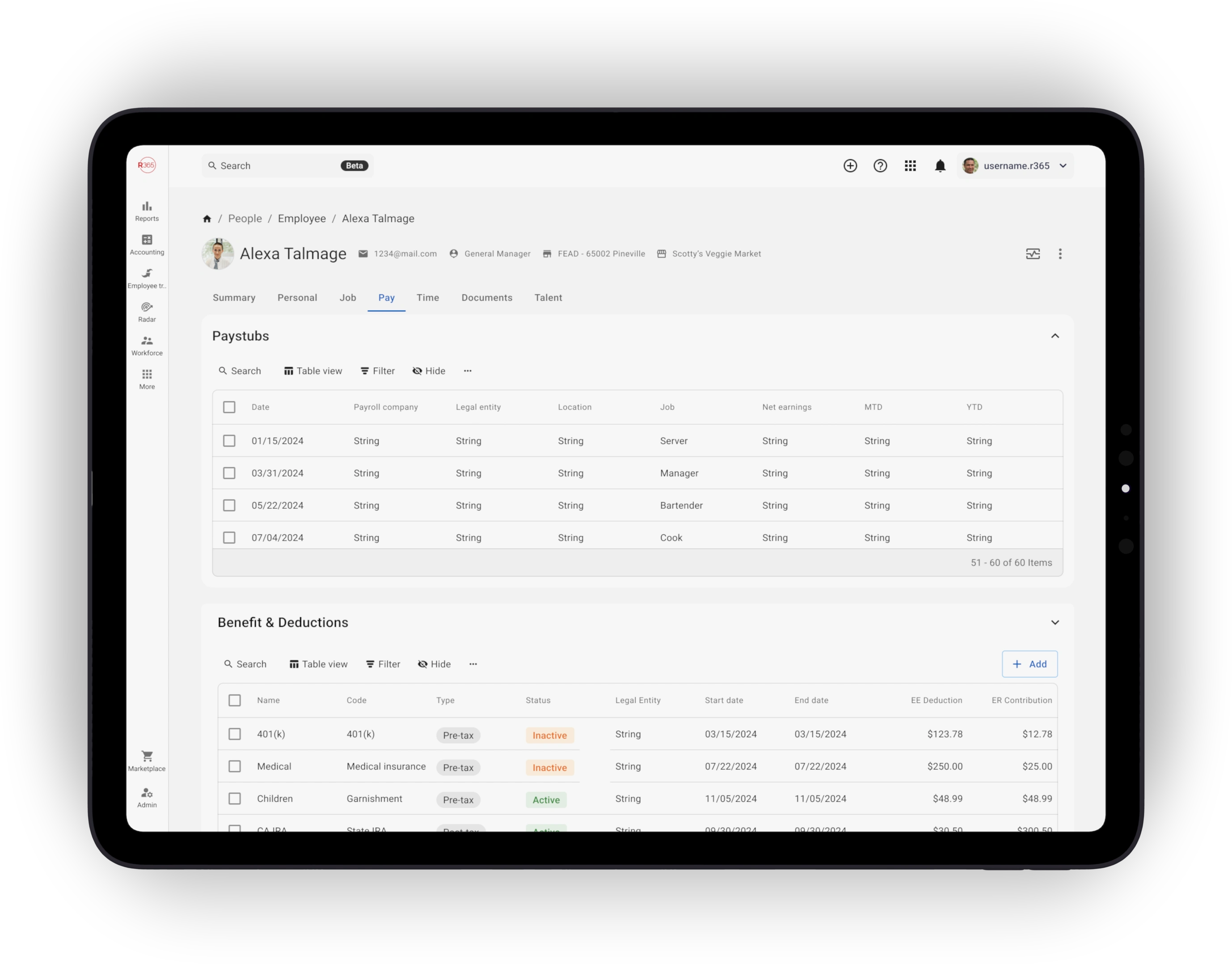
Every deduction action begins on the employee record. The profile is the manager's home base — pay rates, contact info, documents, and deductions all live together.
Single source of truth
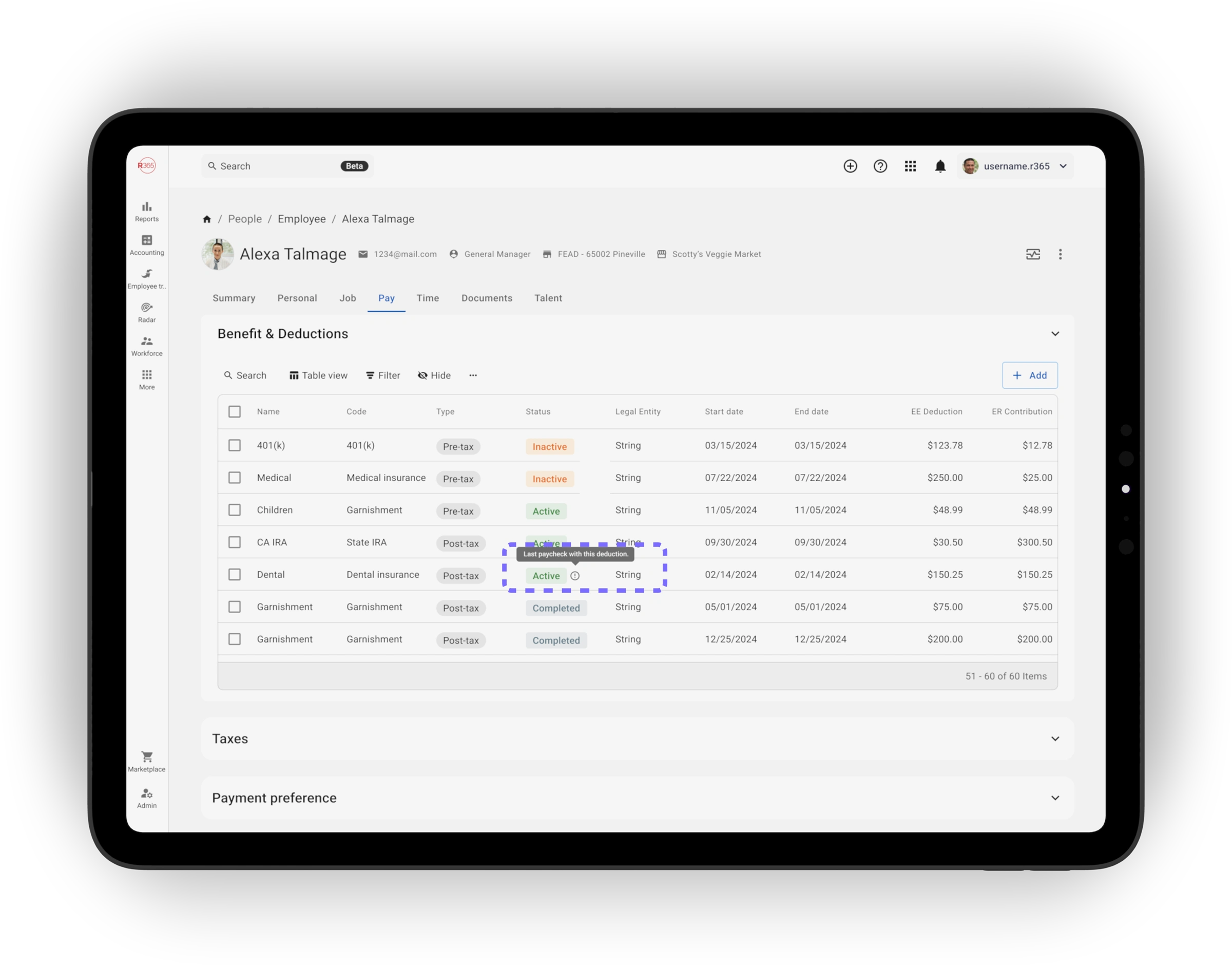
Active and ended deductions live together in one place.
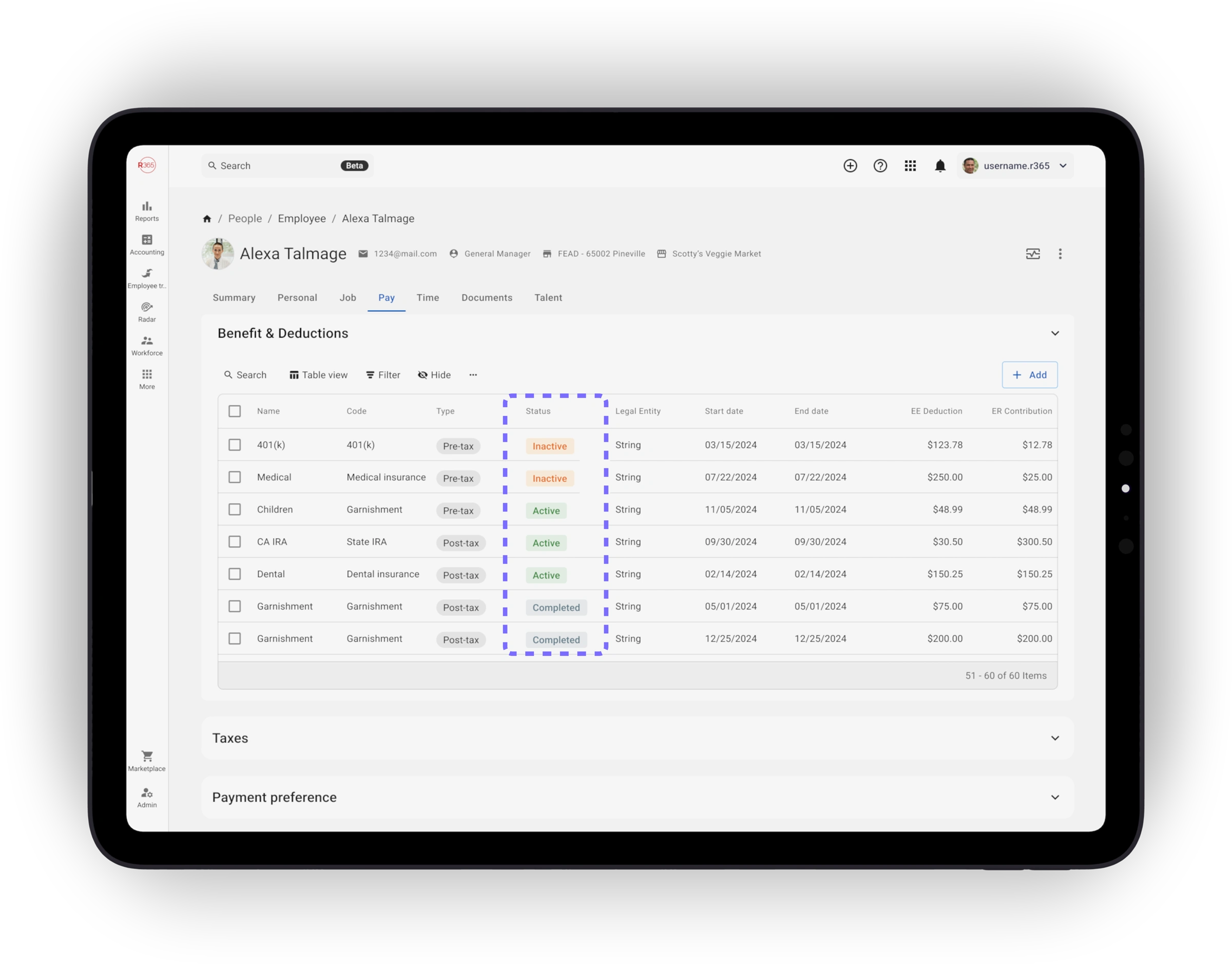
Status at a glance
Visual indicators show active, ending-soon, and ended deductions clearly, so managers see what's about to change before opening anything.
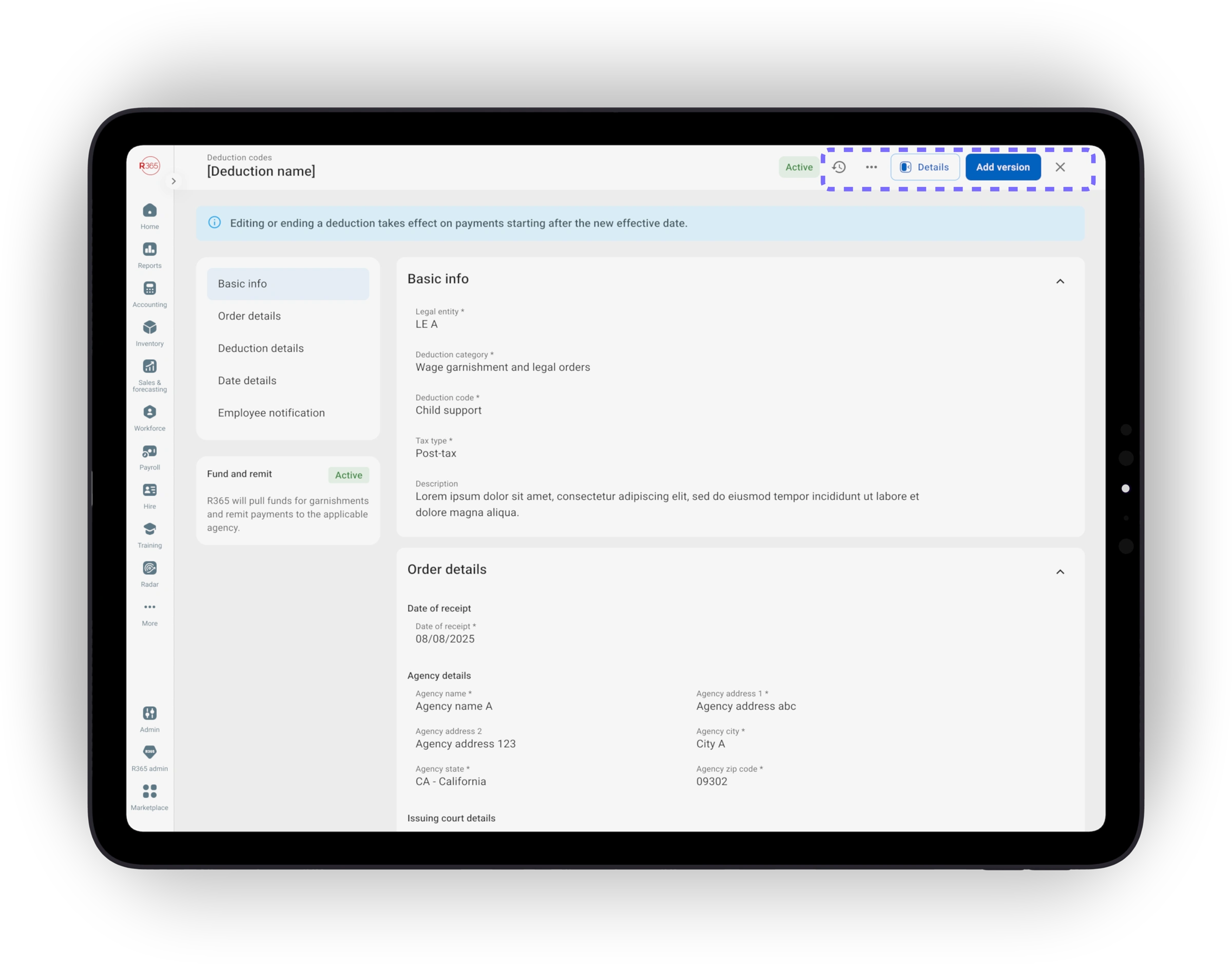
Quick actions inline
Add, edit, or end a deduction without leaving the profile. The most common moves are one click away.
06 Flow 02 · Adding a deduction
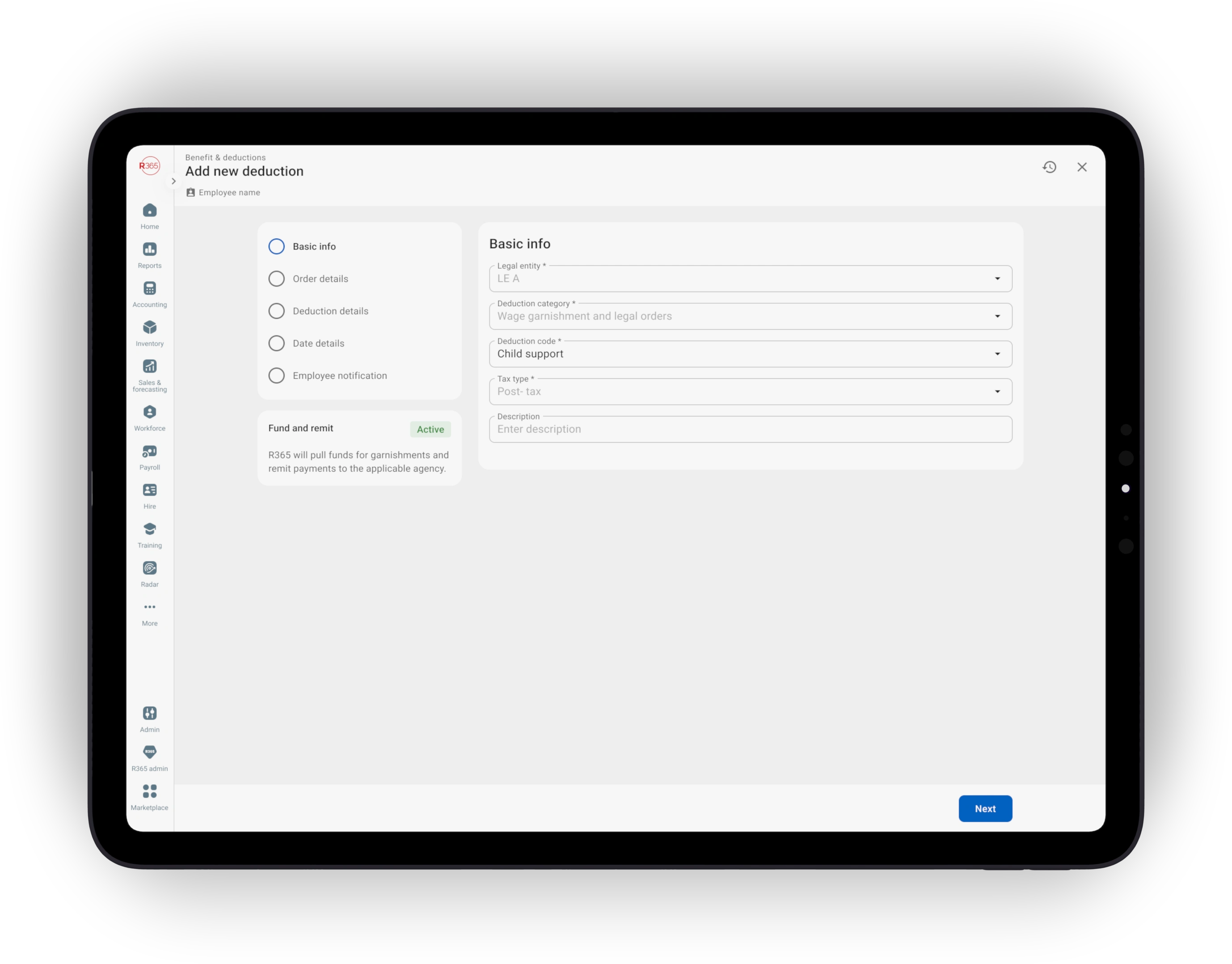
Adding a deduction — the wizard adapts to the type
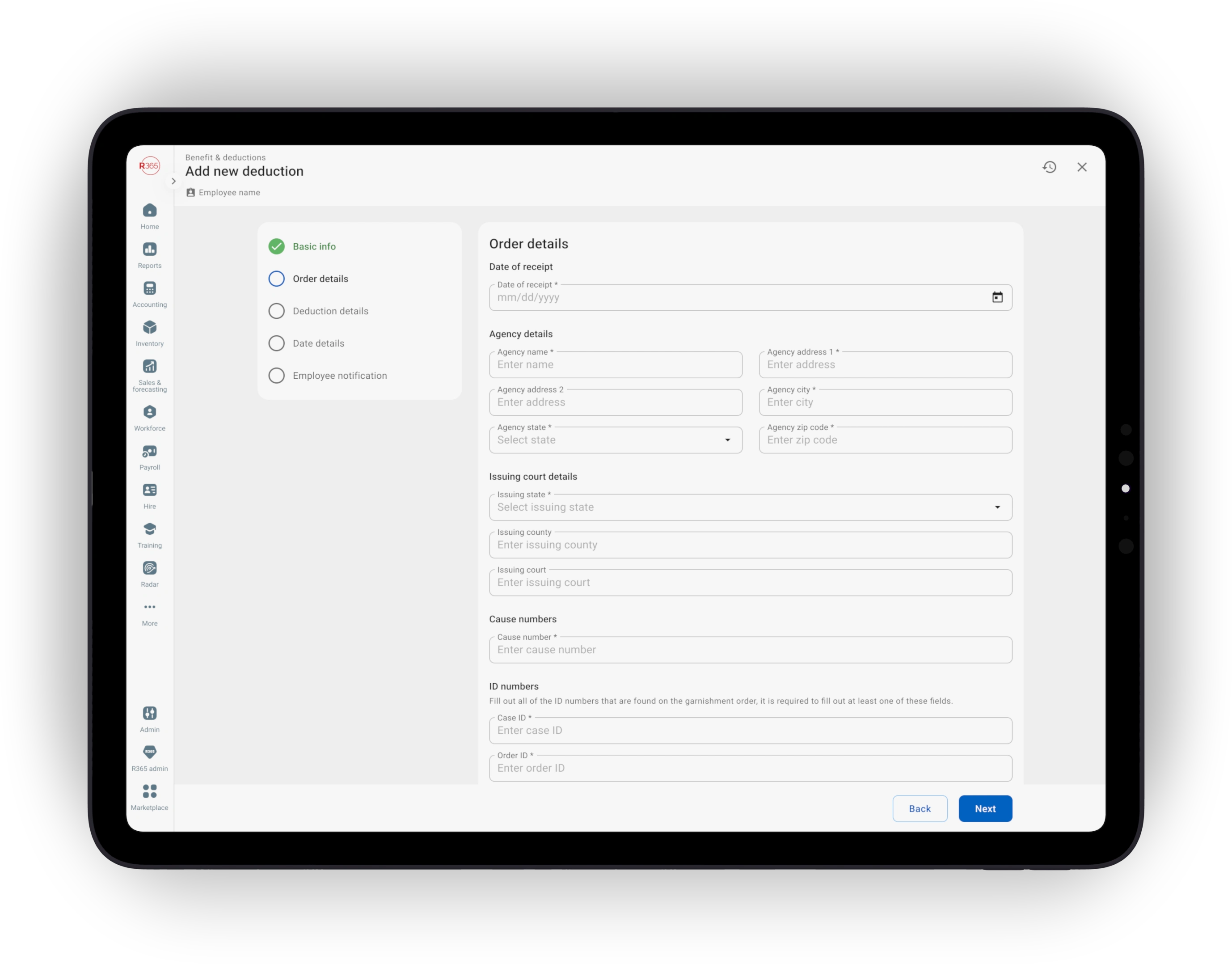
Routine deductions stay short. Complex ones like garnishments branch into a guided path with the fields that matter — case number, court order, priority, payee, and a max-% field that respects federal and state caps.
One workflow, adaptive complexity
One entry, one review. Routine deductions stay simple while complex garnishments reveal additional guidance only when needed.
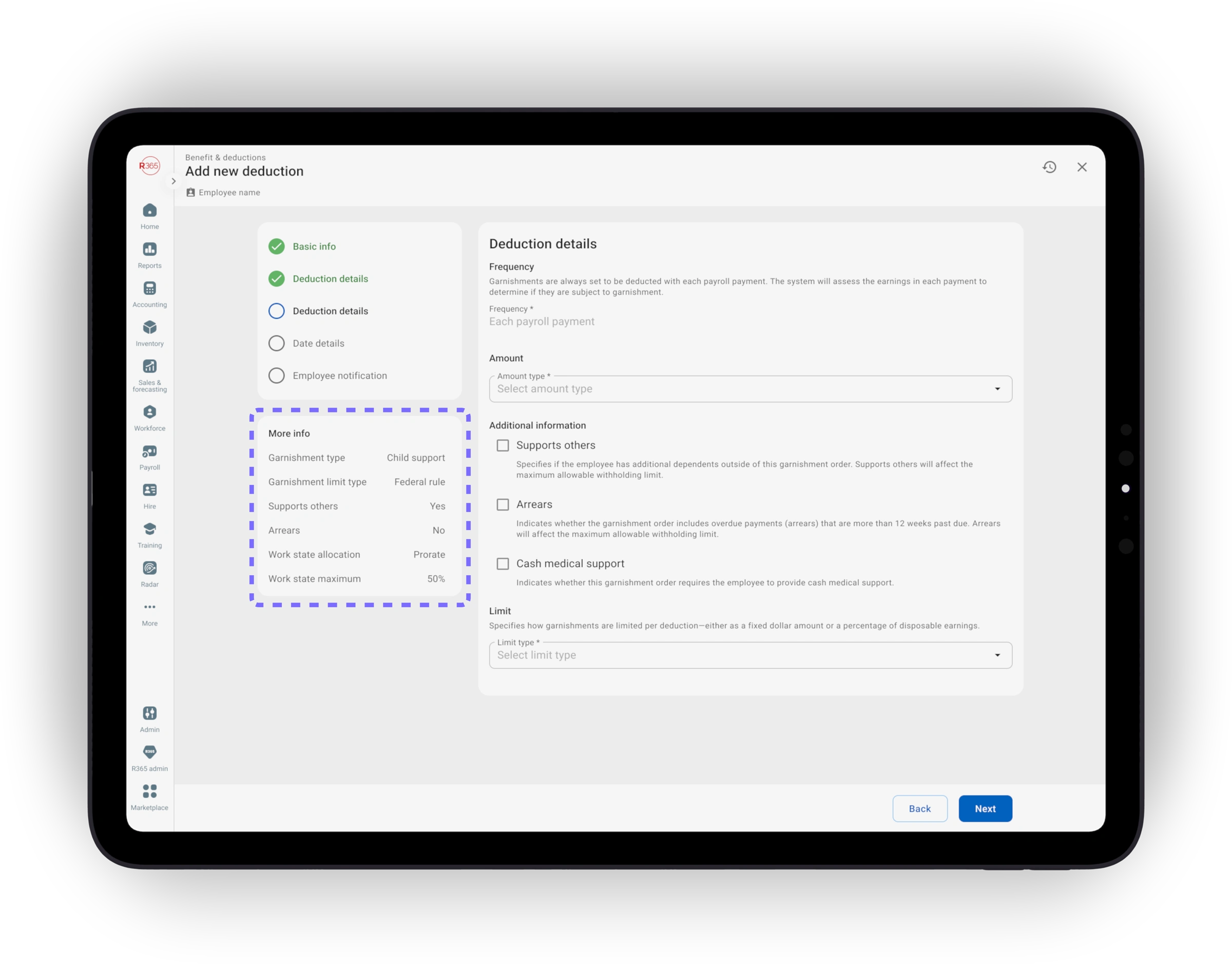
Inline legal limits
“More info” panels explain the rule behind each field. Hard blocks for illegal configurations; strong recommendations the manager can override.
Garnishment as the hero
Designing for the hardest case improved every other deduction flow too; routine flows benefit from the same care.
07 Flow 03 · The biggest fix
Multi-deductions math is now automatic
When records stack — multiple garnishments on the same employee — the system handles priority, ordering, and combined CCPA caps automatically. The wizard shows the per-paycheck breakdown before save.
No manual math
Priority, ordering, and combined legal caps are calculated in the backend. Managers no longer calculate deductions by hand.
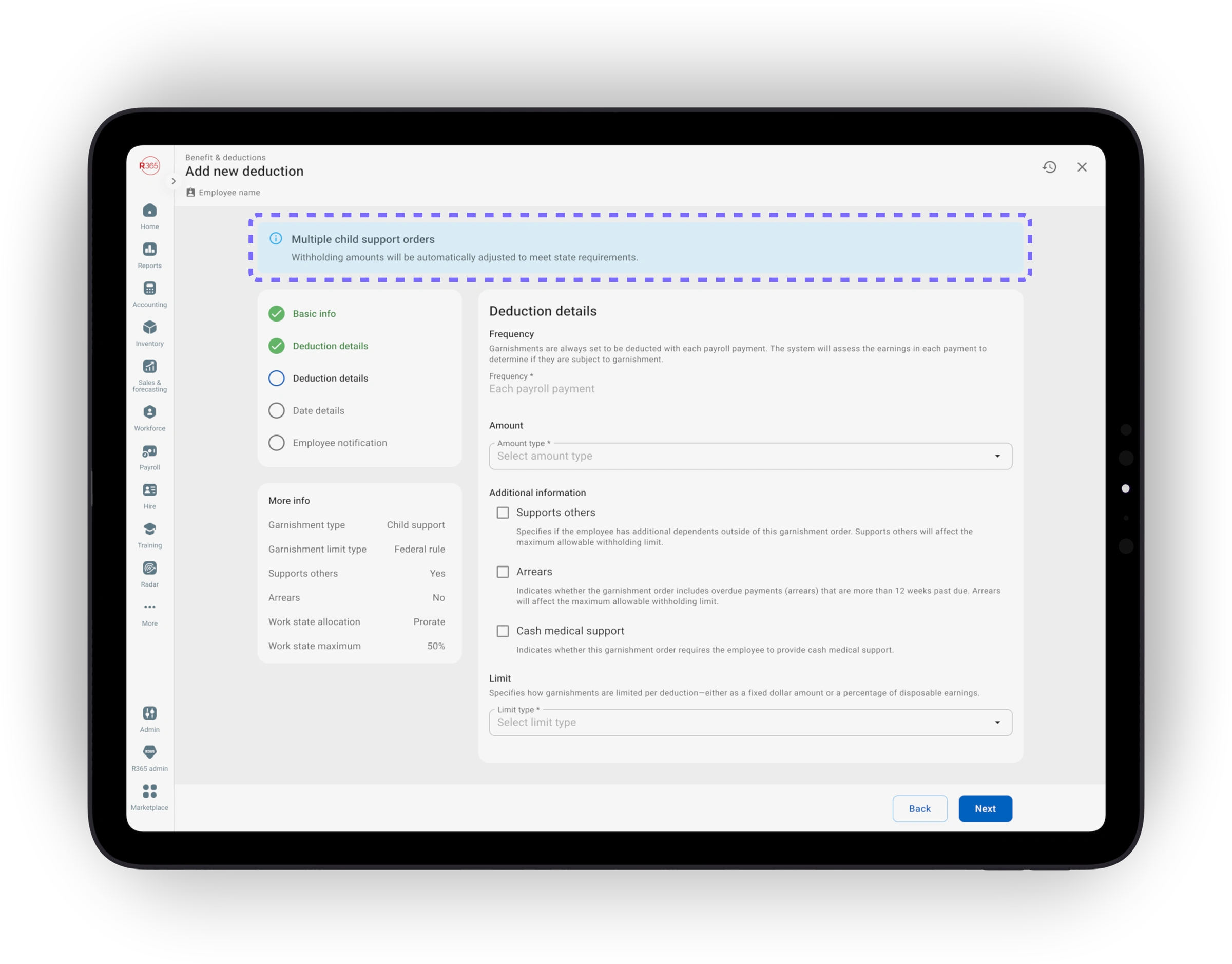
Real-time alerts
Alerts and validations fire at the moment of entry, not after payroll bounces. The rule is visible when the choice is fresh.
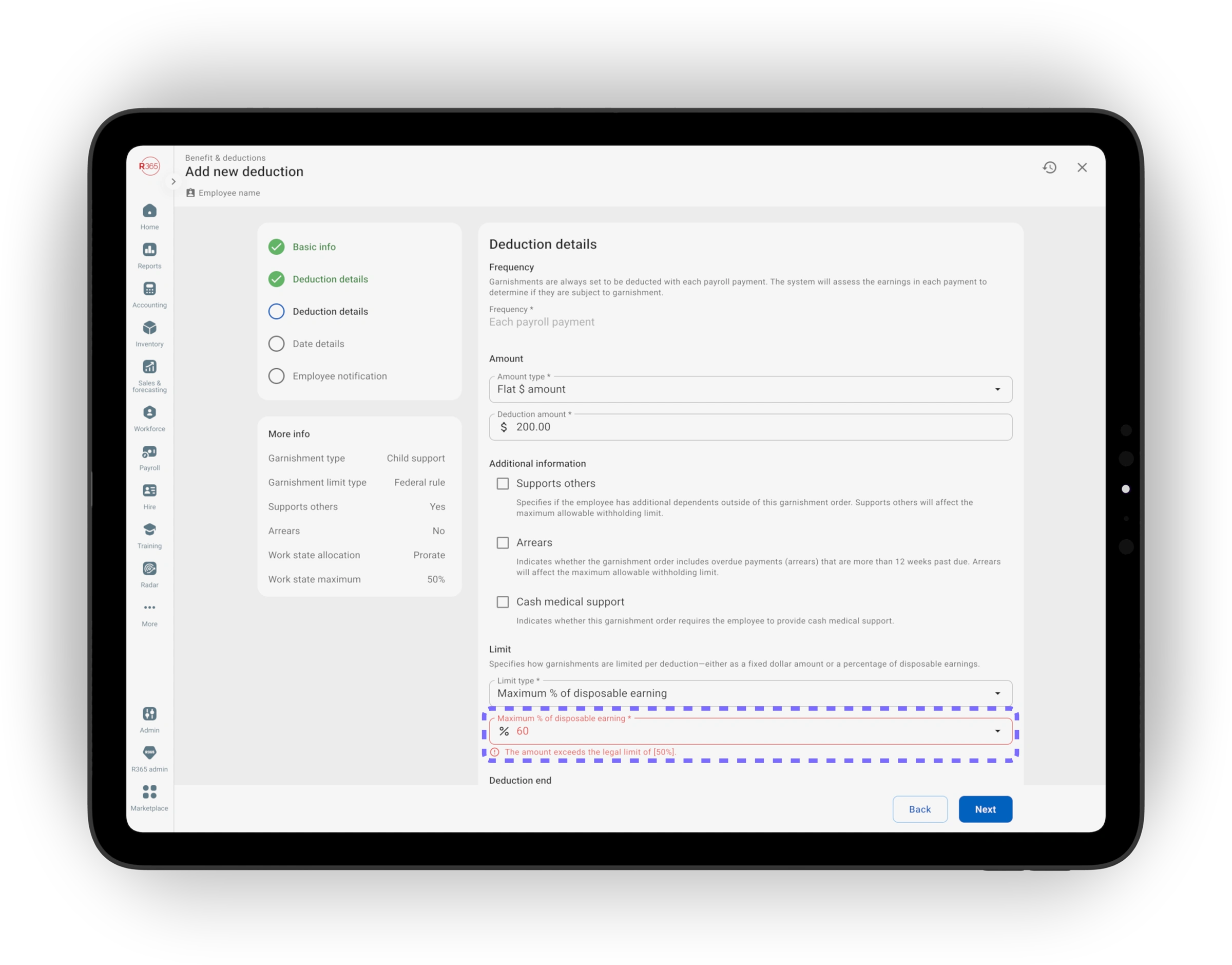
Compliance handled automatically
Calculations are accurate and compliant by default, not a manual checklist the manager has to remember to run.
08 Flow 04 · Editing safely
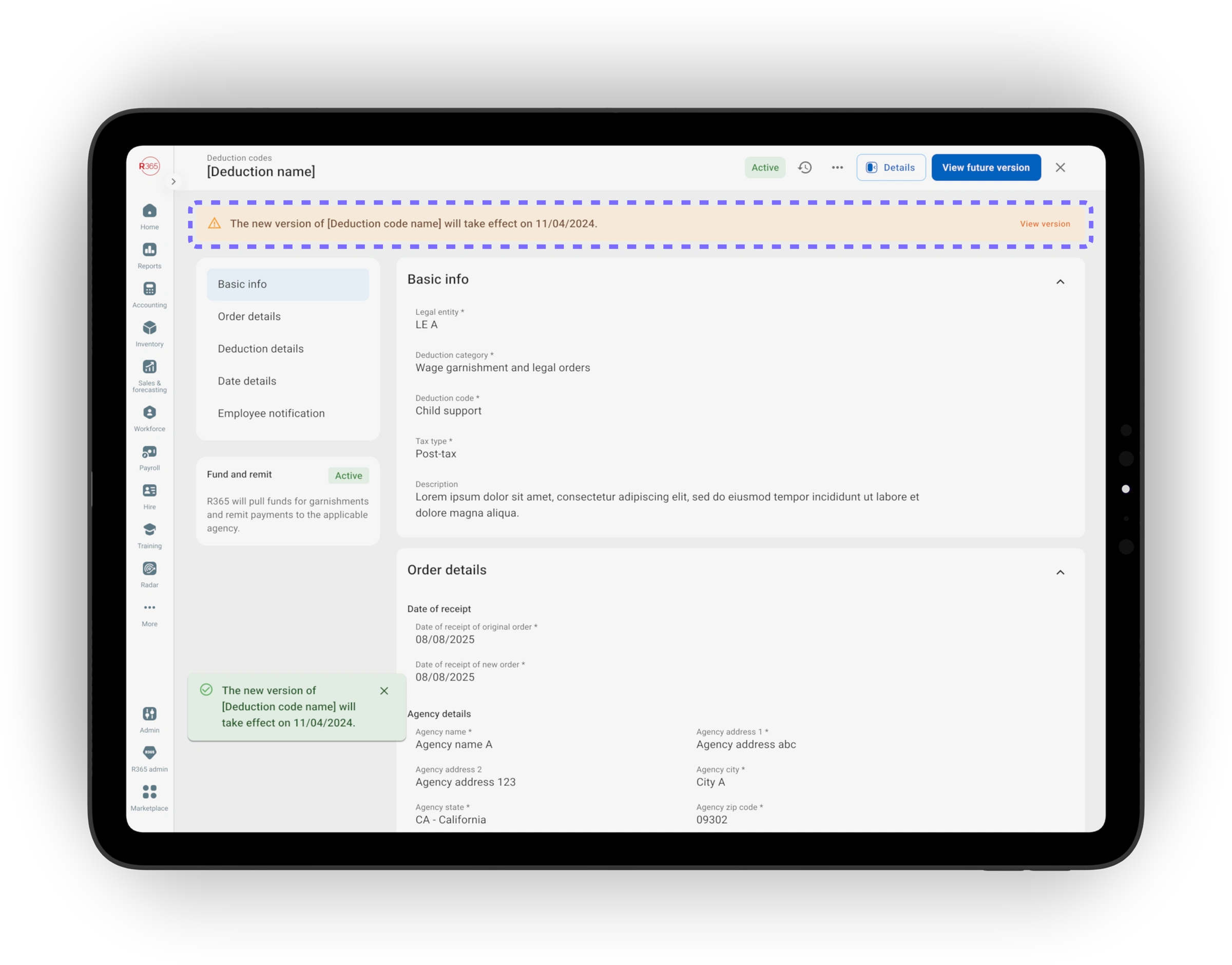
Editing an active deduction — prospective by default
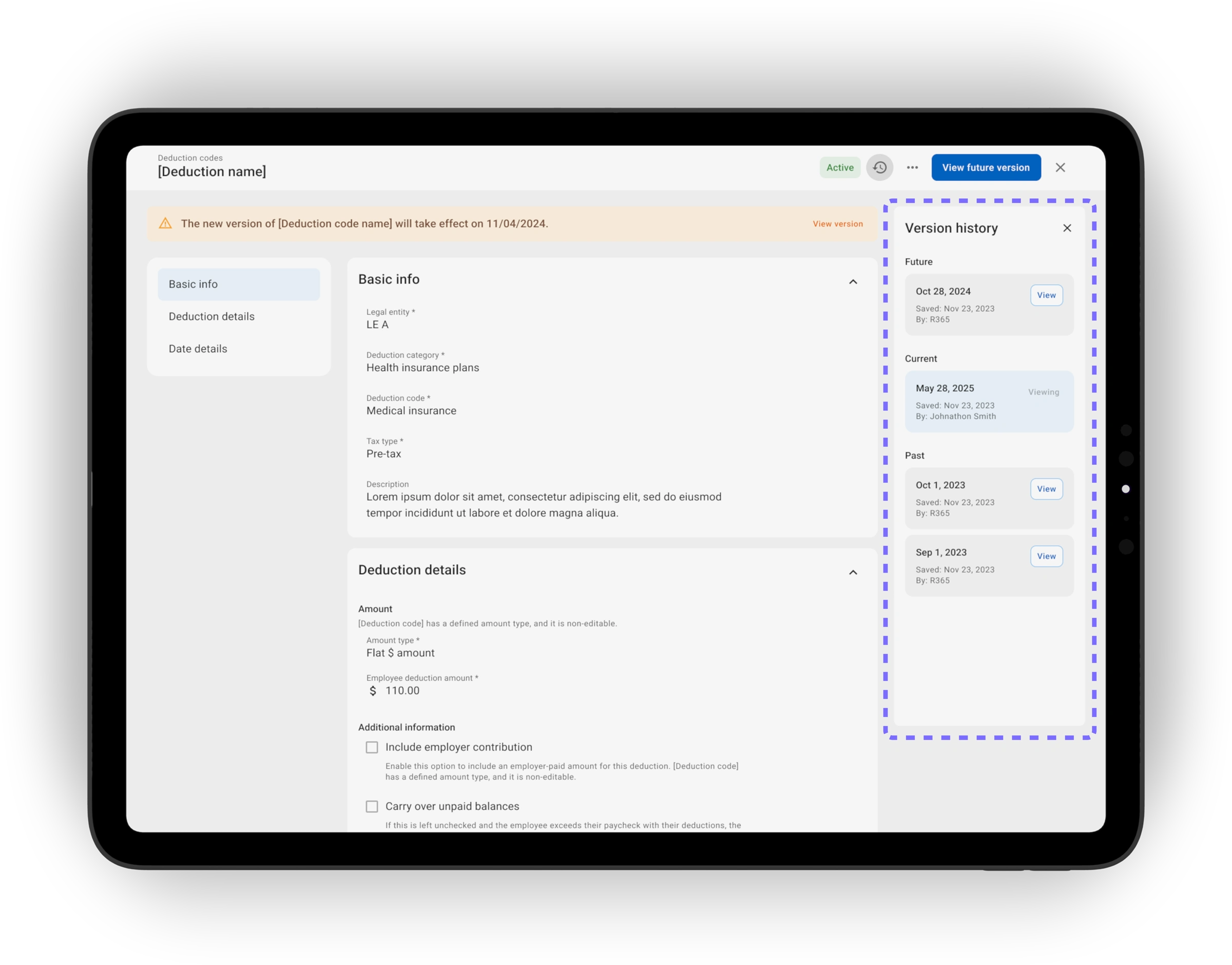
Edits apply prospectively by default. Past pay runs stay locked, and every change is captured in an audit log so managers and auditors can answer “when did this change?” without guesswork.
Prospective by default
Changes affect future pay periods only. Retroactive corrections route to a separate flow with stricter guardrails.
Audit trail inline
Every edit logs who, when, and what changed — visible in-context on the record, not buried in a separate report.
09 Flow 05 · Ending well
Ending a deduction — soft-close, never delete
Ending is a soft-close: the deduction moves to an Ended state with full history preserved. The summary names the exact last paycheck, and for garnishments the system captures whether the case was satisfied or terminated by the court.
Soft-close, never delete
Ended deductions stay visible on the profile with full history. Renewals become significantly easier to manage.
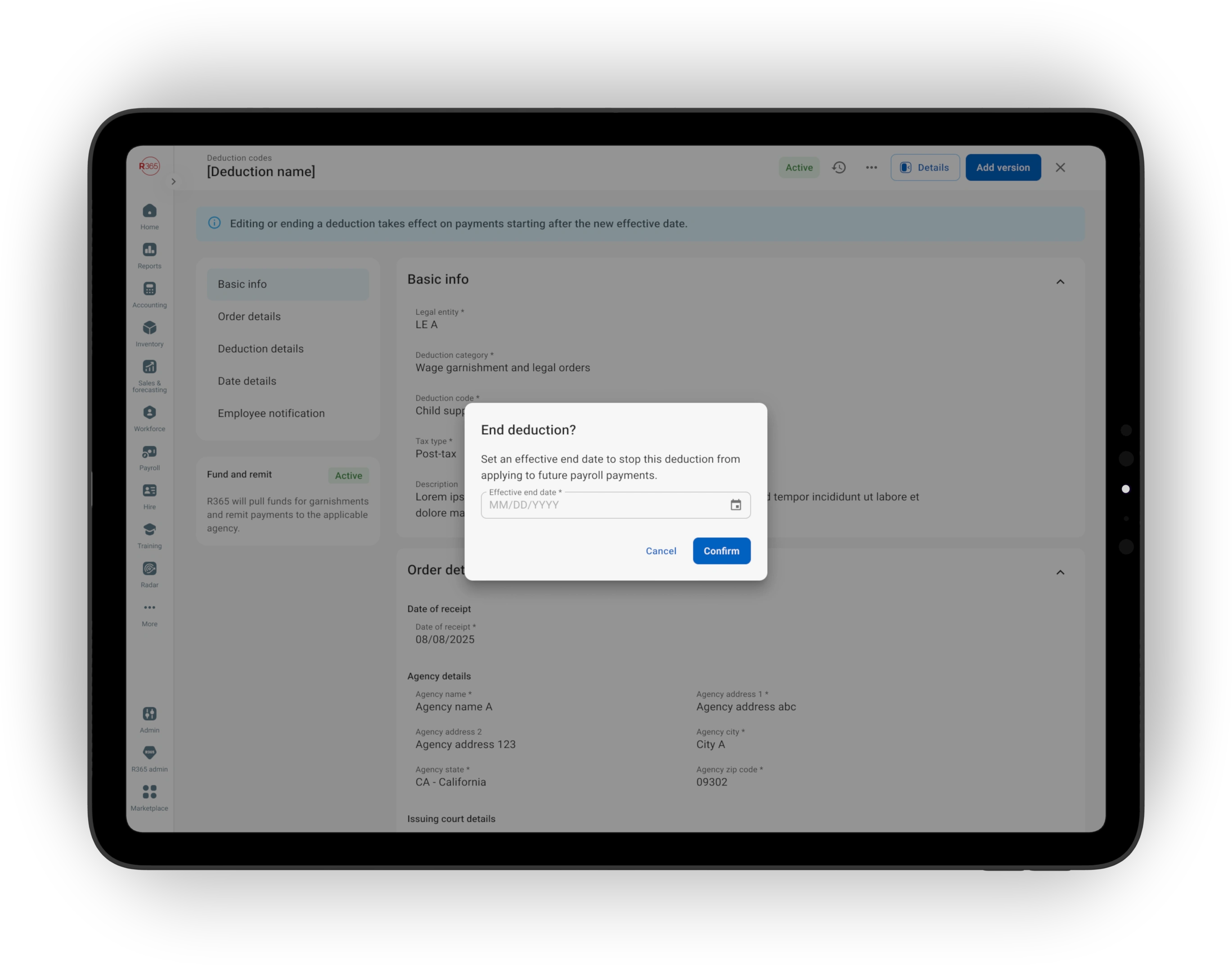
Last-paycheck preview
Before any irreversible action, the system names the exact paycheck that will be affected: “This will be the last paycheck with this deduction.”
10 Design decisions
7 choices that shaped the module
One workflow, adaptive complexity
Routine and garnishment flows share the same structure.
Only the middle adapts.
Validate legal limits at entry
Illegal setups are blocked immediately; risky-but-legal setups trigger recommendations.
Automate multi-garnishment math
Priority, CCPA caps, and state overrides resolve automatically in the system.
Hard blocks vs. strong recommendations
Managers can override risky configurations, but illegal ones are never allowed.
Prospective edits by default
Changes apply to future payrolls only.
Retroactive corrections follow stricter guardrails.
Soft-close, never delete
Ended deductions remain visible with full history and audit traceability.
Status surfaced inline
Active, ending-soon, and ended states appear directly on the employee profile.
11 Outcomes
What it delivered
71.5%
Reduction in escalated tickets — 256 → 73, driven by simplified decision points and fewer user errors.
15.8%
Improvement in payroll efficiency — faster setup, automated calculations, and fewer mid-cycle corrections.
12 What's next
Custom deduction codes — let companies define their own rules
Today, every customer sees the same universal deduction taxonomy. The next phases let companies create custom deduction codes — so the picker reflects what their organization actually offers.
Phase 2 · Custom deduction codes
Companies create their own codes with pre-set category, type, tax treatment, frequency, and amount type, reducing errors and enforcing company-level limits.
Phase 3 · Multi-state compliance
State-specific garnishment rules, disposable-earnings calculations, and reporting formats, all resolved automatically by location of work.
Phase 4 · Payroll anomaly detection
Flag deductions that deviate from established patterns before payroll runs: a missing 401k contribution, a duplicate garnishment, a sudden cap change.
Beyond · Adjacent payroll modules
The wizard pattern, inline validation, and prospective-edits architecture become the template for benefits enrollment, tax setup, and contribution adjustments.
13 The bigger opportunity
Company-defined rules, simpler decisions
Companies define their own deduction rules and offerings, so managers only see options relevant to their organization.
The example
PPO only? Then PPO is all they see.
A restaurant group only offers PPO health insurance. HR pre-configures the deduction rules, tax treatment, frequency, and allowed options at the company level.
When a manager adds health coverage, HMO and POS aren't on the picker — the wrong choice is impossible by design.
Like this project
Posted Jun 9, 2026
Redesigned R365's payroll deductions system, improving efficiency and reducing support tickets.
Likes
0
Views
8
Tags