Proofit: Goal tracking from streaks to a personal visual record

Jeremiah George


I needed a goal tracking app to track a yearly goal of mine (to improve my drawing skills by drawing everyday), but it only made me realize the scarcity of those apps that actually tracked your progress. Talk less of visualizing them.
You see, in the field it felt like almost everyone was designing a goal tracking or goal related app, so I thought it’d be easier to find a suitable one for my use case, but I was wrong. So I decided to design a solution (Proofit) that not only tracks your goal, but visualizes your sessions through pictures, to clearly see your progress and improvement.
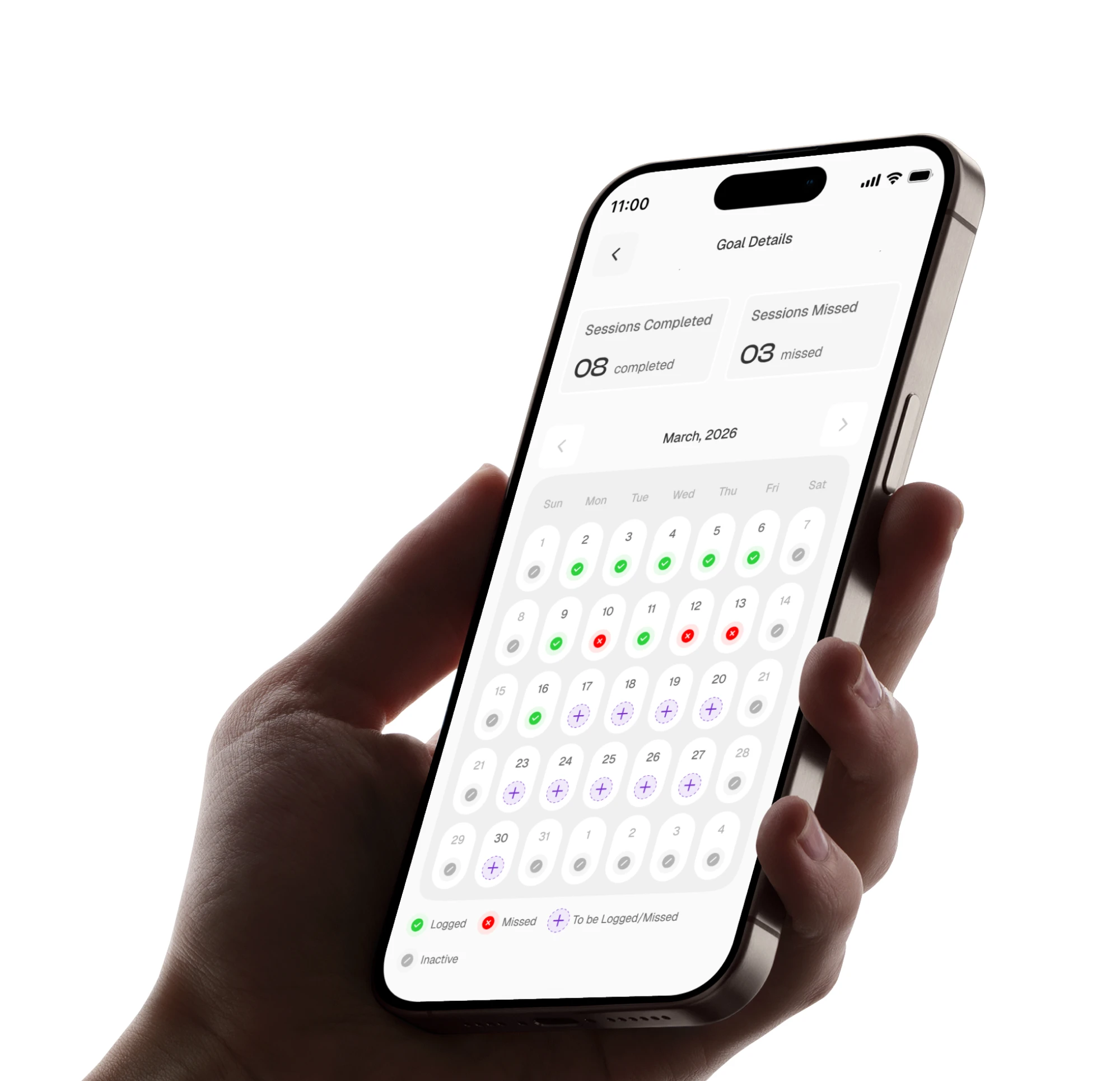
Goal Details' page (mockup in hand).
About the App
Proofit is a goal-tracking app built around visual proof. Instead of just checkboxes, you log each completed session with pictures. Over time, you don’t just track a streak, you build a collection of real evidence showing your progress. Your improvement becomes something you can see, scroll through, and genuinely feel proud of.
You see, most goal apps show you a progress bar, an insight chart, or a collection of streaks. None of them really visualizes your progress. Proofit closes the gap between "I completed 28 sessions" and "I can see who I was on day 1 versus today." The photo proof is the evidence layer that transforms your progress data into a more personal proof and record.
The photo requirement also removes performative show ups. You either did it and can prove it, or you didn't. So it’s real effort and real progress.
some goals you can track with the app.
How it works
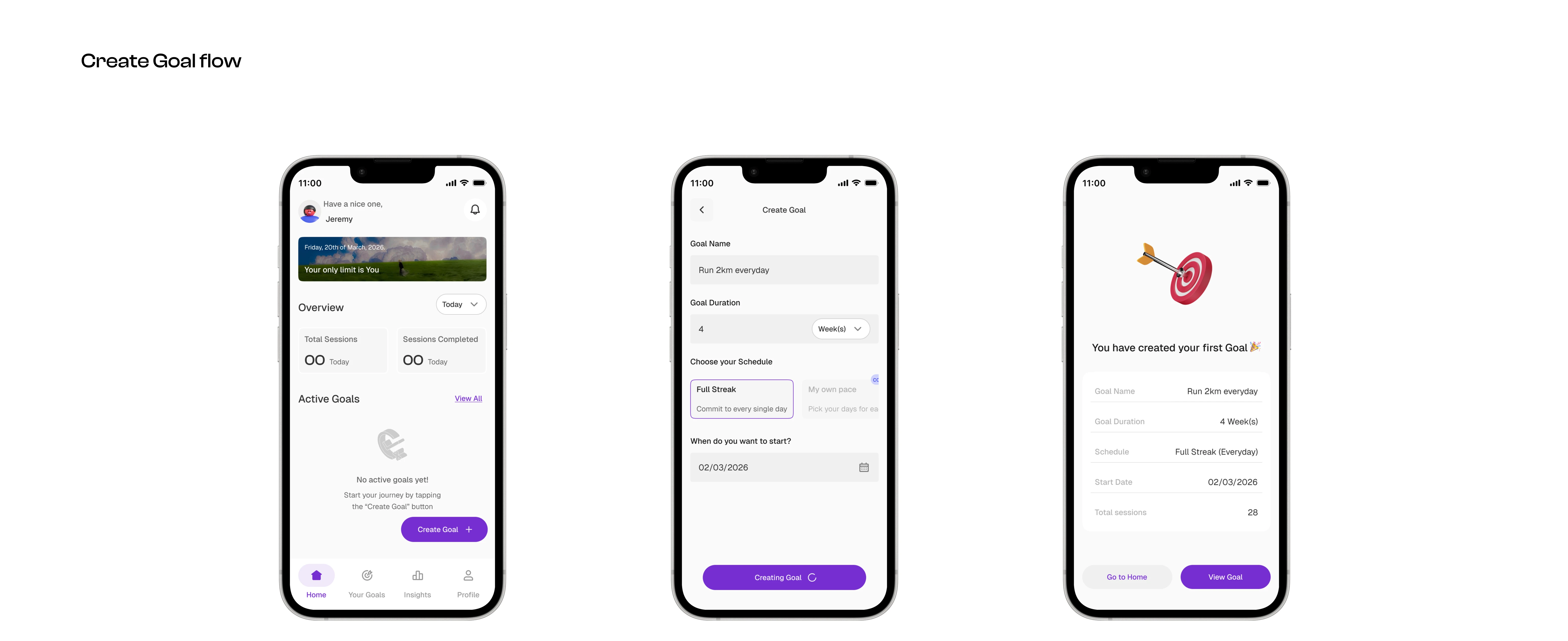
1. Create your first Goal
Tap the “Create Goal” CTA to start. Fill in your goal details, which includes your goal name, full duration, schedule, and your start date and you have successfully created your goal.
Create your first goal.
2. Successful Goal creation
After successfully creating your goal, you get to see your full goal details. This page allows you to track the full progression of your goal and also log your sessions.
Goal Details' page.
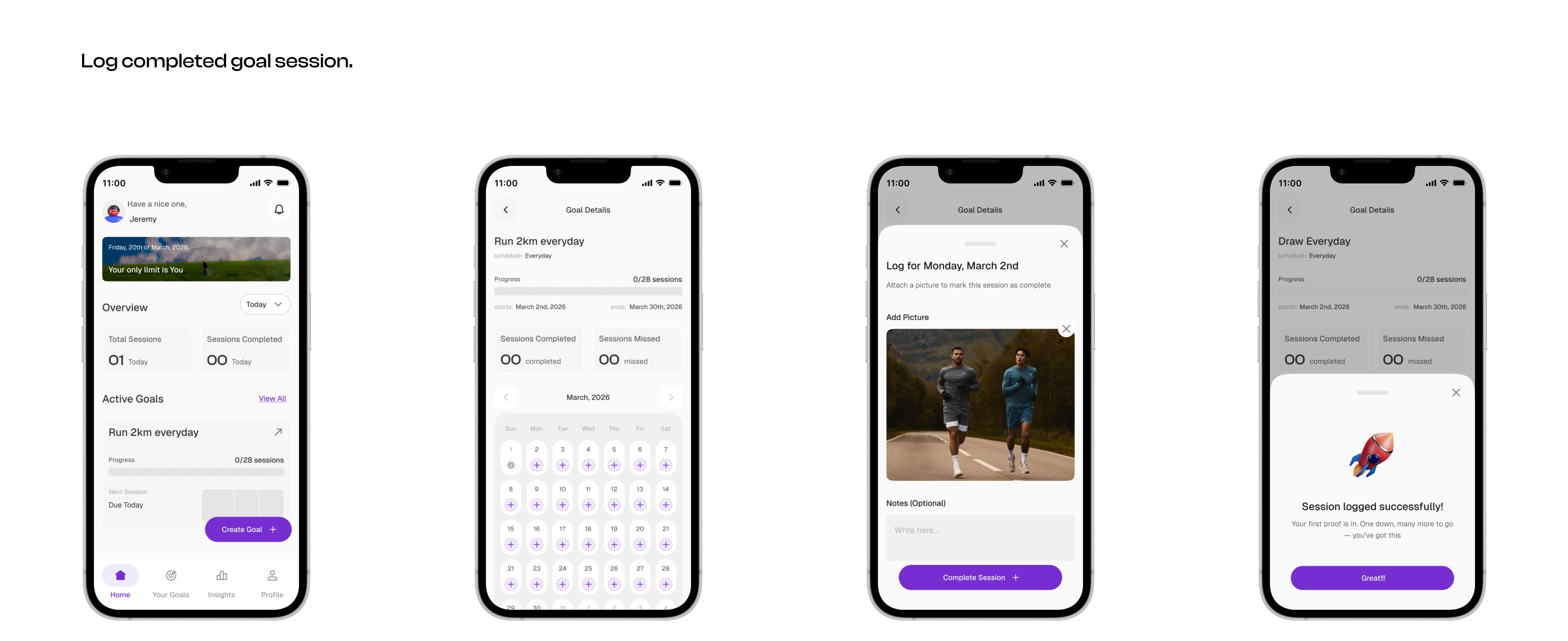
3. Log your completed goal session
To mark a session (one goal day) as completed, tap one of the day buttons on the calendar grid in the goal details’ page. This brings you to this input page where you add a picture from when you were working on your goal. e.g. a pic on the field if your goal is running, etc.
Log your completed goal session.
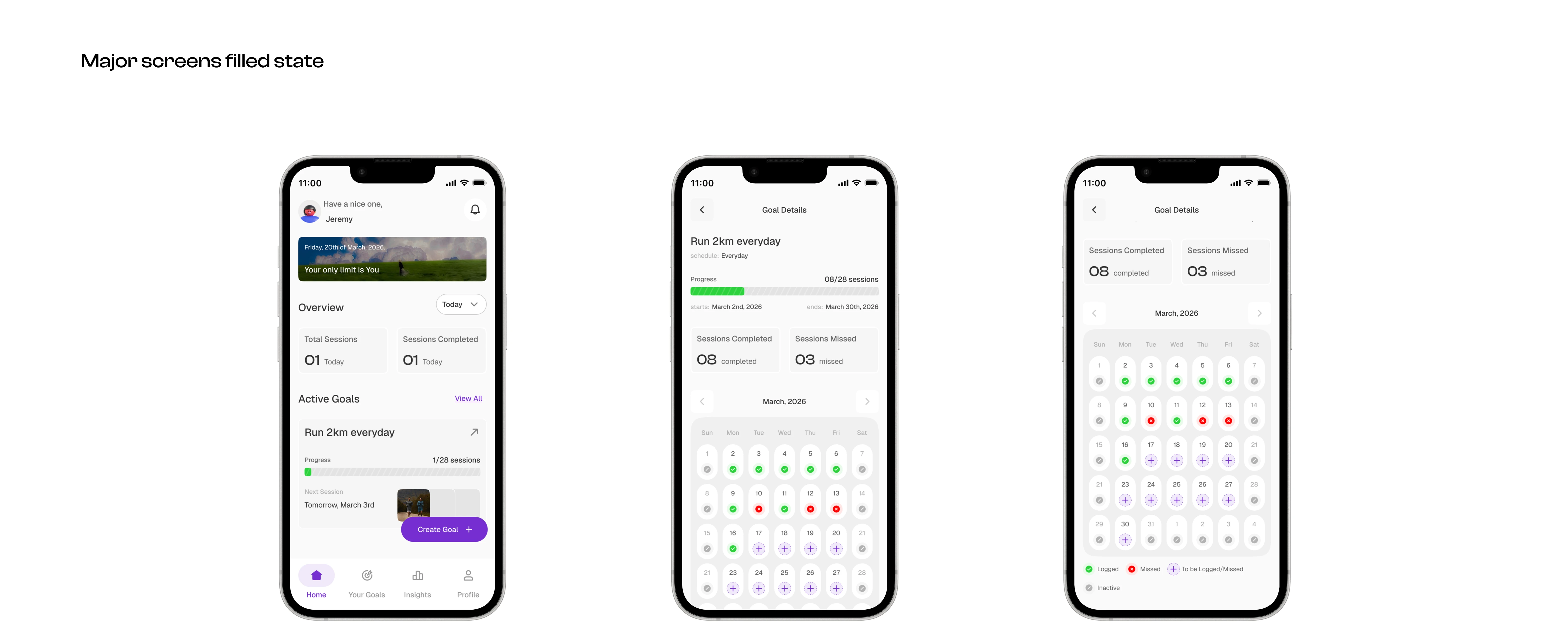
HiFi Screens
Prototype
Prototype video (Watch in full mode)
You can also interact with the prototype live here:
Thanks for Staying
Are you working on a project or you have an idea in mind, and you need a Product (Ui/Ux) designer in your team? Don't hesitate to hit me up here on Contra or through my Email at fejirogeorge7@gmail.com ; Linkedin at: Jeremiah George
Looking forward to working with you.
Like this project
Posted Apr 1, 2026
I designed Proofit, a goal-tracking app that replaces just streaks with photo-based session logging, turning progress into a more visual record.
Likes
1
Views
19