Fleetops Dashboard for Logistics

Wuraola Olaibi


The Problem:
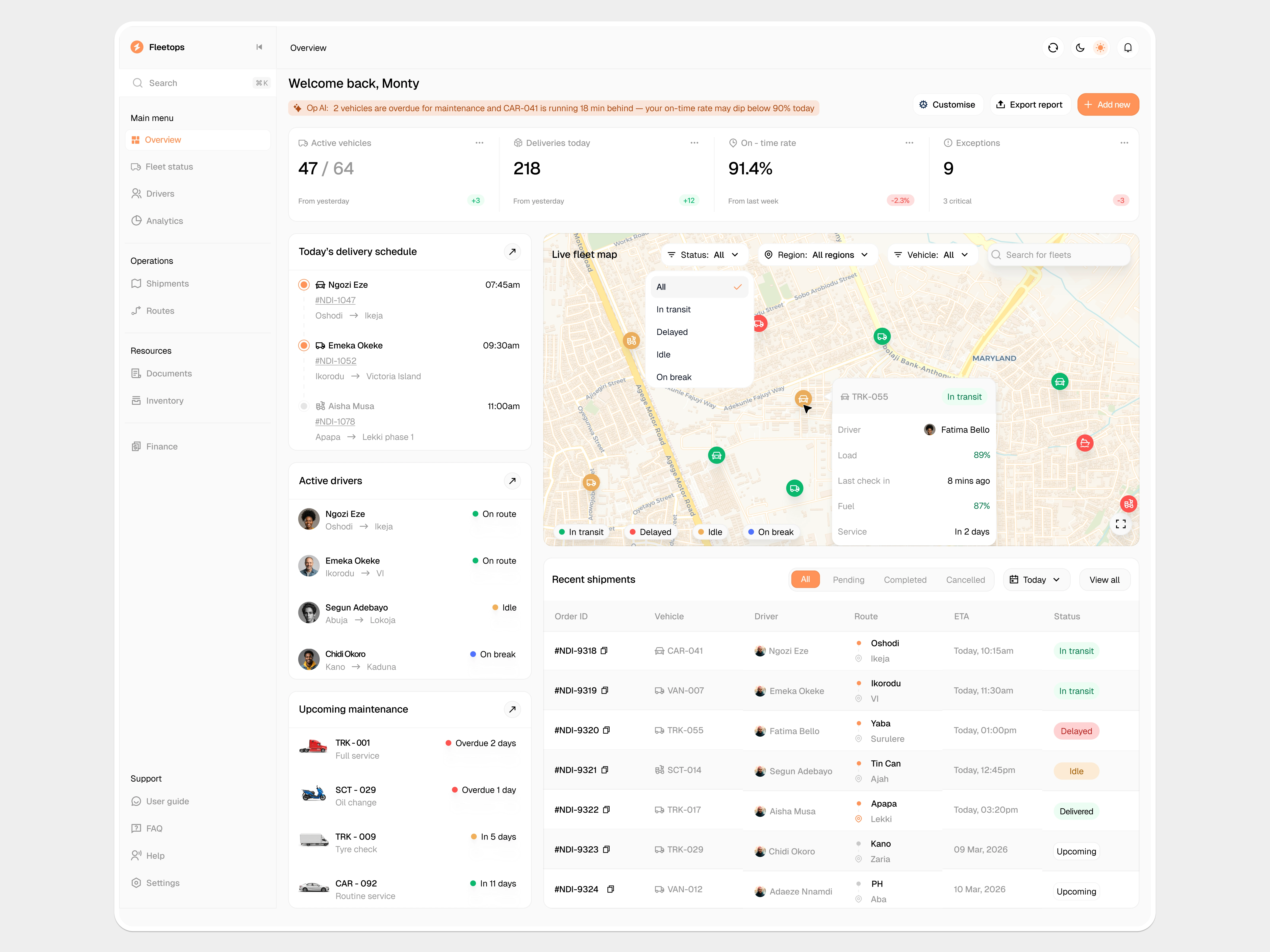
Fleet dashboards in logistics tend to go one of two ways: built for global supply chains with assumptions that don't hold in West African logistics (unreliable connectivity, informal route structures, mixed vehicle types), or so stripped down they're just a spreadsheet with icons. I wanted something that gave fleet and ops managers a real operational view, vehicle health, driver status, routes, and analytics, without forcing them to cross-reference three different screens to answer one question.
Target User:
Fleet and operations managers running logistics in Nigerian and West African markets — juggling a mixed fleet (trucks, vans, scooters), drivers spread across regions, and orders that don't always follow clean A-to-B routes. They need one glance to know what's moving, what's stuck, and what needs attention.
My Approach:
1. Overview — flag what matters before showing anything else
A plain-language "Op AI" banner sits above the KPIs on every operational page: "2 vehicles are overdue for maintenance and CAR-041 is running 18 min behind."
It's the same underlying data a manager would eventually find by filtering — the banner just says it first, in one sentence, before anyone's had to go looking
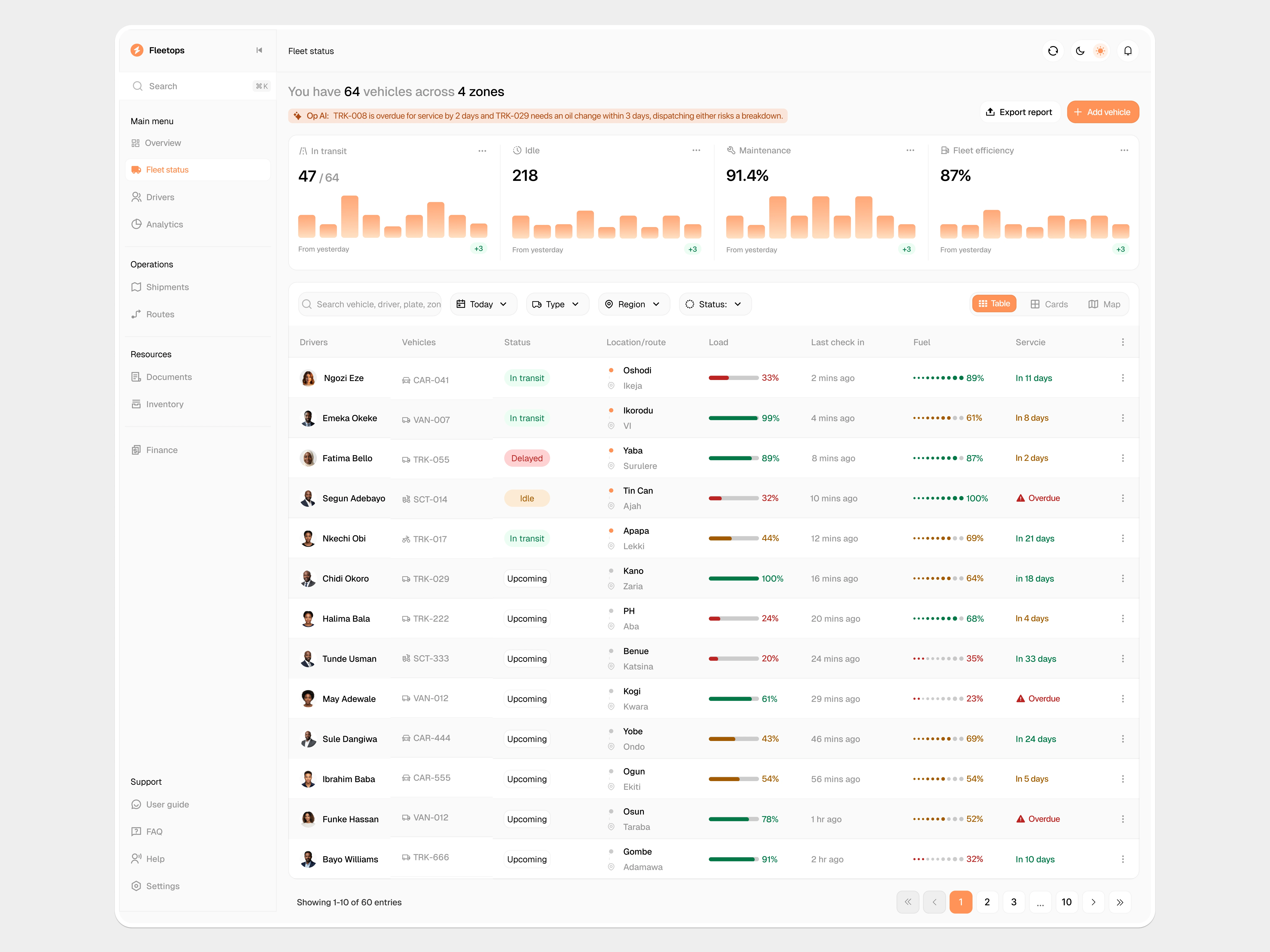
Table view for Fleet status
Fleet Status — three ways to look at your fleet, pick whichever fits the moment
Table view — every vehicle laid out in rows with load, fuel, location, last check-in, and service info all visible at once. Good when you need to scan many vehicles fast or sort by something specific.
Cards view — each vehicle as a card with a picture of the actual vehicle type (van, truck, scooter, car). Good when you want to recognize a specific vehicle quickly without reading plate numbers.
Map view — every vehicle plotted geographically with live status. Good for dispatching, rerouting, or answering "where is everything right now."
Same vehicles, same filters, same data — you just switch how you're looking at it depending on what you're trying to do.
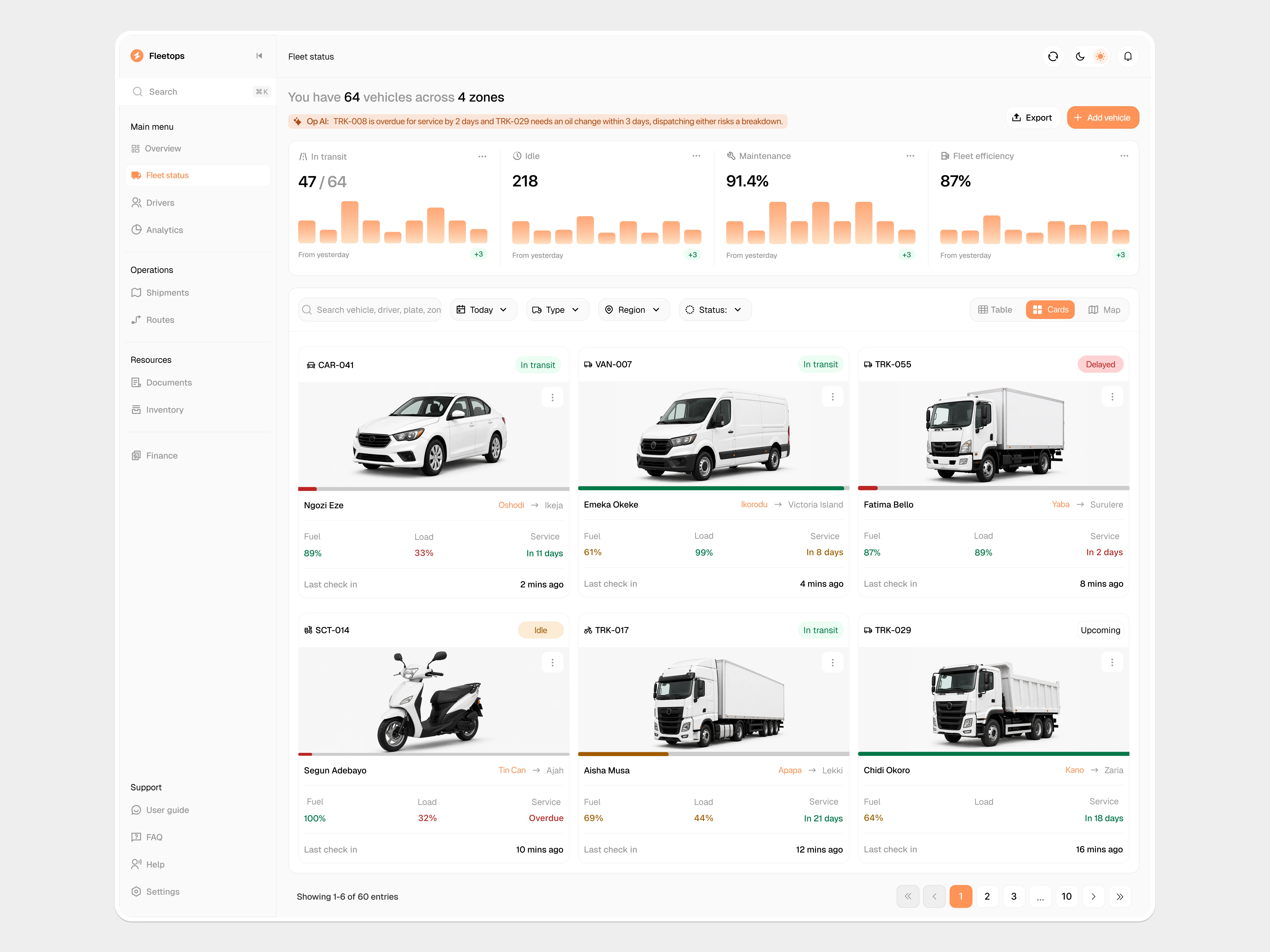
Cards view for fleet status
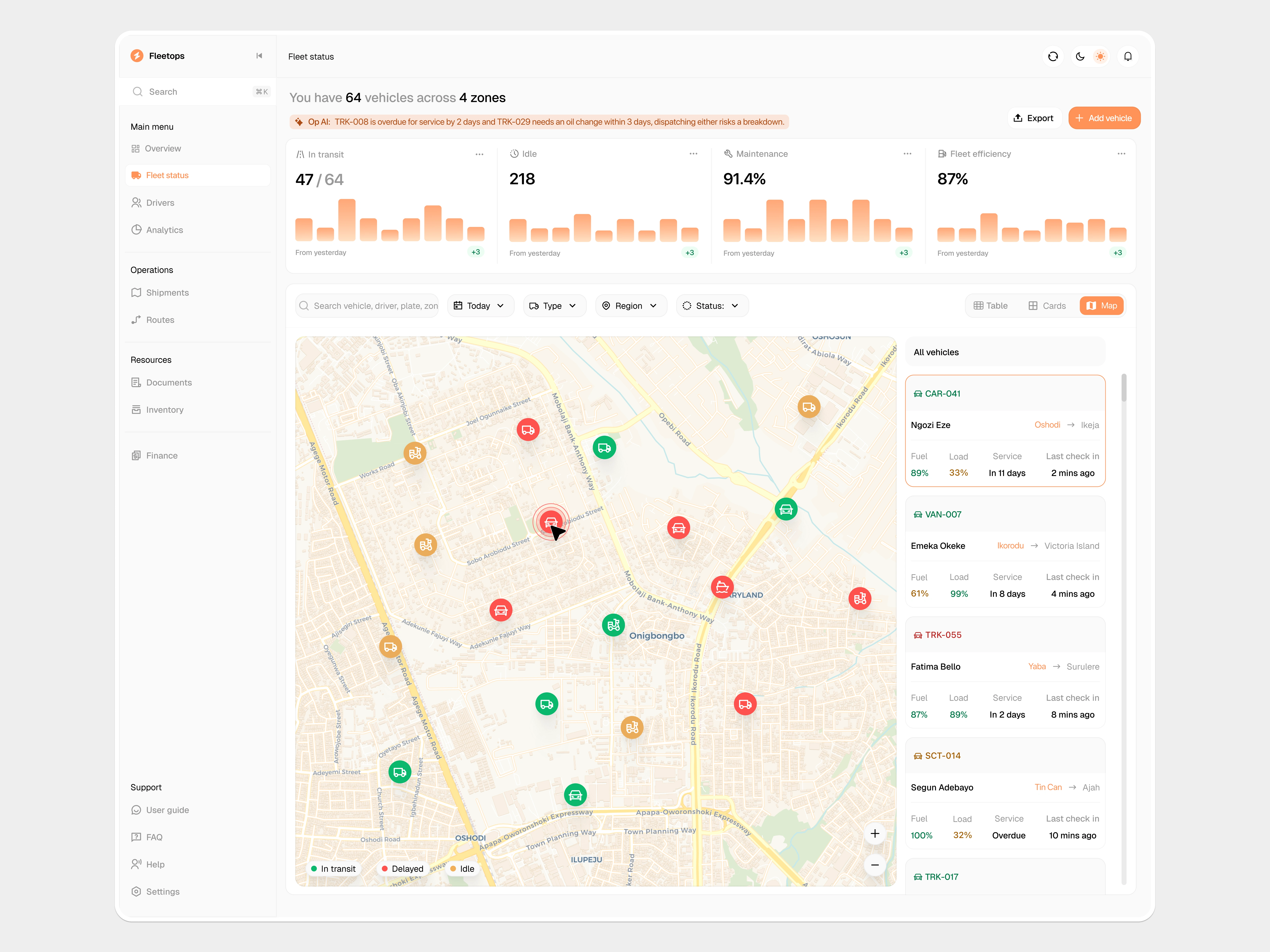
Map view for fleet status
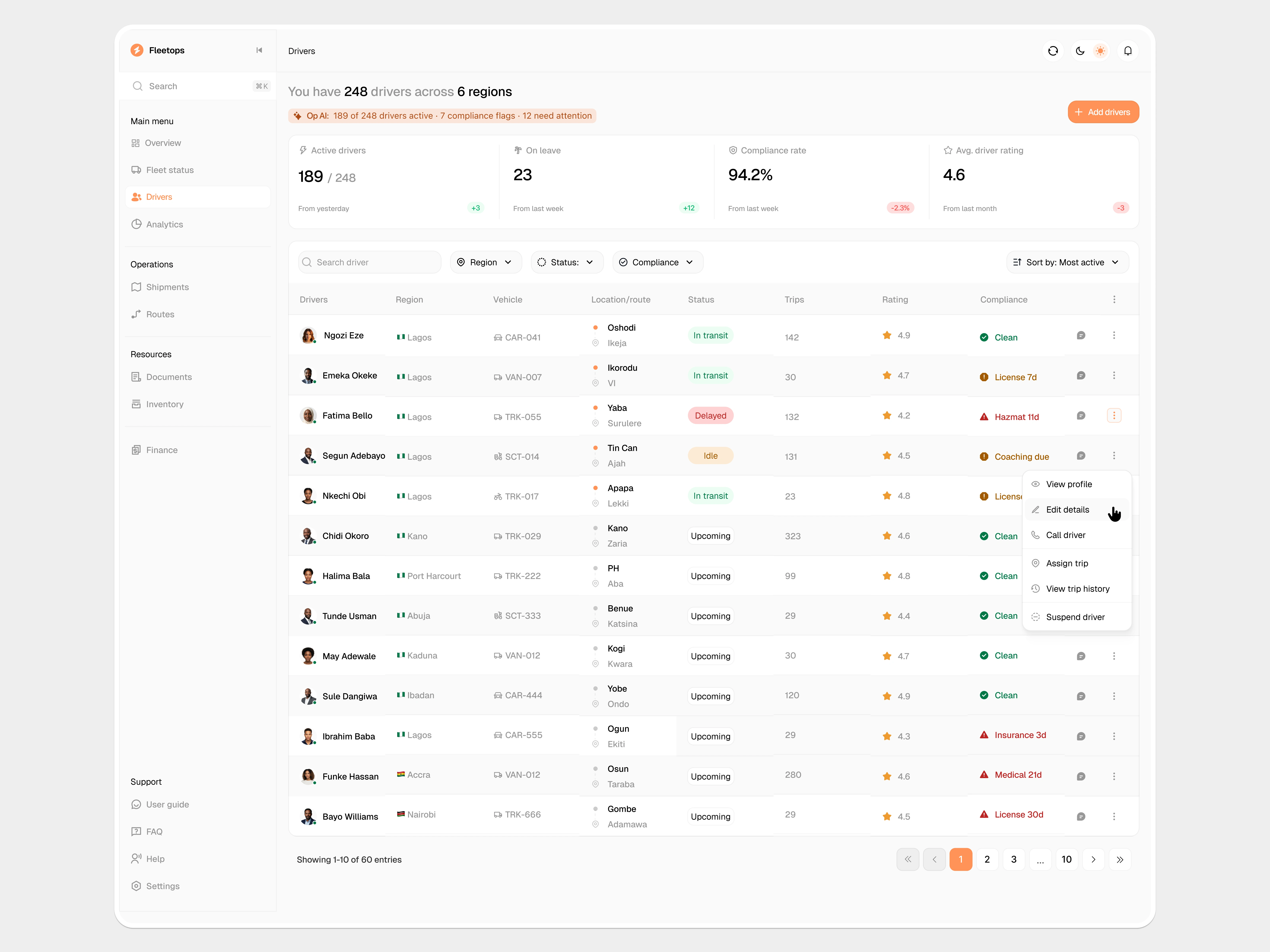
Drivers tab
Drivers - track who's available and who's still legal to drive
The Drivers page shows all your drivers with their current status (on route, idle, delayed) right next to their compliance status (license valid, hazmat cert expiring, coaching due, medical fitness, insurance).
You can filter by either one independently - find everyone idle right now, or find everyone whose paperwork expires this week.
Each driver's profile goes deeper - current trip with live ETA, shift/break/drive hours, 30-day performance (trips completed, on-time rate, customer rating, distance driven), and a Compliance tab listing every certification with its real expiry date.
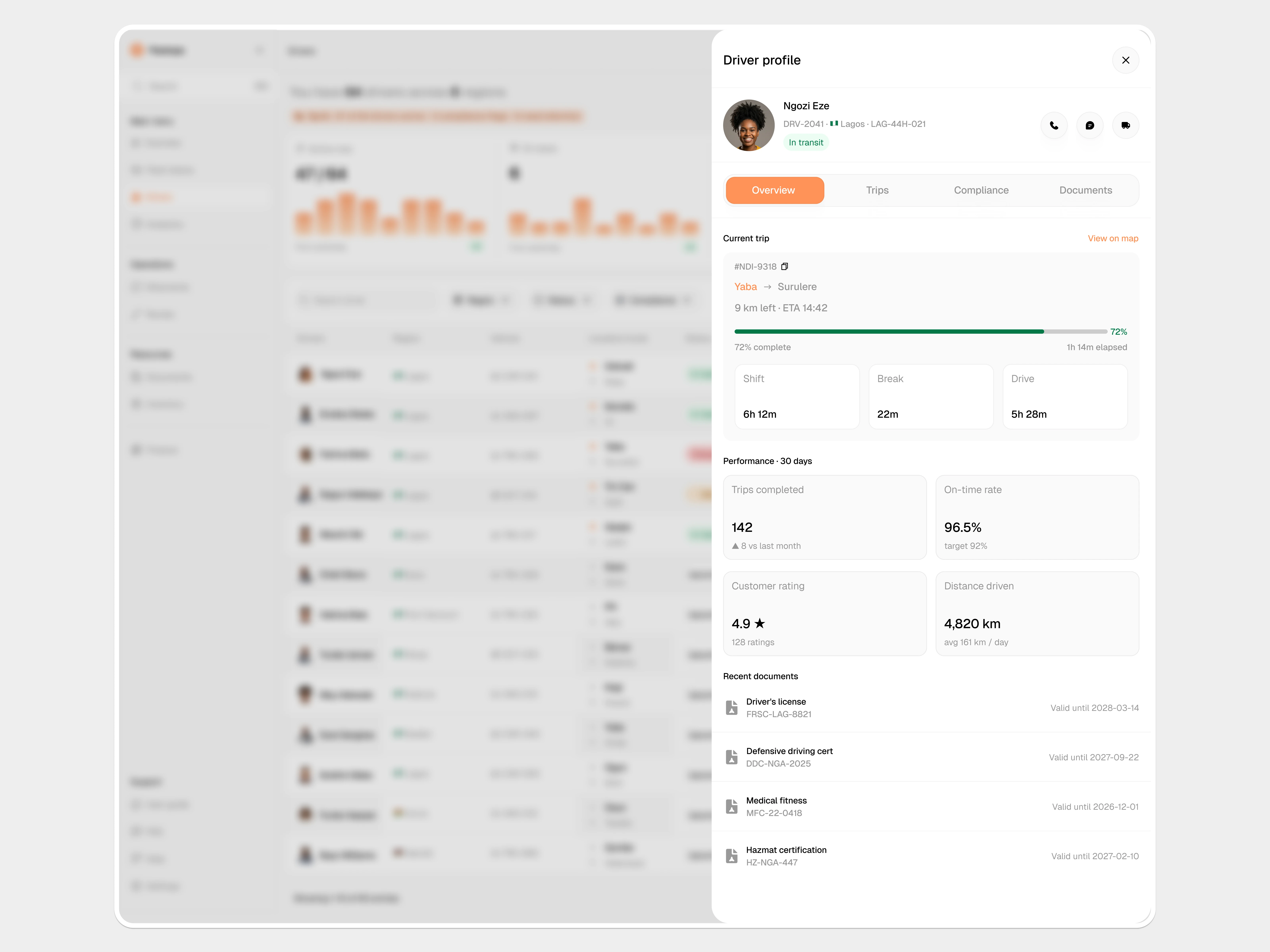
Driver details
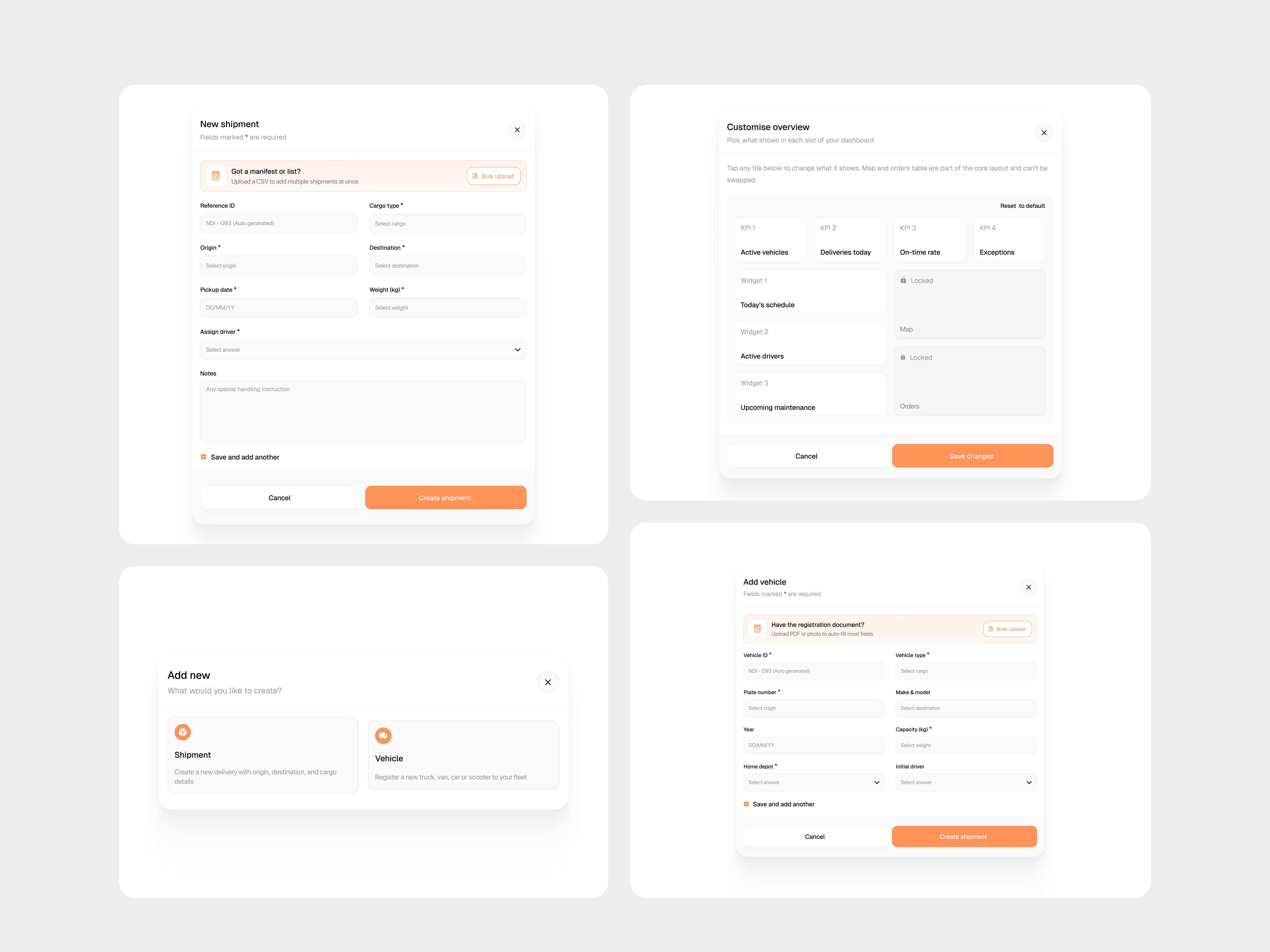
Modal designs
Modal actions
Customise Overview - make the dashboard yours, within reason
Managers can rearrange which KPIs and widgets appear on their Overview to match what they care about most.
The live map and the orders table stay locked in place — those two are useful to everyone regardless of role, so the dashboard makes sure you never lose them.
2. Add new - pick what you're creating first (shipment or vehicle), then get the right form. No long menu to dig through.
3. New shipment - auto-generated reference ID, CSV bulk upload for logging multiple deliveries at once, "Save and add another" for back-to-back entry.
4. Add vehicle - upload the registration document and most fields auto-fill. Hand over the paperwork once instead of typing it twice.
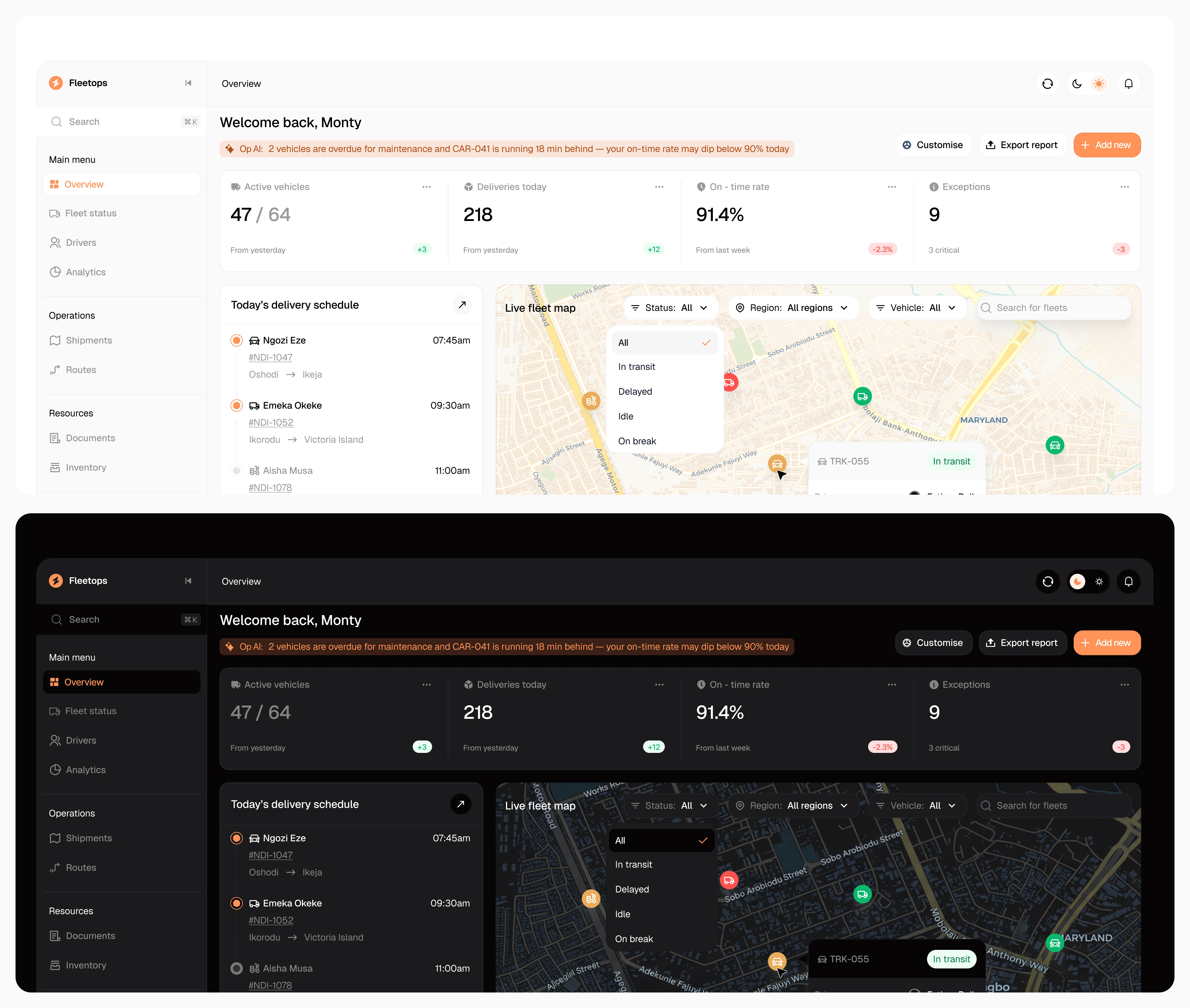
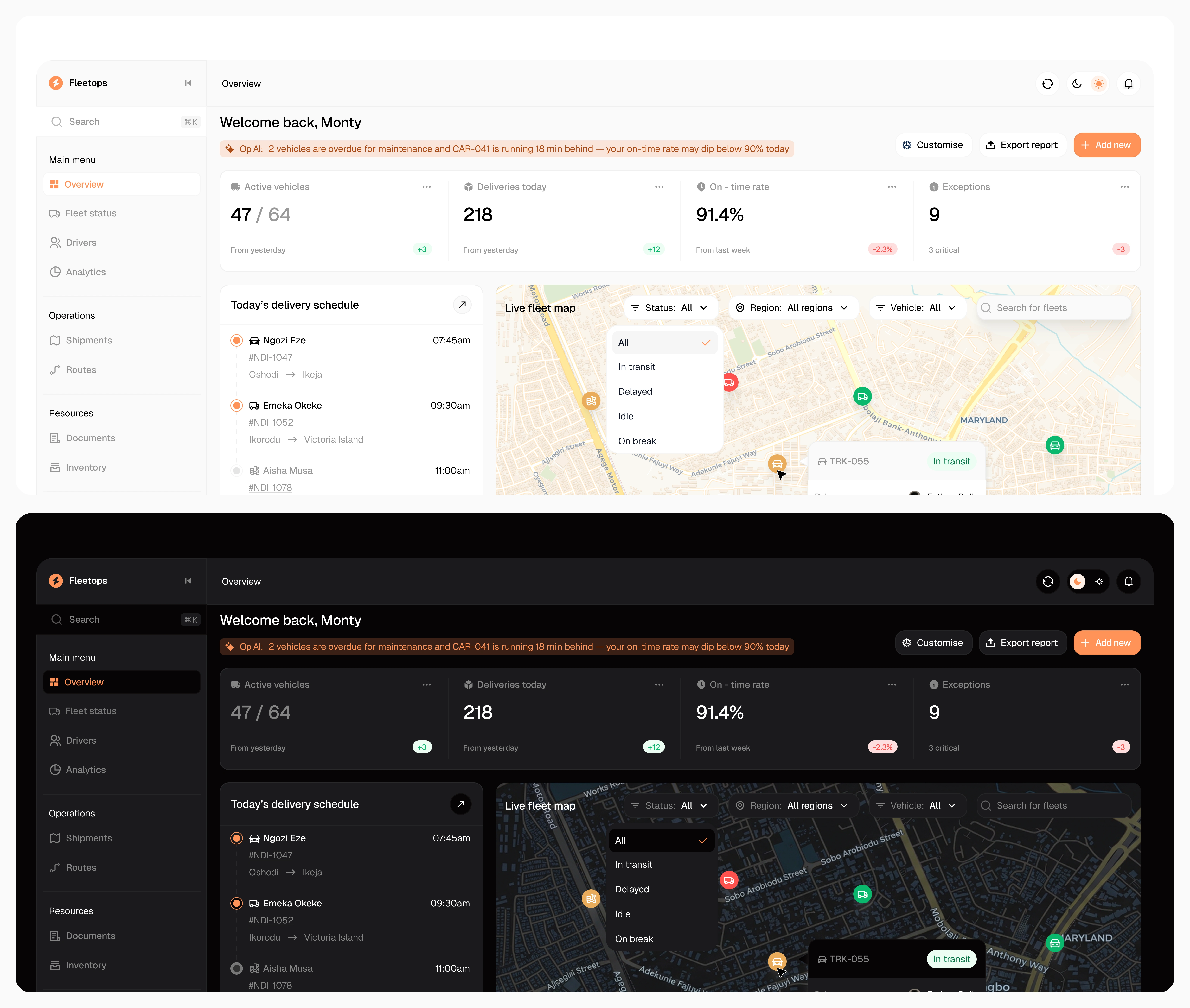
Dark mode view useful for managers running overnight shifts or working out of low-light depots.
Like this project
Posted Jun 26, 2026
A logistics dashboard that helps fleet and operations managers track vehicles, drivers, and deliveries across markets.
Likes
1
Views
53