
Problem Solving and Project Editing Infographic
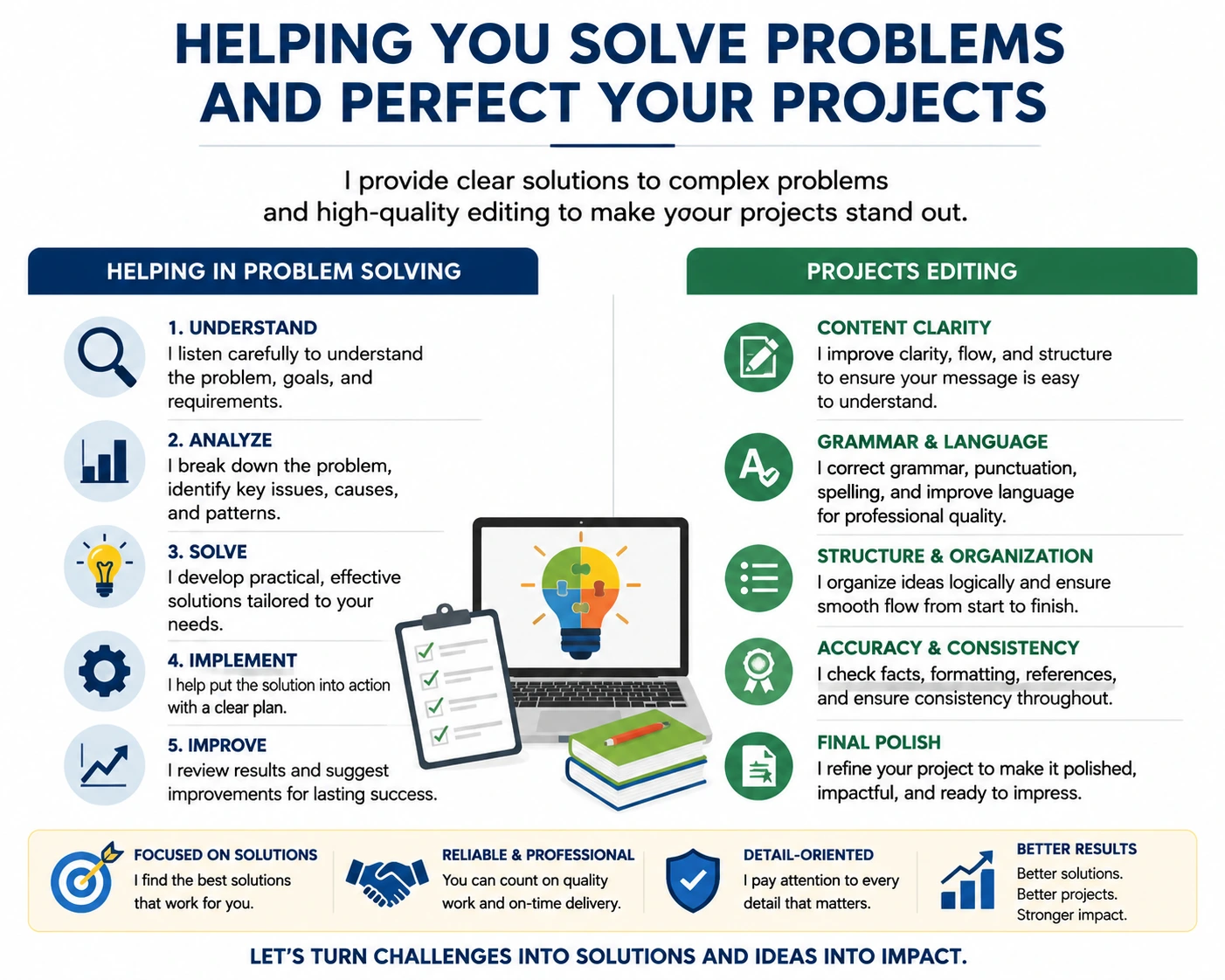
This infographic is designed to visually communicate services in problem-solving and project editing. The layout is split into two clear sections:
1. Helping in Problem Solving (Left Side):
Understand: Listening carefully to identify the core issues, goals, and requirements.
Analyze: Breaking down the problem, identifying causes, key issues, and patterns.
Solve: Developing practical solutions tailored to the client’s needs.
Implement: Putting solutions into action with a clear plan.
Improve: Reviewing results and suggesting improvements for lasting success.
Icons and visual cues accompany each step for clarity.
2. Projects Editing (Right Side):
Content Clarity: Organizing content for clear flow and readability.
Grammar & Language: Correcting grammar, punctuation, and tone for professional quality.
Structure & Organization: Logical sequencing and smooth flow from start to finish.
Accuracy & Consistency: Ensuring facts, formatting, and references are correct.
Final Polish: Refining projects to make them polished, concise, and impactful.
Bottom Highlights / Values:
Focused on solutions
Collaborative approach
Reliable and professional
Detail-oriented
Delivering better results
Overall Purpose:
The infographic communicates a structured, step-by-step approach for turning challenges into solutions and ensuring high-quality, well-edited projects. It uses a clean, readable layout with clear icons, bold headings, and balanced spacing, making it suitable for presentations, portfolios, or service marketing.
0 likes · 0 views · May 22, 2026
Problem Solving and Project Editing Infographic This infographic is designed to visually communicate services in problem-solving and project editing. The lay...


