Simplifying Property Search and Management with BuilderFlow

Juliana Orji

Summary
BuilderFlow is a product designed to simplify how clients discover, buy, and monitor building projects. I led the design efforts to create a seamless end-to-end experience, from searching for a property based on budget and location, to scheduling inspections, making payments, and tracking construction progress. This project aimed to make the property-buying journey more transparent and interactive for clients, empowering them to stay informed and connected through every stage of the process.
What was the problem?
Clients often struggle with fragmented real estate experiences, searching for properties, scheduling site visits, managing documents, and tracking progress are usually spread across different platforms or offline channels. We aimed to centralize all of these into one clean, client-facing interface in BuilderFlow.
This was important because:
Buyers want to filter by location, property type, budget, and payment plans.
They want to request inspections, receive real-time updates, and view all documentation in one place.
A smoother experience increases buyer confidence and leads to higher conversion rates.
Research showed that:
67% of buyers say they want more transparency and progress updates when purchasing properties.
Fragmented communication and document handovers were a leading cause of delayed transactions and buyer drop-off.
Finding the right property is hard. Managing the buying journey is even harder.
There’s a gap in platforms that not only help users find properties but also guide them throughout the purchase journey, especially in tracking property progress, managing communication, and organizing payments.
Goal
Design an intuitive web experience for clients (property seekers) that lets them:
Discover properties that match their needs
Access transparent information
Schedule inspections easily
Interact with developers and agents
Track progress on properties they've purchased
Monitor payments and next steps
Approach
I began by studying the Product Requirements Document (PRD) and defining the primary use cases from the client’s perspective. While we didn’t conduct formal user research, I reviewed UX patterns from similar real estate platforms and identified navigation, property discovery flows, and document management techniques.
I mapped out user tasks such as:
Setting preferences (location, budget, etc.)
Discovering properties
Requesting inspections
Viewing updates
Making payments
Managing documents
The navigation and flow were designed to support these actions in a logical, low-friction journey.
User Stories
As a first-time buyer, I want to filter properties by location, budget, and payment plans so I can find something within my means.
As someone who's paid for a property, I want to track how far construction has gone so I know what to expect.
As a busy professional, I want to schedule inspections and communicate with agents easily.
“How Might We” Questions
How might we help users trust the listings they see?
How might we make it easy to track a property after booking it?
How might we reduce the friction in communication and inspection scheduling?
User Journey Map (Simplified)
Stage Action Pain Point Opportunity Onboarding Selecting preferences Irrelevant listings Personalized filters Search & Discovery Browsing properties Lack of clarity, outdated info Clean UI with verified developer tags Property Exploration Viewing property details No agent contacts or plan info Show contacts + payment plan breakdown Booking Inspection Scheduling a visit Long calls, poor coordination In-app calendar & live video options After Purchase Tracking project progress No visibility, constant follow-up Phase tracking and site updates Payments Viewing payment history or schedule Missed deadlines, no documentation Easy-to-read payment history
Challenges
One of the early challenges was balancing simplicity and feature depth. Clients needed access to rich information (property breakdowns, payment stages, inspection history), but without overwhelming them.
We solved this by:
Using progressive disclosure (revealing more as needed).
Maintaining a clean visual hierarchy with neutral tones and consistent card layouts.
Creating modular components so each section (discovery, payments, inspections, etc.) felt familiar but focused.
Another challenge was defining clear hand-offs between features—e.g., how scheduling an inspection would impact later stages like payment and updates. Collaborative reviews with developers helped untangle these flows.
Design Process
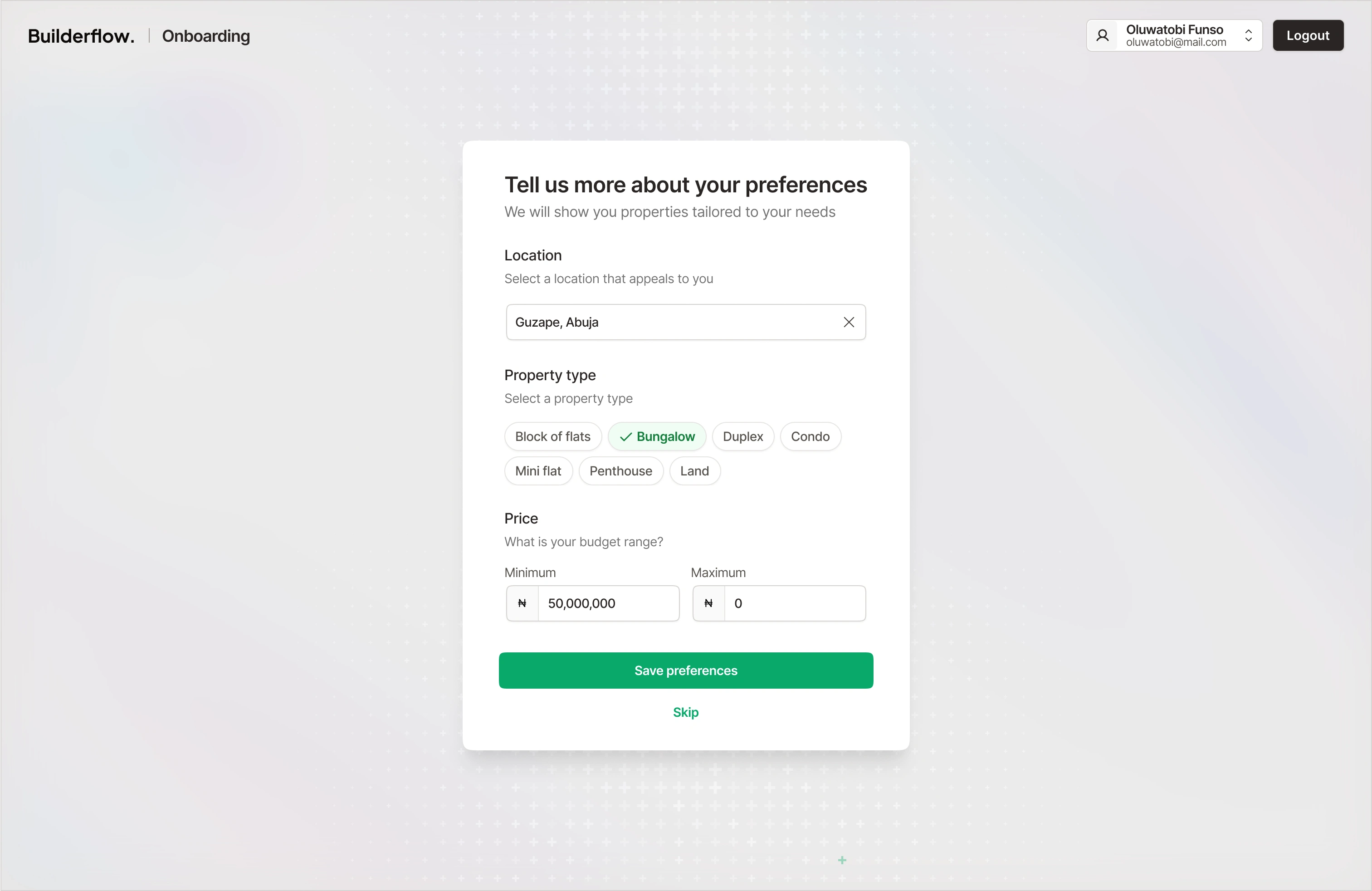
1. Onboarding with Purpose
The experience starts with letting users select their preferences:
→ Location, property type, budget, and payment plan flexibility.
️✅ Outcome: Relevant properties shown from Day 1
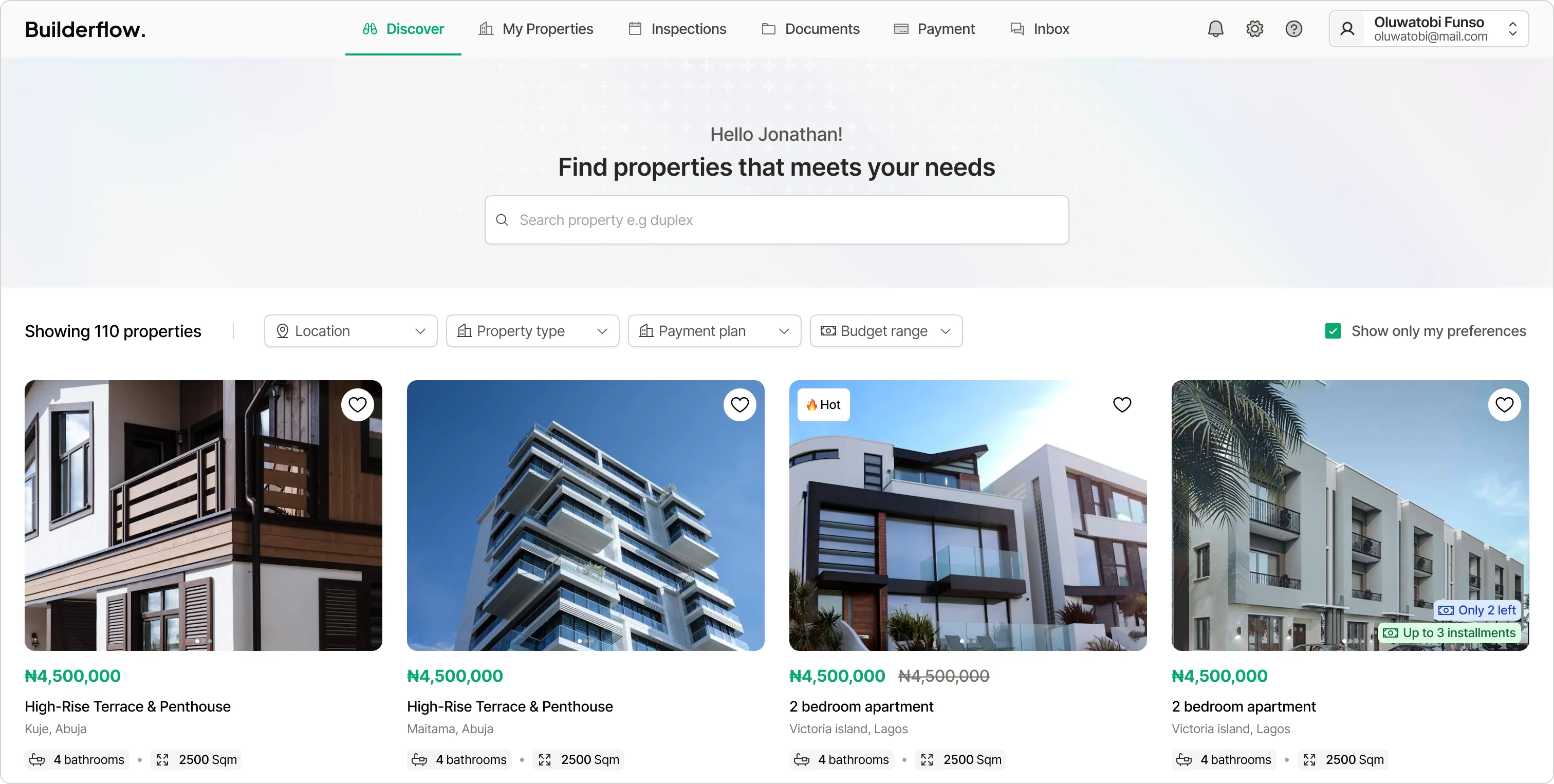
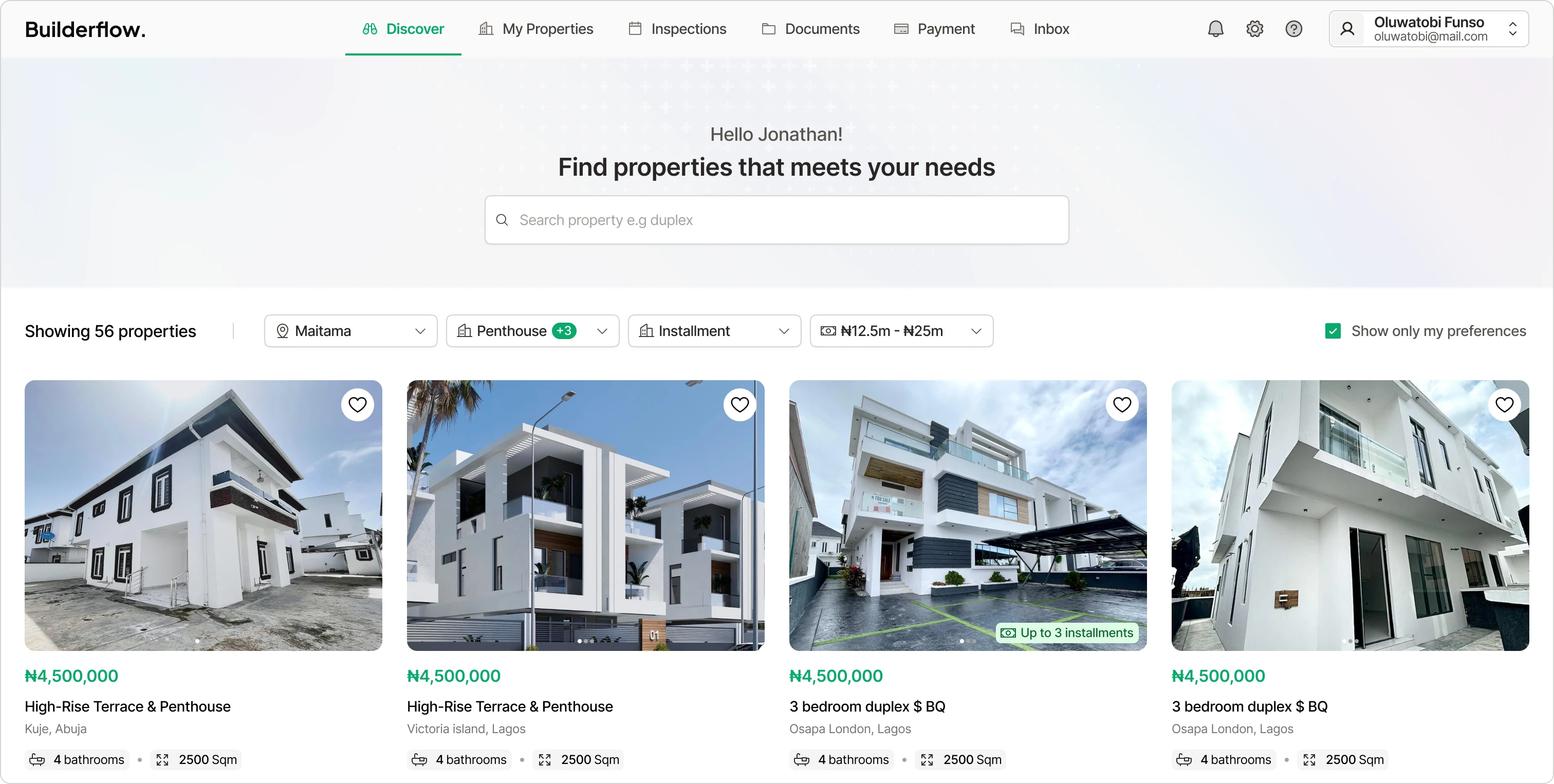
2. Search & Discovery
Search with filters that matter:
Location
Property type
Payment type (e.g., instalment)
Price range
️✅ Outcome: Trusted, relevant listings
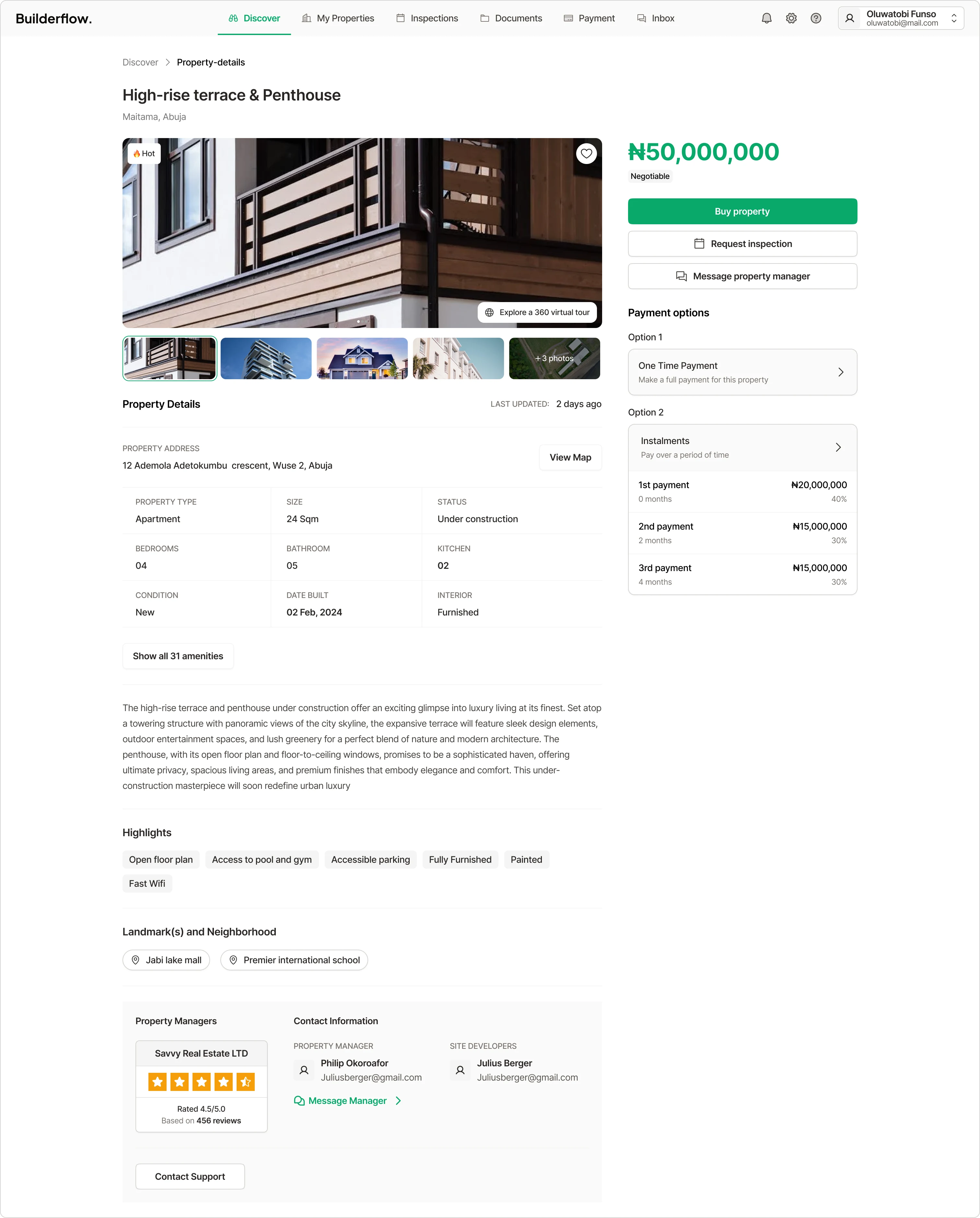
3. Transparent Property Details + Agent Communication
Each listing includes:
Developer & agent details
Image gallery, virtual tour, and inspection options
Clear payment plan schedules
In-app communication with agents
️✅ Outcome: All info in one place + faster decision-making
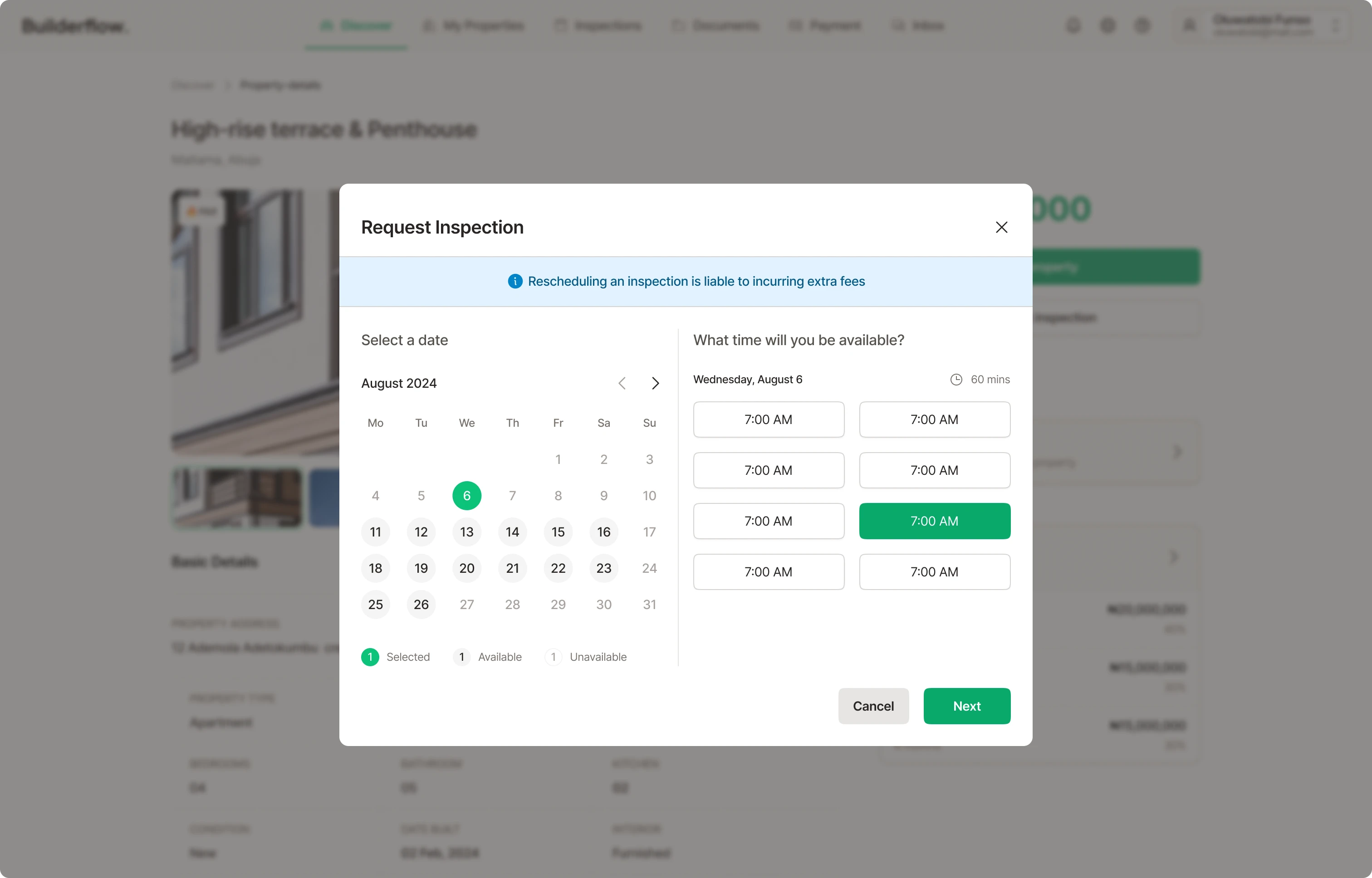
4. Scheduling Inspections
Users can:
Pick a time slot
Receive reminders
Reschedule in-app
️✅ Outcome: Convenient and flexible viewing options
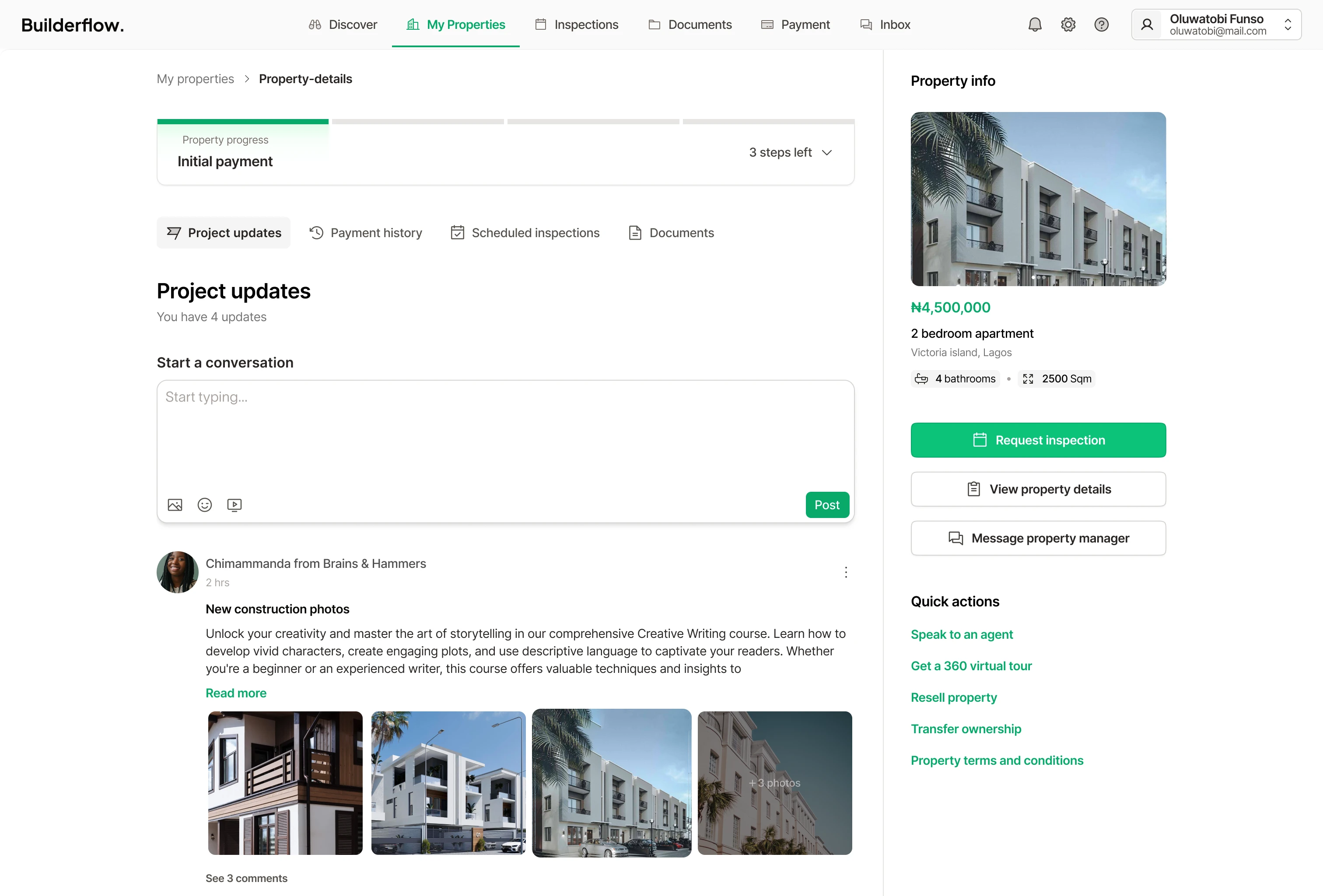
5. Tracking Property Progress After Payment
A visual tracker shows each phase:
Expressed Interest → Initial Payment → Construction Updates → Document Handover → Final Handover
️✅ Outcome: Transparency after payment, no guesswork
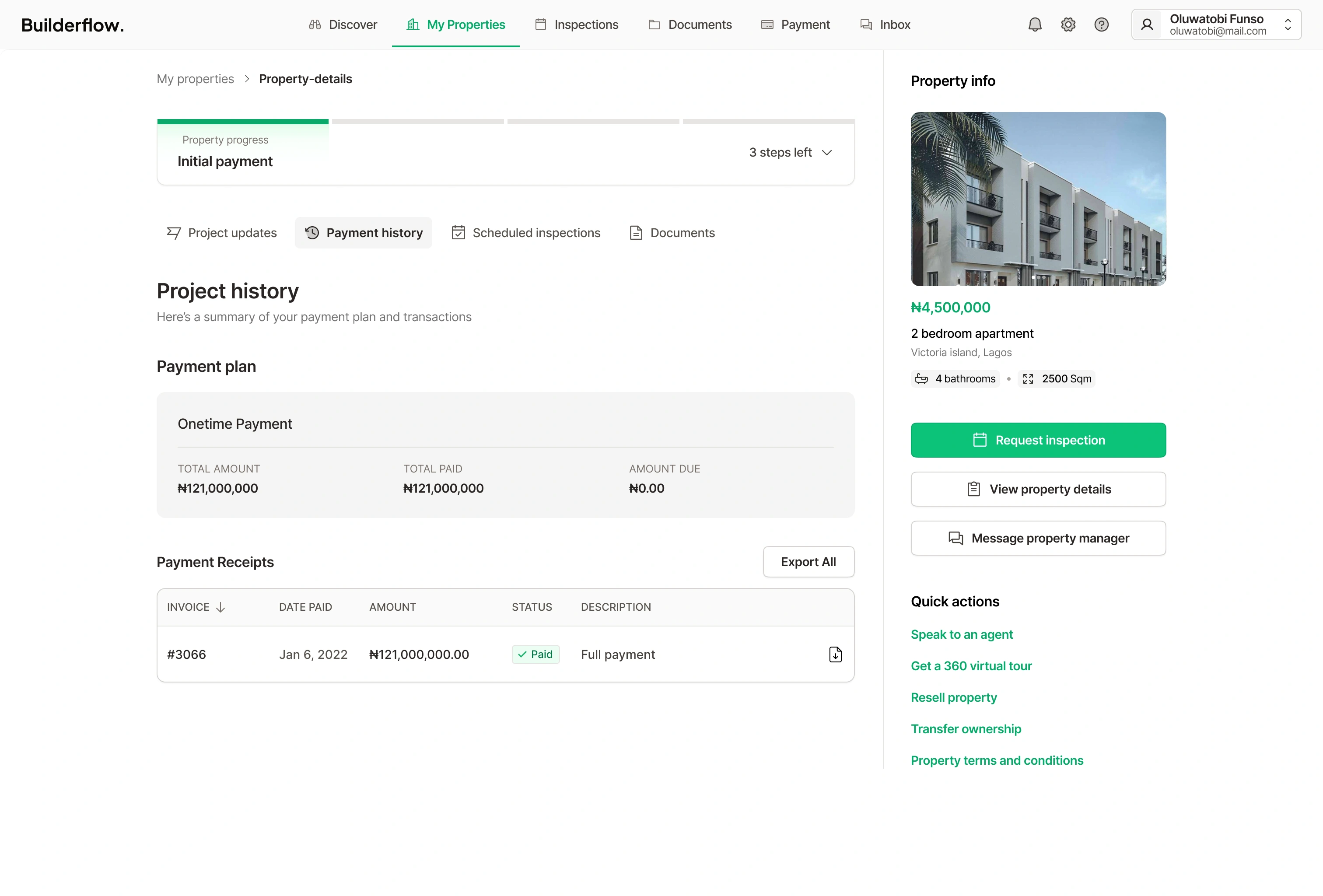
6. Payment History & Schedules
Clients can:
View detailed payment plans
Track what’s paid and what’s due
Download receipts
️✅ Outcome: Clarity and peace of mind
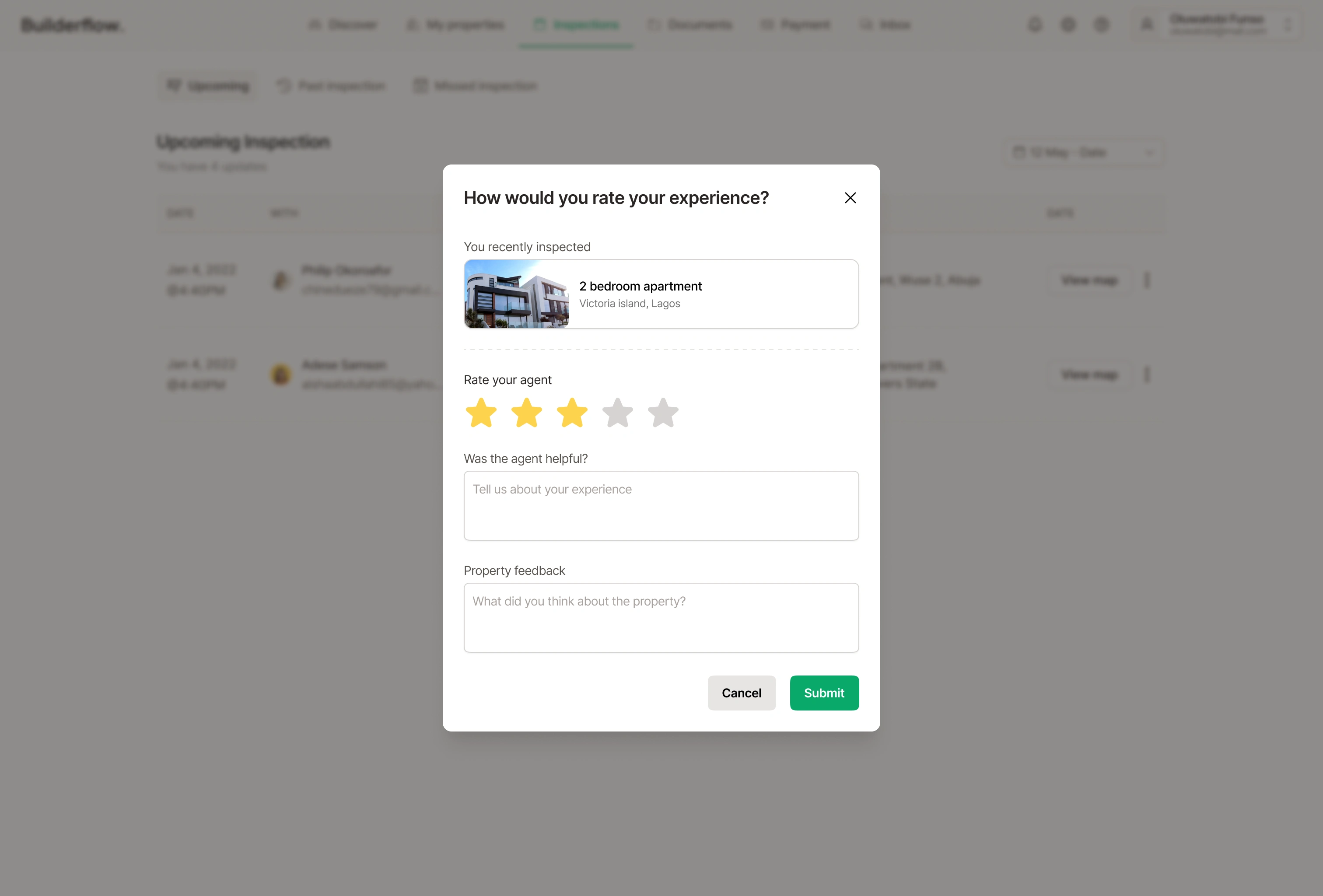
7. Feedback and Ratings
After interactions:
Clients can rate agents
Share property-specific feedback (used internally)
️✅ Outcome: Developer accountability and better service
What Sets BuilderFlow Apart
BuilderFlow gives clients control from search to ownership:
️✔️ Search with relevant filters
️✔️ Virtual tours and inspection scheduling
️✔️ Ongoing communication with agents
️✔️ Post-purchase visibility on construction progress
️✔️ Transparent payment records
️✔️ Feedback loop that closes the experience
Most platforms stop after showing you listings. BuilderFlow walks with you until the property is in your hands.
Next Steps
Going forward, we plan to:
Add smart suggestions based on client activity.
Collect more user feedback through in-app surveys to guide improvements.
What I Learned
Designing the client-side experience for BuilderFlow reinforced the importance of supporting users beyond just search and discovery. While it's common for property platforms to focus on listings, the real value lies in what happens after — from inspection to handover.
A clear takeaway was how much trust can be built by offering transparency, timely updates, and communication tools that keep clients in control. Even without direct stakeholder input, leaning on supplementary research helped shape a product experience grounded in real user pain points.
Like this project
Posted Jun 8, 2025
Led design for BuilderFlow, enhancing property-buying transparency, simplifying how clients discover, buy, and monitor building projects.
Likes
1
Views
3
Timeline
Oct 10, 2024 - Jan 5, 2025