
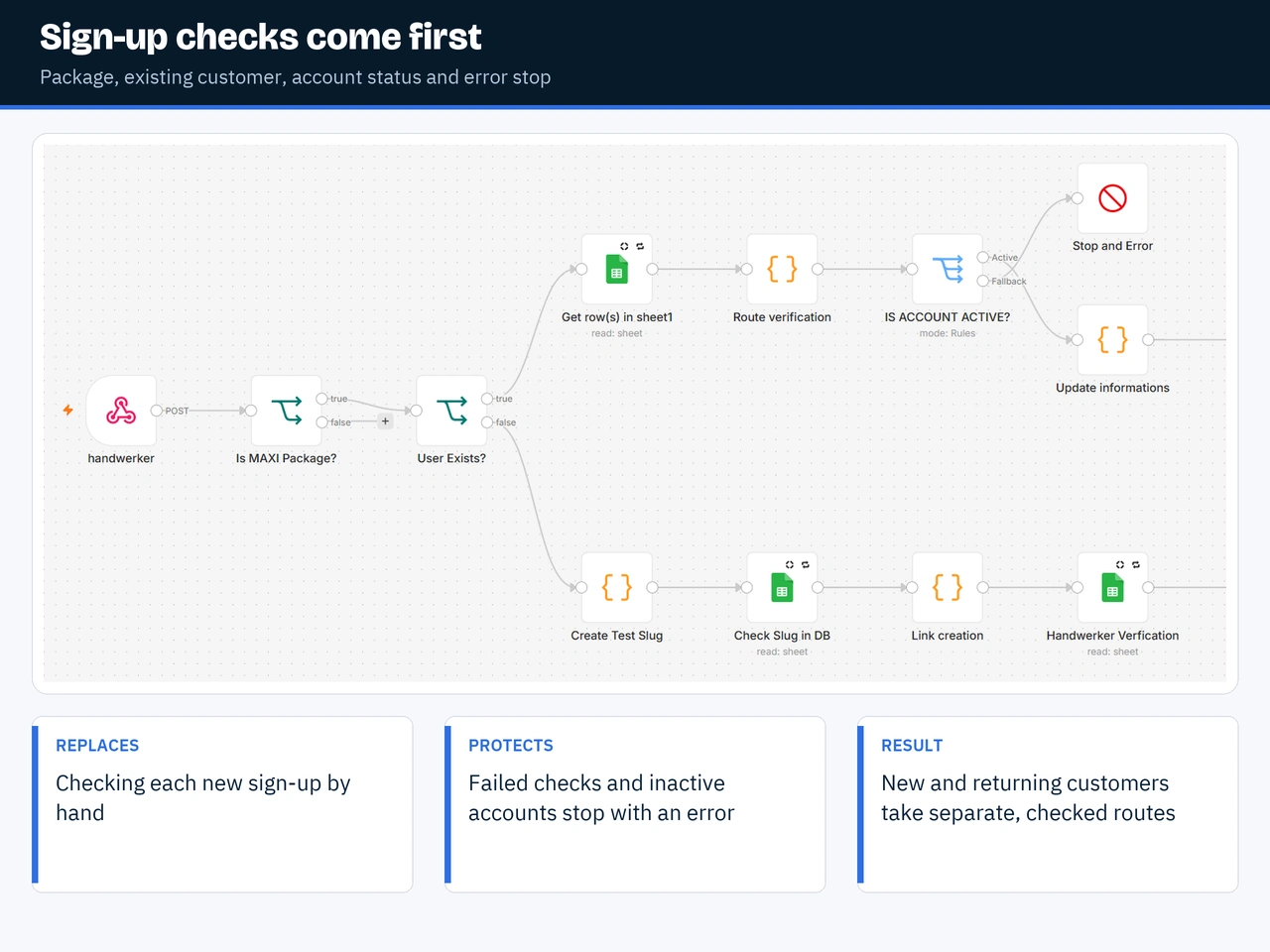
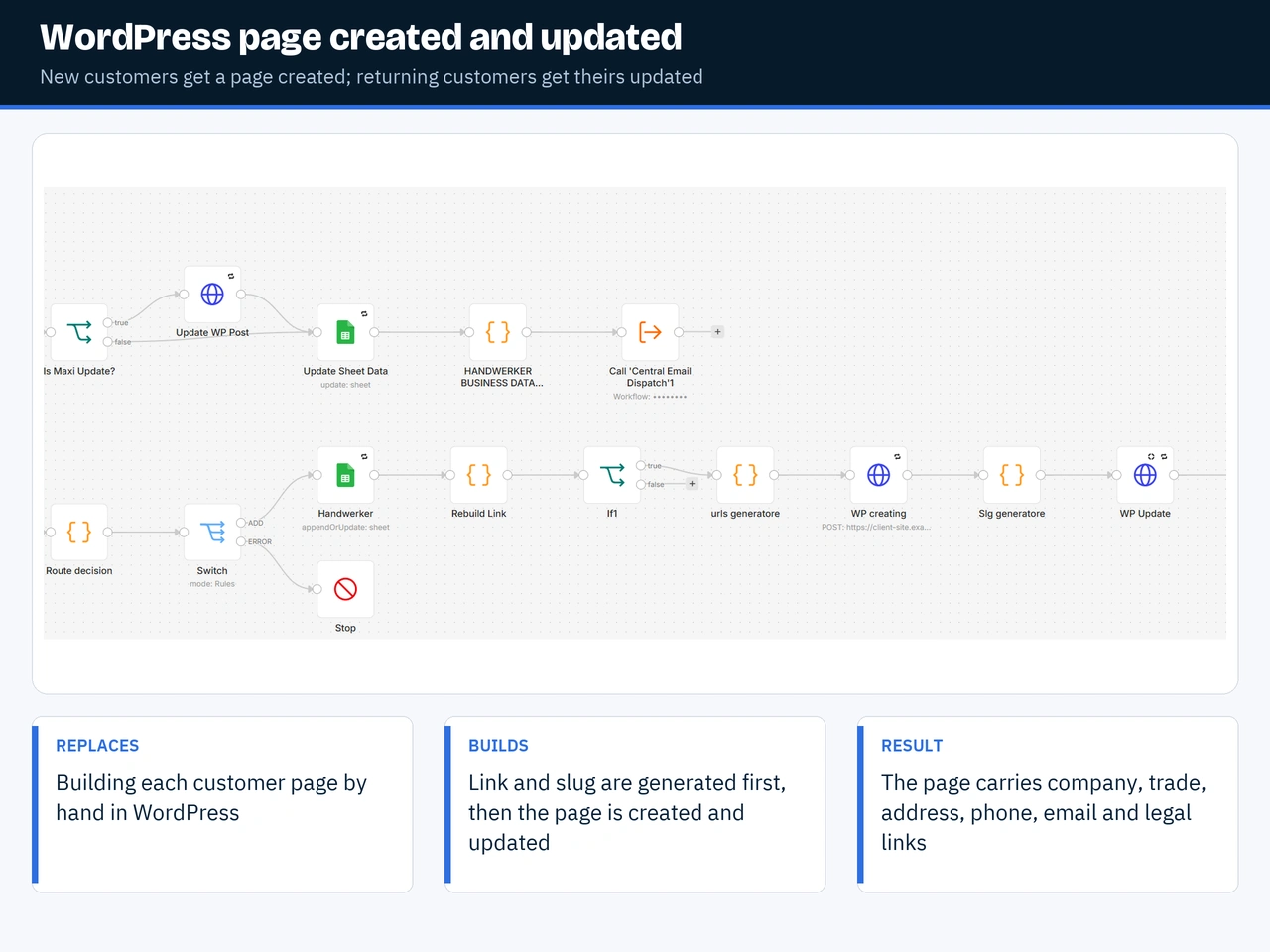
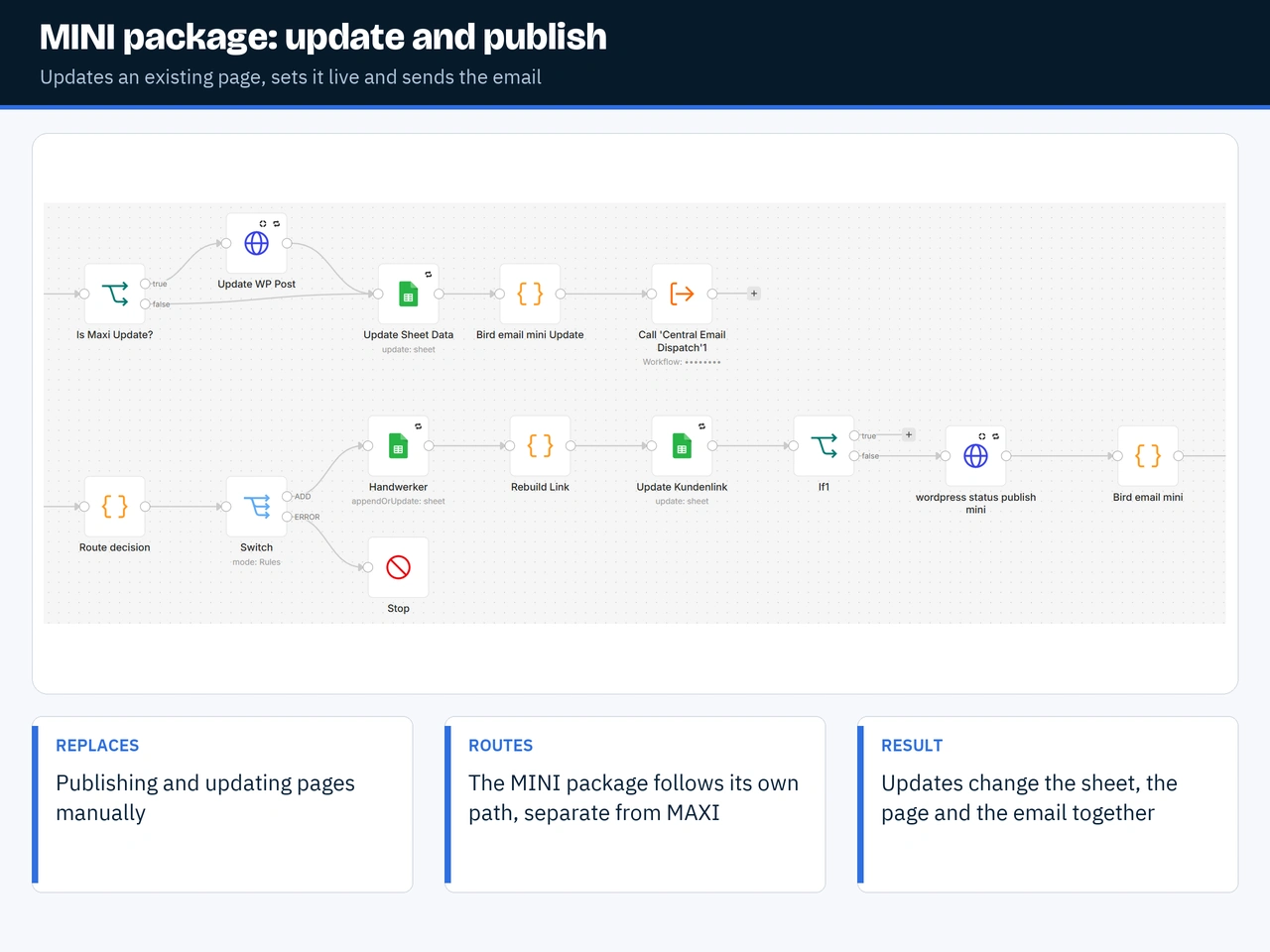
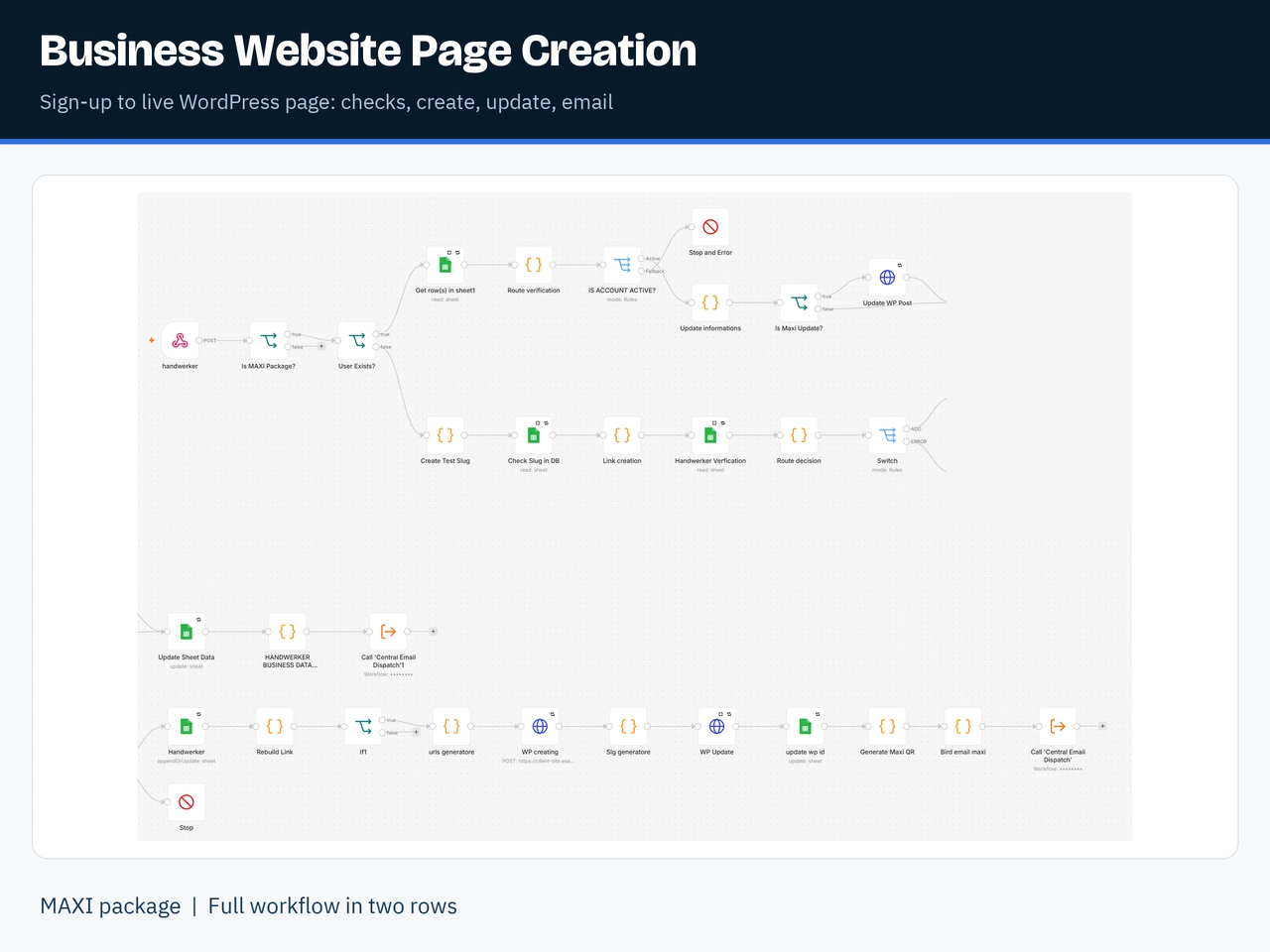
What it does: when a tradesperson signs up and pays, this workflow checks their details and creates their WordPress page. The page shows their company name, trade, town, address, phone, email, services and legal links, with a contact form for their own customers. If they already have a page, it updates that page instead of making a second one. Then it sends their confirmation email.
How it helps: nobody has to build pages by hand or copy details out of the sign-up form. A new customer gets a working page without anyone on the team touching it.
What it protects against: a sign-up with missing details, or from an account that isn't active, stops with a clear error instead of publishing a broken page. The page ID is saved, so later changes go to the right page. The confirmation email goes through one shared sending workflow, so it isn't sent twice.
0 likes · 1 view · Nov 11, 2026
Creates or updates a tradesperson's WordPress page after they sign up and pay, then sends their confirmation email.


