Invoice Tracker in Excel

Oscar Guardado

Overview
Concept piece with fictional example data. It's a 3-tab invoice tracker for a small service business: a Clients tab, an Invoices tab and a Dashboard tab. Built and tested in LibreOffice Calc; saved as .xlsx for Excel.
Goal
To let an owner see their unpaid balance and overdue invoices without chasing numbers across emails and bank statements.
Challenge
Small businesses often track invoices in a loose list that never says what's overdue or by how much. The tracker had to stay simple enough to type into, yet work out status, balance and aging on its own, and show if anything doesn't add up.
Approach
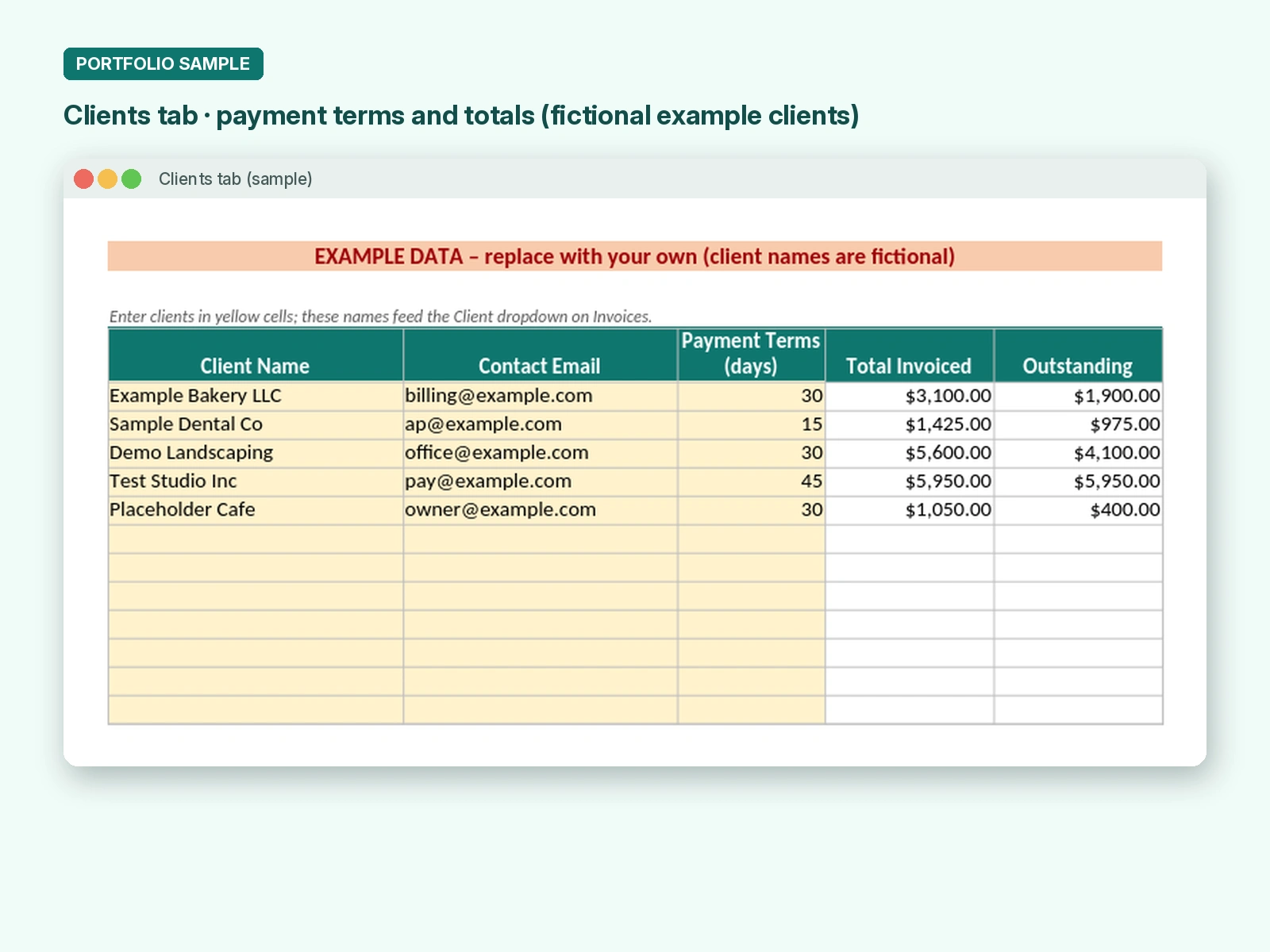
Clients tab: client names, contact emails and payment terms in days. The names feed a dropdown on the Invoices tab.
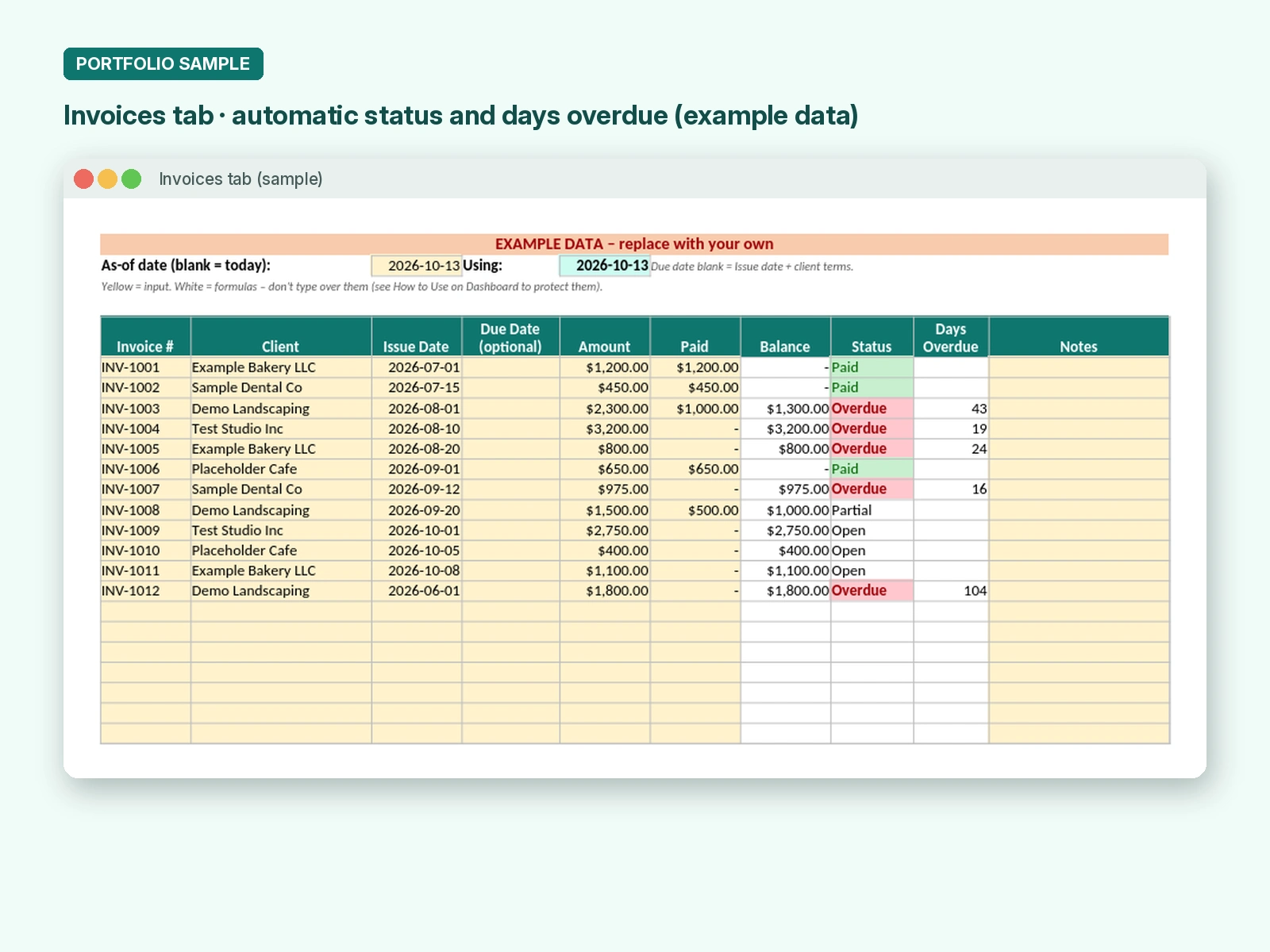
Invoices tab: one row per invoice, with room for 100. The user enters client, issue date, amount and amount paid. The due date is optional and defaults to issue date plus the client's terms.
Formulas fill in Balance, Status (Open, Partial, Overdue, Paid or Overpaid) and Days Overdue. An optional as-of date lets you age invoices as of any day.
Inputs are validated (dates, amounts of 0 or more, clients picked from the list). Input cells are yellow and formula cells are white.
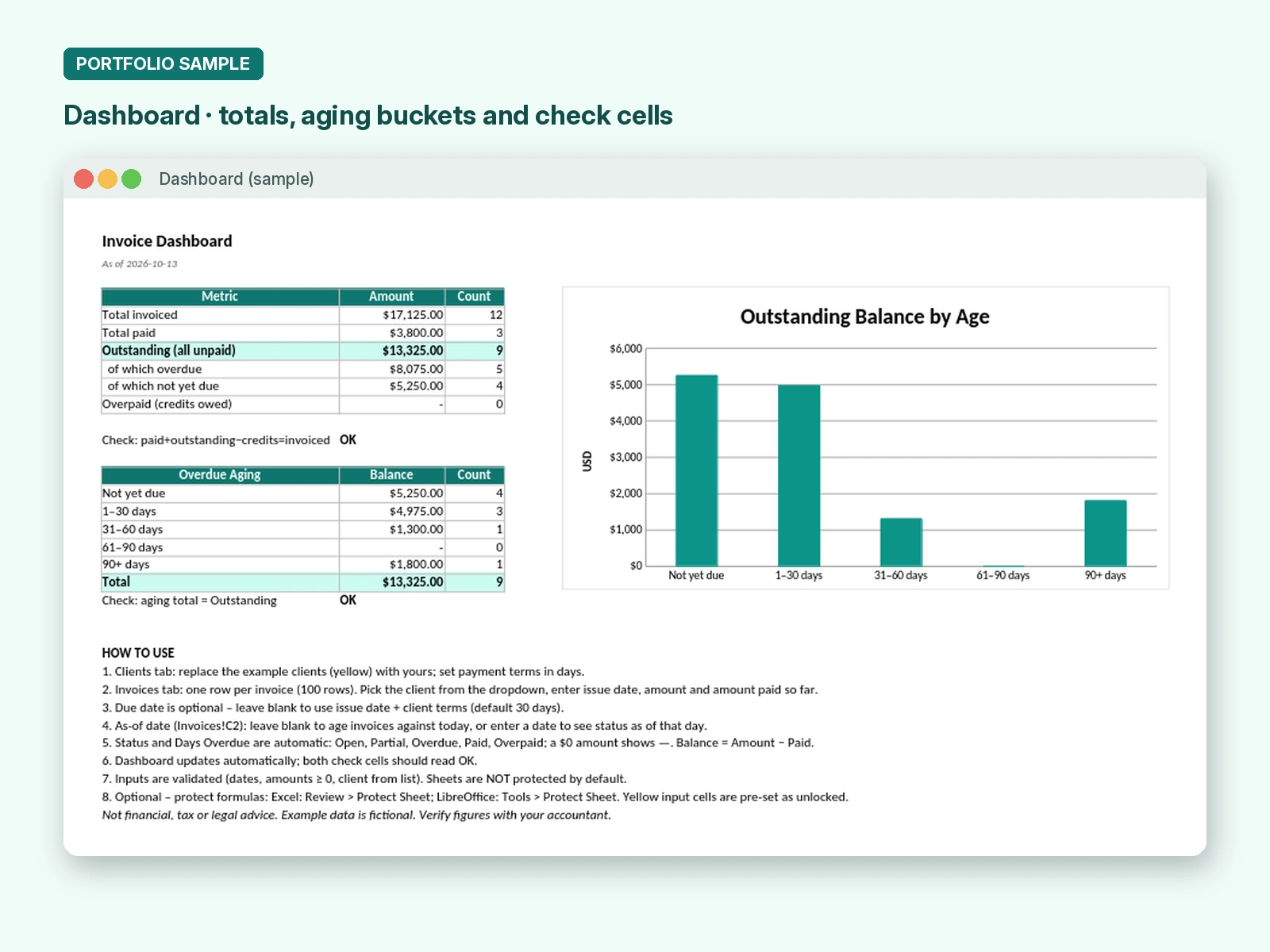
Two built-in checks read OK only when paid plus outstanding matches invoiced, and when the aging total matches the outstanding balance.
What's delivered
Excel workbook with Clients, Invoices and Dashboard tabs
Dashboard with totals for invoiced, paid, outstanding, overdue and credits owed
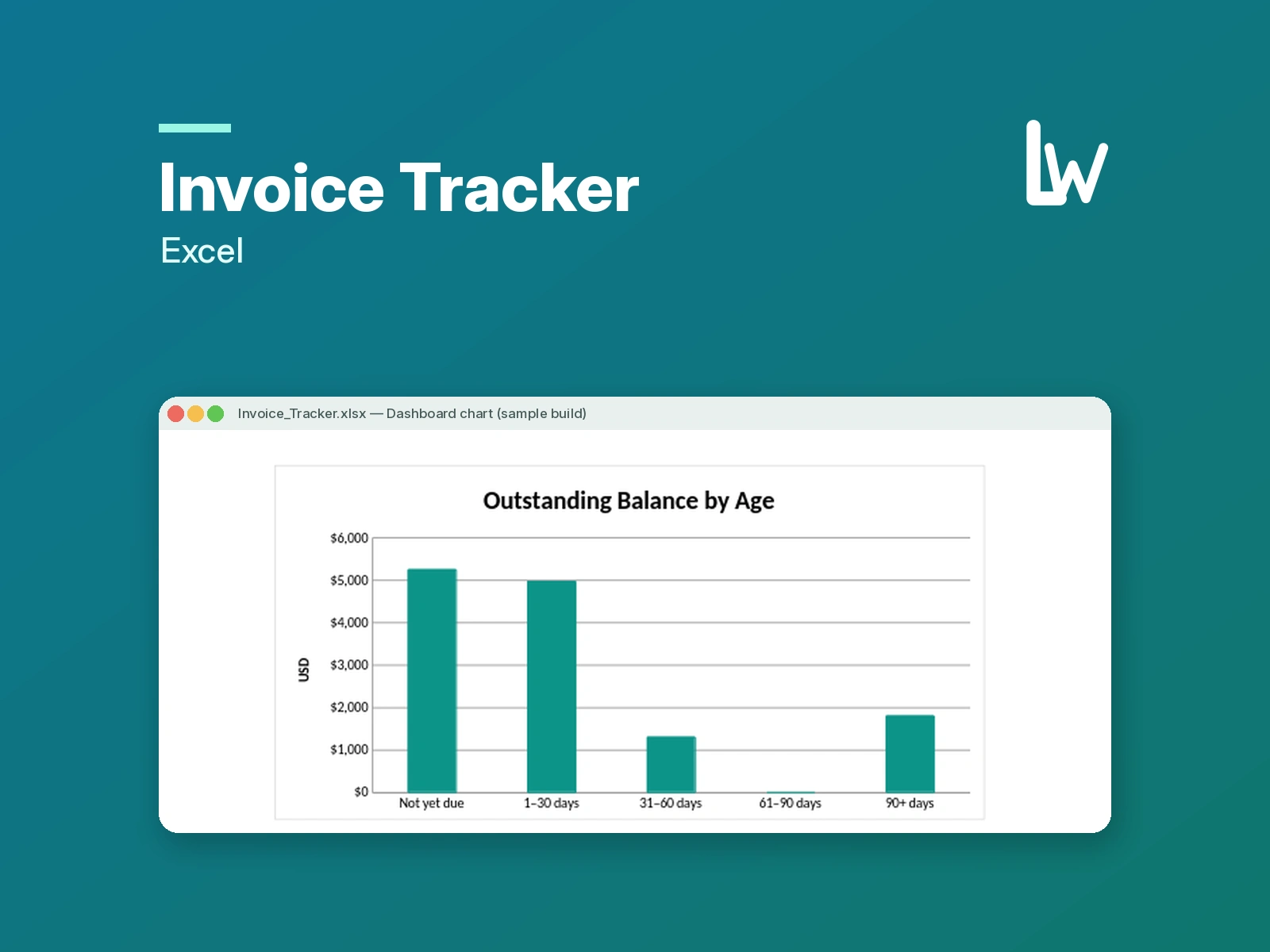
Overdue aging table (not yet due, 1–30, 31–60, 61–90 and 90+ days) plus an "Outstanding Balance by Age" chart
8-step How to Use guide on the Dashboard
No macros. Sheets are unprotected, with optional formula protection steps included
Example data is fictional. Not financial, tax or legal advice.
Like this project
Posted Oct 14, 2026
Concept piece for a fictional small business. Who owes you, how much, and how late? This Excel tracker shows it at a glance with an aging dashboard.
Likes
0
Views
0