Quanta: A Natural-Language SQL Workspace for Teams

Nivyan B


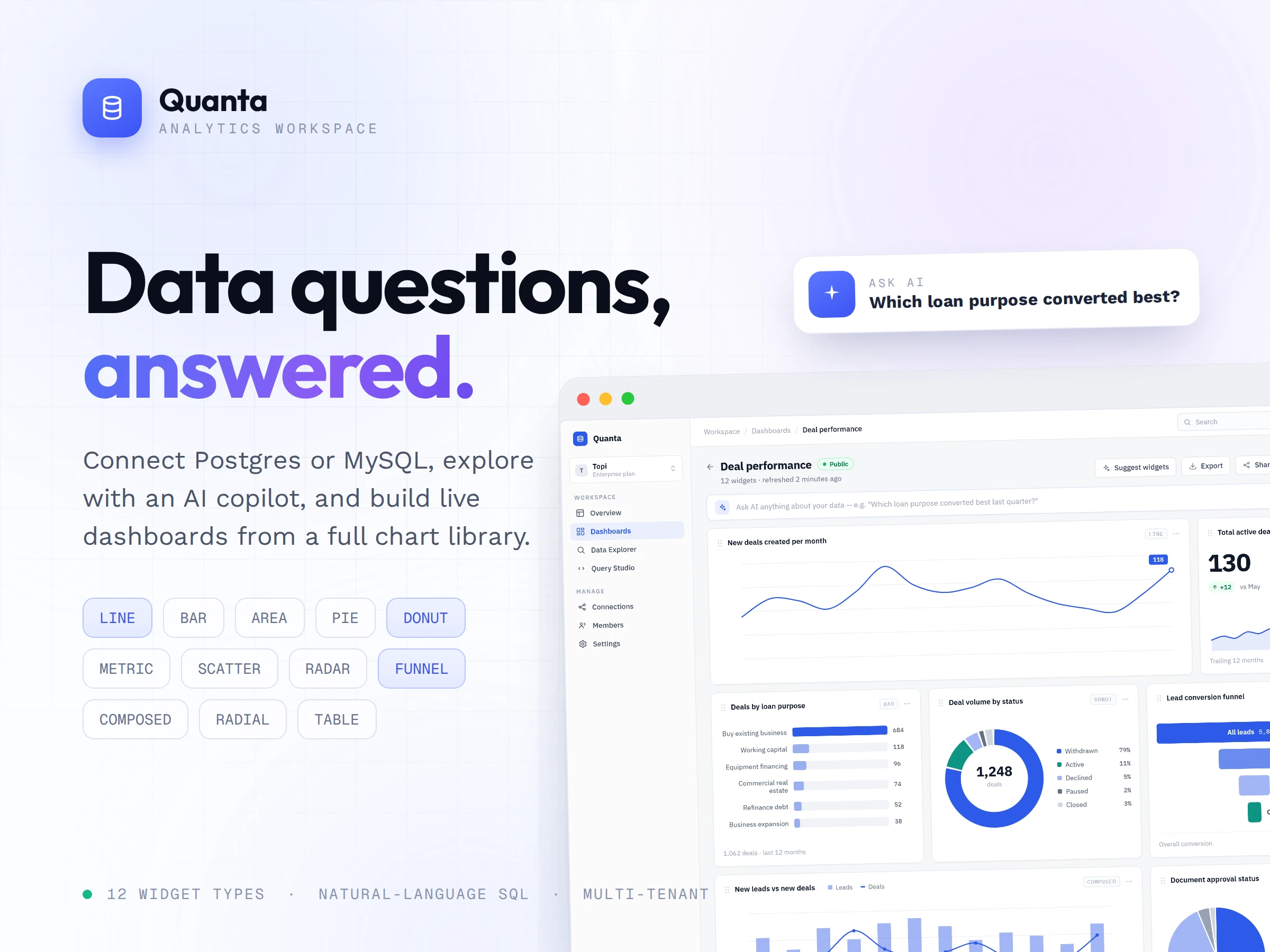
Quanta: A Natural-Language SQL Workspace for Teams
Turn a live database into a conversation — then into a dashboard the whole org can share, without giving up on security.
Role: Architect & Full-Stack Engineer Timeline: 2024 — Present Engagement: Greenfield product, evolving in production
The Background
Most teams that need to understand their own data get stuck between two bad options. On one side are raw SQL clients — powerful, but only usable by the handful of people who can hand-write queries. On the other are heavyweight BI suites — approachable, but expensive, slow to set up, and locked behind per-seat licensing.
Quanta sits in the gap. A team connects a PostgreSQL or MySQL database, explores it without writing a single query, assembles live dashboards from SQL-backed charts, and lets an LLM draft read-only SQL whenever natural language is faster than syntax.
It started as a single-tenant tool for one workspace. As teams adopted it, it grew into a full multi-tenant product — organizations with role-based membership, invite-code onboarding, and admin-configurable monthly AI spend caps — without ever loosening the original security posture.
The Problems That Needed Solving
Three things shaped the build.
Data exploration was gated behind SQL fluency. The people who needed answers were rarely the people who could write the query, so every question queued behind an engineer. Insight moved at the speed of whoever was free to write
SELECT statements that afternoon.The market forced a bad trade-off. Raw SQL tooling was too technical for most of the team; BI suites were too expensive and too rigid, charging per seat and demanding weeks of modeling before the first chart appeared. There was no middle option that was both approachable and cheap to run.
Pointing an AI at a production database is a security minefield. Storing database credentials, letting a language model generate queries, and opening any of it up to a whole organization are each risky on their own. And the original single-workspace design simply couldn't express organizations, roles, or cost control once more than one team was in the building.
What Got Built
Secure connection & schema layer
Teams connect PostgreSQL or MySQL directly. Credentials are never stored in the clear — they're sealed with AES-256-GCM credential vaulting. On connect, the backend introspects the schema and caches it, so every downstream feature knows the real tables and columns. All explorer queries run parameterized and read-only, so browsing data can never mutate it.
AI query assistant & safety
Gemini, Claude, and GPT sit behind a user-selectable model switcher, with admin-level enable/disable toggles on each provider. The backend injects the cached schema into every prompt so the model drafts against the actual database, enforces SELECT-only execution on whatever it produces, and summarizes recent conversation turns so follow-up questions refine the previous answer instead of starting over. When the model hits an ambiguous entity reference, the system offers constrained resolution options rather than guessing. And when generated SQL fails at execution, the backend retries once automatically — feeding the exact database error back to the model to regenerate a corrected query — before ever surfacing a failure to the user.
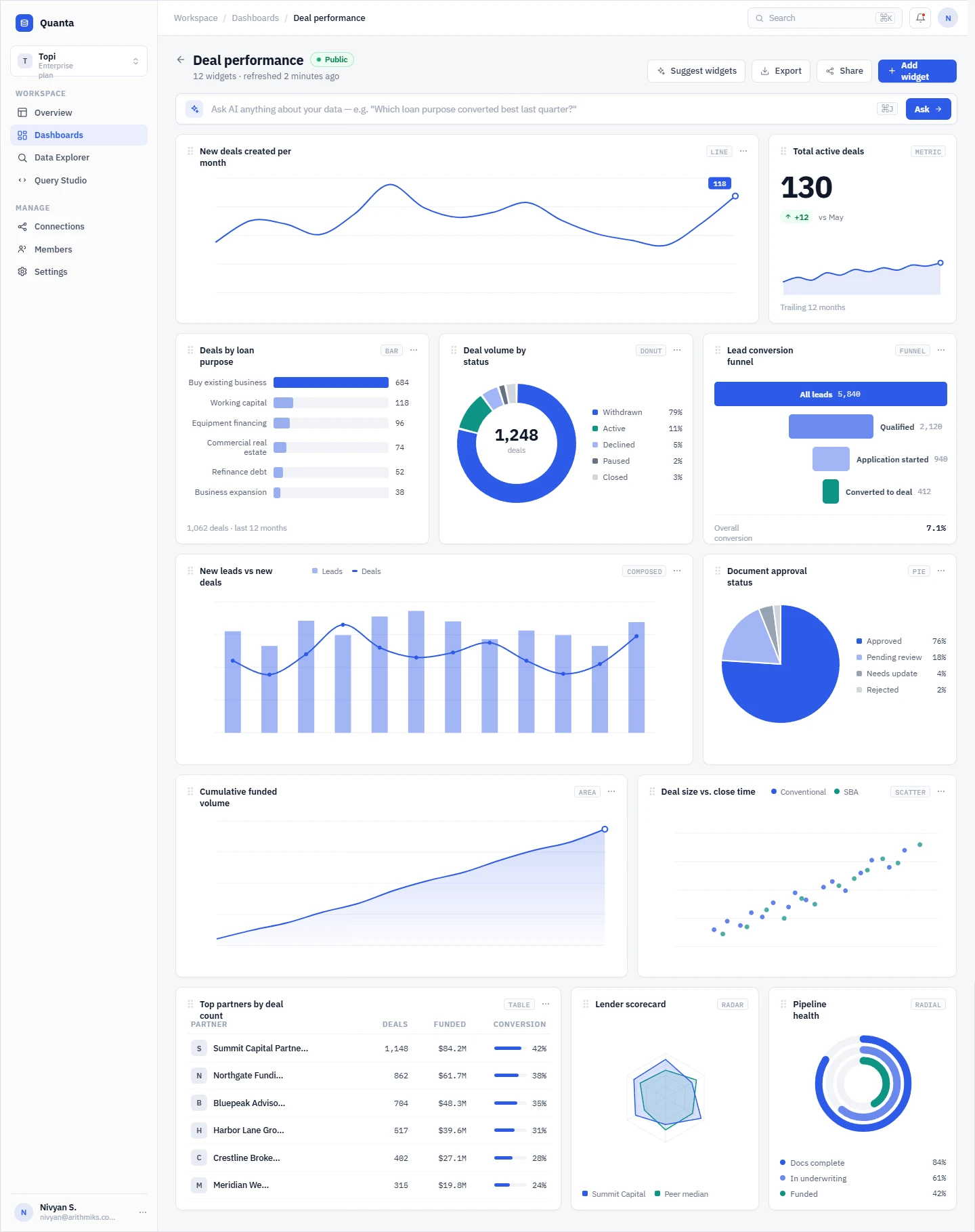
Dashboard builder & public sharing
Any query becomes a chart, and any set of charts becomes a live dashboard. Each chart re-runs its own SQL so the board stays current instead of going stale, and finished dashboards can be shared publicly without exposing the underlying connection.
Multi-tenancy & governance
The single-workspace model was extended into full multi-tenancy: organizations with owner/member roles, time-limited invite codes for onboarding teammates, and a workspace switcher for users who belong to more than one org. Per-org monthly AI credit caps are enforced server-side before every AI call, with real-time spend tracked per (provider, model) pair against a token-based cost table. An admin console gives cross-org visibility — usage summaries, per-user cost breakdowns, time-series charts, and raw request logs — plus per-provider kill switches, so an admin can shut off a misbehaving model org-wide in a single click.
Throughout all of it, the security baseline held: JWT sessions, bcrypt-hashed passwords, AES-256-GCM credential encryption, SELECT-only AI enforcement, and parameterized explorer queries.
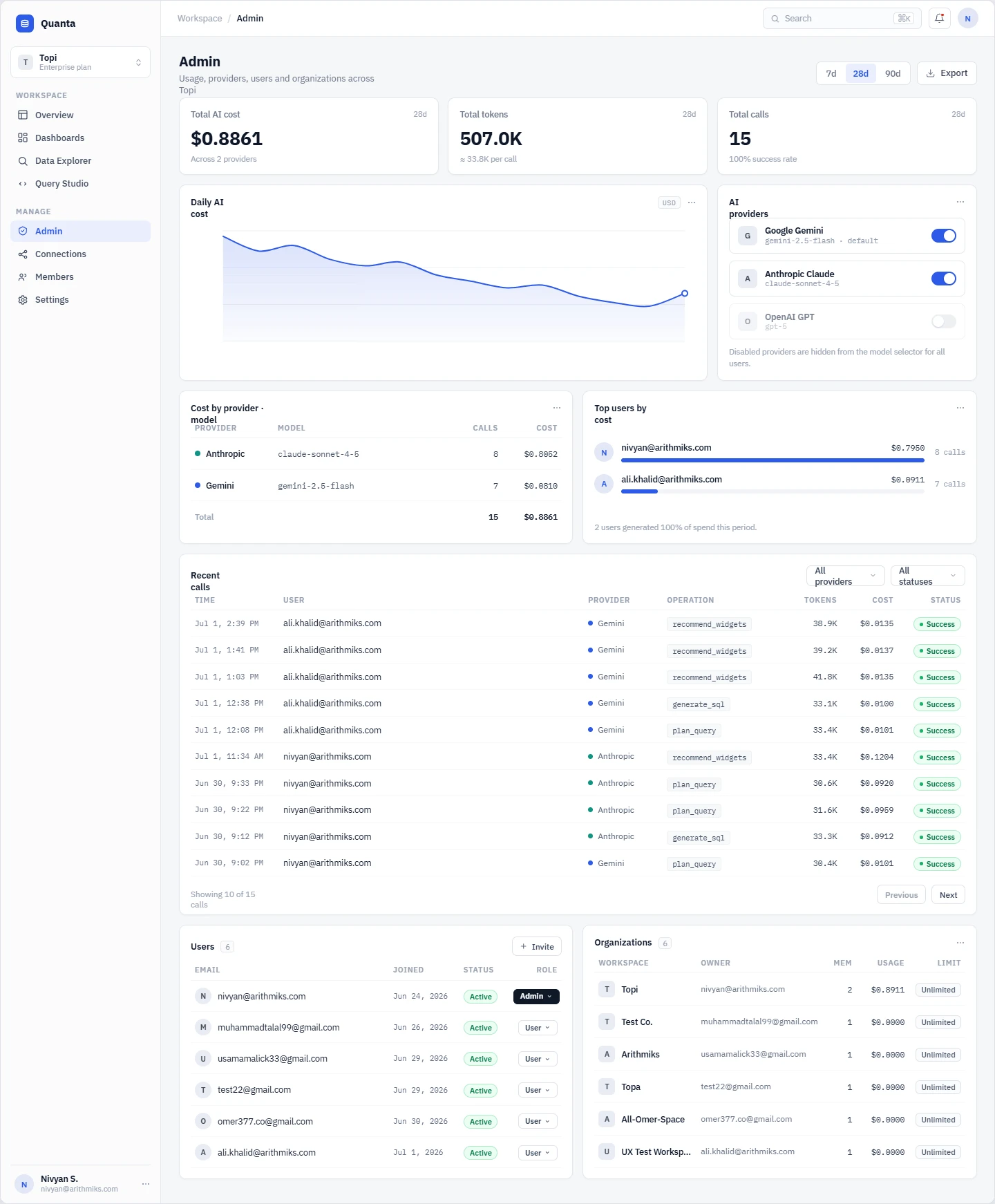
Admin Management Console
The Results
3 AI models — Gemini · Claude · GPT, switchable per user
Cost-capped — per-org AI credit limits enforced server-side before every call
SELECT-only — read-only enforcement on every generated query
Self-healing SQL — automatic one-shot error correction from the live database error
AES-256-GCM — encrypted credential vaulting, nothing stored in the clear
Multi-tenant — organizations, role-based access, and invite-code onboarding
Tech Stack
Frontend: Next.js · React · TypeScript · Tailwind CSS · ApexCharts
Backend: Node.js / TypeScript · PostgreSQL · Redis
Connectable sources: PostgreSQL · MySQL
AI: Google Gemini · Anthropic Claude · OpenAI GPT
Security: JWT sessions · bcrypt · AES-256-GCM
Like this project
Posted Jul 5, 2026
Turn a live database into a conversation — then into a dashboard the whole org can share, without giving up on security.
Likes
6
Views
18
Clients
Arithmiks