Design of Unified Mobility Platform for Rydetrybe

Temidayo Olayinka


Overview
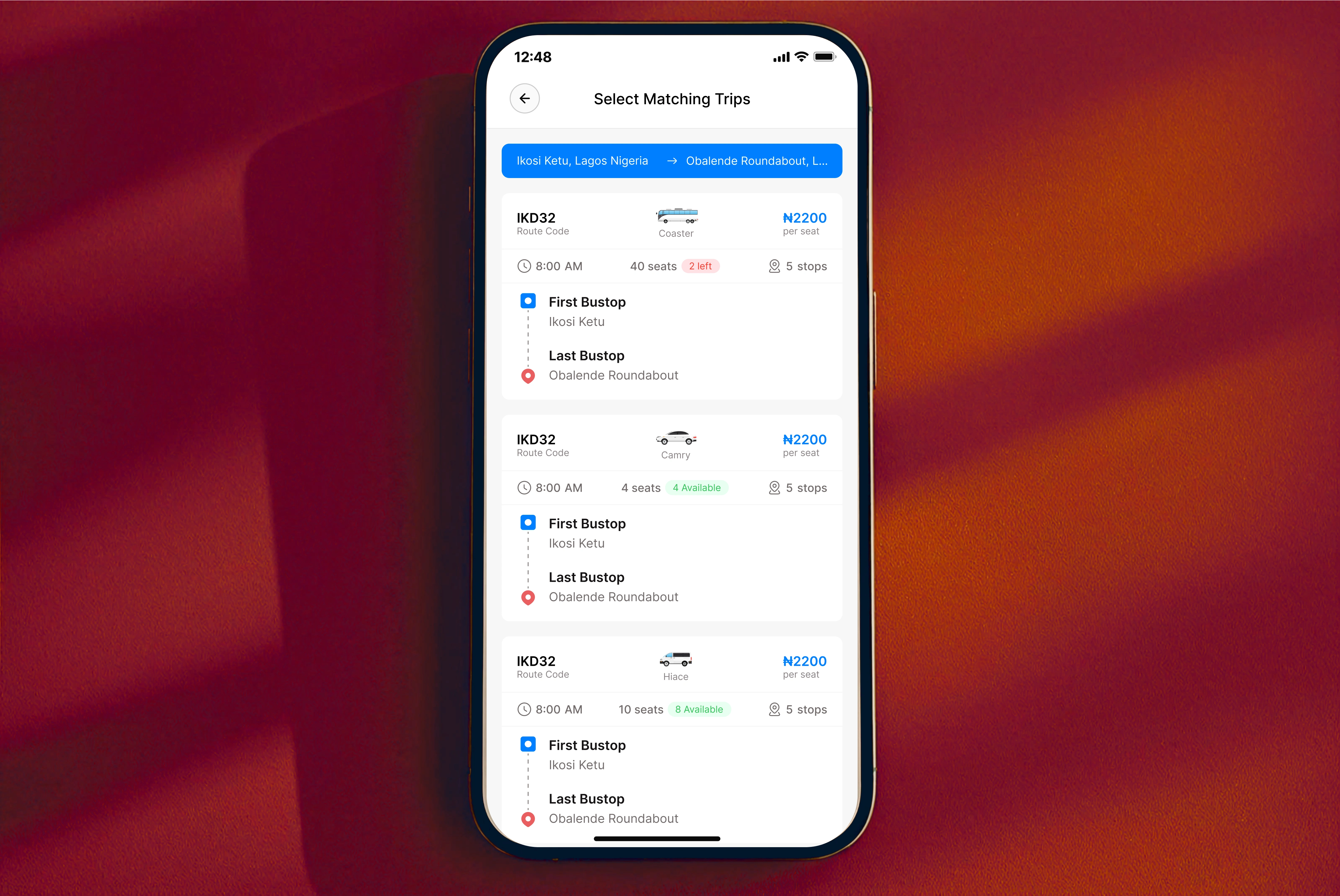
Rydetrybe is a cross-functional mobility platform built to connect every aspect of urban transportation — ride-hailing, delivery, and rentals — in one unified experience.
The goal was to simplify movement across the city by eliminating the need for multiple transport apps, while providing a consistent interface for both drivers and passengers.
Challenge
Modern city commuters often juggle multiple apps — one for rides, another for deliveries, and a third for renting vehicles. This fragmentation creates unnecessary cognitive load and inconsistent user experiences.
Our challenge was to design an interface that integrates all these use cases while maintaining clarity and scalability. Key considerations included:
Streamlining the booking flow across transport types.
Ensuring driver and passenger dashboards serve distinct yet connected functions.
Creating intuitive navigation for new users without overwhelming them.
Managing real-time data (availability, pricing, and location) without cluttering the interface.
My approach
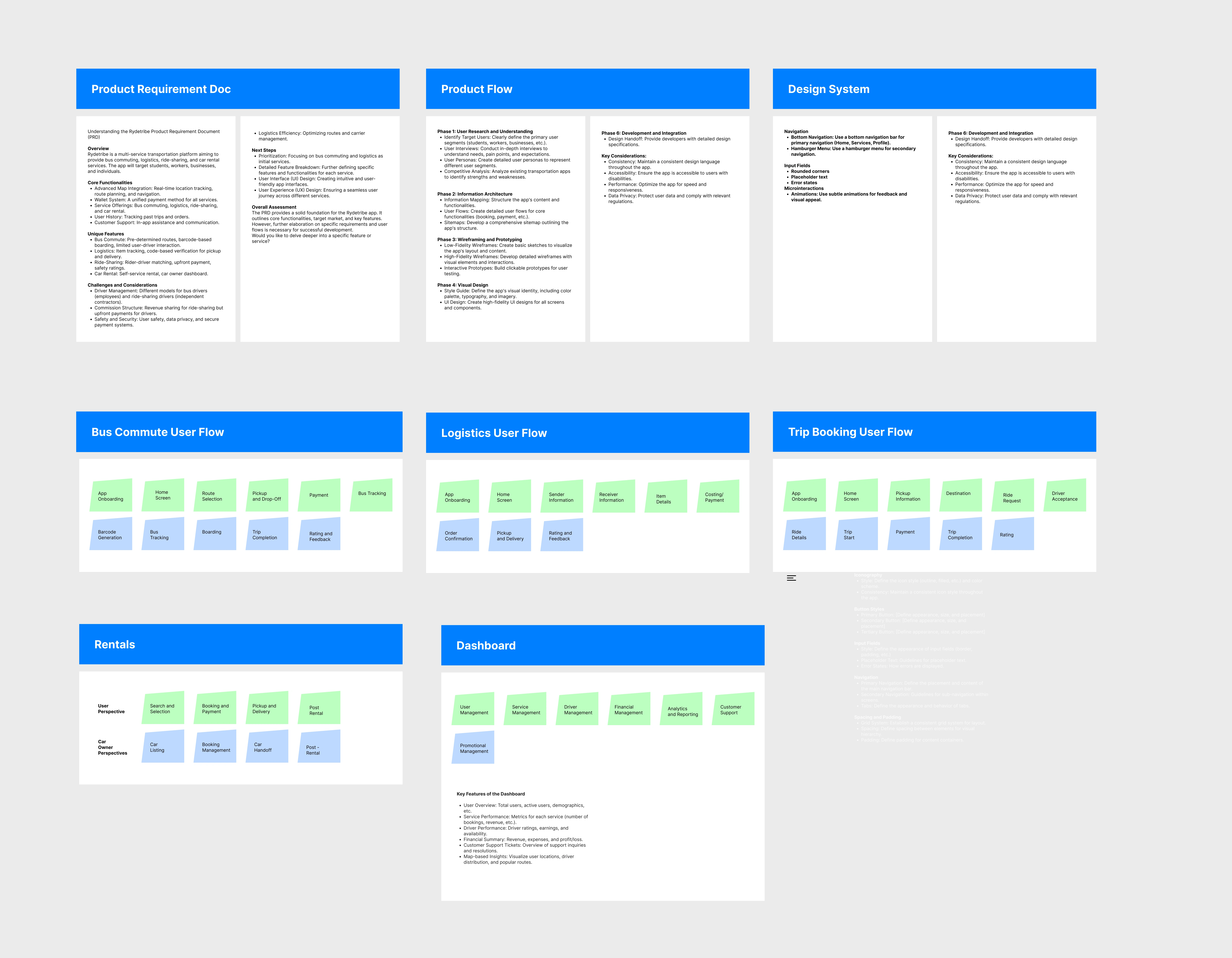
We treated this project as a multi-service transport ecosystem, not a collection of isolated features. We started with a clear PRD to align on users, problems, and scope before moving into design.
We mapped end-to-end product flows to understand how key actions like onboarding, payments, tracking, and feedback repeat across services. This helped us identify patterns that could be standardized instead of redesigned each time.
Each service—bus commute, logistics, trip booking, rentals, and the dashboard—was broken into its own focused user flow, optimized for its primary use case while staying consistent with the overall system.
We defined a basic design system and navigation structure early to reduce inconsistency and future design debt.
By working from requirements → flows → system, we ensured the product logic was solid before visual execution, resulting in an experience that’s scalable, coherent, and easy to build on.
Bus mode
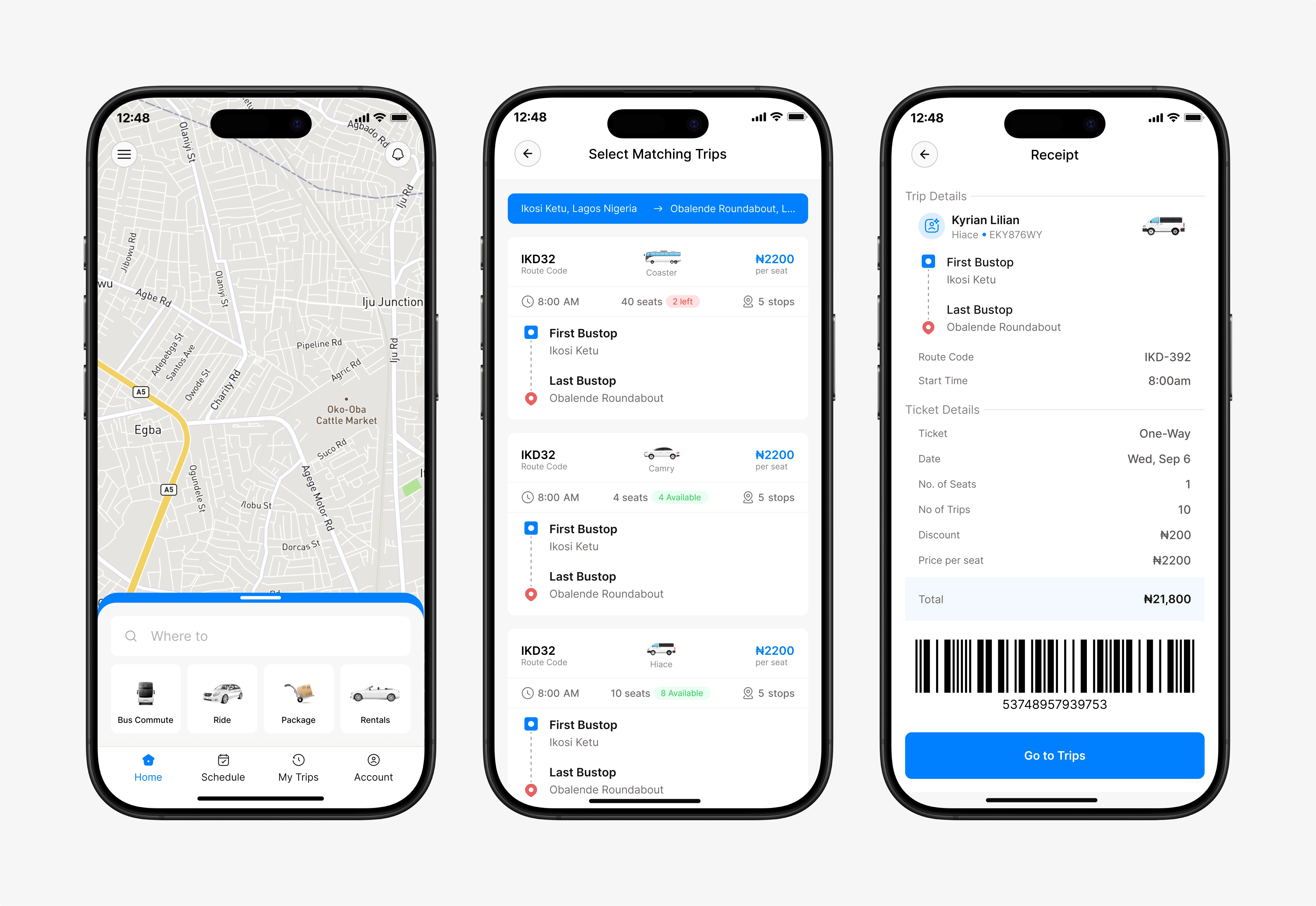
The bus view gives passengers real-time trip updates, including route progression, remaining stops, and fare information.
Delivery
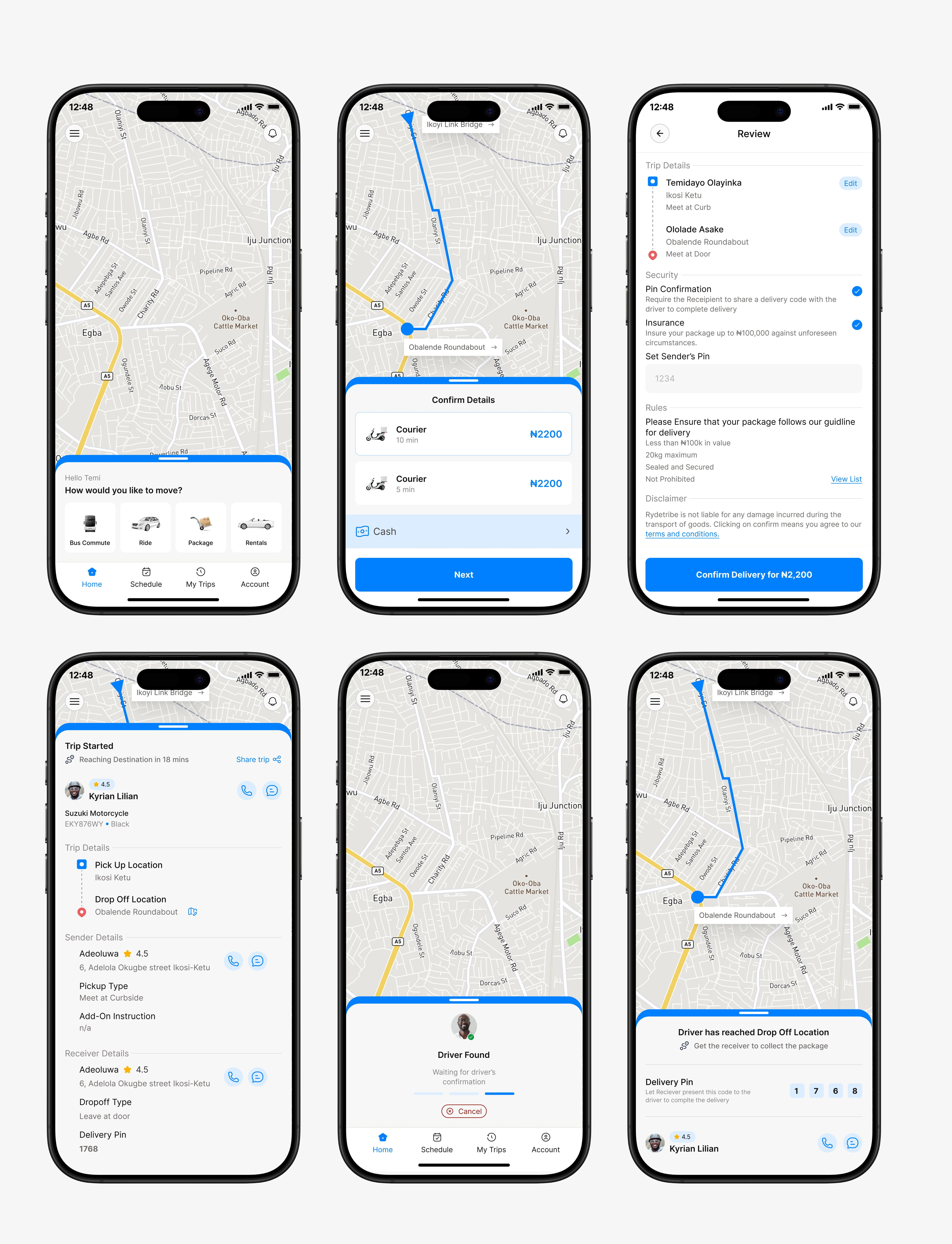
The delivery flow focuses on order transparency. From pickup to drop-off, users can see progress updates, contact details, and delivery status in one view.
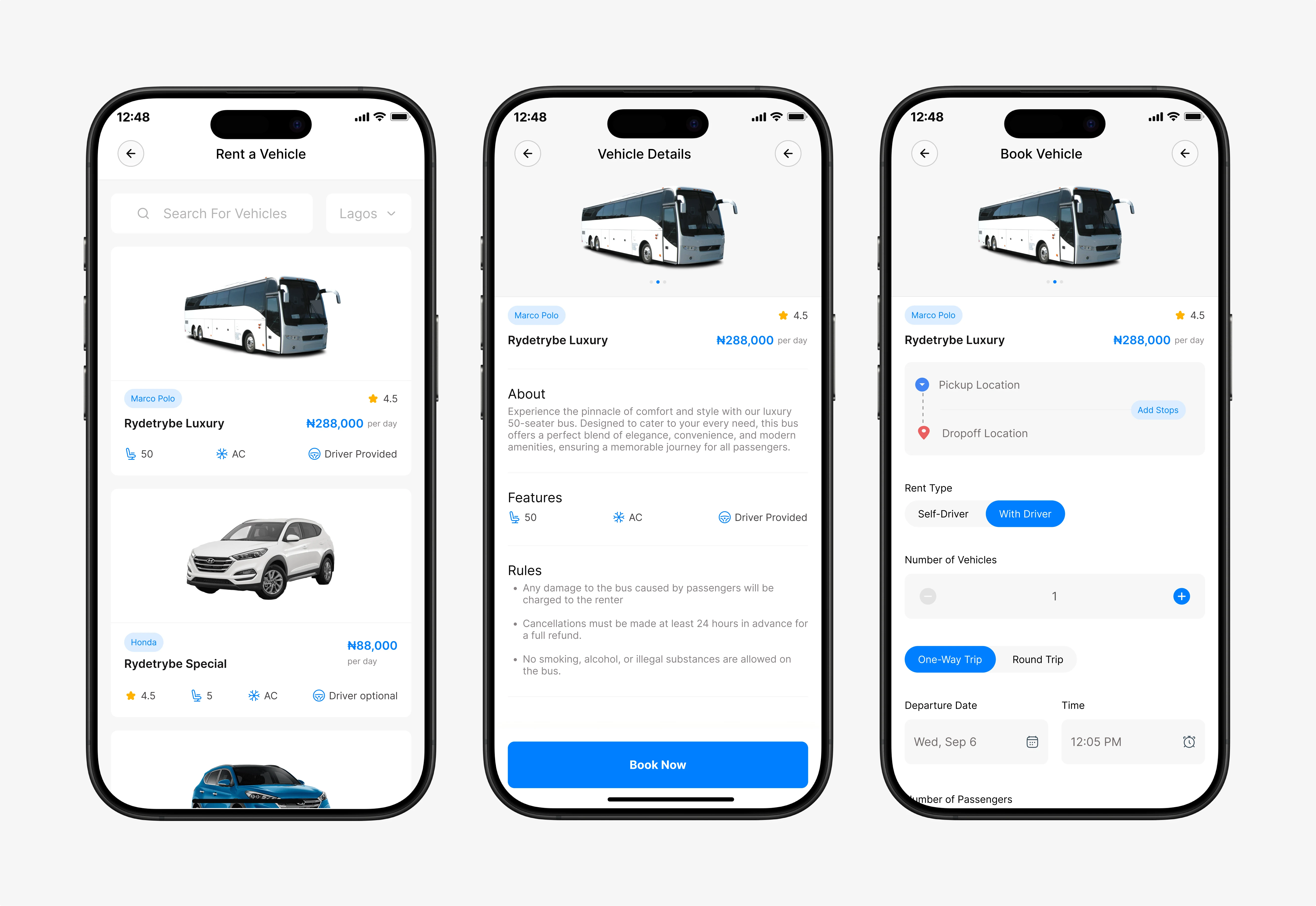
Renting vehicle
Users can browse, compare, and rent vehicles in just a few taps.
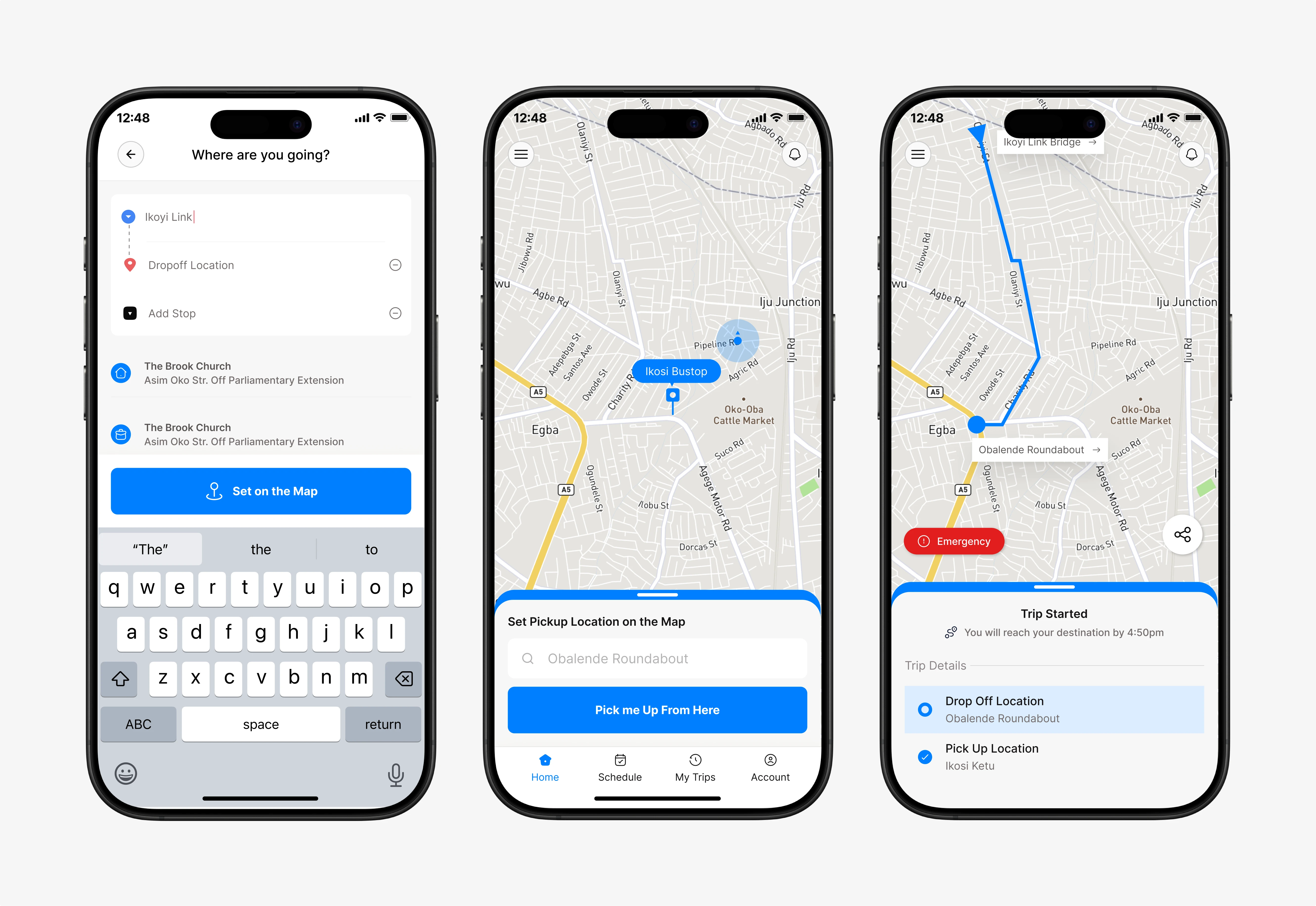
Car ride
Users can search for destination, select their pickup location and also follow along on their app when the trip starts.
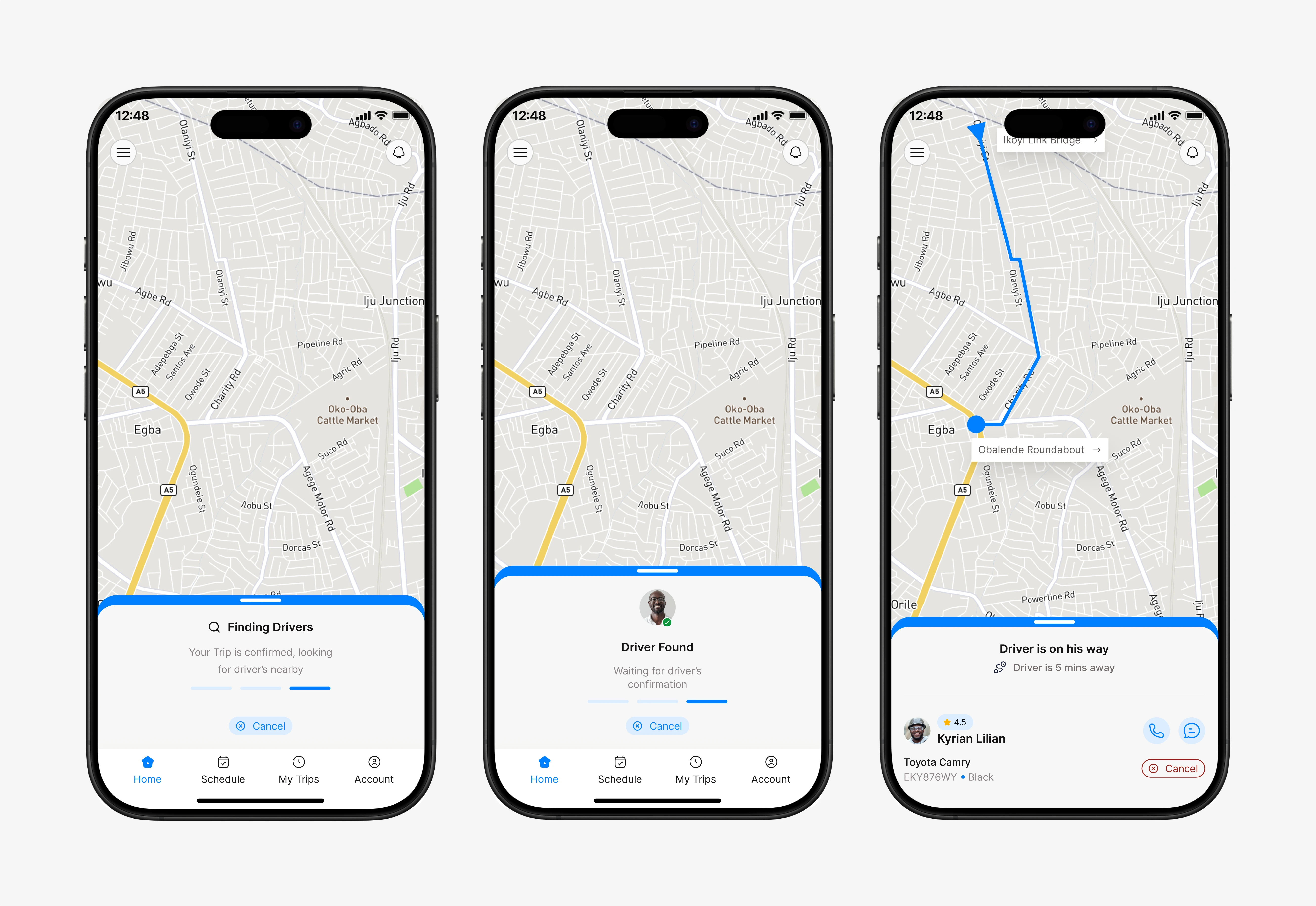
Finding driver
This transitional state keeps users engaged while searching for a driver. The interface uses motion feedback and anticipation cues — a loading animation and incremental progress text — to communicate that the system is actively matching their request.
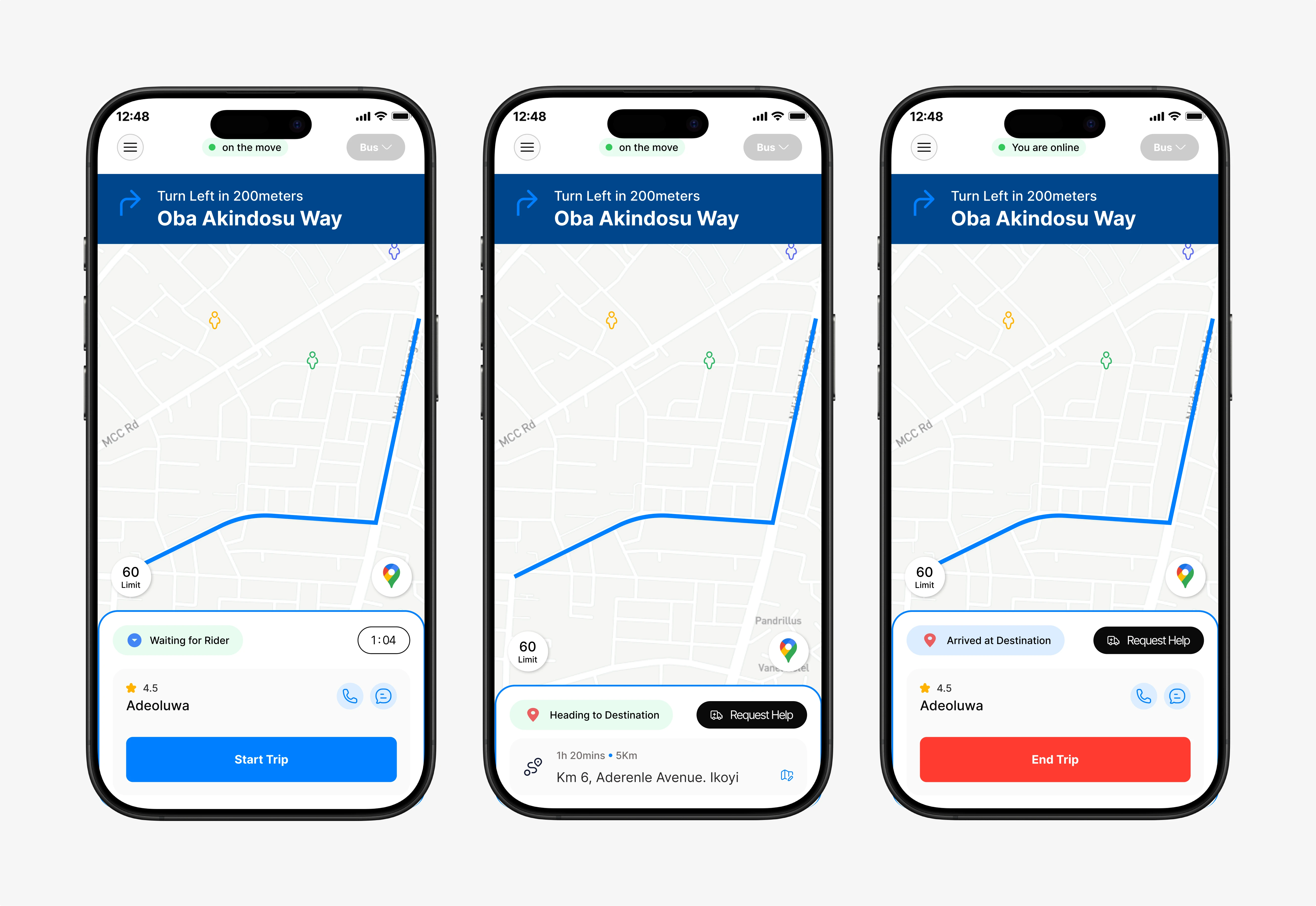
Car driver view
The driver view focuses on clarity and responsiveness. Each active trip screen highlights destination and route map.
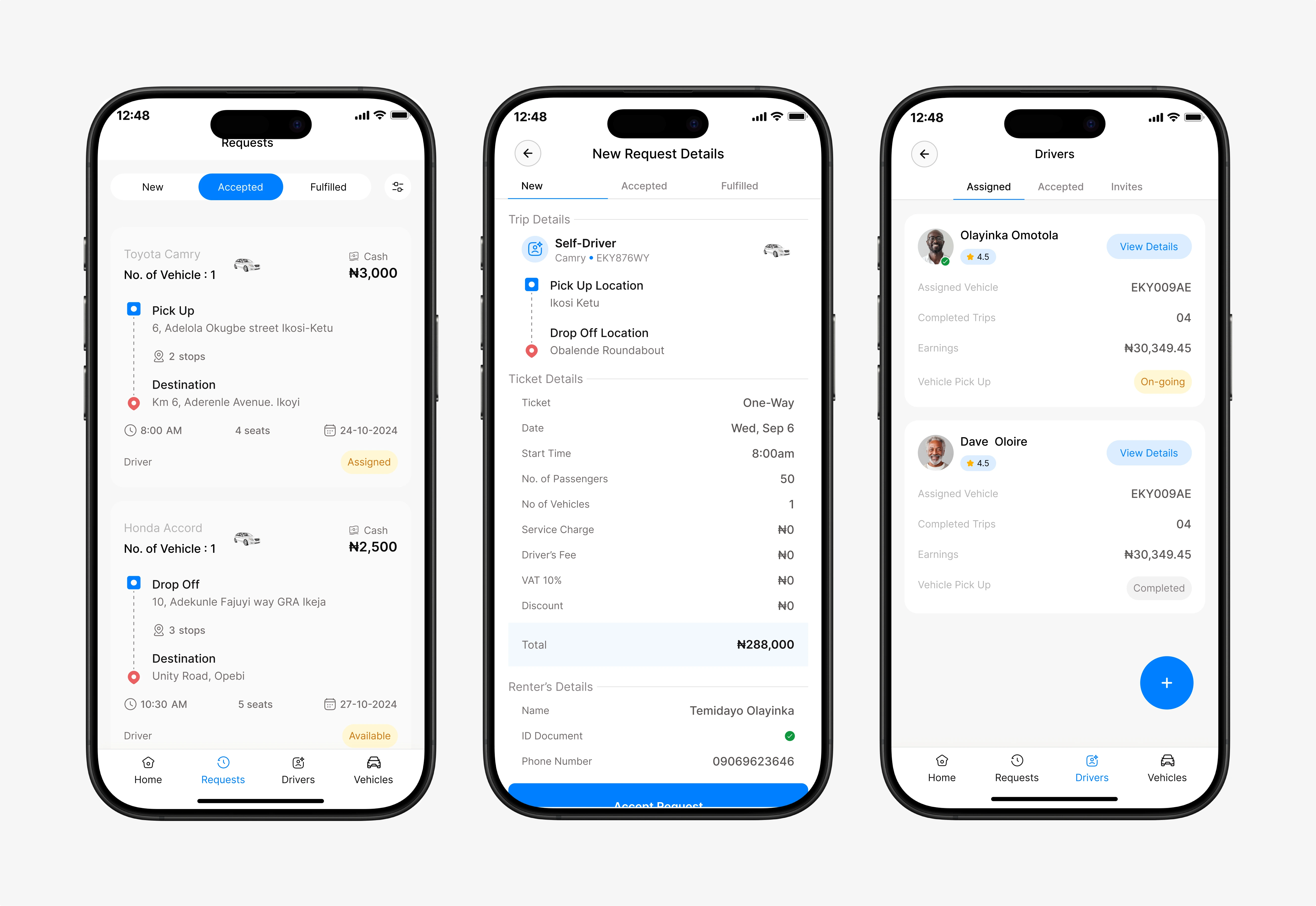
Accepting request (driver)
When delivery requests appear, the UI uses quick-scan cards showing pickup distance, payout, and package type.
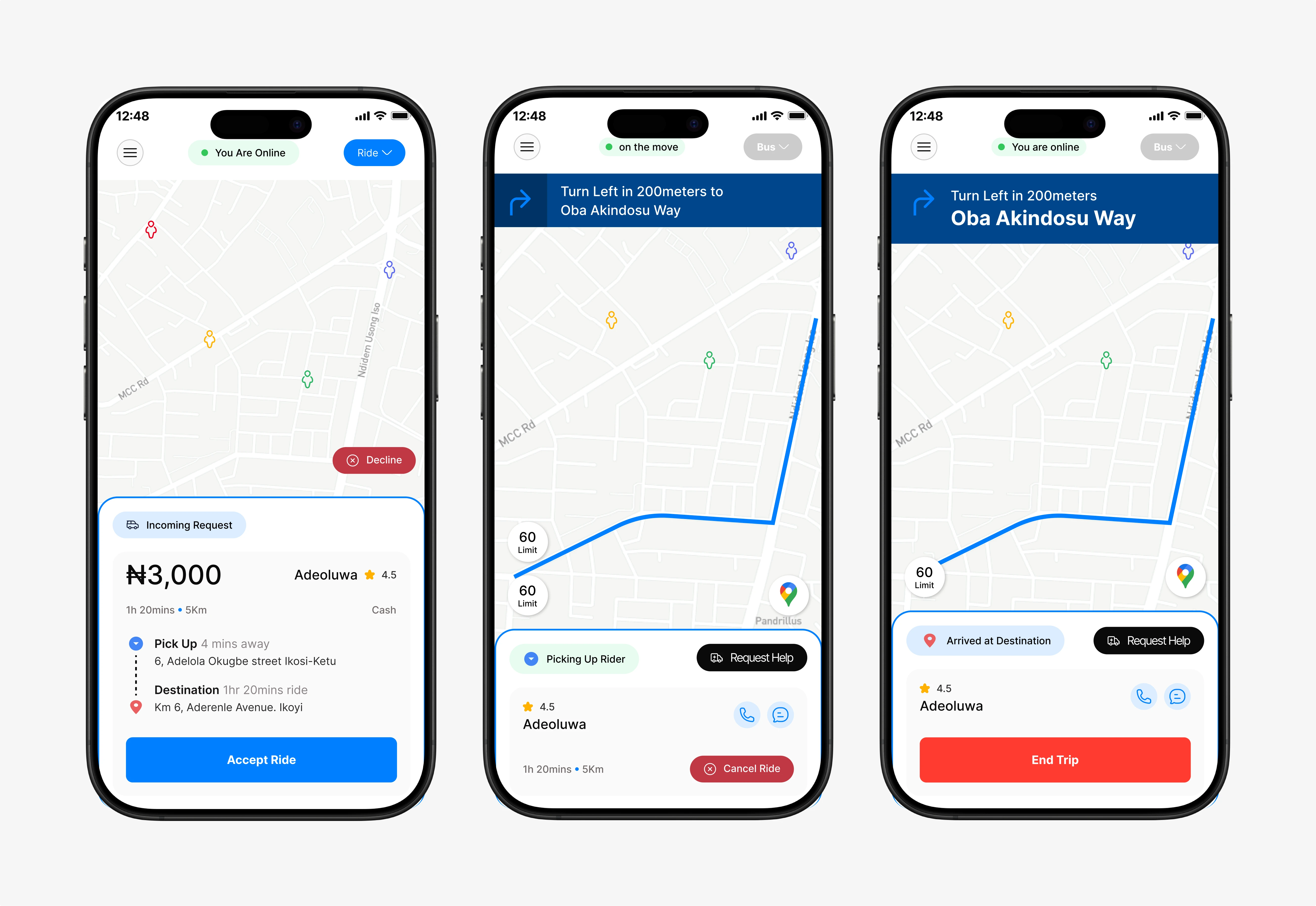
Bus driver view
The bus driver dashboard integrates trip control, passenger overview, and stop management in one display.
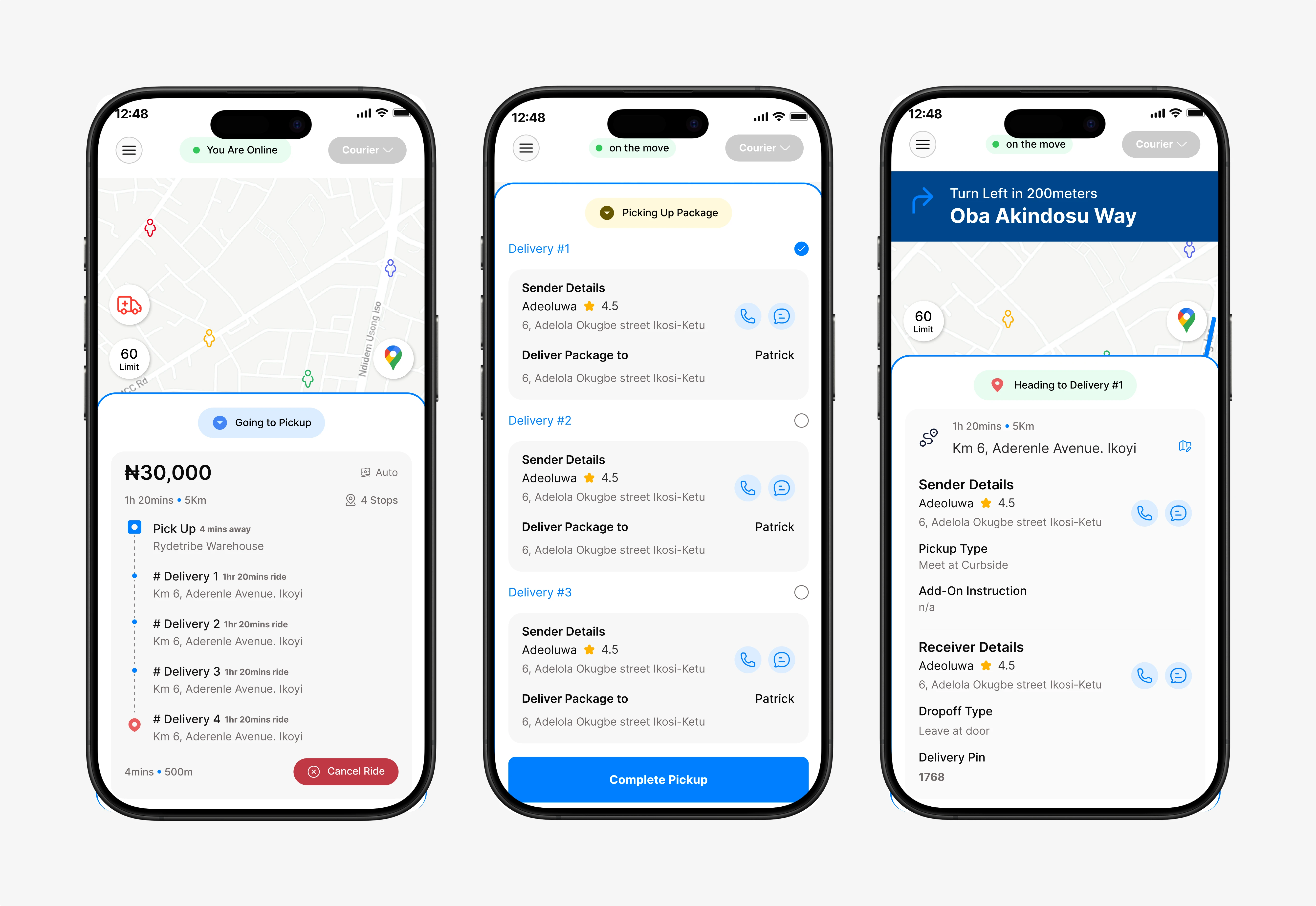
Making delivery
The idea is to allow driver see multiple deliveries on their route and complete the delivery.
Like this project
Posted Jan 4, 2026
Rydetrybe is a cross-functional mobility platform built to connect every aspect of urban transportation — ride-hailing, delivery, and rentals —in one experience
Likes
2
Views
8
Timeline
Nov 1, 2024 - Dec 6, 2024