Redesign of vLLM CLI Help System for Enhanced Usability

Justin Hale


Project Overview
Role: UX Designer (Red Hat)
Timeline: 6 weeks (2 sprints, active work in 1 sprint)
Collaboration: ML Engineer (Hugging Face), Product Manager (Red Hat)
Impact: Merged upstream into vLLM open-source project. Enhanced help navigation system adopted by major LLM serving framework.
The Problem
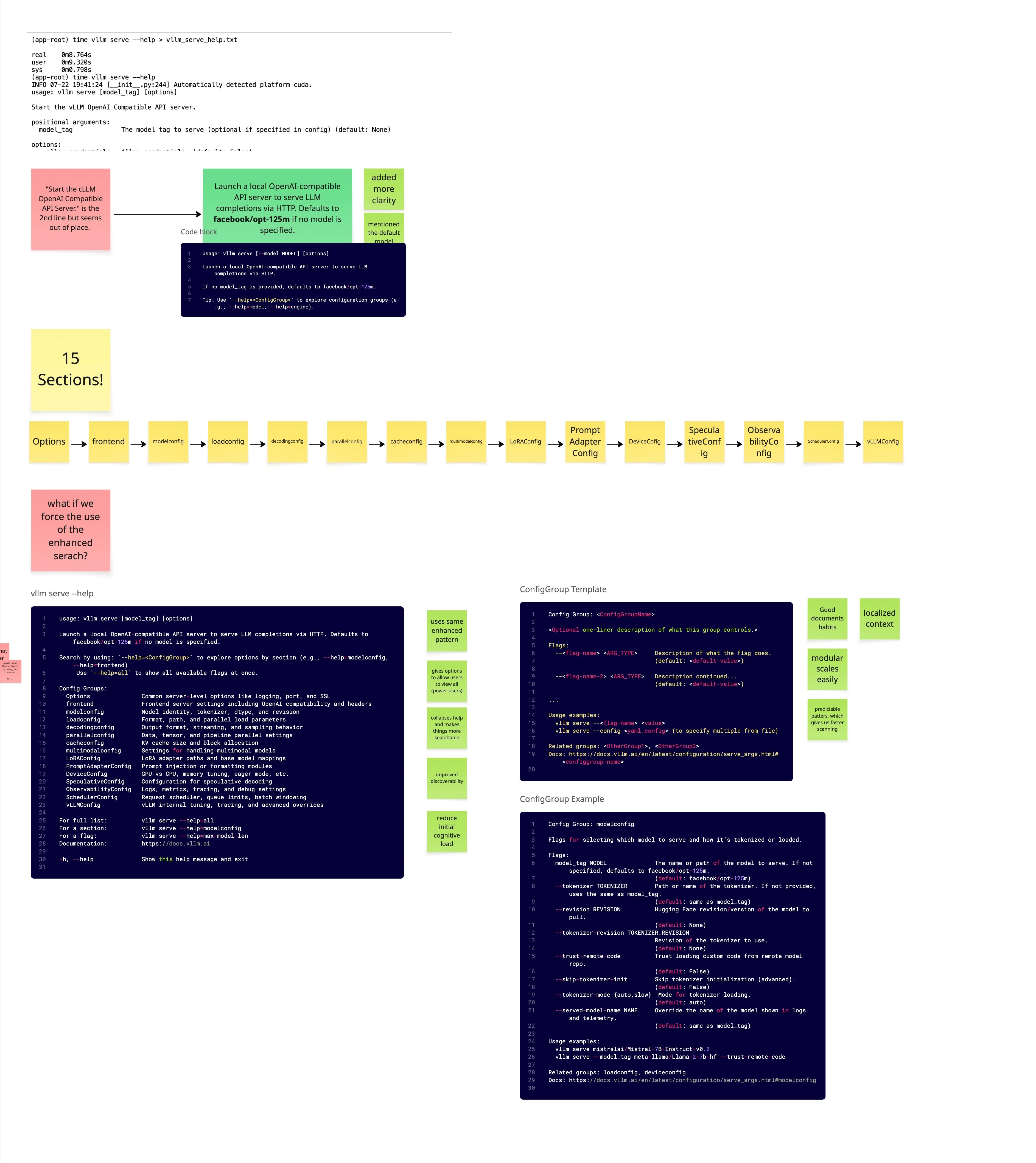
vLLM is a widely-used open-source framework for serving large language models at scale. While powerful, its command-line interface exposed overwhelming complexity that created significant friction for users.
Core issues identified:
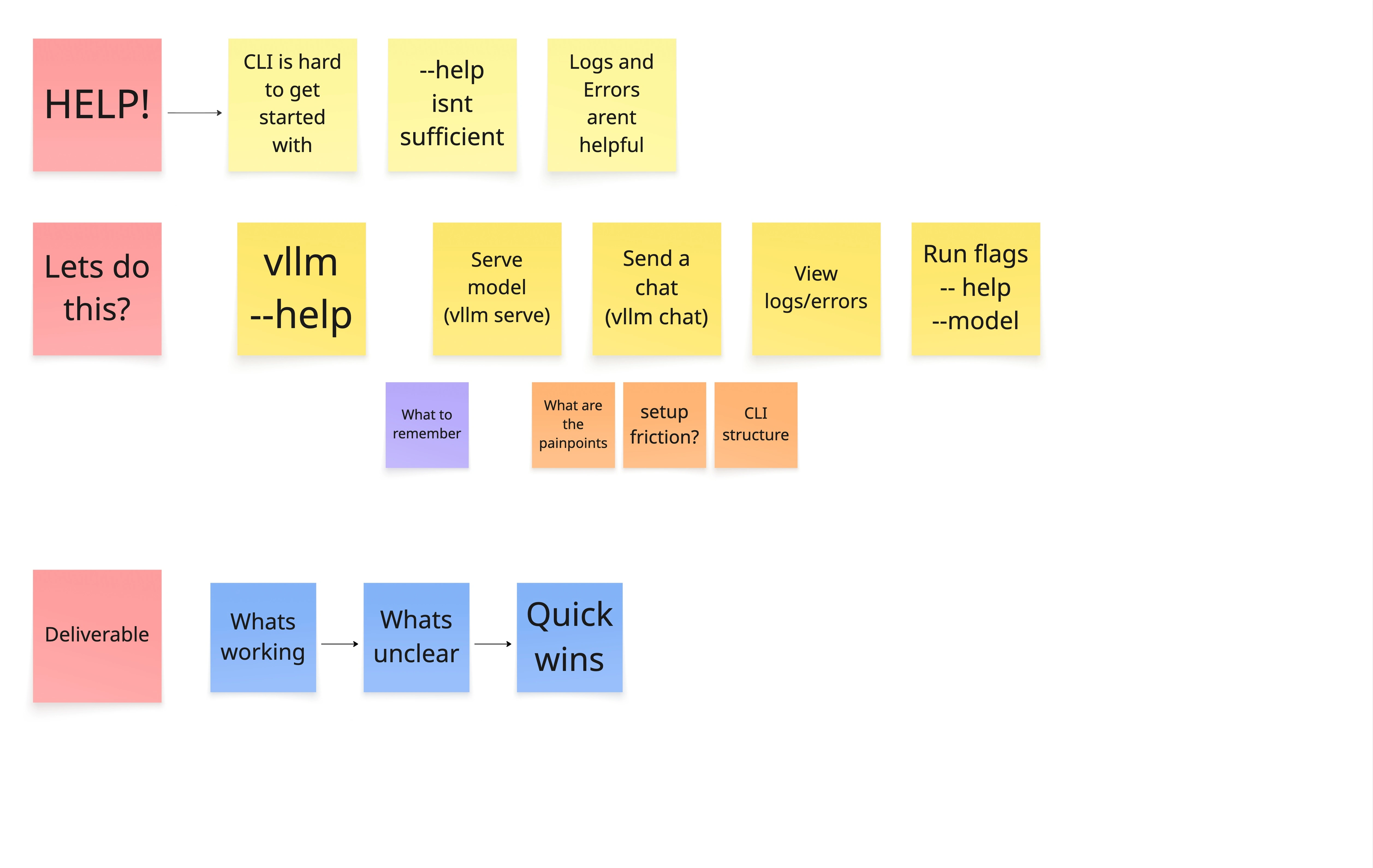
Cognitive overload: Users faced 30+ configuration groups (ModelConfig, ParallelConfig, CacheConfig, etc.) with no clear hierarchy
Poor discoverability: Critical options buried in walls of text; no way to explore groups or search by keyword
Unclear mental model: Command structure (
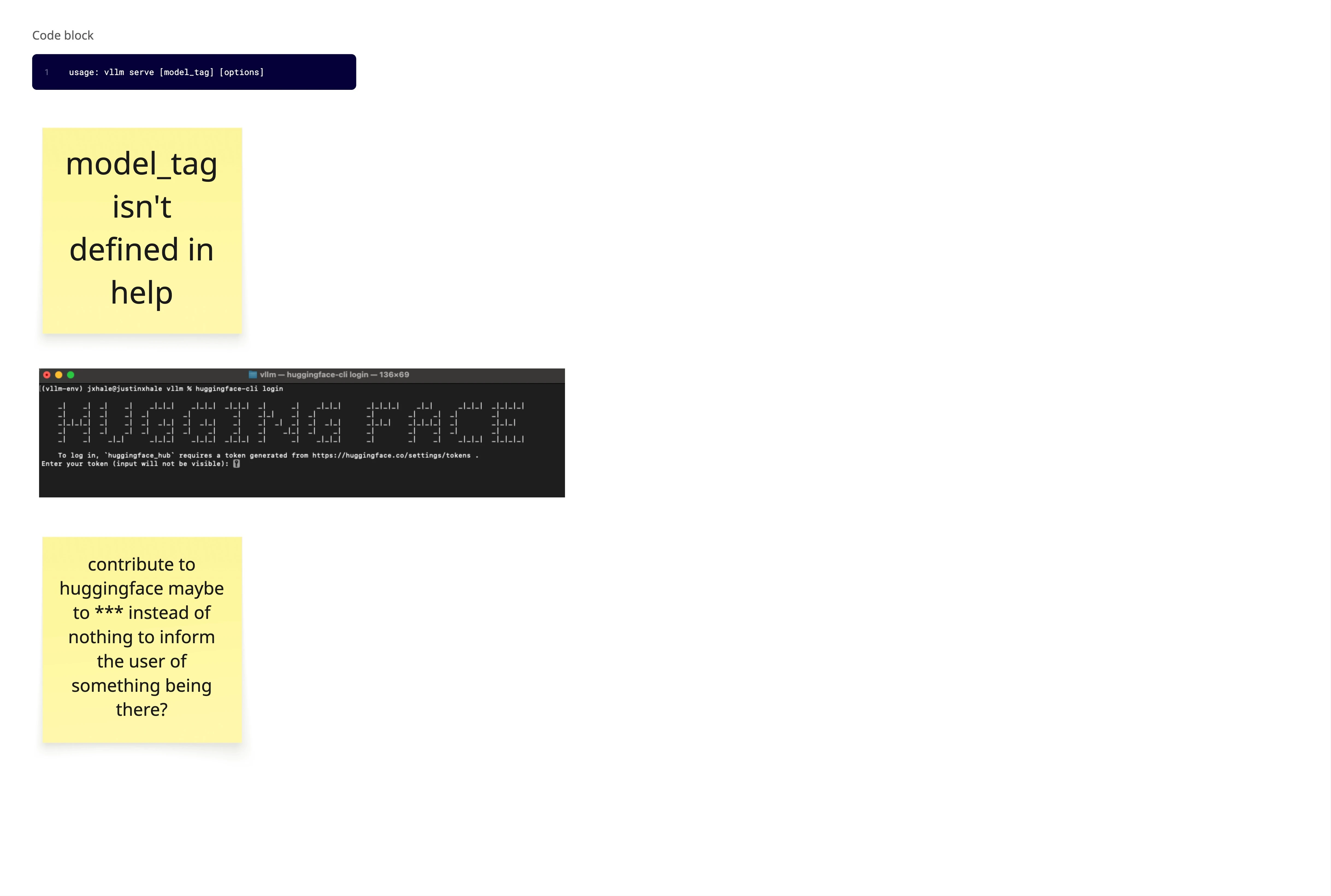
vllm serve, vllm chat, vllm bench) not reflected in help organizationMissing documentation in help: Key parameters like
model_tag undefined in help textUser impact: Developers deploying LLM services spent excessive time hunting through documentation, CLI help output, and GitHub issues to understand configuration options—slowing down deployment and increasing errors.
The Solution
I designed and championed an enhanced help navigation system that introduced progressive disclosure and structured exploration to the vLLM CLI.
Core insight: Users don’t need to see all 200+ options at once. They need to progressively discover configuration groups, search by keyword, and get context-specific help.
Key features implemented:
Design improvements:
Progressive disclosure: Users start with high-level overview, drill down into specific groups
Keyword search: Find flags by partial match (e.g.,
--help=cache shows all cache-related options)Group exploration: List all available config groups without overwhelming output
Contextual examples: Show concrete examples for common patterns
Impact & Outcomes
Shipped: Fully merged into vLLM upstream (PR #24903) after community approval via RFC process (Issue #22647).
Community reception: Presented RFC to vLLM community—”they loved it.” Proposal adopted without significant pushback.
Cross-org collaboration: Red Hat (UX design + PM), Hugging Face (ML engineering implementation)—demonstrating design influence across organizational boundaries in open source.
Design validation: Reused existing CLI patterns from vLLM codebase, making implementation straightforward and familiar to existing users.
Long-term impact: Enhanced help system now serves thousands of vLLM users deploying LLMs in production environments.
Design Process
1. Problem Discovery & Analysis
Research approach:
Analyzed
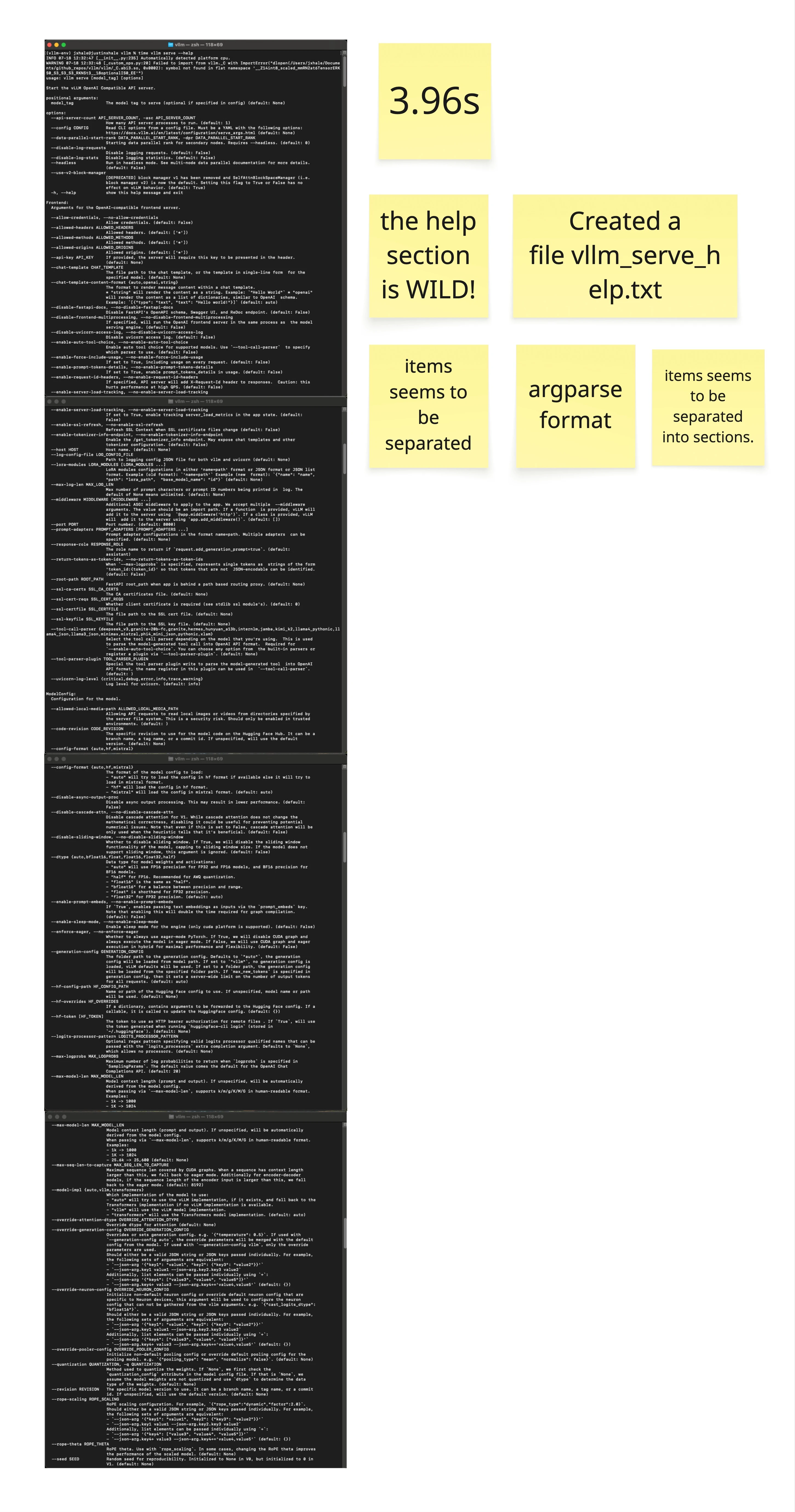
vllm --help, vllm serve --help, vllm chat --help outputsExported help text (994 lines for
vllm serve) for detailed reviewIdentified cognitive friction points: setup friction, CLI structure, help sufficiency
Mapped user mental models vs. current command hierarchy
Key findings:
Help text took 3.96 seconds to display—too much information at once
Parameters like
model_tag referenced in usage but undefined in helpNo clear separation between beginner-friendly and advanced options
Tips section buried at bottom; not discoverable until after scrolling
2. Information Architecture Redesign
Approach: Create Miro board to map current state, identify patterns, propose structure.
Design principles:
What’s working: Preserve existing grouping patterns users recognize
What’s unclear: Separate quick wins from systemic improvements
Deliverable focus: Prioritize high-impact, low-effort changes first
Pattern reuse decision: Instead of reinventing help structure, I identified existing
--help=<topic> patterns already in parts of the vLLM CLI and proposed extending them consistently across all commands.UX impact: Familiarity reduced implementation complexity and user learning curve.
3. RFC (Request for Comments) Process
Open source engagement: Created GitHub issue (#22647) proposing enhanced help system.
Presentation to community: Presented design rationale, examples, and implementation approach to vLLM maintainers and contributors.
Feedback incorporation: Refined proposal based on community input, emphasizing usability over aesthetics to align with engineering-driven culture.
Key success factor: Framed changes around user comprehension and discoverability rather than visual design, resonating with technical audience.
4. Cross-Org Collaboration
Team structure:
Justin (Red Hat): UX design, RFC authoring, community presentation
ML Engineer (Hugging Face): Implementation and code contribution
PM (Red Hat): Product alignment and stakeholder coordination
Design handoff: Provided detailed specifications, examples, and rationale in GitHub RFC. ML engineer implemented without requiring extensive back-and-forth.
Timeline: UX work completed in 1 sprint; remaining 5 weeks spent in review, implementation, and merge process.
Key Design Decisions
1. Progressive Disclosure Over Overwhelming Completeness
Old approach: Show all 200+ flags at once in
--help.New approach: Start with overview, let users drill down by group or keyword.
UX impact: Users can quickly assess relevant options without cognitive overload. Advanced users still access everything via
--help=listgroup. 2. Keyword Search for Faster Discovery
Instead of forcing users to know exact flag names or scroll through grouped output, enable partial matching:
UX impact: Supports exploratory workflows where users remember concepts but not exact flag names.
3. Group-Based Navigation
Config groups already existed in codebase (ModelConfig, CacheConfig, ParallelConfig). I made them first-class navigation paths:
UX impact: Users learn configuration domains systematically rather than hunting through mixed lists.
4. Enhanced Tip Section
Old design: Tips buried at bottom of 994-line help output.
New design: Make tips prominent and actionable immediately.
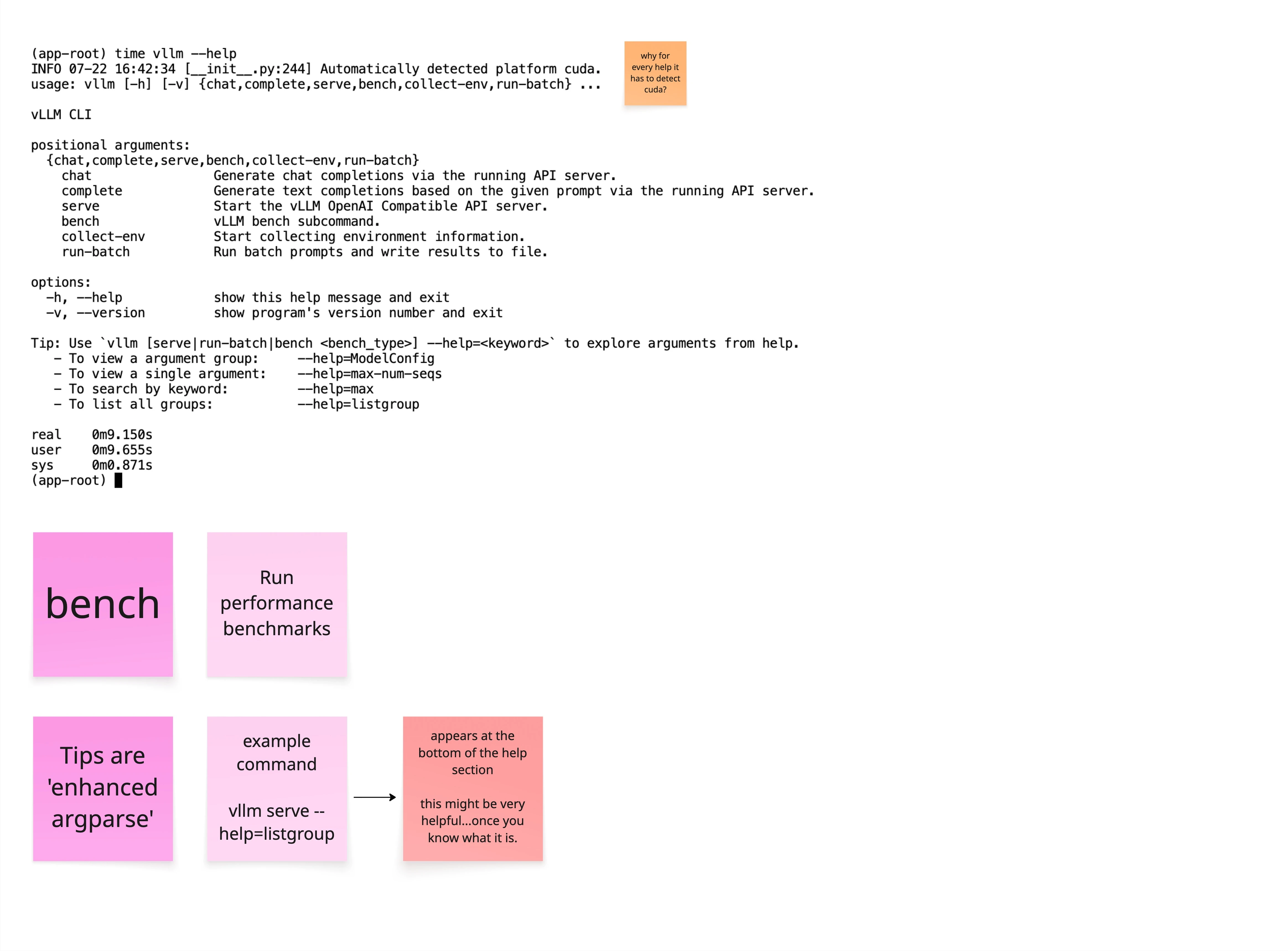
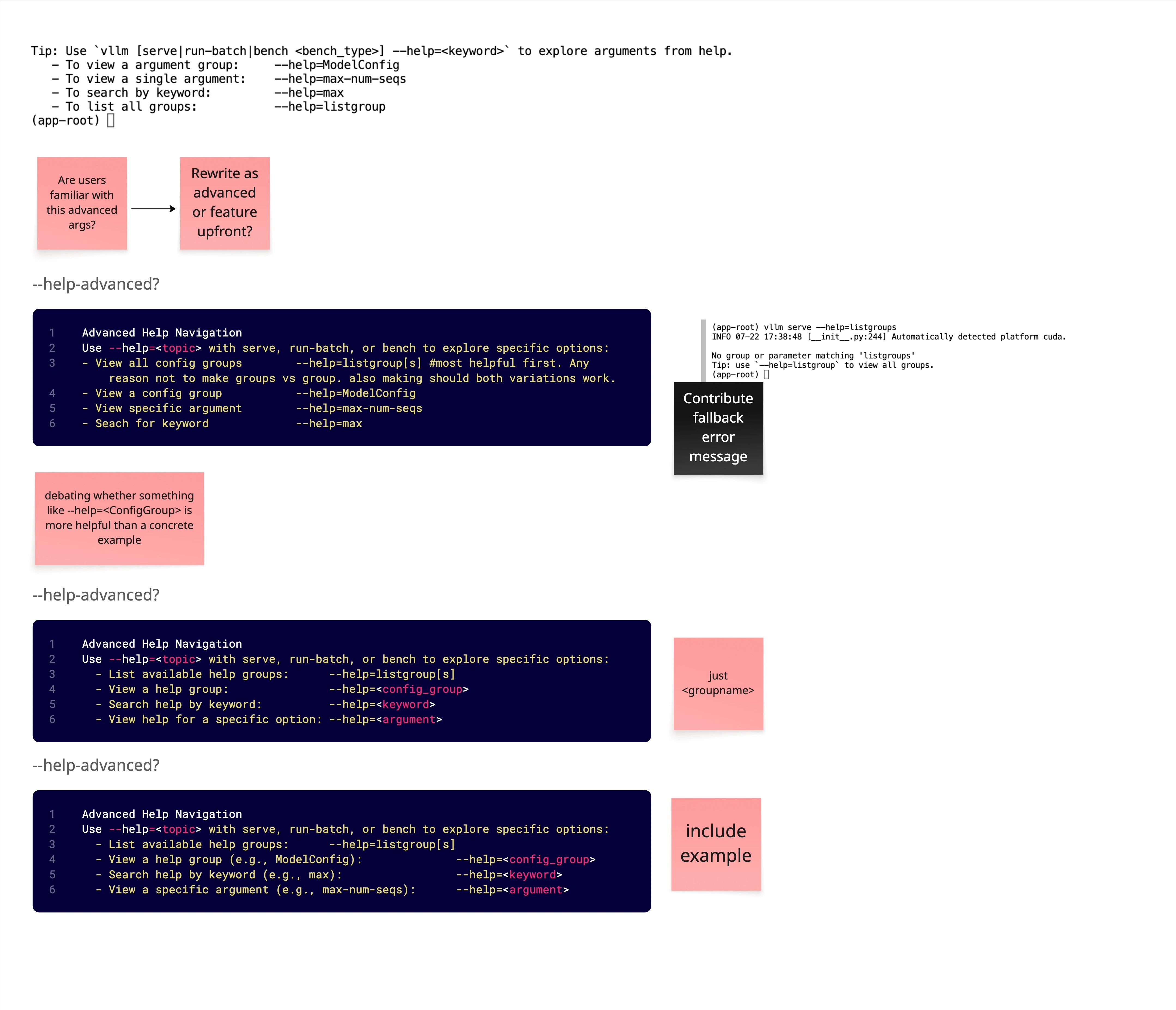
UX impact: Users discover advanced help features immediately instead of after frustration.
Technical Implementation
Architecture: Extended existing
argparse help infrastructure with custom formatter supporting group and keyword queries.Pattern reuse: Identified
--help=<topic> pattern already used inconsistently in vLLM CLI; proposed standardizing and expanding it.Implementation partner: ML Engineer from Hugging Face implemented core functionality based on RFC specs.
Code contribution: PR #24903 merged with full enhanced help system.
Design principle: Reusing familiar patterns minimized user learning curve and implementation complexity.
Key Learnings
1. Open source UX requires community buy-in
Technical communities value usability when framed as user comprehension and efficiency, not aesthetics. The RFC process built consensus before implementation, ensuring smooth adoption.
2. Pattern reuse accelerates adoption
Extending existing CLI patterns rather than inventing new ones reduced implementation effort and user confusion. Familiarity is a UX advantage.
3. Progressive disclosure works in terminals too
CLI users face the same cognitive overload as GUI users. Applying progressive disclosure principles (group-based navigation, keyword search) improved discoverability without sacrificing power.
4. Cross-org collaboration requires clear artifacts
Working across Red Hat and Hugging Face required well-documented RFCs, clear examples, and rationale. GitHub issues served as shared design specs.
5. Quick wins validate broader changes
Enhanced tips section and
--help=<keyword> were low-effort, high-impact changes that built trust for larger structural improvements.6. Metrics aren’t always required for impact
Community enthusiasm and upstream merge demonstrate impact even without quantitative usage data. Qualitative feedback (“they loved it”) validated design direction.
Relevant for UX Engineering / AI Product Roles
CLI/developer tools UX: Demonstrated ability to apply UX principles to terminal interfaces—critical for data science, ML ops, and infrastructure tooling
Open source contribution: Successfully navigated RFC process, community presentation, and upstream merge in major AI/ML project
Cross-organizational collaboration: Coordinated design across Red Hat and Hugging Face teams
AI/ML domain expertise: Contributed to LLM serving infrastructure used in production AI deployments
UX advocacy in technical environments: Framed design changes around usability and comprehension to resonate with engineering-driven culture
Information architecture: Redesigned complex CLI help system with 200+ options into navigable, progressive disclosure system
Deliverables & Links
GitHub:
RFC Issue #22647 — Initial proposal and community discussion
Merged PR #24903 — Implementation and code contribution
Design artifacts:
Miro board analysis (information architecture, problem framing, proposed solutions)
RFC documentation (GitHub issue with detailed specifications and examples)
Community presentation (design rationale and implementation approach)
Project repository:
vLLM on GitHub — Open-source LLM serving framework
This project demonstrates that UX thinking extends beyond visual interfaces—applying user-centered design to developer tools improves comprehension, reduces errors, and accelerates deployment in production AI systems.
Like this project
Posted Feb 23, 2026
Led usability improvements to the vLLM CLI, reducing cognitive load and clarifying command structure for developers deploying large language models.