DesignA11y | Accessibility Software Website Design

MUHAMMAD HUNAIN


A good design handoff should communicate more than what a screen looks like.
It should explain how people interact with it, how information is structured, what happens when someone uses a keyboard, and which accessibility requirements developers need to consider.
Yet these details can easily end up scattered across design files, comments, documents, and conversations. By the time a project reaches development, important decisions may need to be revisited or explained again.
DesignA11y was built to address that problem. Its accessibility tools work directly inside Figma, helping designers check color contrast, document accessibility requirements, and prepare clearer handoffs without introducing an entirely separate process.
Our work focused on designing a website that could communicate those capabilities to the people who need them.
The challenge was to make a technical product approachable without oversimplifying it, and to create an experience that felt familiar to designers while making sense to teams evaluating the tool for everyday use.
A clear introduction to a complex product
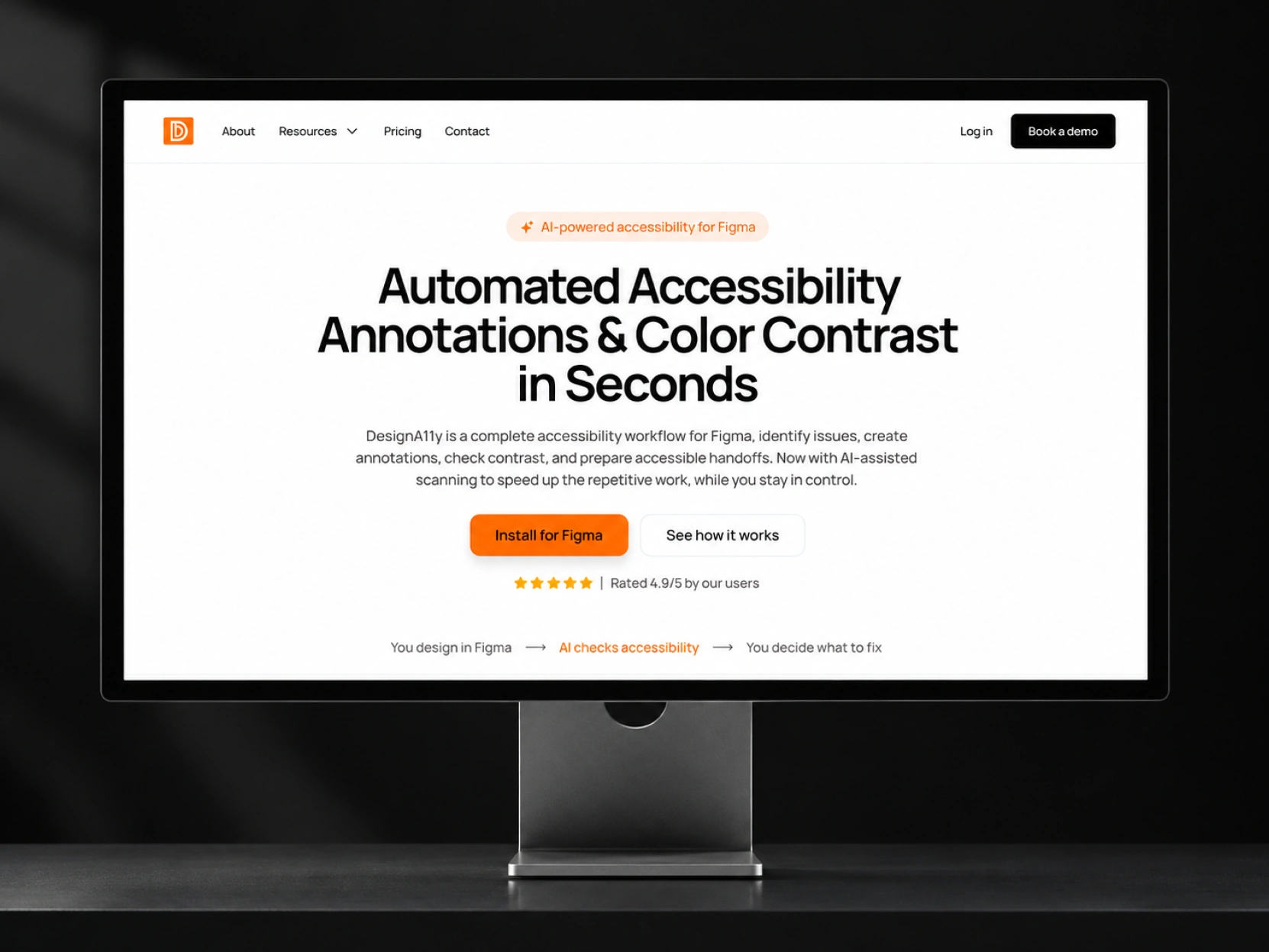
DesignA11y brings several accessibility tasks into one workflow. That is useful for its users, but explaining all those capabilities at once could easily make the website feel complicated.
We approached the homepage with one priority: help visitors understand the product before asking them to explore everything it offers.
The headline, "Automated Accessibility Annotations & Color Contrast in Seconds," introduces two of its most recognizable capabilities immediately.
The supporting description explains where the product works and how it fits into an existing design process. Rather than relying on broad promises about AI, the website connects its capabilities to familiar activities such as reviewing designs, checking contrast, and preparing files for development.
Two actions support different levels of interest. Install for Figma offers a direct next step, while See how it works gives visitors an opportunity to understand the product first.
The visual direction follows the same principle.
A predominantly white canvas, confident black typography, and carefully placed orange accents create a clear hierarchy. The stronger color is reserved primarily for important actions and product imagery, making it easier to recognize where to focus.
The result is an introduction that feels direct and practical, with enough personality to make the product memorable.
Letting designers see the actual tools
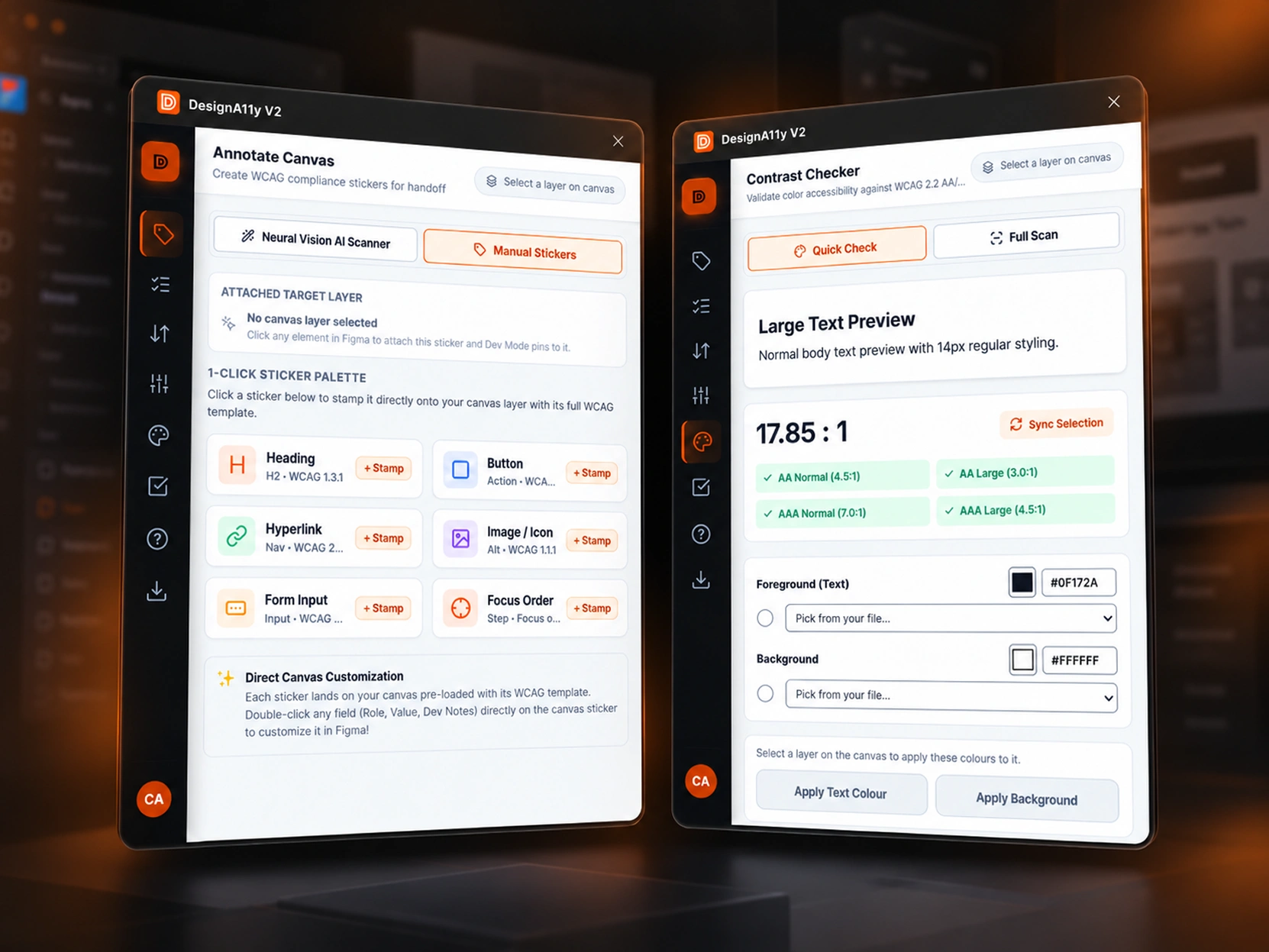
A designer evaluating an accessibility plugin wants to know what working with it will actually feel like.
Will it interrupt the design process? Will the results be understandable? How much control will they have over the recommendations?
Those questions are better answered by showing the interface than by adding another paragraph of marketing copy.
We placed actual plugin screens at the center of the website's product presentation.
The Annotate Canvas interface demonstrates how accessibility information can be documented against design elements, with options for headings, buttons, links, images, form inputs, and focus order.
Its combination of automated assistance and manual annotation is particularly relevant to the product's positioning. Designers can use the tool to reduce repetitive work while still reviewing and controlling the information attached to their designs.
Alongside it, the Contrast Checker demonstrates another practical capability.
The interface displays contrast ratios and results against WCAG AA and AAA thresholds, making it possible to understand whether selected color combinations meet specific accessibility criteria.
These are the details that give the product credibility.
Instead of presenting accessibility as an abstract promise, the website shows the actual decisions designers can make with the tool.
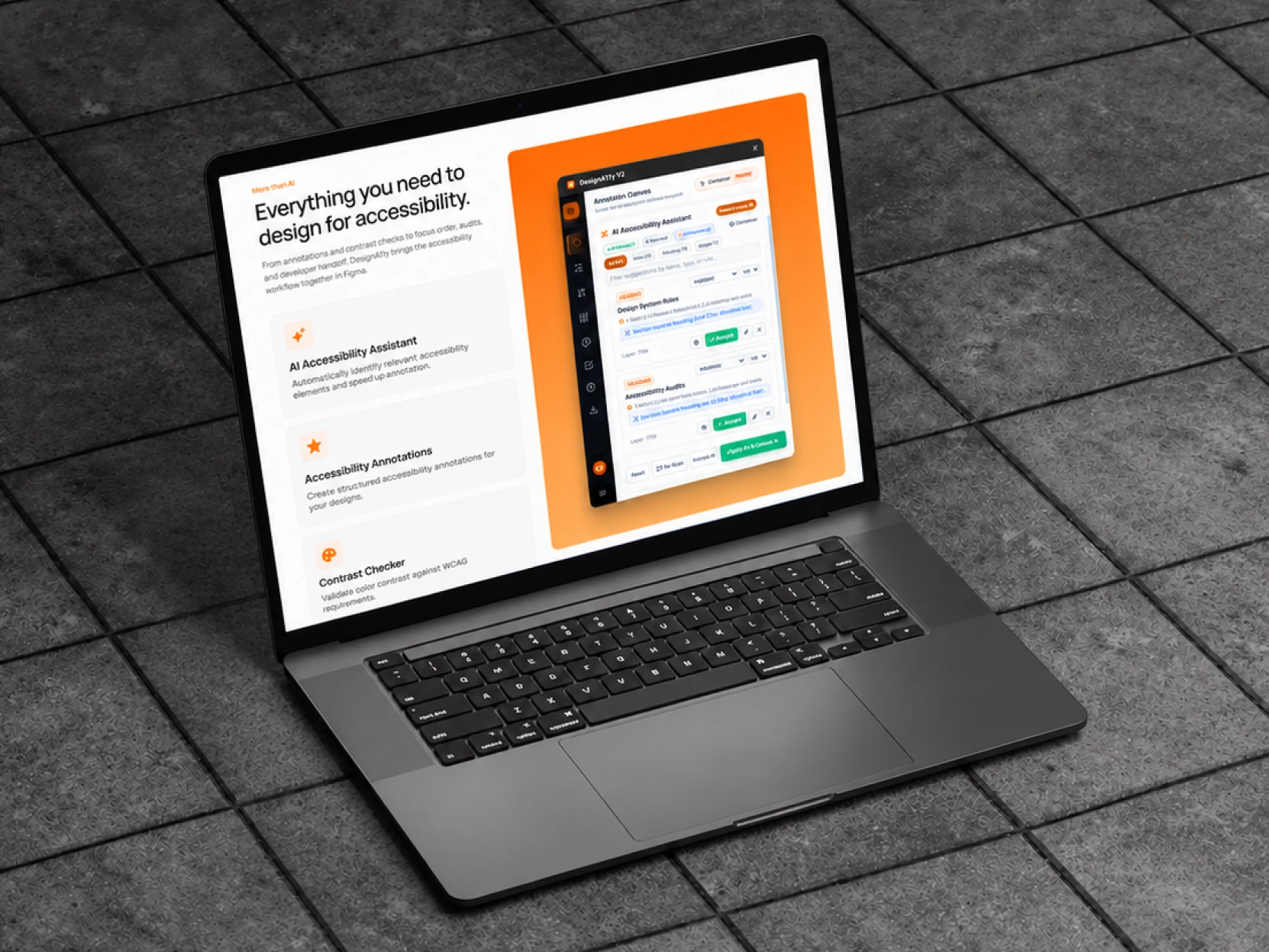
As visitors move further into the website, the feature presentation becomes more detailed.
We organized the different capabilities into distinct sections, allowing visitors to understand each part without losing sight of the overall product.
The visual treatment alternates between concise explanations and larger interface screenshots. Orange backgrounds bring attention to the software, while quieter white sections give the surrounding information room to breathe.
This was an important design decision.
The plugin interface already contains a considerable amount of detail. Adding excessive visual decoration around it would make the website harder to follow.
By keeping the surrounding layout simple, we allowed the actual product to carry the explanation.
From accessible designs to clearer handoffs
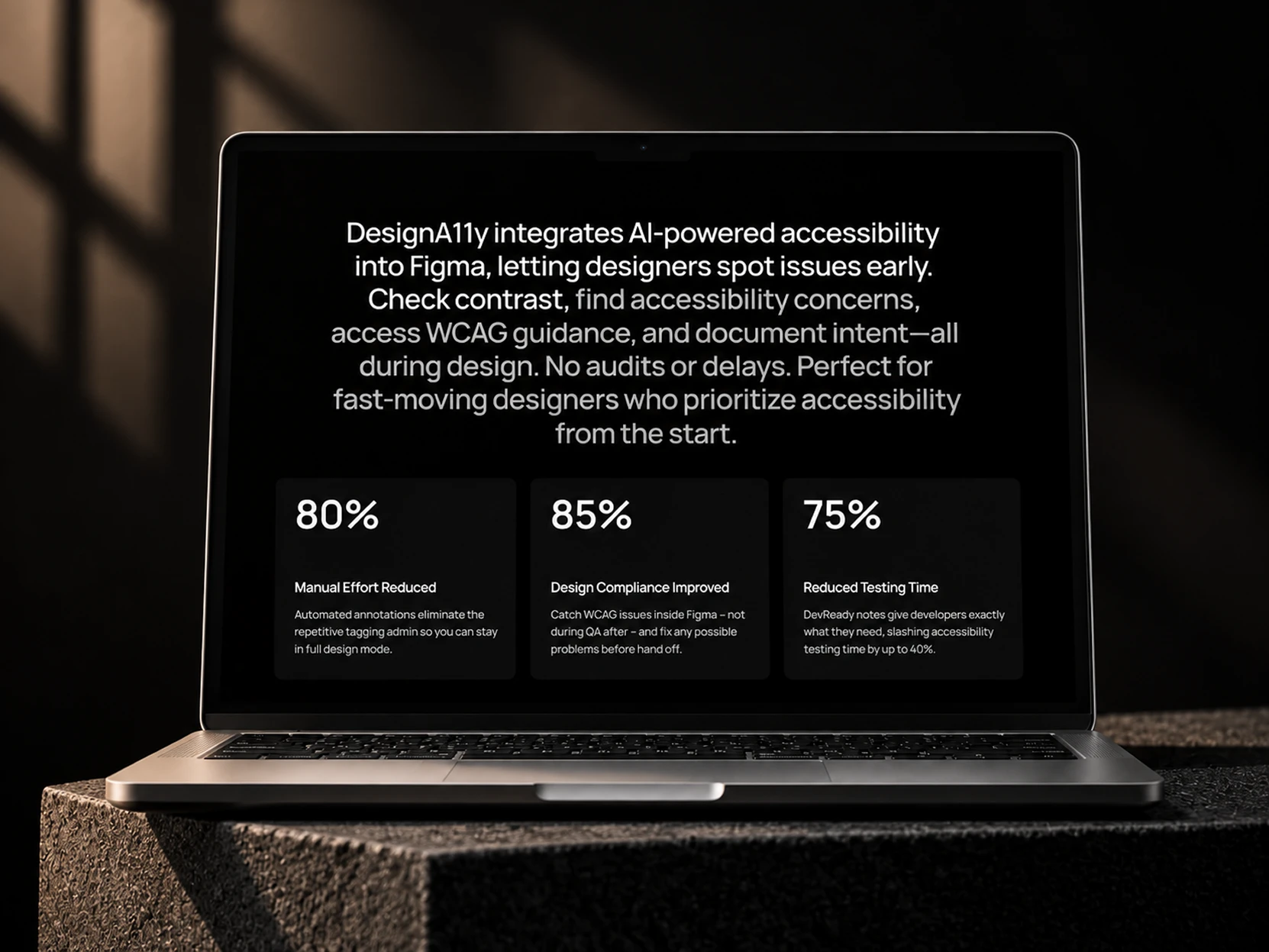
Checking accessibility is only part of the work.
Designers also need to communicate their decisions to developers, reviewers, and other team members. A visual layout alone does not always explain intended keyboard behavior, heading structure, form labels, or other accessibility requirements.
That is where DesignA11y's annotation and documentation capabilities become particularly valuable.
The website needed to connect those features to the broader way teams work.
Rather than treating annotations as another item in a feature list, we presented them as part of a more organized handoff process. Accessibility information can remain connected to the designs it describes, making requirements easier for the next person to review and understand.
The supporting website sections communicate these benefits through concise explanations, larger statements, and a contrasting dark presentation.
This change in visual treatment also gives the page a useful sense of progression.
Visitors have already seen what the software does. Here, the focus moves toward why those capabilities matter to a design team.
The intended value is straightforward: less repetitive documentation, clearer communication, and more opportunities to address accessibility questions before they become development problems.
Designing the website around how people evaluate software
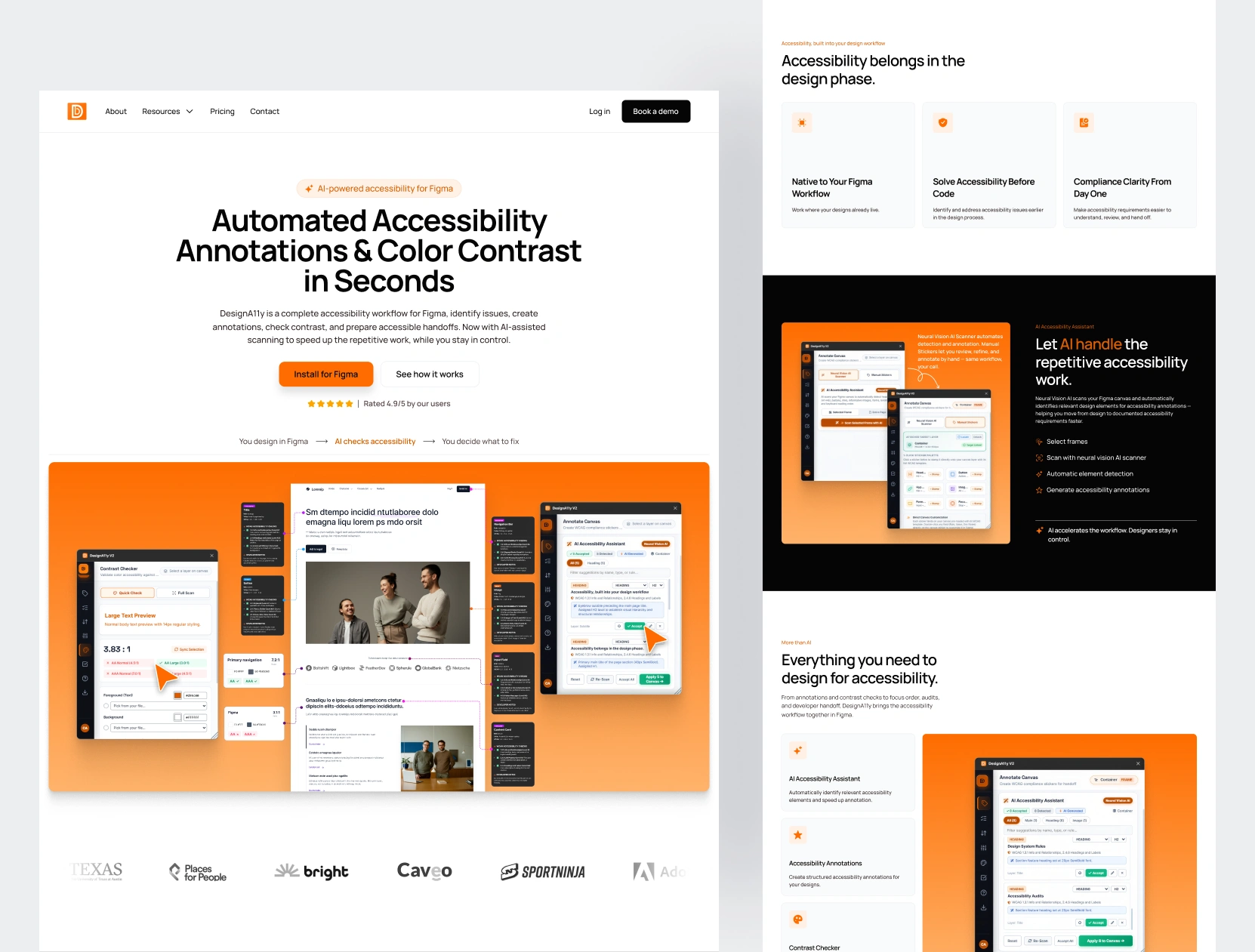
For a product like DesignA11y, there are different kinds of visitors.
An individual designer may be looking for a quick contrast checker. A product designer might need structured accessibility annotations for an upcoming handoff. A design lead or agency may be evaluating whether the tool could fit into an established team workflow.
The website needed to accommodate all three without creating separate experiences for each audience.
We developed the page around a natural sequence of information.
The opening explains the product. The interface visuals demonstrate its capabilities. The feature sections provide additional detail, while supporting content addresses practical benefits, questions, and next steps.
This structure lets visitors explore according to their own level of familiarity.
Someone who already understands accessibility annotations can move toward installation. Someone encountering the concept for the first time can continue through the explanations and product examples.
The design system supports that flexibility through consistent spacing, clear section boundaries, restrained typography, and recognizable calls to action.
The objective was not to make the website feel like an elaborate product demonstration.
It was to give people the information they need, in an order that makes sense.
Keeping that clarity on smaller screens
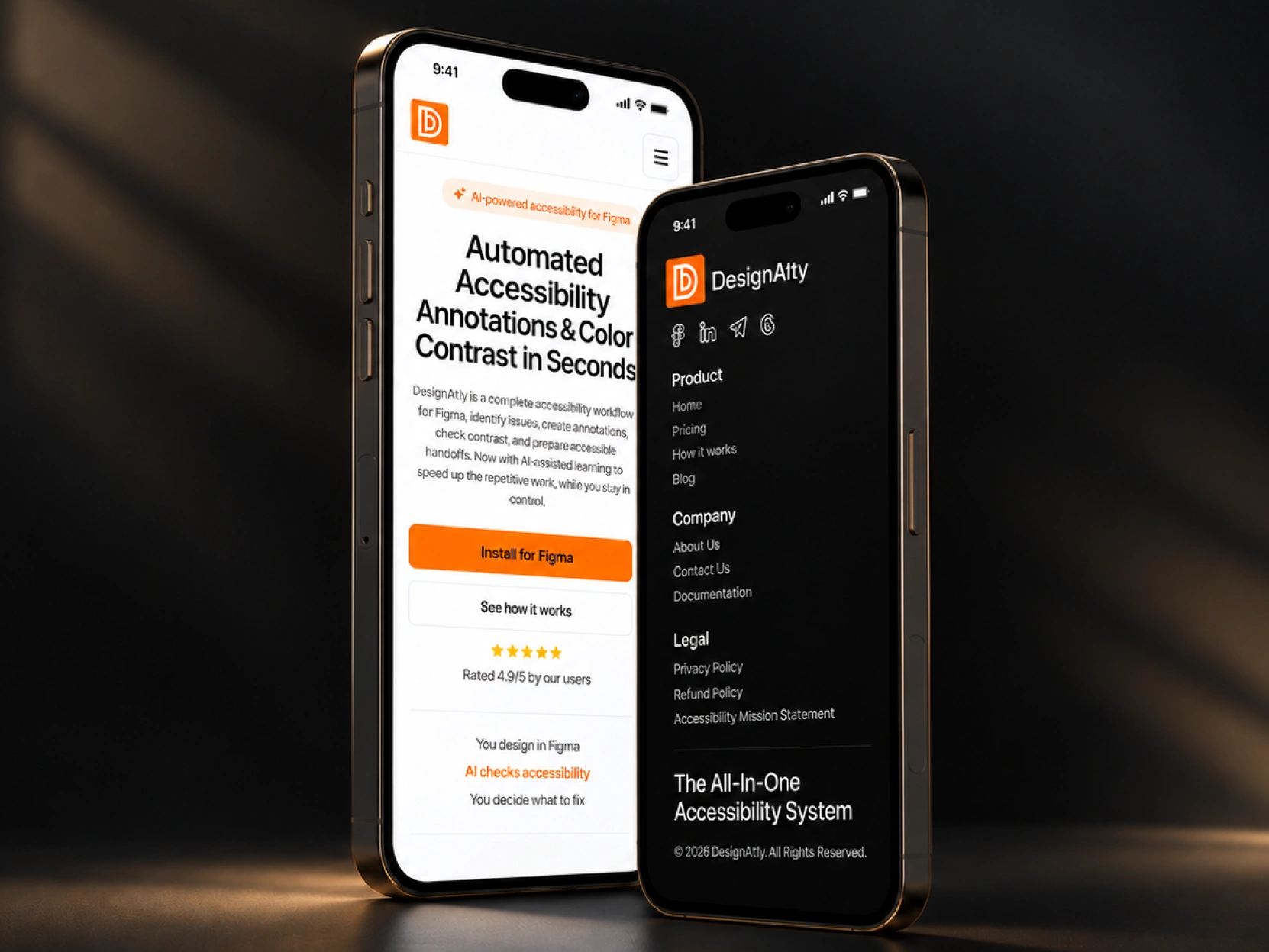
Although the plugin operates inside Figma, the website also needs to communicate effectively outside that environment.
Someone might discover DesignA11y through a social post, a recommendation from another designer, or a search on their phone.
The mobile design keeps the same product message while adapting the layout to a narrower screen.
Headlines remain prominent, descriptions follow a comfortable reading order, and the primary actions stay easy to locate.
We simplified the navigation into a compact menu and maintained the black, white, and orange visual identity across both the opening sections and the footer.
The key consideration was preserving the hierarchy rather than simply reducing the size of the desktop layout.
Product information remains readable, the next steps remain clear, and the experience retains its visual character across screen sizes.
The finished experience
DesignA11y addresses a real challenge in digital product design: making accessibility considerations easier to identify, document, and communicate while design decisions are still being made.
Our website work focused on making that purpose visible.
The final design brings together a direct product introduction, detailed plugin demonstrations, organized feature explanations, clear paths toward installation, and a consistent responsive experience.
Its visual identity is deliberately straightforward. The typography gives the messaging confidence, the orange accents help distinguish important actions, and the actual plugin screens provide the substance.
For designers, the website shows a familiar workflow and the practical tools available to support it.
For teams and decision-makers, it explains how better documentation and earlier accessibility reviews can contribute to a clearer design process.
Above all, it keeps the focus where DesignA11y intends it to be: on making accessibility a regular part of designing digital products, rather than something addressed only after the work is finished.
Like this project
Posted Oct 12, 2026
Designed a responsive website for DesignA11y, making Figma accessibility tools easier to understand through clear messaging, product visuals, and workflows.