Smart Home Mobile App Full Case Study

Abdul Qadeer


The Challenge
Smart home technology has a usability problem. The average connected home has devices from 5+ different manufacturers, each with its own app, its own login, and its own design language. Turning off the lights means opening one app. Checking the thermostat means opening another. Viewing the security camera means a third. The "smart" home ends up feeling pretty dumb when you need a dozen apps to manage it.
This project focused on designing a unified smart home app that brings every device, every room, and every automation into one coherent interface. The goal: make managing a connected home as simple as flipping a light switch.
Design Approach
The design process started in Figma, where every screen was built around the principle that home control should be instant and intuitive.
Key design decisions:
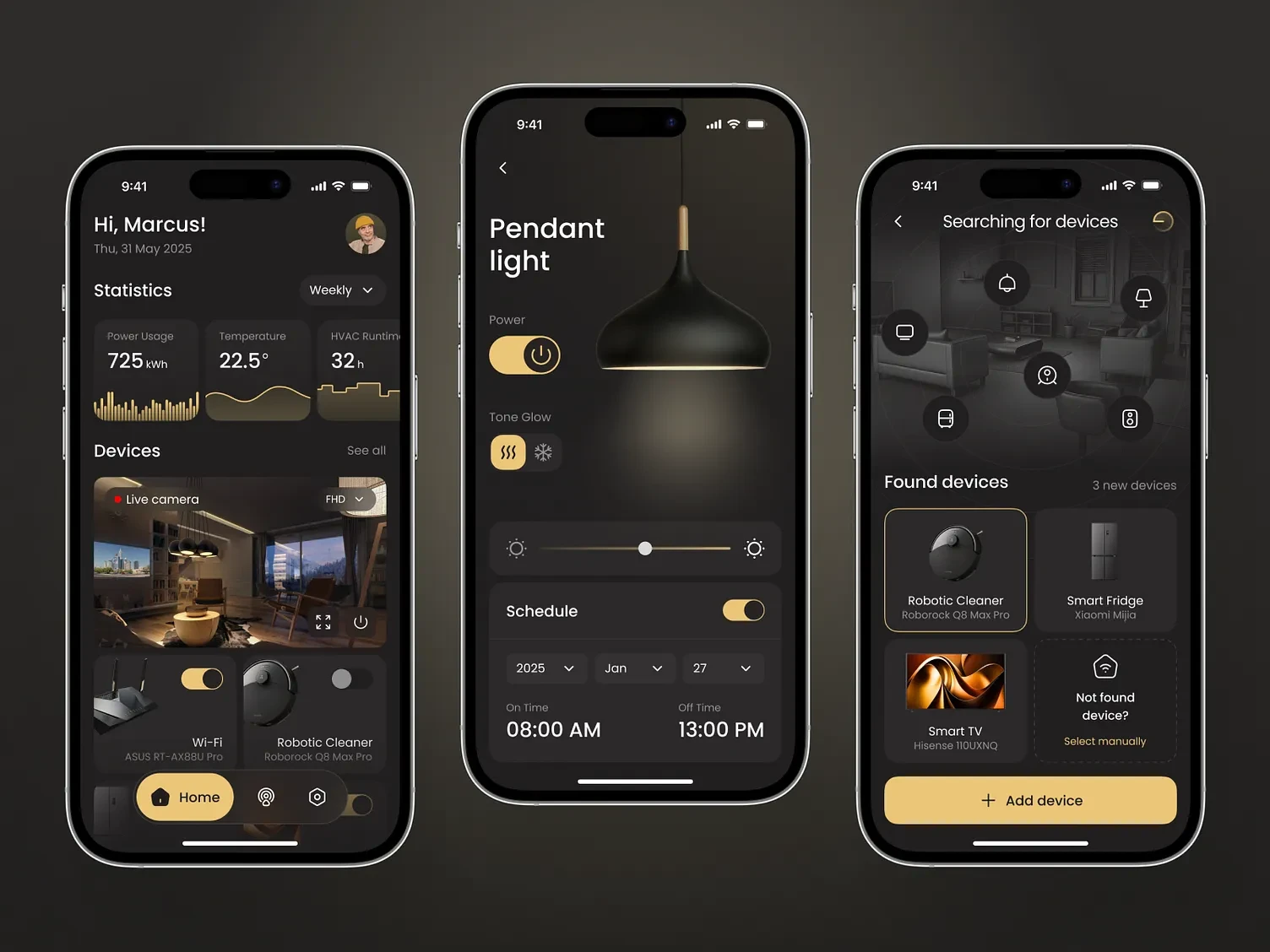
Dashboard with real-time overview. The home screen shows energy consumption, current temperature, active device count, and live camera feeds in a single glance. No tapping through menus to understand what's happening in your home. The dashboard answers "is everything okay?" immediately.
Room-based organization. Devices are grouped by room rather than by type. Tap "Living Room" to see and control every device in that space: lights, thermostat, speakers, blinds. This matches how people think about their home, not how manufacturers categorize products.
Lighting control with scheduling. Dedicated lighting screens show every light in the home with brightness sliders, color temperature controls, and scene presets. Schedule lights to turn on at sunset, dim at bedtime, or simulate occupancy while traveling. One screen, full control.
Device discovery and setup. Adding new devices uses automatic scanning to detect compatible hardware on the network. Scan results show device type, manufacturer, and connection status. Setup takes under 30 seconds for most devices.
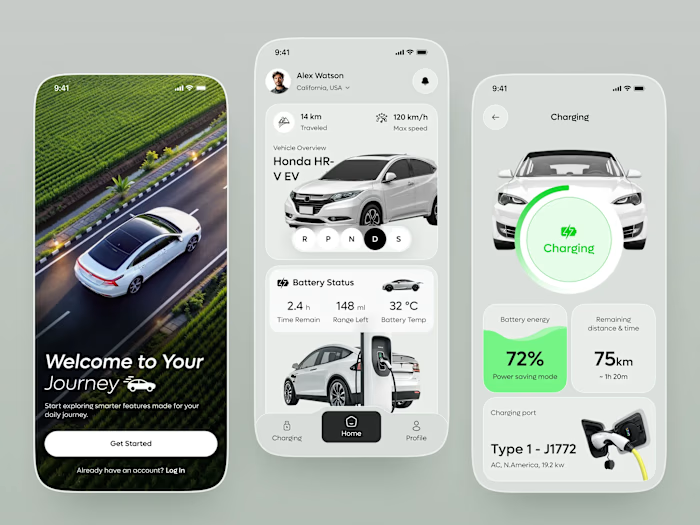
Energy monitoring. Real-time and historical energy usage broken down by device, room, and time period. Users can identify energy hogs, set consumption targets, and track savings from automations. The data is presented as simple charts, not utility-bill complexity.
Camera integration. Live feeds from security cameras with motion detection alerts, recording playback, and two-way audio. Camera views are accessible from the dashboard without navigating to a separate security app.
Dark theme with ambient accents. The dark interface reduces eye strain during nighttime use (when most home adjustments happen) and makes device status indicators and camera feeds visually prominent. Accent colors indicate device states: blue for active, amber for alerts, green for energy saving.
Interaction Patterns
Every control follows consistent patterns:
Tap to toggle on/off
Long press for detailed settings
Slide to adjust levels (brightness, temperature, volume)
Swipe between rooms
These patterns are learnable in one session and work identically across all device types.
The Result
A fully designed smart home management app built in Figma, focused on unifying the fragmented smart home experience into one intuitive interface. The design serves IoT companies, smart home platforms, and home automation startups looking for a mobile app that makes connected home management accessible to everyone through room-based organization, real-time monitoring, and consistent interaction patterns.
Like this project
Posted Jul 14, 2026
UI/UX design of a smart home management mobile app featuring an energy dashboard, lighting controls, device management, and camera monitoring in a clean, intuitive interface.
Likes
0
Views
33