VOX App Redesign for iOS 27

Andrei Gurgel


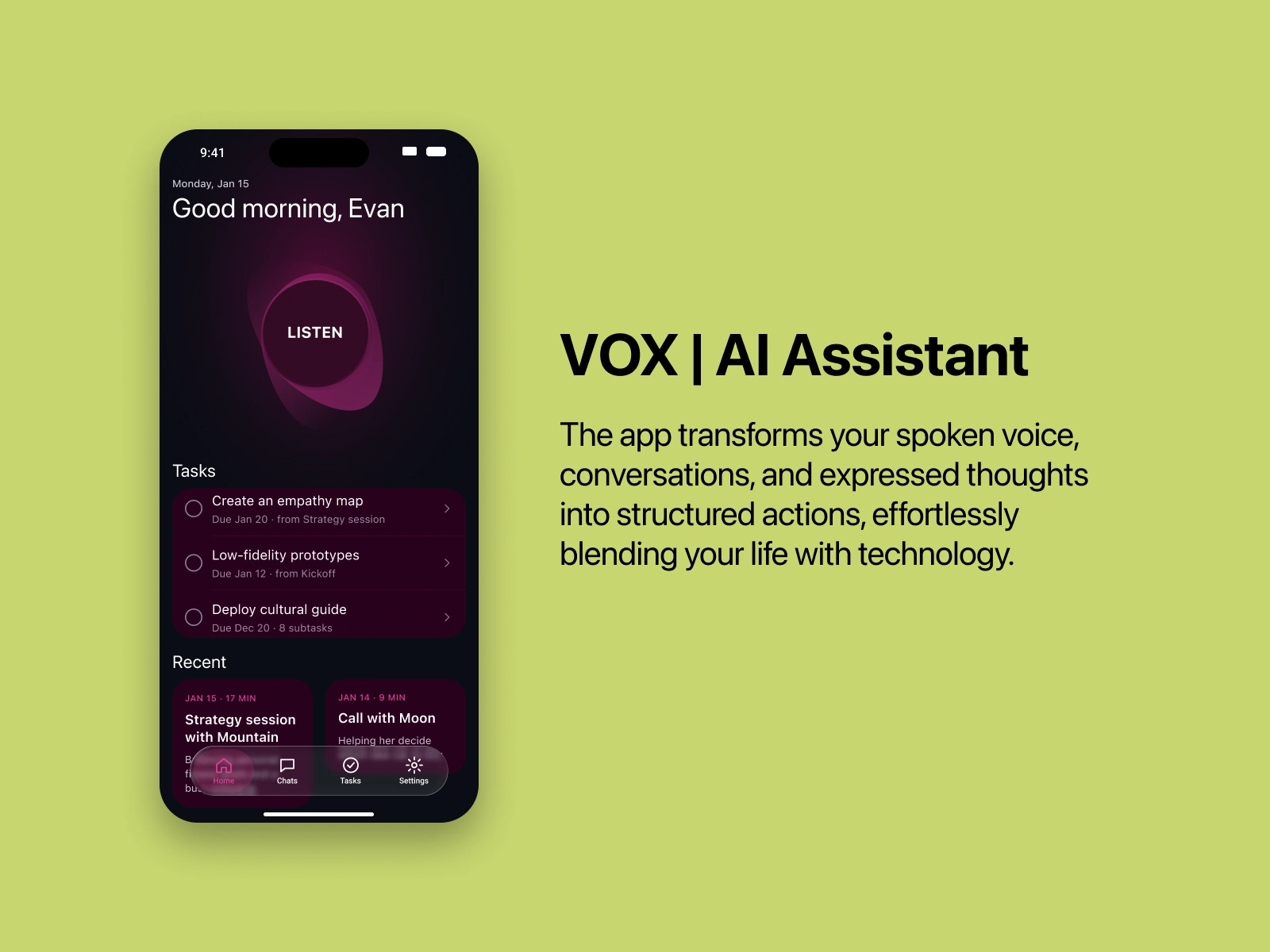
VOX is an AI assistant that turns what you say into organized actions: meetings, calls, voice notes and passing thoughts. You tap Listen and talk. The app records, transcribes, summarizes and suggests the next tasks, which you can edit before saving. It started as a rapid concept for investors and, in 2026, I redesigned it for iOS 27 with SF Pro and native Apple patterns.
Role: Product Designer (UX/UI), leading the concept and the prototype
Platform: iOS 27 (redesign of the original investor concept)
Scope: product concept, user flows, UI, quick branding and a navigable prototype
Tools: Figma and Claude
Prototype: try the interactive prototype
The challenge
Conversations are full of decisions and to-dos that get lost once the call ends. Taking notes means not really listening, and listening means forgetting. VOX started as a rapid prototype to show investors one idea:
Talk normally. The app takes care of the follow-up.
The design had to make a whole AI pipeline (recording, transcription, summary and task suggestions) feel like a single, simple gesture.
The experience
Onboarding and home
Sign in with Apple, Google or email, then land on a home screen built around one action: Listen. Below it sit the open tasks and the recent conversations, each with its date and length.
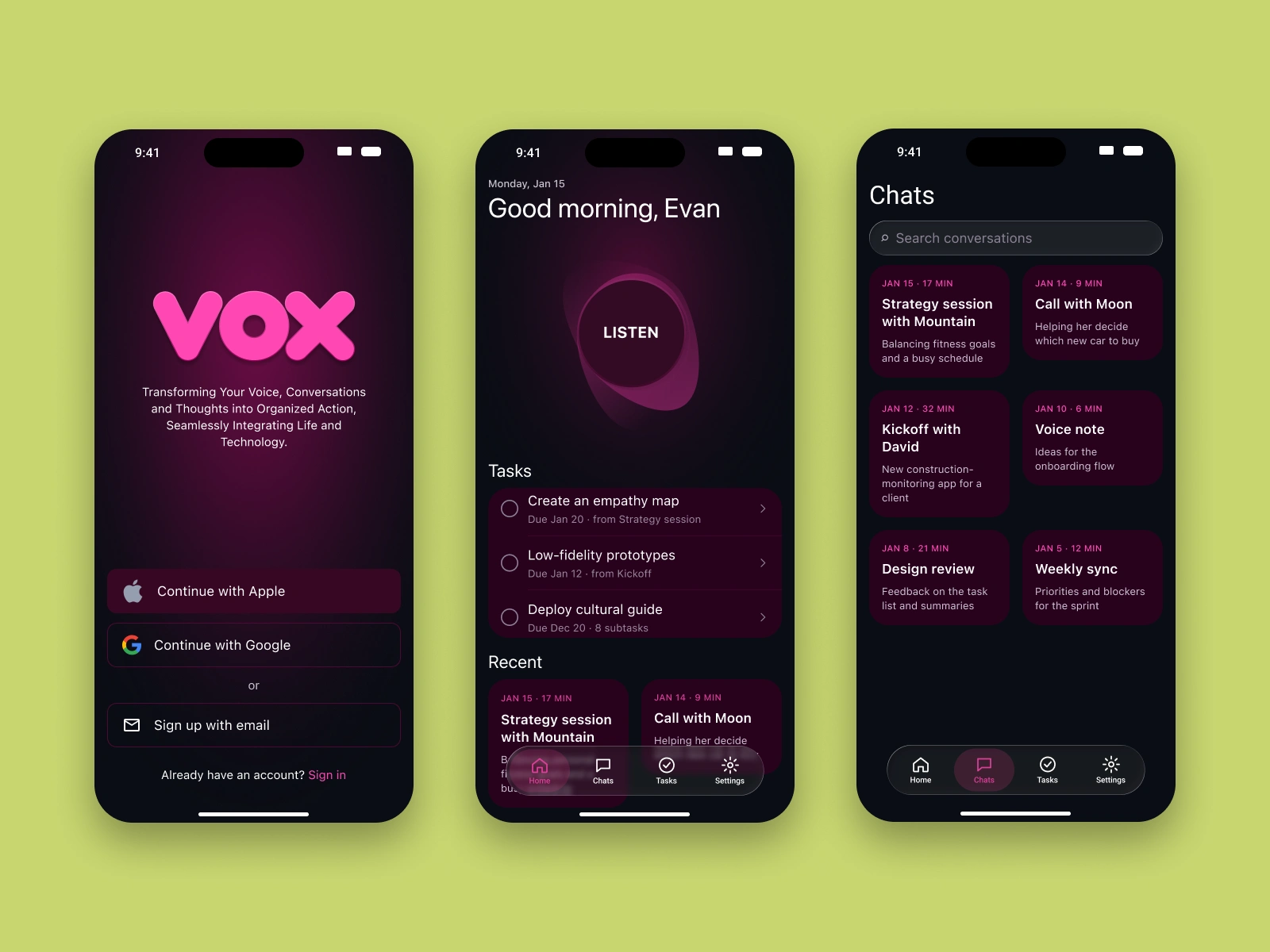
Onboarding, home and the list of recorded conversations.
Recording with live transcription
While recording, the user can open the live transcription, highlight a key moment with one tap or add their own notes. Speakers are identified by name, and highlights are tagged by topic.
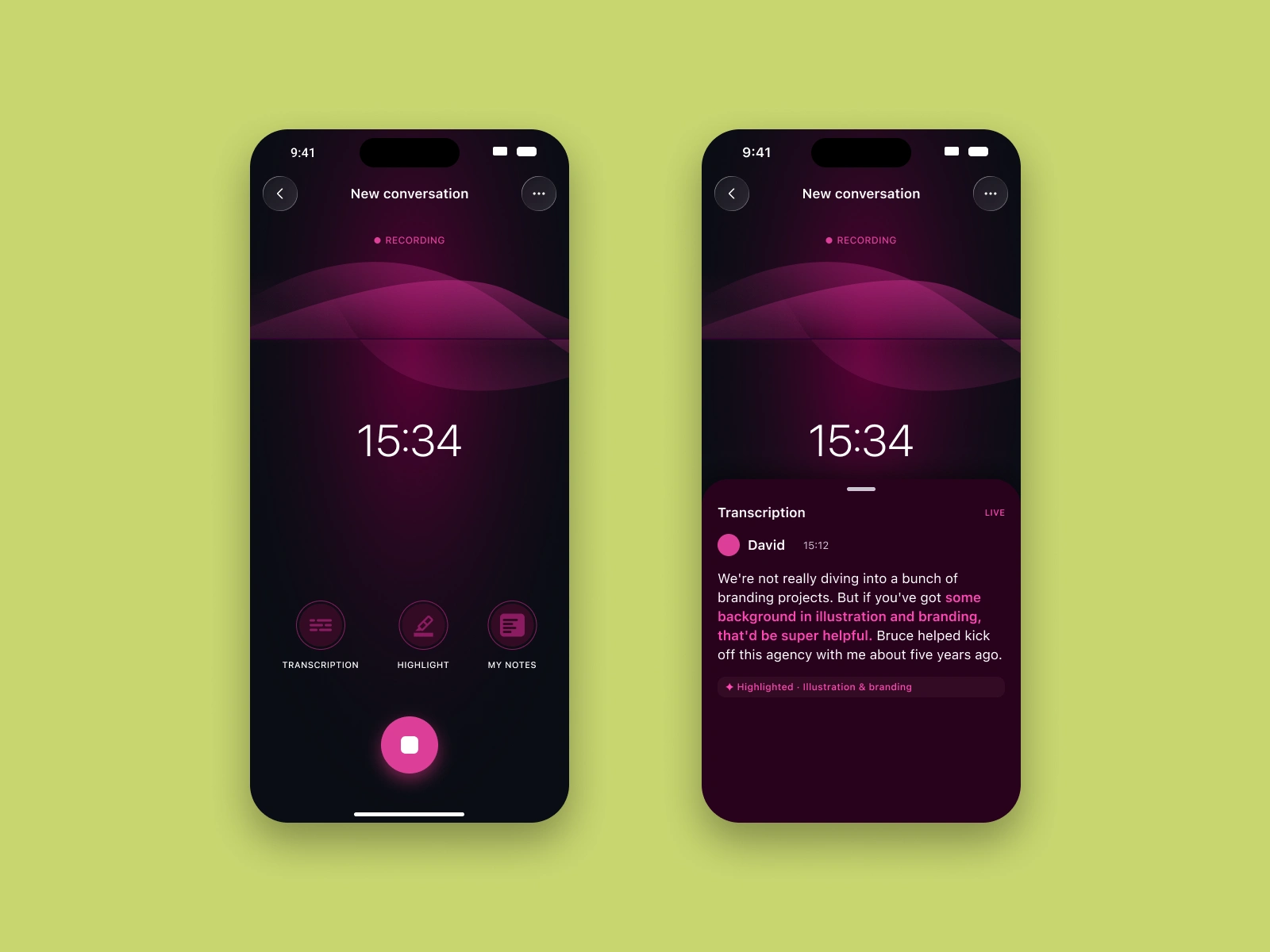
Recording screen and live transcription with a highlighted passage.
From conversation to tasks
When the conversation ends, VOX writes a short AI summary and suggests next-step tasks. Every suggestion can be edited before it goes to the list, so the user stays in control of what the AI proposes.
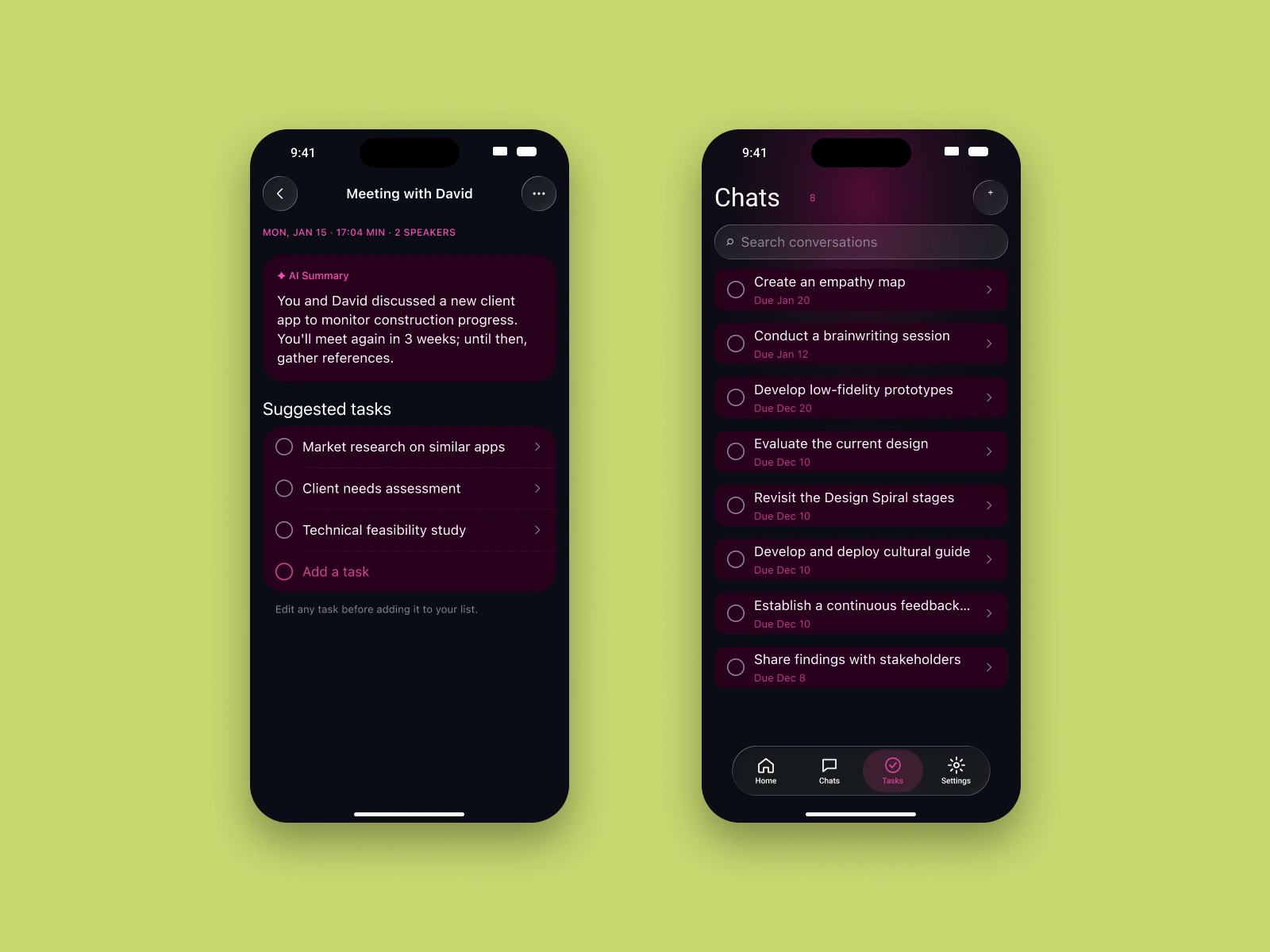
AI summary with suggested tasks, and the task list.
Every task remembers where it came from
Each task keeps a link to the moment it was born: the quote from the conversation, the speaker and the session. It also holds the due date, reminder, list and subtasks.
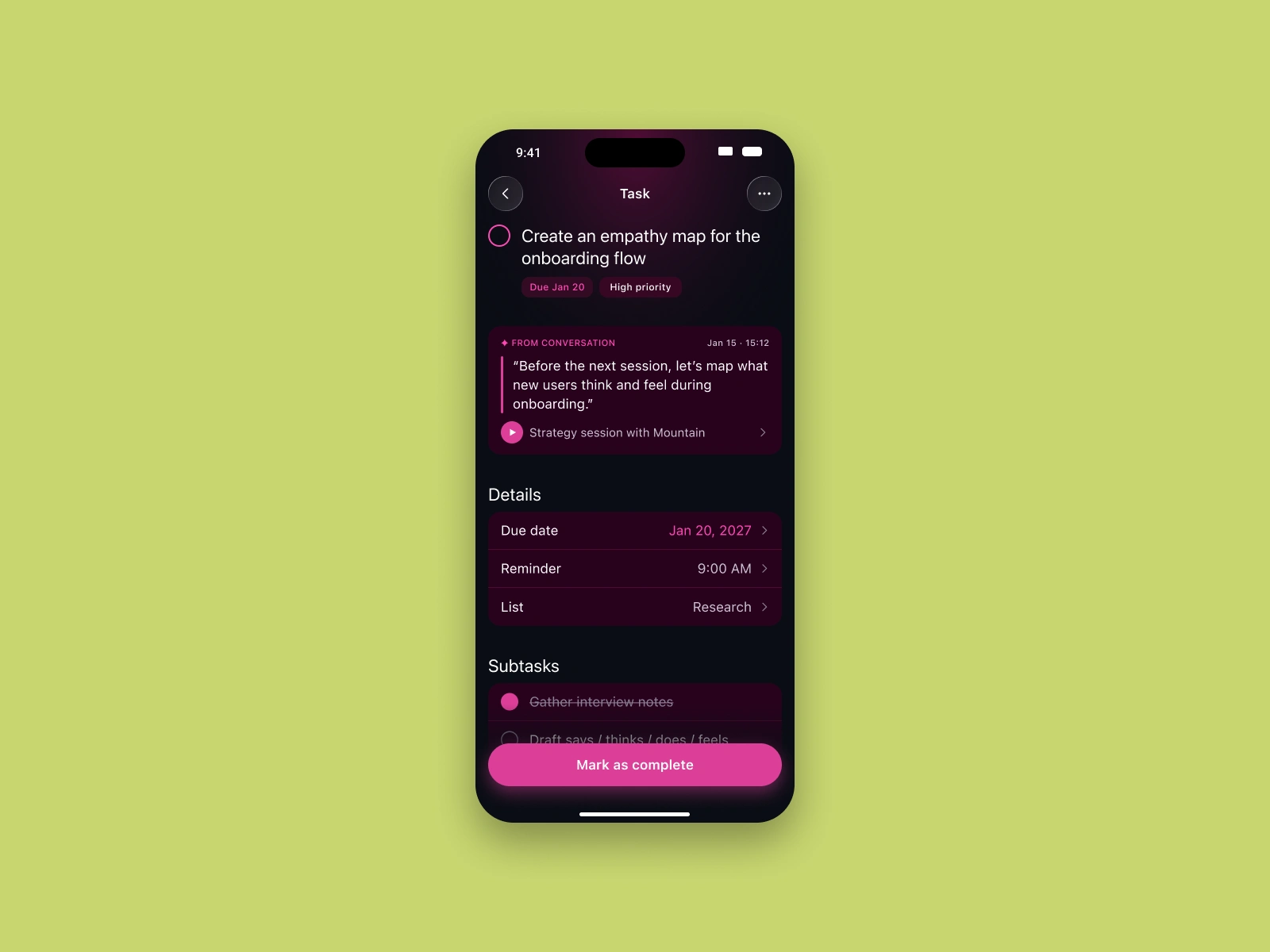
Task detail linked back to the original conversation.
Brand
A quick identity for the pitch: a soft, rounded wordmark, a dark palette with magenta accents, and a type scale based on SF Pro to follow iOS conventions.
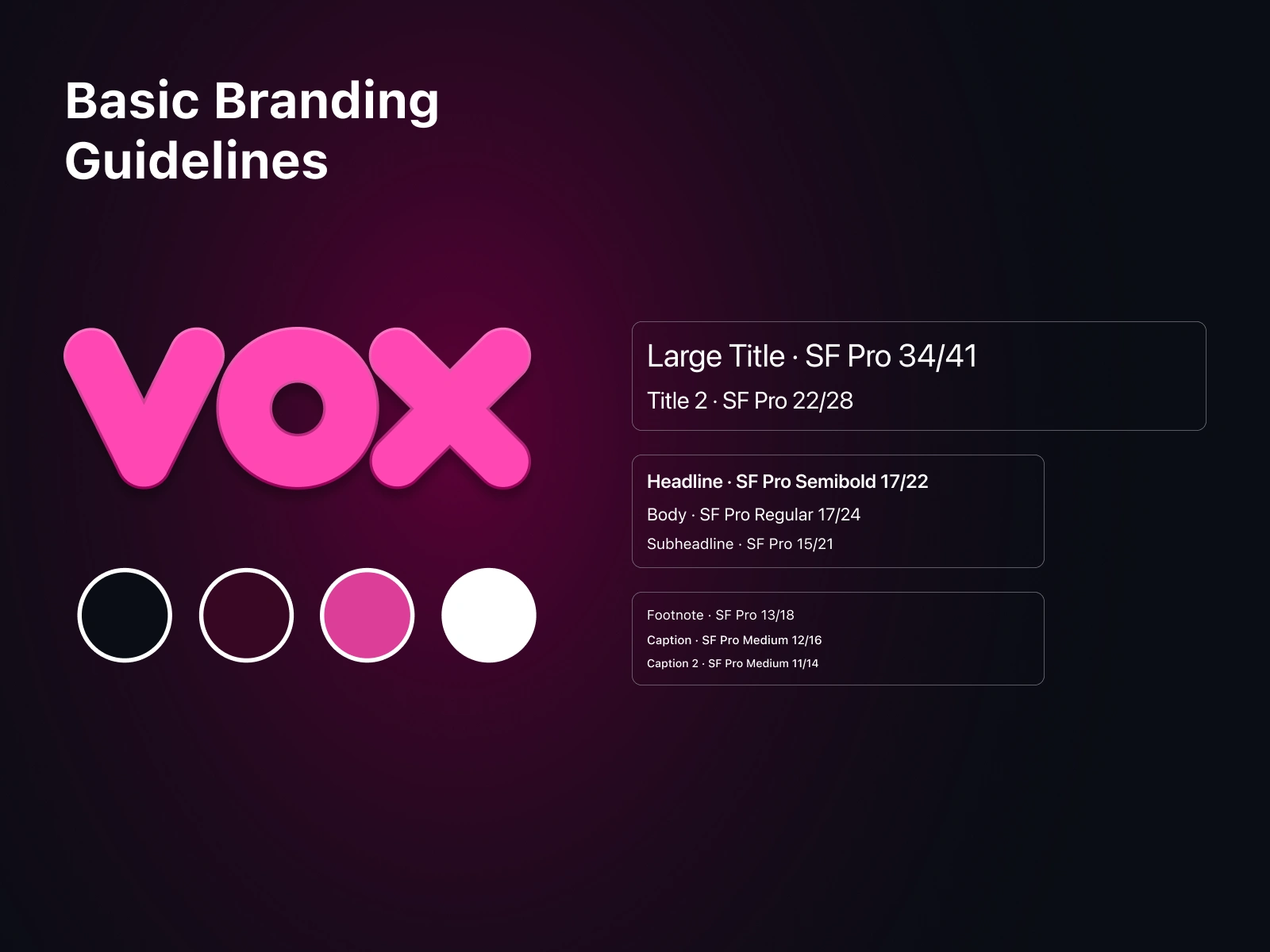
Basic branding guidelines: logo, palette and type scale.
Try the prototype
I built a functional prototype with Claude, straight from my Figma screens. Recording, live transcript, highlights, AI summary and tasks all work, and the animations and interactions are real, not slides.
How I worked
I led the concept from brainstorming and quick wireframes to high-fidelity UI and the interactive prototype. AI was part of the process: I used Claude to explore flows, generate interface variations and build the prototype in days, not weeks. AI widened the options; my judgment chose, simplified and polished what works for people, like a cleaner recording screen with live listening waves, transcripts only on demand, and clear summaries and tasks.
Like this project
Posted Oct 12, 2026
Talk, and VOX turns it into tasks. iOS 27 redesign with a working prototype built with Claude. Try it inside.