Grabbit: A Personalized Grocery Shopping Mobile App Design

Akinbo Oluwakemisola


Grabbit —A Personalized Grocery Shopping Mobile App Design
Overview
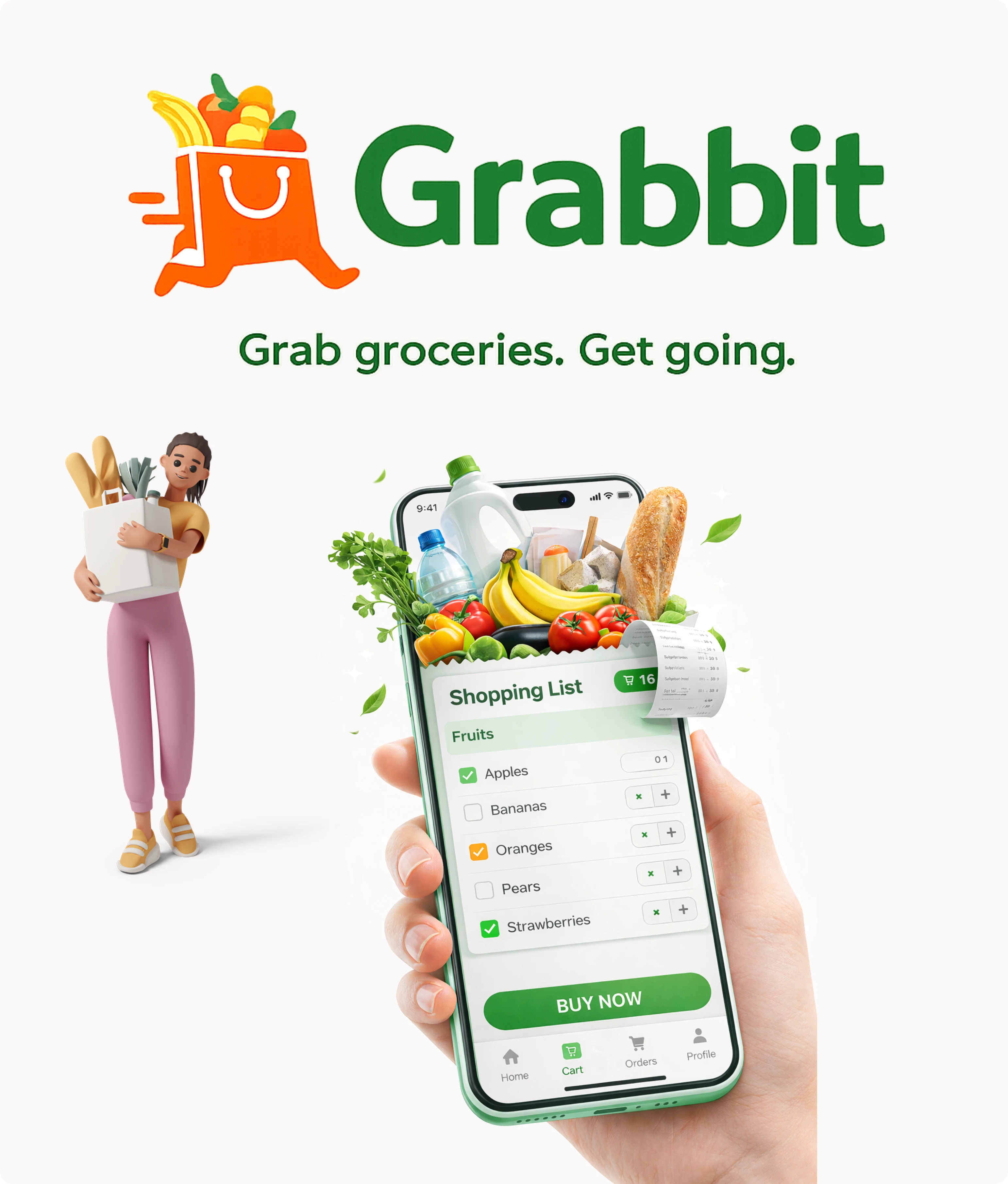
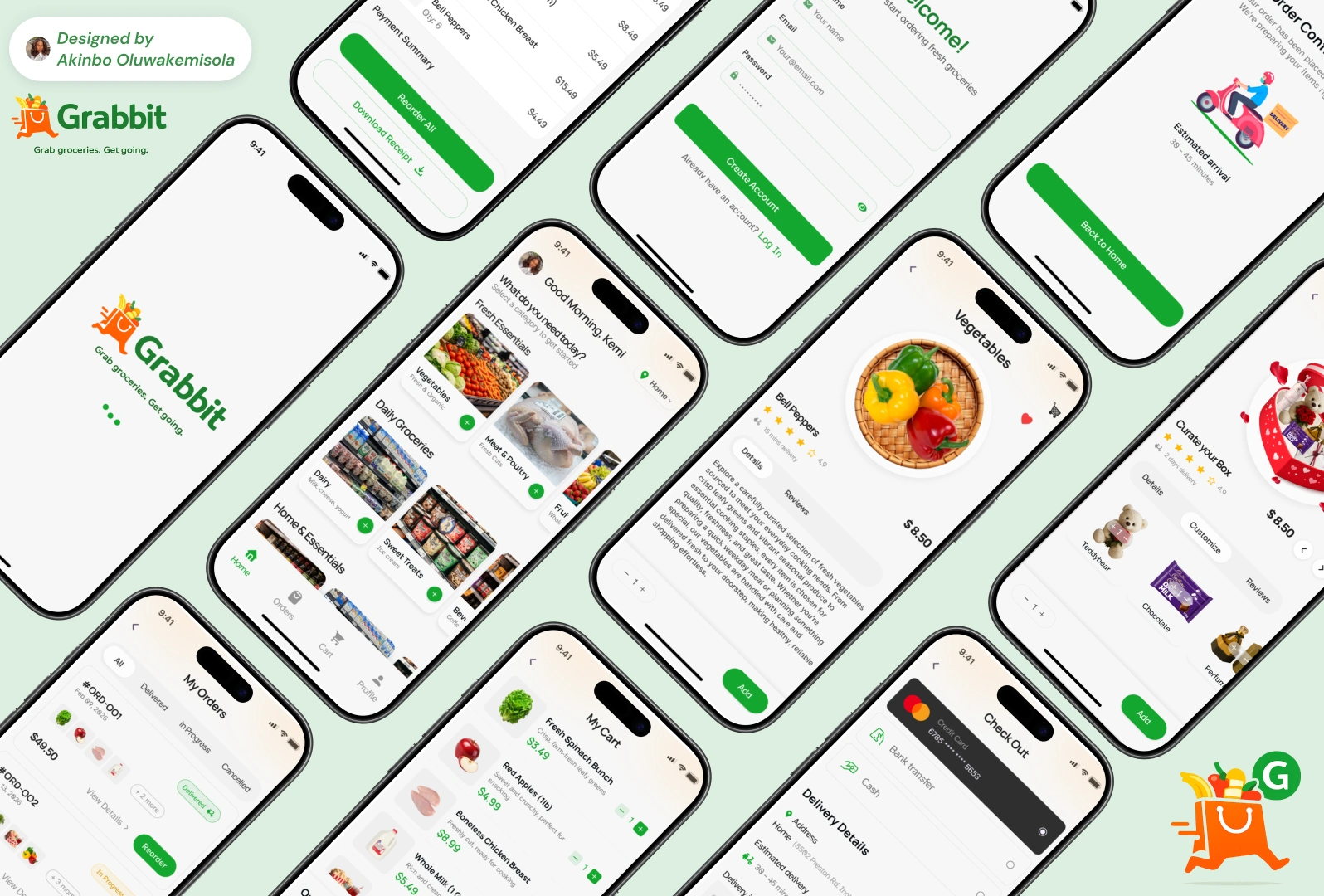
Grabbit is a mobile grocery shopping concept designed to make everyday grocery purchases faster, more intuitive, and less repetitive.
Unlike traditional grocery apps where users scroll through long product lists and rebuild their carts every time they shop, GrabIt focuses on speed, personalization, and frictionless interaction.
The goal was to design a mobile experience that allows users to quickly discover items, build their cart effortlessly, and reorder essentials with minimal effort.
The Problem
Grocery shopping apps often feel slow and overwhelming, especially when users need to purchase similar items regularly.
Common usability issues in many grocery apps include:
• Too many steps to add items to the cart
• Rebuilding the same cart every week
• Lack of interaction feedback when adding items
• Poor personalization of the shopping experience
For frequent grocery shoppers, these small frustrations accumulate and make the experience time-consuming and repetitive.
The Goal
The goal of this project is to design a mobile grocery shopping experience that:
• Makes product discovery faster
• Simplifies the cart-building process
• Reduces repetitive shopping tasks
• Creates a more engaging interaction experience
• Allows users to reorder essentials easily
The core idea behind GrabIt was to make grocery shopping feel as quick as grabbing items off a shelf.
The challenge was to design a shopping experience that feels fast, visual, and effortless.
Key Features
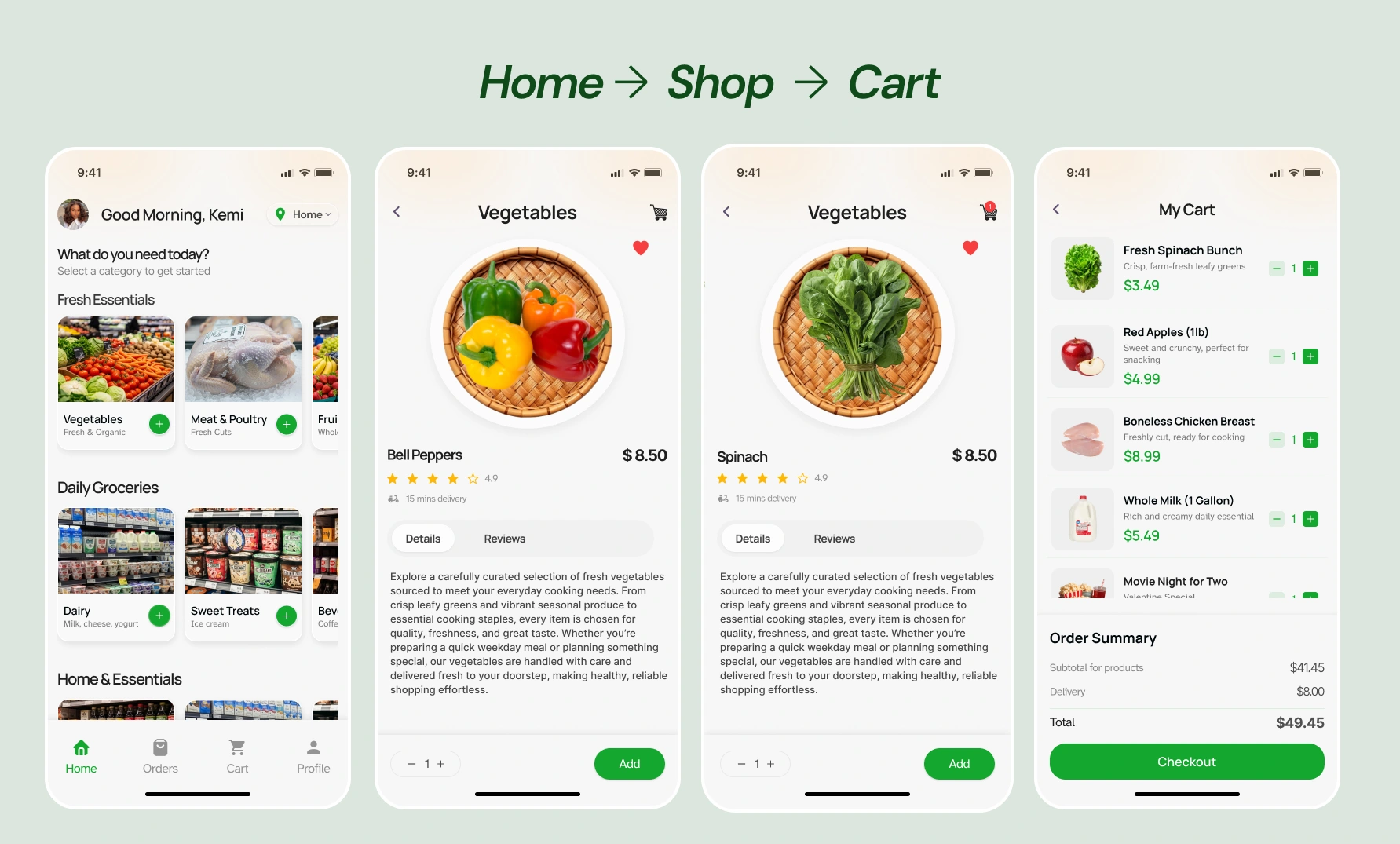
1. Category-Based Browsing
Users can quickly navigate groceries through organized product categories such as:
• Fruits & Vegetables
• Dairy
• Snacks
• Household items
This allows shoppers to quickly find items without scrolling through overwhelming product lists.
Clear visual grouping improves product discovery and navigation speed.
2. Swipe-Based Shopping Interaction
Instead of tapping through multiple screens, Grabbit introduces a gesture-based product browsing system.
Users can swipe through products and quickly add items to their cart.
This interaction reduces friction and creates a more engaging and efficient shopping experience.
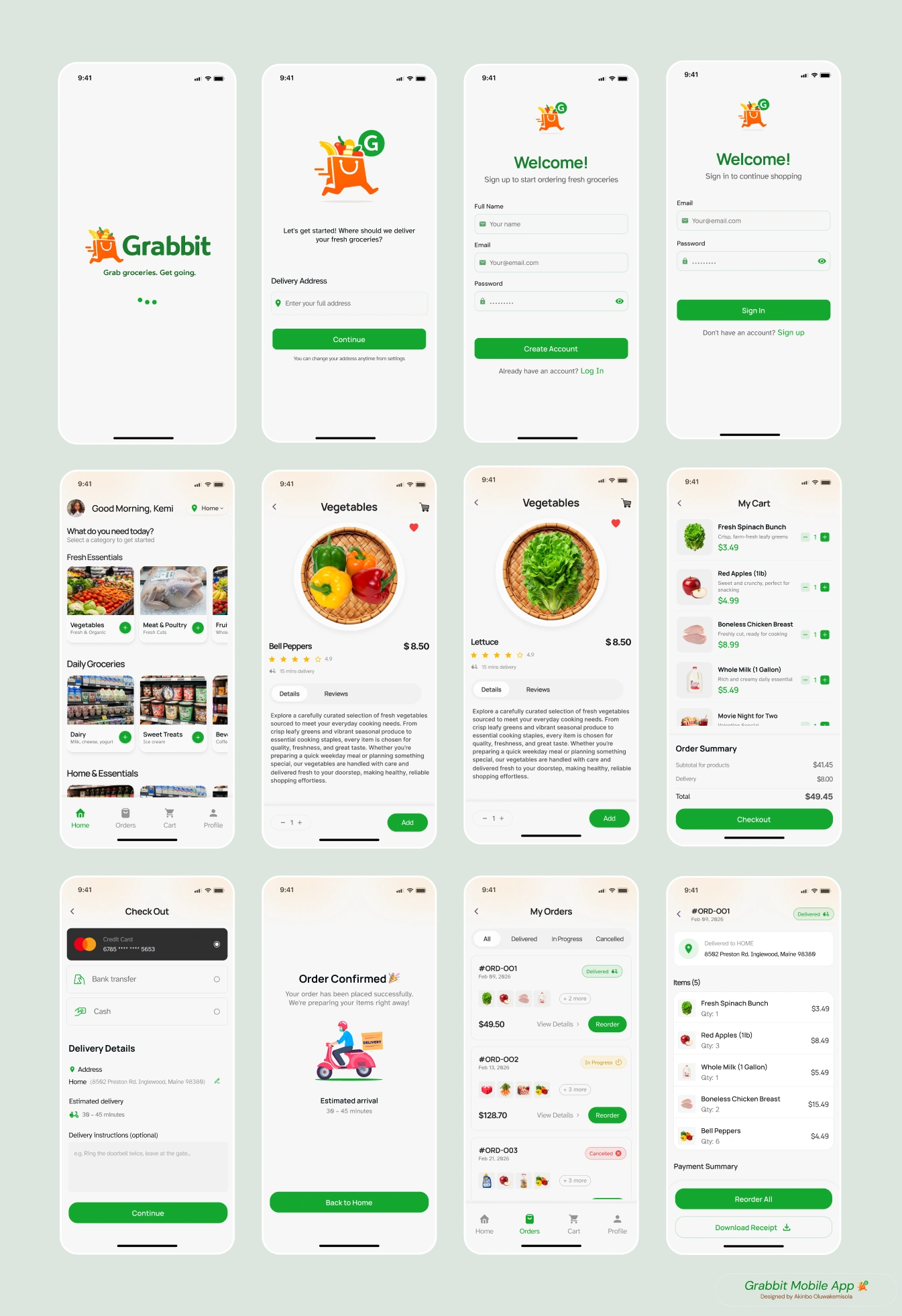
AUTHENTICATION FLOW AND HOME SCREEN PROTOTYPE
3. Animated Add-to-Cart Feedback
When users add a product to their cart, the item animates into the cart icon, providing immediate visual confirmation.
This interaction serves two purposes:
• Reinforces that the action was successful
• Creates a satisfying micro-interaction that improves engagement
Small details like this help make the product feel responsive and alive.
4. Simplified Checkout Flow
The checkout experience was designed to reduce unnecessary steps.
Users can quickly review their cart and proceed to:
• Enter delivery details
• Confirm order
• Complete checkout
The focus was to keep the process clear, predictable, and fast.
PRODUCT BROWSING, ADD TO CART AND CHECKOUT PROTOYPE
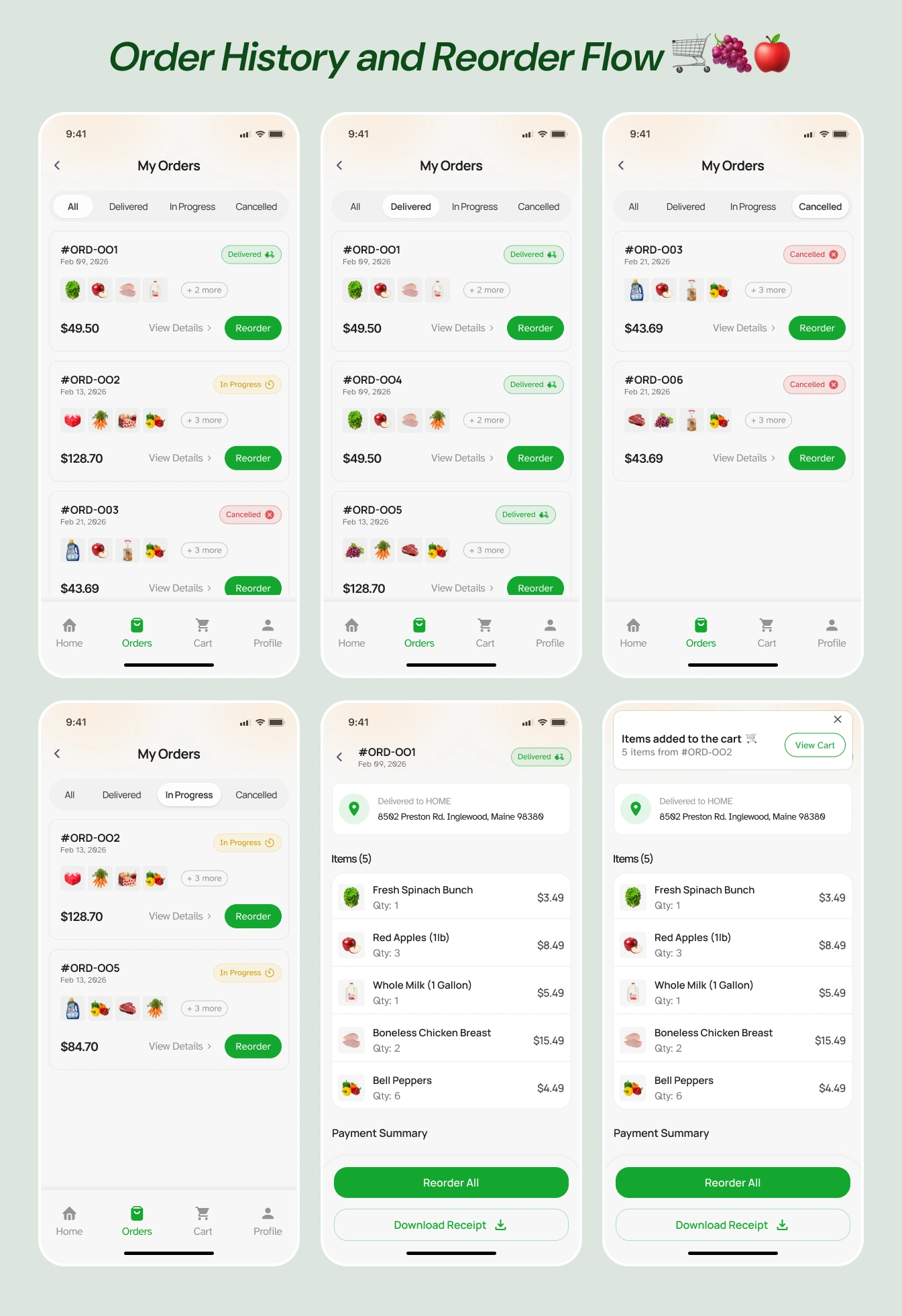
5. Reorder Previous Purchases
One of the biggest pain points in grocery apps is rebuilding the same cart repeatedly.
GrabIt introduces a Reorder feature, allowing users to quickly reorder items from their previous purchases.
Instead of starting from scratch, users can simply revisit past orders and add those items back to their cart.
This feature significantly improves efficiency for users who buy similar groceries weekly.
REORDER FLOW PROTOTYPE
Design Considerations
The design focused heavily on usability and clarity.
Key considerations included:
• Clean layout with minimal visual noise
• Clear product hierarchy and readable typography
• Fast interactions optimized for mobile use
• Visual feedback to guide user actions
The goal was to create an interface that feels simple, intuitive, and enjoyable to use.
My Role
Product Designer (UI/UX)
Responsibilities included:
• Product concept development
• UX flow design
• Interaction design
• High-fidelity UI design
• Mobile prototyping in Figma
Reflection
Designing GrabIt reinforced an important principle:
Good product design isn't just about aesthetics — it's about removing friction from everyday actions.
For something as routine as grocery shopping, even small improvements in interaction and efficiency can significantly improve the user experience.
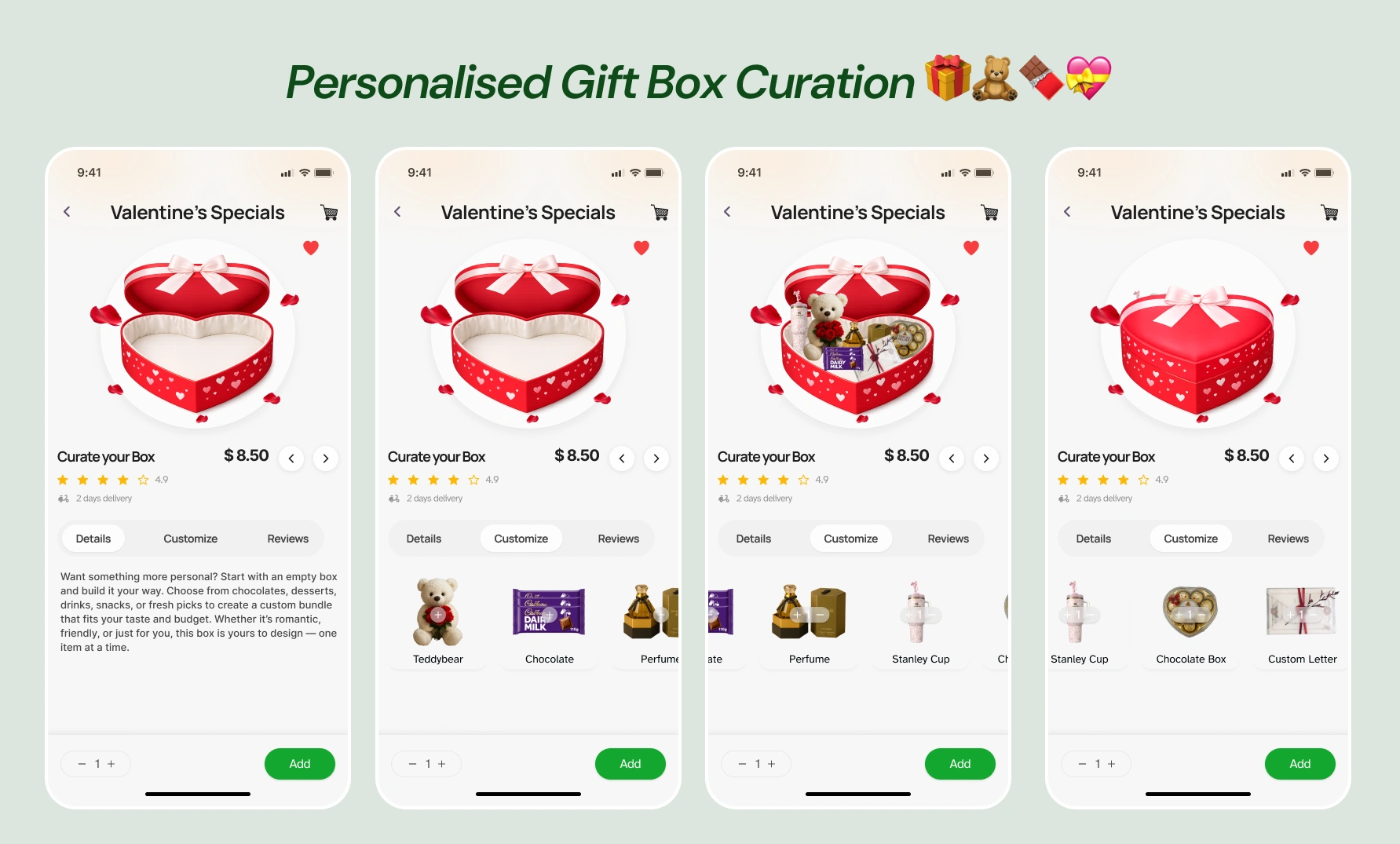
OTHER SCREENS
Like this project
Posted Mar 12, 2026
A modern grocery shopping experience where users can browse categories, customize items, and build their cart seamlessly through a personalized shopping flow.
Likes
2
Views
19