3D Product Rendering for NaturaLuxe Packaging

Jonathan Swanson


From Flat to Folded: A Pre-Press Approach to 3D Product Rendering
As a graphic designer, I always look for ways to ensure my digital mockups are as accurate as the physical product. For the NaturaLuxe project, I decided to step away from standard 3D primitives. Instead, I used a workflow in Blender that mirrors the actual assembly of a retail box.
By modeling the packaging from a flat dieline and manually folding it into shape, I was able to achieve a level of precision that standard mapping cannot match.
The Foundation: Modeling the Flat Dieline
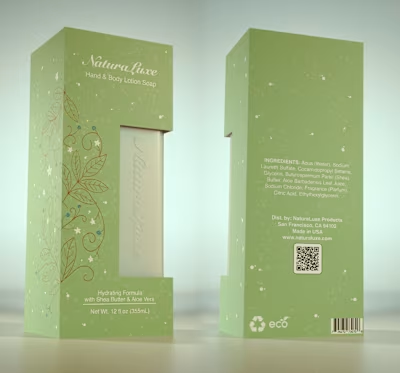
The process began with the print-ready layout. Instead of creating a 3D box first, I modeled a flat mesh in Blender that perfectly matched the dimensions of my technical dieline. This included every flap, glue tab, and the custom die-cut window.
By starting flat, I ensured that the UV mapping was pixel-perfect. I applied the high-resolution print file directly to this flat geometry. This eliminated the common struggle of trying to align textures across seams because the design and the geometry were essentially one and the same.
The Folding Process
Once the flat model was textured, I began the manual folding process. This is where the project truly came to life.
I set up specific pivot points along the score lines of the box. By rotating the various panels into place, I could see exactly how the design elements transitioned from the front to the sides. This "physical" approach allowed me to verify several things:
Seam Alignment: I could confirm that the botanical illustrations flowed perfectly around the corners.
Flap Interaction: I was able to see how the top and bottom flaps tucked together, ensuring no design elements were lost in the folds.
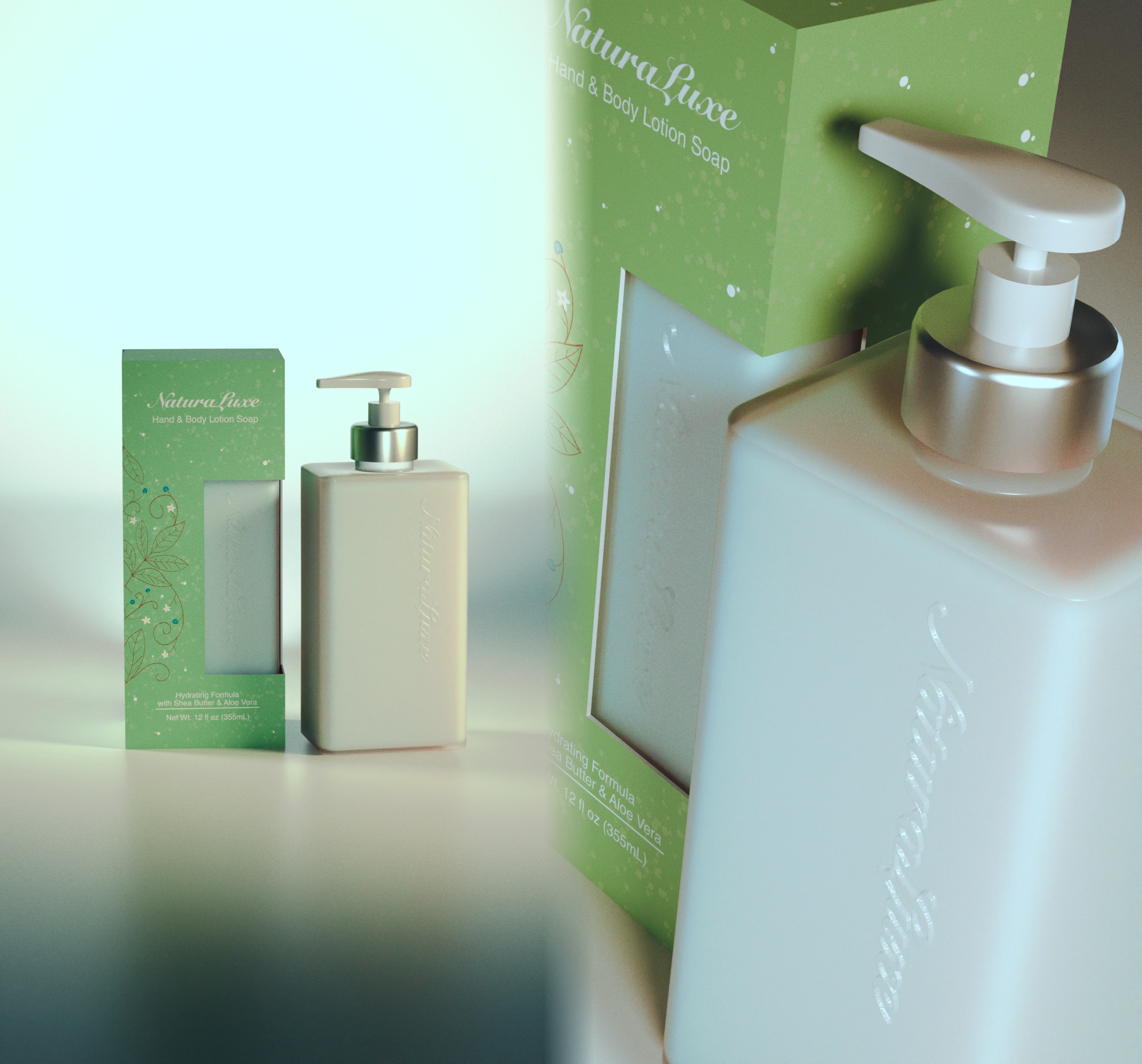
Window Depth: Folding the geometry around the bottle allowed me to see the realistic shadows created by the thickness of the cardstock.
Lighting and Material Fidelity
With the box assembled, I focused on the material properties. I used the Cycles engine to render the scene, focusing on a soft-touch matte finish for the paper.
Because the box was folded manually, the edges have a natural, slightly rounded look rather than being "perfectly" sharp. This tiny detail is what makes a render look like a photograph instead of a computer-generated image. I paired the box with the NaturaLuxe bottle, using a brushed metal shader for the pump to add a final touch of luxury.
Why This Workflow Matters
This "print-first" modeling technique bridges the gap between a graphic designer and a packaging engineer. It allows me to stress-test the layout before it ever hits the press. When I send these renders to a client, I am not just showing them a concept. I am showing them a digitally assembled version of the exact file going to the manufacturer.
Technical Breakdown:
Software: Blender (Manual Folding and Cycles Rendering)
Workflow: Dieline-based mesh modeling
Key Detail: Integrated UV mapping from print-ready assets
Materials: Uncoated paper stock and brushed aluminum
Like this project
Posted Feb 9, 2026
Created photorealistic 3D renderings of NaturaLuxe packaging using Blender.
Likes
0
Views
2