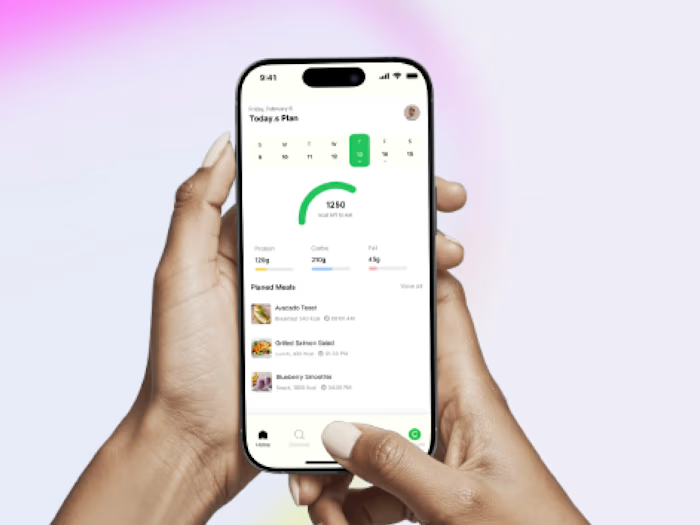
Race-Safe Booking & Waitlist App (FlutterFlow · Firebase)

Henry Tochukwu


Overview
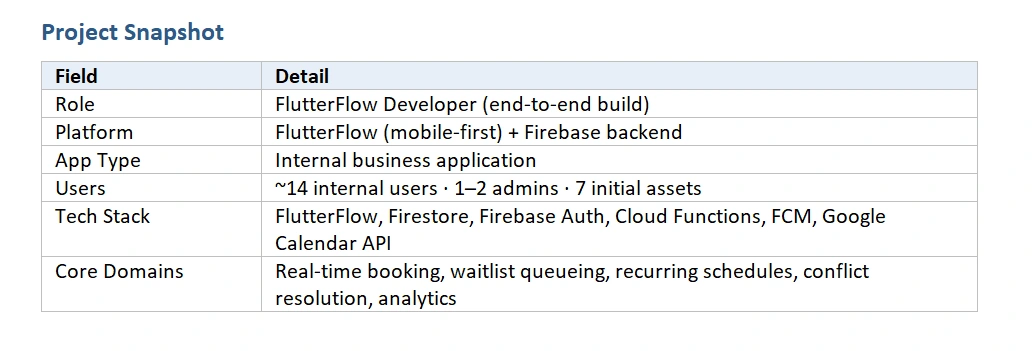
BaySharing is a mobile first internal application that lets a business manage shared physical assets, work bays and car spaces, through a structured booking system. Staff book the assets they need, join waitlists when everything is taken, and set up recurring weekly bookings, while admins manage assets, users, business hours, analytics, and notification policies. The whole system runs on real time Firestore sync with strict first come, first served logic.
The brief looked simple on the surface, a booking app, but the real work was in the rules underneath: how a waitlist behaves when multiple people want the same slot, what happens when a recurring booking collides with someone else’s casual booking, and how to keep every device in sync without race conditions. Most of that logic was built using a combination of FlutterFlow native actions and custom Dart functions / Cloud Functions where the no-code layer alone could not enforce the required guarantees.
The Problem
Before BaySharing, the team coordinated bay and car space usage manually, through messages, whiteboards, and word of mouth. That created three recurring pain points:
- Double bookings and disputes when two people assumed the same slot was free.
- No fair queue whoever shouted first won, regardless of who actually asked first.
- Recurring needs (e.g. “every Tuesday morning”) had to be re-negotiated week after week.
The client needed a single source of truth that 14 people could trust, with admin oversight and analytics on top.
Goals
Replace manual coordination with a real-time, source of truth booking system.
Enforce first-come, first-served fairness automatically, no human arbitration.
Support recurring bookings without breaking single-day (casual) bookings already in the calendar.
Give admins full control over assets, users, permissions, and visibility into usage trends.
Keep the build maintainable inside FlutterFlow so the client could request changes without re-engaging a Dart developer for every tweak.
Architecture at a Glance
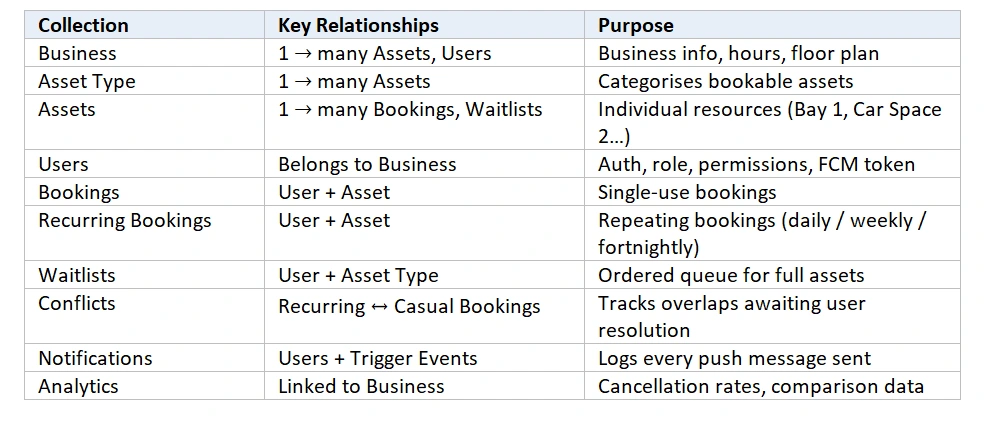
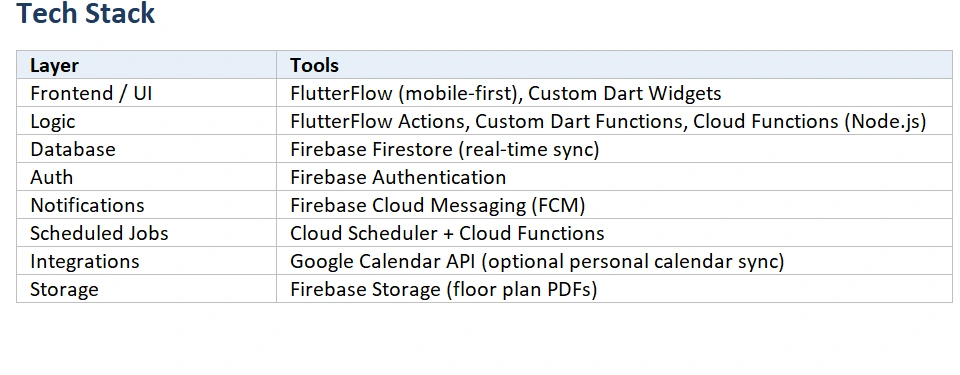
The app uses FlutterFlow for the UI layer and Firebase for everything stateful. Real time sync is handled by Firestore listeners; anything that needs atomicity or fan-out runs server side.
What I Built
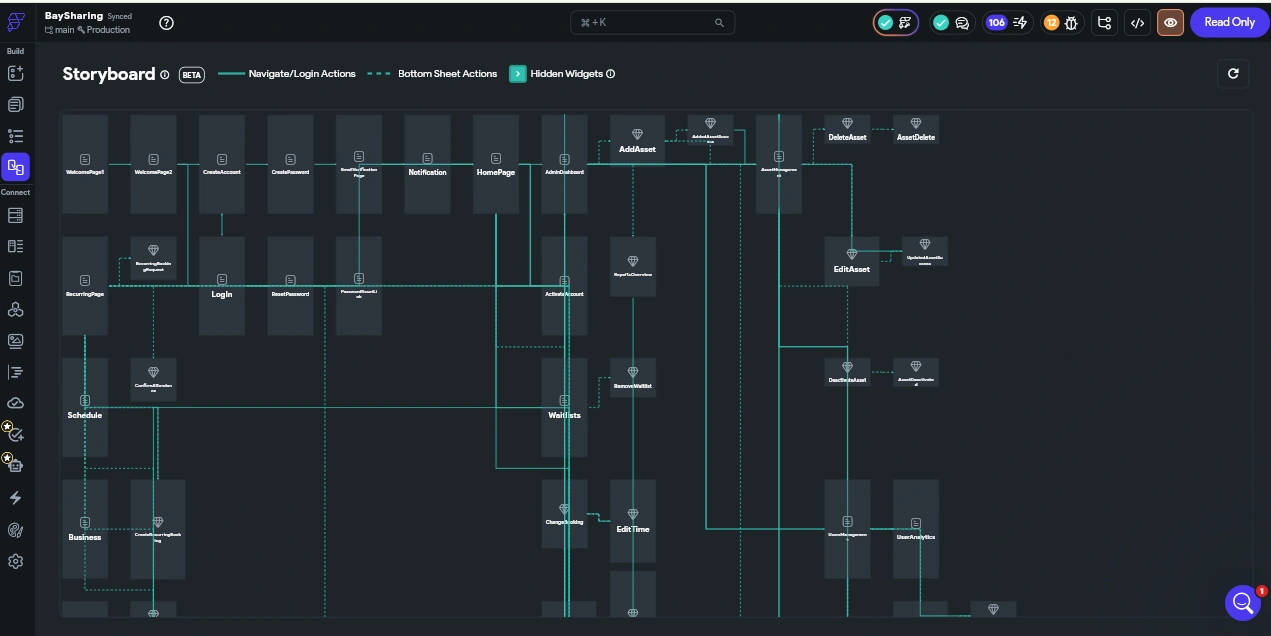
The build covered 20+ screens across two navigation modes (User and Admin), with conditional UI driven by Firestore documents and user permission flags. The features below were the high-leverage pieces, each one combined FlutterFlow’s built-in actions with custom logic where the rules got non-trivial.
1. Real-Time Booking Engine
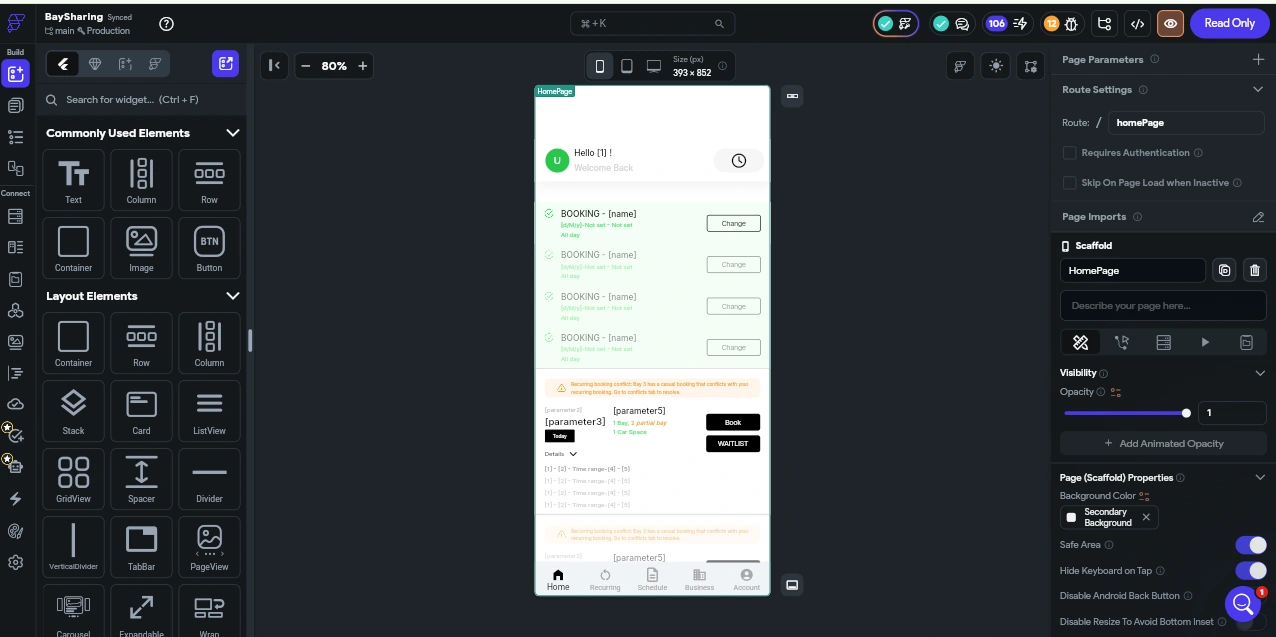
A scrollable daily list view starting from today shows each asset’s availability state, available, partially booked, or full. Users can book a slot, change time/asset, or cancel with a confirmation step. The whole view is driven by live Firestore queries so two users on two phones see the same state at the same moment.
FlutterFlow logic
Firestore stream queries on the Bookings collection filtered by date and asset.
Conditional visibility on action buttons (Book / Change / Cancel / Waitlist) based on the asset’s current state and the current user’s ownership of any existing booking.
Backend Query parameters dynamically scoped to the business hours document so the booking grid never shows out-of-hours slots.
Custom logic
Custom Dart function, slot availability resolver: takes a date, asset type, and the live list of bookings for that day, and returns a structured availability map (available / partial / full + which assets are free). This kept the UI declarative, the screen just rendered whatever the function returned, instead of reimplementing the logic in every component.
Atomic booking write (Cloud Function): when a user confirmed a booking the request went through a Cloud Function running a Firestore transaction, which re-checked availability inside the transaction before writing. This was the fix for the classic race condition where two users tap “Book” at the same instant, without the transaction, FlutterFlow’s direct write path would let both succeed.
2. Waitlist Queue with First-Come, First-Served Logic
When all assets of a type are taken, a Waitlist button appears. Users join the queue for either any asset of that type or one specific asset, and they see their position (e.g. “#3 in line”). When a booked user releases their slot, the system instantly assigns it to the user at the front of the queue and notifies them.
FlutterFlow logic
A Waitlists collection ordered by a server-generated timestamp; queue position is derived by counting earlier entries with the same asset type and overlapping time window.
Conditional UI, the Waitlist button only appears when the slot resolver returns "full" or "partial". This is pure FlutterFlow visibility logic on a derived value.
Push notification permission state read from a Boolean on the User document, with greyed out toggles when admin has restricted control.
Custom logic
Cloud Function, auto-assign on release: a Firestore trigger on Bookings (onDelete / onUpdate) checks the Waitlists collection for the matching asset type and time window, finds the earliest entry that hasn’t been notified yet, creates a Booking for that user, and writes a Notification document. Doing this server-side was non-negotiable, it’s the only way to guarantee the queue is processed once and only once.
Notification gating logic: subsequent waitlist entries for the same window only fire push notifications if they don’t overlap an earlier active request, or if the earlier request has been fulfilled, deleted, or updated. This prevents notification spam to booked users when a queue gets long.
Push payload composition: each FCM message includes the requesting user’s name, the date/time, and the asset (or asset type) so the booked user has full context without opening the app.
3. Recurring Bookings & Conflict Resolution
Users with permission can set up daily, weekly, or fortnightly recurring bookings, choosing All Day or specific time windows. The hard part isn’t the recurrence, it’s what to do when a recurring booking lands on a day that already has a casual booking from someone else.
The flow I implemented
On submission, the recurring booking is created only for non-conflicting days.
Conflicting days are written into a Conflicts collection.
A temporary Conflicts Tab appears in the user’s navigation, listing each conflicting day with two options: join waitlist (any asset / specific asset) or cancel that day’s request.
If the user waitlists for a specific asset, only the user holding that conflicting casual booking is notified, not all booked users for that asset type.
That user receives a push asking them to confirm or release their booking. Releasing it triggers the same auto-assign function used by the regular waitlist.
Custom logic
Conflict detector (Cloud Function): on creation of a Recurring Booking document, the function expands the recurrence rule into concrete dates, queries the Bookings collection for overlaps, and writes Conflict documents for each match. Doing this server-side keeps the UI immediate, the user sees the Conflicts Tab populate the moment the function finishes.
Targeted notification routing: rather than fanning out to all booked users, the function reads the specific casual booking, looks up its owner, and sends a single FCM message. Less noise, more relevance.
Custom Dart action, recurrence expansion: on the client, a helper expands a recurrence rule into a preview list of upcoming dates, so users can see the actual schedule before committing. Pure date math the visual builder couldn’t express cleanly.
Schedule Views, Weekly & Monthly
Two views, one underlying data source. The Weekly view is a detailed grid of assets and bookings, tap a date to jump straight into Book a Bay. The Monthly view is a colour-coded summary at a glance:
Blue - user has a booking that day
Green - all assets free
Orange - partial availability
Red - fully booked
Each day also shows a one-line summary like “1 Bay Free” or “No Parking”.
Custom logic
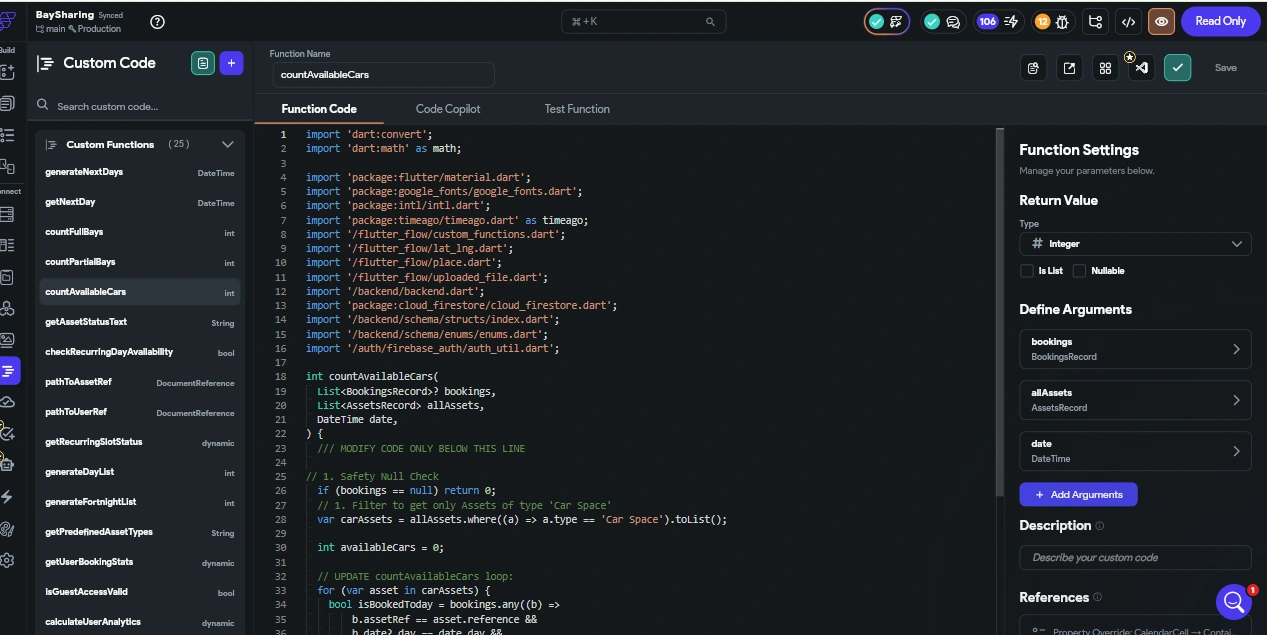
Calendar tile state resolver (Custom Dart function): takes a date plus the day’s bookings and returns a tile state (colour + summary text). The Monthly view simply maps over its 28–31 days and asks the resolver for each one. This kept the calendar widget logic free and easy to restyle.
Admin mode editing: the Schedule view checks the current user’s admin flag and conditionally enables booking edits directly from the grid, same screen, two roles, no duplication
5. Admin Mode
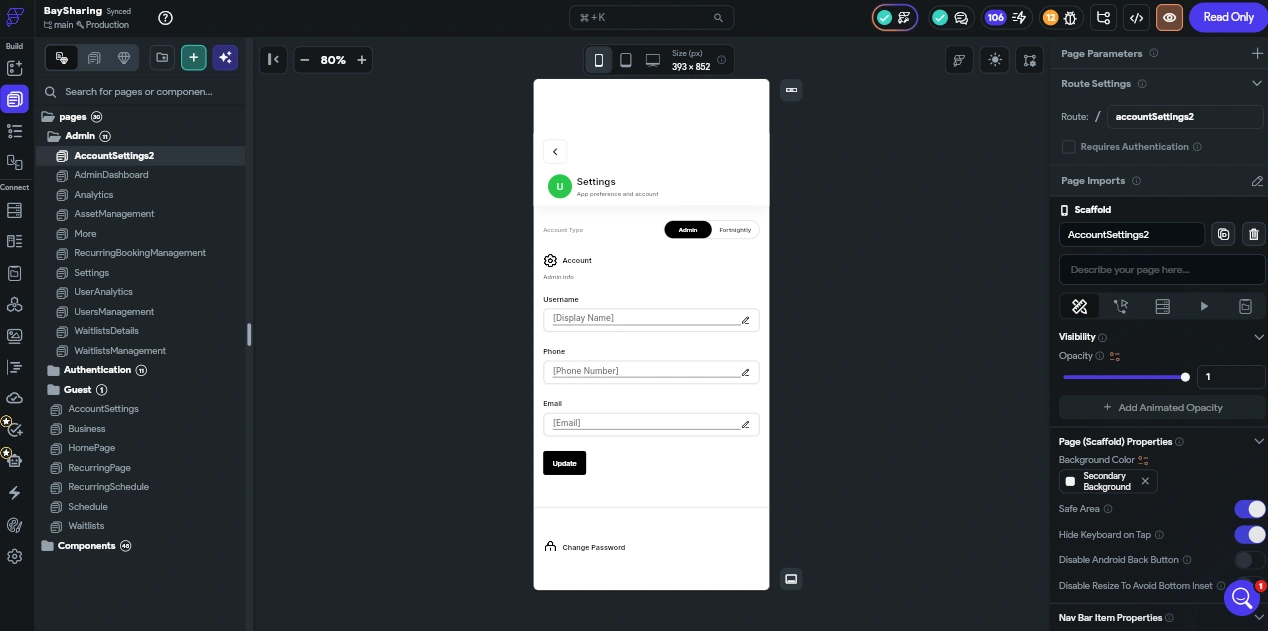
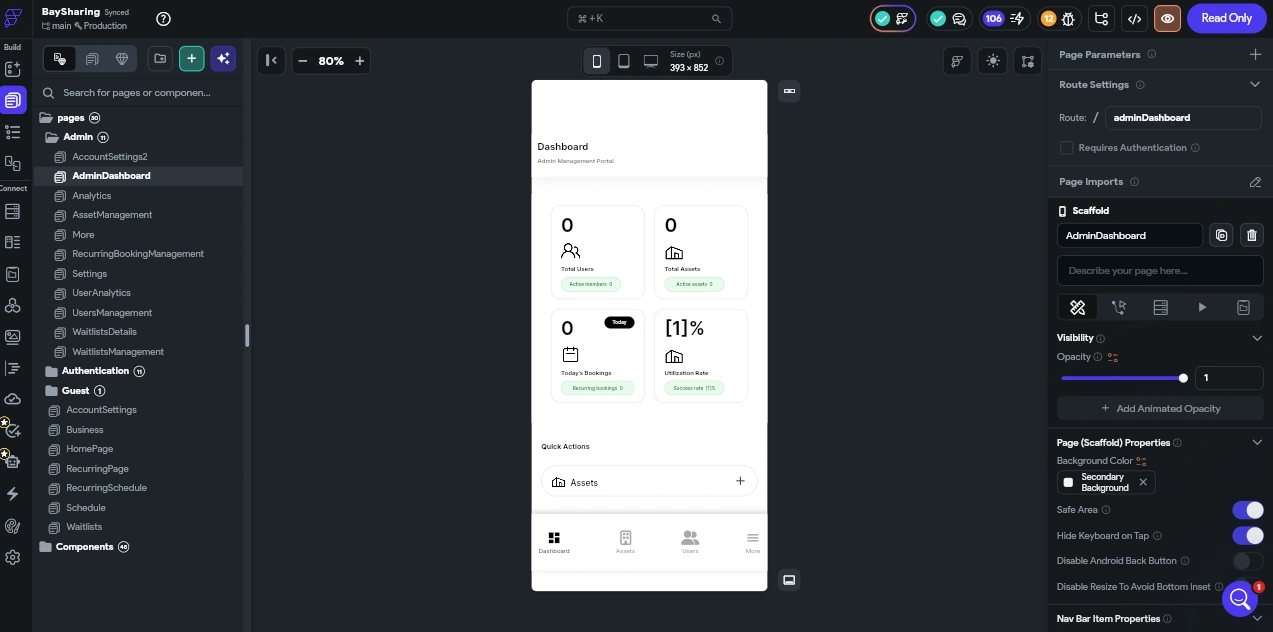
Admins toggle between User Mode and Admin Mode without logging out. Admin Mode unlocks:
Business Management — name, address, contact, business hours (which dynamically narrow the user-side booking grid), and floor plan PDF upload.
Asset Management — create asset types, add individual assets, deactivate or reactivate assets. Deactivating an asset cancels its active bookings and notifies affected users automatically.
User Management — invite new users, create guest users with expiration dates, and per-user permission flags for recurring bookings, waitlist notifications, and push control.
Waitlist Oversight — view, edit, delete, or manually create waitlist entries on a user’s behalf.
Analytics — cancellation rate tracking with selectable time periods (1 week to 1 year, or custom), plus a Comparison View that puts two date ranges side-by-side at both business and per-user level.
Custom logic
Asset deactivation cascade (Cloud Function): flipping an asset to inactive triggers a function that cancels associated bookings and writes notifications to each affected user, a single admin action, dozens of downstream effects, all atomic.
Analytics aggregation: cancellation rates and comparison stats are computed from the Bookings collection on demand using a custom Dart aggregator, rather than maintaining a denormalised analytics table. Right call for ~14 users; would denormalise if scale changed.
6. Notifications System
Every notification, bookings created/changed/cancelled/released, waitlist movements, recurring actions, admin edits, and pre/post-booking reminders, is logged to a Firestore Notifications collection and dispatched via FCM. Users with permission can toggle each category individually; admin restrictions surface as greyed-out controls with a clear "managed by your admin" message.
Custom logic
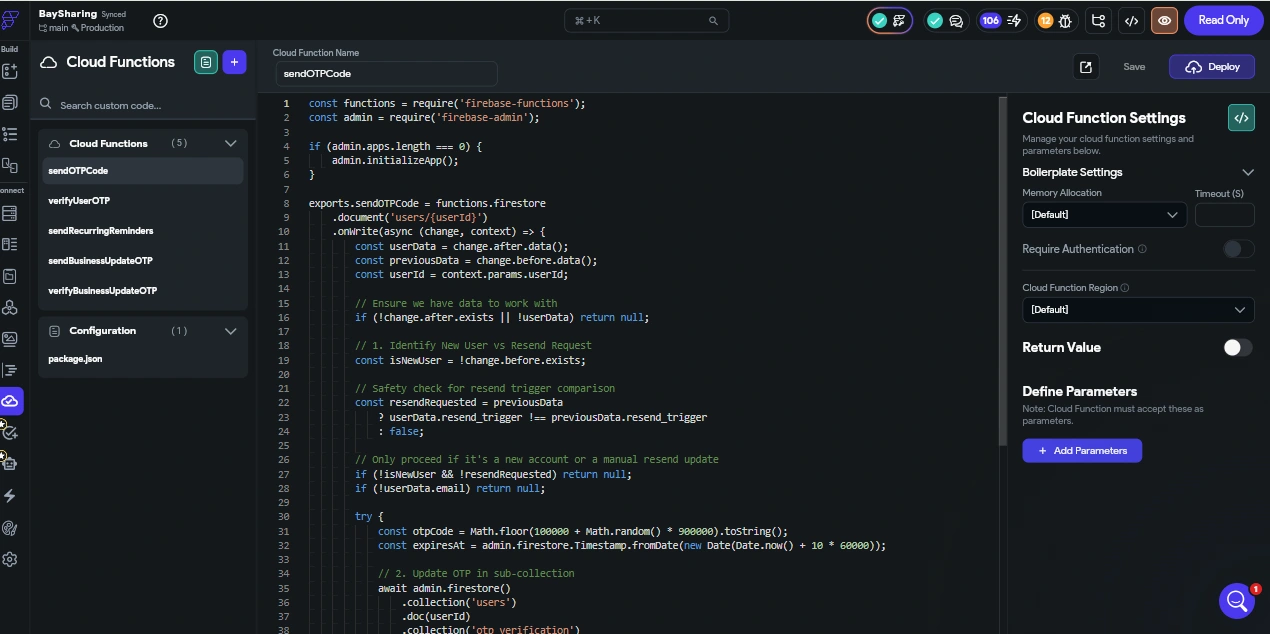
Centralised notification dispatcher (Cloud Function): rather than scattering FCM calls through every trigger, one dispatcher function reads the Notifications collection on write and handles delivery, retry, and per-user permission checks. Single point of control, single point of debugging.
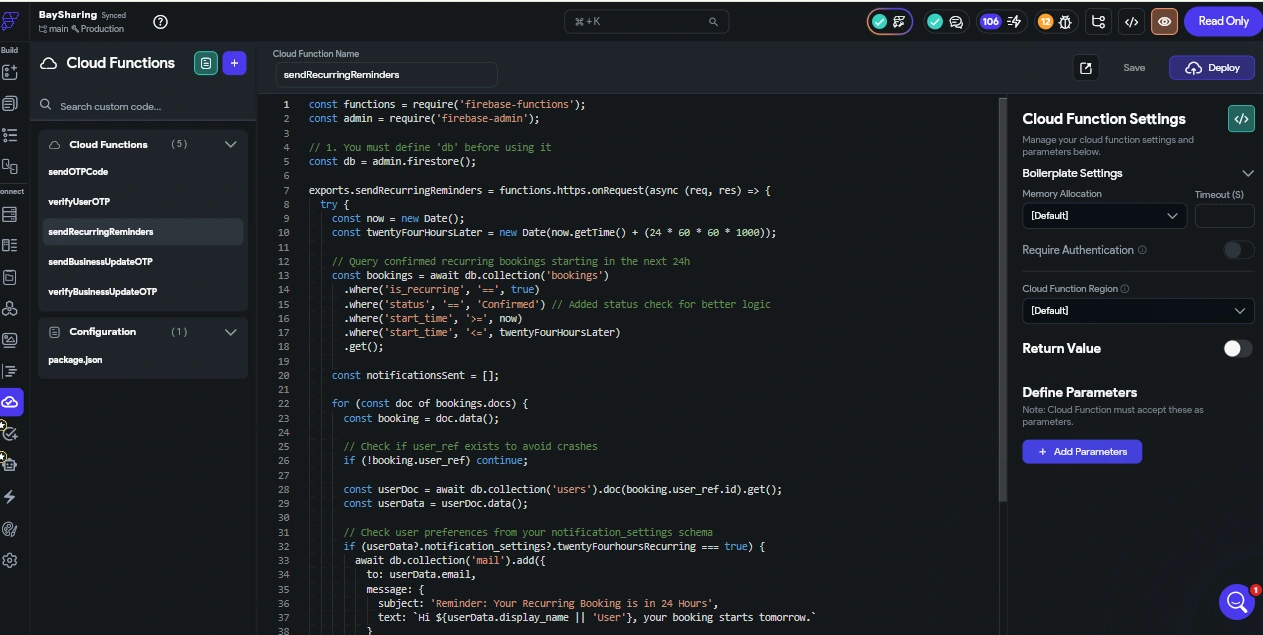
Reminder scheduling: pre- and post-booking reminders are scheduled via Cloud Scheduler-driven functions reading upcoming bookings and dispatching at the right time. FlutterFlow alone has no concept of time-based triggers, so this lived entirely server-side
Challenges & Decisions
Race conditions on booking creation
FlutterFlow’s default Backend Action for Firestore writes doesn’t run inside a transaction, so two simultaneous bookings could both succeed against the same slot. I moved the booking write into a Cloud Function with a Firestore transaction that re-reads the asset’s state before writing. The FlutterFlow side just calls the function and reacts to its result.
Lesson: no-code is fast for UI; correctness critical writes belong on the server.
Notification spam on full waitlists
Naively, every new waitlist entry would notify every booked user, a recipe for ignored notifications.
The rule I implemented: only the first waitlist entry for a given time window triggers notifications; subsequent entries notify only if they don’t overlap an earlier active request, or if the earlier request has been resolved. This reduced redundant pushes substantially in test scenarios with multiple queued users.
3. Recurring vs casual booking conflicts
The naïve options were both bad, block the recurring booking outright, or silently overwrite the casual one.
The chosen approach is more nuanced: the recurring booking is created on every non-conflicting day, and the conflicting days surface in a dedicated Conflicts Tab where the user (not the system) decides whether to wait, cancel, or negotiate. The decision stays with humans; the app just makes the decision easy to make.
4. Keeping the build maintainable in FlutterFlow
The temptation with custom code is to push everything into Dart and skip the visual builder.
I deliberately kept the rule: anything a non-developer admin might reasonably want to tweak (text labels, colour rules, business hours, permission toggles) stays in FlutterFlow and Firestore. Custom Dart and Cloud Functions are reserved for logic that genuinely can’t be expressed visually, transactions, fan-out, scheduled tasks, and recurrence math. The handover documentation maps every custom function back to the screen / collection that uses it.
Outcome
Replaced manual coordination across 14 users with a single real-time source of truth.
Eliminated double bookings through transactional writes on the server.
Automated waitlist fairness — no more “I asked first” disputes.
Gave admins one-tap control over assets, users, permissions, and visibility into cancellation trends.
Delivered the build inside FlutterFlow with a clean separation between visual logic and custom code, so the client can iterate on UI and copy without a developer round-trip.
Deliverables
FlutterFlow project — all screens and navigation flow for both user and admin roles, with real-time Firebase sync and FCM integration.
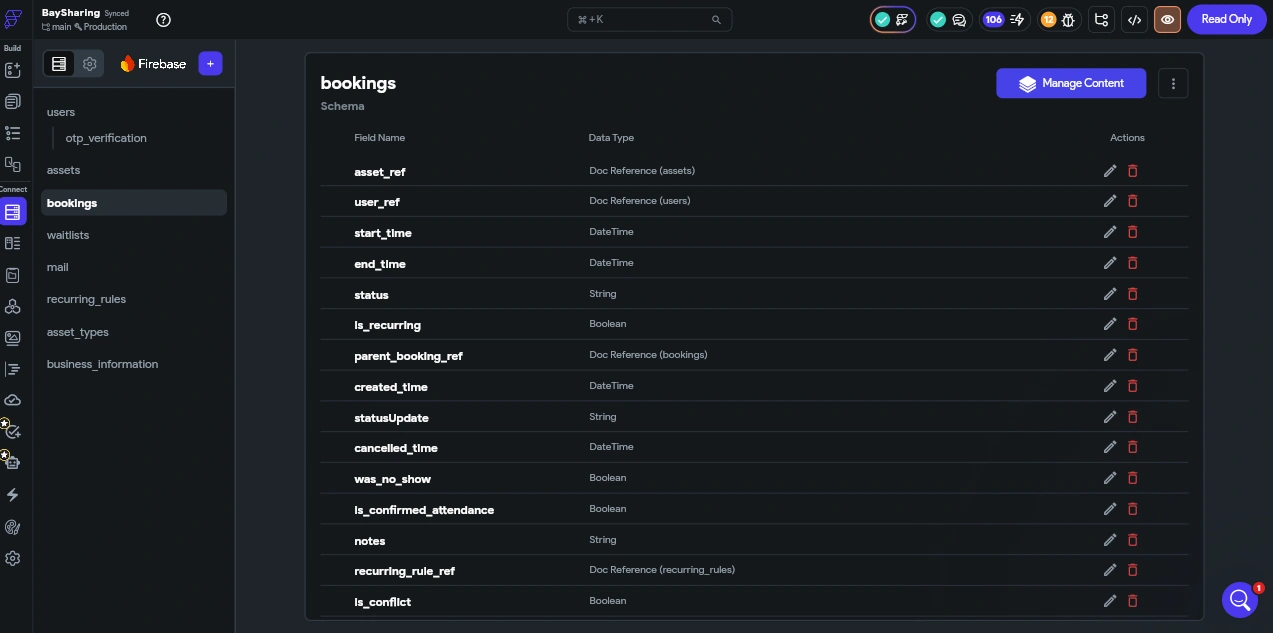
Firestore database — schema as designed, with indexes and security rules for role-based access.
Cloud Functions — waitlist auto-assign, conflict detection, asset deactivation cascade, notification dispatcher, scheduled reminders.
End-to-end testing across booking flow, recurring logic, waitlist triggers, and device push delivery.
Handover documentation — app structure overview, collection schema, and notification trigger map.
Skills Demonstrated
FlutterFlow architecture — multi-role navigation, conditional UI, Backend Queries, dynamic page state.
Custom Dart functions and actions for logic the visual builder couldn’t express cleanly.
Firebase Firestore data modelling — relational thinking applied to a NoSQL store, including indexes and queue ordering by server timestamp.
Cloud Functions — Firestore triggers, transactions, scheduled jobs, FCM dispatch.
Firebase Authentication and rule-based role enforcement.
Real-time UX patterns — race-condition handling, optimistic vs server-confirmed flows, notification fatigue prevention.
Translating ambiguous business rules (waitlist fairness, conflict resolution) into deterministic logic.
Client-facing handover documentation that keeps the project maintainable post-delivery.
Like this project
Posted May 11, 2026
Real-time FlutterFlow + Firebase app replacing manual asset coordination for 14 users with transactional bookings, fair waitlists, and recurring-schedule logic.
Likes
1
Views
21
Timeline
Nov 10, 2025 - Mar 4, 2026