AI Services CRM | B2B2C UI/UX | Solea AI

Pixel One Design


Solea AI is a B2B2C SaaS UI/UX design project for an AI services CRM built for pest control businesses.
Pest control runs on scheduling. Every day a dispatcher figures out which technician goes where, in what order, for which job. Get it right and the business makes money, get it wrong and you are paying a technician to sit in a van.
The US pest control industry generates over $26 billion in annual revenue across more than 32,000 businesses. A poorly planned schedule costs a six-technician operation between $25,000 and $60,000 per year in lost productivity alone.
Most pest control companies use FieldRoutes for billing, subscriptions, appointments, and invoices. They all live in different places which makes scheduling fully manual. The dispatcher drags each appointment into a time slot one by one and figures out the best route, technician, and the correct job order entirely on their own.
The problems we kept hearing about were:
1/ Technician conflicts
2/ Missed appointments
3/ Routes that made no geographic sense
There were too many parameters to hold in one person’s head at once and get right manually.
Solea came to us at seed stage in September with a clear thesis that: scheduling is the core business problem and AI is the right tool to solve it. Within 24 hours of our first call we completed a design test to prove we could move at their pace.
They cared deeply about design and they wanted a good team on it. That is where the partnership started.
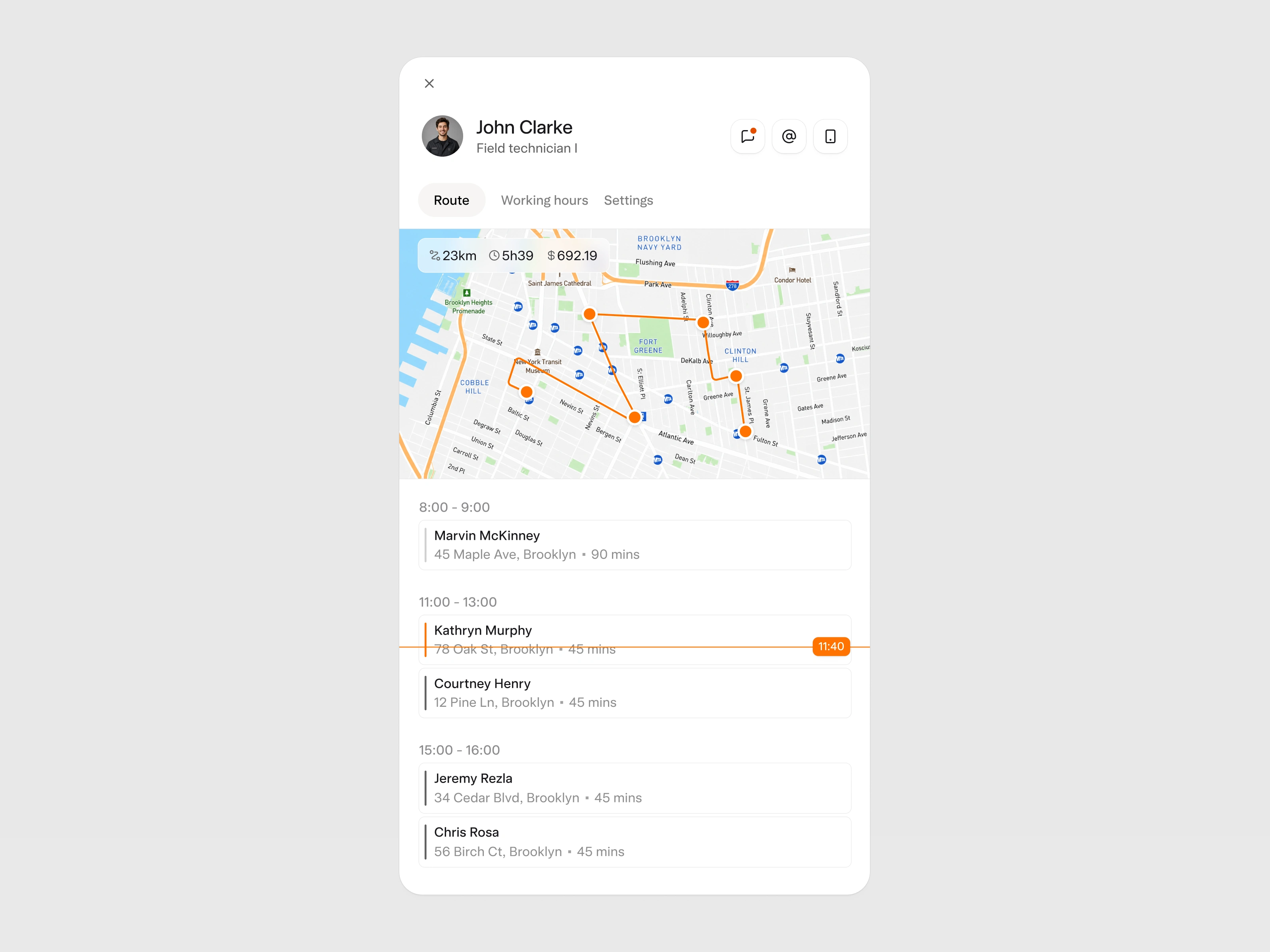
The dispatcher’s only way to check on one technician was the main route view, where every technician competes for attention at the same time. The dispatcher had to mentally filter out the entire team just to focus on one person.
We designed a blade that opens with a single click. We went with the extra click because when you need to go deep on one person, the rest of the team is just noise.
It gives the dispatcher a complete picture of that technician's day in one focused view and clear access of current appointments, anything running late, route stats, working hours, and personal information.
The dispatcher can also call, email, or chat with the technician directly from this view without leaving the platform. The delight detail is the live time slider at the top of the schedule. It moves in real time and shows which appointment the technician is on right now.
This is the screen that solved the core problem aka the most important screen in the product.
In FieldRoutes a dispatcher could see three to four technicians at most, surrounded by completed appointments that were already irrelevant.
We designed a view where the full team's day is visible at once; all technicians and AI-generated routes. Along with who is running late, who has gaps without opening a single individual profile. The view scrolls dynamically with time so completed appointments drop away and the focus stays on what still matters.
Whenever there is a same-day cancellation or a technician callout or customer who needs to reschedule, each one triggers a ripple across multiple routes and the AI adjusts in real time so the dispatcher is managing only the exceptions.
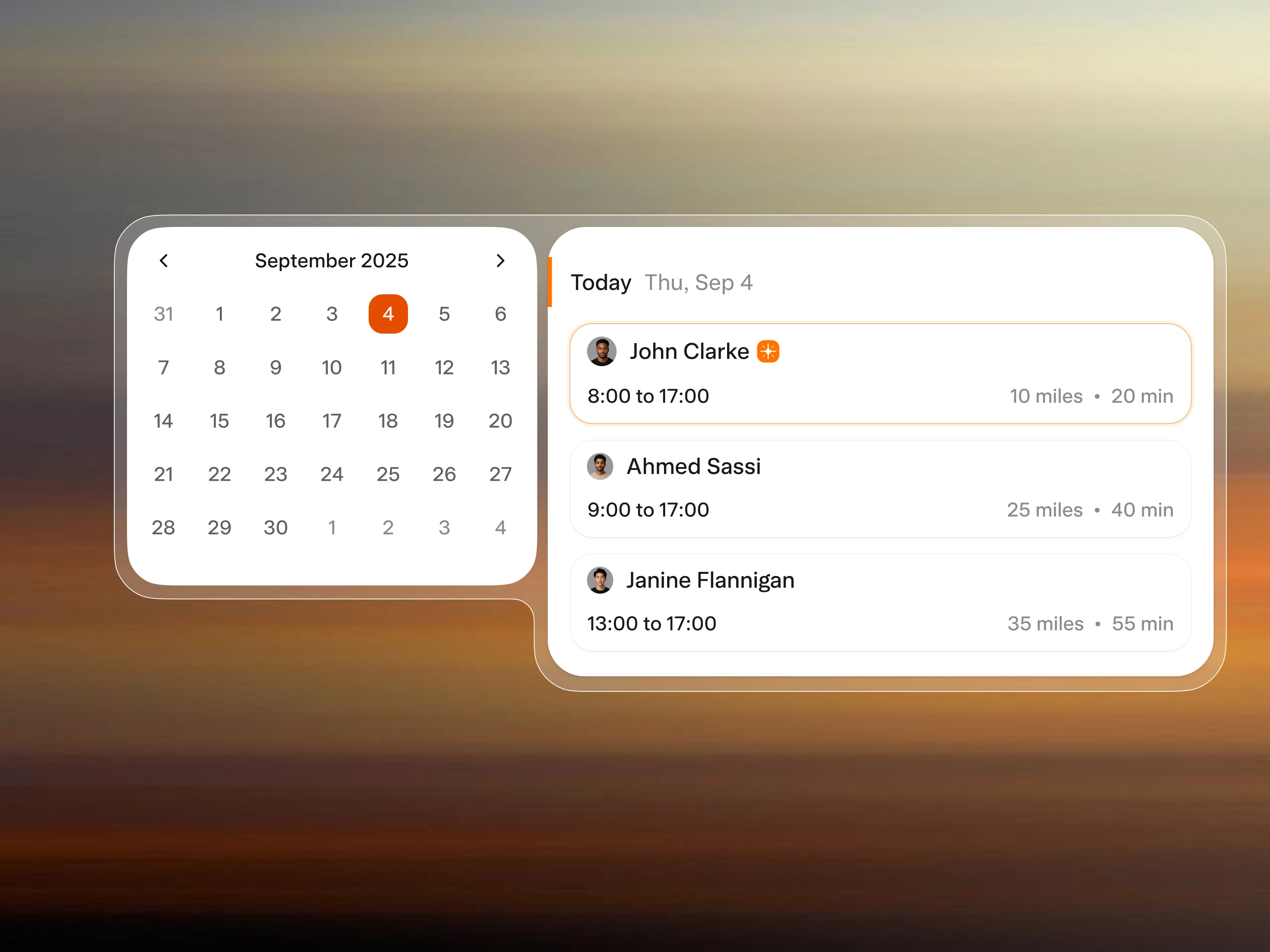
When a customer calls to book an appointment the rep asks which day works for them. They select the date and the system filters to that day immediately, showing the AI recommendation for the best technician available.
The AI factors in schedule, working hours, and how much travel time the appointment adds to their route. The rep confirms with the customer in mere seconds.
The whole interaction happens without the rep leaving the platform or putting the customer on hold while they figure out availability manually.
When a rep is on the phone with a customer they need answers fast. The customer might be asking about a past invoice, an upcoming appointment, or a service agreement. Switching between tools to find that information while someone is on the line creates delays and mistakes.
We designed a centralized view of everything that matters for that account. The most recent and relevant information sits at the top. The rep can navigate to whatever the customer is asking about without losing the thread of the conversation. Documents, appointments, or activity history, it is all in one place and accessible in seconds.
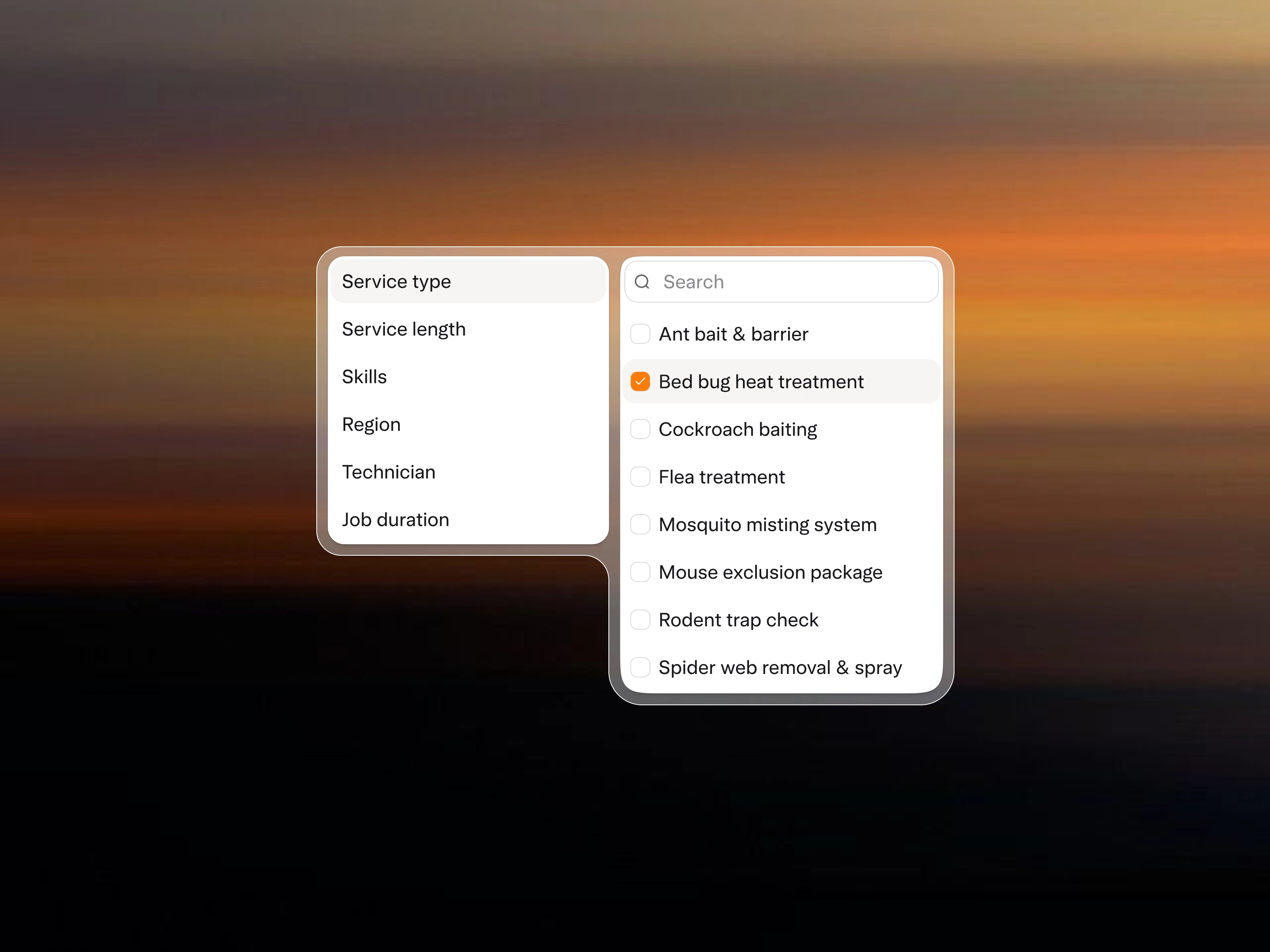
Building a platform that covers scheduling, customer records, communication, and appointment booking means designing across very different use cases. The risk is that each use case starts pulling in its own direction and the product ends up feeling fragmented.
We established a consistent way to use components early and applied it at two levels.
At the page level, consistent text sizes and layout logic.
At the component level, the same interaction patterns whether you are filtering technicians, service types, or job durations.
We ended up with a system where you do not need many text sizes, many components, or many colors because everything is coherent. The filter panel is one example of that thinking work.
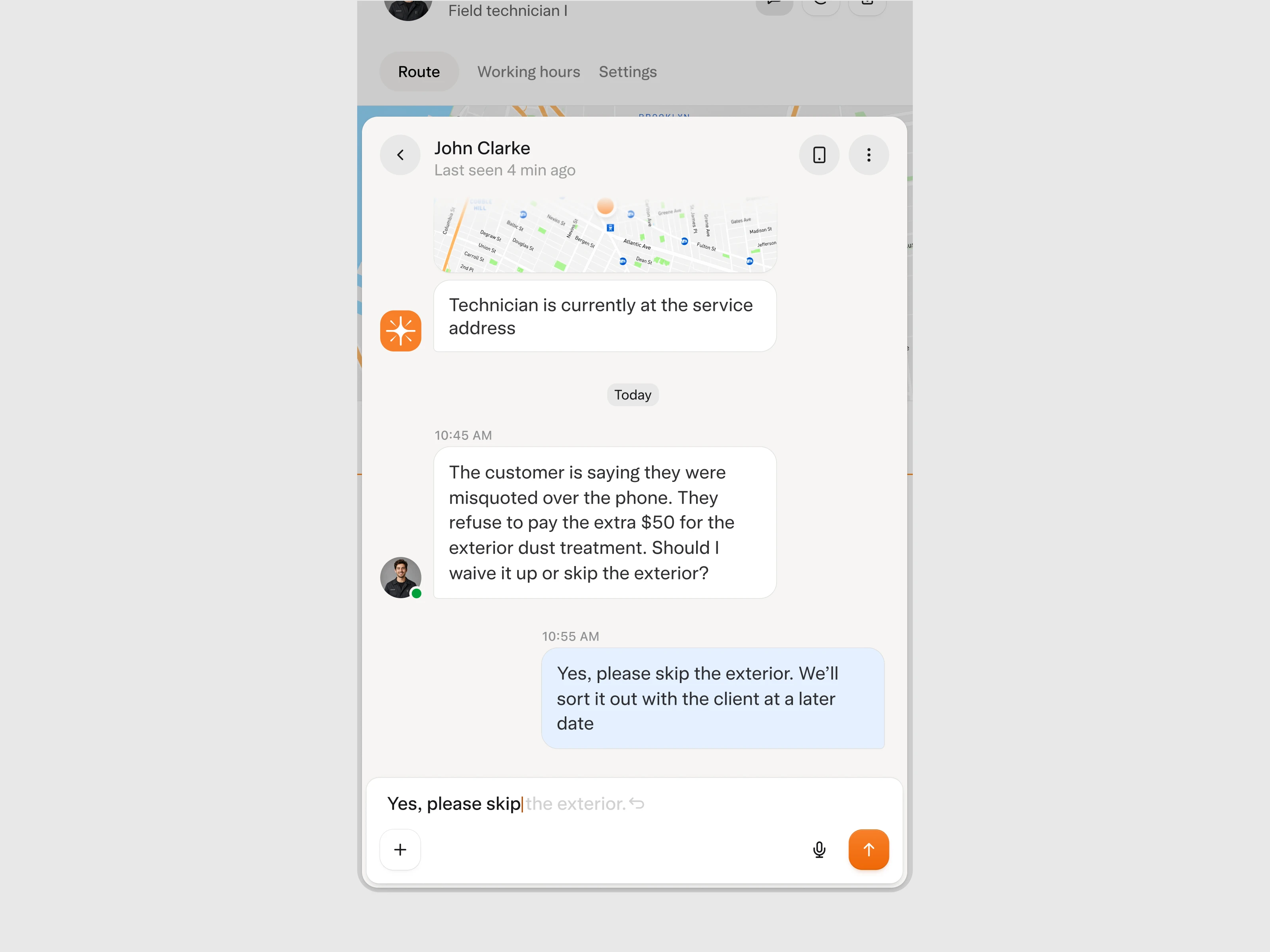
Most field service platforms treat communication as a separate problem. Technicians text managers from the field, decisions are made over calls, so nothing is traceable back to the job it came from.
We built communication directly into the platform and then thought carefully about where AI could be woven into that experience rather than bolted on top of it. When a dispatcher sends a message, the AI attempts to answer before the technician even needs to respond. If it can find the information, it does. If it cannot, the technician picks it up and the conversation stays in the same thread as the appointment it belongs to.
The dispatcher can also call the technician directly from the same view without switching tools. Every decision, whether resolved by AI or by the technician, is logged in context next to the job it relates to.
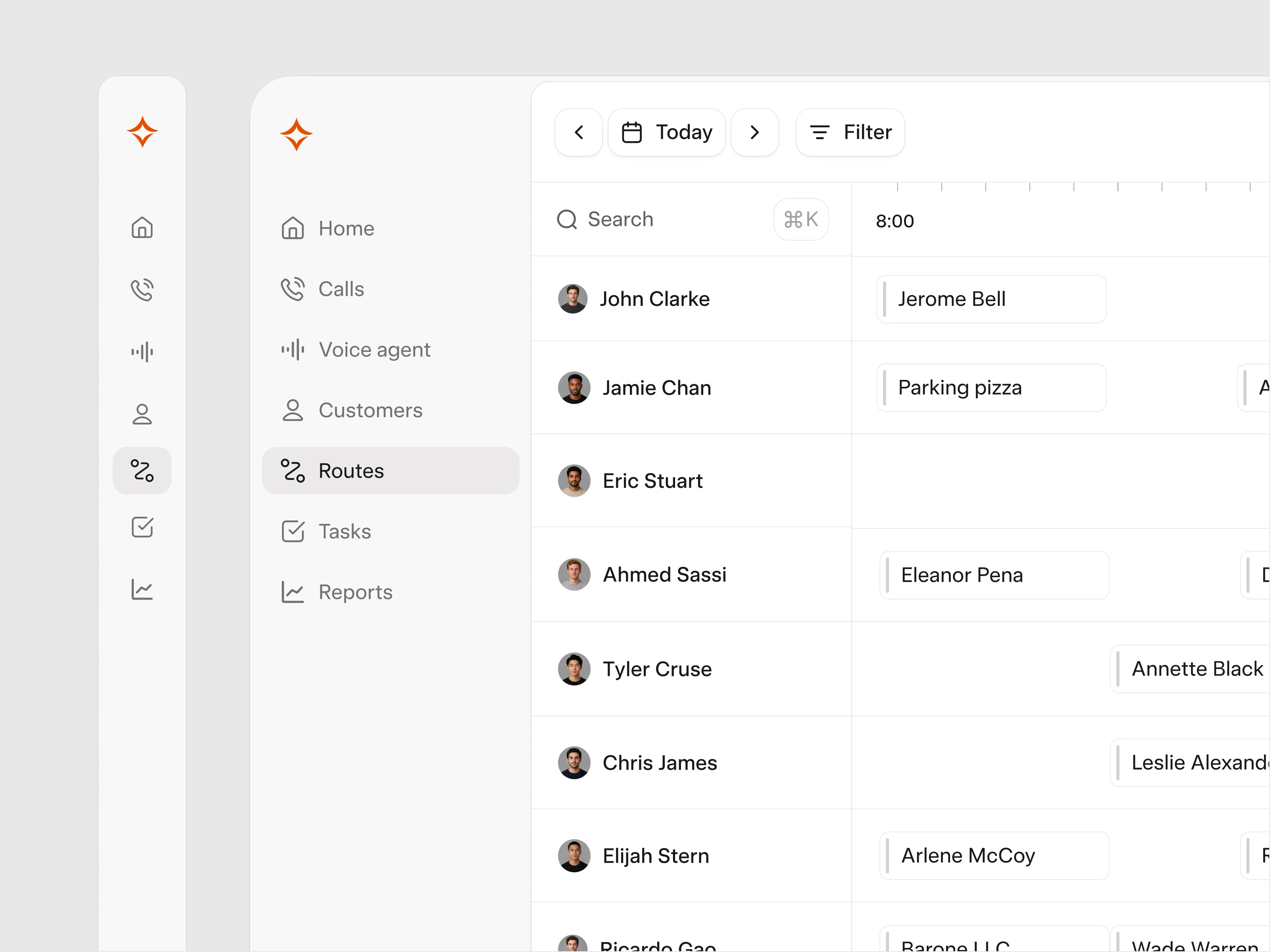
The route view is the most information-dense screen in the product. Each technician, route, appointment, all on one screen at the same time. For operators managing large teams, every pixel of space matters.
We built a retractable navigation specifically for this screen. When a dispatcher needs full focus on the route view, they collapse the nav and get the space back. When they need to move between sections, they expand it. It is a small interaction that reflects the same design system thinking applied throughout the product. Every component should serve the operator's actual workflow, not just occupy space by default.
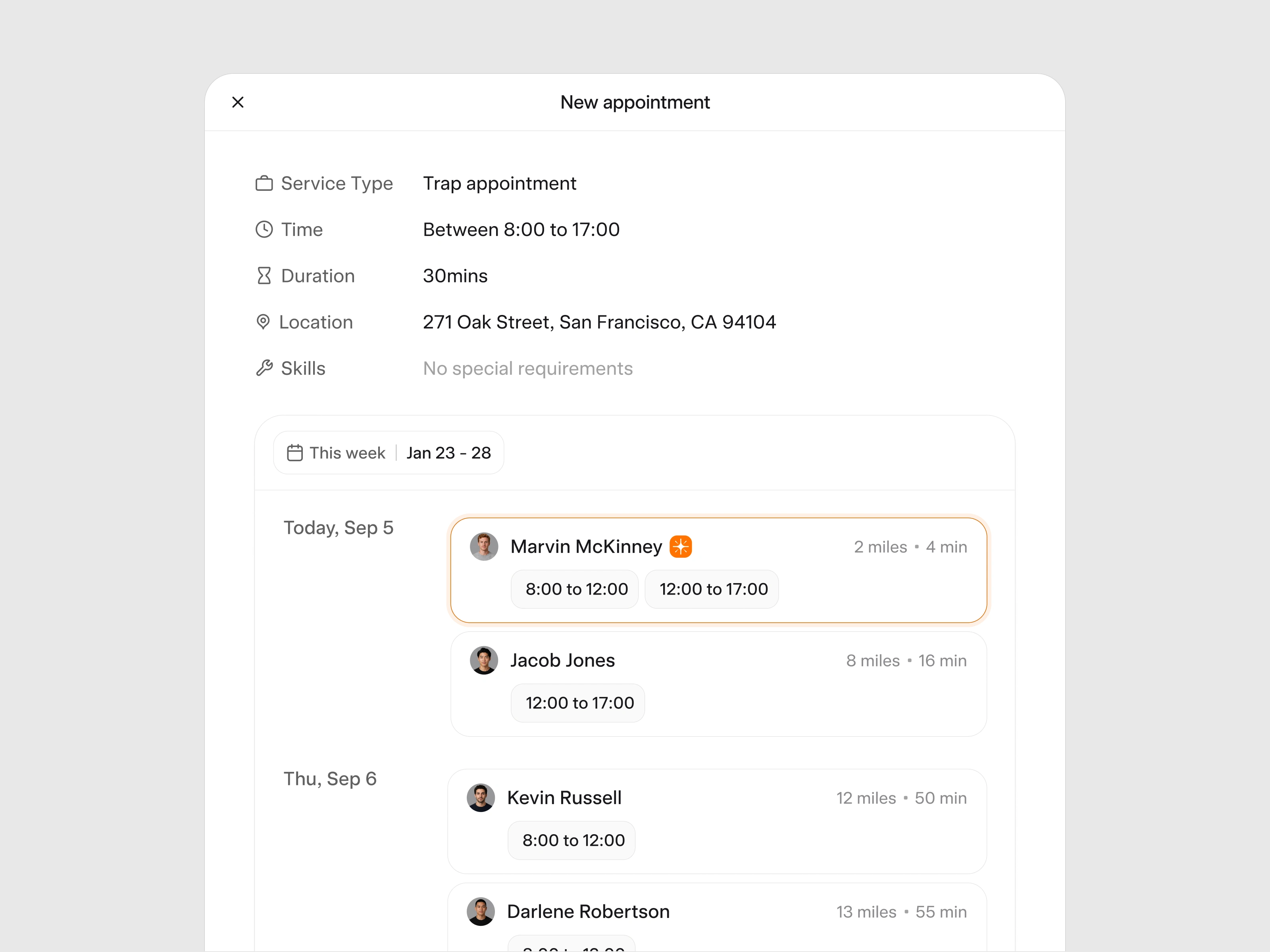
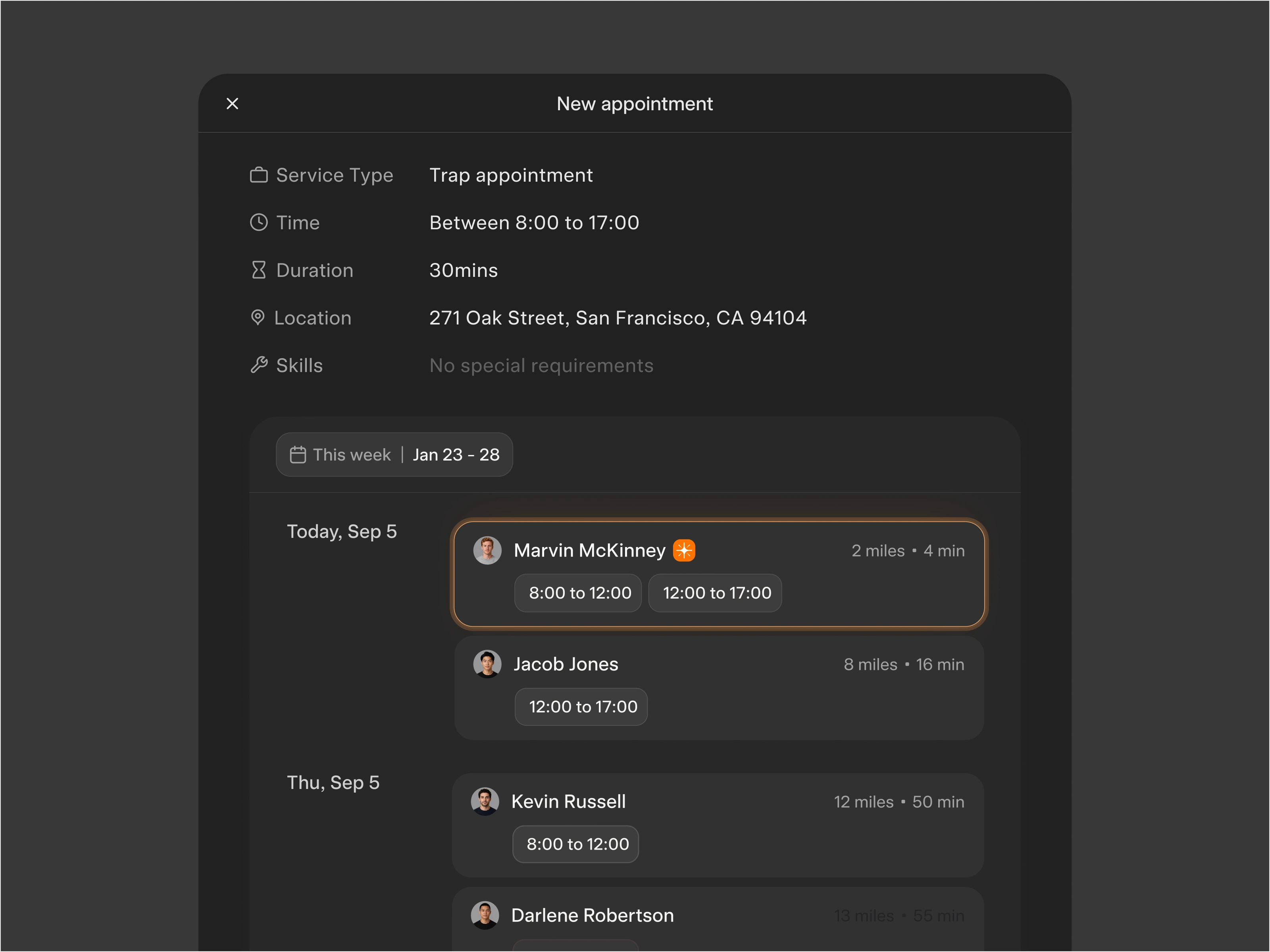
Manual appointment creation is an edge case, something that happens when a specific customer request or exception requires human intervention. Even then the system does the work, surfacing available technicians ranked by fit and showing exactly how much distance and time the appointment adds to their route.
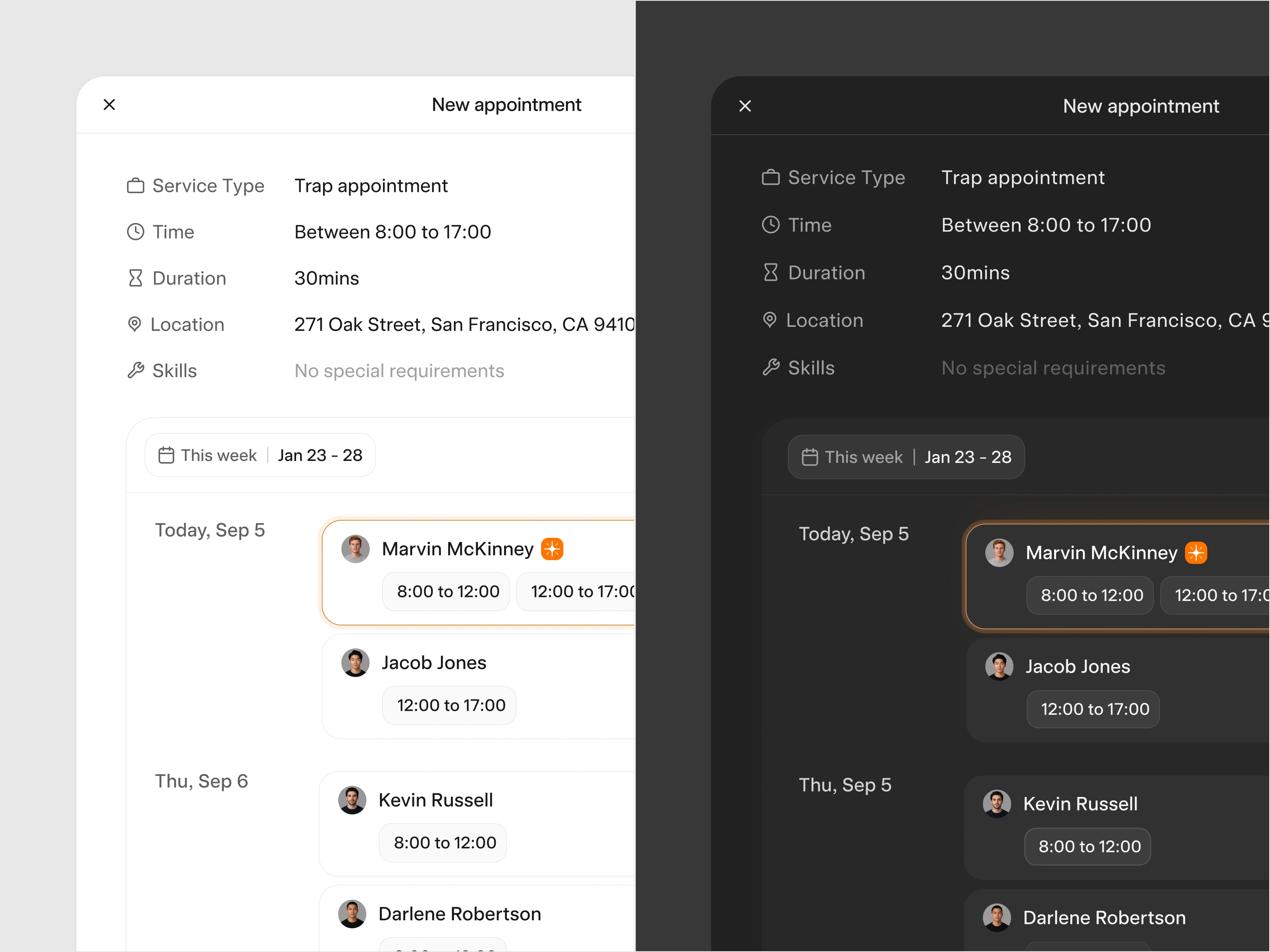
The typography and color choices for this interface were made with one thing in mind: the platform needs to feel embedded in whatever system the client is already using rather than standing out as something foreign.
We kept everything deliberately neutral, light and dark mode both follow the user's system preference automatically.
Pixel One designed the full B2B2C SaaS UI/UX for Solea's AI services CRM. AI route optimisation, dispatch views, customer records, in-app communication, and the complete design system.
Solea came to us at seed stage with a scheduling problem that was costing their customers money every single day.
After launch, pest control businesses using the platform started running more appointments per day with the same headcount and reported a 10x ROI on the switch.
Solea signed their first national customer within 6 months, raised a $10M Series A, and we are continuing with them into the next phase.
Like this project
Posted Jun 25, 2026
Solea AI is an AI-first CRM for the pest control industry (vertically integrated). Pixel One created the UI/UX and design foundations.
Likes
6
Views
86
Clients
Solea