Redesign of Scheduling Management Platform for Healthcare Staff

Anna Podrez


Redesign of a Scheduling and Workload Management Platform for Healthcare Professionals (B2B)
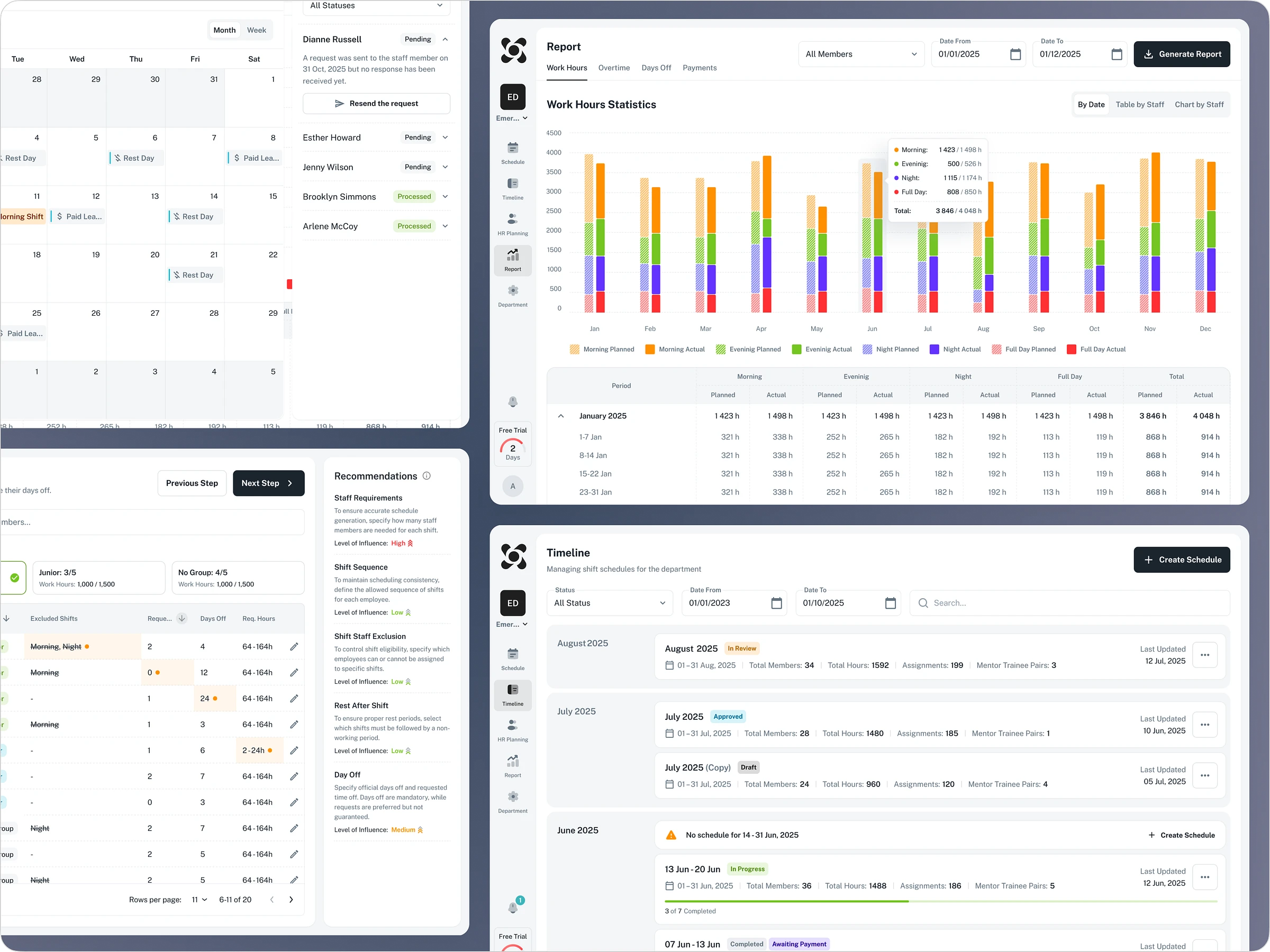
Oplist is a SaaS Web App platform for healthcare facilities that helps clinic managers schedule and manage staff workloads. The core of the product is transitioning from manual scheduling in Excel to automated generation. Users set their conditions and constraints in just a few clicks, and the system produces a ready-to-use work schedule for the staff.
Year: 2025-2026
Industry: Healthcare, SaaS Web Application, B2B
Project Type: Product Design
Timeline: 3 Months
Contribution: Research, Design Review, UX, UI, Design Library
Problems
1. Managers responsible for scheduling need to input a series of rules to configure the system. However, there wasn't any guidance on the input order and lacked sequence control, managers would enter rules in a random order. It was leading to constant conflicts. As a result, the automation became extremely complex and required manual error correction.
2. The platform's primary users are doctors and nurses aged 30–50, who generally are not tech-savvy. Because the interface was cluttered and the navigation was not intuitive, they were frequently confused and struggled to complete tasks. As a result, they would revert to Excel to create the schedule and then waste extra time manually transferring the completed schedule back into Oplist.
Goals
1) Make the initial setup process quick and easy.
2) Improve the schedule generation process to prevent user errors.
3) Improve the navigation and structure the hierarchy of headings, buttons, and other elements.
4) Create a foundation to support long-term scalability with a focus on clarity, usability, and system coherence.
5) Add new functionality: a notification system and the ability to manage staff time-off and vacation requests.
Onboarding
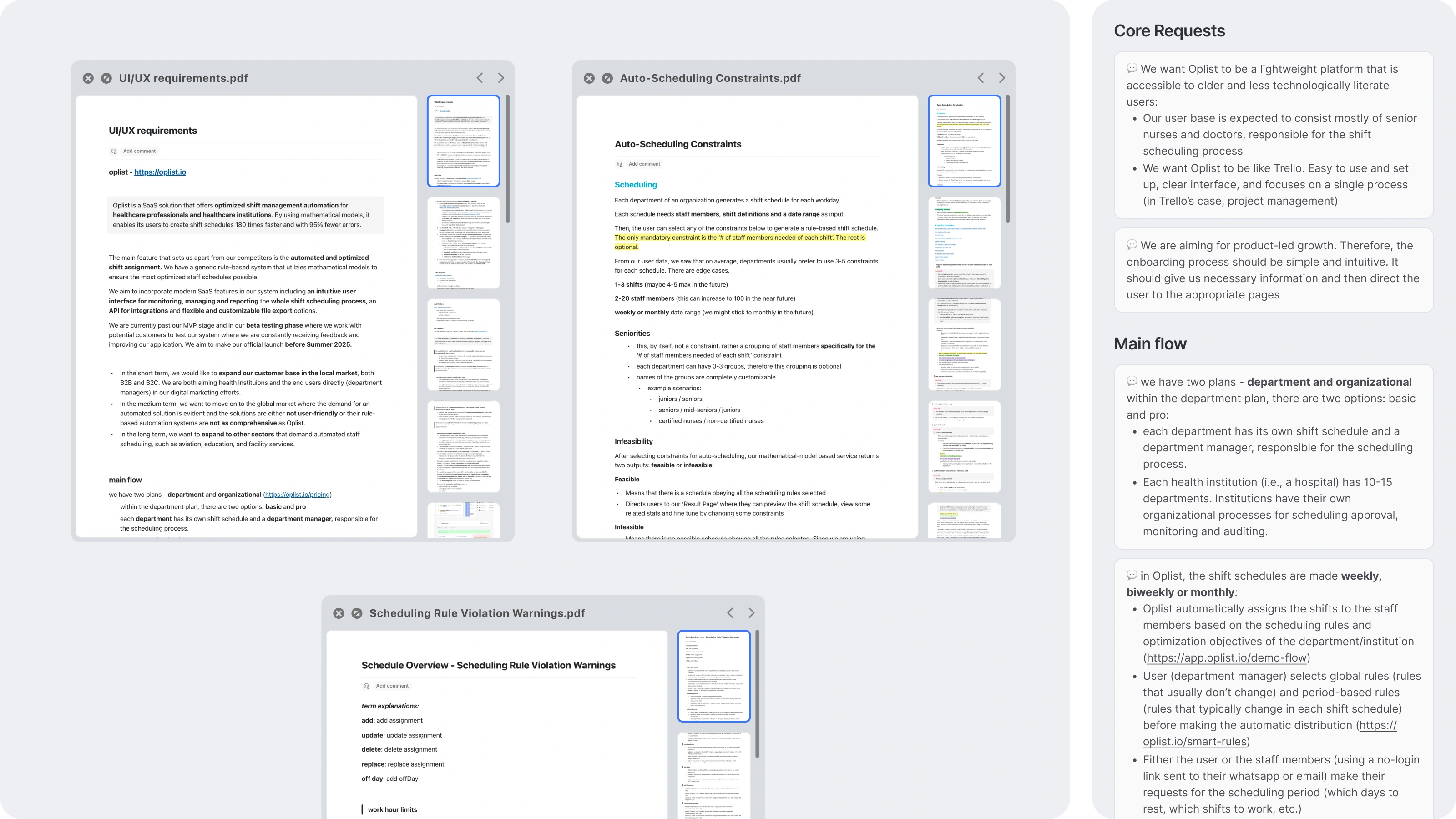
The client provided detailed documentation outlining design requirements, overall product goals, and the details of the system's logic. This documentation significantly sped up the onboarding process and understanding of the task.
Project Timeline
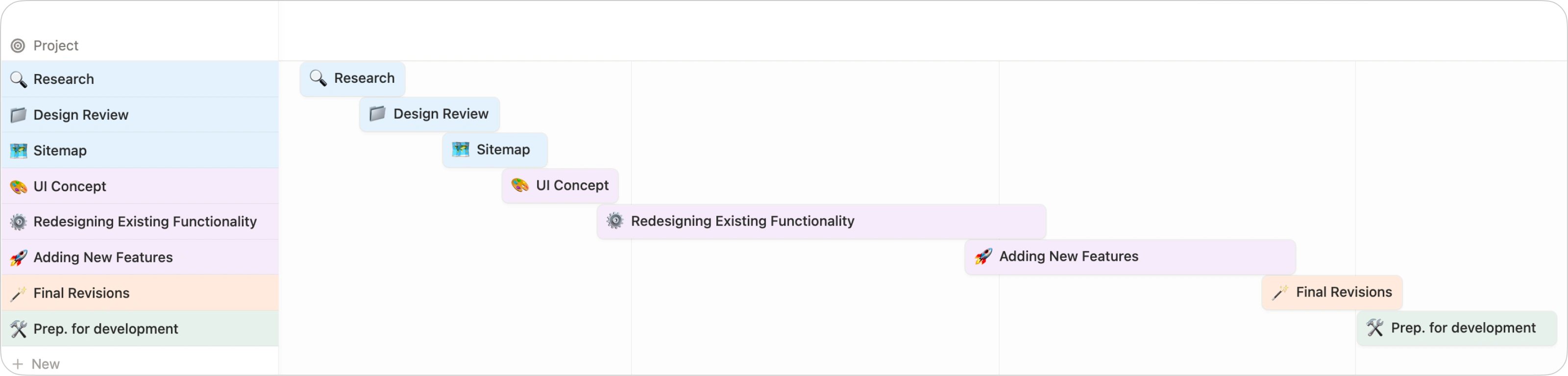
Based on the information gathered, the scope of work was estimated and a schedule with key milestones was set to ensure effective planning and progress tracking throughout the project:
UX Analysis and Preparation
Prior to the redesign, an analysis of the product and target audience was conducted to determine which changes were critical for the first iteration and which could be implemented gradually.
UX/UI Design Review
First, a UX/UI design review was performed on the platform’s core sections. This tool is highly effective for highlighting interface flaws and subsequently aligning on necessary improvements with the client.
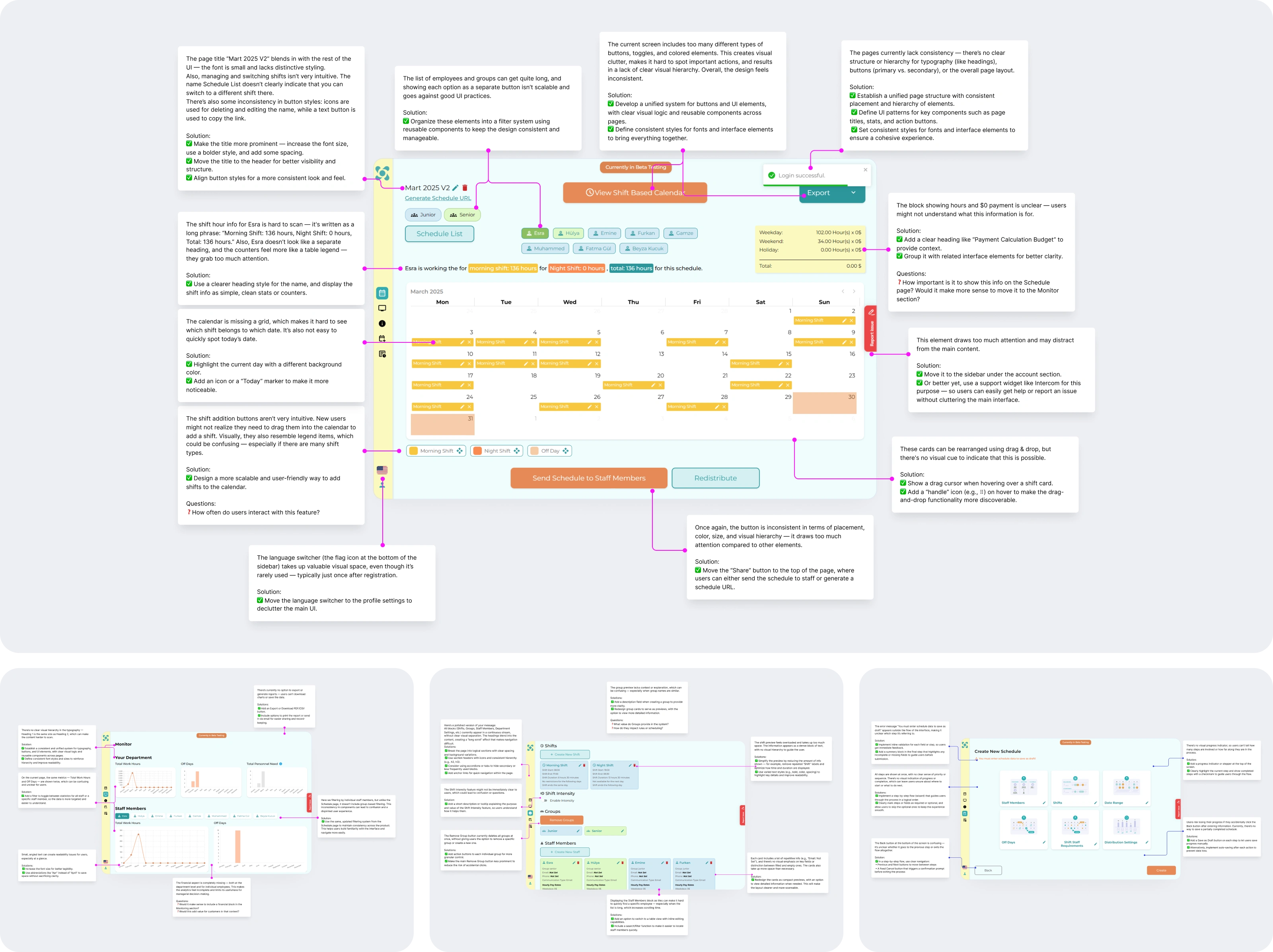
The key findings from the UX/UI design review were as follows:
1. The pages lacked structure and a clear layout. Headings all looked the same regardless of their importance, and the interface felt messy due to an excessive use of colors. Additionally, pages were crowded with many buttons that all looked identical. This made it hard for users to know what to do next or where to find the information they needed.
2. Pages were crowded with many buttons that all looked identical. This made it hard for users to know what to do or where to click first.
3. Data entry is inconsistent, creating the feeling that everything must be filled out at once. This leads to errors in schedule generation because users cannot keep such a large amount of information in mind simultaneously.
Defining the Structure
Based on the insights from the design review and the established goals, a sitemap was created. This allowed for the structuring of both the navigation and the on-page content.
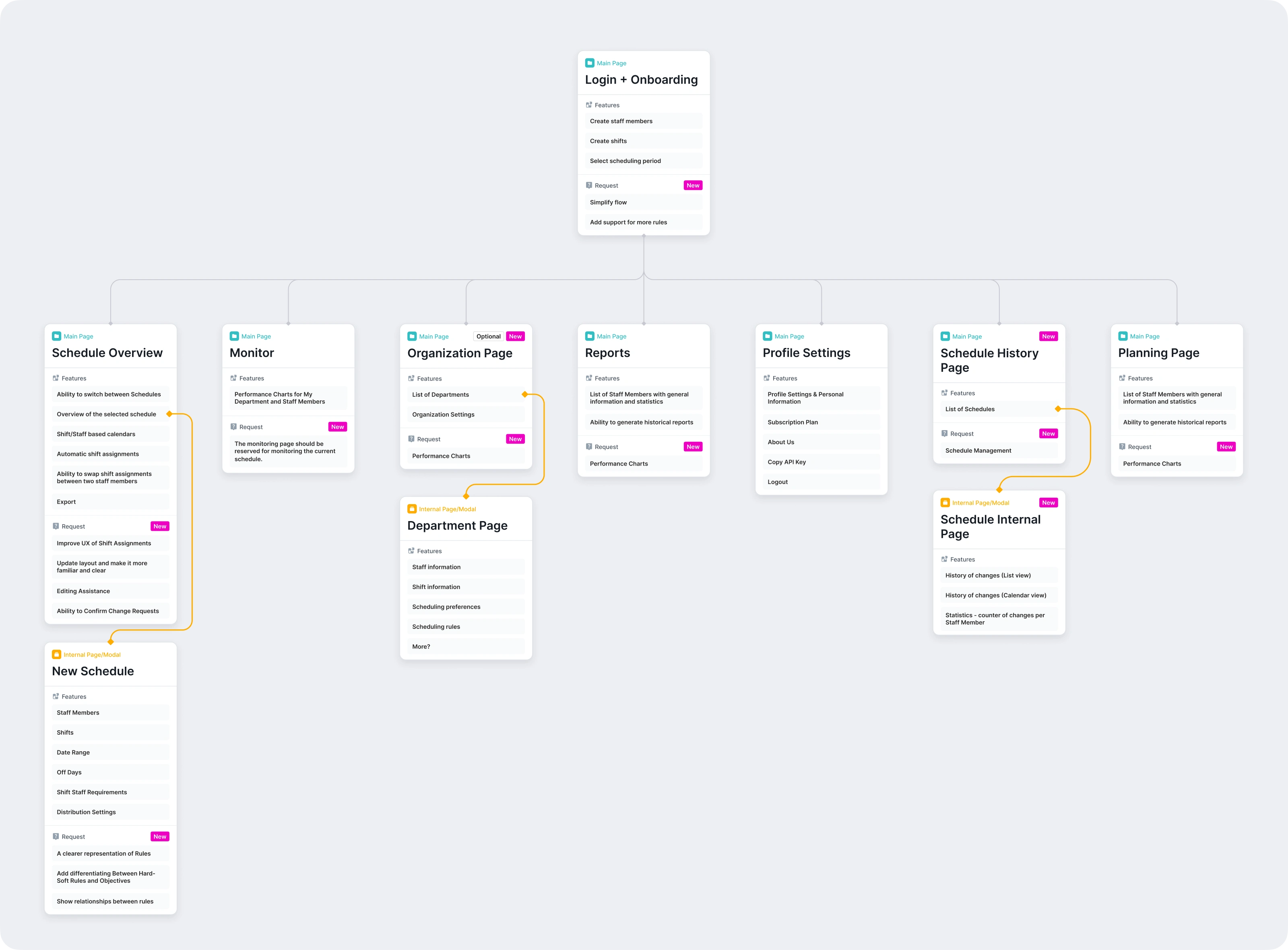
Defining the Design System
It was needed to find a way to implement and maintain changes easily. Building a design system from scratch was not an option due to the tight timeline — only two months until launch — and an extensive volume of changes required. Therefore, the decision was made to use the Minimal design library. It was an ideal fit for this redesign because:
1. Enables the creation of a modern UI.
2. Offers a great set of UI components with flexible settings. This allows for implementation "out of the box" instead of wasting time on custom builds.
3. Simplifies the design of complex tables and calendar schedules.
Design Concept and Enhancing Existing Functionality
New Visual Style for the Platform's Core Section – Schedule Overview
The goal was to transform a complex view into a clean and fast workspace by making the calendar more efficient for daily tasks:
1. Information was organized more compactly, making the calendar the primary focus of the page.
2. Filters were moved from hidden menus into a visible list for easier access. Core actions like "Export" and "Share" are now grouped at the top.
3. A neutral palette with a gray background and black accents was used to reduce clutter and make the data stand out. Furthermore, brand turquoise and light-blue shades, often associated with clinical environments, were intentionally excluded to prevent subconscious discomfort. Avoiding these clinical tones ensures the interface doesn't evoke associations with illness or stressful medical situations.
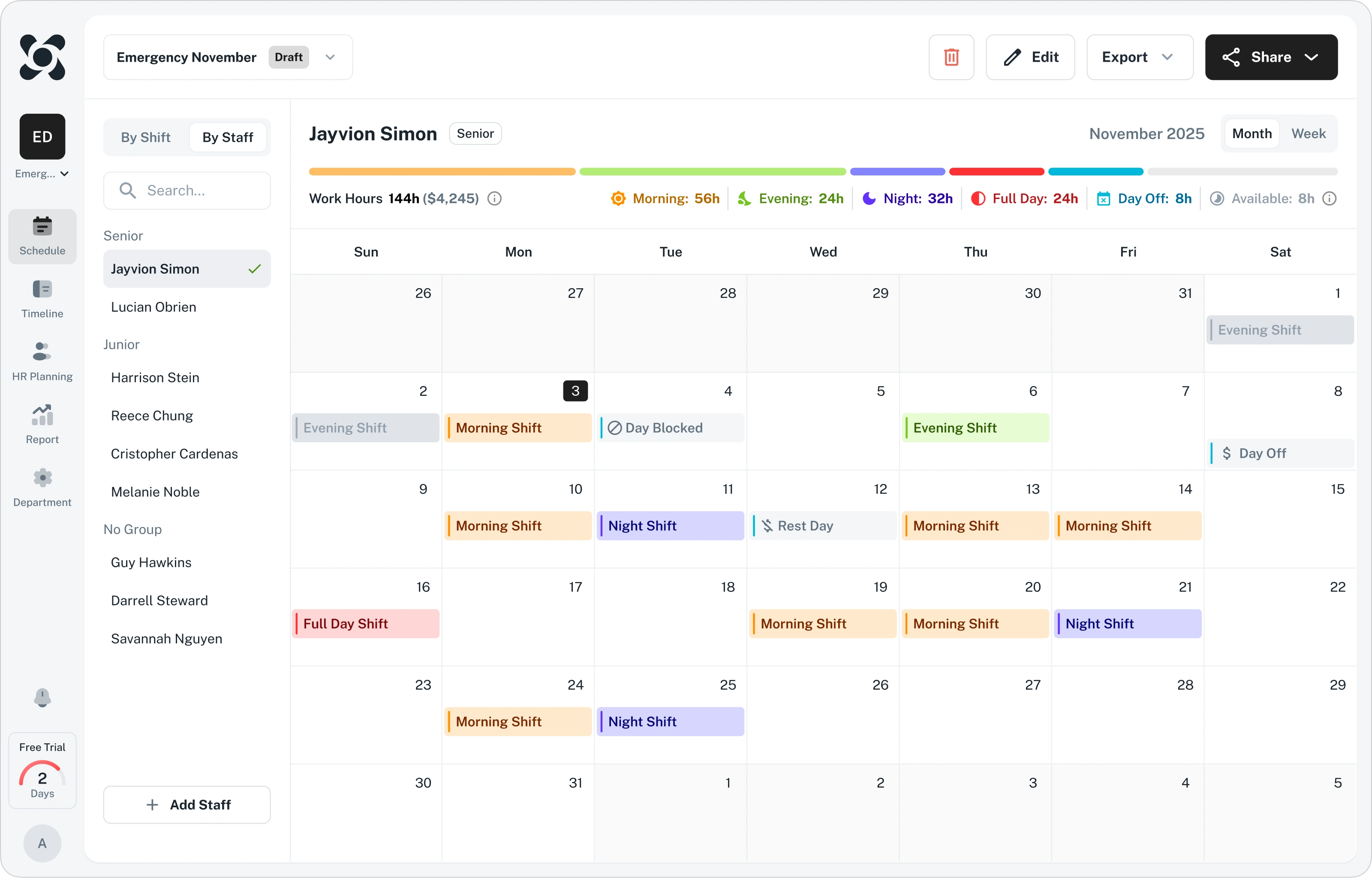
Finding the right balance took some iterations. Several versions were explored, including some that used colorful schemes, however they looked bold. So the neutral palette is easier on the eyes and keeps the focus on the data, so managers don't get tired of the interface.
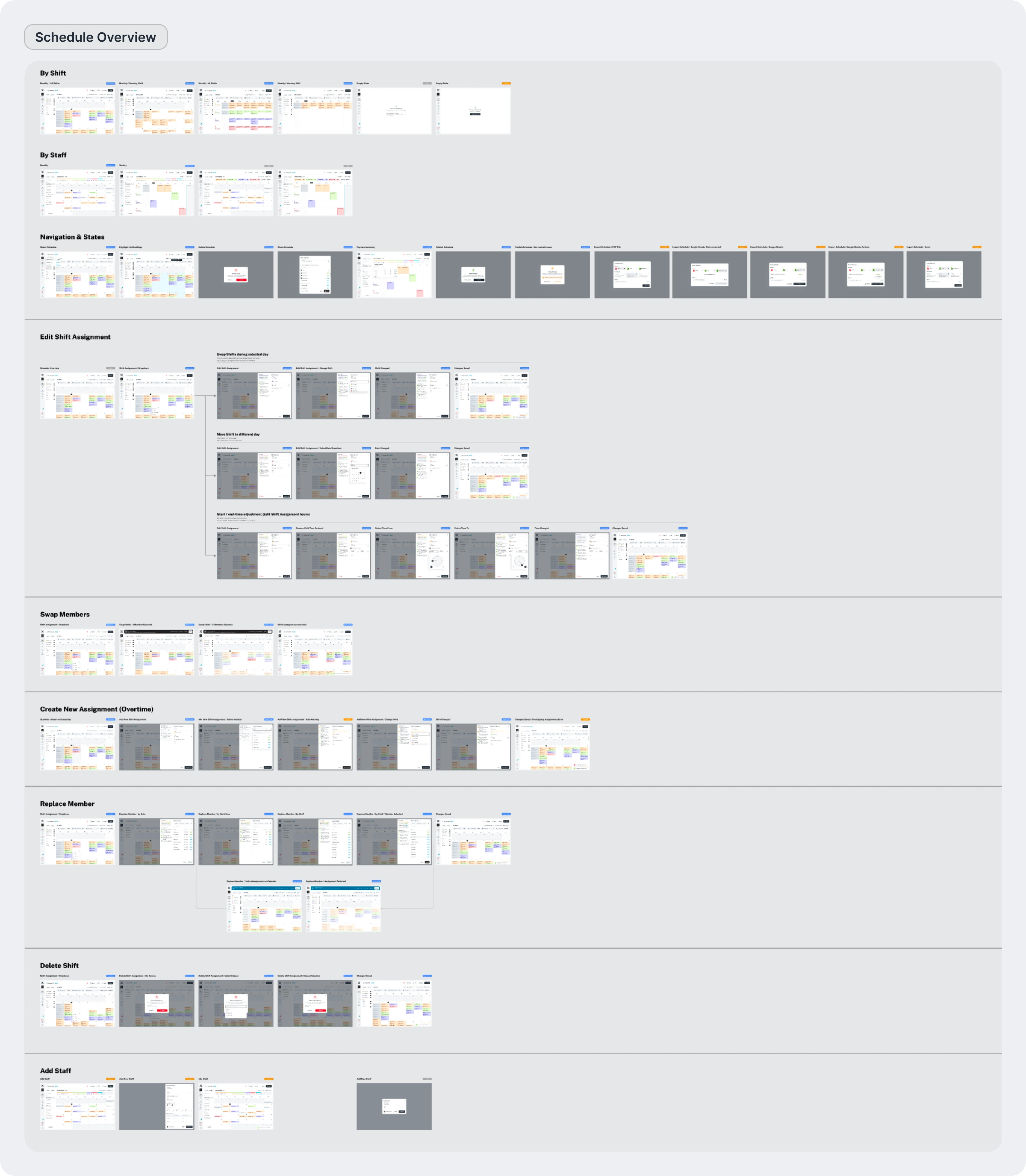
After finalizing the core style, there were developed secondary screens, modal windows, and other supporting elements. As a result, a comprehensive flow was assembled in Figma, accounting for all use cases and states of the Schedule Overview page:
Designing Automated Schedule Generation
The next stage involved designing the configuration for generating new schedules.
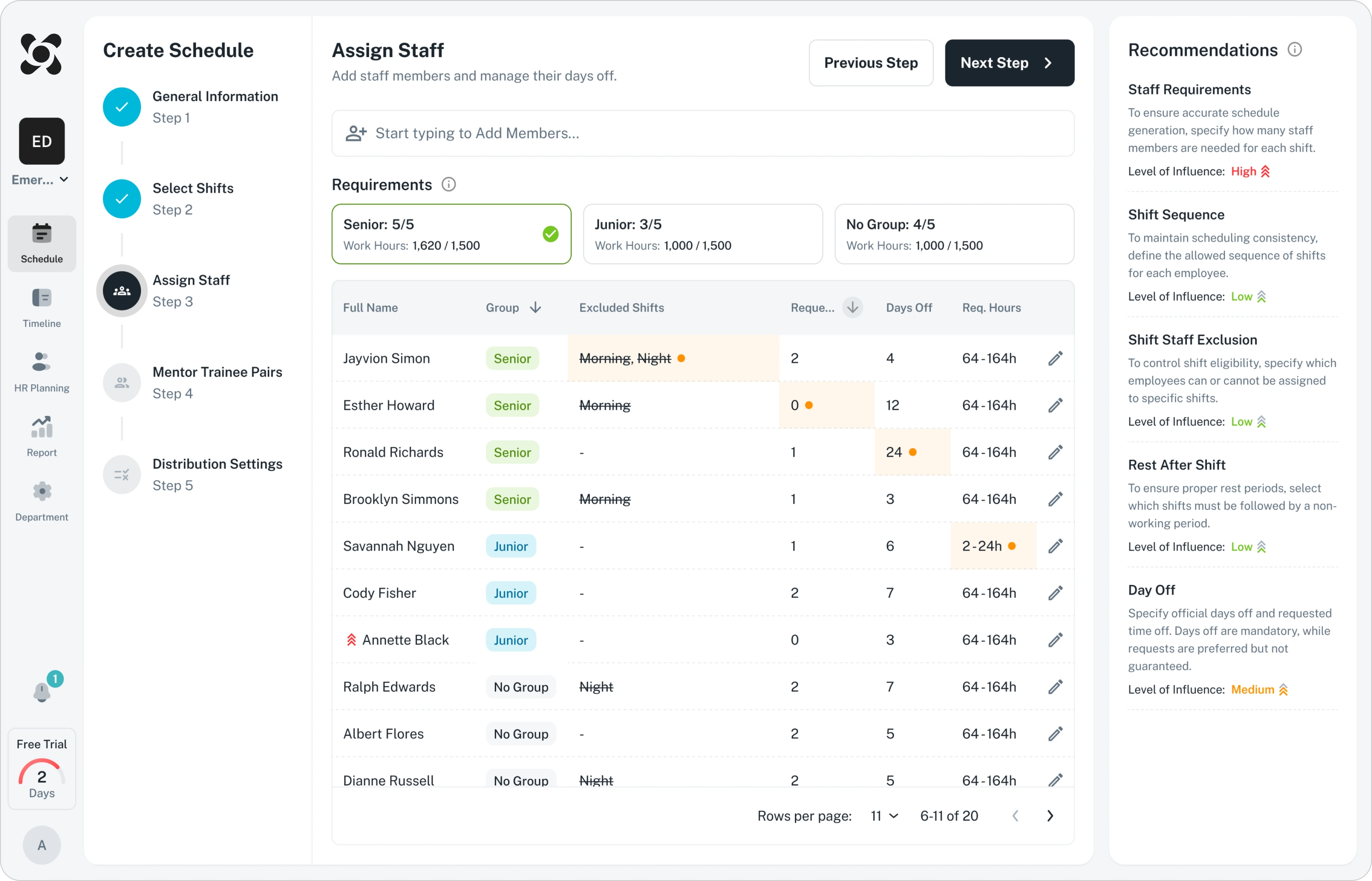
Disordered data entry was a primary source of user error. To make the process more reliable, the configuration was restructured into a guided step-by-step flow. To reduce mental load, the interface was organized into three clear zones: progress tracking, data entry, and contextual recommendations. This ensures no mandatory fields are missed and all rules are easy to follow. Also on-the-fly constraint settings and real-time capacity tracking were added to flow. Managers can now set employee restrictions directly within the flow and see exactly how many people are still needed for a shift without manual calculations.
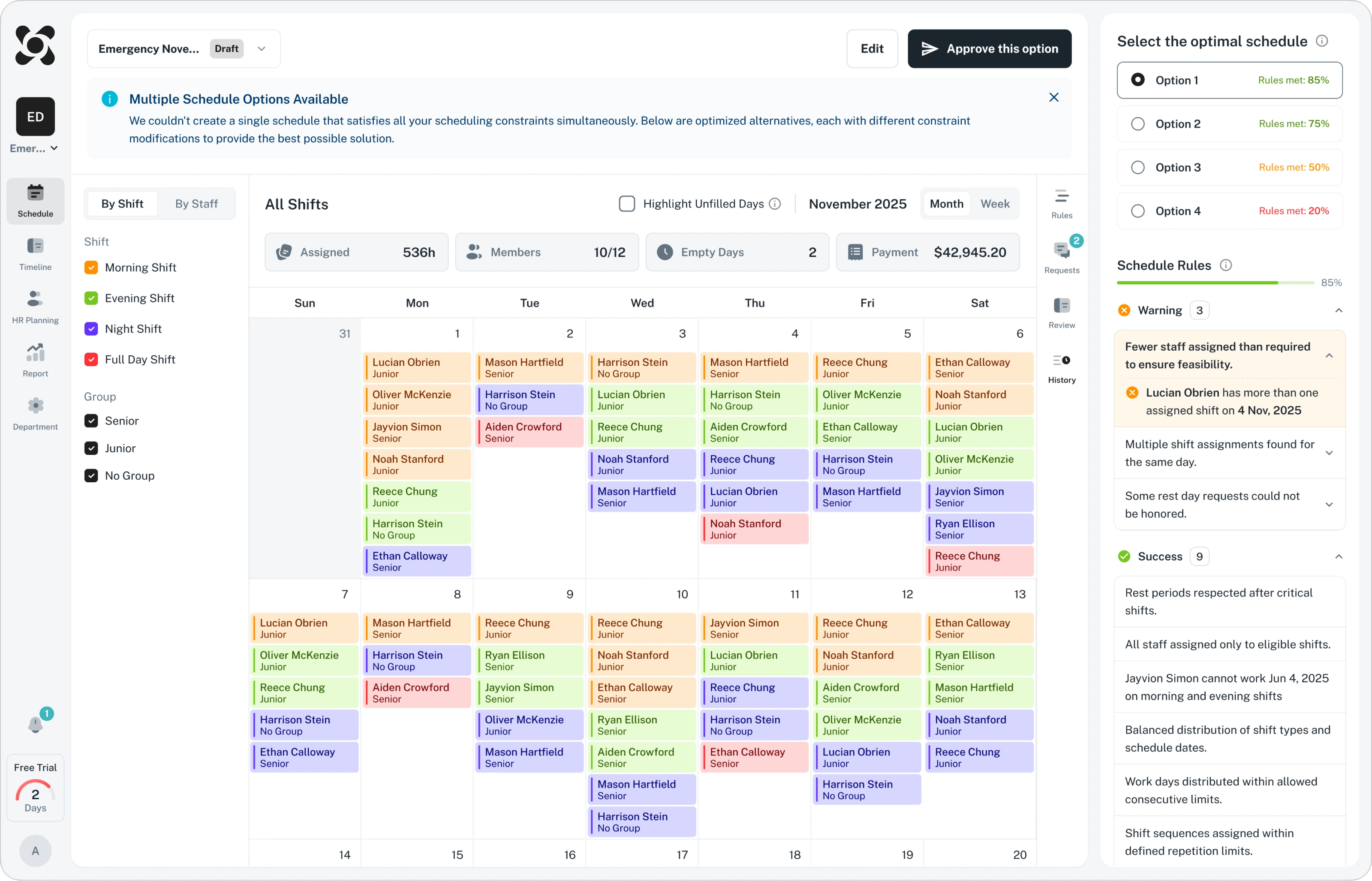
Because a single automated schedule is rarely perfect, since it is a highly-loaded mathematical model, a preview stage was introduced. The system now generates multiple versions, allowing managers to compare and select the best fit before publishing.
The final result is a seamless five-step process that prevents errors and provides real-time guidance. As a final safety net, managers can still make manual adjustments before publication to ensure every detail is correct.
Monitor Page Update and Reports Integration
In the Monitor section, managers track key statistics like hours worked, overtime, and days off.
During the design review, several issues were identified:
1. Data was too superficial.
2. Missing filters made it impossible to analyze specific employees or dates.
3. Charts felt cluttered and disconnected.
The client also requested two essential features:
1. Ability to export reports in PDF or CSV.
2. A way to compare planned versus actual work hours
Based on these requirements, the interface was redesigned for better clarity and functionality:
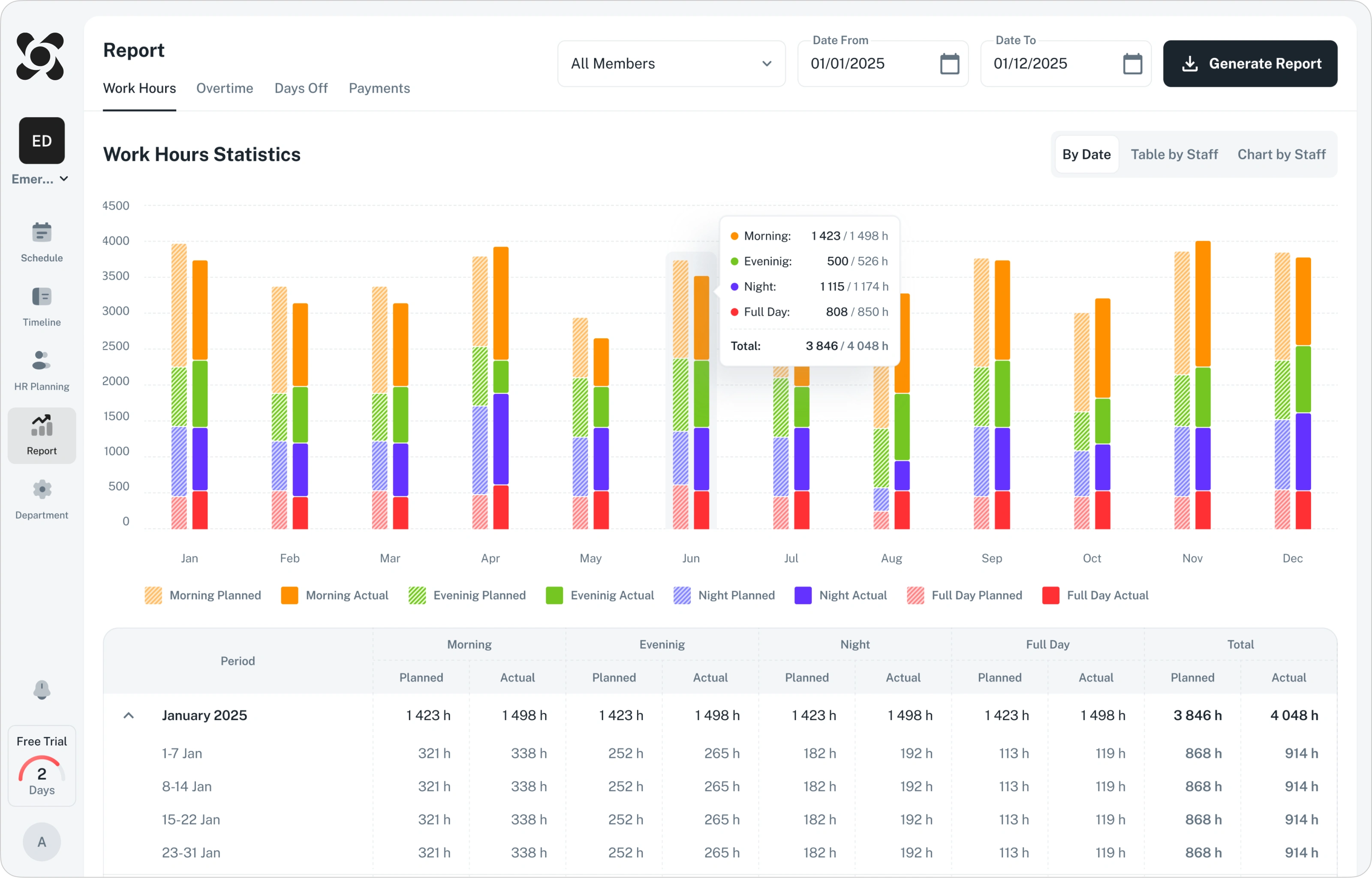
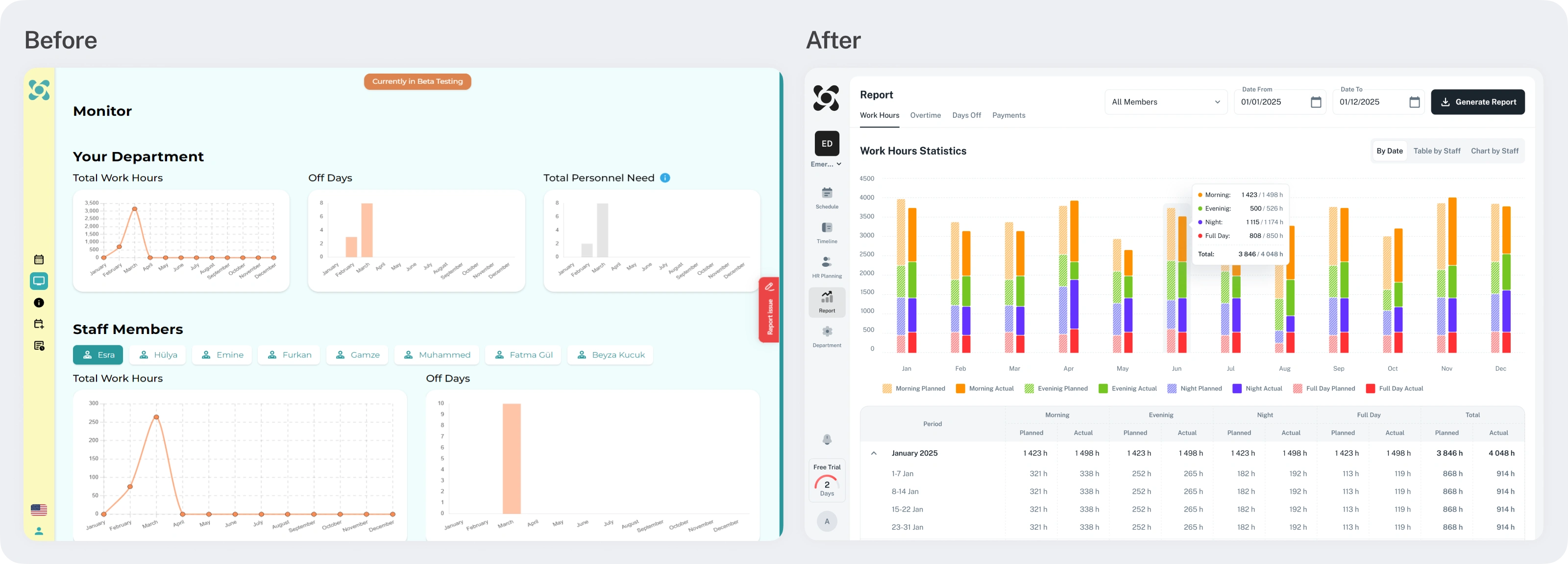
Date and employee filters were added to the header, while tabs were introduced to keep the information organized. In addition to the charts, a detailed table now shows exact values, making it easy to compare planned hours against actual results. By clicking the "Generate Report" button, users can now select their preferred format and report in the preferred format.
To help managers evaluate performance and workload more effectively new views “table by staff” and “Char by staff” were implemented:
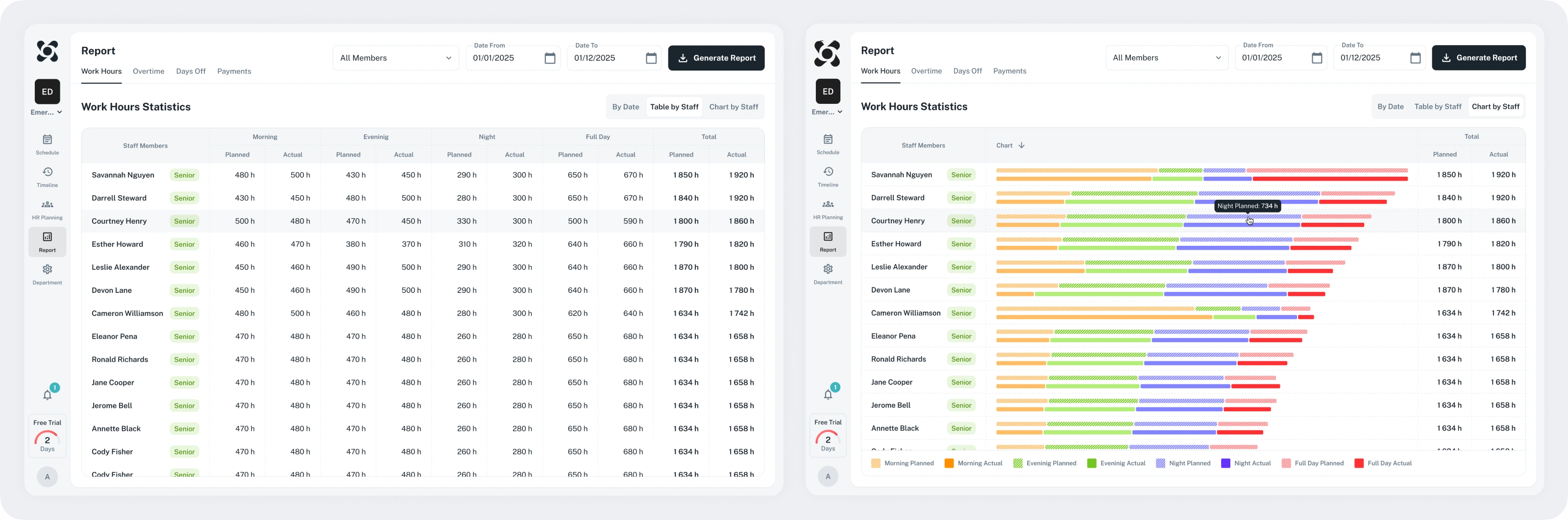
As a result, the page has been transformed into a versatile analytical tool. Managers can now track expenditures, monitor resource allocation, and make informed, data-driven decisions.
Developing New Functionality
Introducing HR Planning
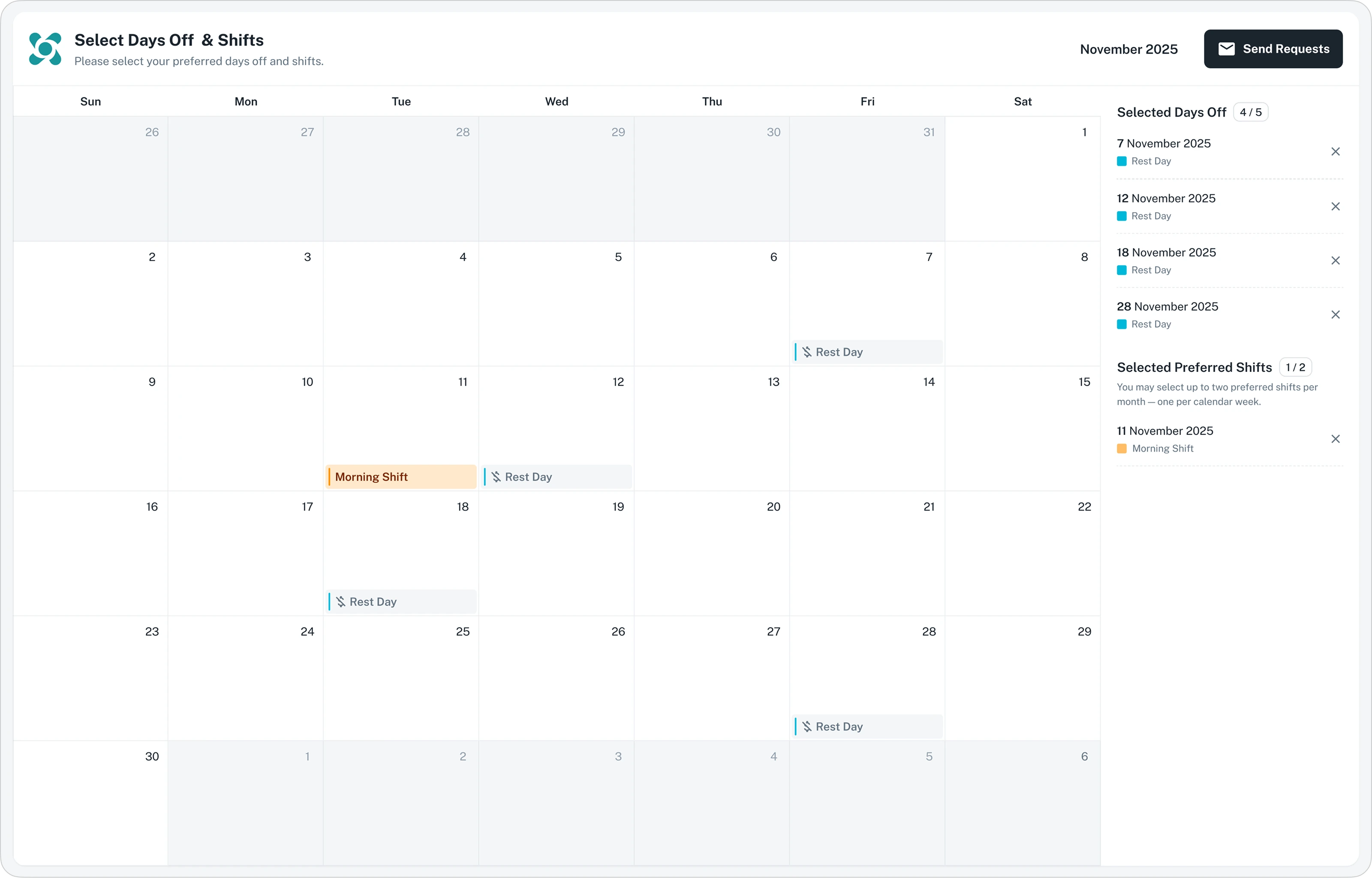
Previously, time-off and sick leave requests were often lost because they were submitted outside the platform. This forced managers to track everything manually and rely on memory to check who was available. To solve this, a direct request system was built into the app with two specific flows:
For Employees: A simple, no-login interface was created so doctors and nurses can submit requests quickly.
For Managers: A dedicated dashboard was designed to review and approve requests. It includes a smart alert system that notifies managers if an employee’s requests are being rejected too often. This helps prevent burnout and ensures everyone is treated fairly.
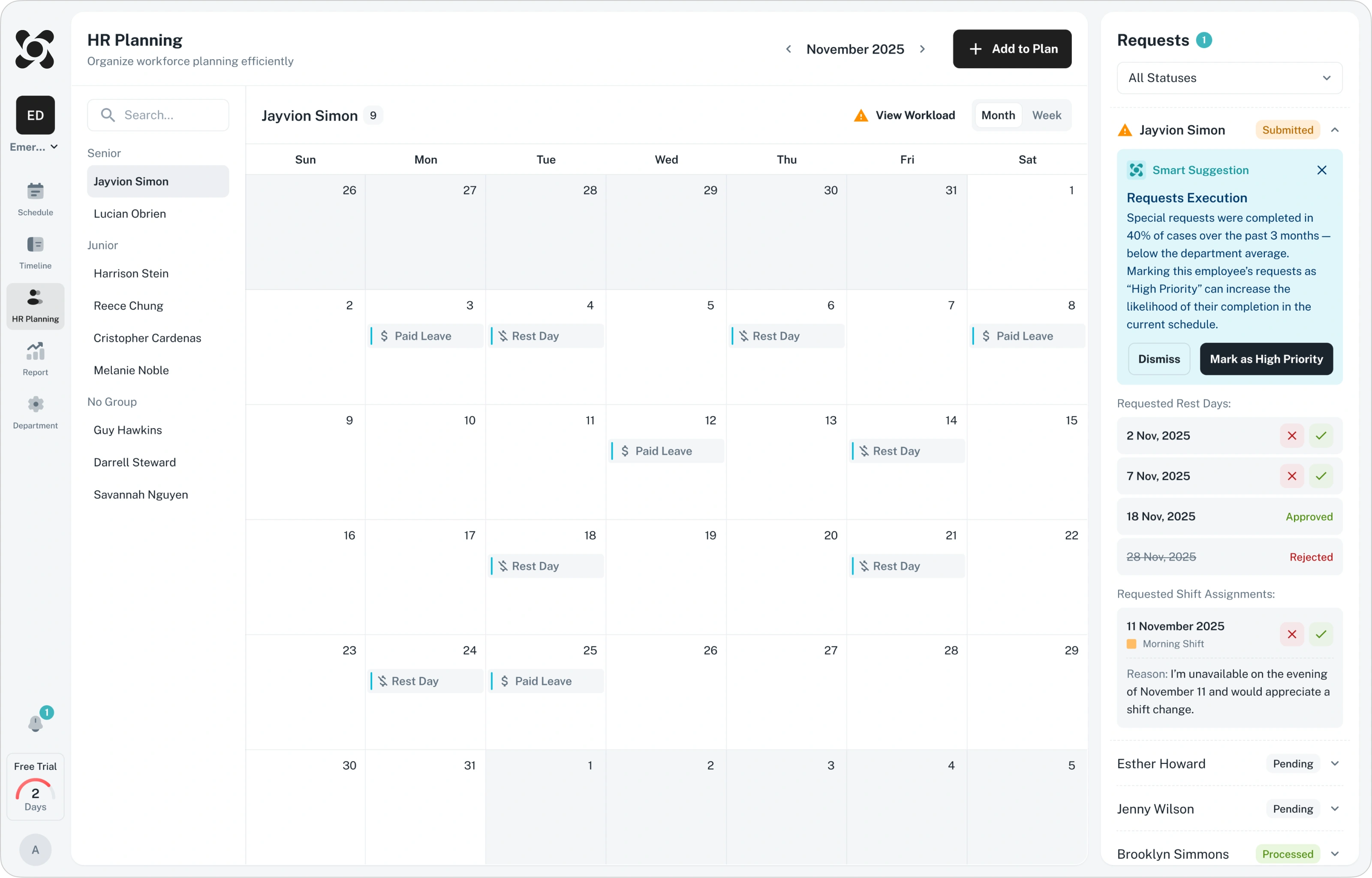
By bringing everything into one place, managers now have instant visibility into vacation limits and staff availability. This makes the entire planning process faster, more transparent, and easier to manage.
Implementing Notifications
Previously, the platform lacked a central notification system, causing important schedule changes to be missed or lost in scattered messages. To fix this, a unified notification center was integrated to keep everyone informed in real time:
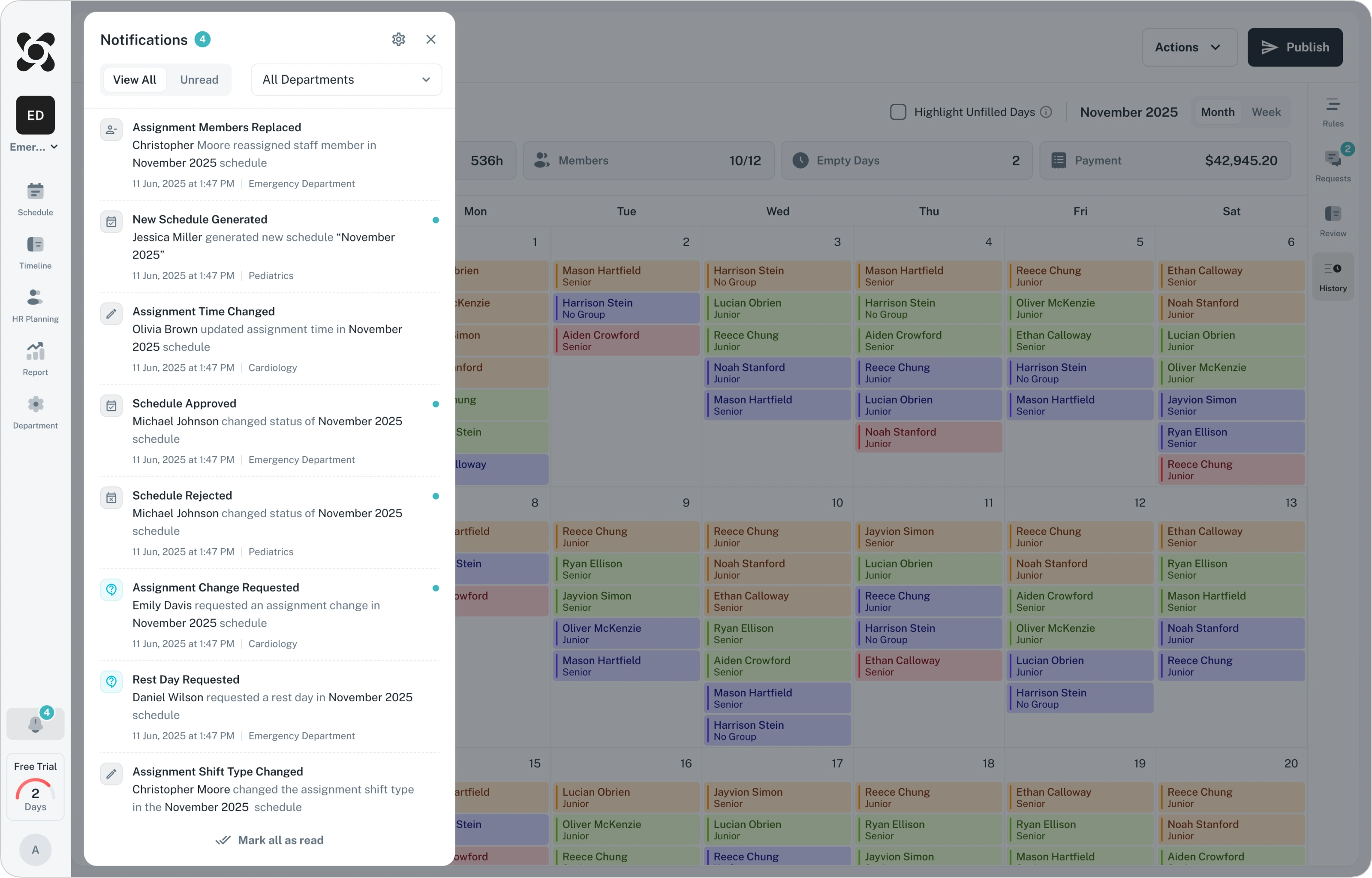
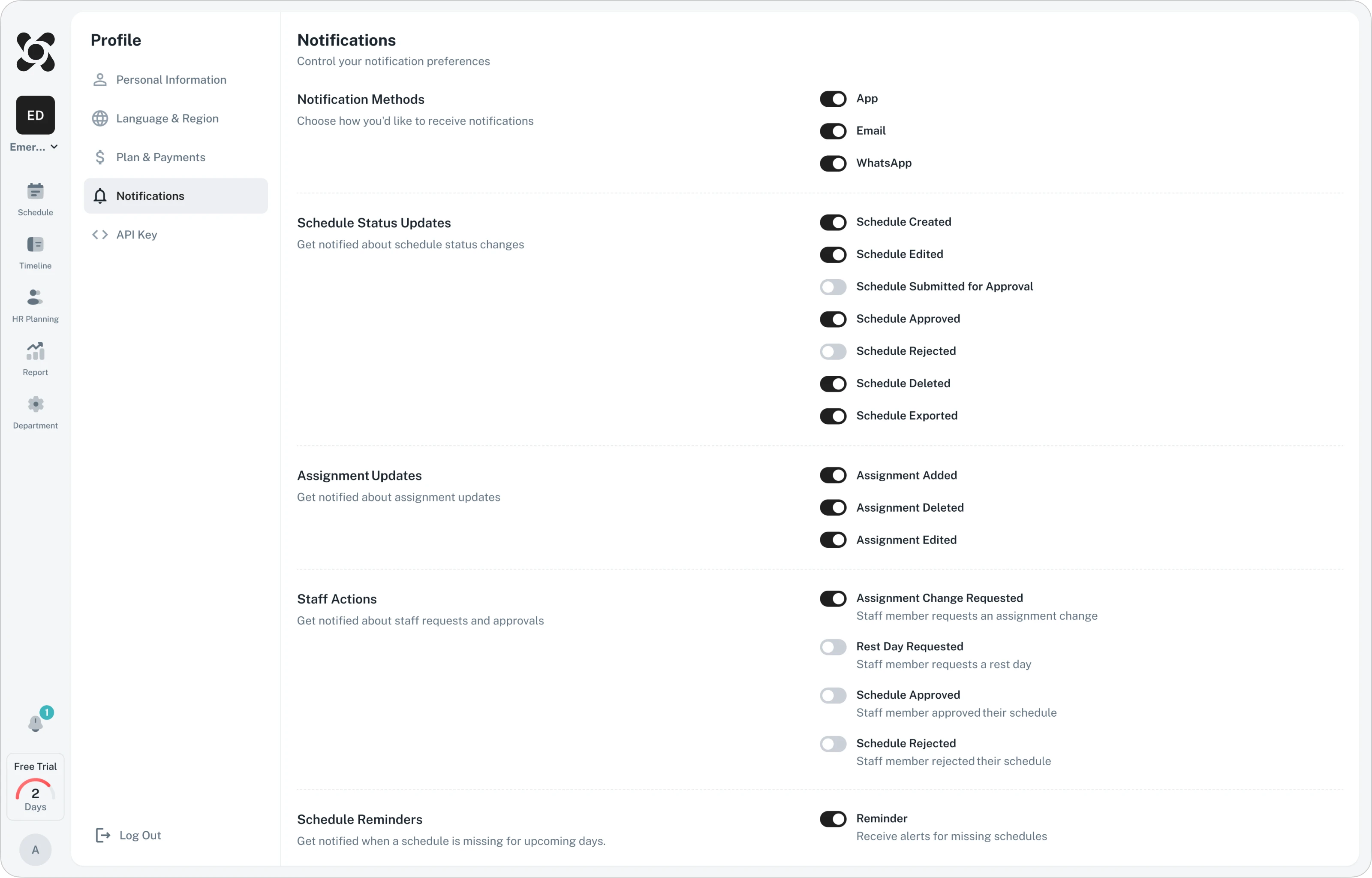
In addition, new notifications settings were introduced to allow managers to choose which notifications they see and how they receive them.
Redesign Results
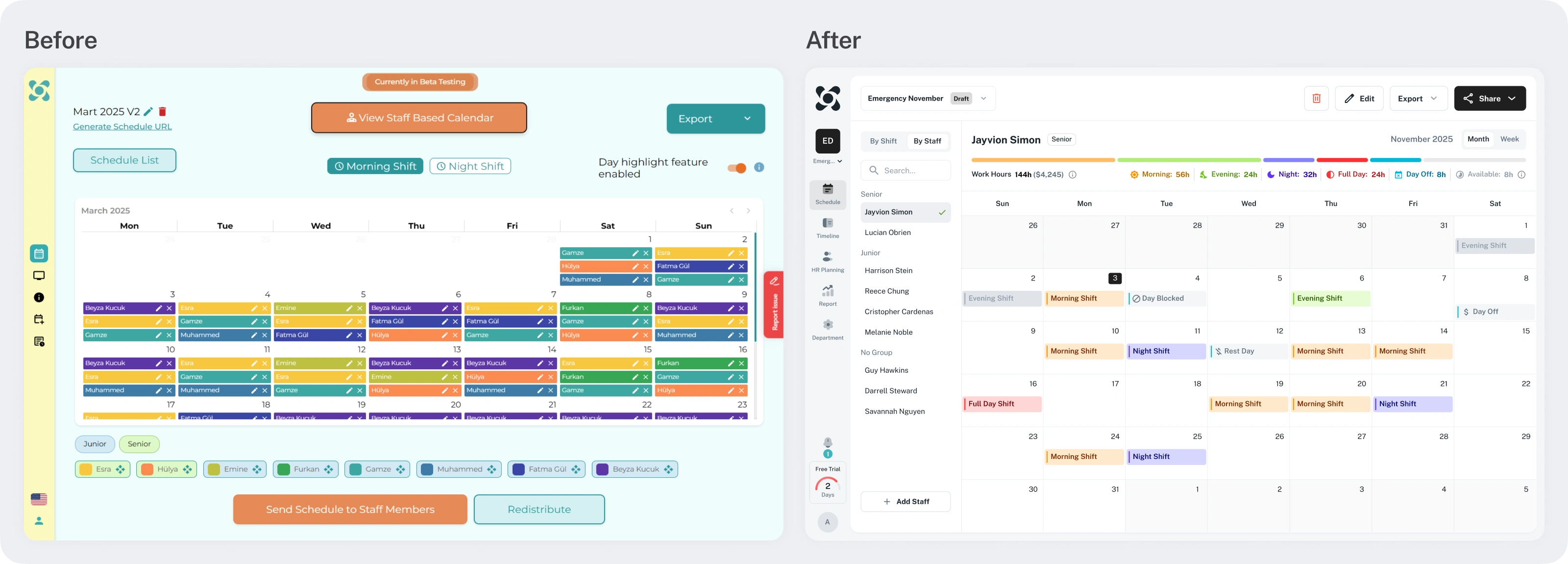
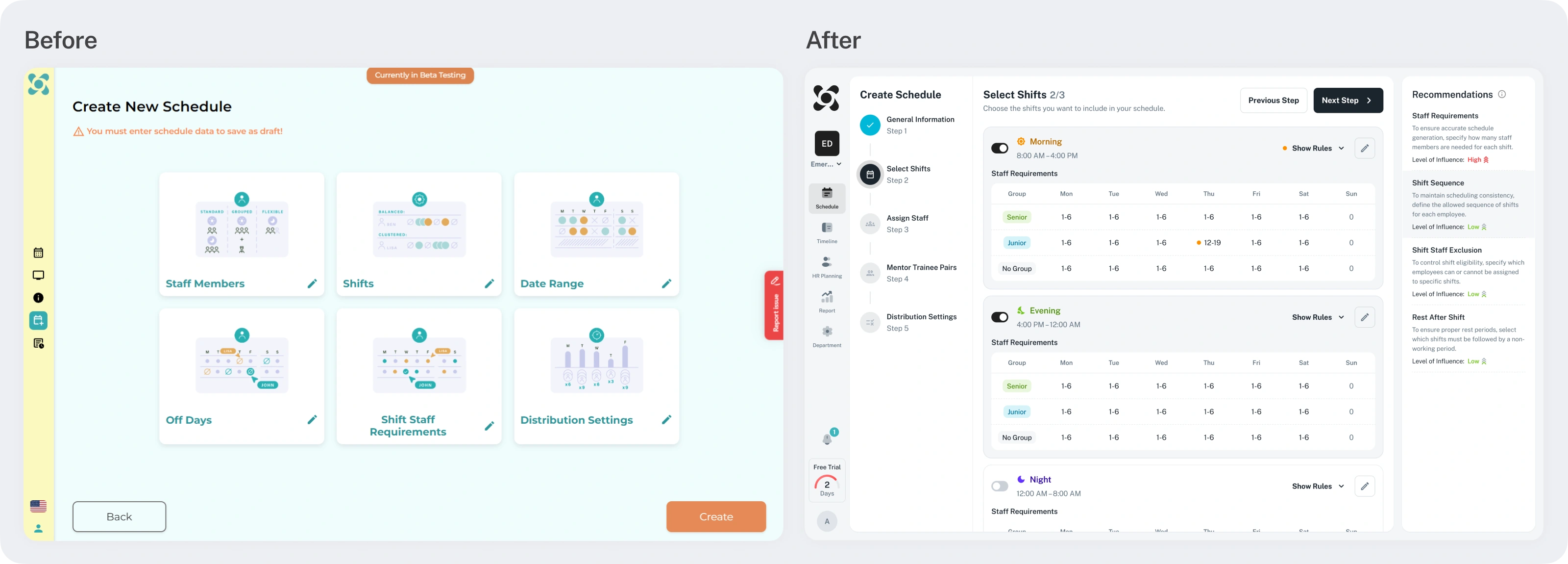
Below are examples of the changes, comparing the interface before and after the redesign:
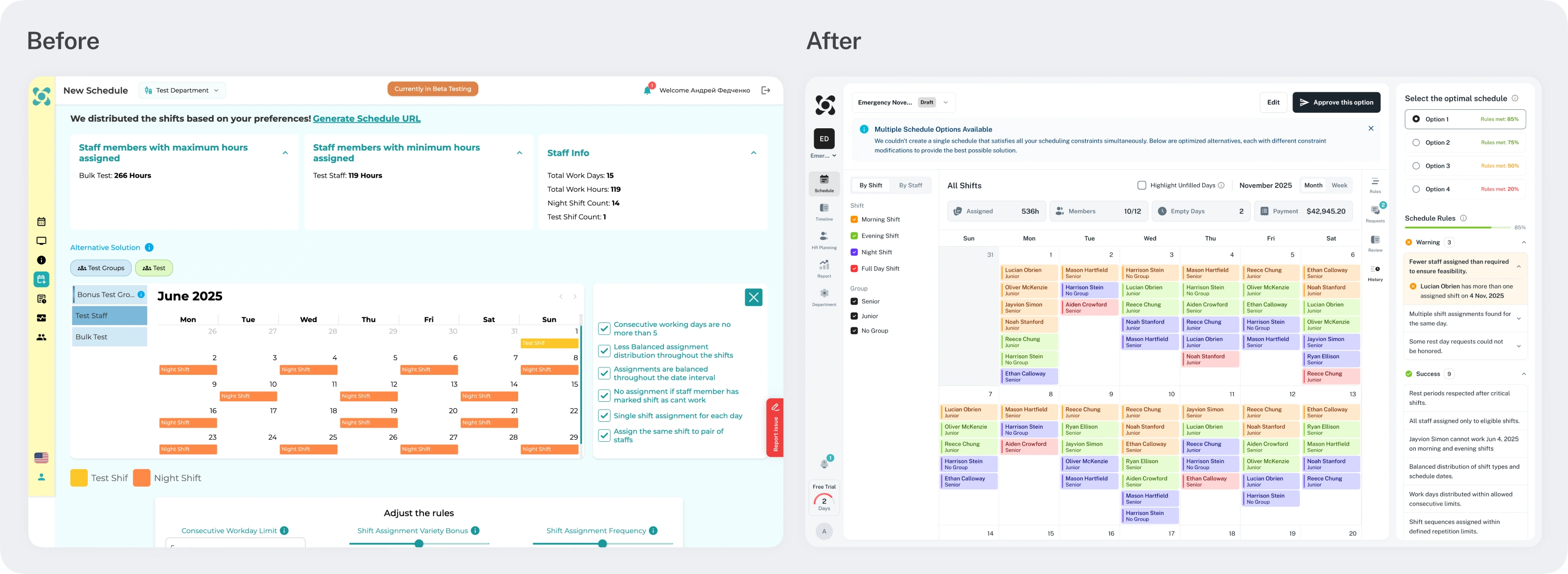
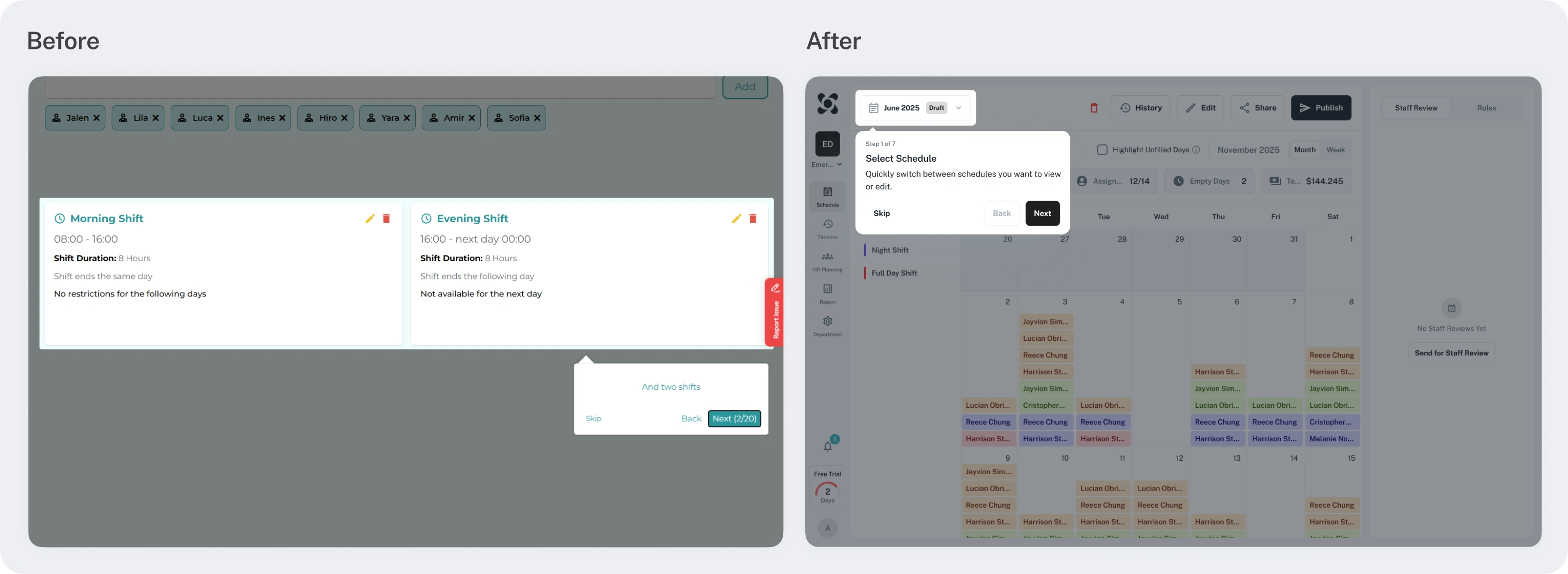
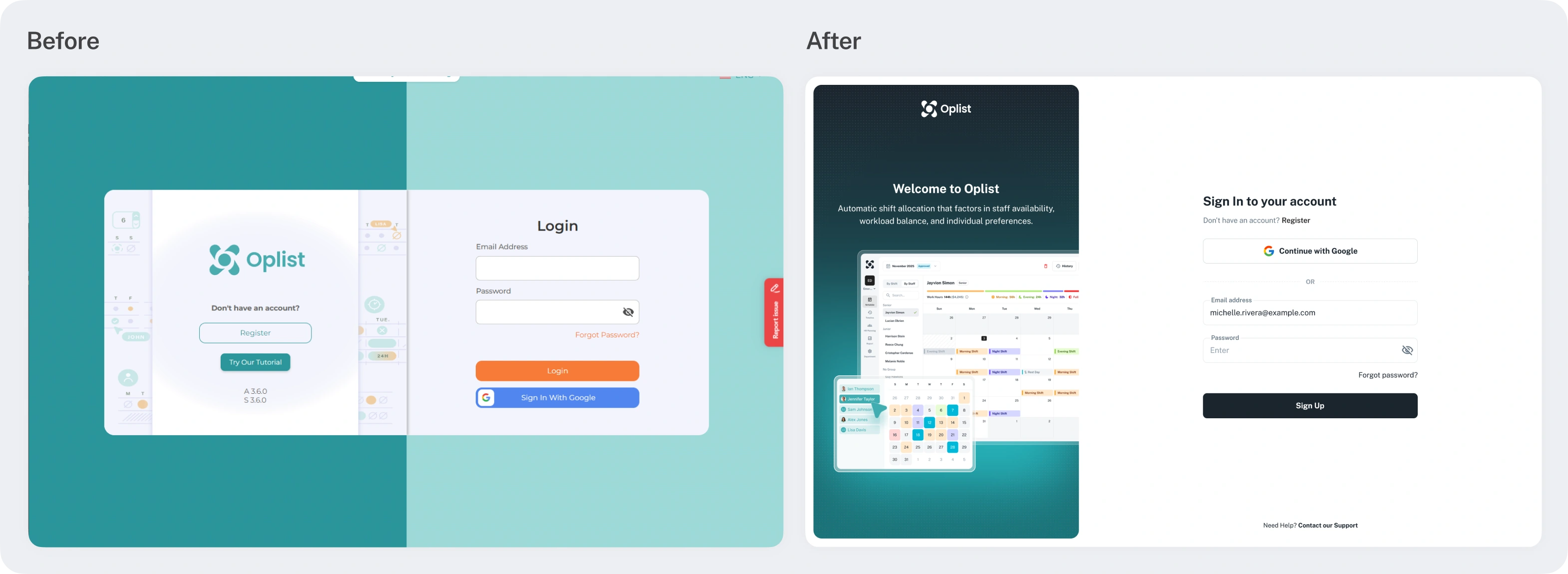
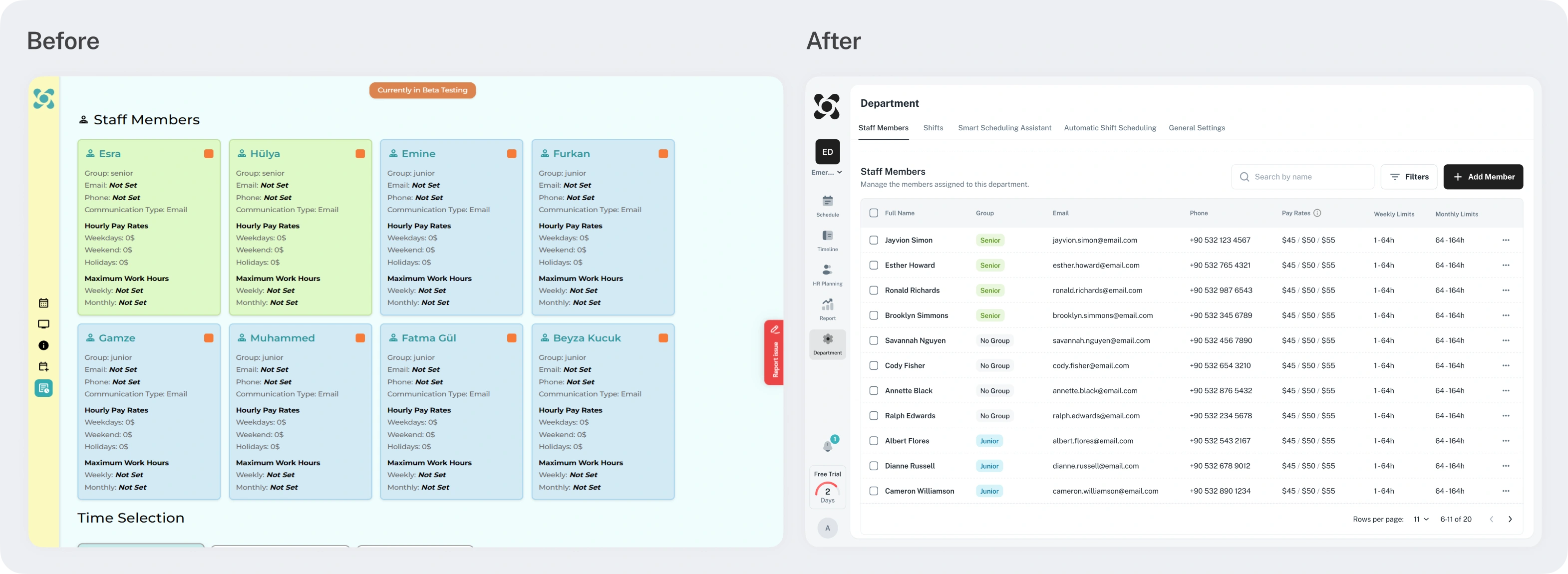
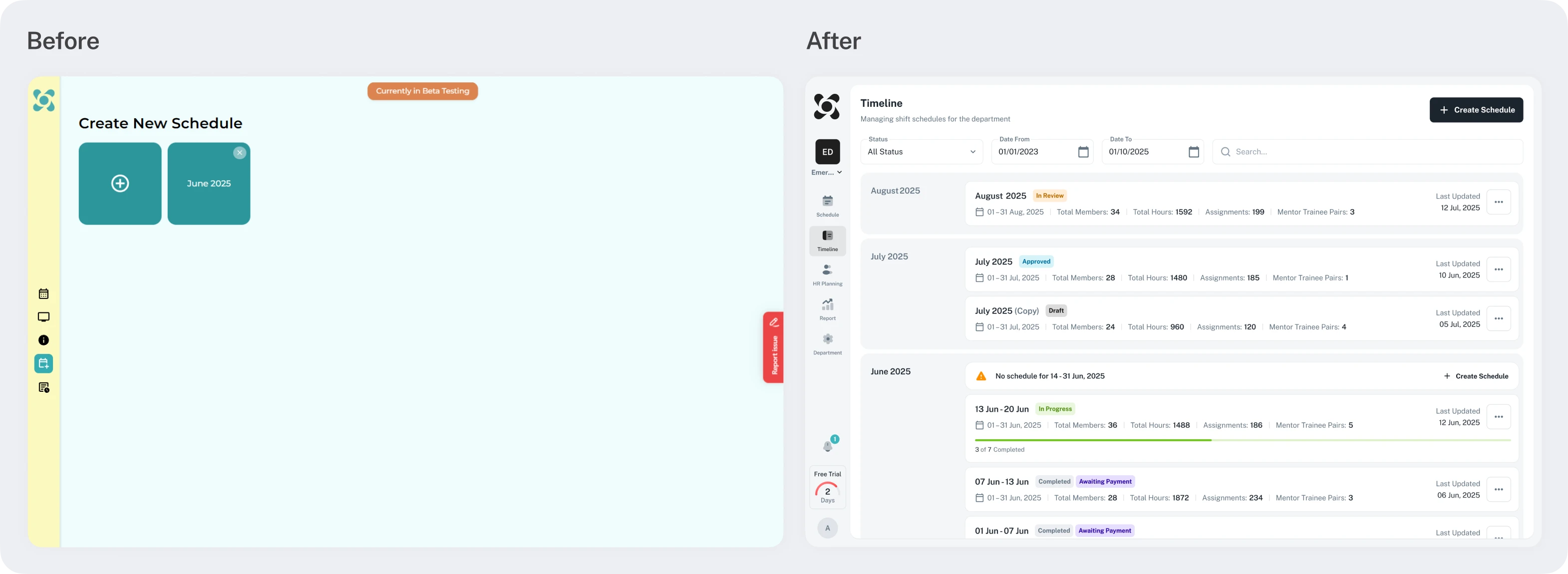
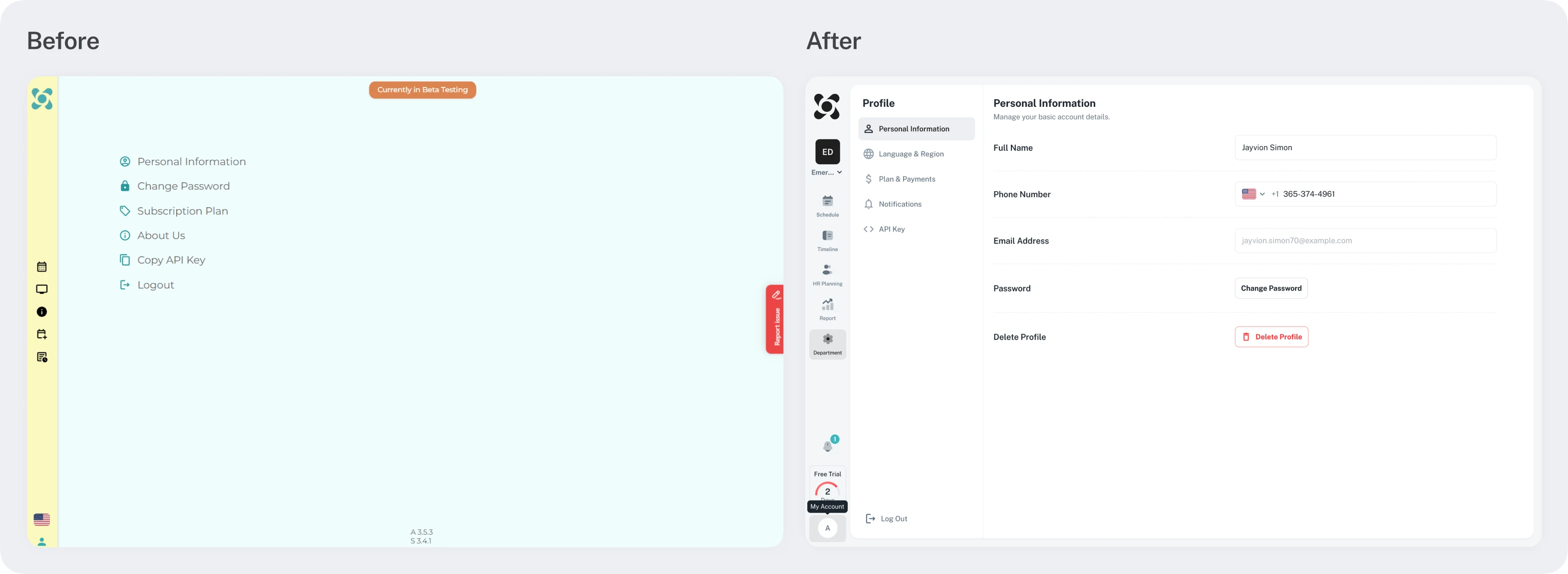
A complete redesign was executed over the course of three months, resulting in a significant increase in scheduling efficiency. By restructuring navigation and key pages, the interface became more intuitive. The platform is now fully scalable, built upon a robust component library and a cohesive design concept. This foundation functions as a modular system, allowing for the rapid integration of new features; for instance, the Notifications and HR Planning modules were developed much faster as a result.
According to client feedback, beta testers have highly praised the updated platform, highlighting the following:
1.Enhanced Efficiency: The interface is more user-friendly and has substantially accelerated workflows.
2. Predictability: The planning process is now more predictable and easier to manage.
3. Aesthetics: The visual design is professional and pleasant for daily use.
4. Clarity: Users no longer feel confused navigating through task sequences and schedules.
Note: This case study covers only a portion of the project, while the redesign extended to several other sections of the platform.
Project Scope
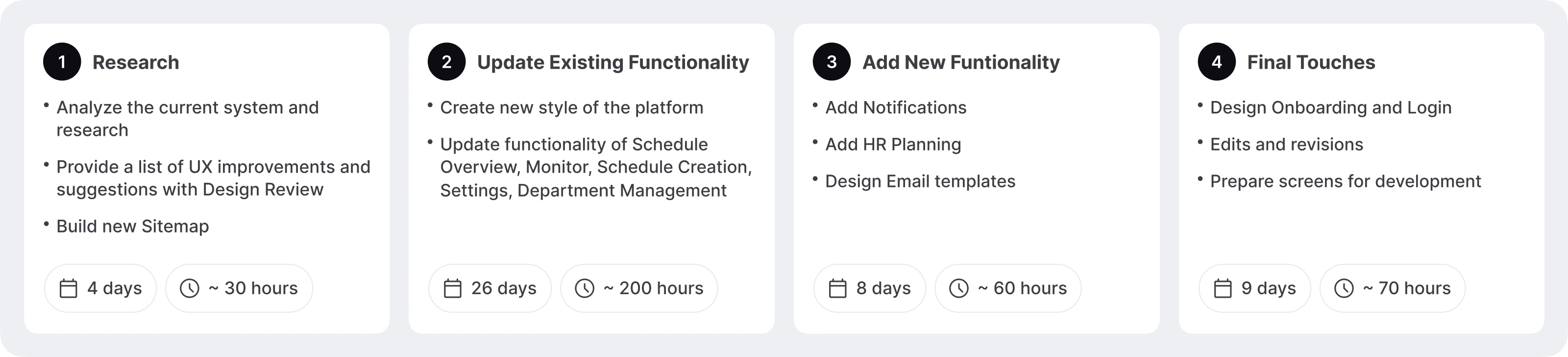
The project was delivered exactly on track, with the execution matching the original estimate and planned stages.
While the results shown here cover the initial phase:
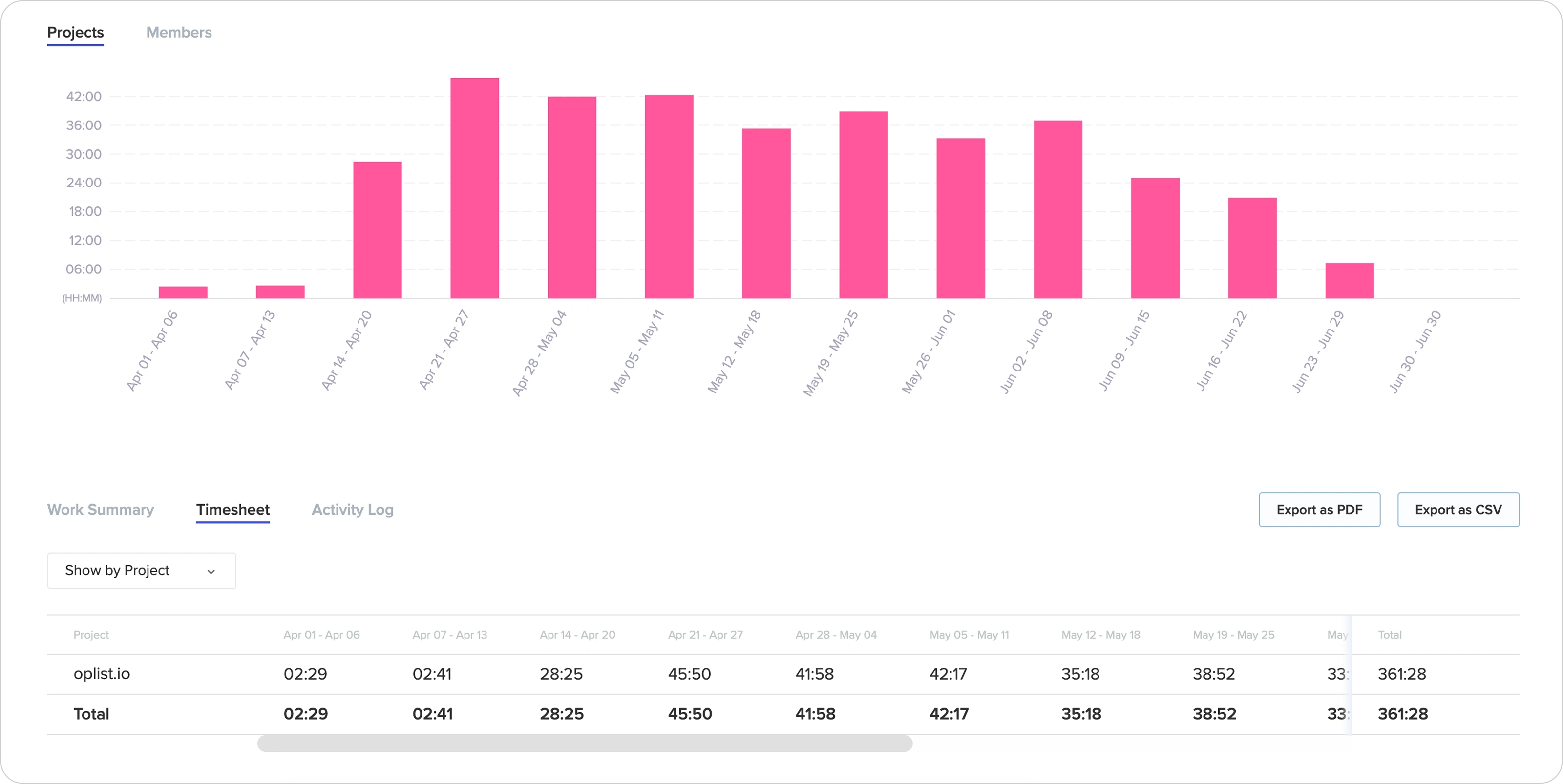
To track the progress of work and working hours, we used Toptal Tracker.
Our partnership has continued to grow. We have now surpassed 800+ hours of collaboration, steadily evolving the platform with new features and optimizations. 🚀
Live Product: https://oplist.io/
✍️ Contact me and I will provide you with an estimate for your project!
Like this project
Posted Jan 21, 2026
Redesigned Oplist's scheduling Management platform, improving UX/UI and adding new functionalities for healthcare professionals.