PlayerEdge: Coaching Platform for Youth Sports

Jacob Lovett


The Concept
PlayerEdge is a two-sided marketplace for youth sports coaching. Parents upload videos of their kids' gameplay, and professional coaches provide personalized video feedback within 48 hours. Think Cameo meets private coaching, starting with baseball and softball, with plans to expand across all sports.
The core loop is simple: a parent submits a gameplay clip, selects a coach and focus area, pays per lesson ($50–100 range), and receives a detailed video breakdown with voiceover, annotations, and replay analysis.
The design challenge was building trust (parents sending videos of their children), keeping the experience premium, and making complex video workflows feel effortless on both sides of the platform.
Brand Direction
The client initially leaned toward a red, white, and blue baseball aesthetic. After presenting three brand concepts, that direction was rejected in favor of something more refined.
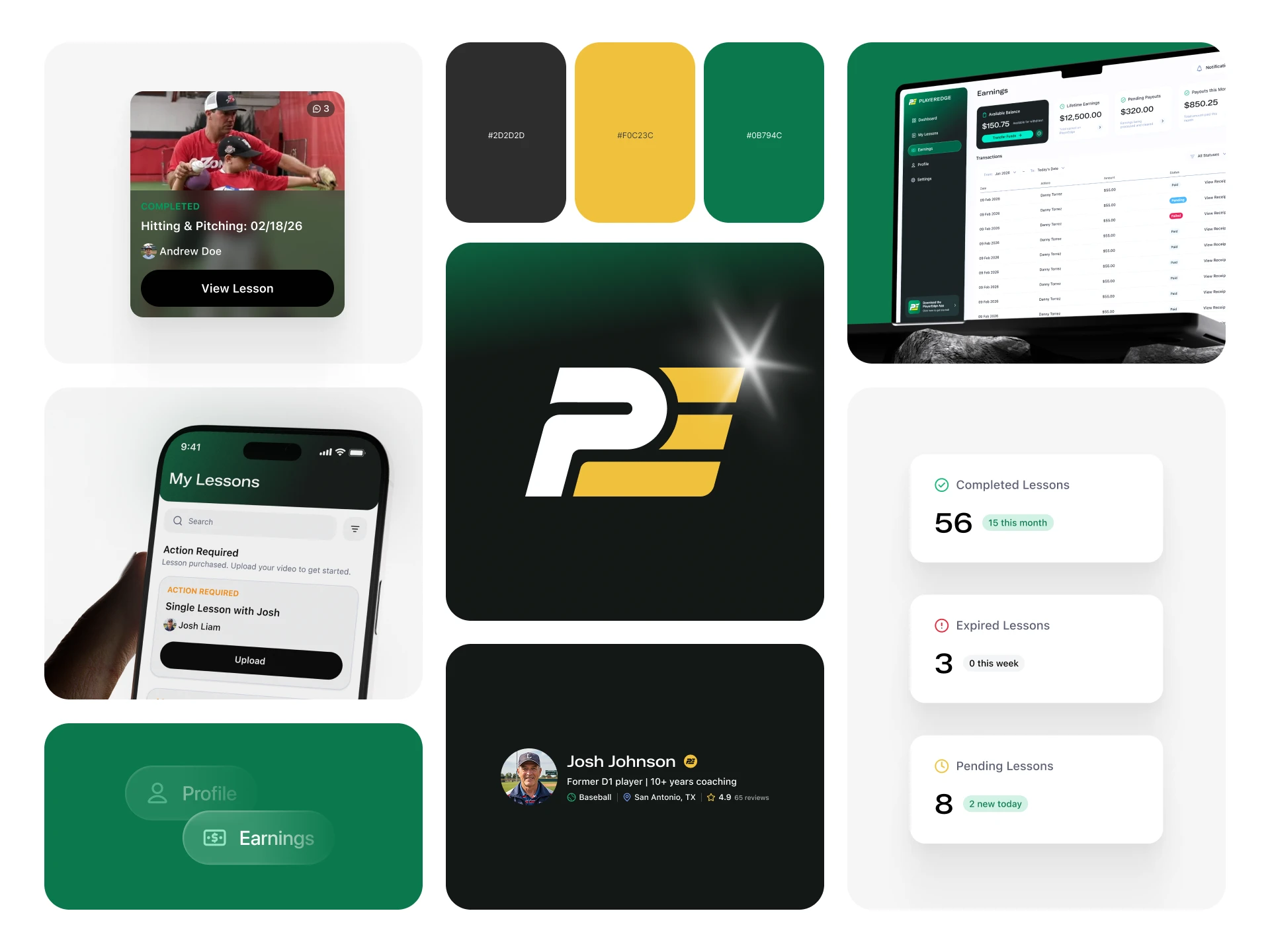
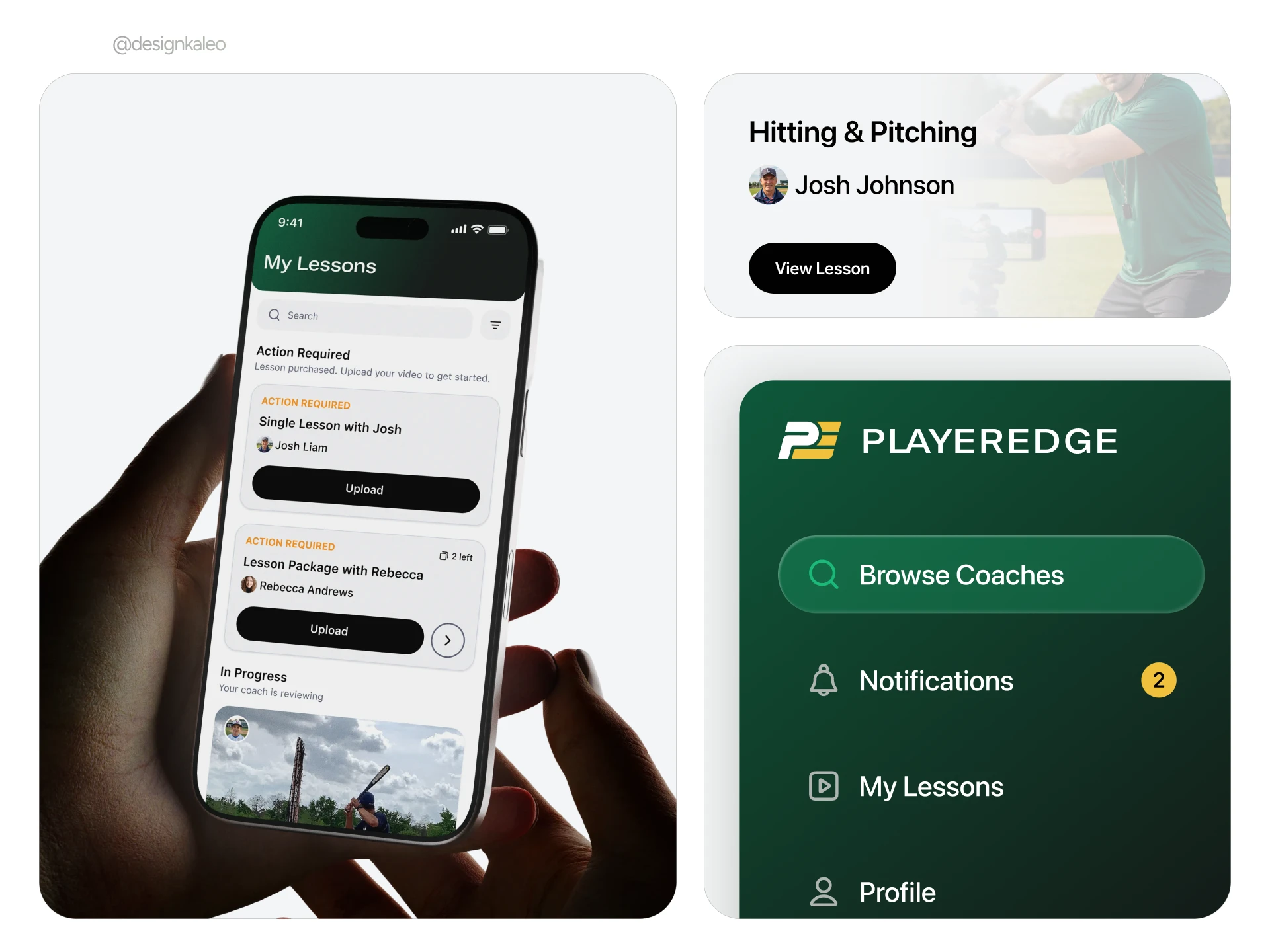
The final palette landed on dark green and gold, inspired by Baylor's color identity. Green represents the field and community. Gold represents value and expertise. The wordmark uses all-caps typography, and the overall tone targets premium and professional rather than playful or overly sporty.
Reference brands included Bruce Bolt and Absolutely Ridiculous for their balance of modern appeal and athletic credibility.
Coach Dashboard
UI Design System
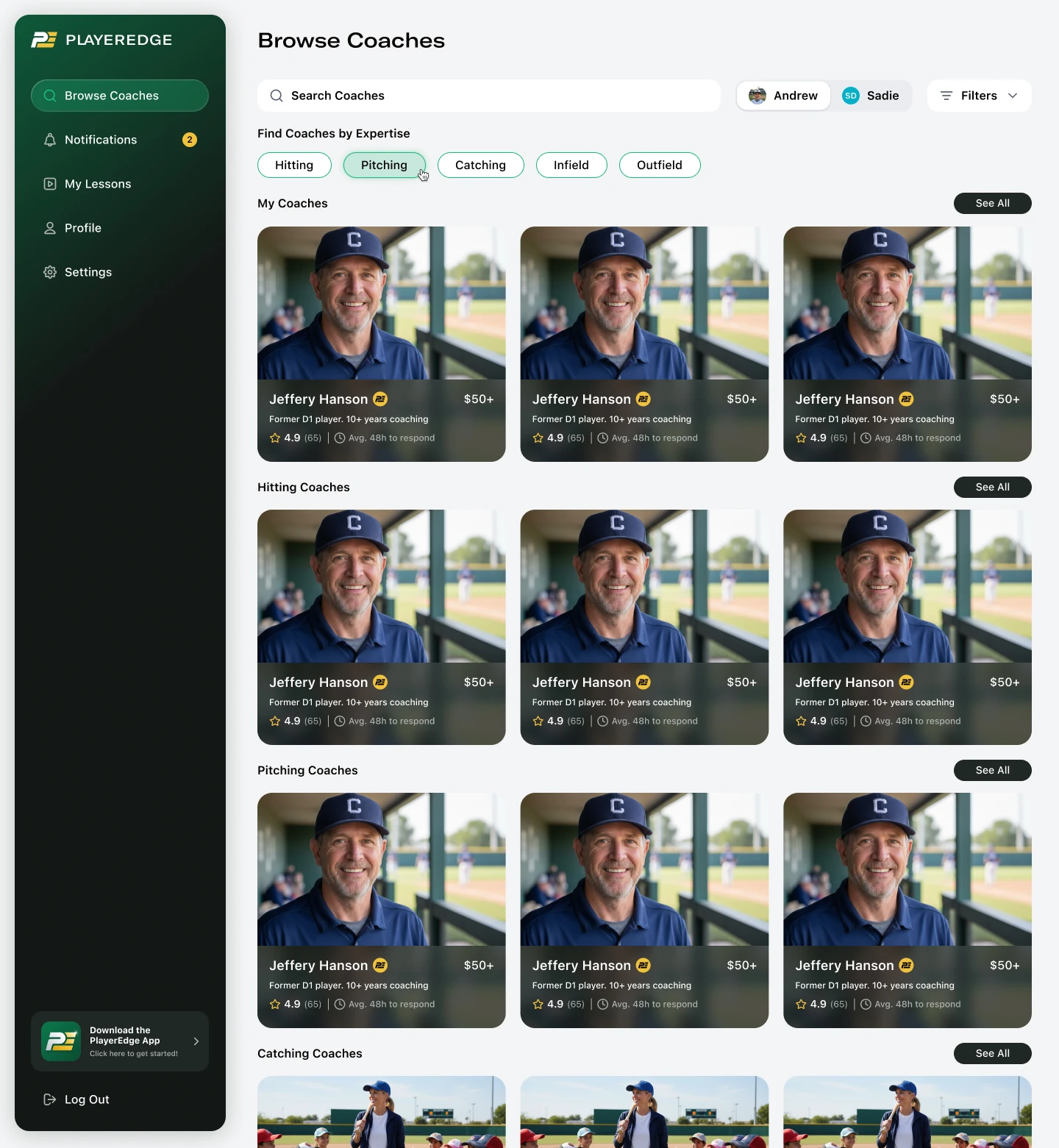
The app aesthetic was built around a premium, dark-mode-first approach with glass-effect surfaces, rounded corners, and depth through opacity layers. The color system was refined across multiple syncs:
Dark backgrounds at 60–80% black opacity for headers and cards
Vibrant green reserved for CTAs and payment-related actions
Gold as the primary accent for navigation and premium elements
Video thumbnails use a 60–70% dark overlay with blur as background treatment
A key constraint: the platform was built on Bubble, which doesn't support native glass effects. The team worked around this with stroke treatments and layered background colors to approximate the intended depth.
SF Pro was selected as the primary typeface after GT America was flagged at $1,000+ for licensing.
Player Browse
Player Experience
The player side was designed around clarity and minimal friction. Players (or parents on behalf of younger athletes) browse coaches by sport, filter by specialty, and submit lesson requests with a video upload.
Key UX decisions on the player side:
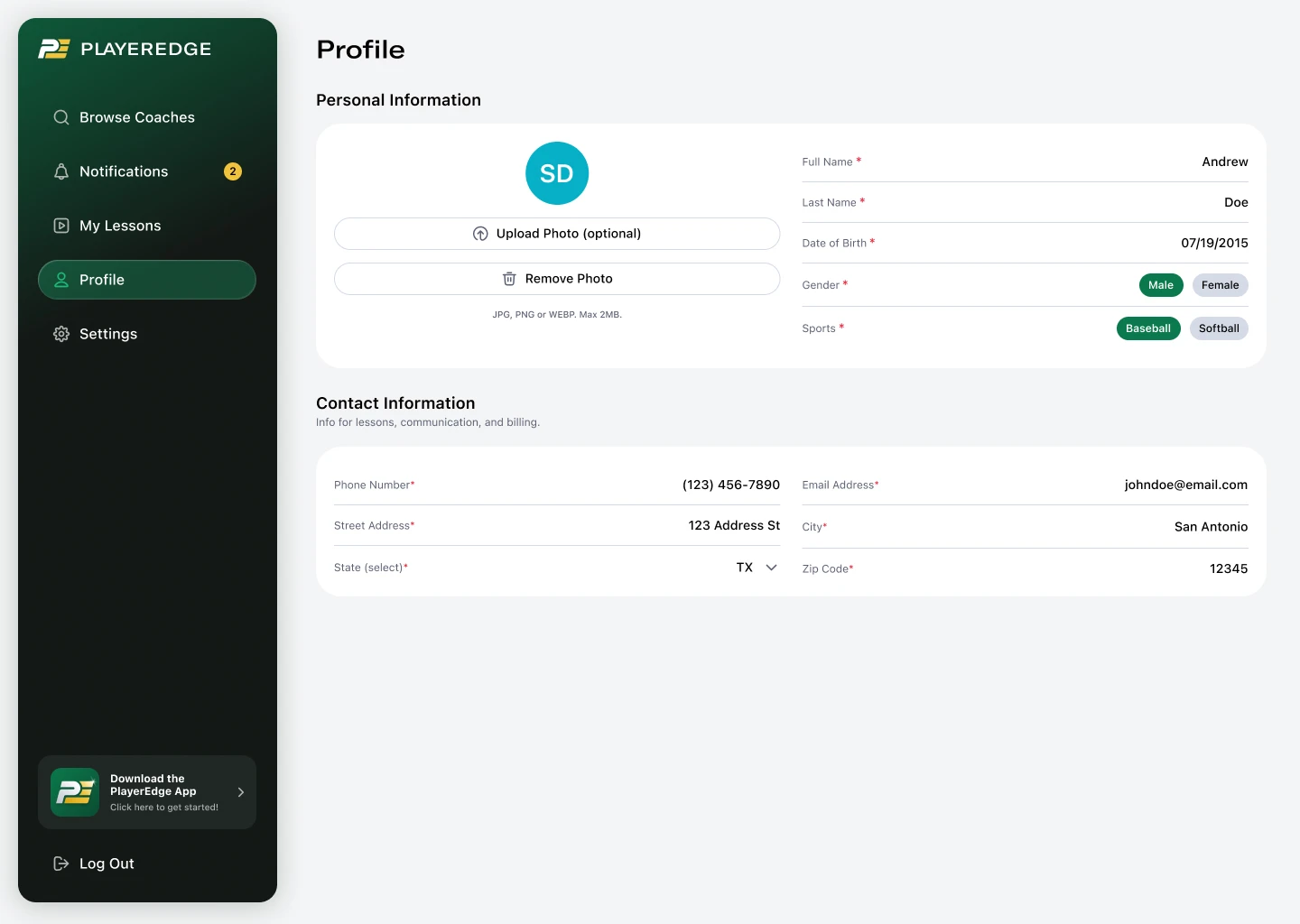
Age threshold: 13+ can create their own accounts; under 13 requires a parent-controlled profile
Family member dropdown instead of radio buttons for selecting which child the lesson is for
Auto-generated lesson titles using the format "[Focus Area] [Date]" to reduce form friction
Video uploads capped at 10 minutes, though typical submissions run 30 seconds to 1 minute
Player Profile
Player Notifications
Lesson Flow
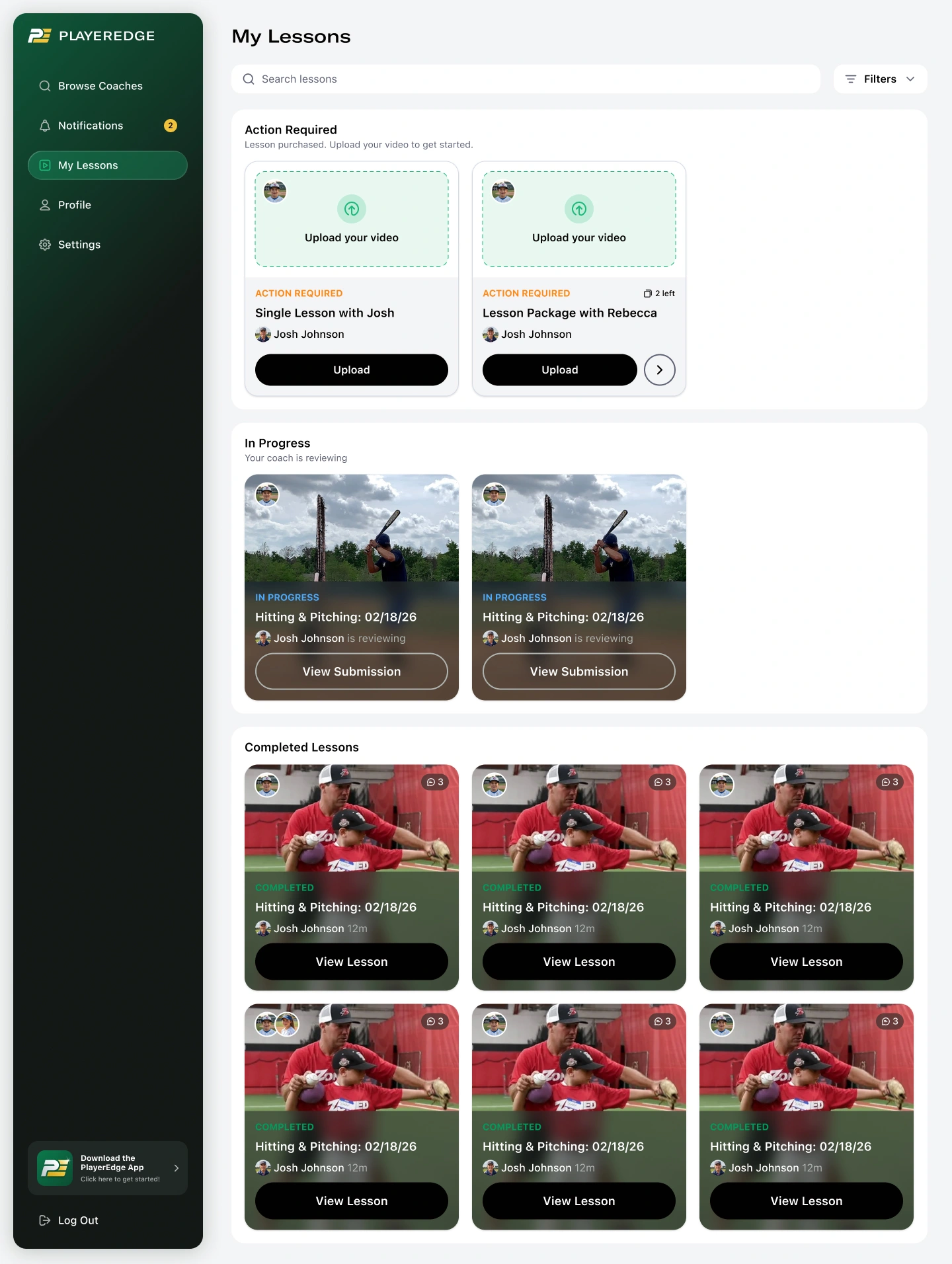
The lesson lifecycle was one of the most critical UX flows. We defined four statuses that drive the entire experience:
Pending Upload — Coach has received the request, player is waiting
In Progress — Coach is reviewing and recording their response
Completed — Video feedback delivered
Expired — Coach didn't respond in time; automatic refund triggered
Payment releases automatically when the coach uploads their response video. No player approval step required. This was a deliberate decision to reduce friction while the expired status acts as a safety net, tracking coach reliability.
Pending upload cards use light mode with no video thumbnail. Once a video is attached, the card background switches to a screenshot from the video with a dark overlay and blur treatment.
My Lessons
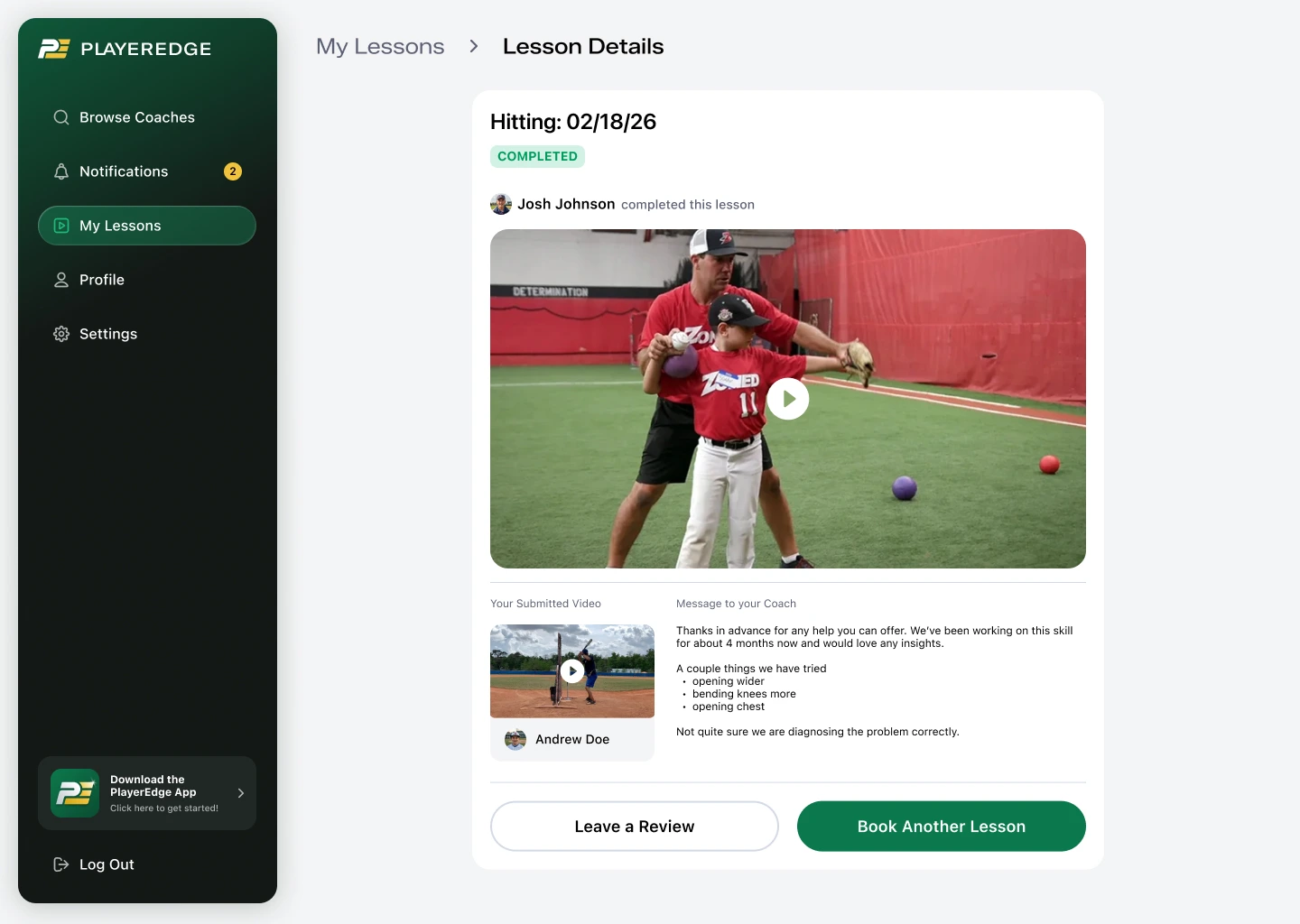
Lesson Details
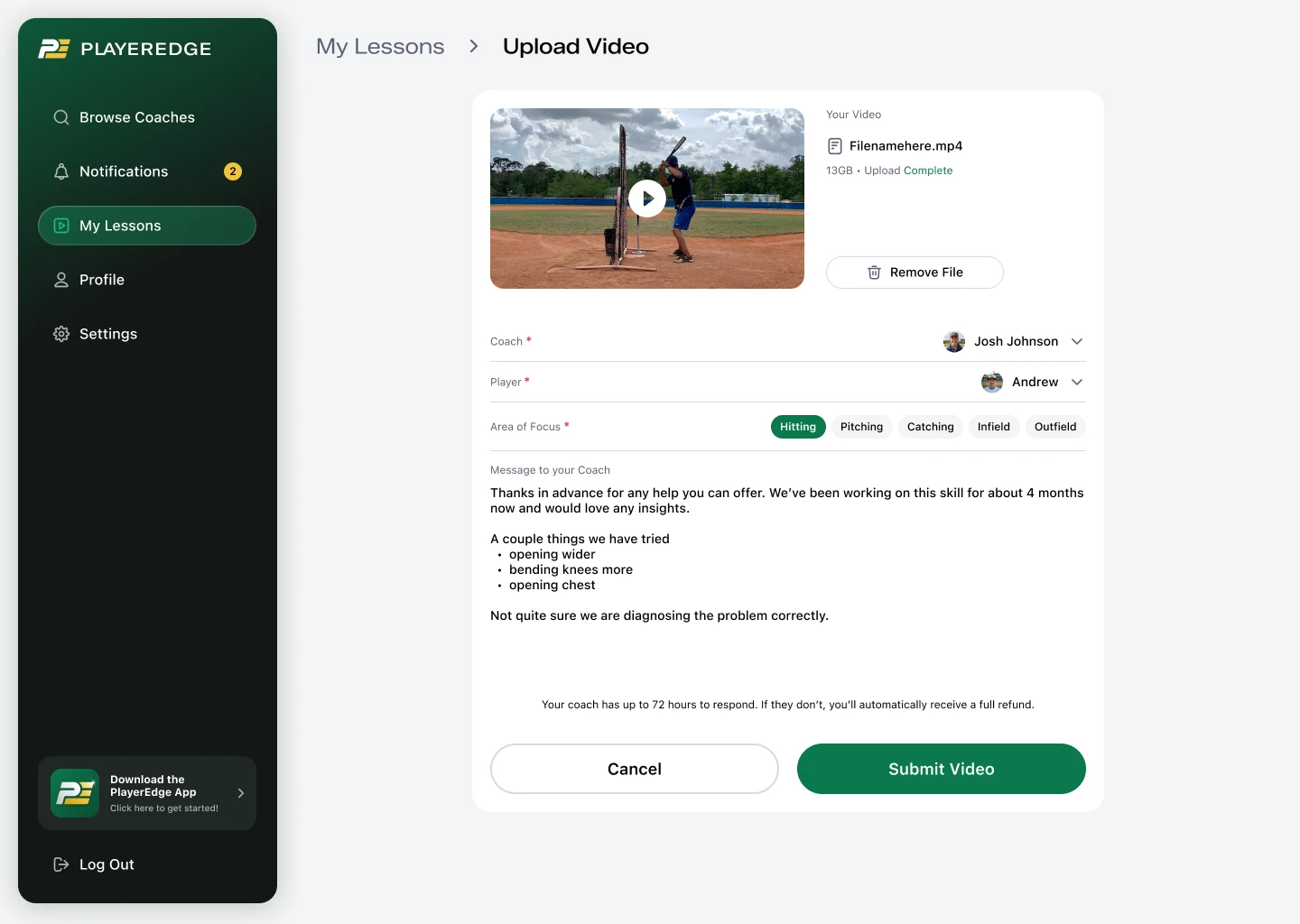
Upload Lesson
Coach Experience
Coaches enter through a dedicated
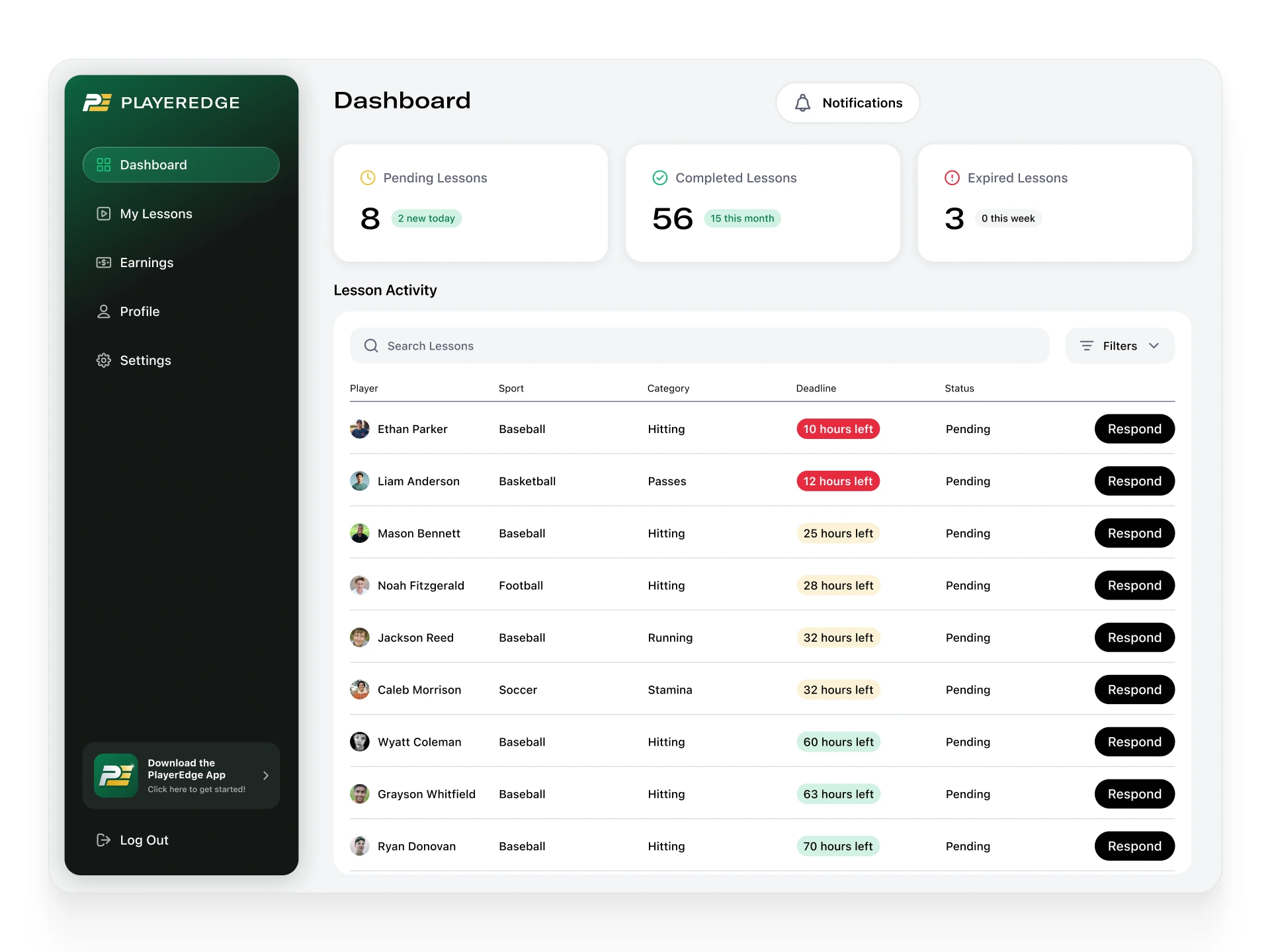
/coach URL with a separate onboarding flow: basic account creation, an application (with optional video and photo), and mandatory profile completion before going live on the platform.The coach dashboard surfaces active lessons, pending reviews, and performance metrics. The review system for MVP keeps it lean: star rating required, text review optional. "Lessons completed" replaces "years of experience" as the primary credibility signal.
The video recording interface lets coaches replay uploaded footage, pause, draw annotations directly on the video, and record voiceover commentary. This is the core value delivery moment of the entire platform.
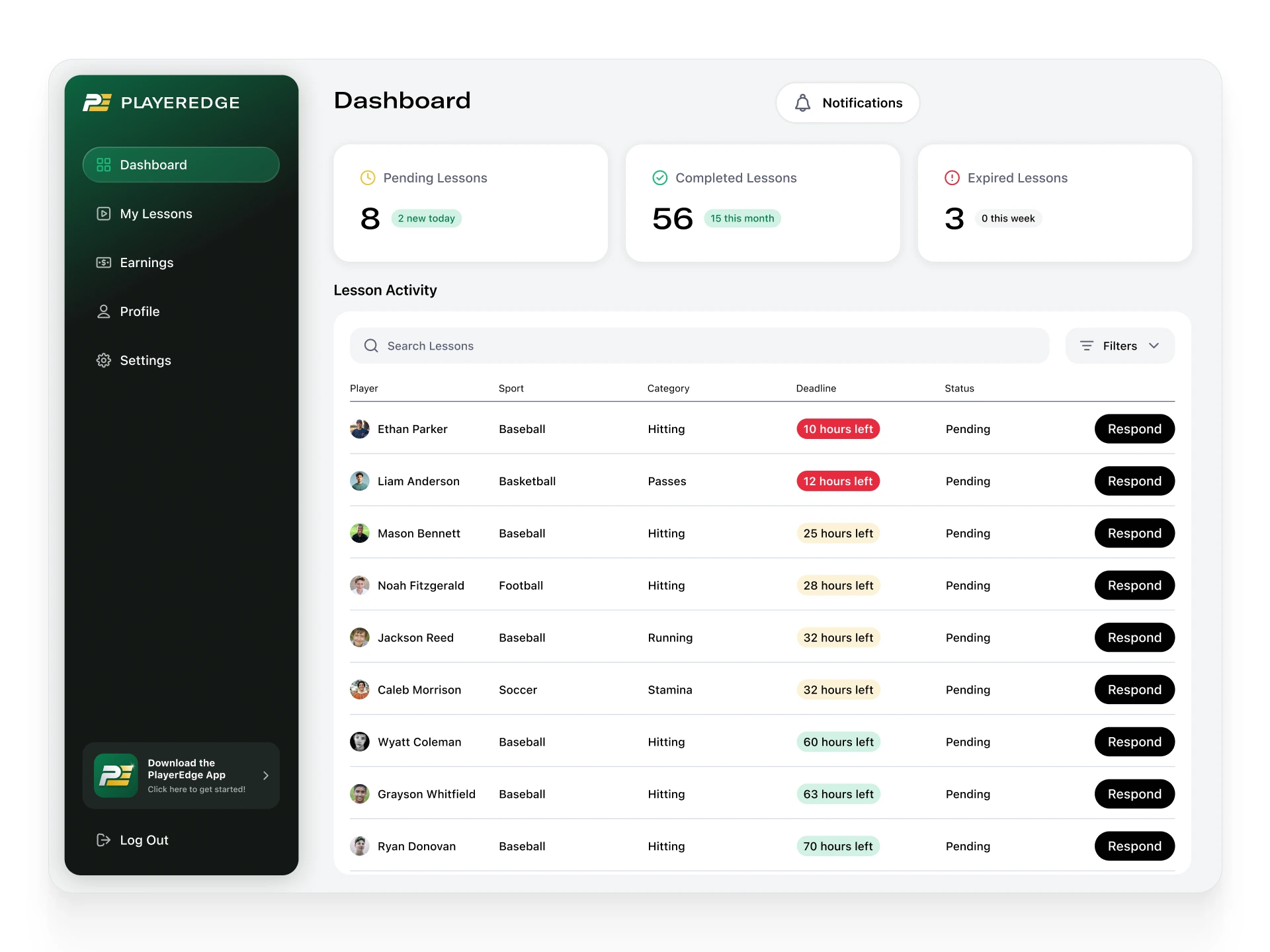
Coach Dashboard
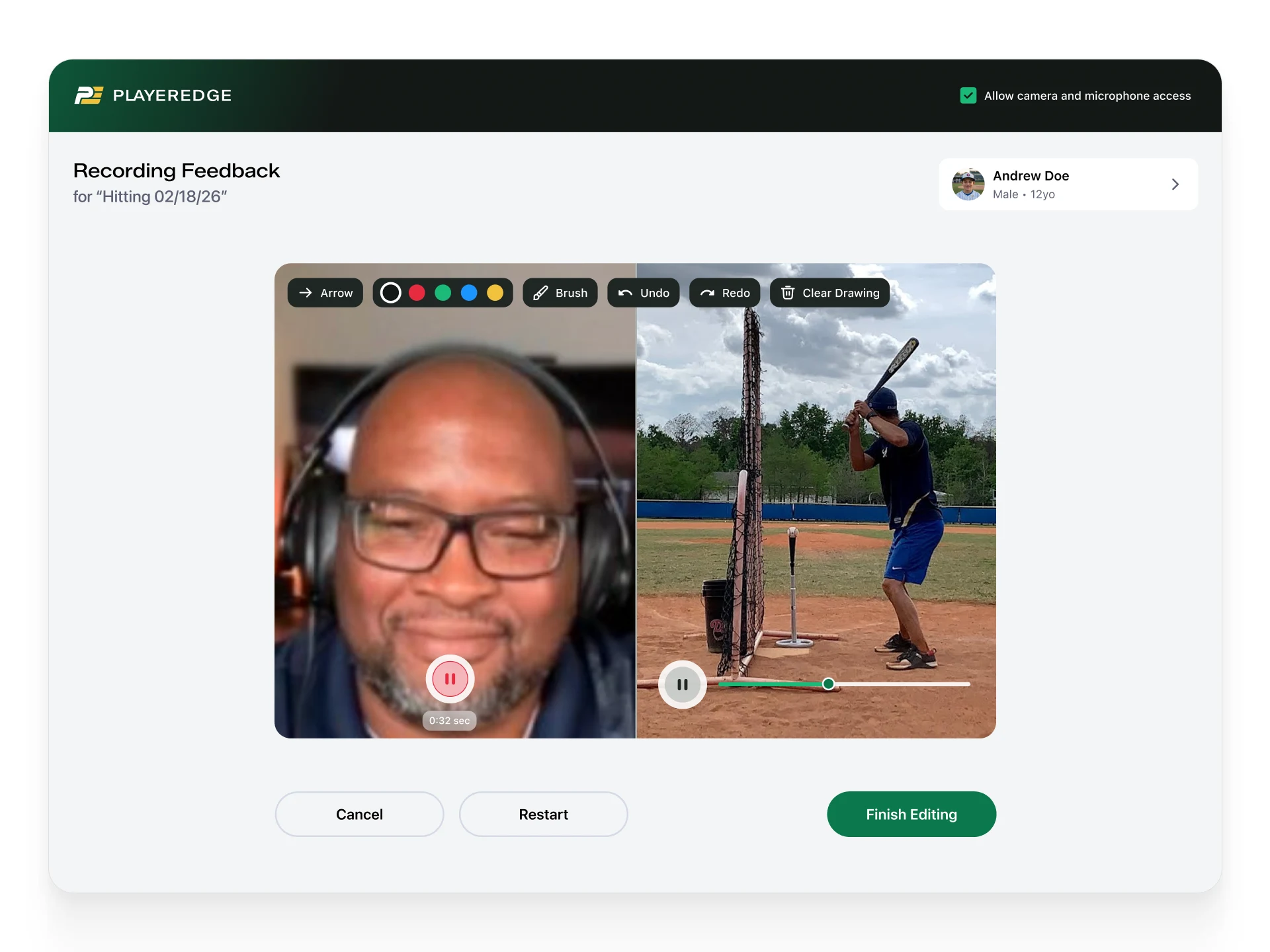
Video Recording
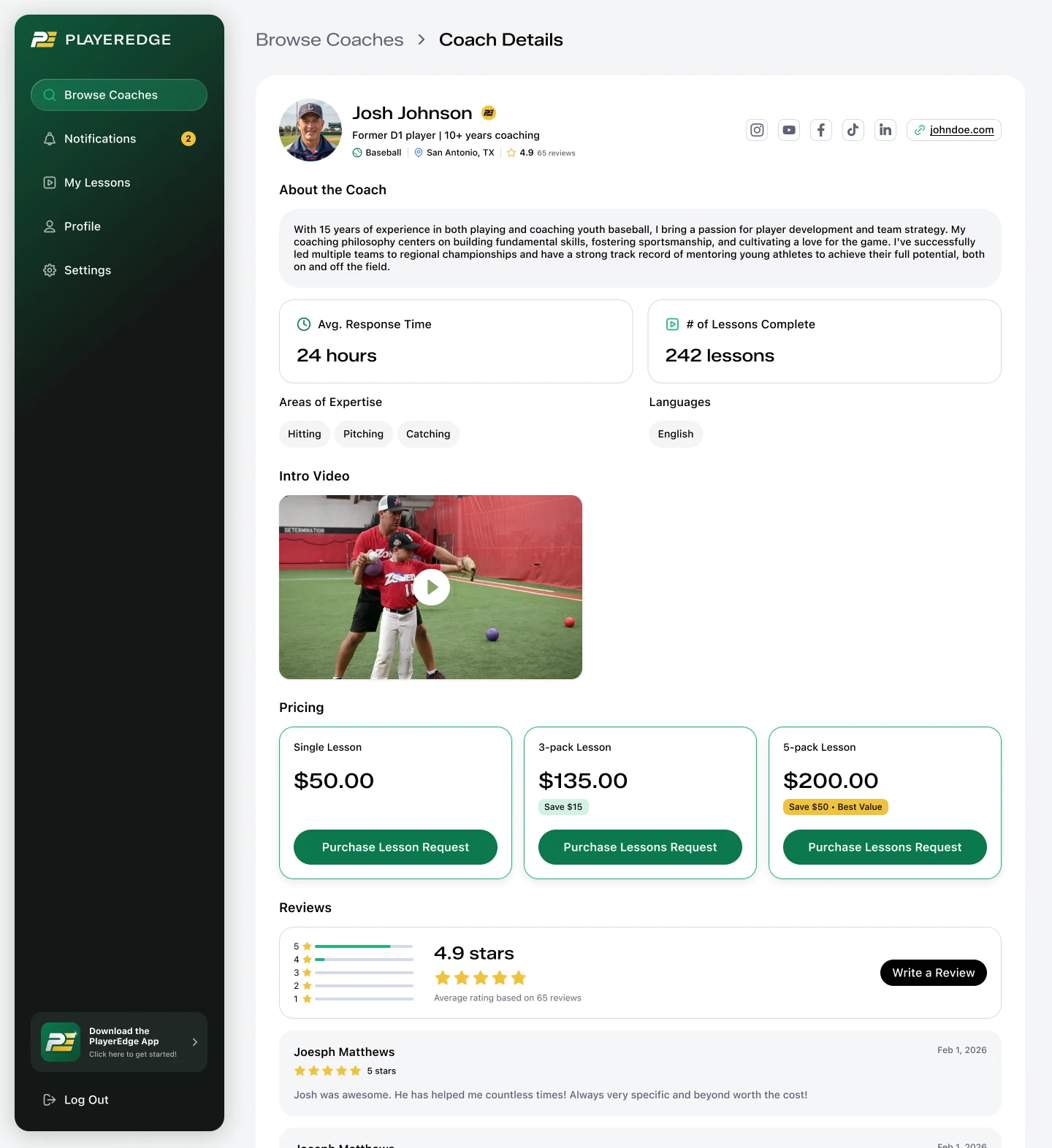
Coach Details
Authentication & Roles
Rather than building separate login pages per user type, we designed a single login page with backend role-based redirects. Coaches access the platform through a dedicated
/coach URL, but the authentication UI itself is unified.This simplified the entry point while keeping the experiences distinct once inside the app. Coach applications go through a review process before profiles go live, maintaining quality control on the supply side.
Scope & Delivery
The project was originally scoped at 30–40 hours including branding, app design, and website. Final hours logged came in at ~85 hours, more than double the estimate. The scope expansion was driven by the depth of UX flows (lesson lifecycle, video recording, dual-sided marketplace), platform constraints with Bubble, and iterative brand refinement across multiple client syncs.
Design spanned 10 working sessions from January 19 through February 26, 2026, covering brand exploration, UI system development, and detailed UX specification for development handoff.
Like this project
Posted Jun 4, 2026
Designed a Cameo-style platform connecting youth athletes with professional coaches through personalized video feedback.
Likes
0
Views
29
Timeline
Jan 19, 2026 - Feb 26, 2026
Clients
PlayerEdge