
A self-initiated enterprise CRM concept covering sales, customers, marketing, service, workflow automation, analytics, and admin - 121 desktop screens on one documented design system.
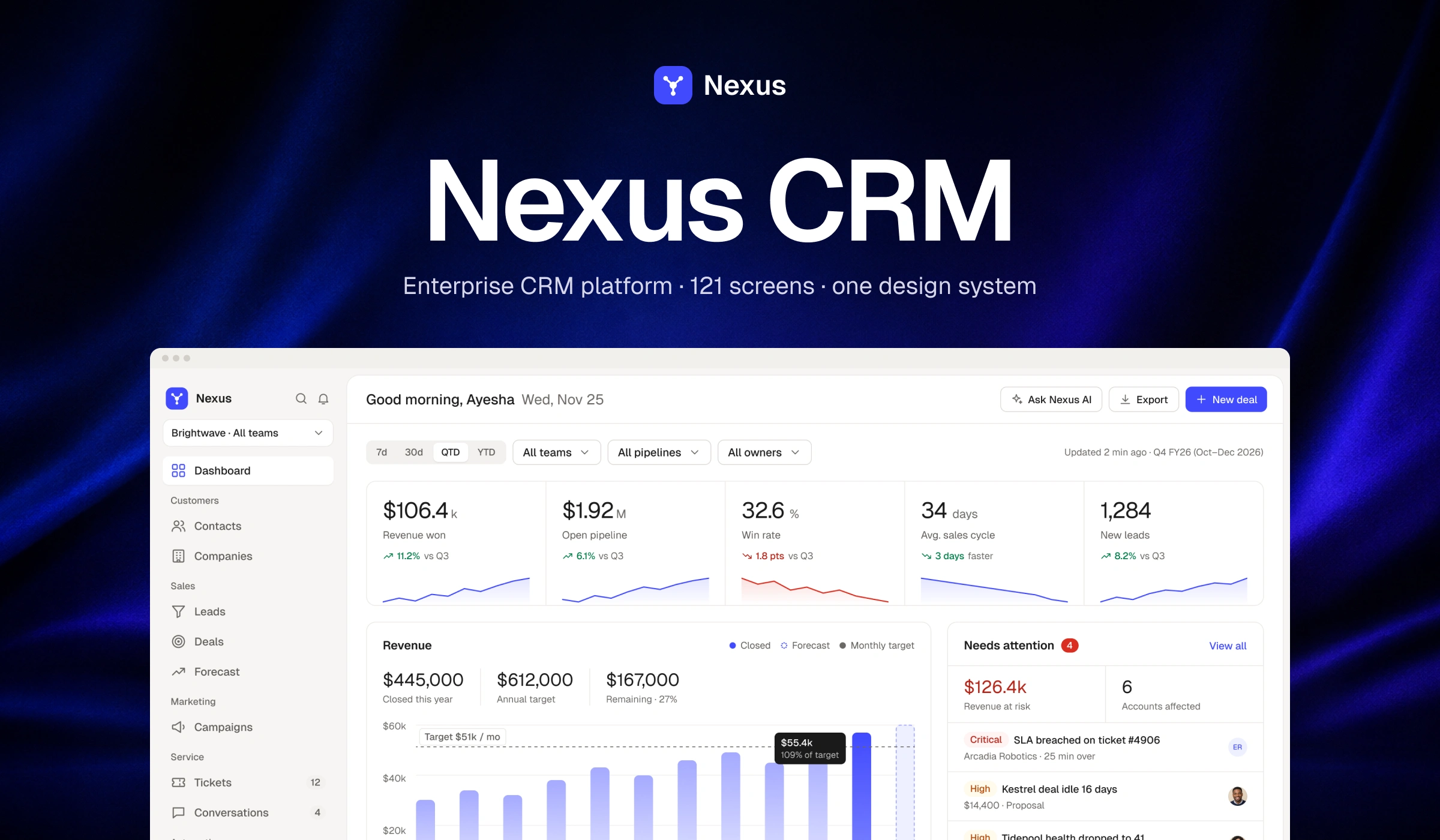
Nexus is a single CRM for B2B teams that usually juggle separate tools for sales, marketing, and support. It brings contacts, deals, campaigns, tickets, automation and reporting into one workspace with one data model - so every team sees the same customer. I designed it end to end as a self-initiated project: research, information architecture, user flows, wireframes, a design system, and 121 high-fidelity desktop screens.
Research
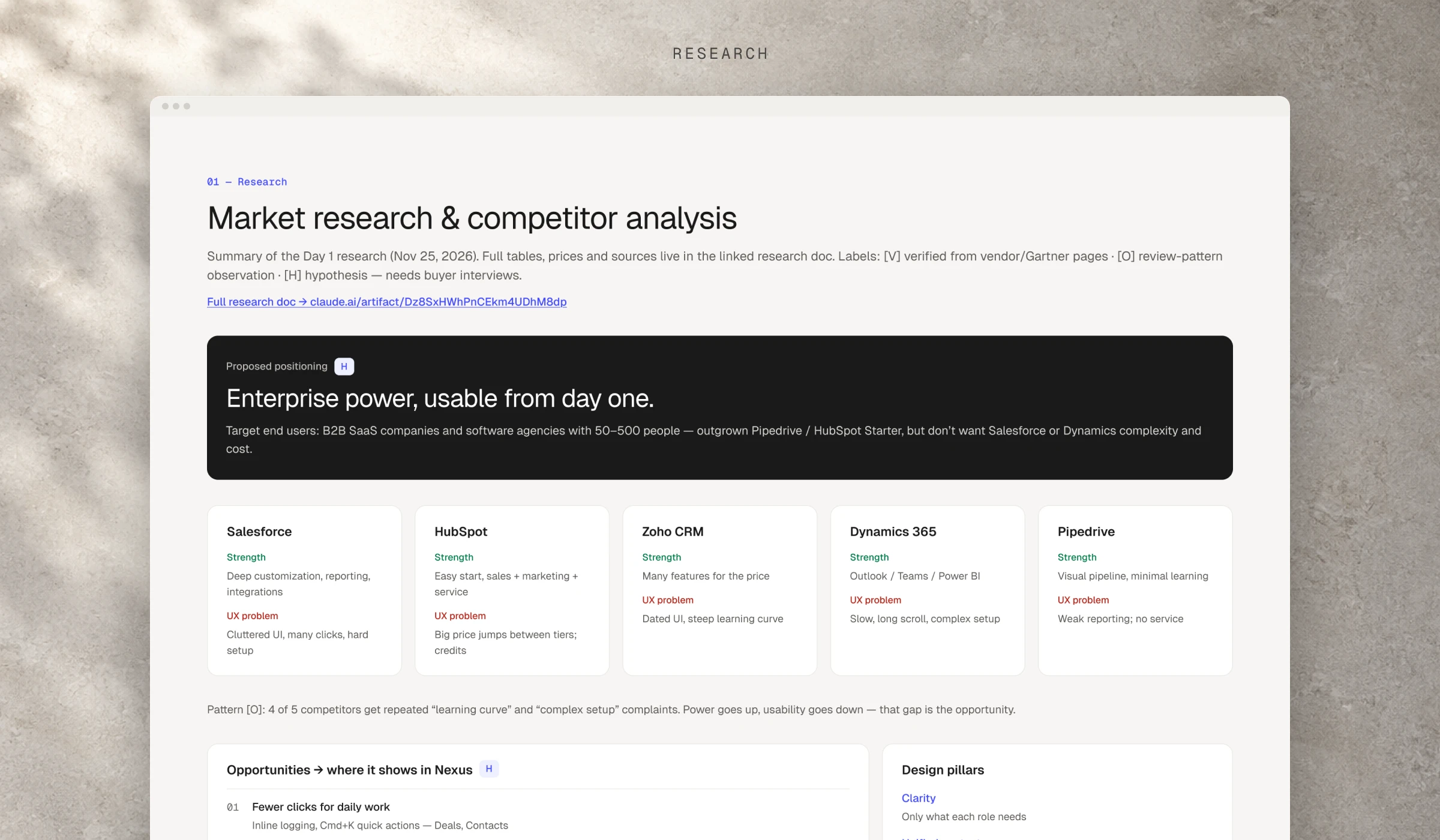
I studied how existing CRMs such as Attio and monday CRM handle the same jobs, and mapped where teams lose time: switching tools, unclear ownership and data nobody trusts.
Information Architecture & User Flows
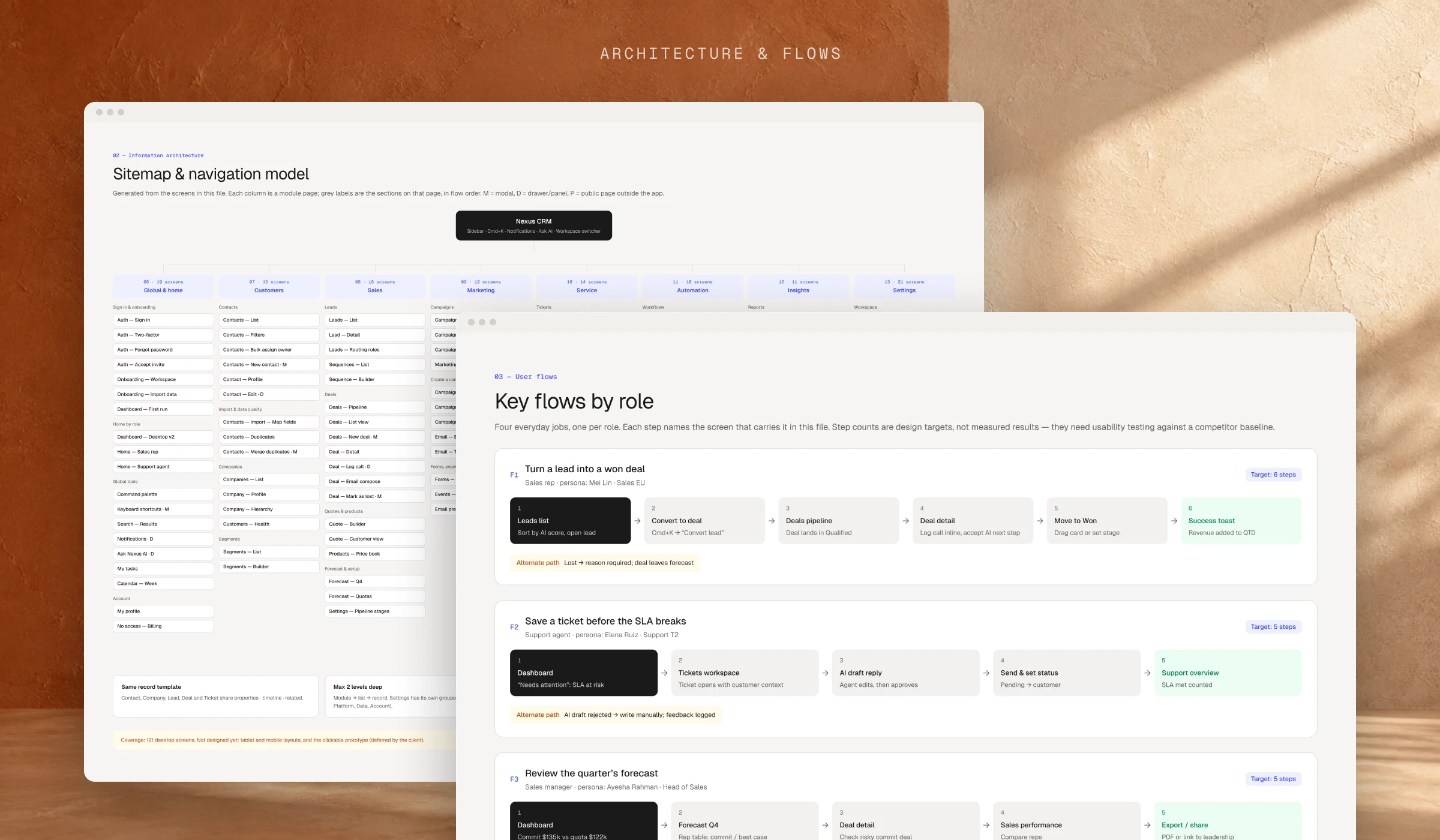
Eight modules sit under one navigation: Dashboard, Customers, Sales, Marketing, Service, Automation, Analytics and Admin. Before any visual design, I mapped the sitemap and the key flows - from a new lead to a signed quote, and from an incoming ticket to a resolved one - so every screen has a clear job.
Dashboard Experience
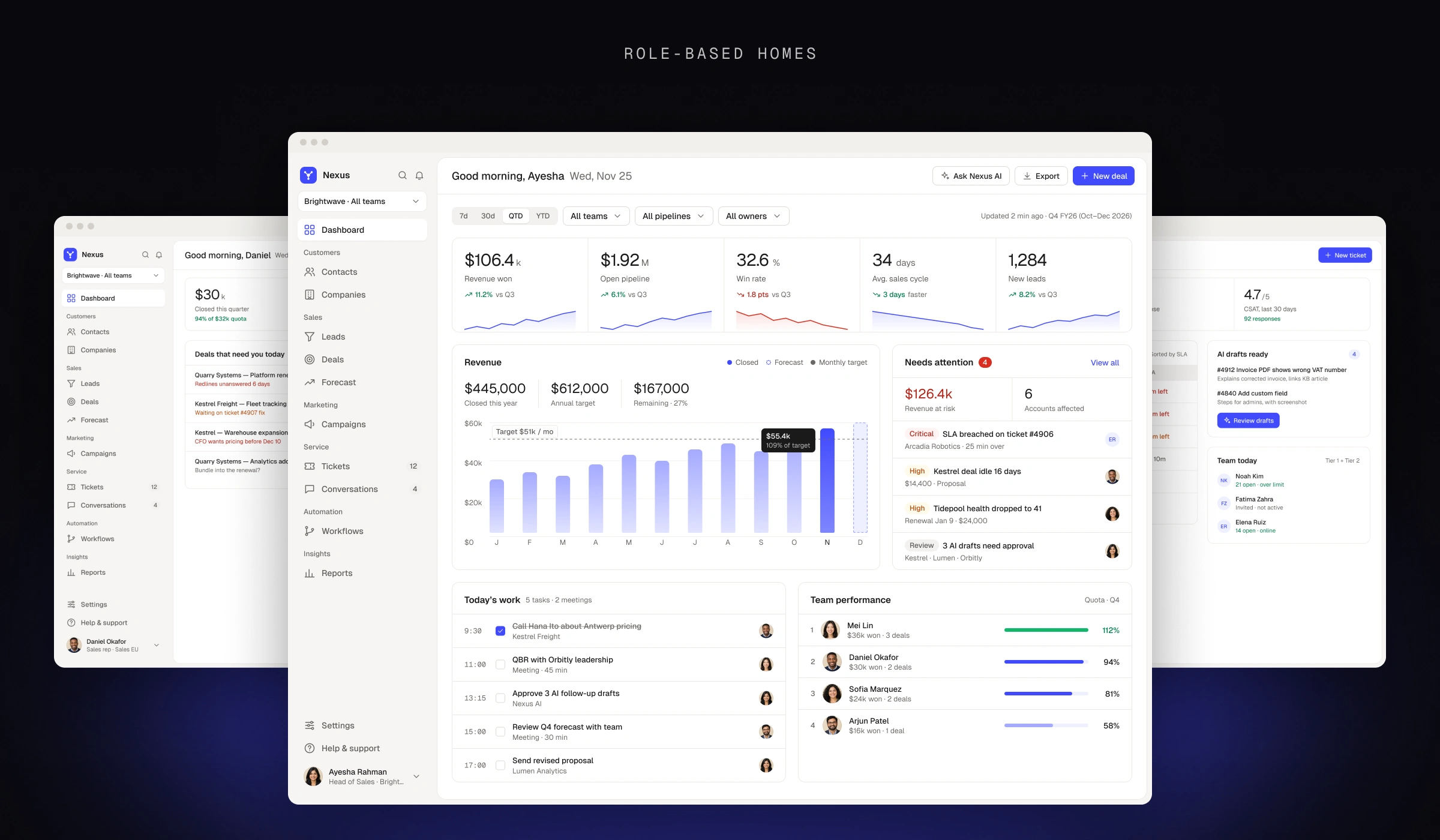
The team dashboard answers one question first: will we hit the quarter? Five KPI cards show each number with its trend, a revenue chart tracks progress against target, and a short “Needs attention” panel ranks risks by the revenue at stake - four items, not forty.
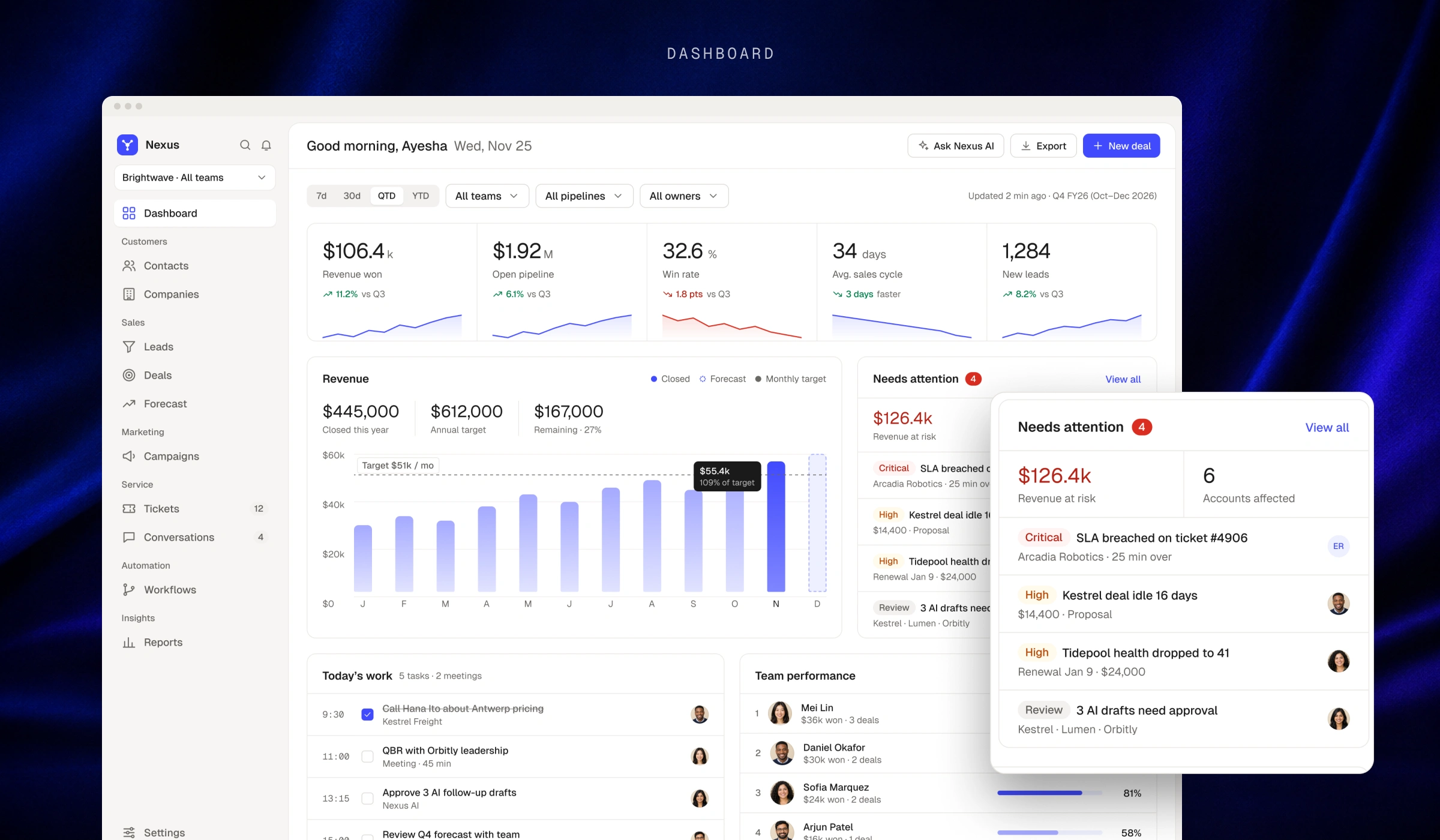
Each role gets its own home: a sales rep sees today’s deals and quota, a head of sales sees the team, and a support agent sees their queue sorted by SLA risk. Same components, different priorities.
Customer Management
A contact profile puts identity and key fields on the left, one activity timeline in the middle, and live deals and open tickets on the right. An AI summary turns dozens of activities into a few facts and a suggested next step - always showing what it was generated from, and always editable.
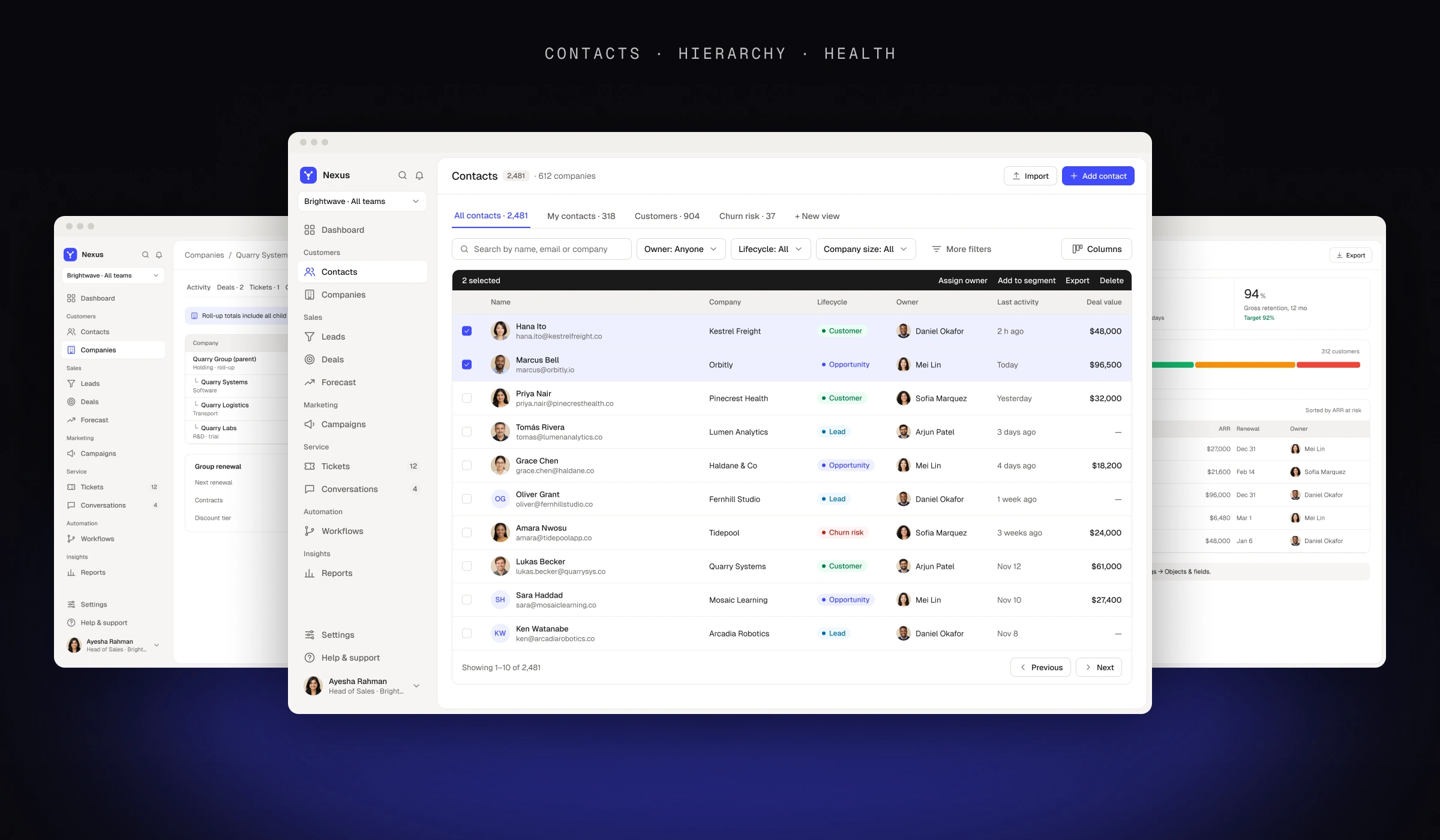
Around the profile: a contacts table with saved views and bulk actions, a company hierarchy for enterprise accounts, and customer health scores that explain the signals behind each score.
Sales Management
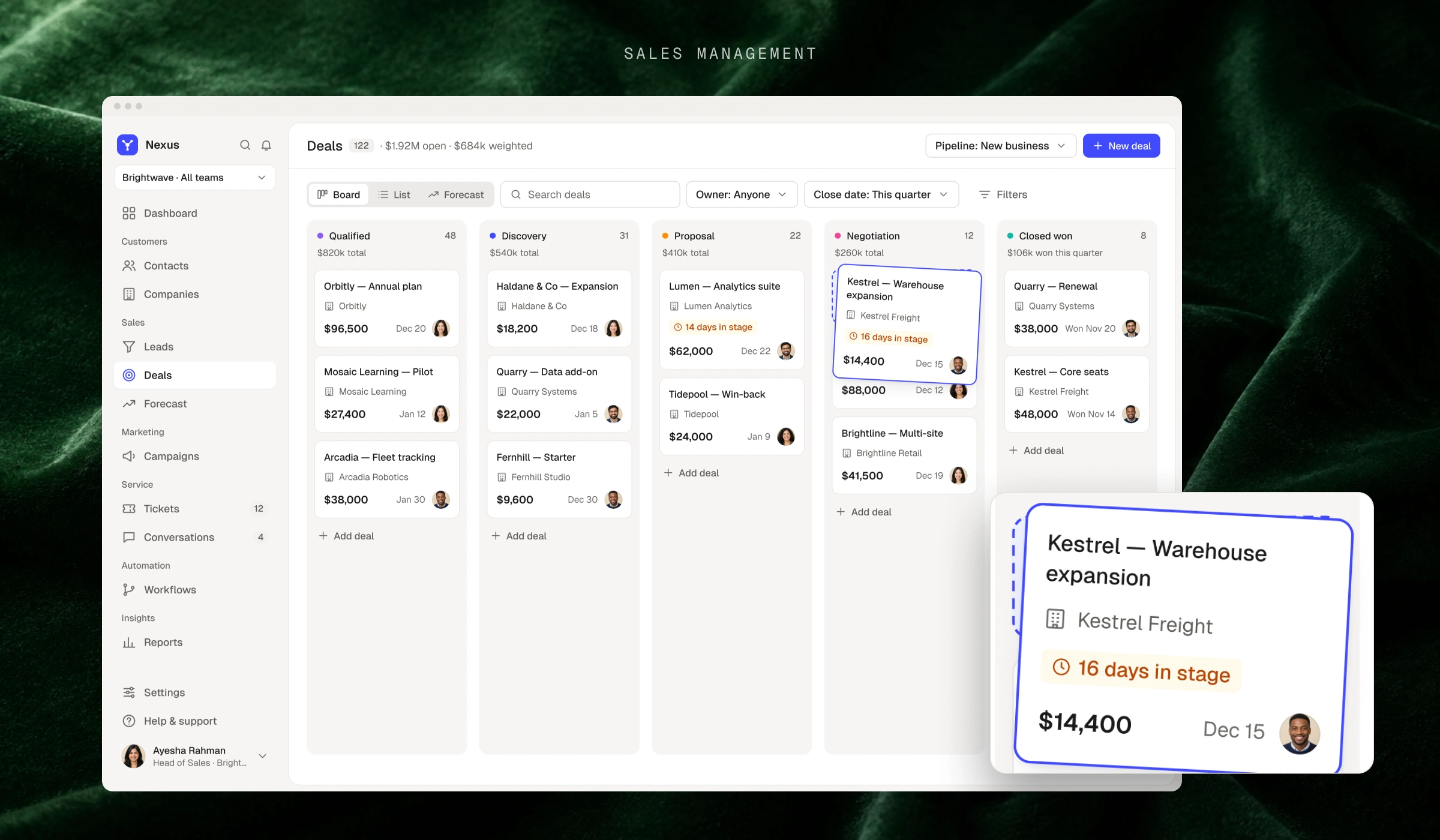
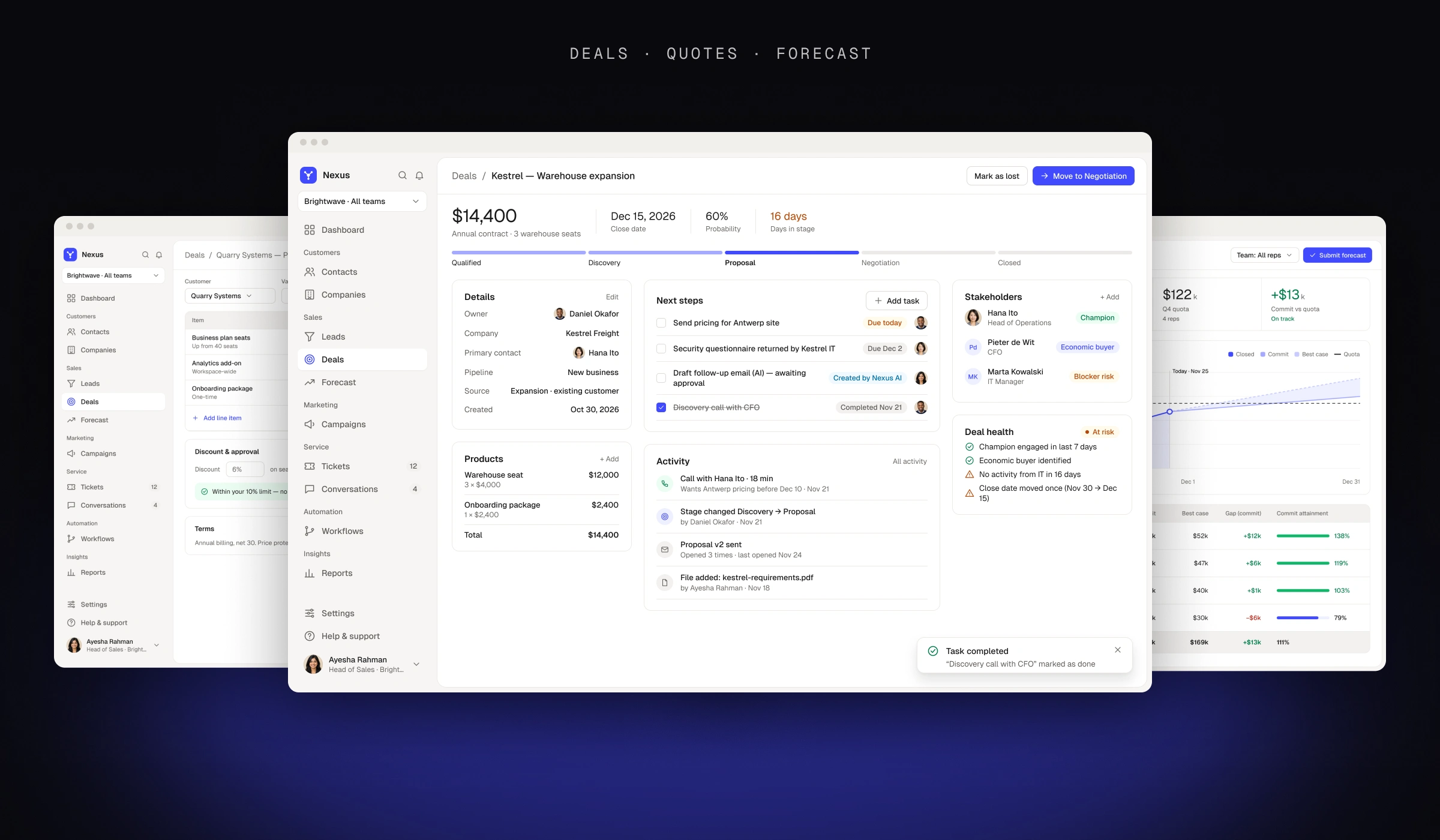
The pipeline board shows total and weighted value per stage. Each deal card carries only what a rep needs to decide - company, amount, close date, owner - and an orange “days in stage” badge appears only when a deal has stalled, so the warning keeps its meaning.
From deal to revenue: a deal workspace with stage path and stakeholders, a quote builder fed by the price book with approval rules for large discounts, and a forecast that separates closed, committed, and best case against quota.
Marketing Management
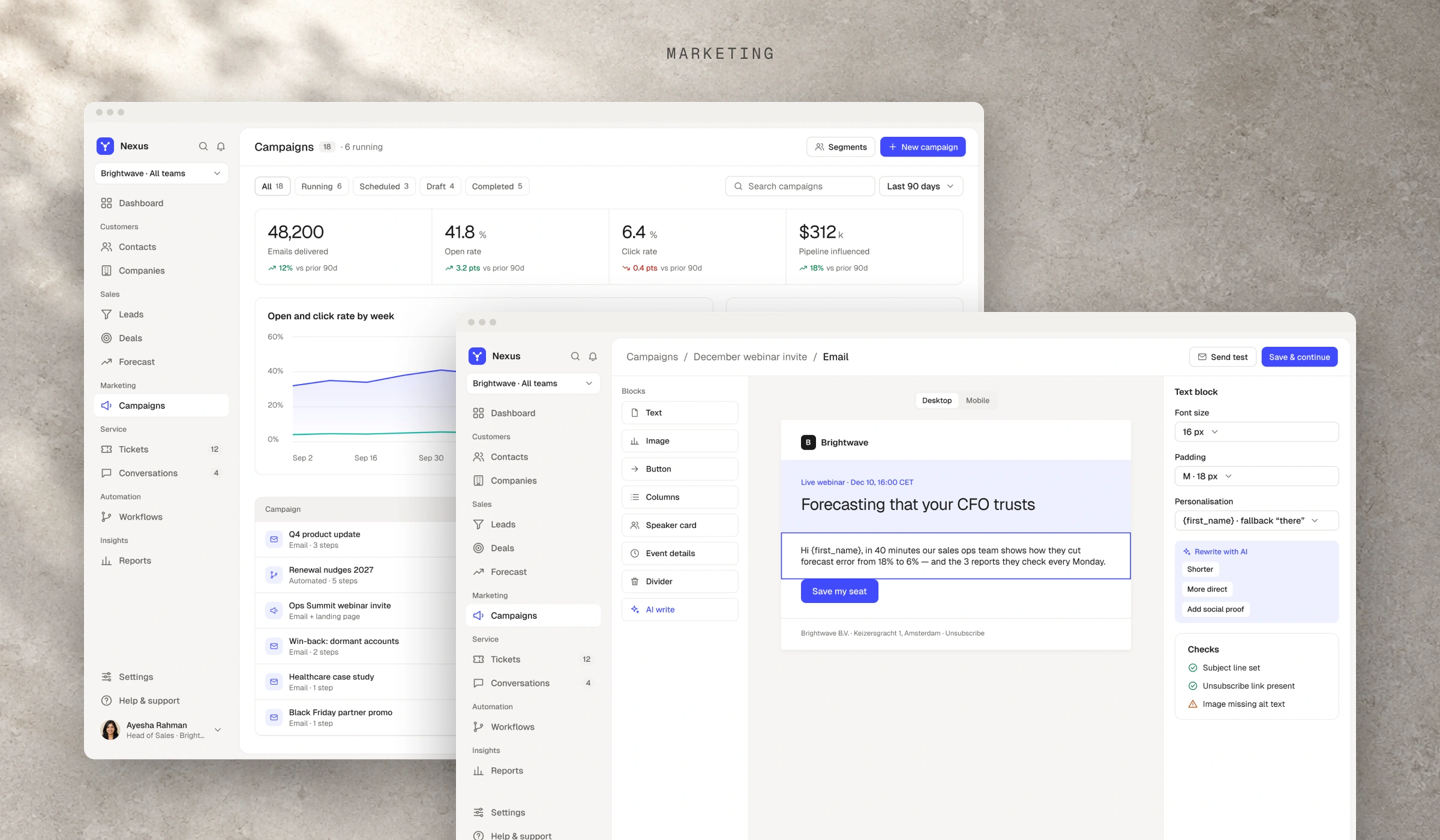
Campaigns are built in a three-step wizard - audience, content, review - with a live audience count and sensible exclusions switched on by default. An email builder with brand settings, templates, forms, events and A/B results completes the module.
Customer Service
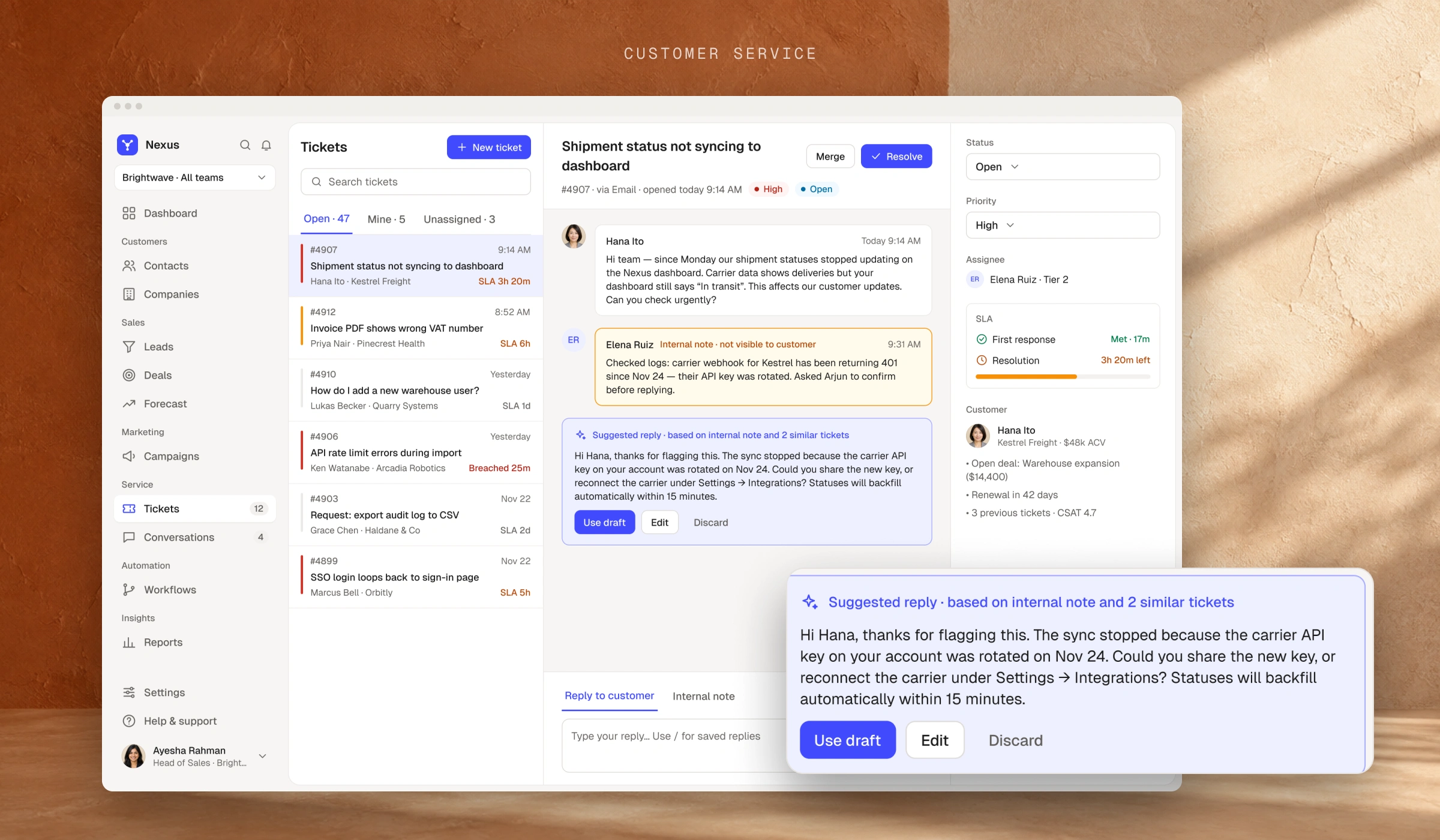
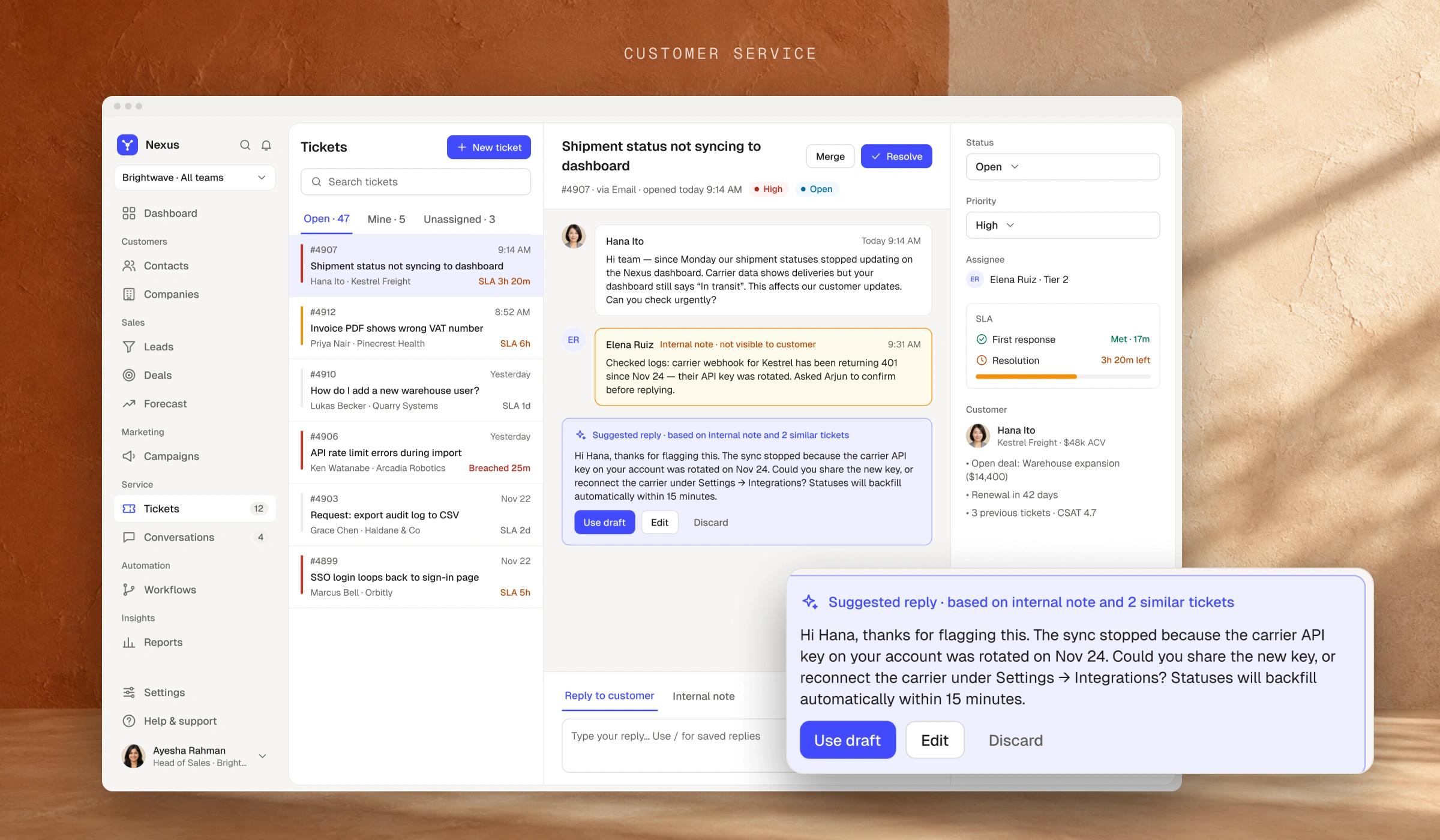
The ticket workspace has three panels: a queue sorted by SLA risk, the conversation with private internal notes, and customer context on the right. AI can draft a reply from the internal note and similar past tickets, but it waits for the agent to use, edit or discard it. Nothing reaches a customer automatically.
Workflow Automation
Workflows are built on a visual canvas: a trigger, a condition that branches, and actions on each side. Every node opens a config panel with a live preview on current data, so a rule’s effect is visible before it runs. Test runs and version history make changes safe.
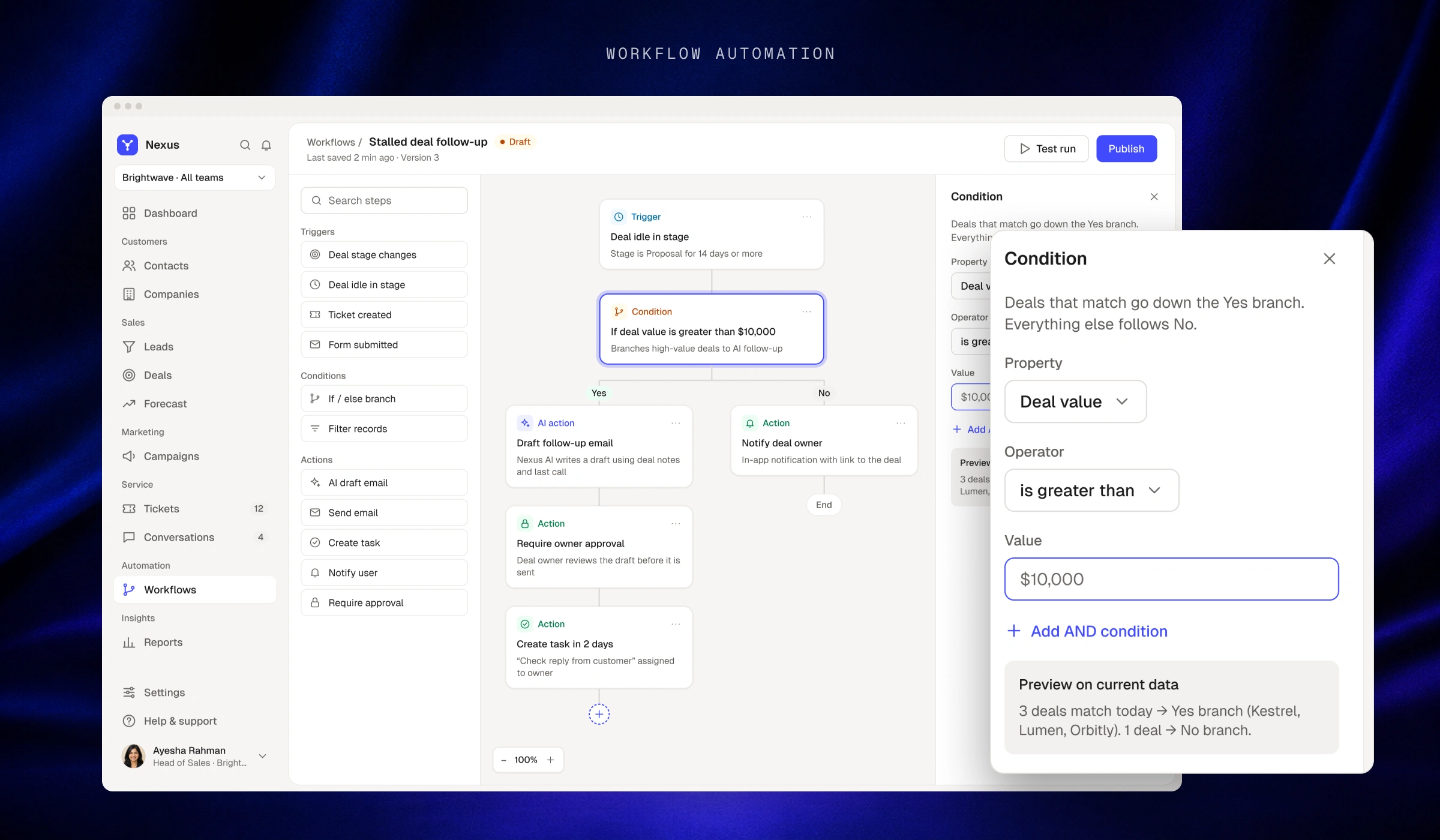
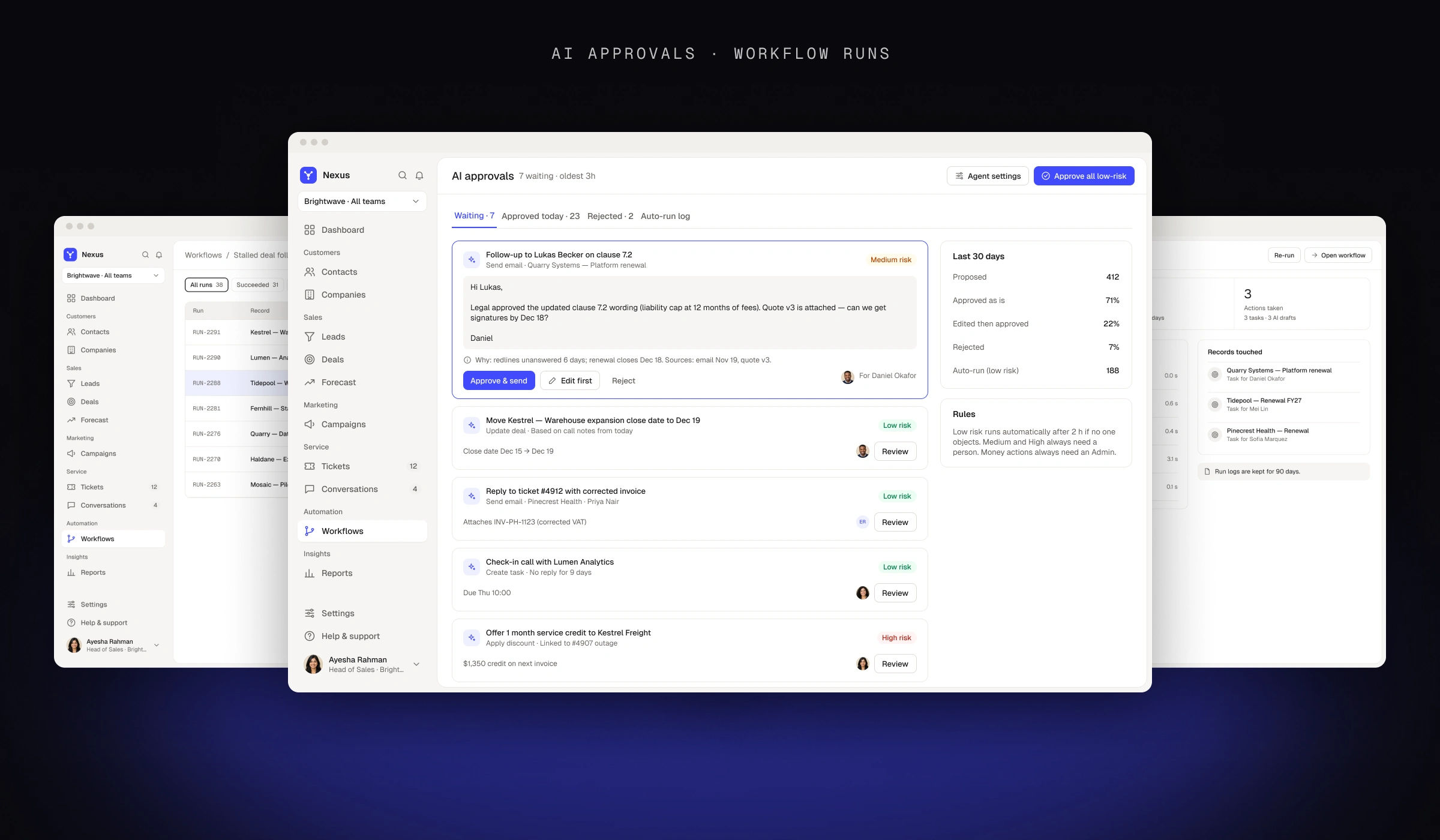
AI-drafted work waits in one approval queue, and every workflow run can be opened step by step - with failures explained in plain words and a retry, so ops teams can fix problems themselves.
Analytics & Reports
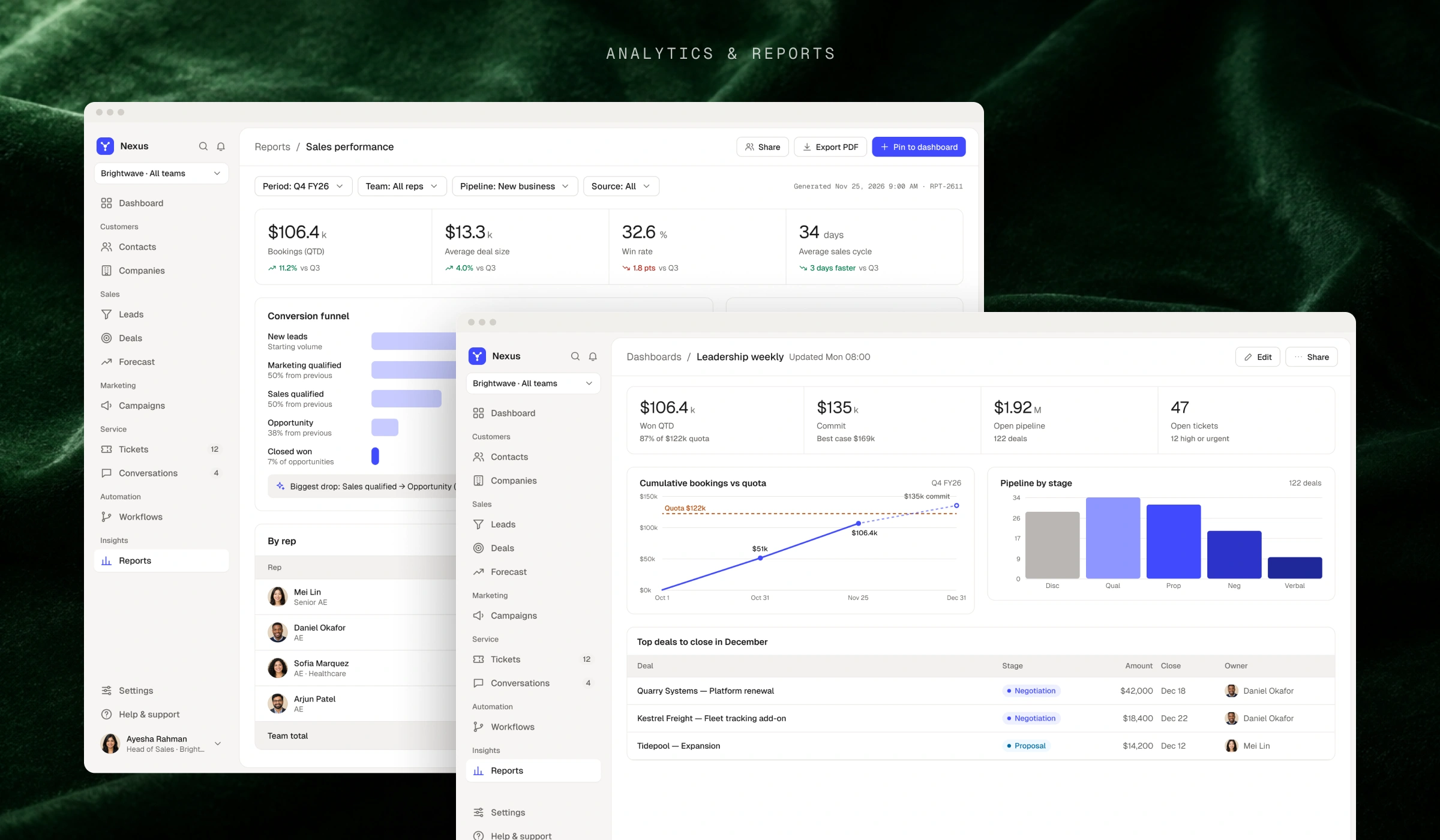
Reports answer real questions in order: how are we doing, where do deals drop, which sources work, and how each rep is tracking. A report library, a builder, scheduled sends, and a dashboard builder let each team build its own weekly view.
Admin & Settings
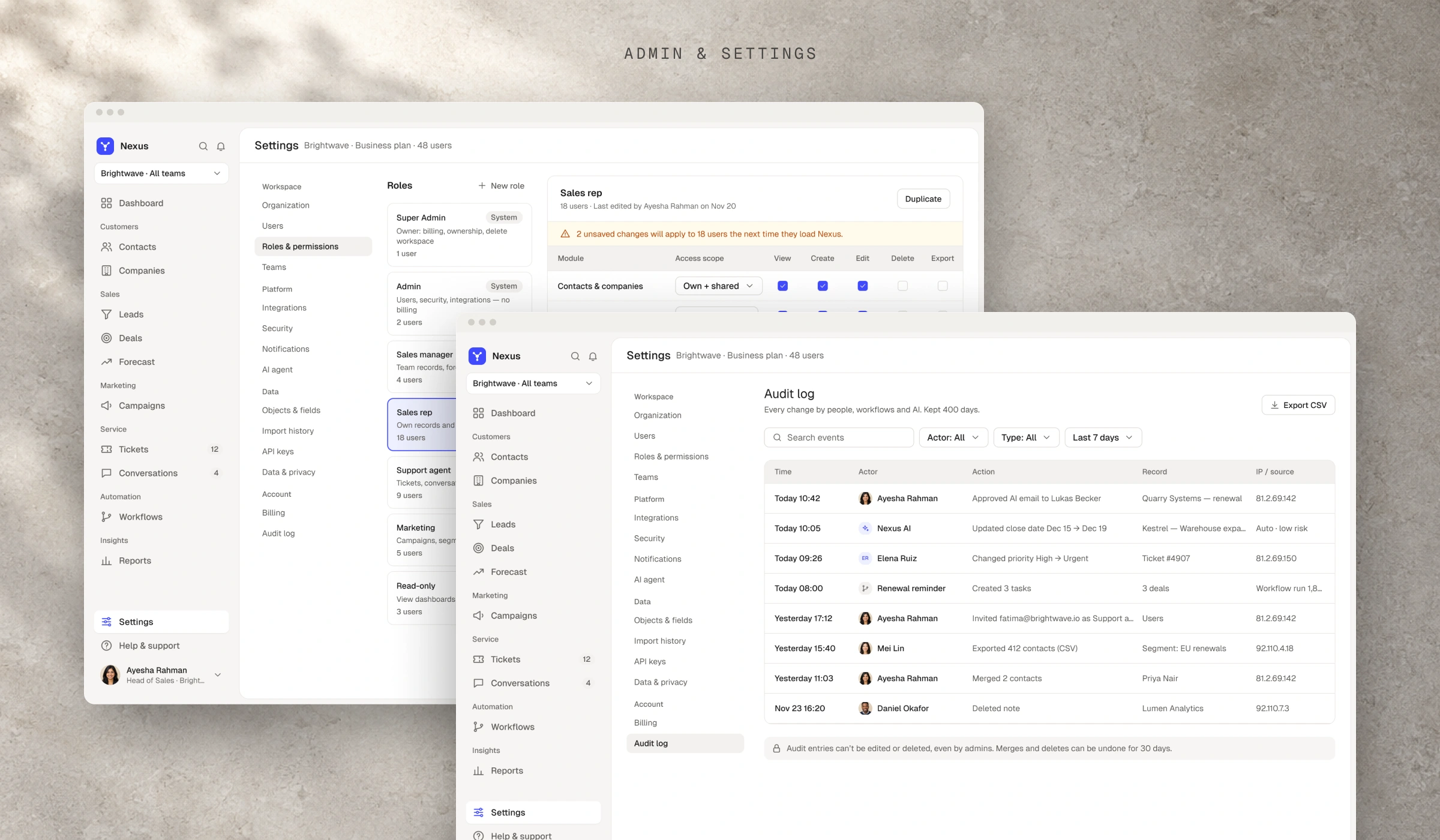
22 admin screens cover organization, users, teams, SSO, security, billing and data. Roles and permissions are a matrix with an access scope per module, and unsaved changes show how many users they will affect. An audit log records who changed what, for compliance reviews.
Empty, Loading & Error States
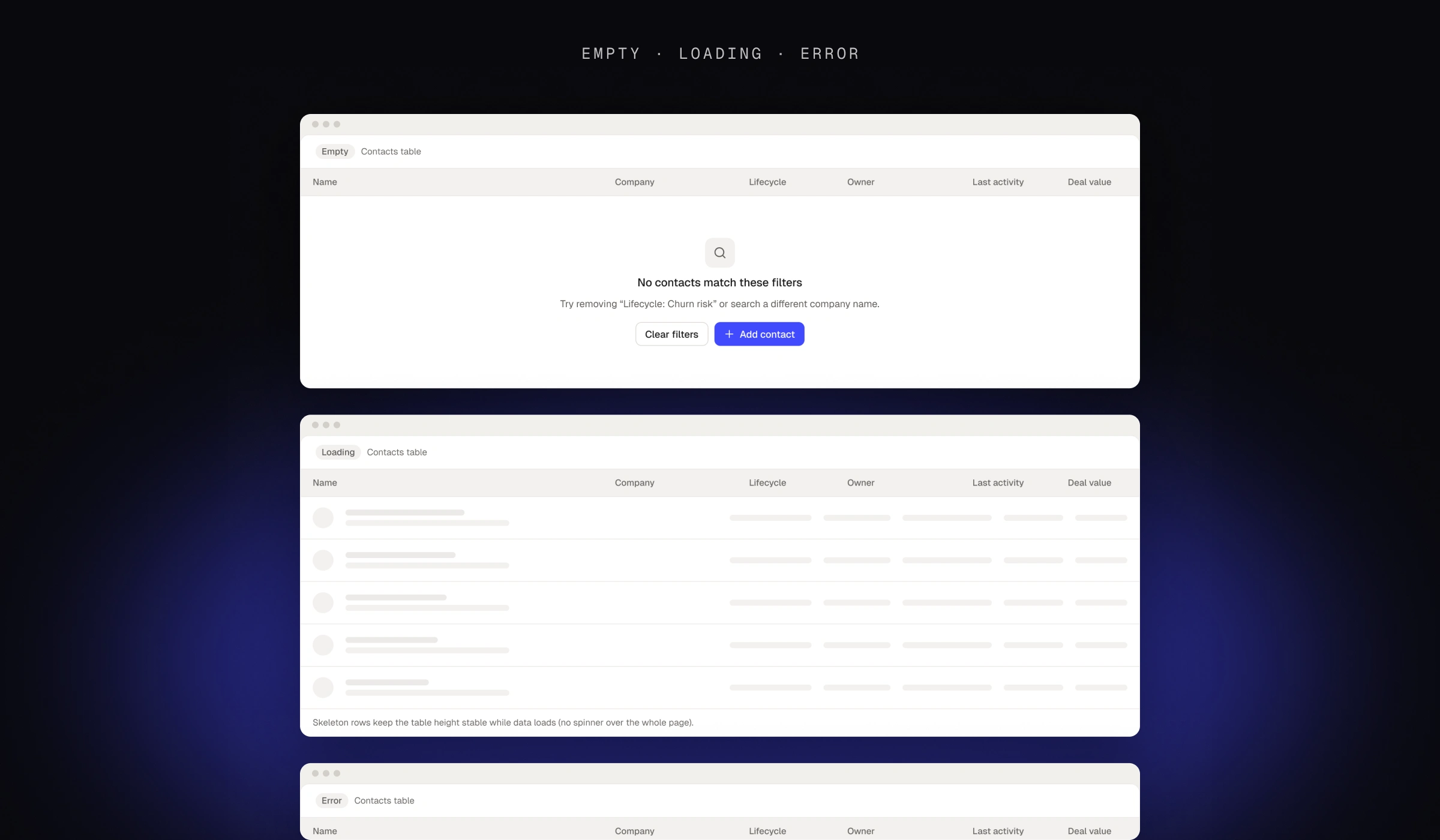
Every list has its states designed: an empty state that explains why it’s empty with one clear action, skeleton loading that matches the table layout instead of a spinner, and errors written in plain language with a way to recover.
Design System
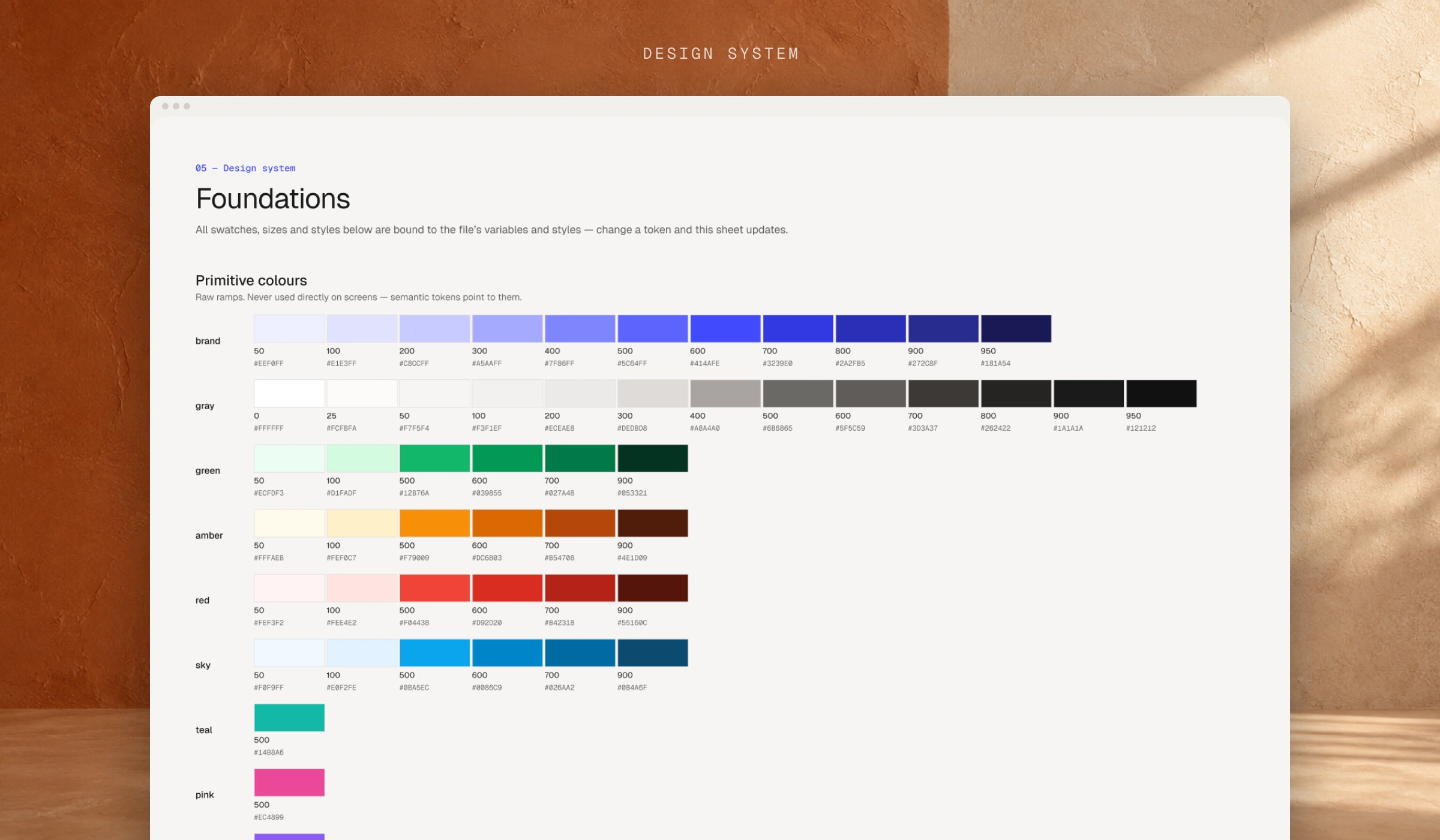
All 121 screens are built from one system in Figma: 115 variables for colour, spacing and radius, and 149 components across 13 component sets - buttons, inputs, badges, tables, KPI cards, navigation and more.
Developer Handoff & Outcome
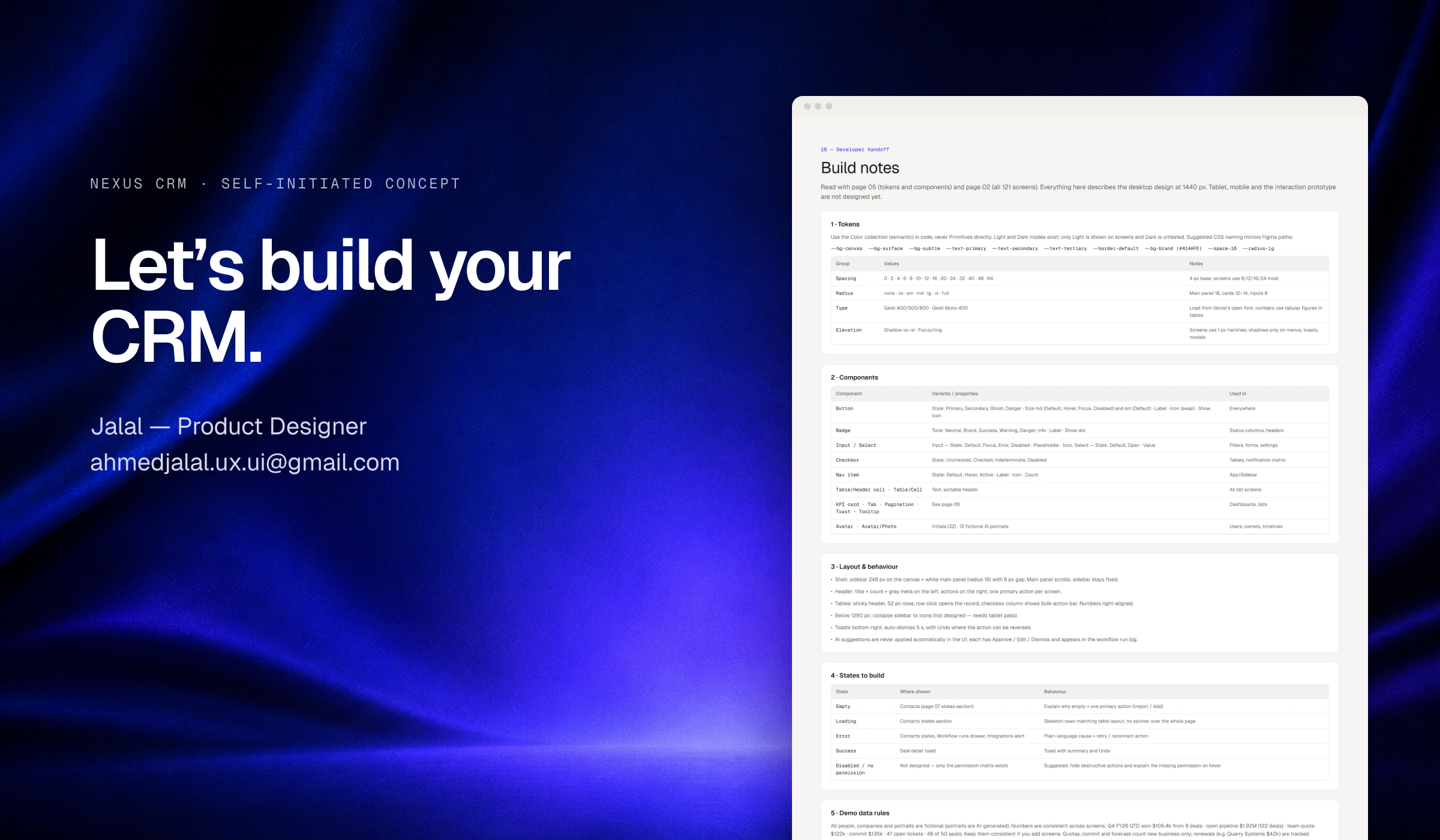
A dedicated handoff page maps the file to code - tokens, components, layout rules, states, and permission logic - and openly lists what isn’t designed yet, such as tablet and mobile layouts.
Outcome
Nexus shows how a complex B2B product can stay calm and consistent across eight modules: one navigation, one data model, and one design system. It is a self-initiated concept, not a shipped product - and the kind of work I’d like to do with your team. If you’re building a CRM or SaaS product, let’s talk.
0 likes · 0 views · Nov 29, 2026
Self-initiated CRM concept. Designed end-to-end: research, flows, design system, and 121 desktop screens.
