
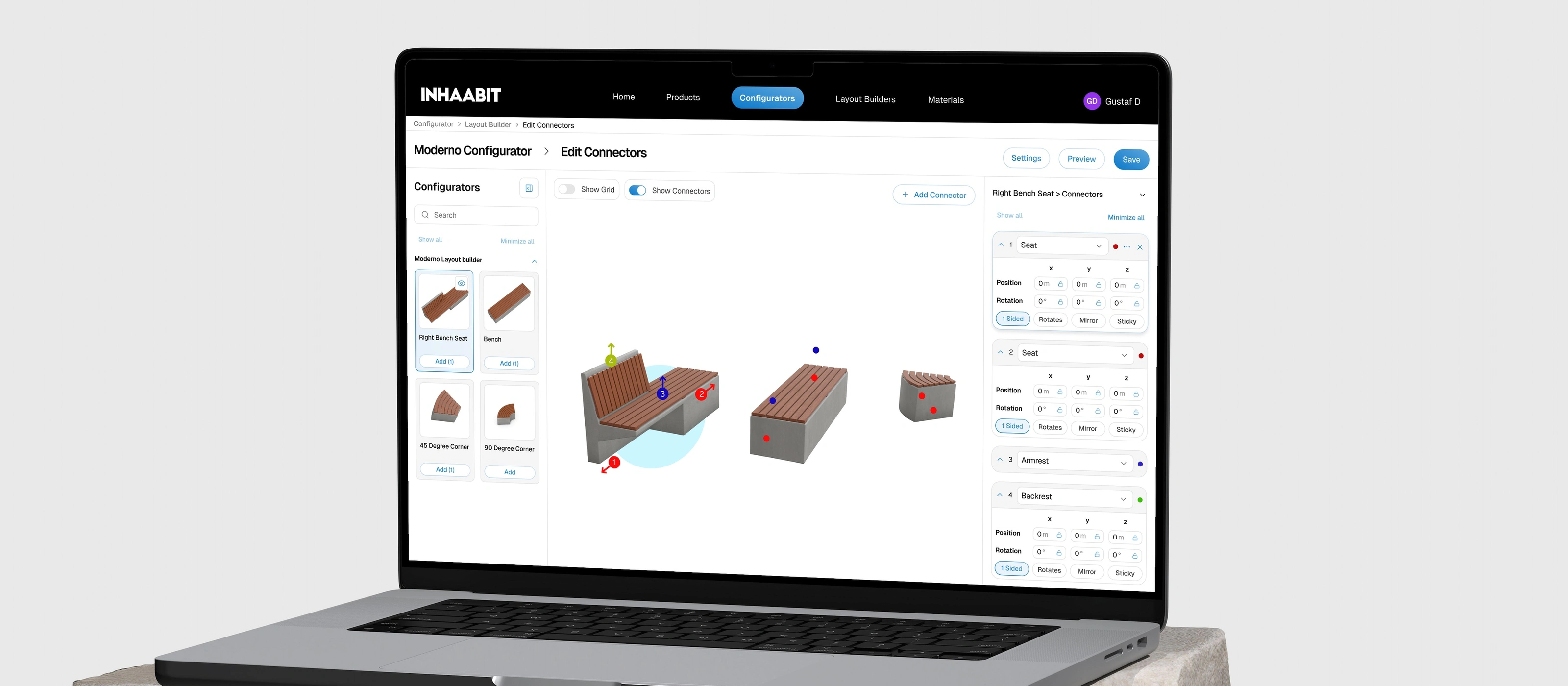
INHAABIT connector editor on a laptop
INHAABIT: Redesigning the Dashboard Behind 3D Product Configurators
Challenge
INHAABIT is a B2B 3D commerce platform. Its clients, manufacturers of furniture and outdoor products, use the dashboard to import their 3D models, set up materials, and build the configurators and layout builders their own customers use.
The old import screen put file settings, scale, and the list of parts with their materials on one page. The 3D model sat small above the list, some changes needed a re-import to show, and materials were text links with no preview.
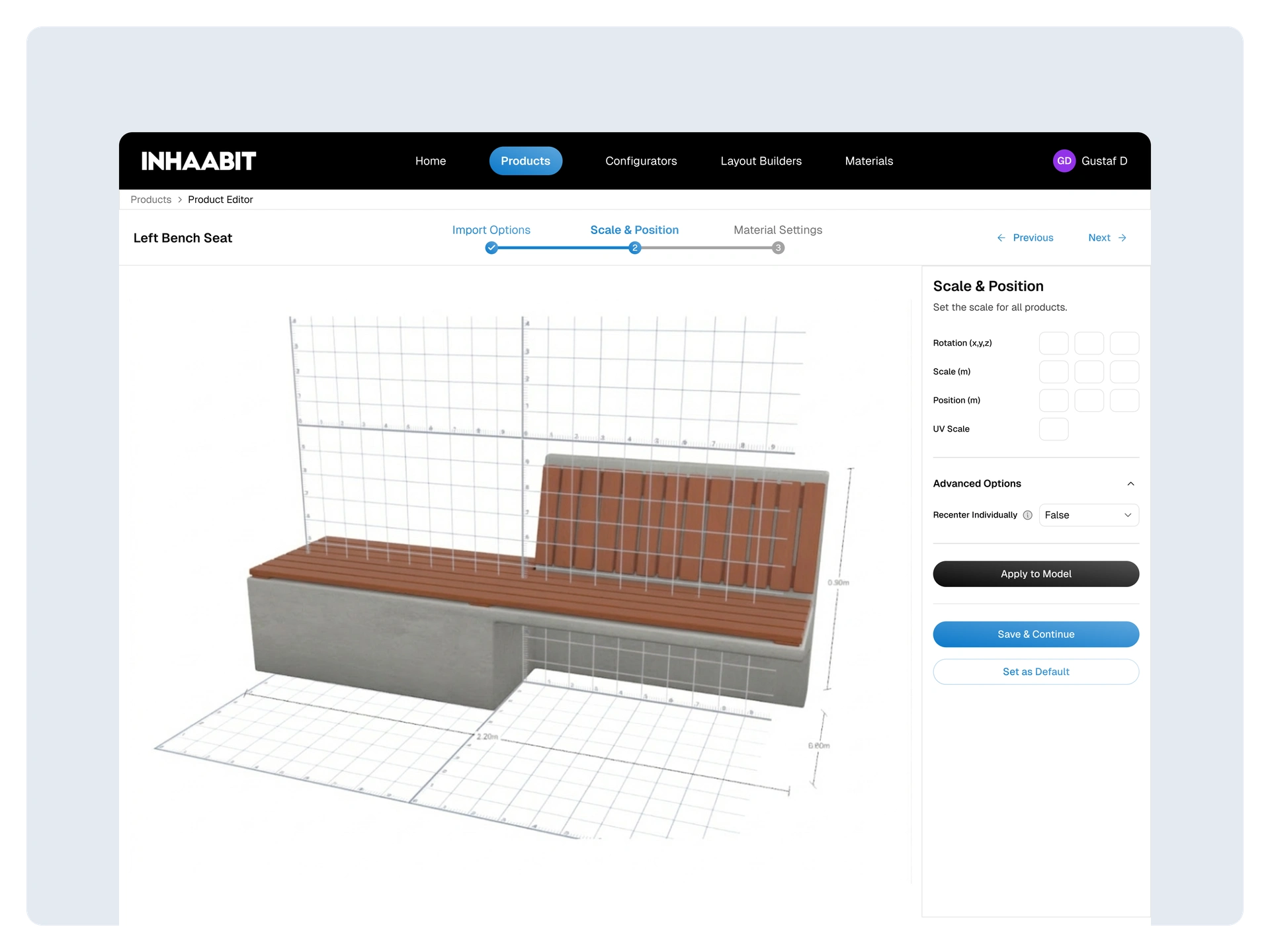
Product editor, scale and position step
Approach
Audit. Reviewed the import screen option by option: what to rename, what to move to another step, and what to hide under advanced options.
Information architecture. Set up five areas: Products, Configurators, Layout Builders, Materials, and Account, with one connector tool shared by configurators and layout builders.
Product editor. Split the setup into three steps, import options, scale and position, and material settings, with the model taking most of the screen in each.
Configurator and layout builder. Built both from stages clients can drag, filter by size, and tie to earlier choices, so a part only shows when it fits.
Connectors. Gave each snap point its own position, rotation, and rules such as mirror or sticky, marked by color on the model.
Design system. Customized shadcn components to INHAABIT's blue ramp and Geist, so every screen uses the same buttons, inputs, tables, and dialogs.
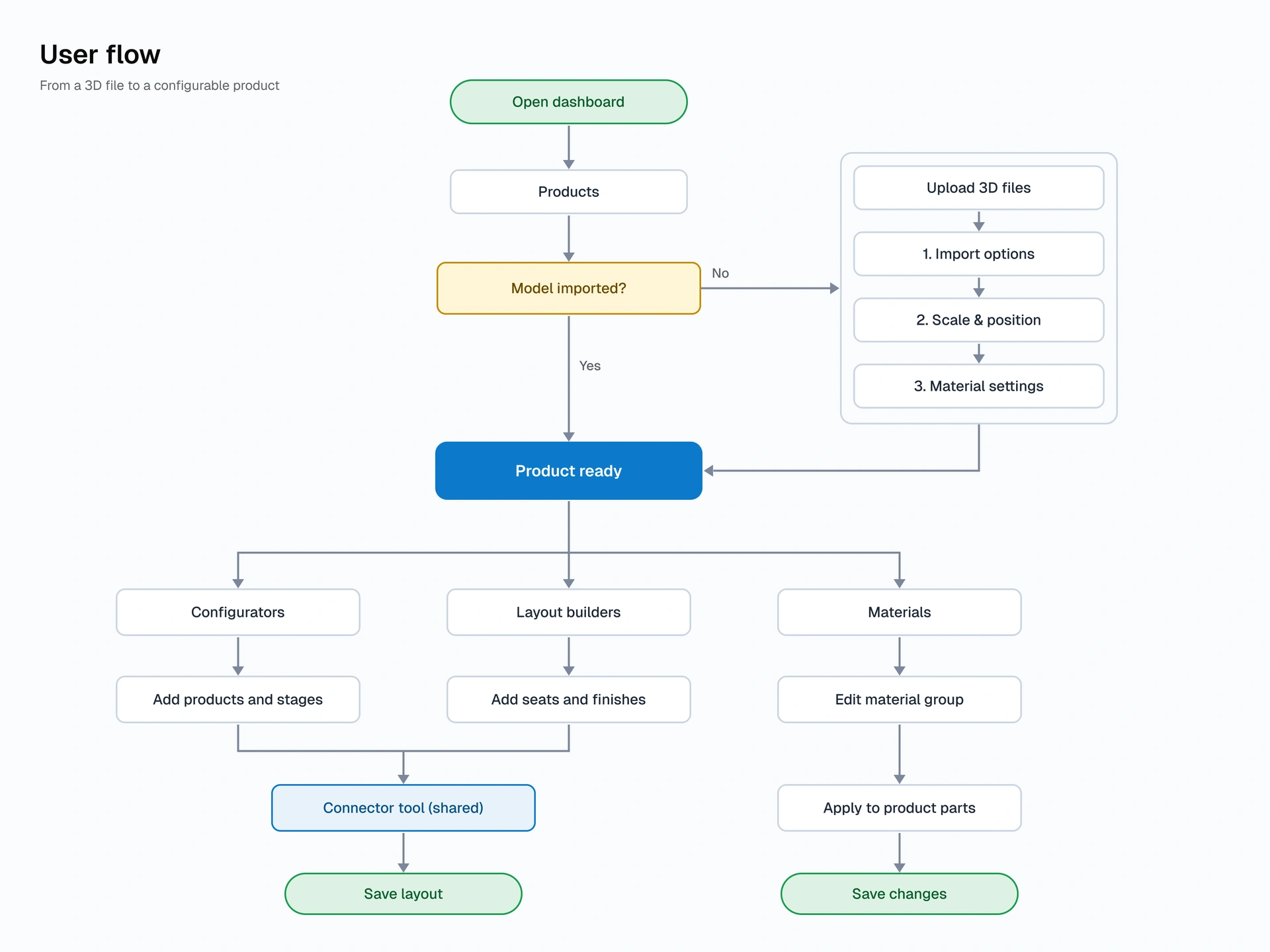
User flow
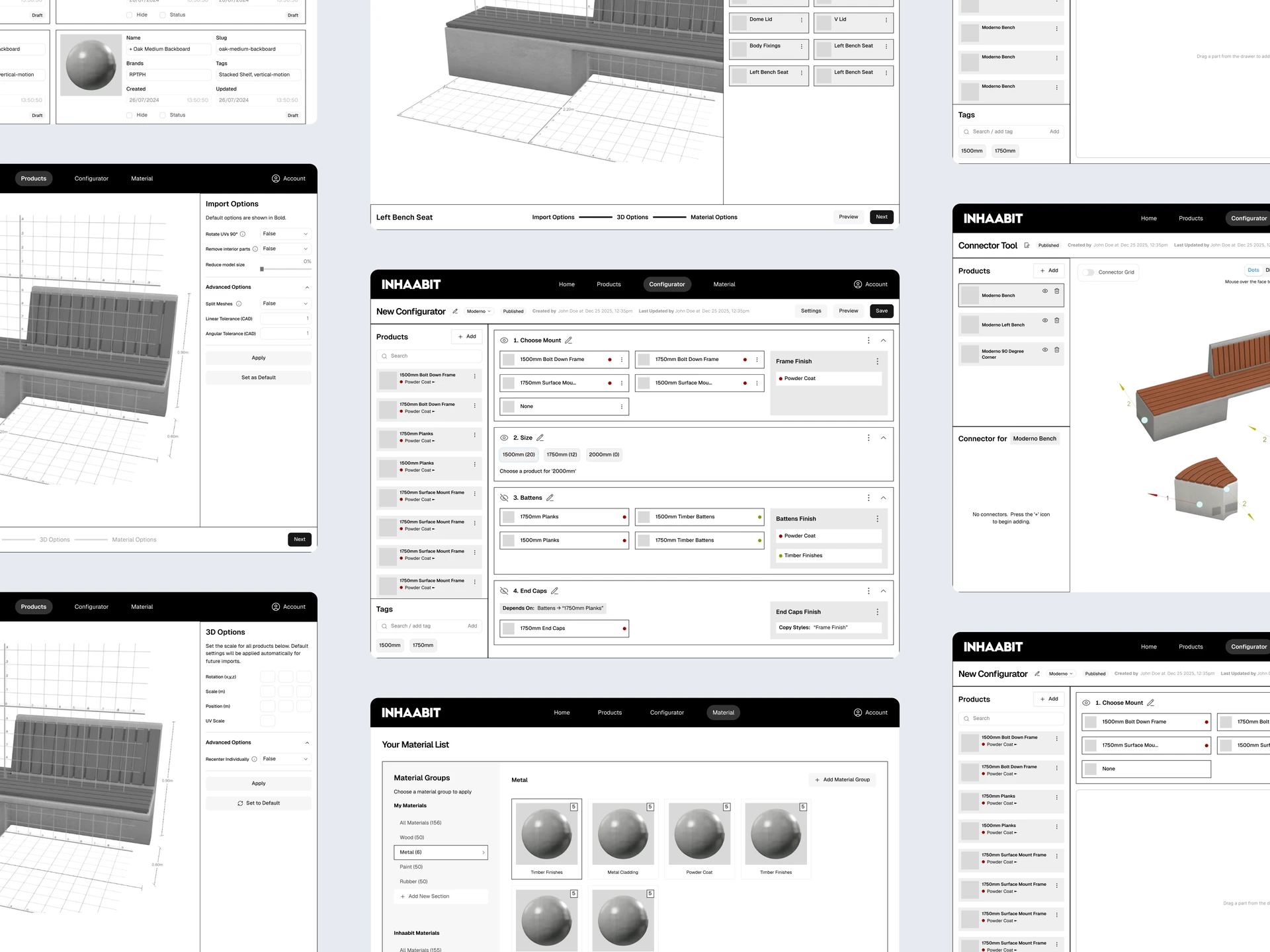
Wireframe
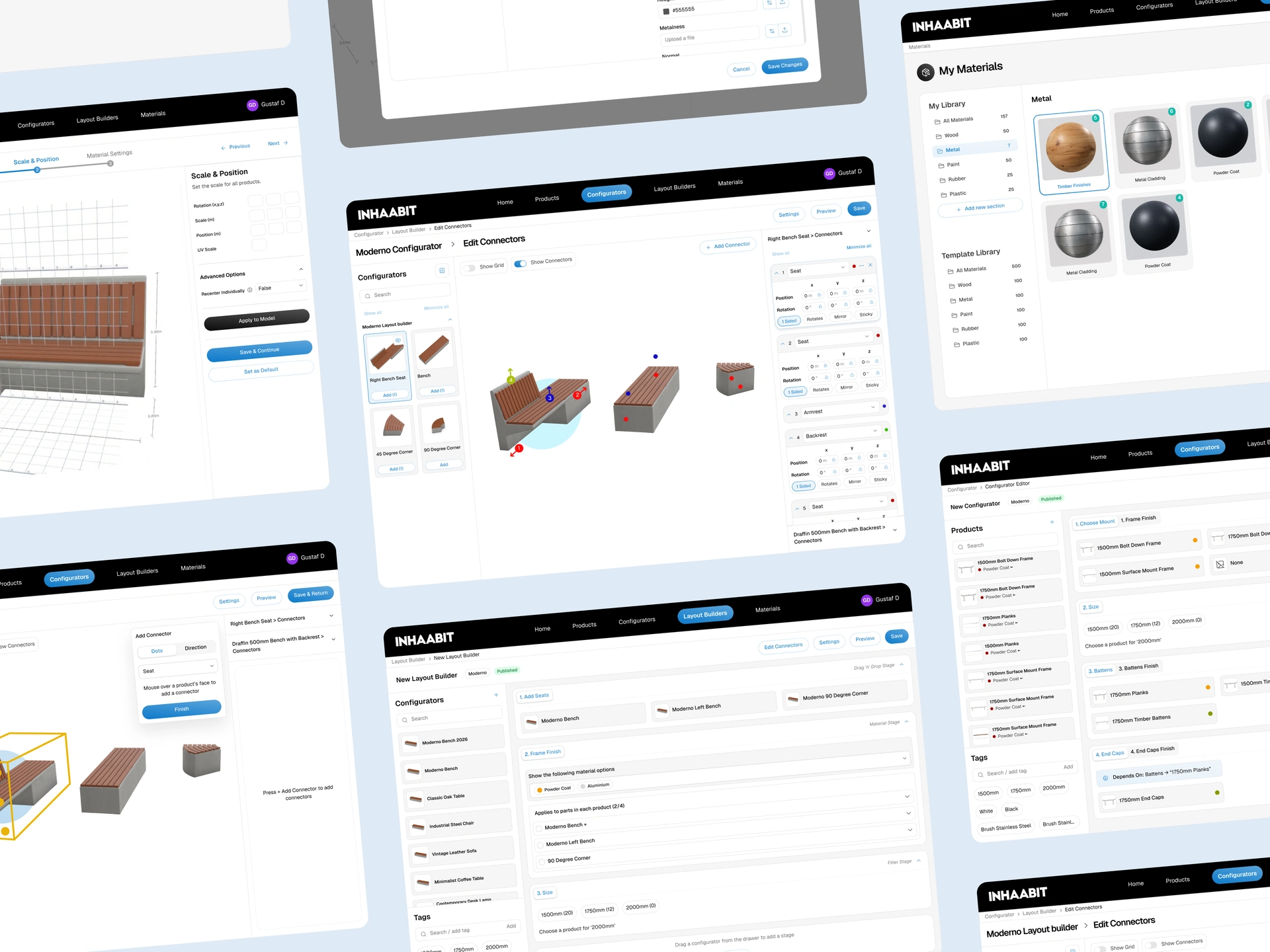
Hi-fidelity design
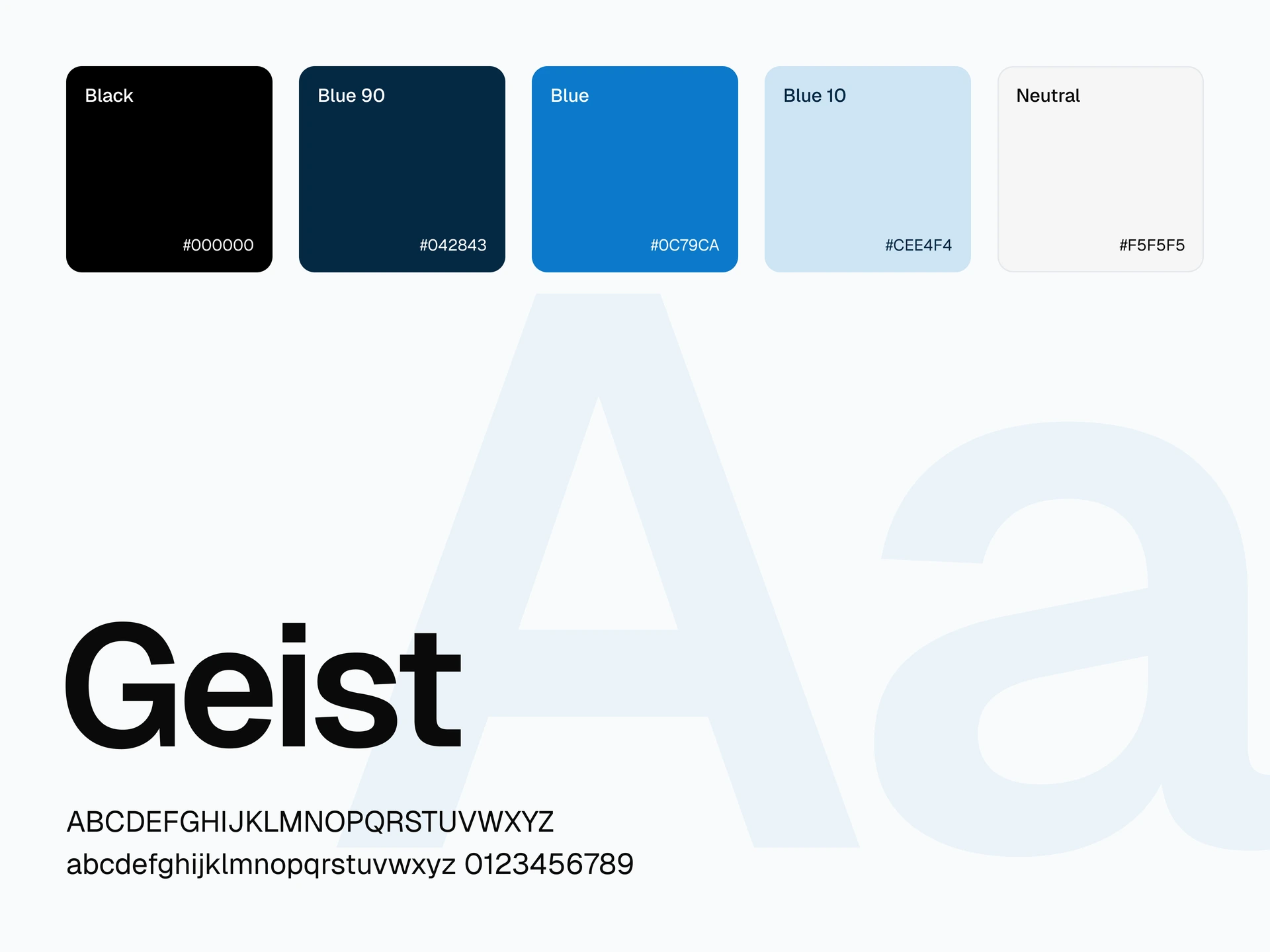
Style guide
Result
The dashboard now reads as one tool, from file import to a finished layout builder. In the product editor, each setup task has its own step and the 3D model stays the largest thing on screen.
The work covers wireframes, hi-fi screens, a prototype, and a component library INHAABIT's team can keep building on.
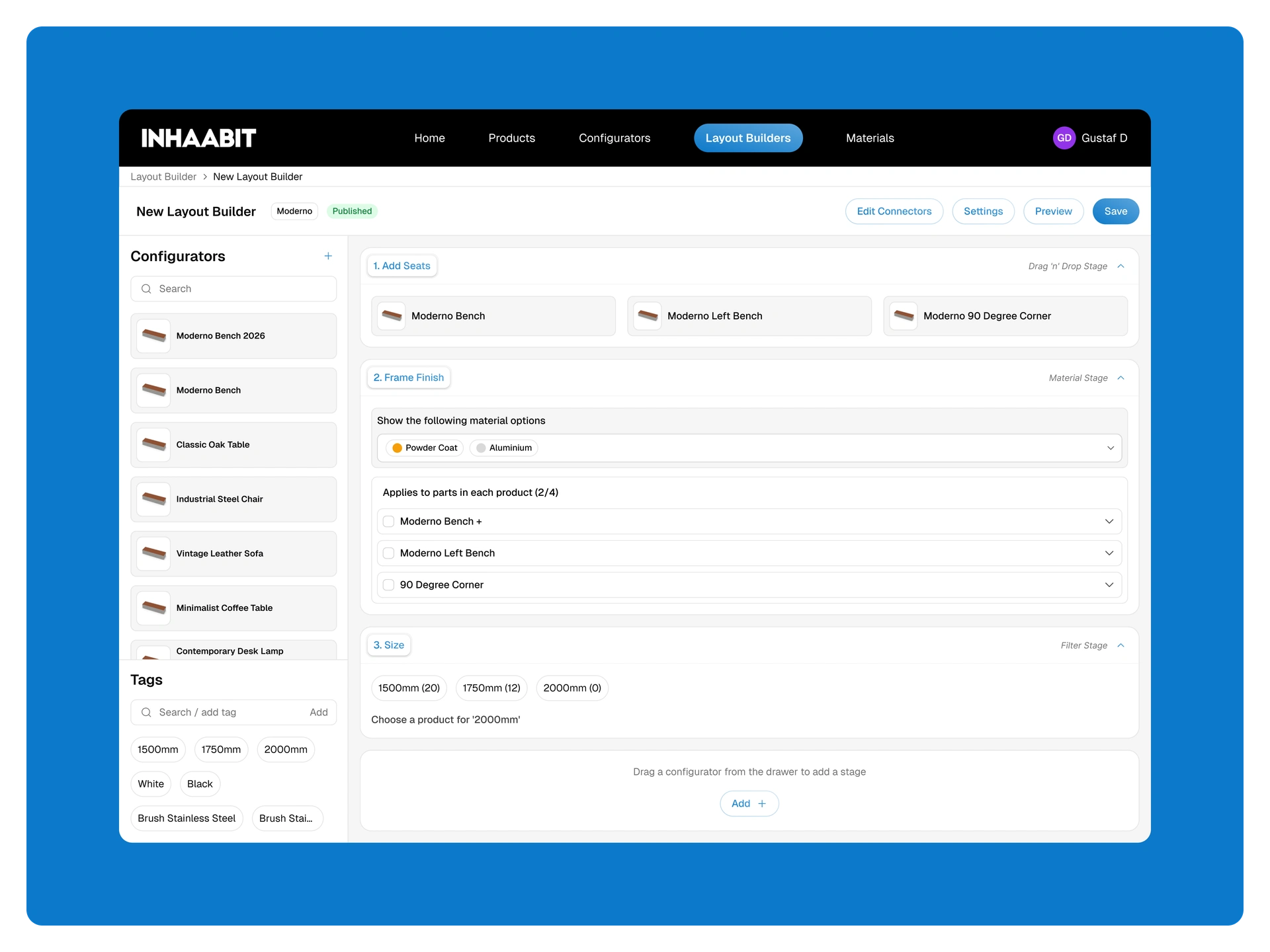
Layout builder
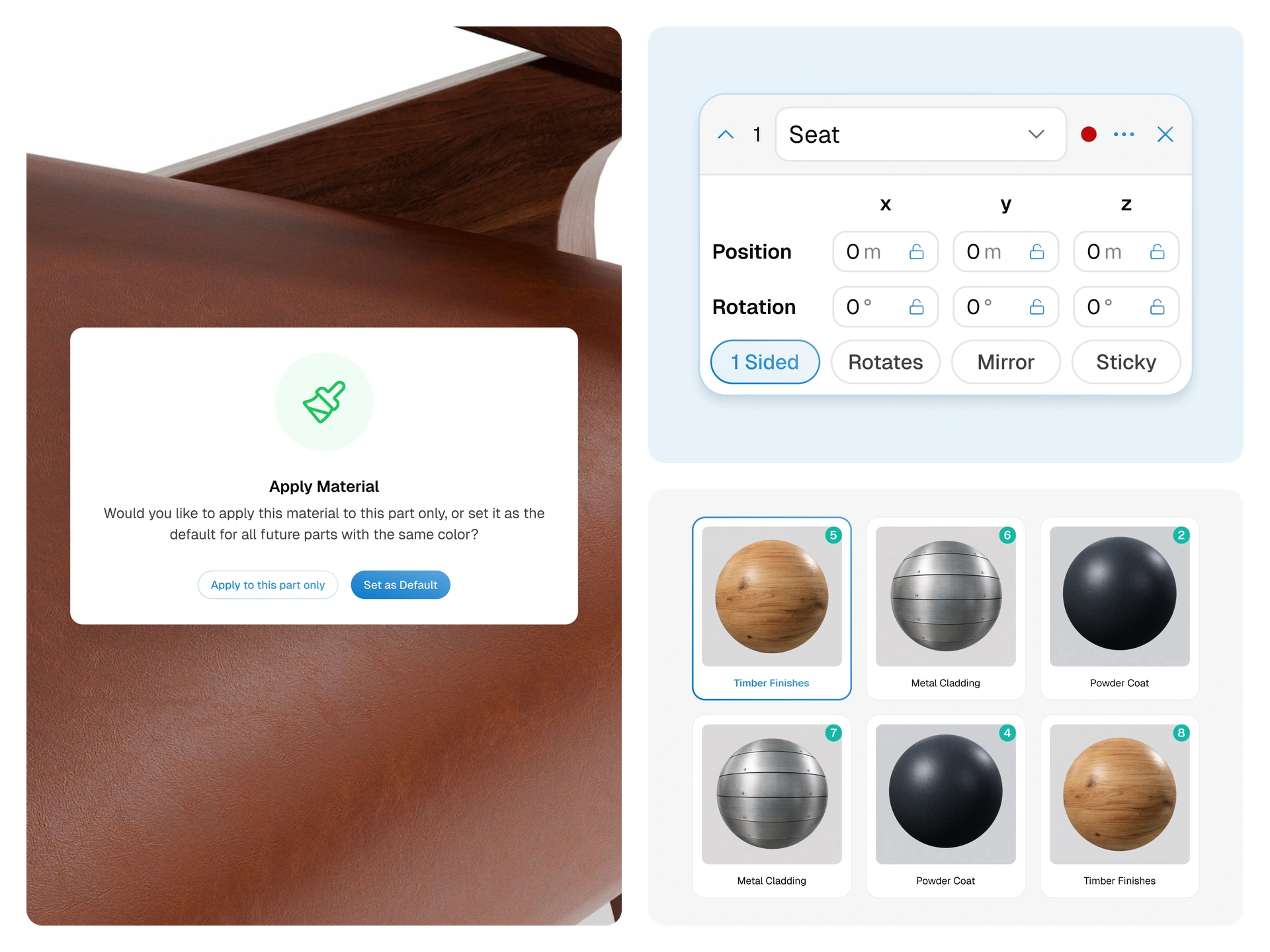
Apply material dialog, connector card, and material library
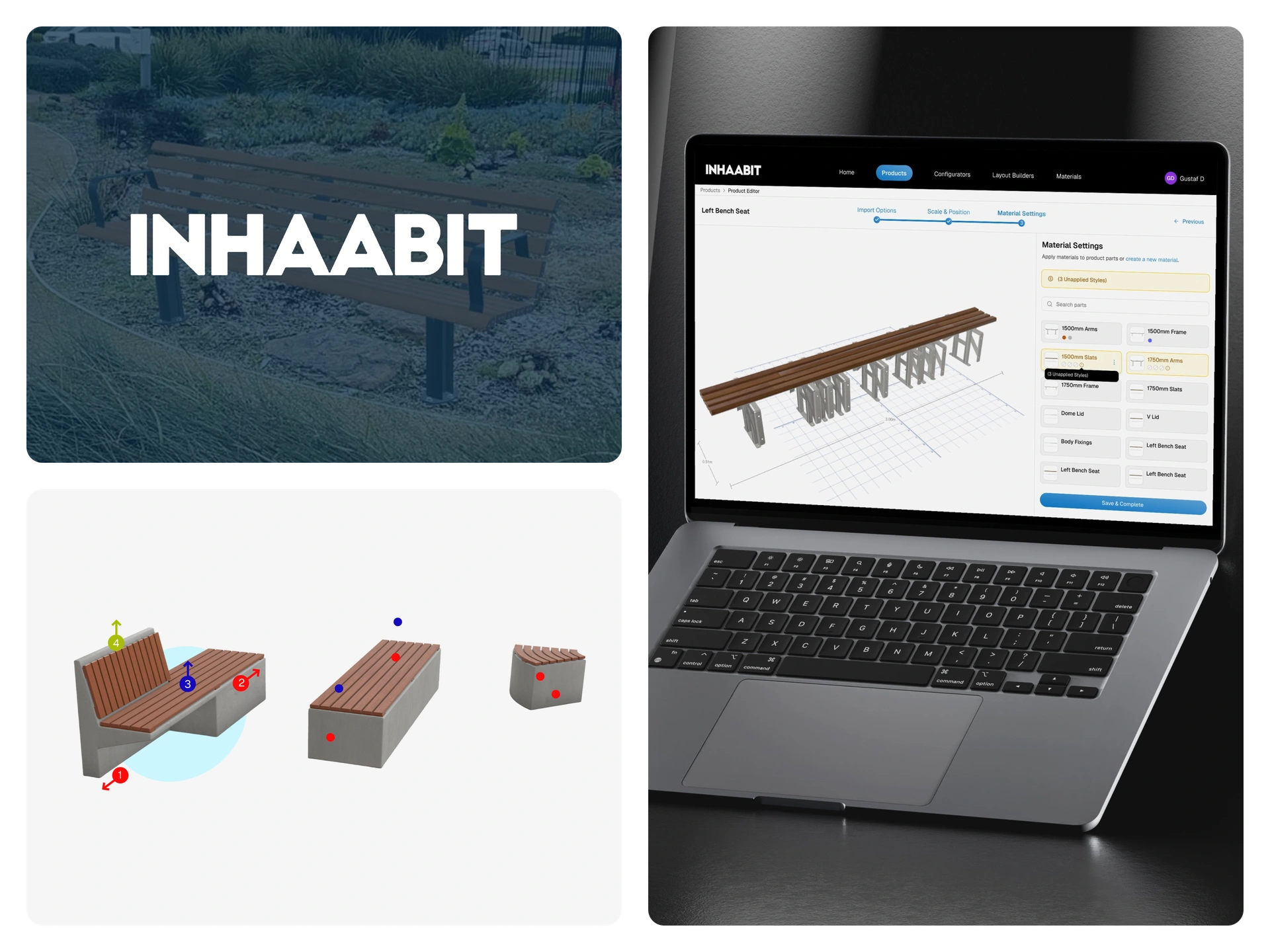
Material settings on a laptop
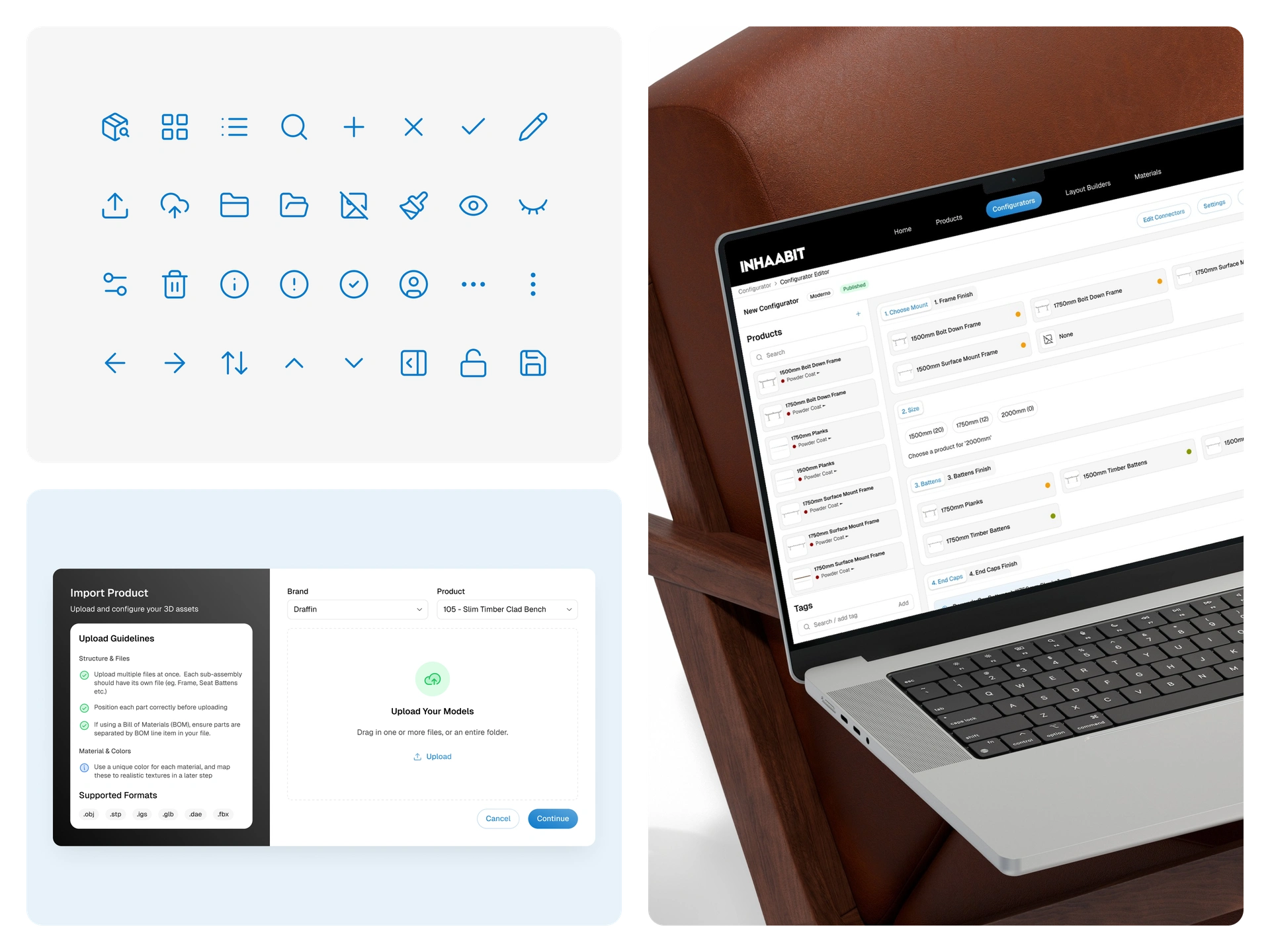
Icons, import dialog, and configurator editor
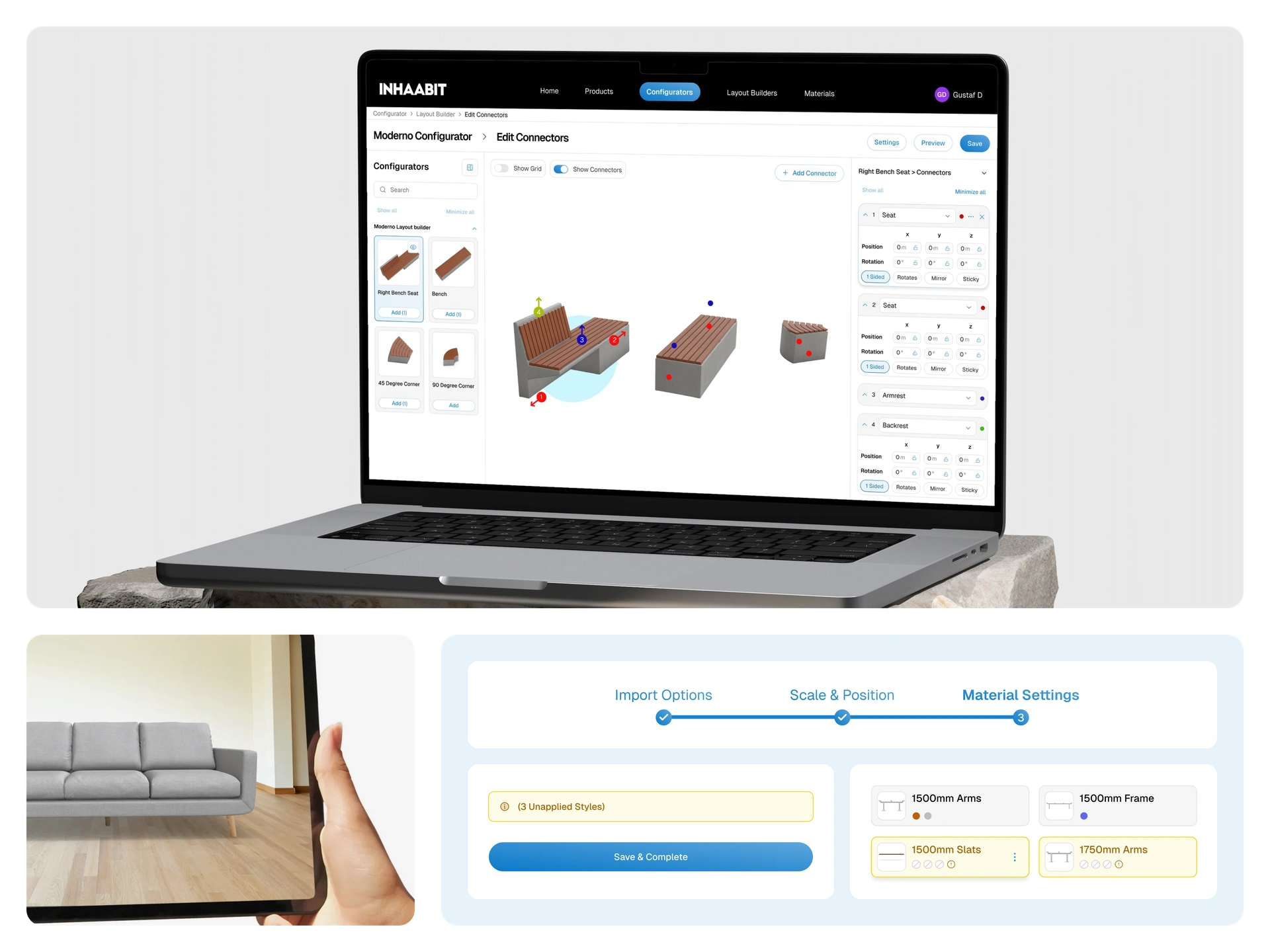
Connector editor and product editor steps
0 likes · 0 views · Nov 24, 2026
Redesigned the B2B dashboard where INHAABIT's clients, import 3D models, set up materials, and build product configurators and layout builders.
