Enterprise User Administration Platform Redesign

Anna Yatsyniak

Case Study: Enterprise User Administration & Workflow Platform
Role: UI/UX Product Designer
Scope: Data Grid Design, Contextual Side Panel, Form Navigation, System UI
Format: B2B SaaS Enterprise Platform
Overview & Challenge
This project is a high-density B2B enterprise platform designed for managing user permissions, workflow approvals, system activity logs, and group administration.
The Challenge:
Working within tight timeline constraints, the goal was to address core usability hurdles in managing complex, data-dense features. Users experienced cognitive overload due to heavy scrolling across long sections and frequent context-switching when reviewing group details and system logs.
Key Solutions & Design Decisions
📊 Optimized Data Grid & Operations Monitoring
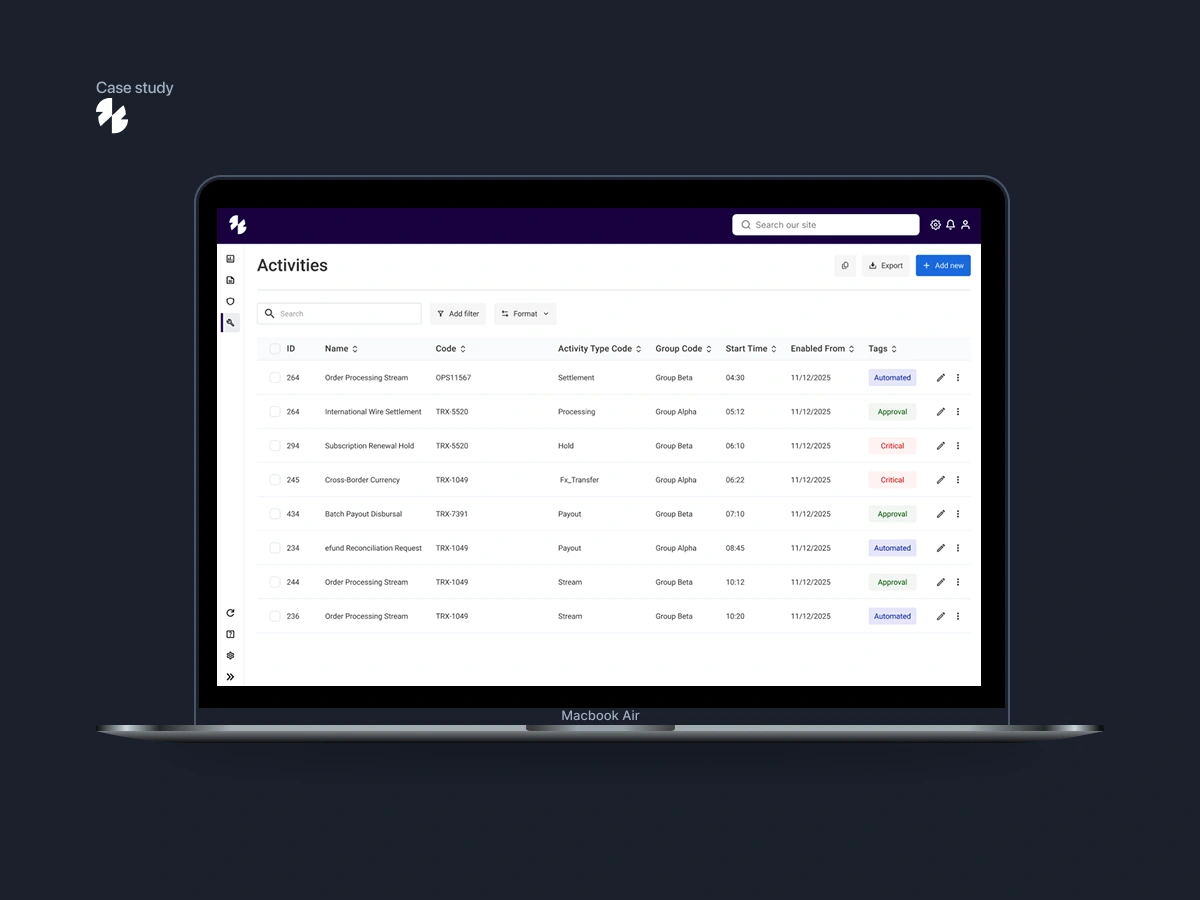
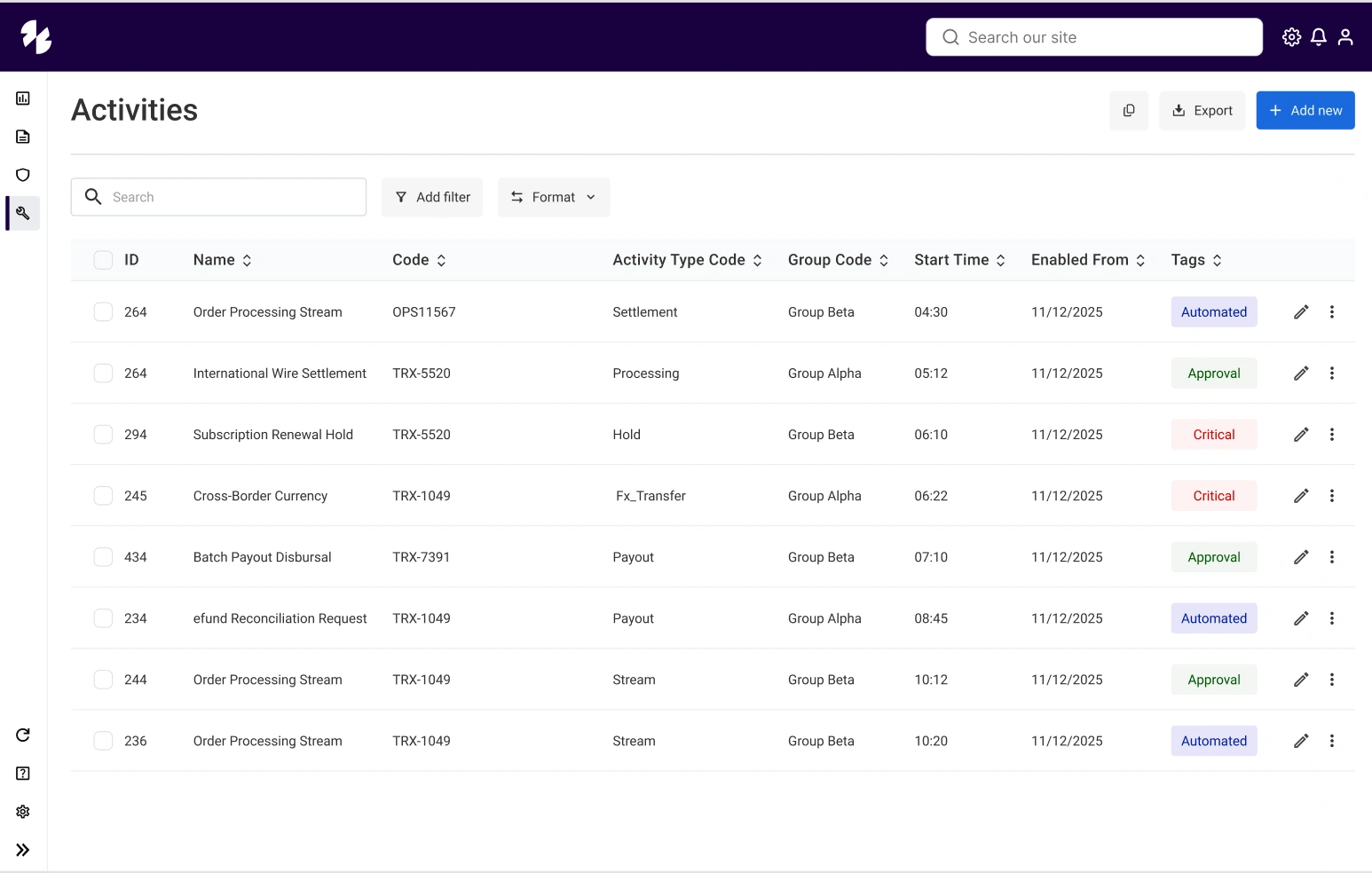
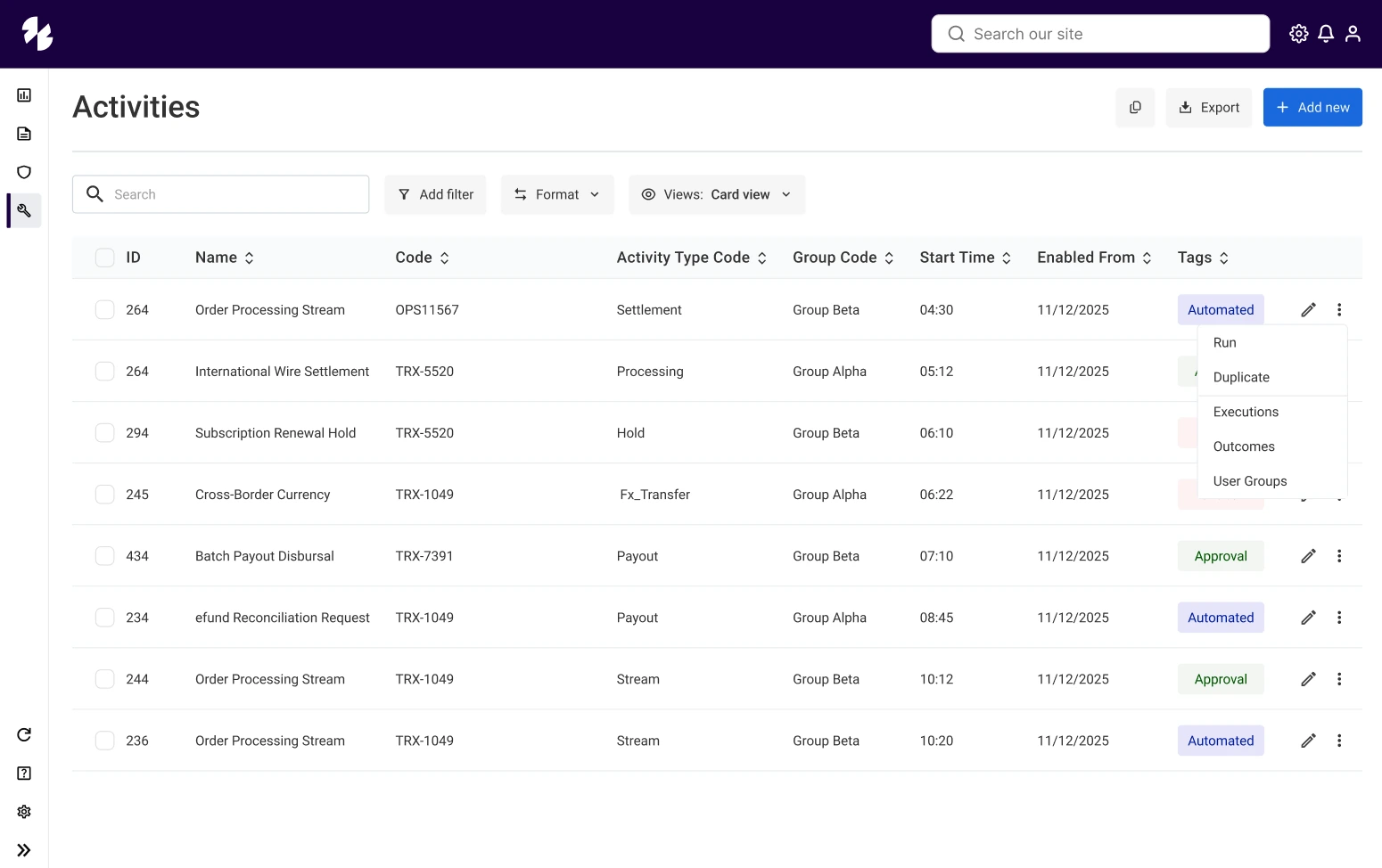
Scannability & Visual Hierarchy: Redesigned the table layout to structure complex log entries (IDs, Activity Types, Workflow Groups, Execution Timestamps) using balanced paddings, clear typography, and color-coded status tags.
Streamlined Control Header: Integrated a top-level action bar with global search, parameter filtering, and format toggles directly above the grid header for instant data slicing.
Row-Level Management: Implemented quick-action menus (
...), column sorting triggers, and multi-row selection states.👤 Contextual Side Panel (Drawer UI)
Zero Context-Switching: Designed a dedicated Side Panel for the User Administration group. It enables operators to review group details without losing their place on the primary workspace.
Comprehensive Overview: Surface key details at a glance, including:
Basic Group Info
Assigned Users & Portfolios
Custom Grid Views & Approvals
Quick Management Actions (
View, Delete)⚡ Navigation & Microcopy Improvements
Section Jumps: Introduced anchor-based navigation so users can quickly jump across data-heavy forms without scrolling.
Inline Helper Text: Added clear instructional microcopy beneath complex fields to clarify requirements and reduce user errors.
3. Impact & Key Takeaways
Streamlined Operations: Reduced time-to-action for system operators tracking background tasks and group permissions.
Modular UI Foundation: Delivered an extensible UI pattern (Grids + Drawers) ready to scale across future enterprise modules.
Main screen
Options
Section Title: Multi-Step Activity Creation Flow (Wizard UI)
Overview & Purpose
Designing a complex background task requires collecting metadata, scheduling parameters, and dependency conditions without overwhelming the operator. To solve this, I designed a clear 3-step Wizard flow that breaks down data entry into manageable stages with real-time feedback and state tracking.
Key Design Solutions & UX Highlights
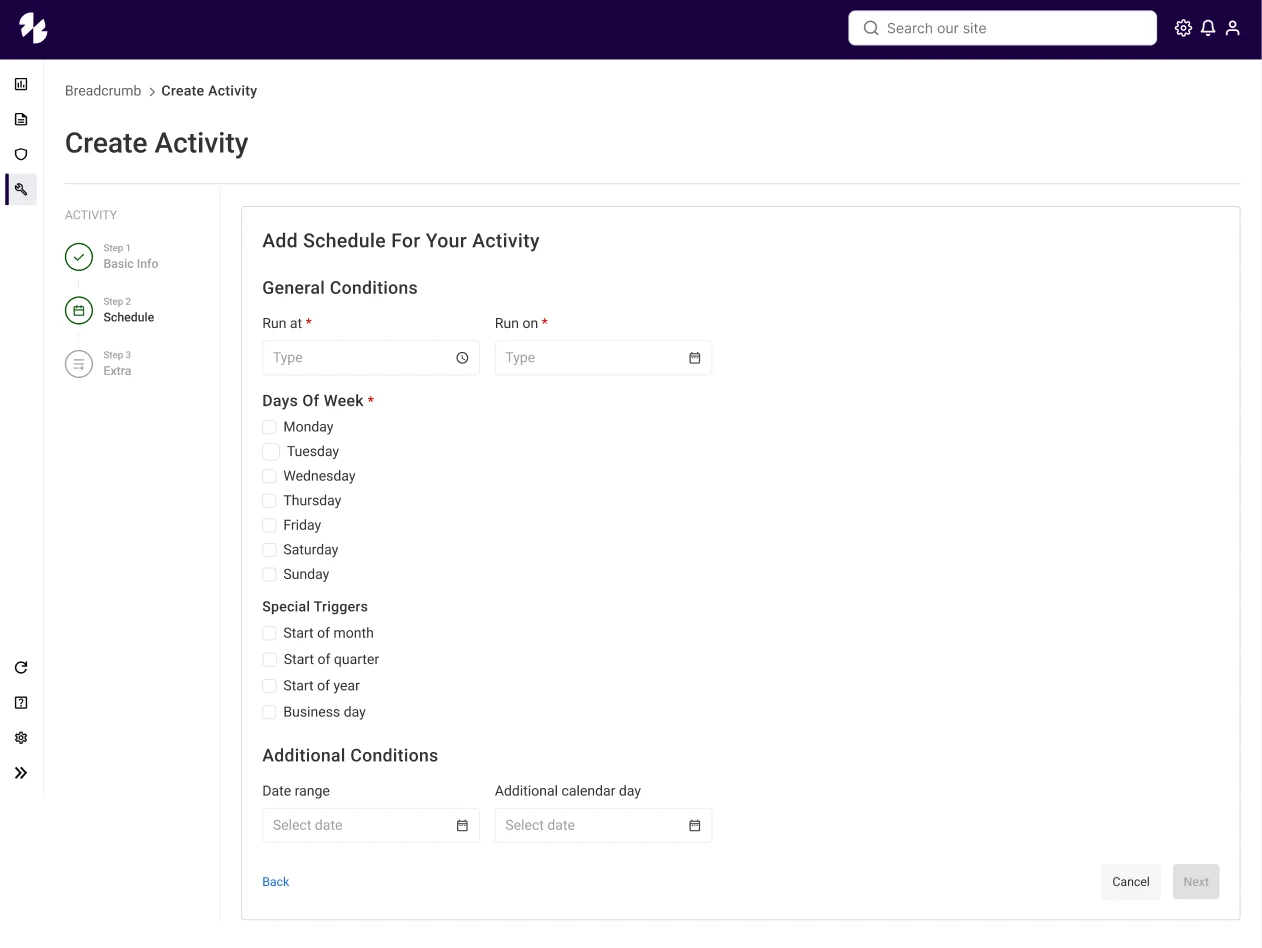
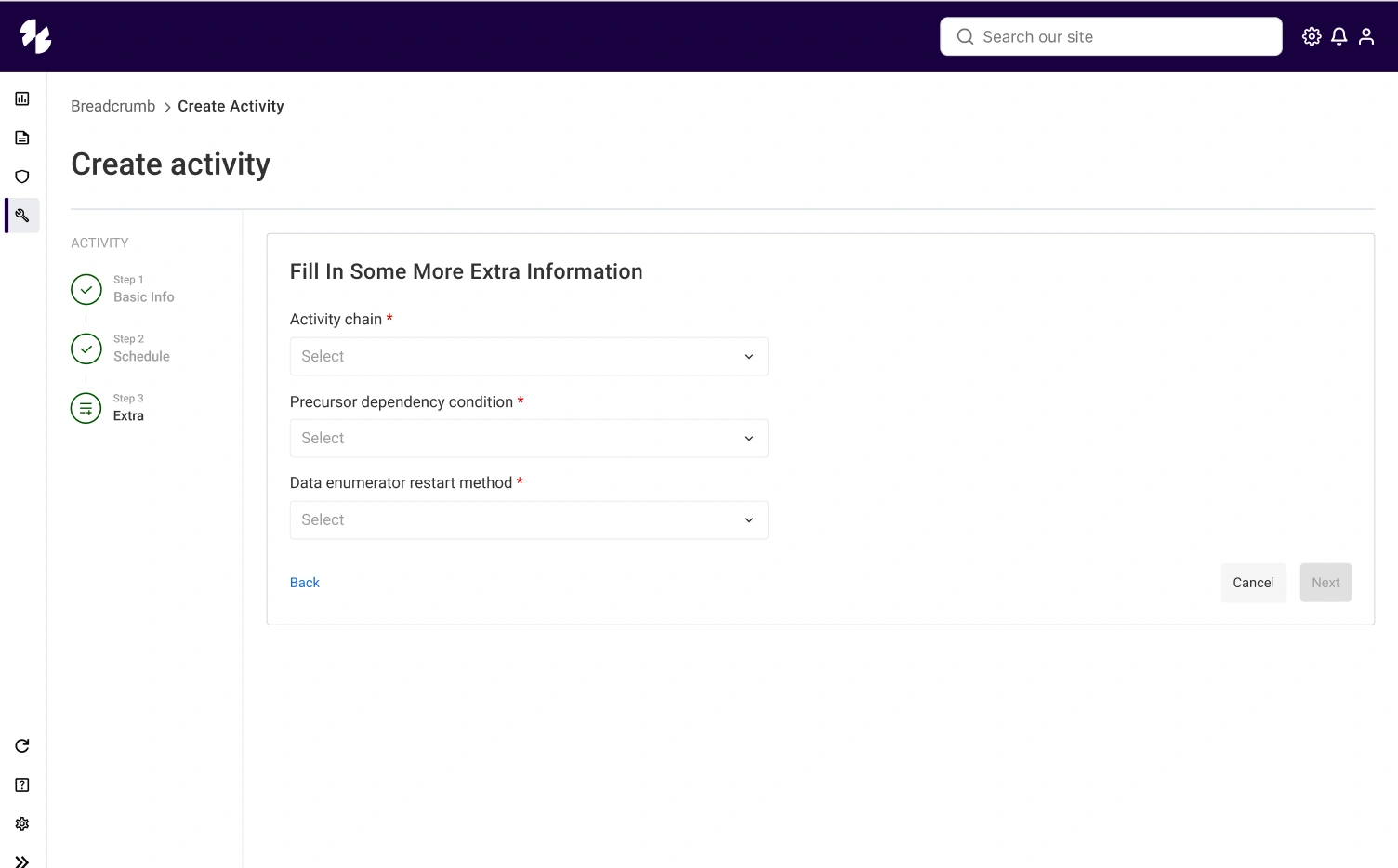
Progress Stepper Component: Positioned on the left side, the stepper tracks completed stages (
Basic Info ➔ Schedule➔ Extra), giving users clear visual orientation and allowing non-linear navigation.Step 1: Basic Information: Focuses on essential metadata (
Activity Name, Activity Type Code, Group Code) with standardized dropdowns and clear required field indicators (*).Step 2: Granular Scheduling Logic: Formatted flexible run options including specific time pickers (
Run at), calendar dates (Run on), day-of-week selections, and automated triggers (Start of month, Business day).Step 3: Advanced Dependencies & Execution: Allows power users to define precursor dependency conditions (e.g.,
All Succeeded) and automated data enumerator restart methods before final submission.Interactive Field States: Primary CTA (
Next/Confirm) updates dynamically from disabled/secondary to primary action states upon completing required fields.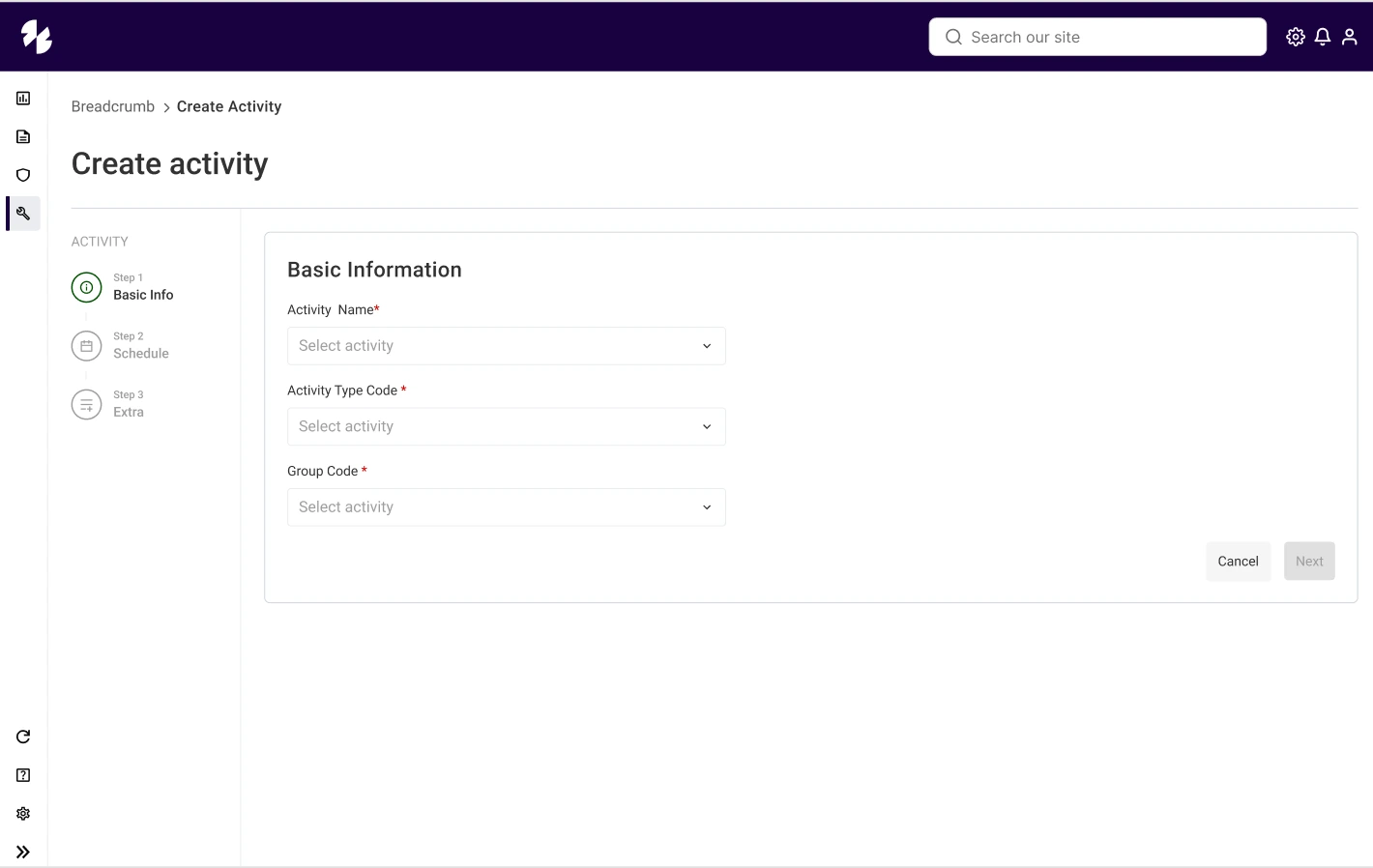
Like this project
Posted Aug 12, 2026
Redesigned UI/UX for an enterprise platform managing user permissions and workflows.
Likes
0
Views
6