LawSolve - Legal Practice & Child Support Calculation Software

Ayan E.

LawSolve - Legal Practice Management & Child Support Calculation Software
LawSolve is a SaaS platform for family law attorneys and legal organizations, built around a core tool that would otherwise take a lawyer hours to calculate by hand: state-guideline child support and maintenance calculations. I designed the full product experience, from onboarding and account approval through to the calculator itself, user and organization management, and billing.
The central design challenge was the calculator: a form with dozens of interdependent financial and legal inputs (income, prior obligations, custody overnights, healthcare costs, extraordinary expenses) that needed to stay usable for attorneys who are legal experts, not spreadsheet power users.
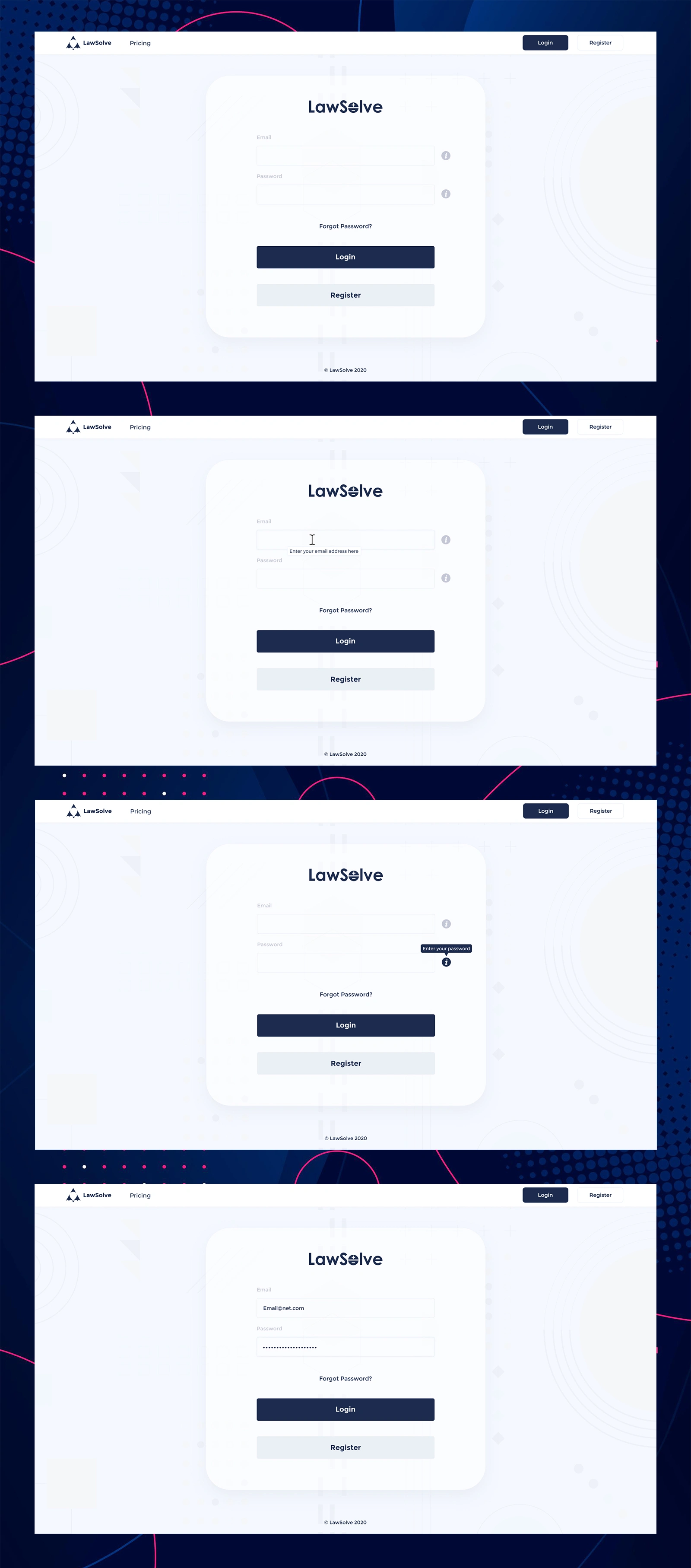
Onboarding That Explains Itself
Rather than relying on placeholder text alone, I designed contextual helper tooltips that appear as a user focuses each field ("Enter your email address here"), giving first-time users just enough guidance without cluttering the form for returning users who don't need it. The clean, minimal card layout keeps the focus entirely on the two fields that matter.
A Recovery Flow With Clear Confirmation at Every Step
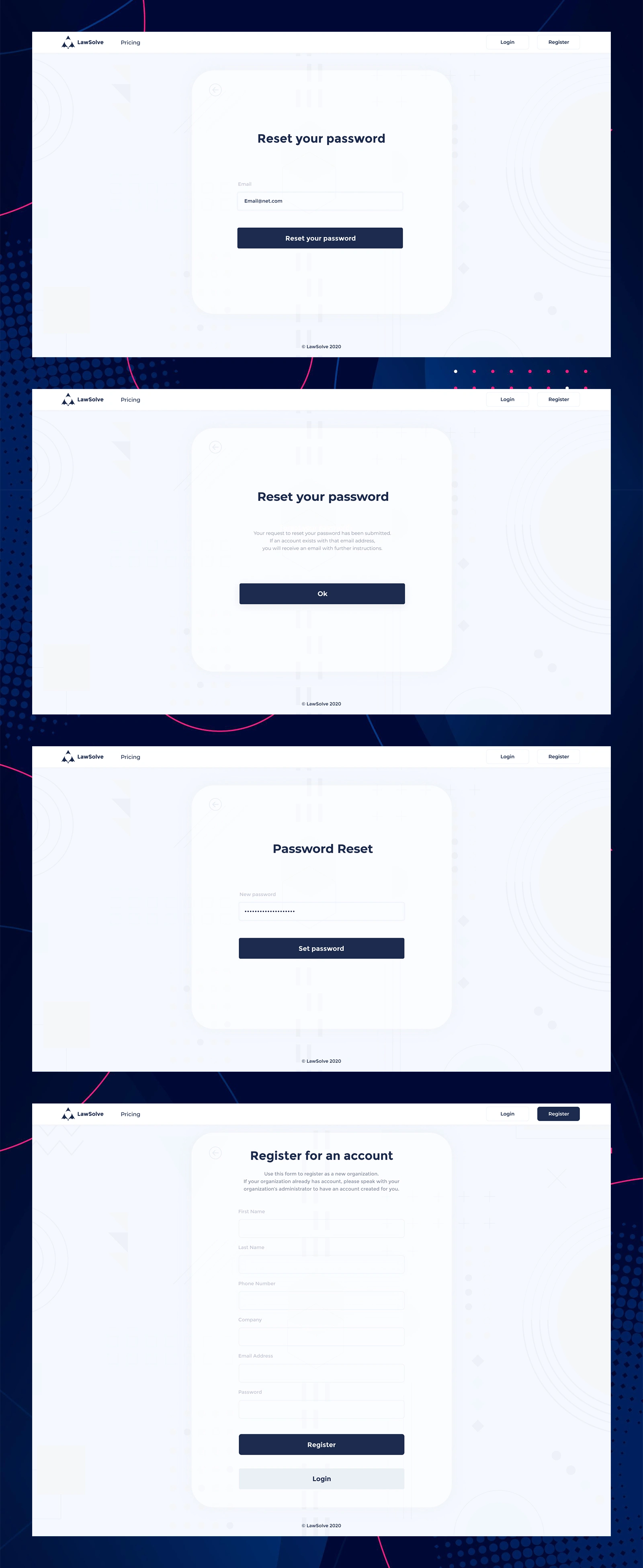
Password reset flows fail users most often at the "did that actually work?" moment. I designed each step - request, confirmation, and setting the new password - with an explicit message confirming what just happened and what to expect next, so a user is never left wondering whether their request went through or checking their inbox for an email that may never come if they mistyped their address.
Registration Designed Around Real Organizational Structure
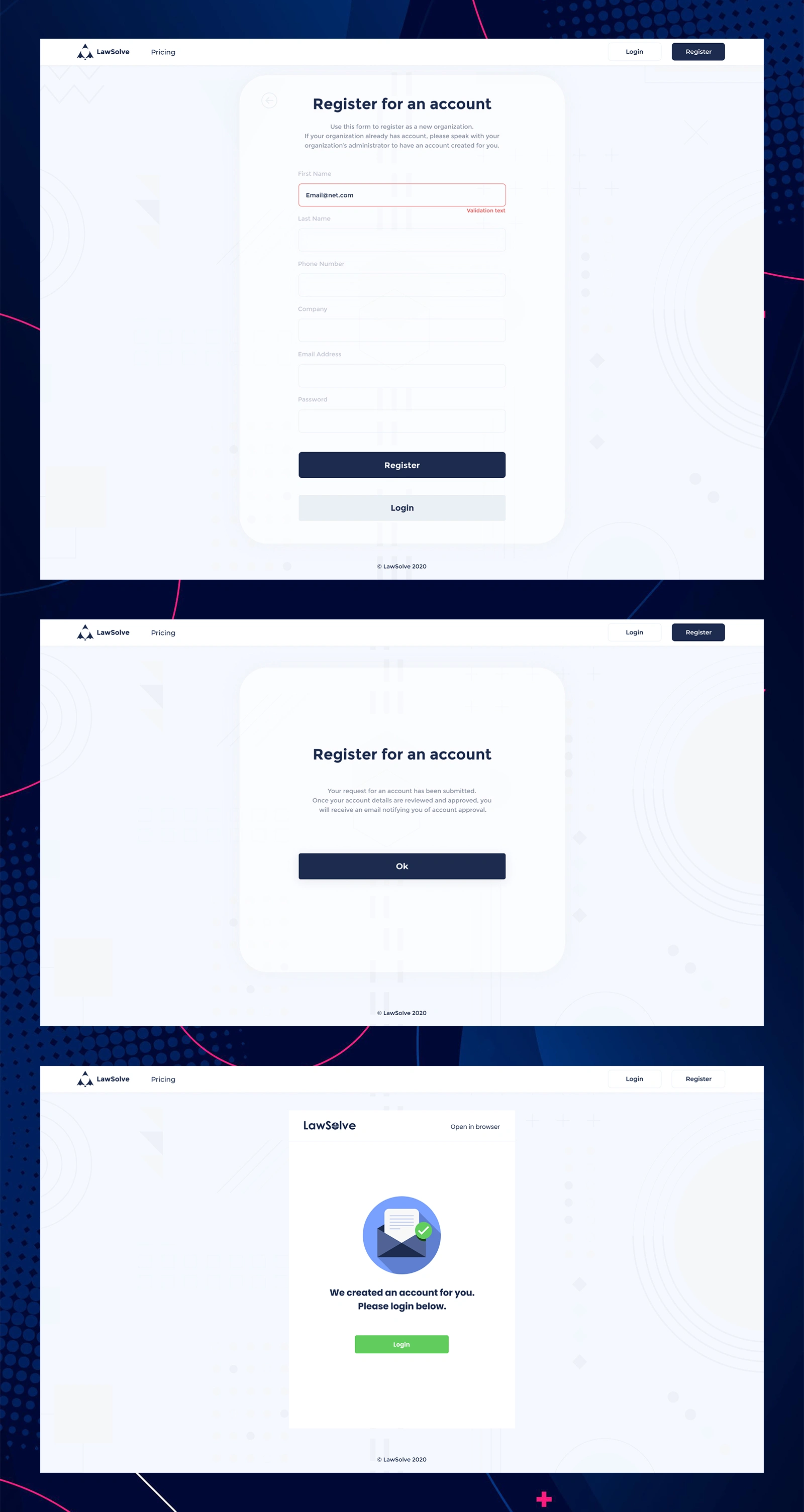
Because LawSolve accounts are tied to organizations (law firms), I designed the registration flow to route new sign-ups through an approval step rather than instant self-service access, protecting existing firms from unauthorized account creation. Inline field validation catches errors before submission, and a clear confirmation screen sets accurate expectations that approval - and a follow-up email - comes next, rather than immediate access.
Three Tiers, Clear Value, No Guesswork
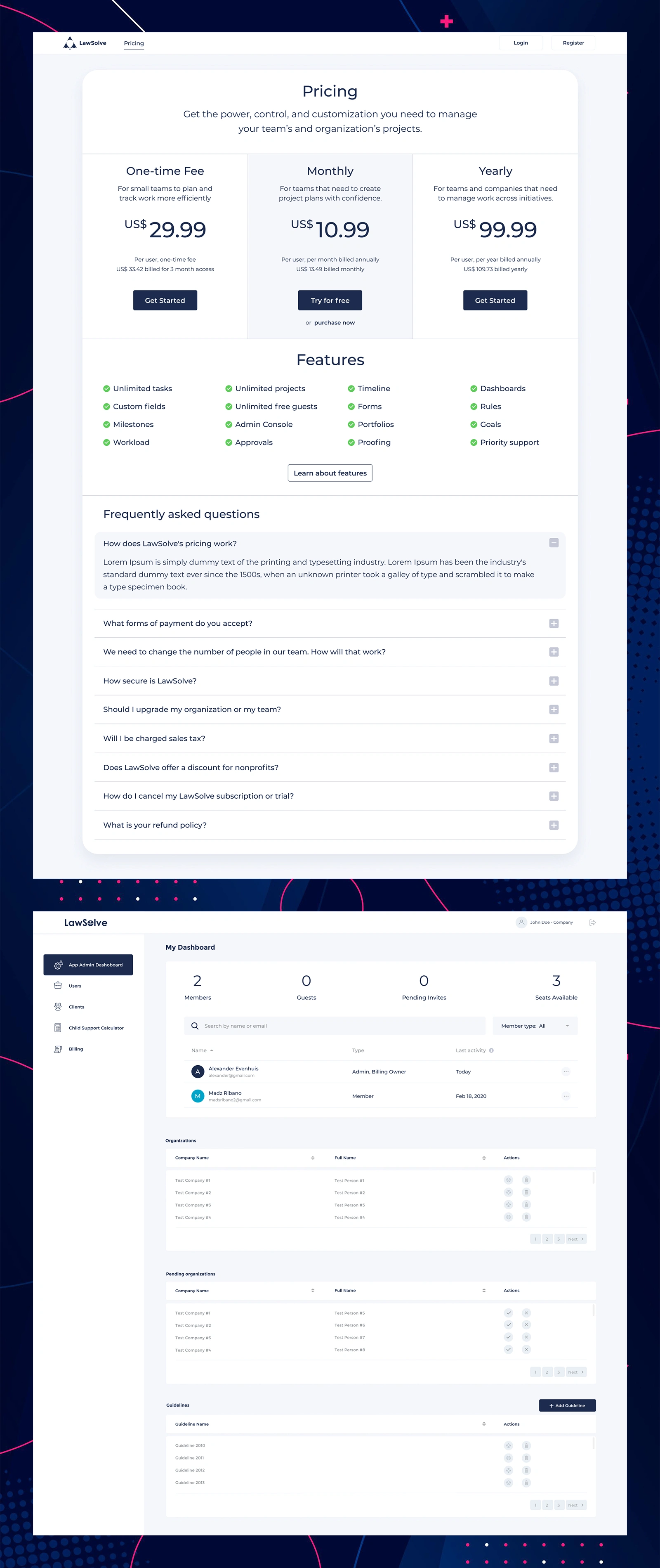
I designed a pricing structure around three distinct buyer needs - a low-commitment one-time fee for small teams, a monthly plan for teams wanting flexibility, and an annual plan for larger organizations - with a shared feature list beneath so the value difference between tiers is explicit rather than implied. An FAQ accordion below addresses the objections that typically stall a purchase decision (billing, security, cancellation) without lengthening the page for users who don't need them.
One Screen for Every Organization-Level Decision
For platform administrators managing multiple client organizations, I designed a dashboard leading with the numbers that matter most - active members, guests, pending invites, and available seats - before drilling into detailed tables for organizations, pending approvals (with inline approve/reject actions), and jurisdictional guidelines that power the calculator's underlying logic.
Structured Access Control for Legal Teams
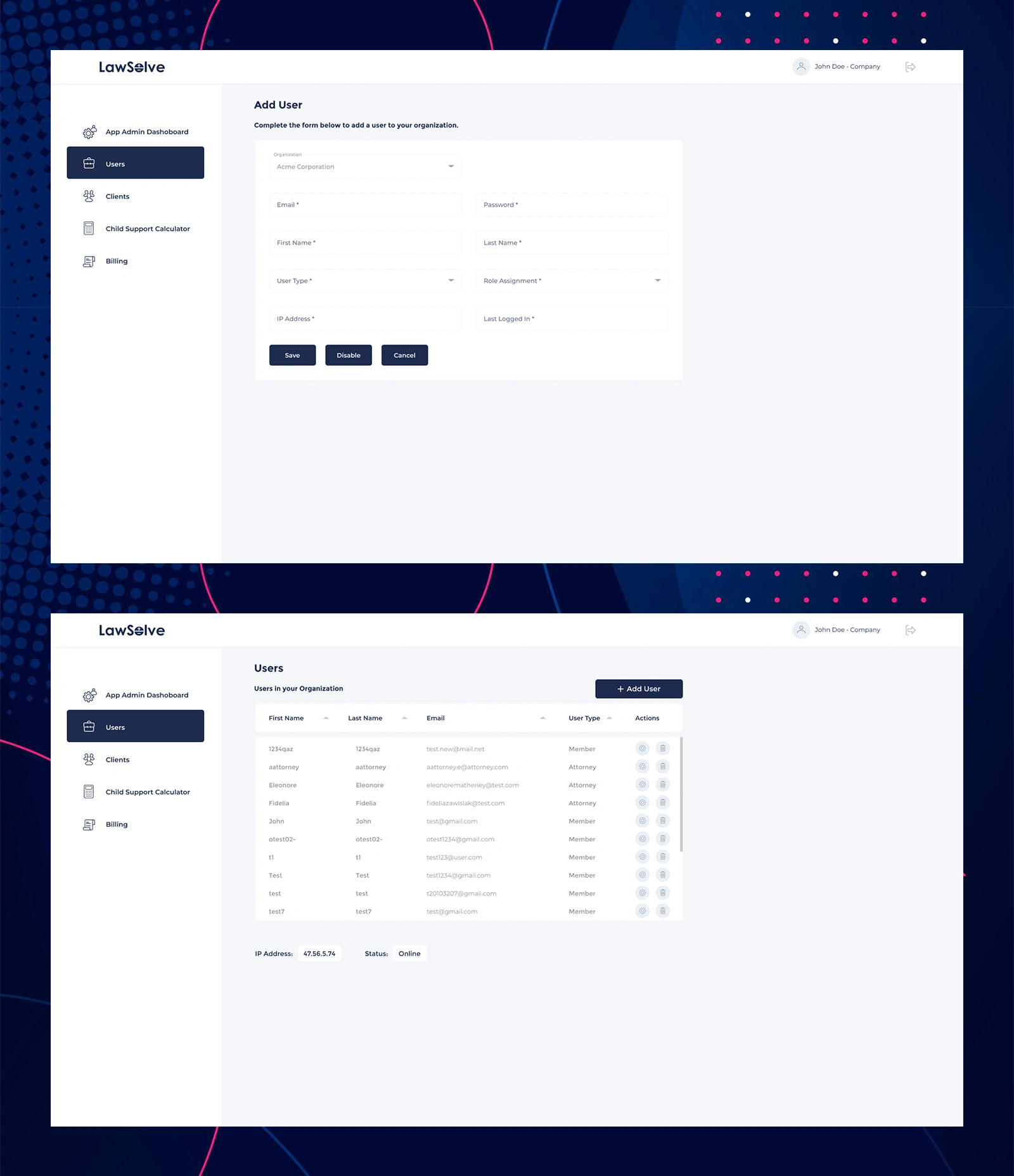
Law firms need precise control over who can access what - a paralegal's permissions shouldn't match an attorney's. I designed a structured Add User form capturing role assignment and organizational context up front, paired with a sortable, searchable user table showing role type and login activity at a glance, so an admin can audit access across the whole organization quickly.
Making a Legally Complex Calculation Usable
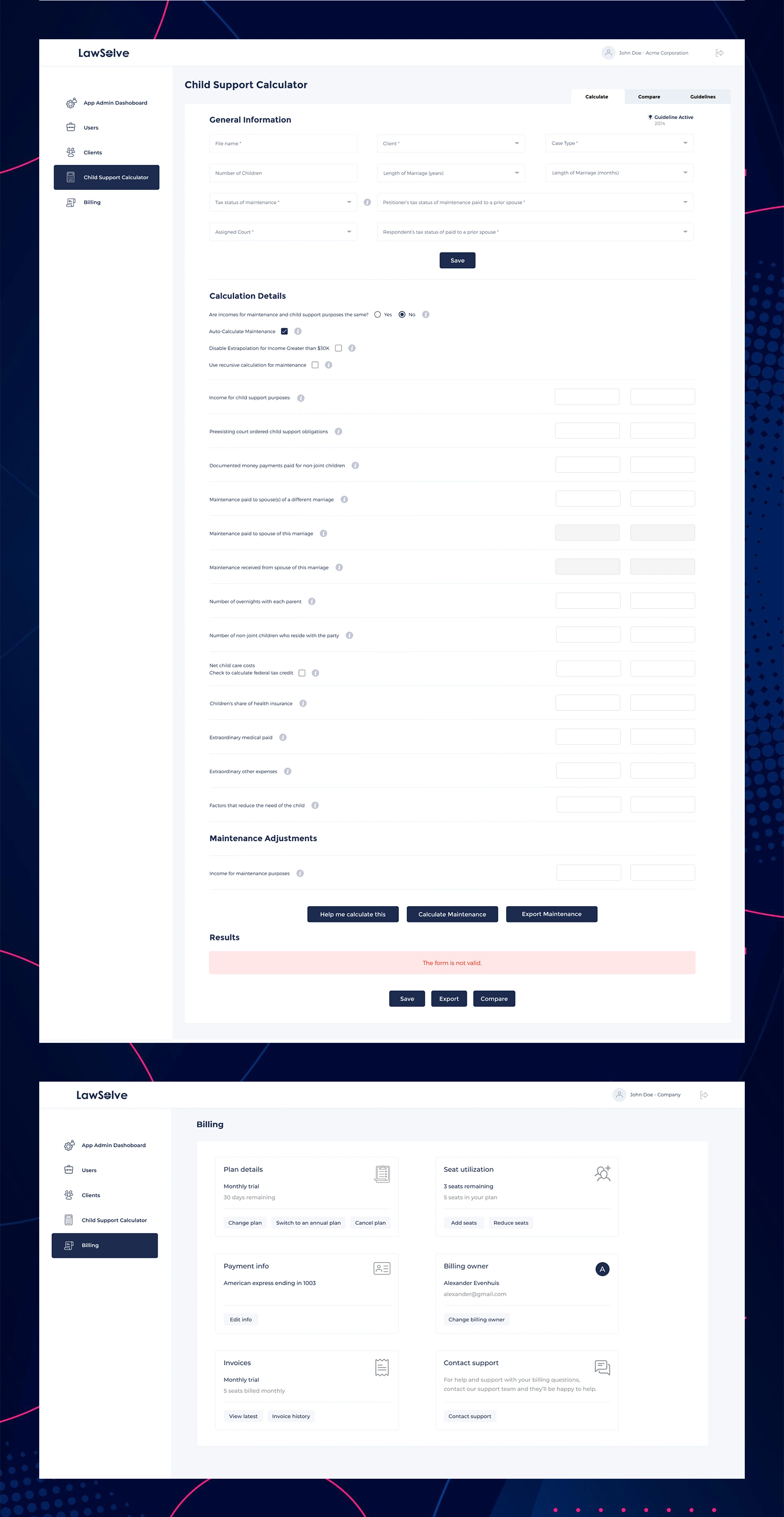
This is the product's core value and its hardest design problem. The calculator handles dozens of interdependent inputs - income for child support purposes, prior court-ordered obligations, custody overnight splits, healthcare costs, extraordinary expenses - grouped into clear sections (General Information, Calculation Details, Maintenance Adjustments) so an attorney can work through it top-to-bottom without losing their place. Inline help icons clarify legally specific terms without forcing users to leave the form, and a persistent, clear validation message ("The form is not valid") prevents attorneys from exporting or relying on an incomplete calculation. Compare and Export actions let the output feed directly into case documentation.
Self-Service Billing That Doesn't Need a Support Ticket
I designed the billing page around the six things an account owner actually needs to self-serve: current plan status, seat usage against their limit, payment method, who owns billing, invoice history, and a direct line to support if something falls outside self-service. Card-based grouping keeps each concern scannable independently rather than burying them in one long settings form.
Like this project
Posted Sep 3, 2026
LawSolve is a SaaS platform for family law attorneys and legal organizations, built around a core tool that would otherwise take a lawyer hours to calculate.
Likes
0
Views
0