Rebuilt a 66,000-SKU Catalog With a Working In-Page Search

Supreme Dream


CASE STUDY · WEB ENGINEERING
I rebuilt an electrical supplier's 66,000-part catalog site in three days. Here's every number.
No API. No docs. Just sitemaps, a throttled shared server, and a parts catalog the size of a small city — plus a client demo that had to work on every screen a human owns.
GiveMePrompts · September 2026 · 3 days end to end · Live demo linked at the end
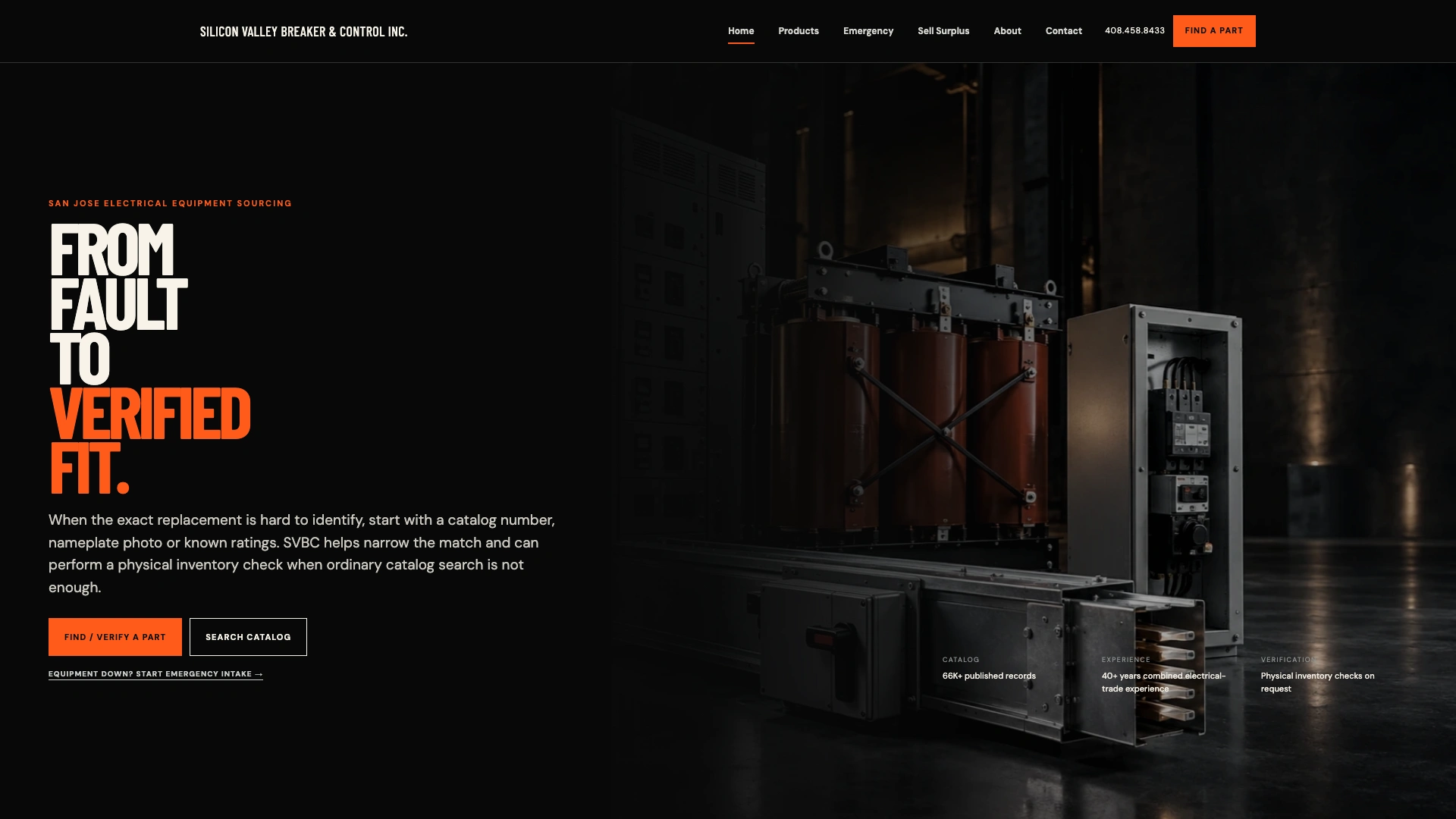
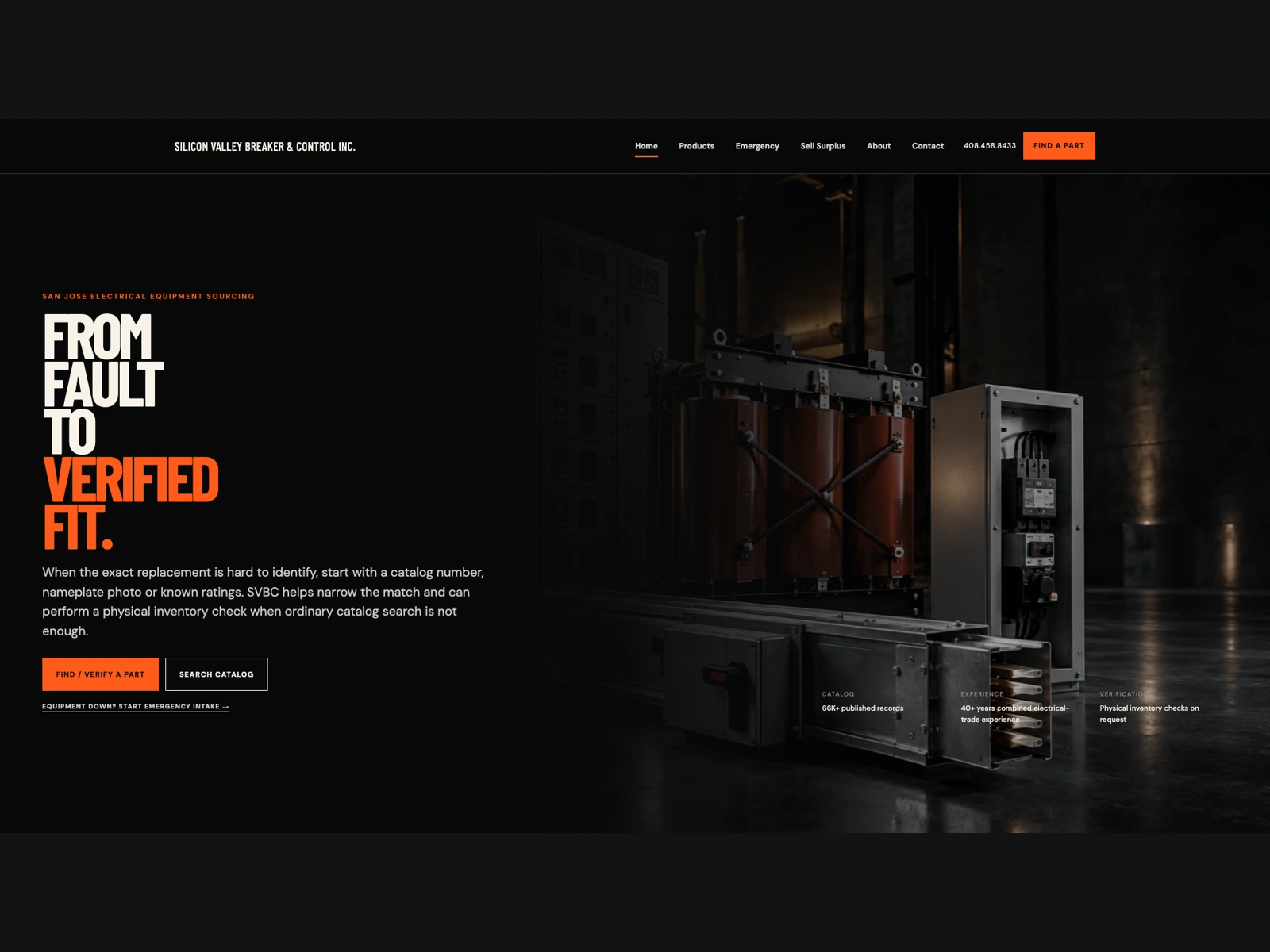
The finished homepage at 1920×1080. Lighthouse 100 performance, 100 accessibility, 100 best practices.
The situation
Silicon Valley Breaker & Control is a real electrical-equipment sourcing company in San Jose. Their live site is WordPress running WooCommerce 1.0 — released in 2016, still on it in 2026 — with 66,000+ published product records, a search that just forwards you to a query string, and product pages that return "Call for Price." The client had already paid for a redesigned front end (20 static pages, QA'd, deliberately noindexed). What it didn't have: a working search. Typing a part number opened the old site in a new tab. That's not a demo, that's an apology.
I was handed the zip on a Tuesday and asked to make the whole thing real: search that actually searches, faster loads, a mobile experience that doesn't fall apart, and a public link to show a client. Three days.
Problem one: there is no API
Everyone's first instinct for "get the catalog data" is the REST API. I tried all of them: the WooCommerce Store API isn't installed, the classic
/wp-json/wc/v1/products endpoint returns a 401 without keys, and the custom taxonomies aren't registered with REST at all. No credentials exist. So no API.But WooCommerce archive pages ship their data in the HTML. Every
/all-products/page/N/ page lists 12 products with SKU, brand, category, type, pole count, amperage class, stock status, image, and URL right in the markup. The math: 5,519 archive pages instead of 66,248 product pages. That's a 12x reduction in requests for the same data.I wrote an async crawler in Python (aiohttp, 12 workers, resumable via a checkpoint file) and pointed it at the archive. Then the shared CentOS server reminded me it's from 2016 too: under parallel load it throttled from ~14 products/second to ~3.5. Killing my second crawl (the taxonomy decoder, fighting for bandwidth) and running one job at a time got the speed back. Politeness isn't optional; it's also faster.
Two hours later I had 56,867 records. 855 pages had failed mid-run; a targeted retry pass recovered every one. Then the sitemap diff showed 383 products that appear on no archive page at all— uncategorized SKUs invisible to any paginated listing. Those got fetched one by one, parsed from their detail-page titles. Final tally: 66,216 unique records, zero missing from the sitemap.
66,248 SKUS DISCOVERED
66,216 UNIQUE RECORDS INDEXED
0 MISSING AT THE END
~2 hrs TOTAL CRAWL, THROTTLED SERVER
Problem two: the specs are hidden in taxonomies
Archive markup stores amperage and pole count as WordPress term IDs (
amp-342), not values. Useless to a human. The decode: crawl the term archive pages themselves, record which SKUs appear under each, and invert the map. One catch — some term pages 404 because their slugs are IDs the site doesn't route; the ones that work are value slugs (/amp/600/). After the full pass: 26,933 SKUs with decoded amps, 4,191 with poles— about 40% of the catalog. The rest simply isn't exposed anywhere on the public site, and I'd rather ship honest 40% than invented 100%.Problem three: a 66K-row search index that loads instantly
Shoving 66K records into one JSON file means a multi-megabyte download before the first keystroke does anything. Instead: a sharded index. Records sorted by SKU, split into 14 chunks of 5,000 (~9.1 MB total, served statically), plus a tiny manifest (1.4 KB) holding each chunk's first/last SKU. The client binary-searches the manifest, fetches one chunk (~700 KB, cached), and scores matches in-browser. Typing shows results as you type, no server round-trip.
Brand names break the SKU-prefix assumption ("siemens" spans every chunk), so the search detects a brand/category match in the manifest and falls back to a parallel all-shards scan. Rows show SKU, brand, decoded AMPS/POLES where available, an IN CATALOG badge, and a link to the live product record. Searching "HLD63" returns 16 Siemens HLD-frame breakers with amperage, sorted. That's the demo moment.
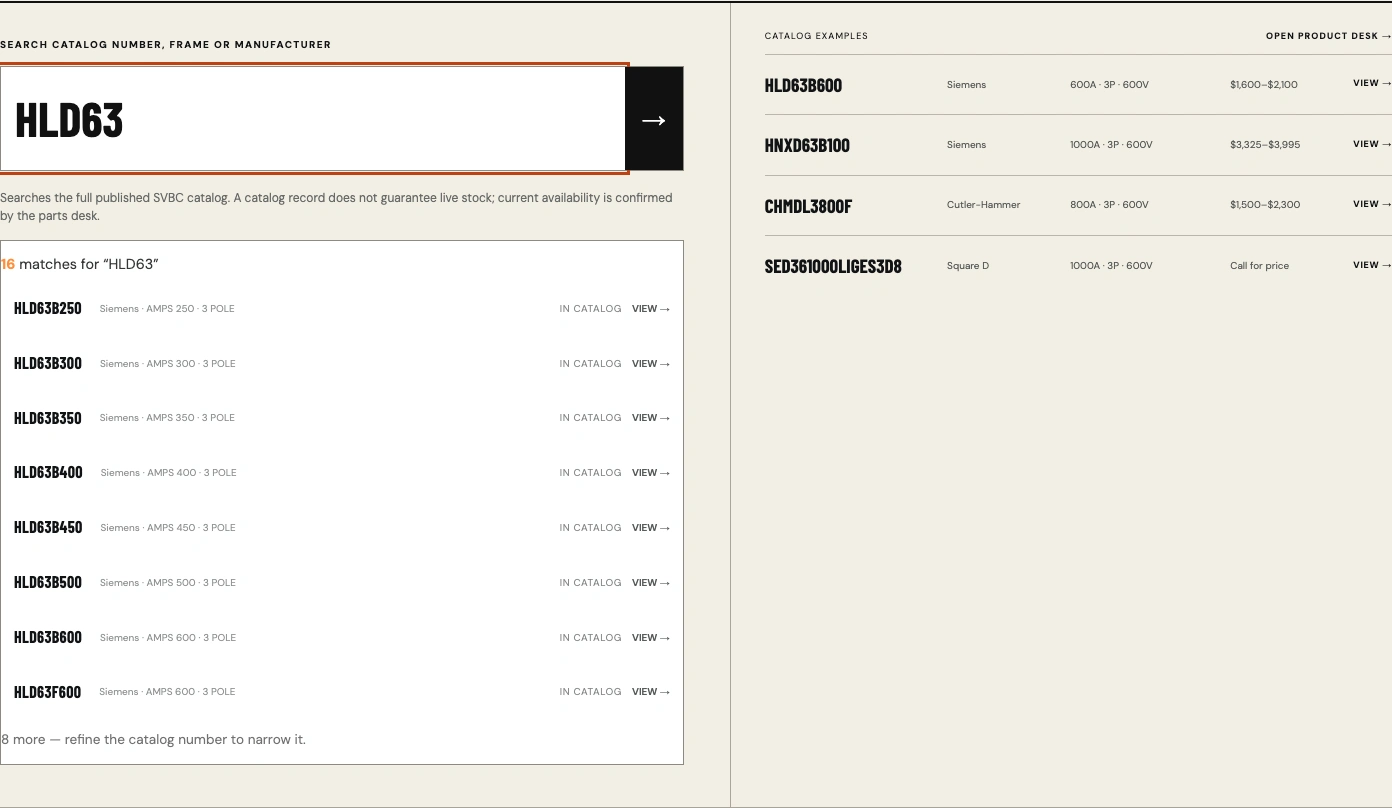
Search over the full 66K catalog, running entirely in the browser against static shards. 16 matches for a partial SKU, with amperage and pole count decoded from the taxonomy.
Problem four: Lighthouse 71
The redesigned build looked great and loaded like syrup: First Contentful Paint 3.5s, Largest Contentful Paint 5.9s, performance score 71. The audit put the blame in one line of CSS:
A CSS
@import for fonts is three sequential round-trips — stylesheet, then font CSS, then font files — all render-blocking. Fix: preconnect hints plus an asynchronous stylesheet (media="print" onloadswap with a noscript fallback) on all 20 pages, hero image preloaded, below-fold images lazy. FCP dropped to 0.9s, LCP to 1.7s, score to 100. Total Blocking Time and Cumulative Layout Shift were already 0 and stayed there.METRICBEFOREAFTERPerformance (Lighthouse)71100First Contentful Paint3.5 s0.9 sLargest Contentful Paint5.9 s1.7 sAccessibility / Best Practices100 / 100100 / 100Catalog searchable in-pagenone66,216 SKUs
Problem five: my QA passed and the phone still failed
This is the part I'd put in front of any hiring manager, because it's the one where I was wrong.
Mobile hero: emulated tests at 320–430px measured no overflow, no clipped elements, images loading, zero errors. Receipt written. Then someone opened the link on an actual phone and asked why they couldn't see the hero image at all. They were right — the "photo" was a black rectangle. The old mobile CSS pinned the photo into a small corner and buried it under a near-opaque gradient; the picture was technically rendering and visually nonexistent.

What emulated QA called "passing." The user called it a black rectangle. Both were describing the same pixels.
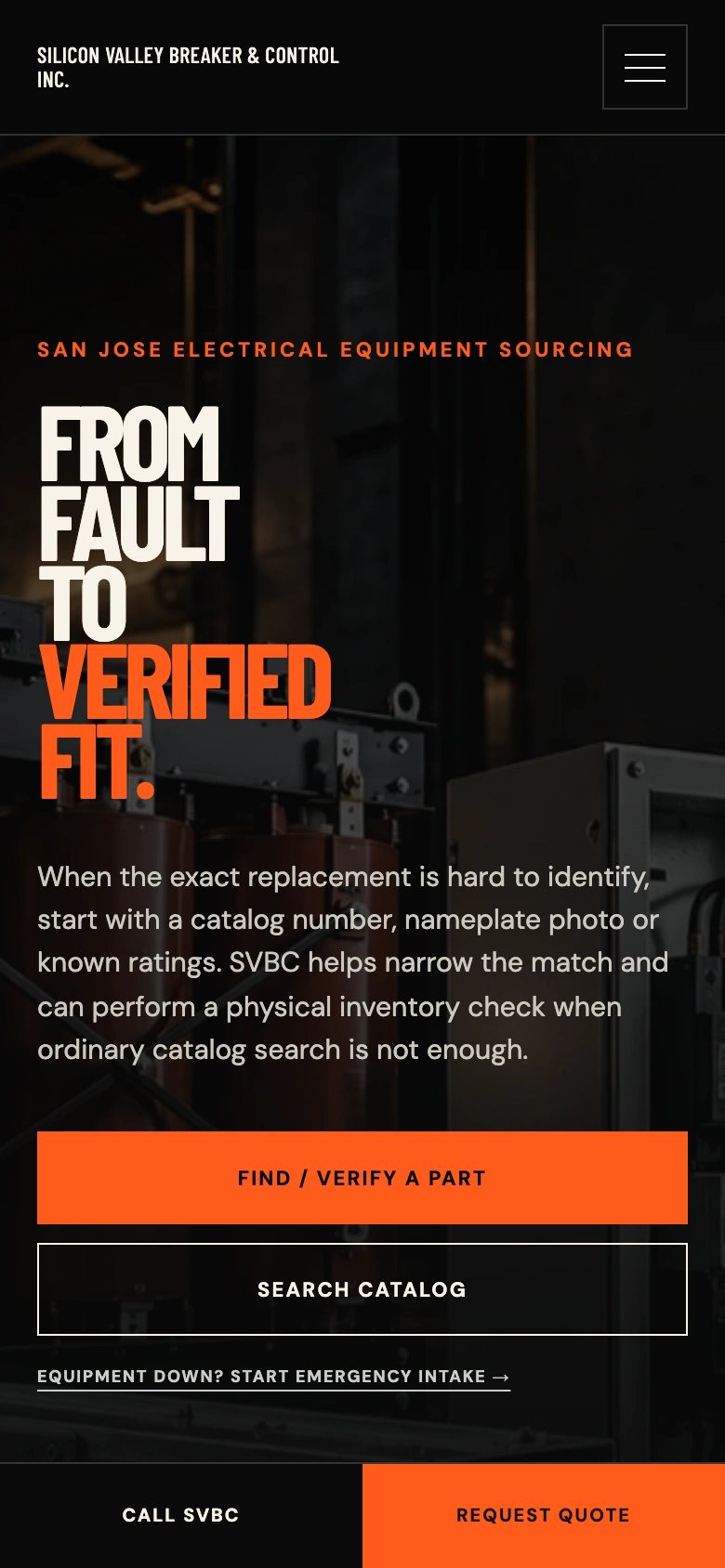
Final mobile hero: photo behind the text, gradient tuned so the equipment reads, headline fully legible, sticky call/quote bar docked.
Two lessons got baked into how I finished the job. First, emulated mobile is a layout simulator, not a pair of eyes — after that I verified visual claims by actually looking, and when the fix went in I stopped trusting screenshots alone and sampled the rendered pixels: a canvas draws the hero image and measures luminance across five horizontal bands. The failing state read ~10–20 (black). The final state reads 34→63, left to right, at 1920, 1366, 768, 390, and 320 pixels. Second, "fits the frame" and "communicates the right thing" are different bugs — the fix took three iterations (photo invisible → photo stacked on top, which broke the hierarchy → photo behind text like desktop), plus a horizontal mirror flip of the source photo and
object-position anchoring so the equipment — not the empty half of the frame — stays in view at any window size.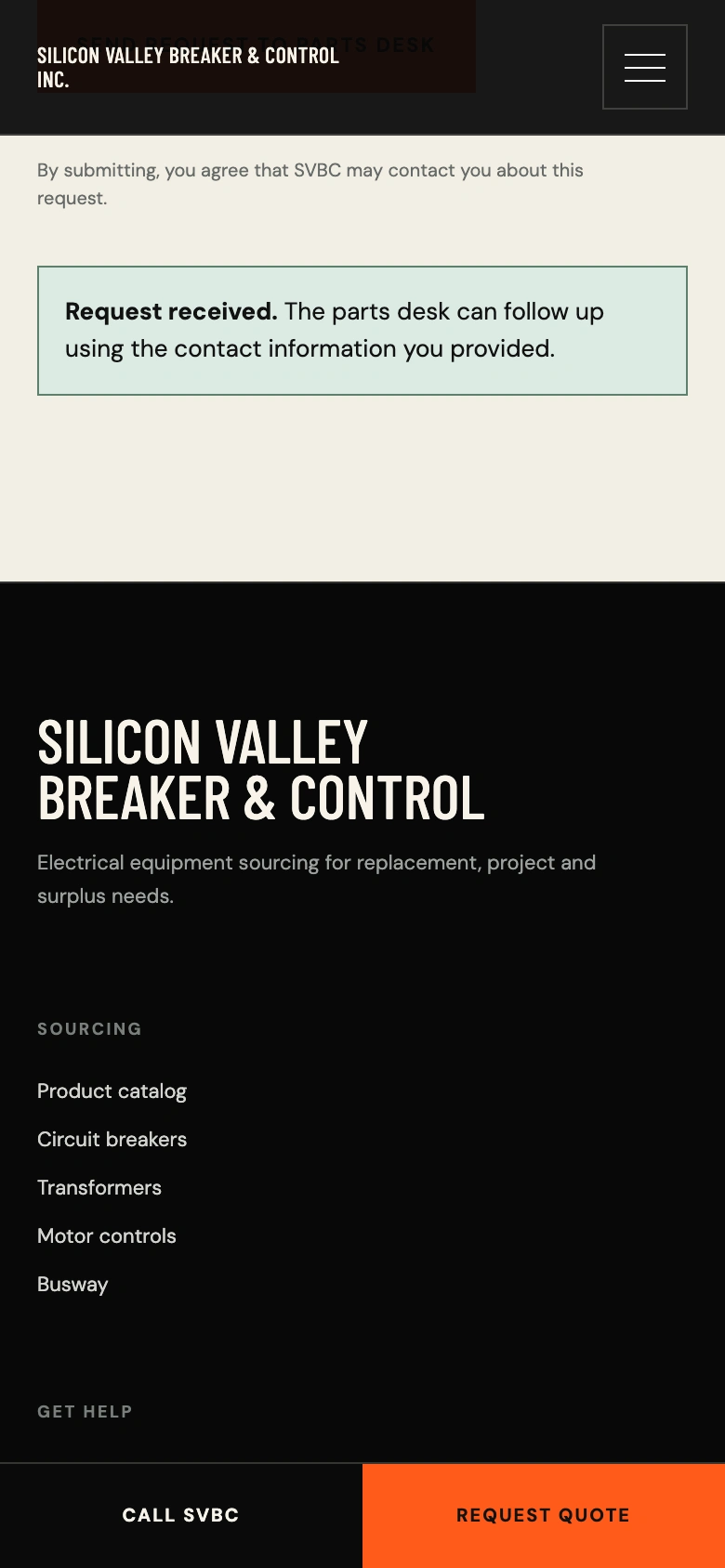
Form intake verified end-to-end on the deployed link: validation, honeypot, timing check, attachments (6 files / 2.75 MB), and a working submit path backed by a serverless function. Email delivery is a single environment key away for production.
Deployment and the QA that finally counted
The demo ships as a static build on Netlify with one serverless function handling form posts (same payload contract as the production spec: MIME allowlist, size ceilings, honeypot, minimum fill time — and it delivers through Resend the moment the client's key lands in the environment). Then a full pass over the deployed URL, not localhost:
220 route×viewport checks — 20 pages × 11 sizes (320 → 2560): 0 navigation failures, 0 horizontal overflow, 0 console errors
Full-height media sweep on every page, phone + desktop: every image loads on scroll, 0 failures
82 internal refs + 14 index shards + 20 clean-URL aliases: all 200; 404 behavior verified to actually 404
Forms exercised per page with dynamic fields, at touch sizes, on the live function
Byte-level verification: live CSS/JS/index hashes matched the local build before any pass/fail got reported
That last line exists because of an earlier mistake: I once verified the deploy against a stale local copy and told the user everything passed while the live site served the old file. Byte-verify the thing you tested, or you're grading a different exam.
Asset recovery, briefly
Along the way I mirrored the old site's photography (the new build shipped placeholders). The client's originals were 1400×700 JPEGs — serviceable at desktop sizes, mushy on retina. I ran them through a real super-resolution model (Upscayl / Real-ESRGAN ultrasharp, 4x) rather than a generative upscaler, precisely because it doesn't invent detail: same composition, recovered edges. One comparison sheet tells the story.

Left: original 1400×700 bilinear-stretched to 4x. Right: the same crop through a 4x ESRGAN model — same pixels' content, restored structure. No generation, no hallucinated detail.
What I'd do differently
Three things. I'd snapshot the emulated screenshot and look at it before writing a receipt — the mobile-hero failure was fully visible in an image I already had. I'd build the luminance sampler on day one; "is the photo visible" is a measurable question, and I had been answering it with geometry. And I'd deploy the fixed CSS before telling anyone the fix exists — the only thing worse than a bug is announcing the patch for a bug that's still live.
What this actually demonstrates
Not "I can make a website." Specific, transferable things: extracting structured data from systems that offer none (66K records from HTML); designing for constrained bandwidth (a 9.1 MB index that feels instant because it loads 700 KB); performance work that moves real scores (71→100, with the receipts); QA that includes the failure modes of the QA itself; and taking a correction from a non-technical stakeholder, figuring out they were right, and engineering a measurable fix the same day.
The whole pipeline is reproducible, too: resumable crawlers, an index builder that validates its own manifest totals, and QA scripts that can be re-run against any future deploy. When the client's catalog changes, the same commands re-sync it. That's not a one-off demo; that's a system.
Live demo: https://svbc-demo-site.netlify.app — try typing a partial part number (or a brand like "siemens") in the search box on the homepage. The noindex headers stay on until the client approves launch; production URLs and sitemap are already wired for the flip.
Built with: Python (aiohttp, BeautifulSoup), Playwright for QA, Real-ESRGAN for asset recovery, vanilla JS + static sharded index (no framework needed), Netlify static + functions. Full artifacts available on request: crawl pipeline, index builder, QA harnesses with JSON evidence, and the 220-check receipt.
Like this project
Posted Oct 12, 2026
Rebuilt an electrical supplier's 66,216-SKU catalog into a working in-page search — no API, Lighthouse 71 to 100, shipped live in three days.
Likes
1
Views
8