UX/UI Redesign of Water Meter Reading App

Amanda Galeano

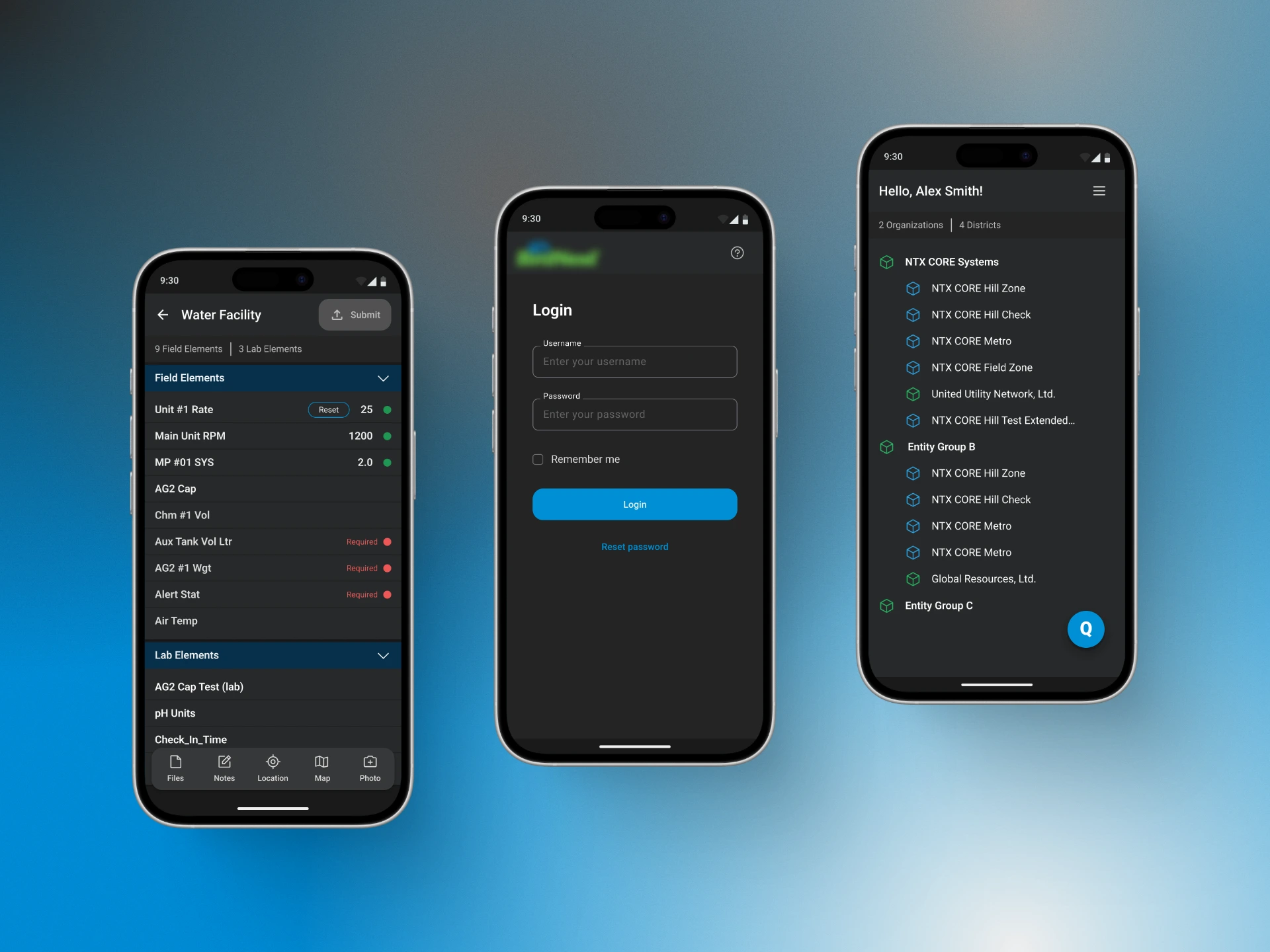
UX/UI Redesign of 2005 SaaS for a Water Meter Reading App
Role: UI/UX Designer
Platform: iOS & Android
Project Type: Full App Redesign
Timeline: 3 Weeks
Team: 1 Designer, 1 PO, 2 Developers
Project Description
Redesign of a 2005 SaaS app for the water/wastewater industry. It digitizes field data collection via mobile devices, replacing paper logs. It validates data, generates reports, and sends real-time alerts.
The Challenge
The goal was to modernize the legacy interface and align it with current usability standards without disrupting the established user workflow.
The redesign focused on improving clarity, consistency, and accessibility while implementing an offline-first experience to ensure reliable data collection in remote field environments.
Pain Points
❌ Visually dated and inconsistent interface.
❌ Information hierarchy is confusing and difficult to read.
❌ Offline mode is non-functional, critical for field work.
❌ Lack of visual feedback on user actions.
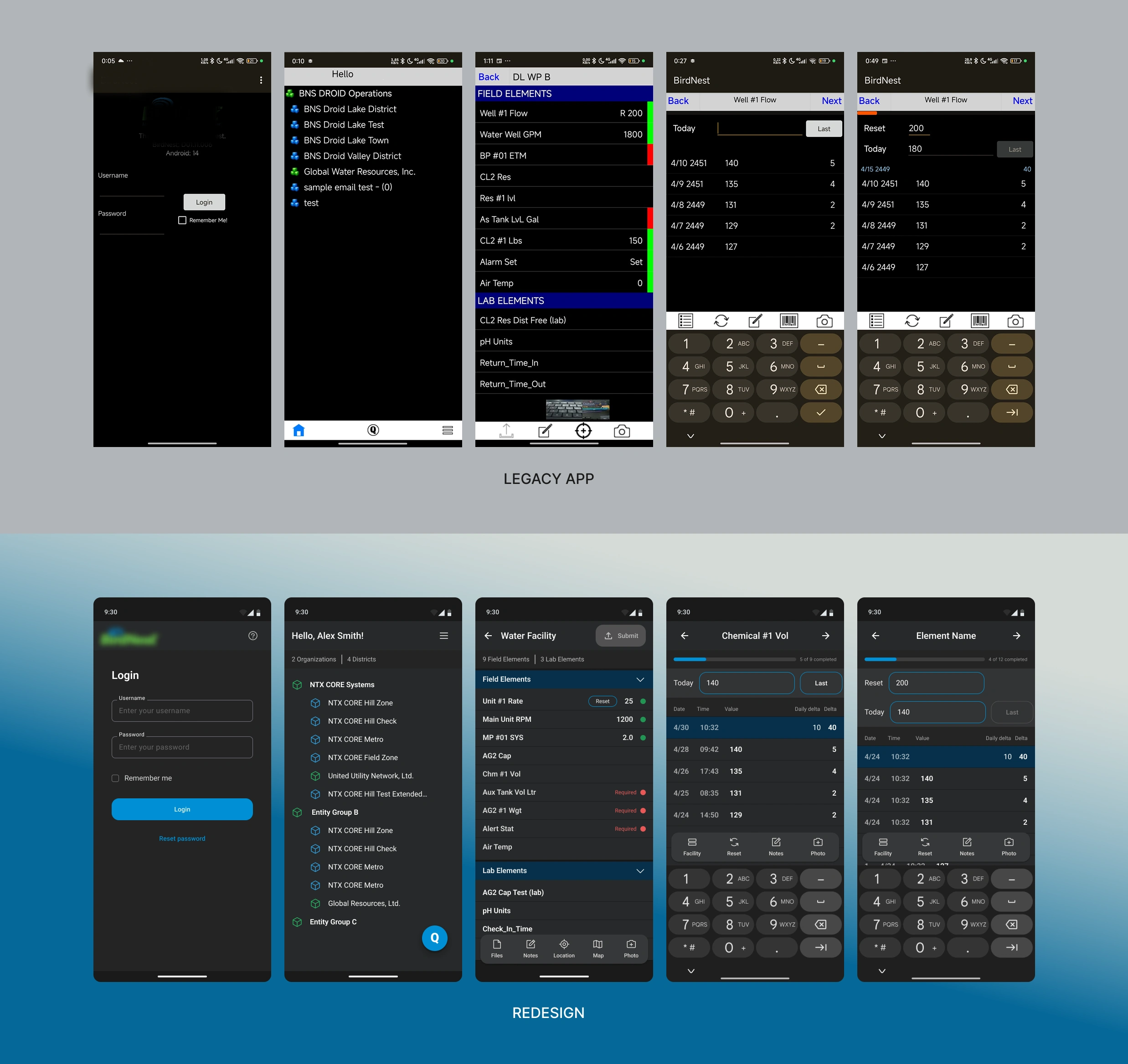
Before and After redesign
Design Process
Heuristic evaluation ➡️ UX enhancements ➡️Wireframing ➡️ UI design ➡️ UI Kit ➡️Handoff
UX Usability Enhancements
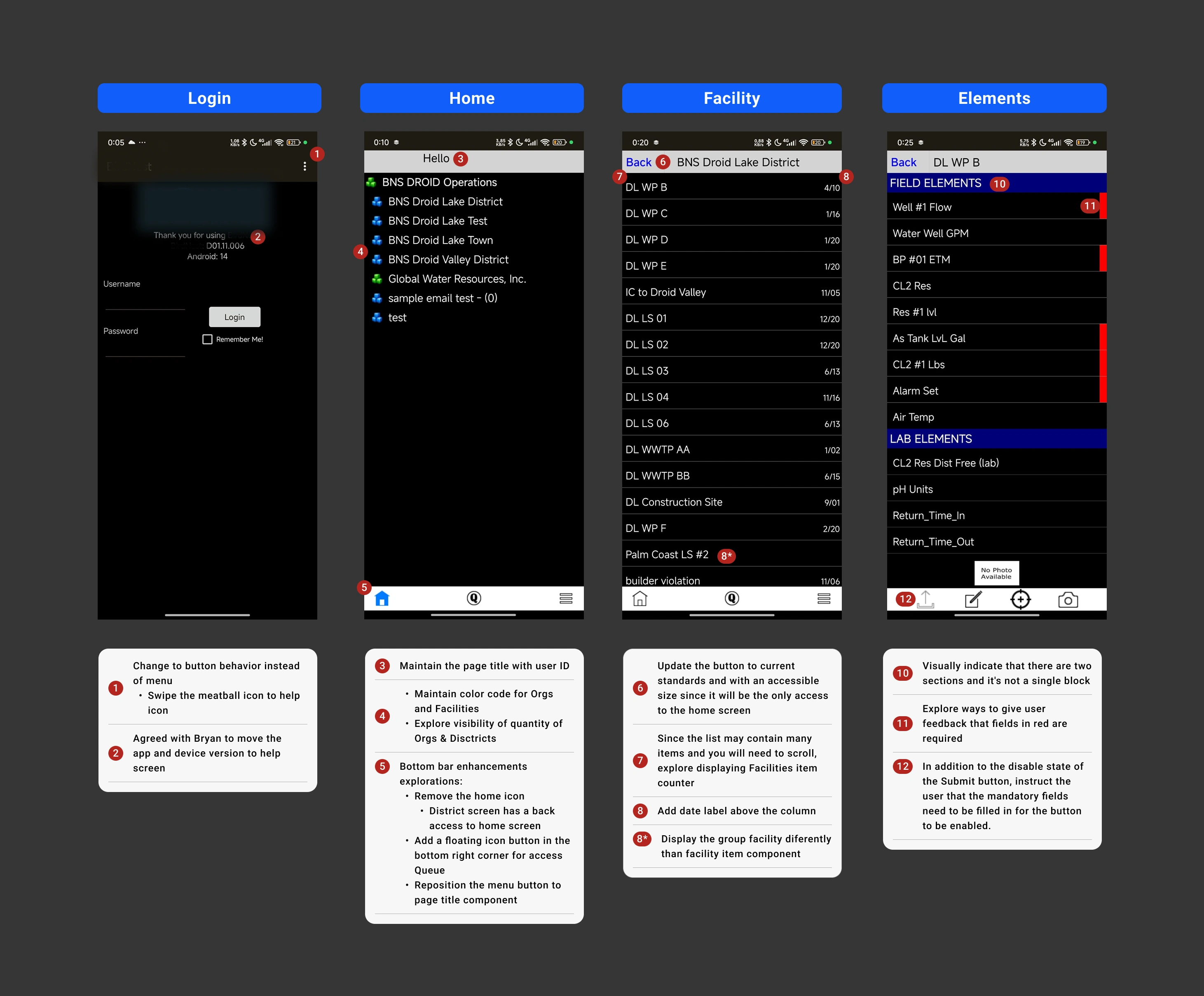
UX enhancements mapping
Wireframing
I created medium-fidelity wireframes that address the heuristic issues without altering the flow, as requested by the client.
The improvements focused on:
🎯 Standardization of components (buttons, inputs).
🎯 Improved spacing and readability.
🎯 Inclusion of clear feedback (alerts, required fields, status).
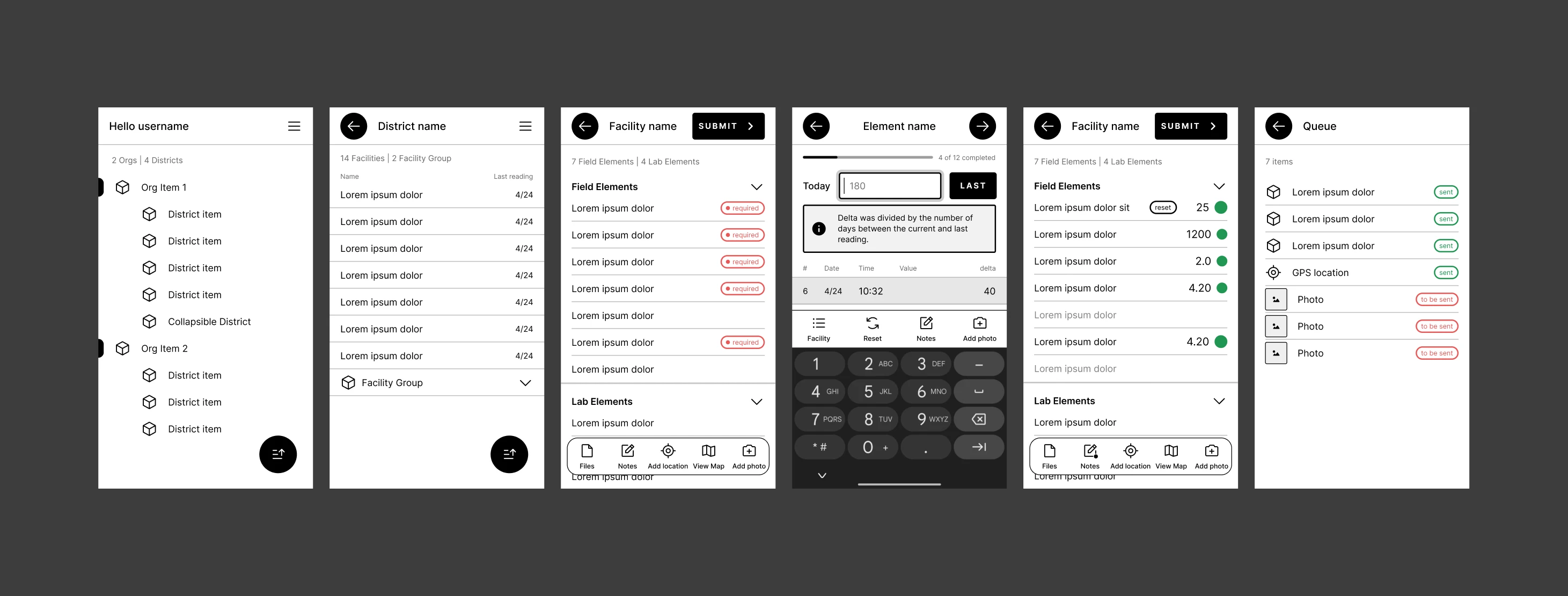
Main flow screens wireframes
UI Design + UI Kit
I developed the complete visual redesign (high-fidelity) and built a robust UI Kit.
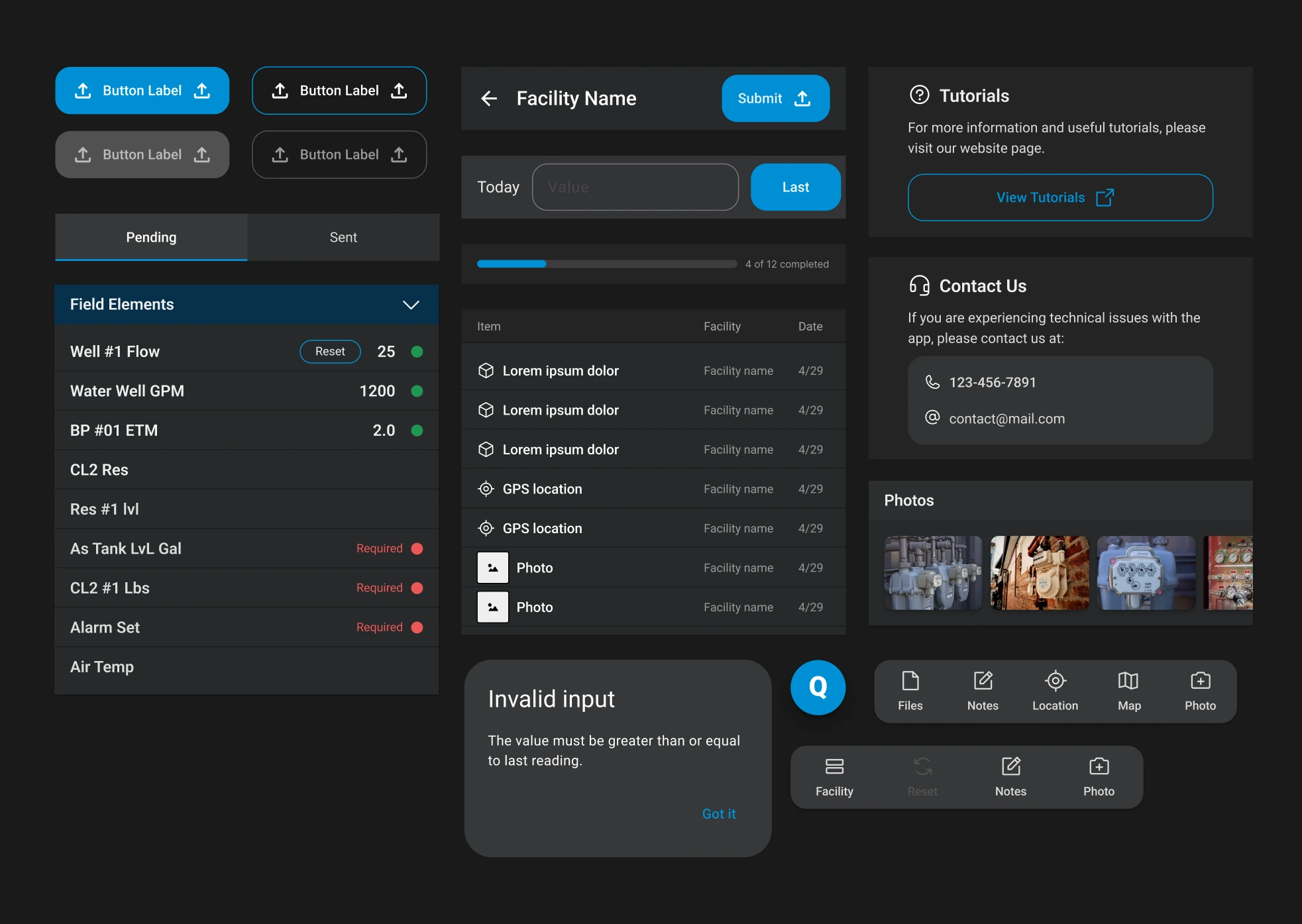
UI kit components
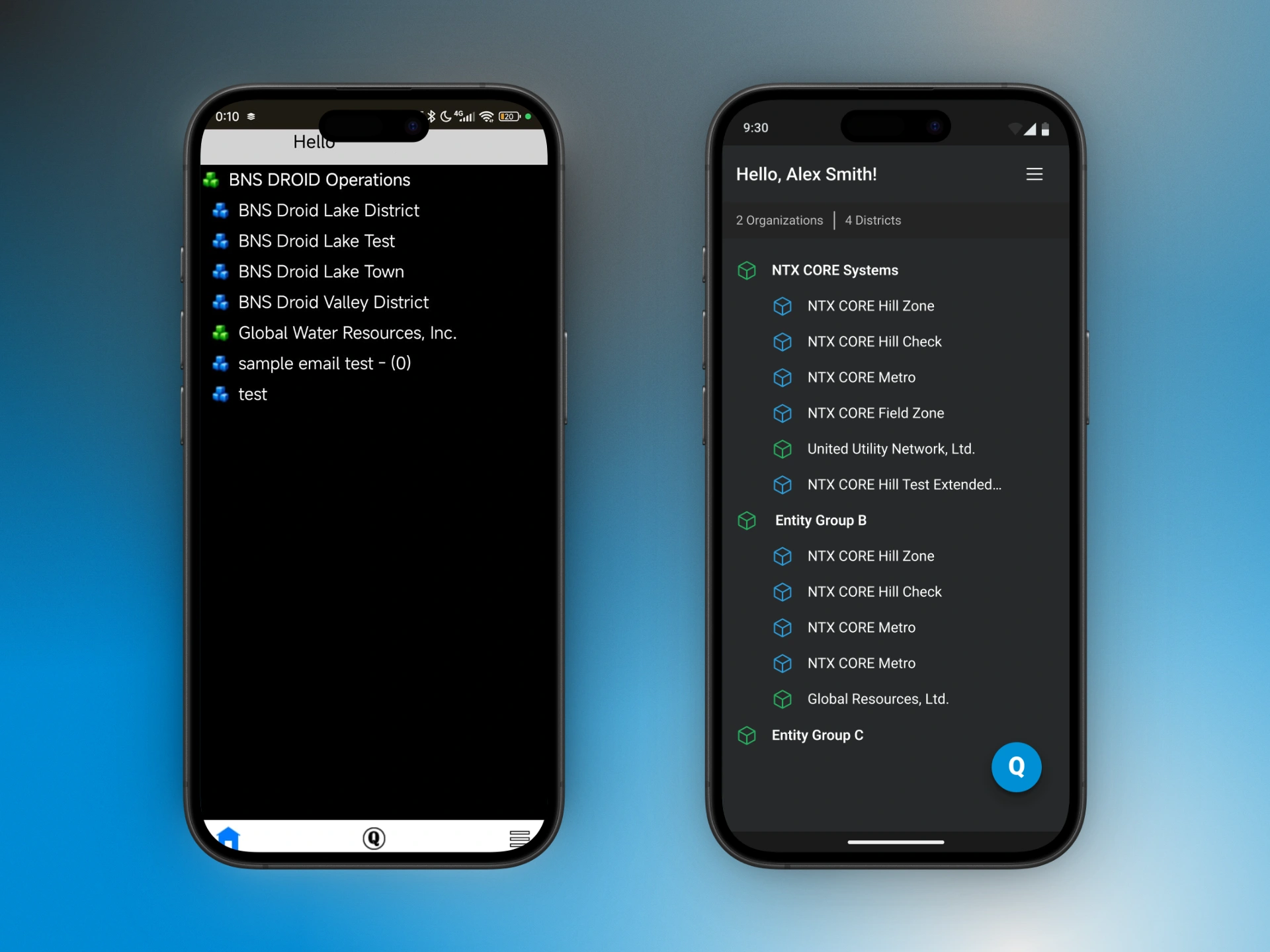
Homepage: Legacy VS Redesign
The Offline-First Solution
Because fieldworkers frequently lacked internet connectivity, an offline-first approach was crucial for the product. Even though the legacy system had a "Queue," it was non-functional, displaying only a blank screen.
Leaving users facing the key issues:
❌ Lack of Feedback: Readings sent would simply disappear once connectivity was restored, leaving the user not knowing if the reading submission was successful or if an error occurred.
❌ No History: The system didn't show what was in the queue or what had been successfully sent.
Key UI/UX Design Decisions
The challenge wasn't just technical; it was a UX problem. The user needed visibility and trust. The new "Queue" solution was designed to be a transparent assistant.
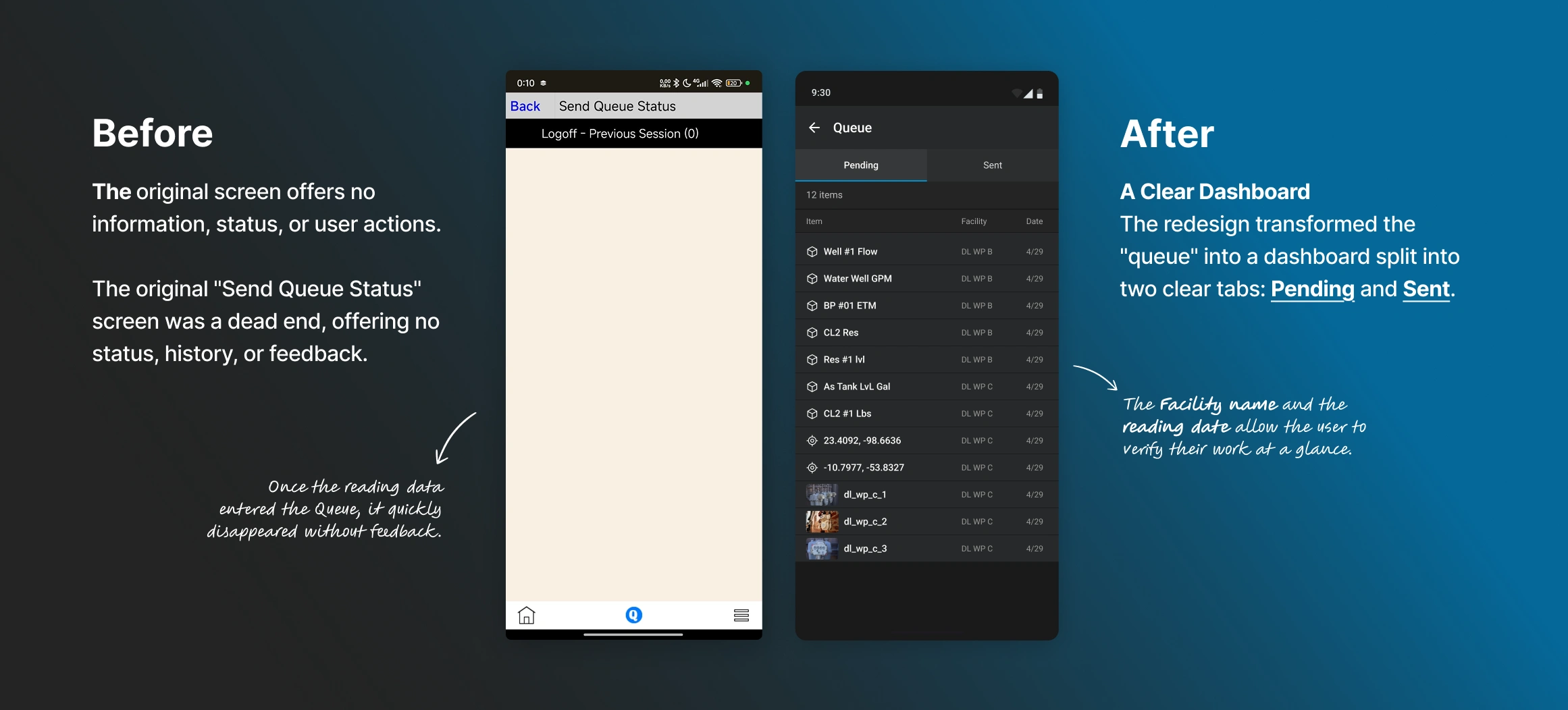
Queue: Legacy VS Redesign
1. "Pending" and "Sent" status tab: This was the primary UX decision
• Pending: Shows the user exactly what is saved on the device, awaiting connection.
• Sent: Acts as a history log, giving the user confirmation that their work was received by the database, moves from the "Pending" to the "Sent" tab.
2.Detailed Item List: The new list provides full context
• Data Type: Clear icons distinguish between readings (cube), GPS (crosshair), and Photos.
• Clear Count: A total ("12 items") provides immediate status.
• Automated Flow with Feedback: The disappearing flow was replaced with a clear action: when an item is sent successfully, it moves from the "Pending" to "Sent" tab.
The Outcome
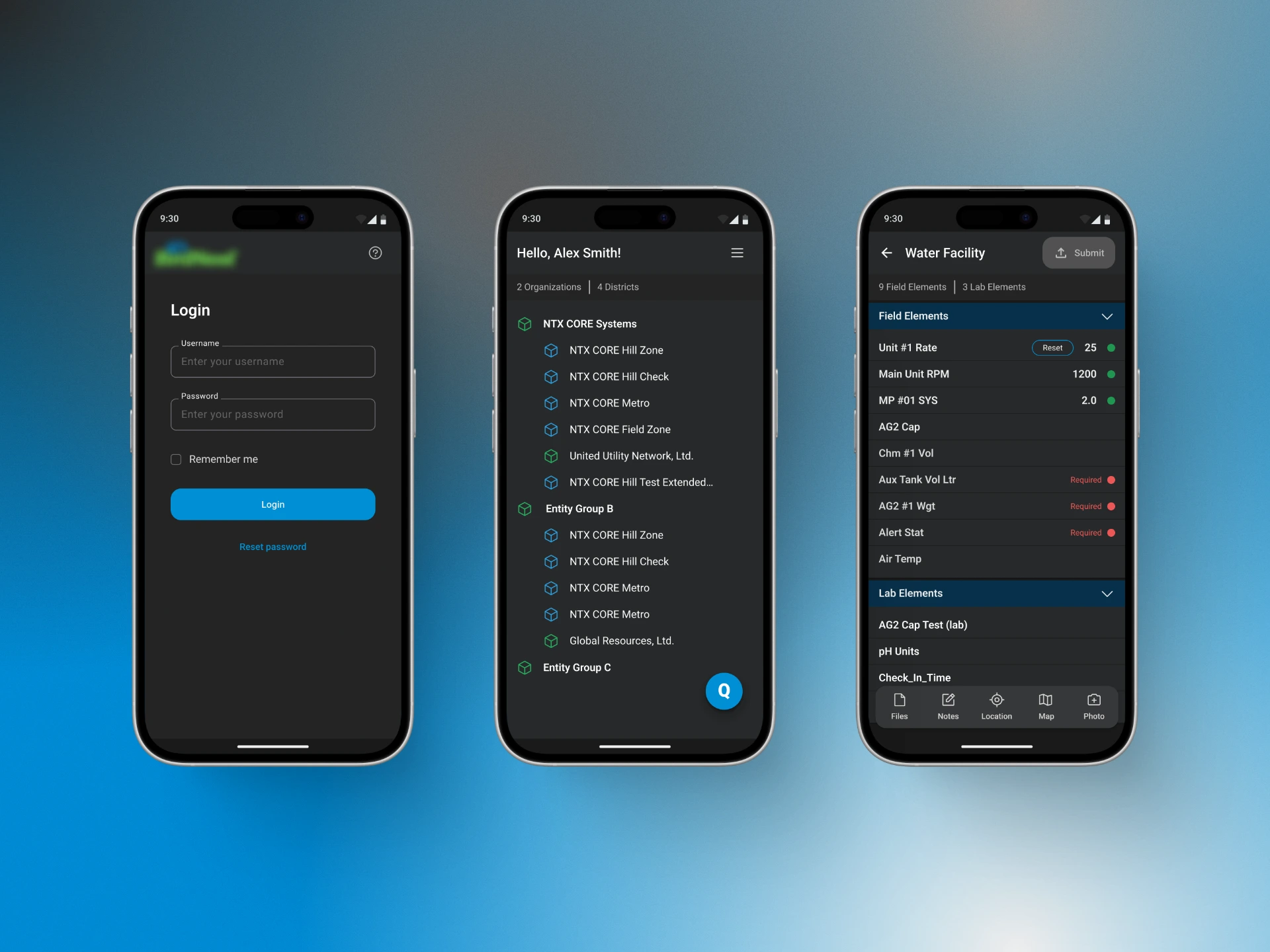
This was more than a visual redesign; it was the solution to a core user pain point.
From Uncertainty to Confidence: The user now has full control and visibility over their work, knowing what is saved and what has been delivered.
Error Reduction: A visible history prevents duplicate data entries.
Business Value: It ensured that critical data collected in the field was not lost, increasing data integrity and team efficiency.
Let's Work Together!
I'm available to build high-impact web and mobile apps that drive real results for your business. Let's discuss your project. Send me an email at asg.galeano@gmail.com or book a quick call.
Like this project
Posted Nov 17, 2025
Redesigned a 2005 SaaS app for water meter reading, enhancing UX/UI for better data integrity and user control.
Likes
1
Views
12