Collaboration Groups Redesign

Harsh Gogri

Overview
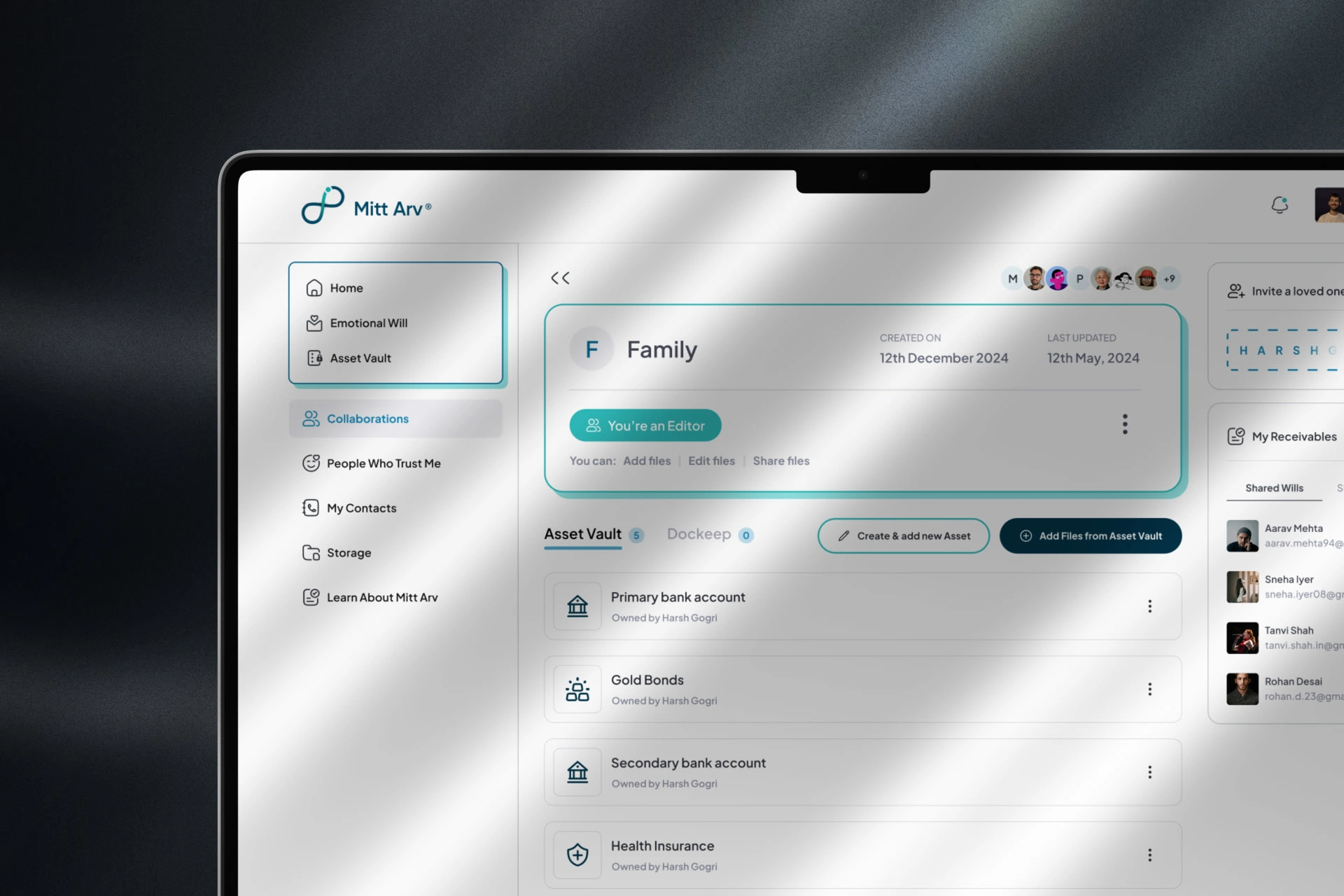
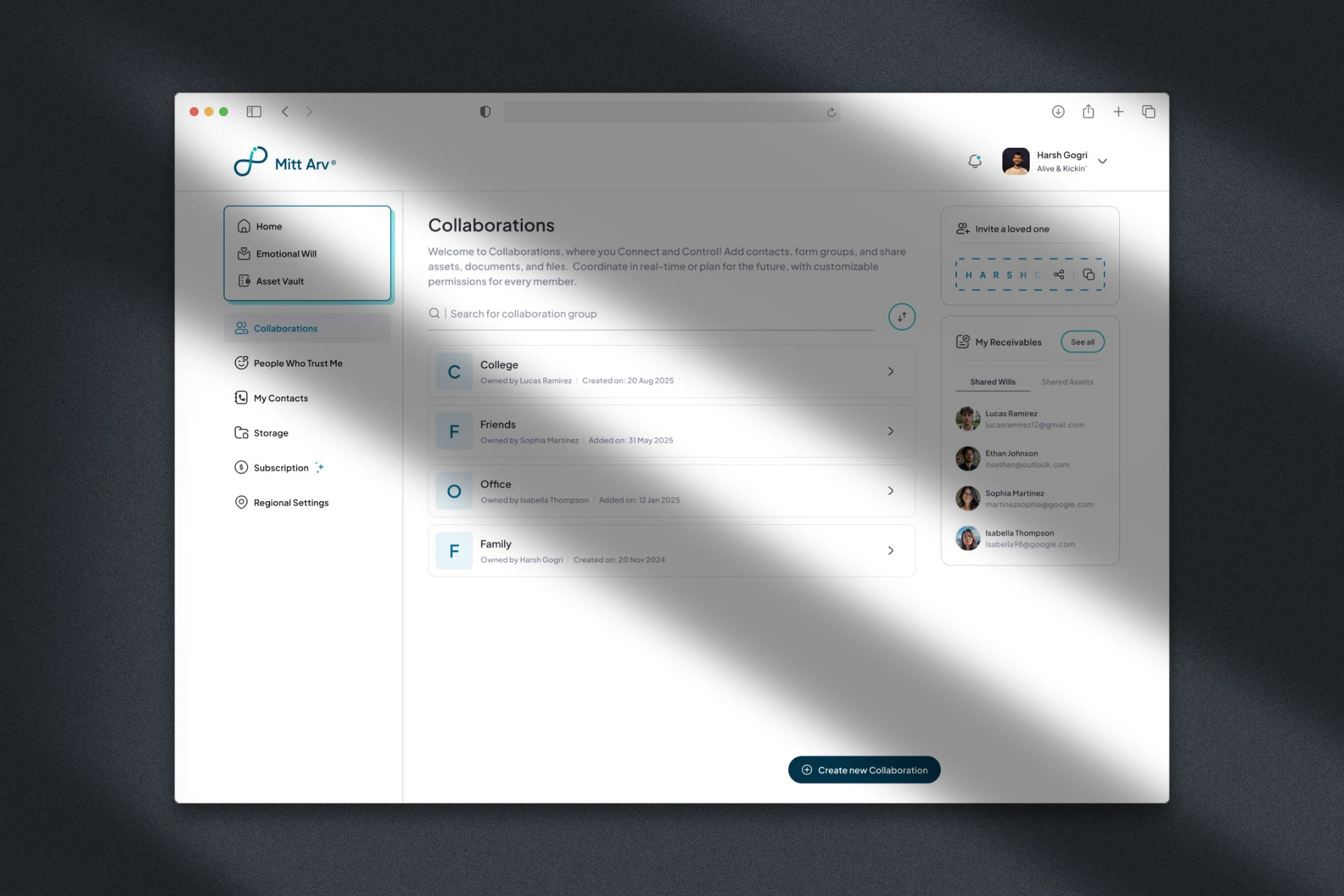
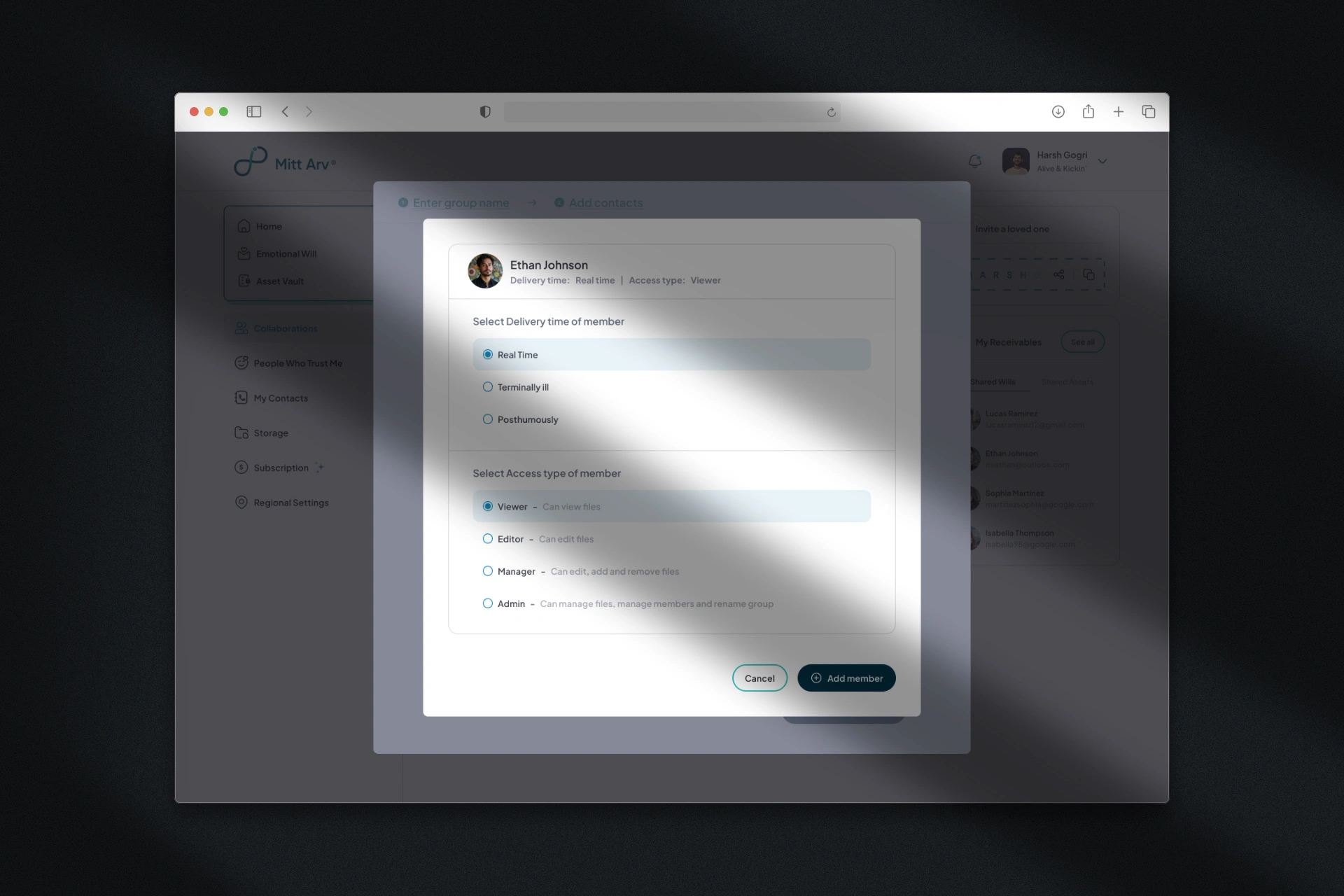
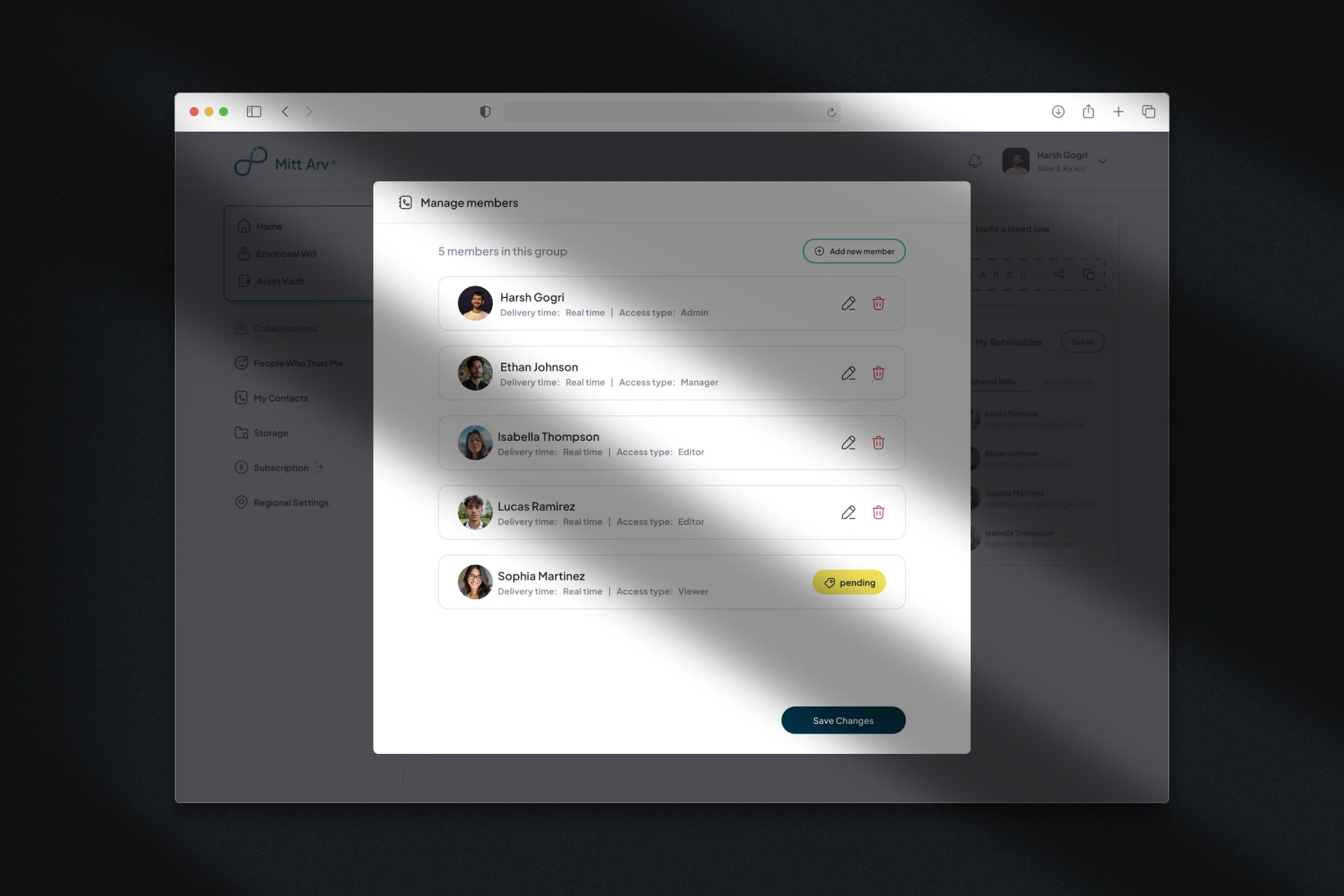
Collaboration Groups enables users to share their digital assets with contacts through organized groups with role-based permissions. Users can create groups with up to two admins and assign three additional roles (Manager, Editor, Viewer) with specific access levels. The feature offers flexible sharing options: real-time, terminally ill, or posthumous sharing allowing users to control when their shared assets become accessible to group members.
This desktop redesign focused on simplifying the complex permission system, improving visual clarity, and creating a seamless experience that integrates with Mitt Arv's Asset Vault.
Challenge
The existing Collaboration interface created significant friction in what should be a straightforward sharing process. The UI was confusing and cluttered, making it difficult for users to understand the permission structure and manage their groups effectively.
Complex Group Creation Process
The workflow for creating collaboration groups felt unnecessarily complicated with multiple steps that weren't clearly indicated. Users had to navigate through unclear paths just to set up basic sharing permissions.
No Upfront Role Visibility
When users landed on the collaboration dashboard, there was no immediate information about their assigned roles or what restrictions applied to them. This lack of transparency forced users to explore and discover limitations through trial and error rather than seeing their permissions upfront.
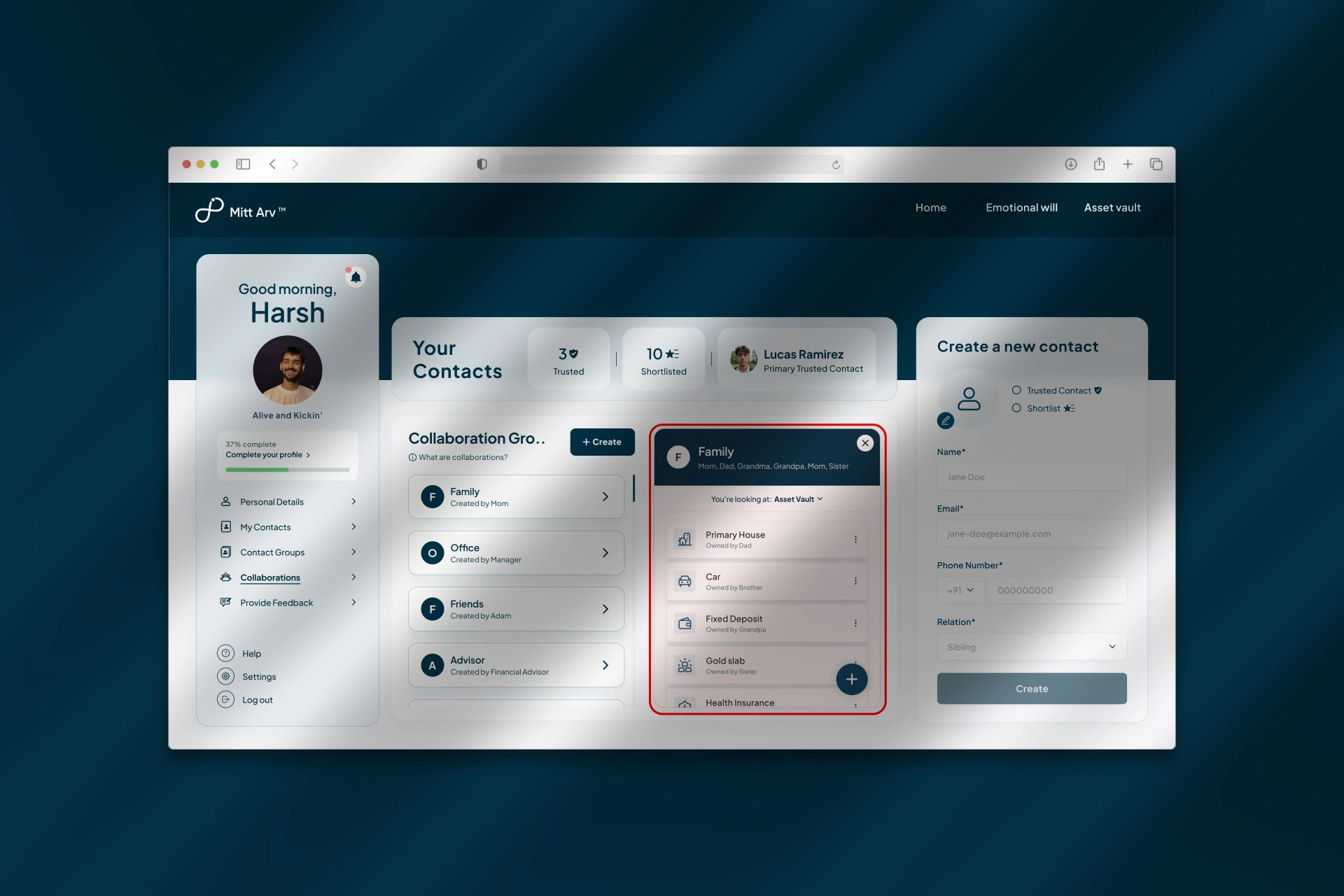
Viewport Clutter and Poor Space Utilization
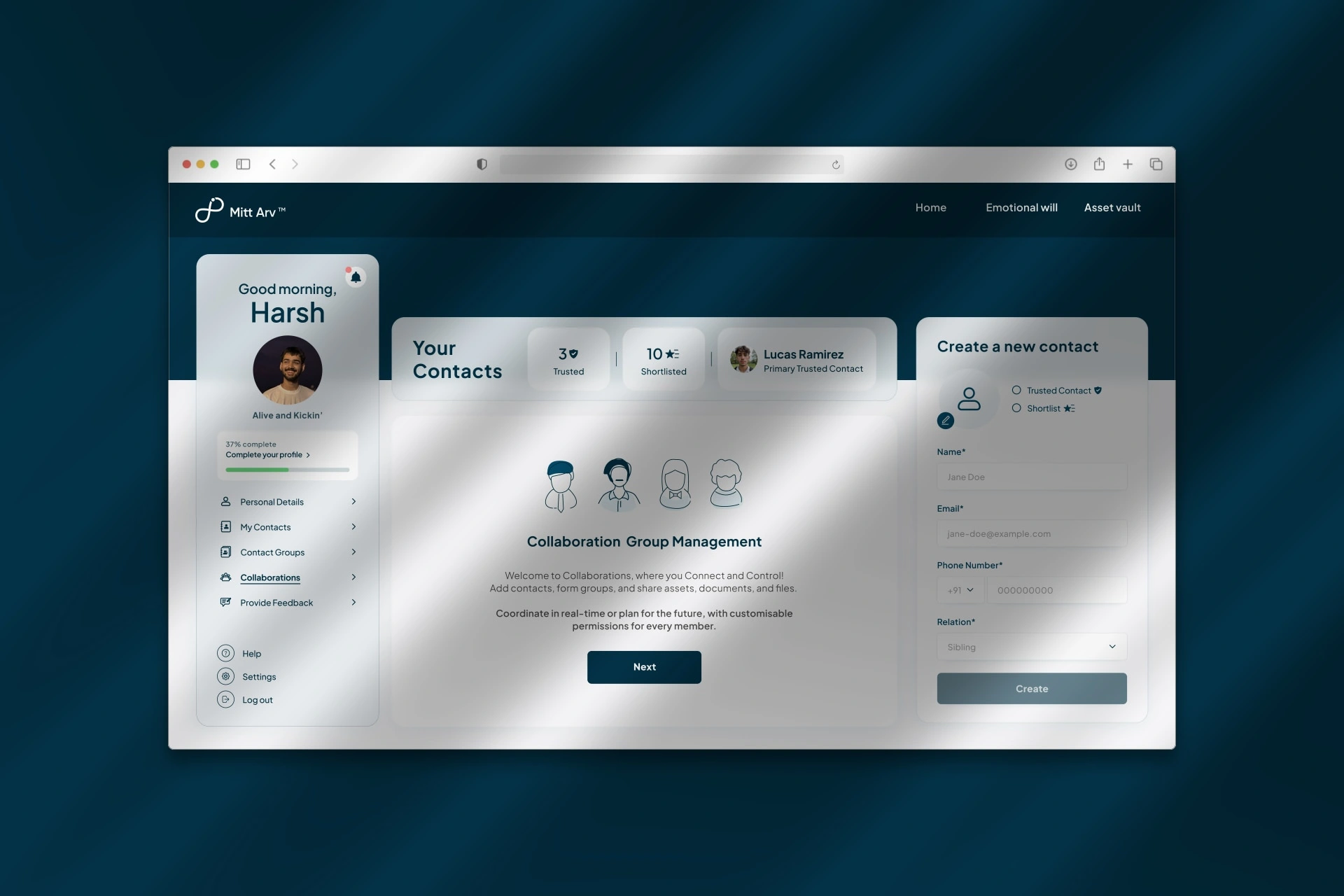
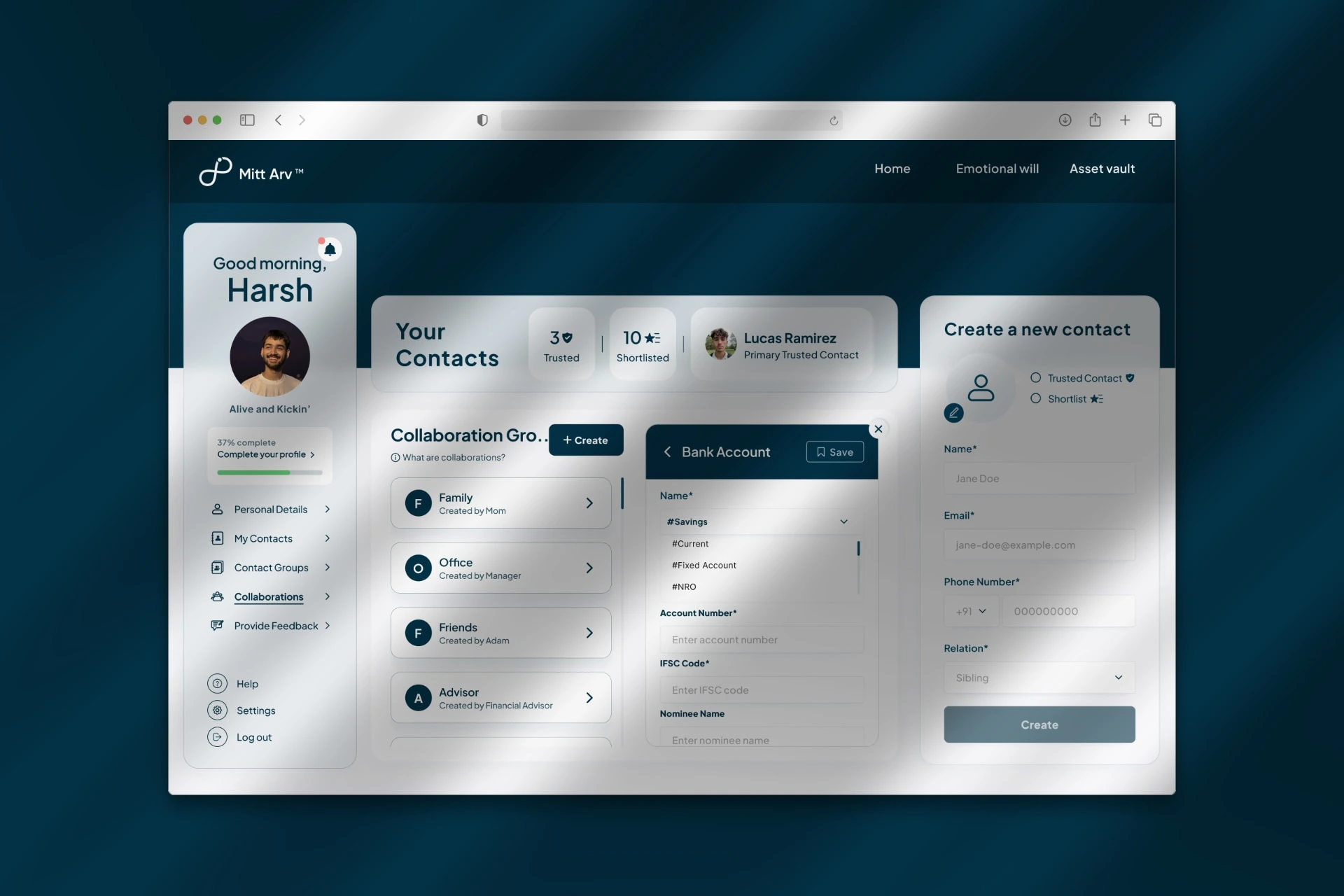
The interface suffered from severe layout issues. When opening a collaboration group, both the main collaboration dashboard and the group dashboard stacked horizontally, creating cramped, competing sections. Editing roles and access settings triggered small modals that had nowhere to breathe in an already cluttered viewport.
The top portion of the screen remained empty while valuable space was wasted, and the persistent "Create a new contact" panel occupied premium real estate on the collaboration screen where it wasn't contextually necessary—reducing the space available for core collaboration workflows.
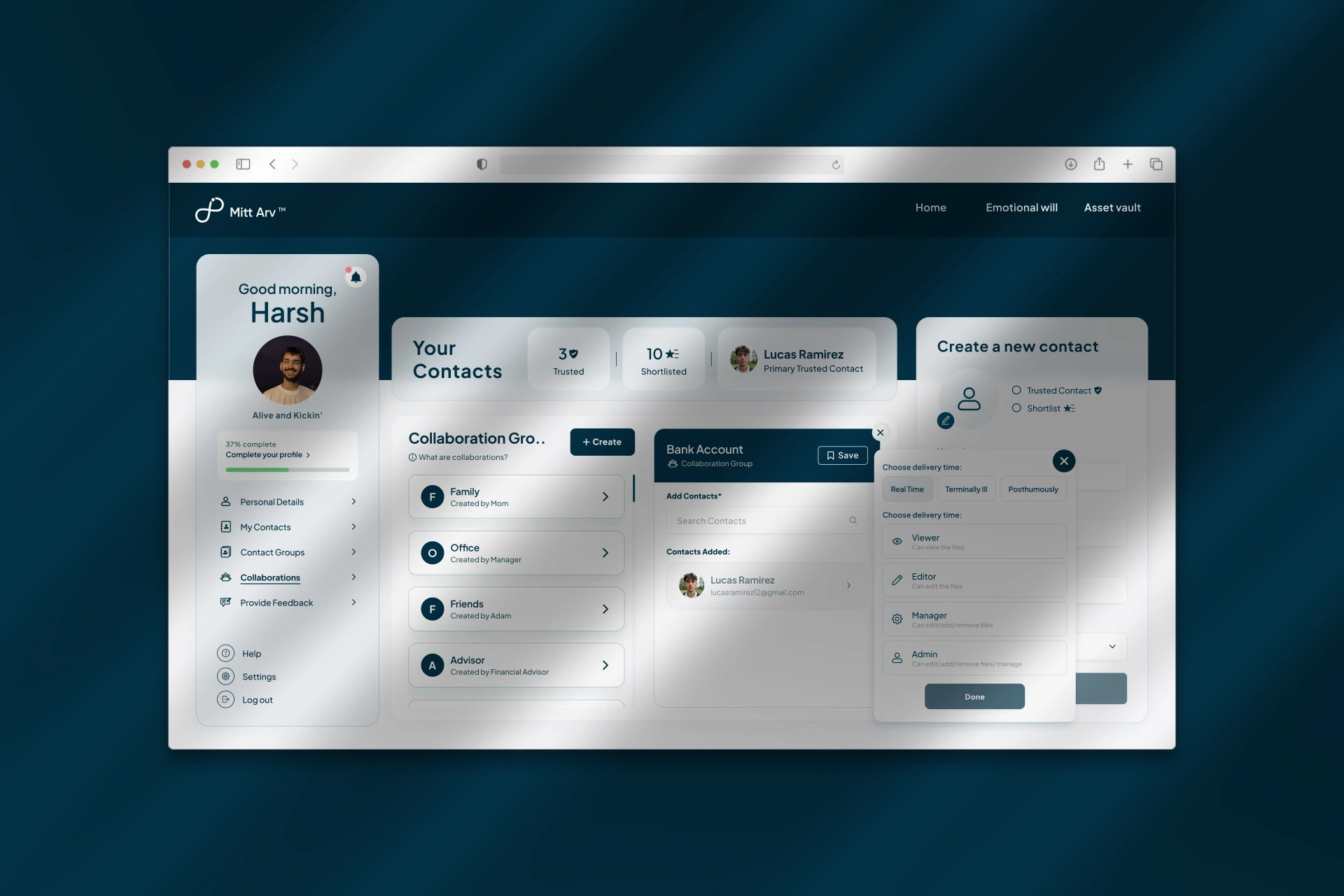
Responsive Breakdown
These space utilization problems were compounded by poor responsiveness. On smaller viewports, the already cluttered interface became nearly unusable, with overlapping elements and inaccessible controls making the sensitive task of managing digital legacy sharing frustrating and error-prone.
Approach
My strategy centered on creating a consistent, intuitive experience that aligned with Mitt Arv's other features while dramatically simplifying the collaboration workflow.
Design System Consistency:
I maintained visual and interaction patterns established in the Emotional Will and Asset Vault features, creating a cohesive product experience. Users familiar with one feature could immediately understand how to navigate Collaboration Groups.
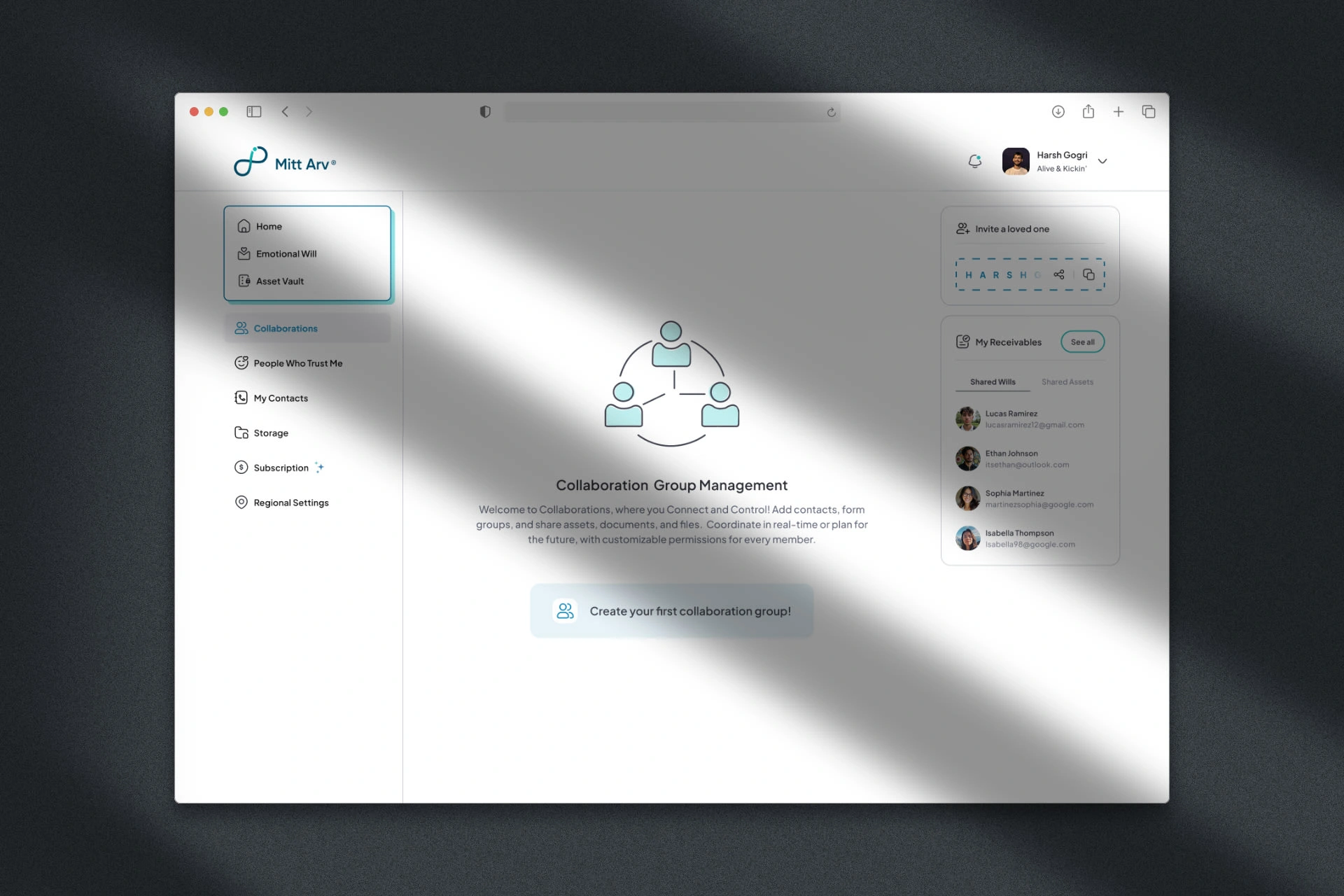
Simplified Group Creation Process:
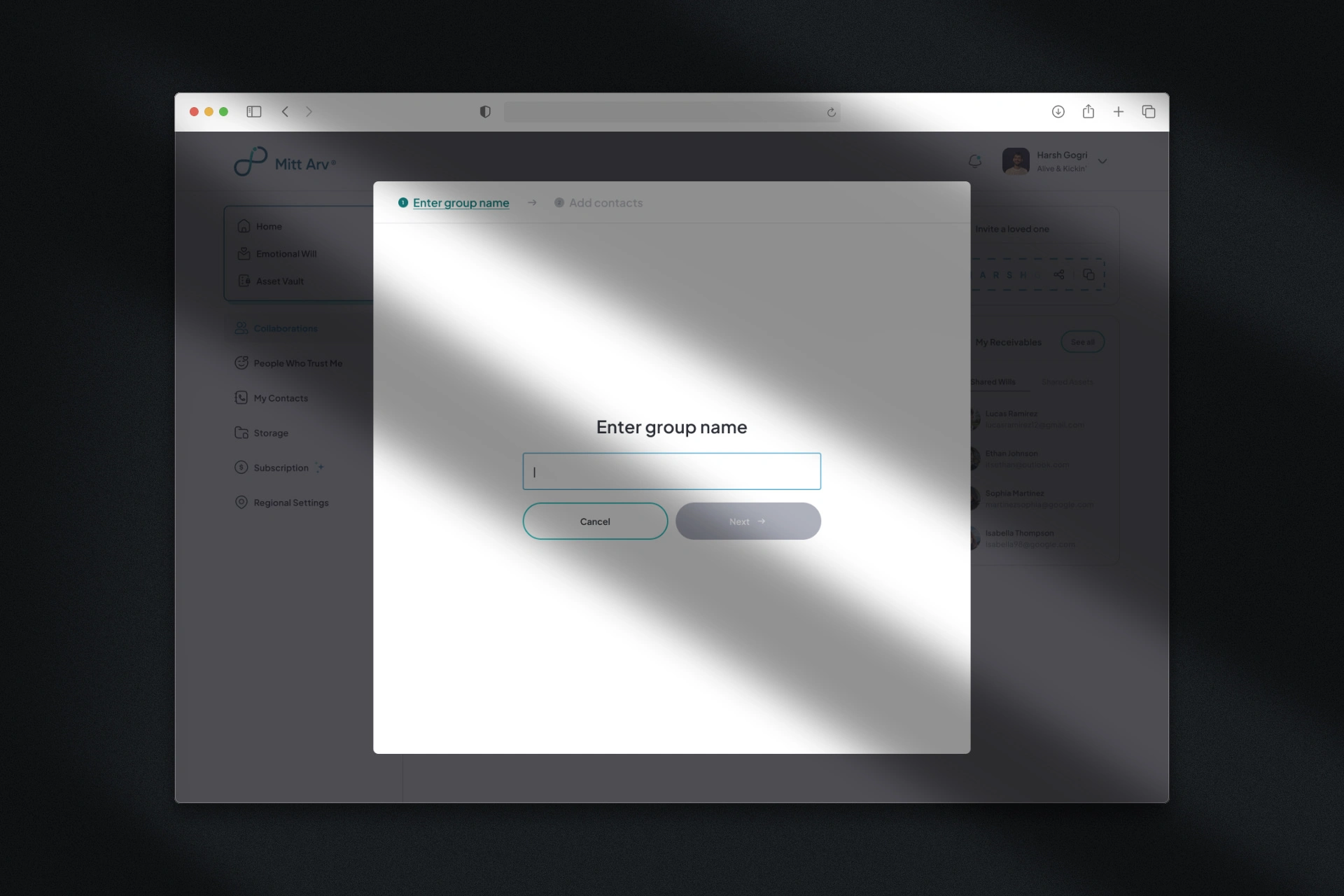
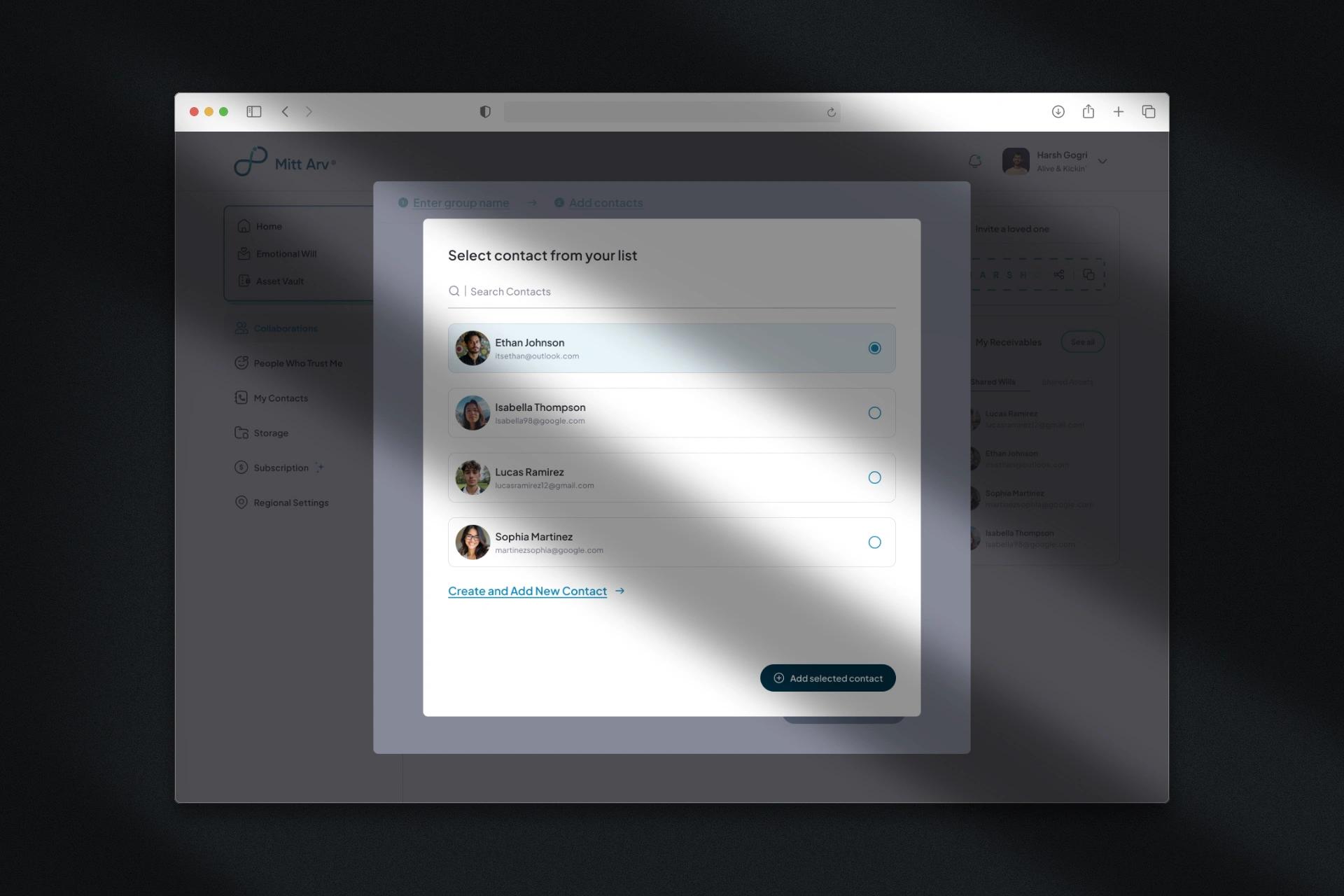
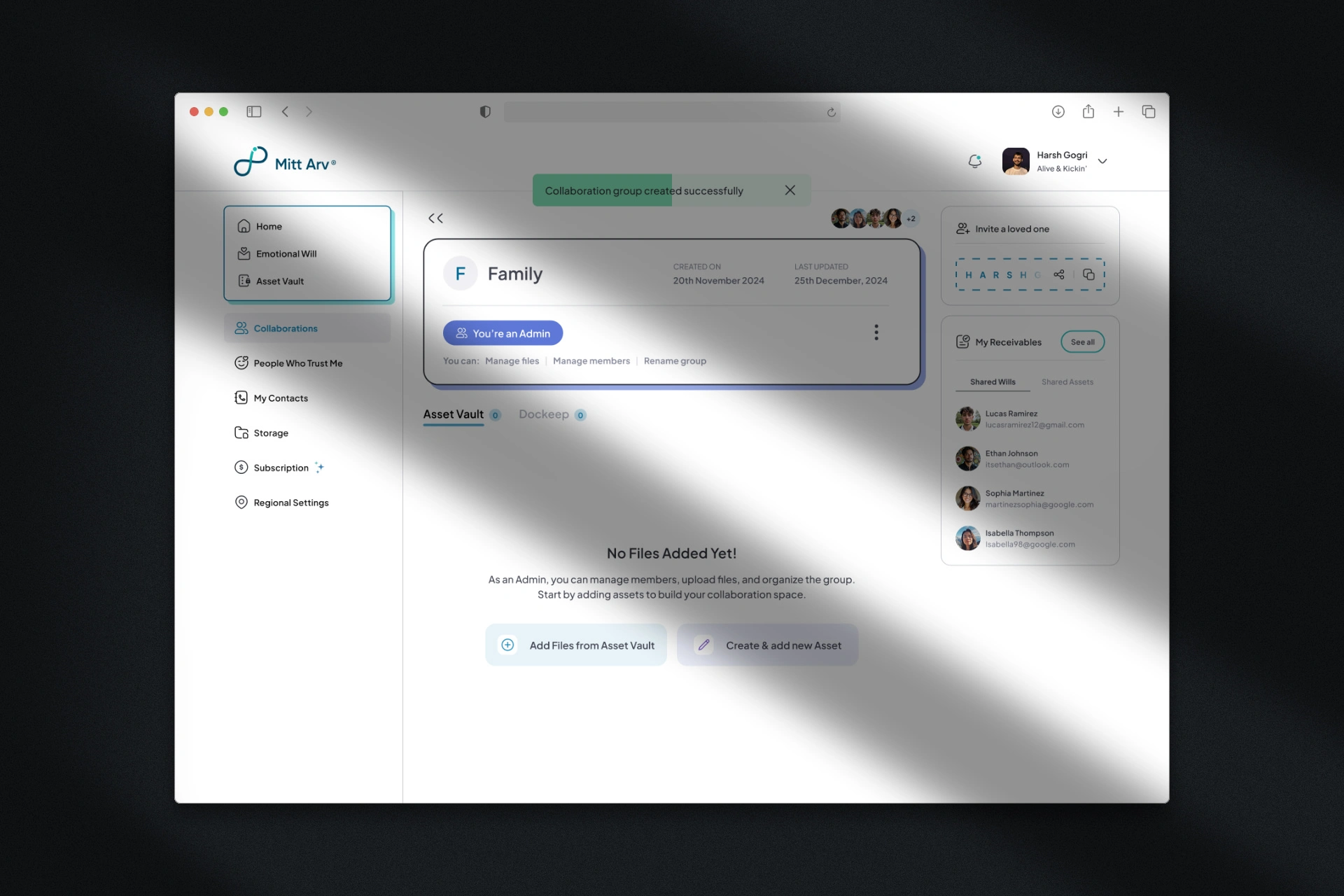
Implemented a modal-based approach for creating new groups, assigning roles, and adding assets. This focused interaction eliminates distractions and guides users through the sharing process step-by-step while keeping all relevant information visible in one place.
Roles Transparency:
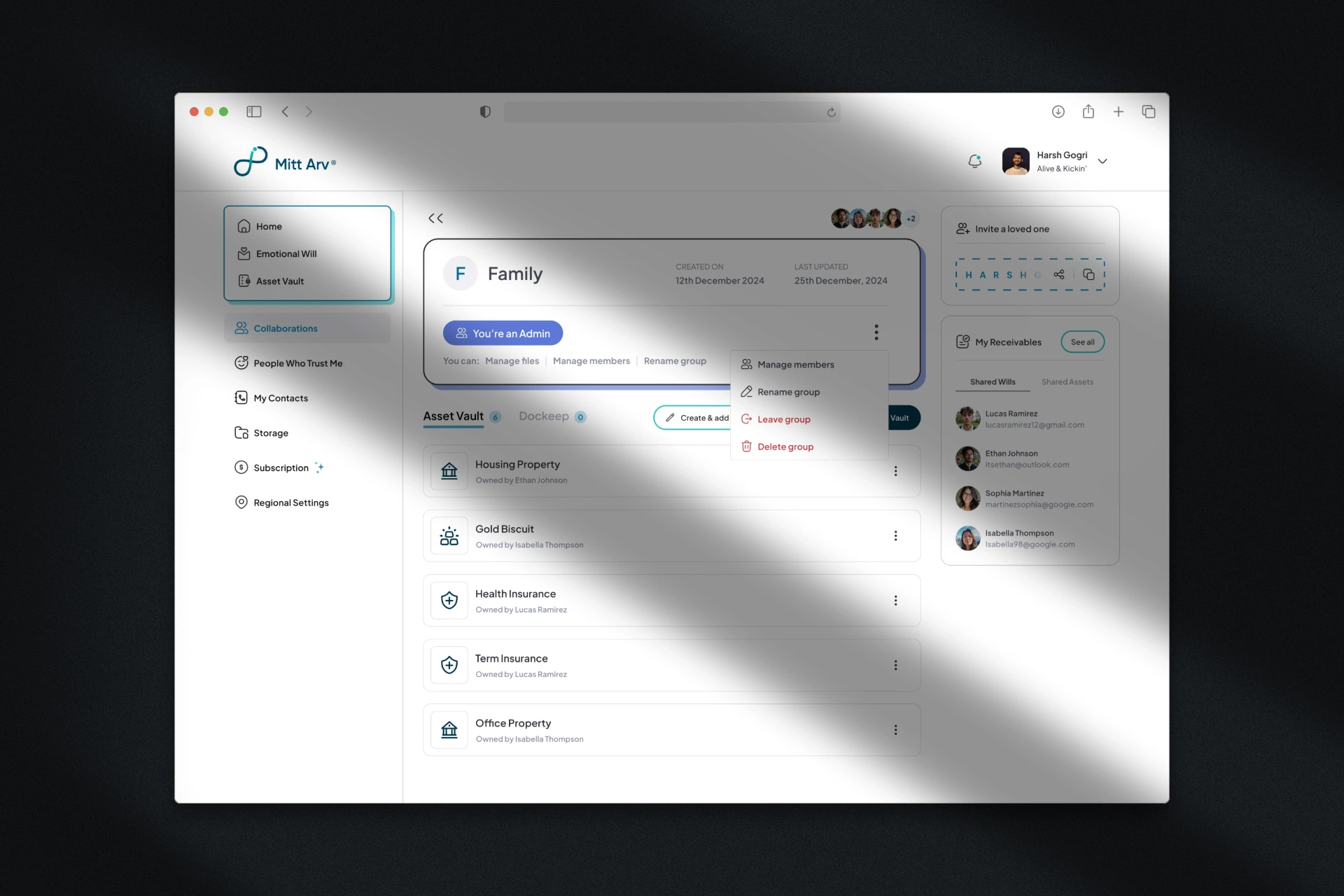
The redesign presents roles and permissions immediately and clearly on the dashboard itself. Users can see at a glance what they're allowed to do within each group, with visual differentiation between Admin, Manager, Editor, and Viewer roles. This upfront clarity eliminates the guesswork that plagued the previous version.
Easy Modifying Options for Admins:
I streamlined administrative controls, making it simple for admins to manage members, rename groups, assign or change roles, and manage shared assets—all from intuitive, accessible locations within the interface. These management tools are visible when needed but don't clutter the experience for non-admin users.
The approach transformed a confusing, cluttered interface into a clear, efficient tool that respects the sensitive nature of digital legacy sharing while making complex permission systems feel simple.
Final Thoughts
The redesign successfully simplified a complex feature, making role-based permissions and asset sharing intuitive while maintaining the flexibility users need to manage their digital legacy across different groups and timeframes.
Credits ✨
Collaborators:
N/A
Like this project
Posted Nov 4, 2025
Redesigned Mitt Arv's Collaboration Groups (desktop) - a feature for sharing assets from Asset Vault with role-based permissions and flexible delivery options.