Matchday: Designing the Ultimate Football Live App

Mohamed Gamal


Matchday: Football Live App
A unified live football app merging real-time scores, media, and analytics. Designed to solve fan fragmentation, drive rapid onboarding, and boost retention.
The brief
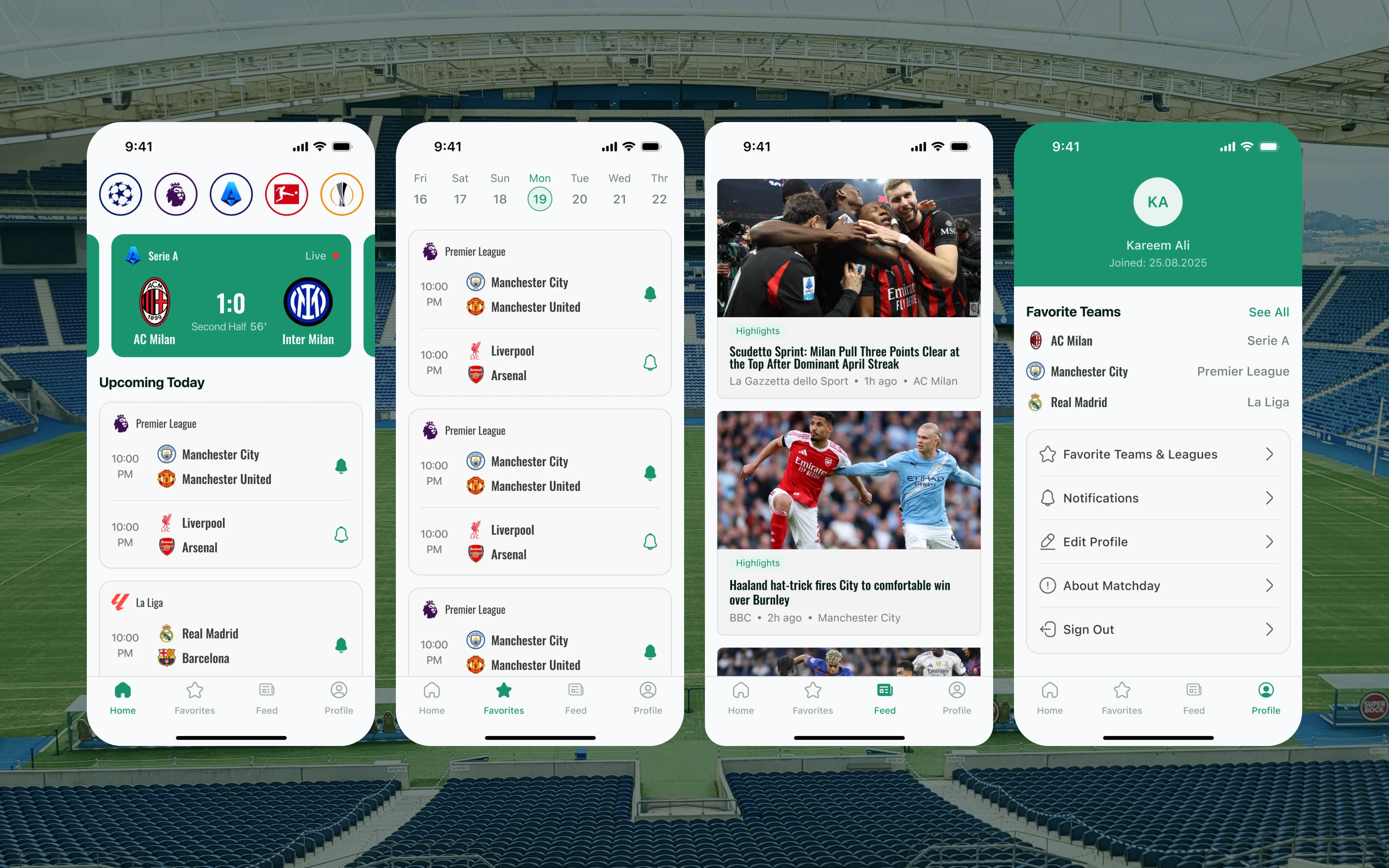
Football fans are fragmented across apps one for live scores, another for news, another for team updates, another for video highlights. Matchday was conceived as a single destination: a global football hub that brings live scores, personalized feeds, competition data, team media, and match analytics into one cohesive experience.
The challenge was designing an app that serves both the casual fan checking a score and the die-hard supporter who wants deep statistics, full squad details, and every training video their club publishes without making either journey feel cluttered or overwhelming.
Design approach
The design process started with a clear information architecture built around four core user intentions: tracking favorite teams, browsing the global feed, diving into a specific match, and managing a personal profile. These became the four main screens and the four tabs of the navigation.
From there, three distinct user flows were mapped out one for competitions (league tables, standings, player rankings), one for teams (squad, matches, media), and one for individual matches (summary, lineups, statistics, match media). Each flow was designed to feel self-contained so a user can drop in at any point without needing to navigate from the home screen.
Competition & team flows
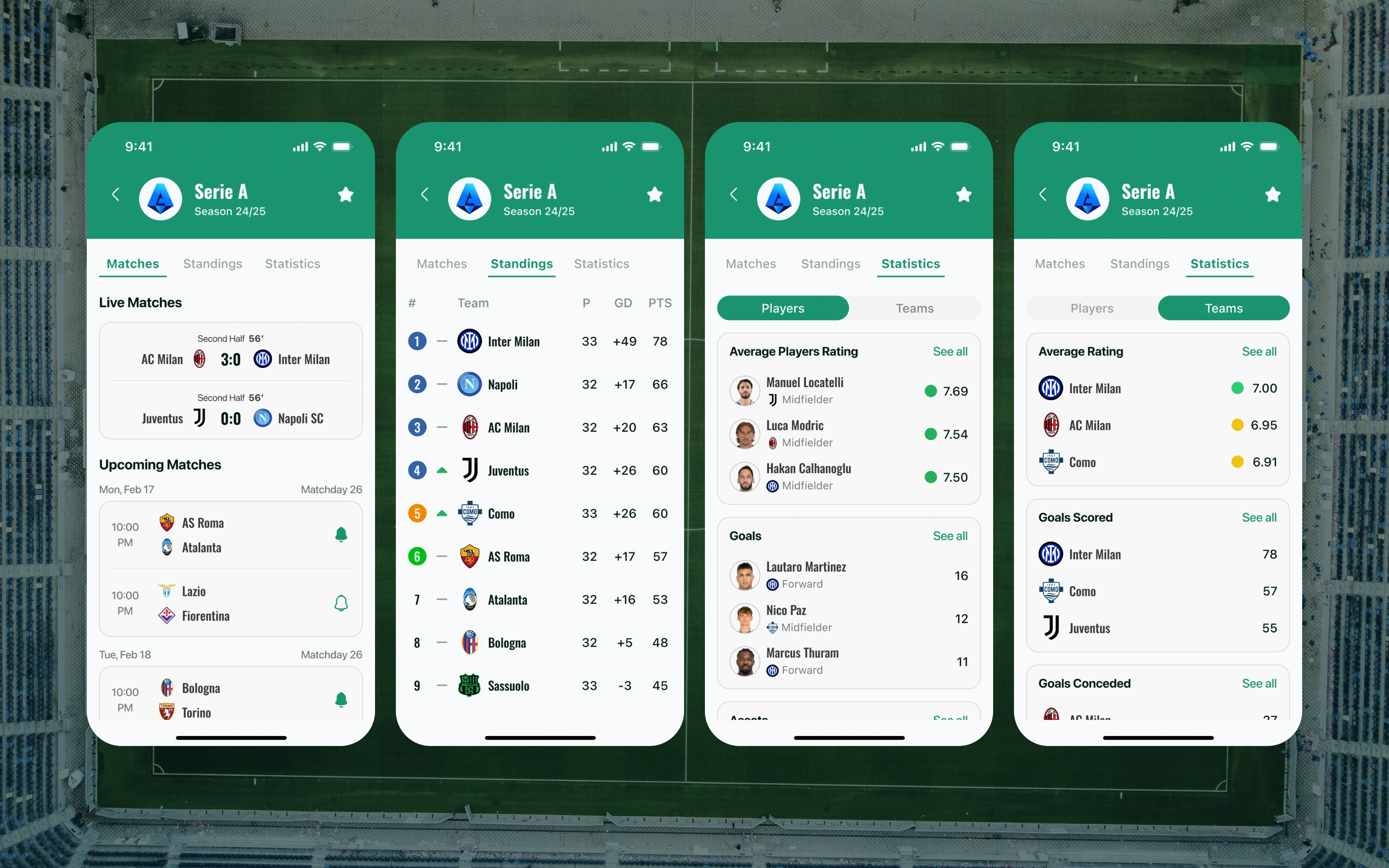
Each competition screen follows a three-tab structure: Standings, Statistics, and Players. This keeps navigation predictable — users immediately know where to find a league table versus the top scorers list. The competition list itself is filterable by region and by leagues the user follows, so a fan in Egypt sees local leagues surfaced first without losing access to the global picture.
The team flow covers four screens: Team Details (overview, recent form, next match), Team Matches (fixture list with results), Team Squad (player cards with positions and stats), and Team Media (highlights, training videos, signing announcements). The media screen uses color-coded tags so fans can scan for the type of content they want at a glance.
Match flow
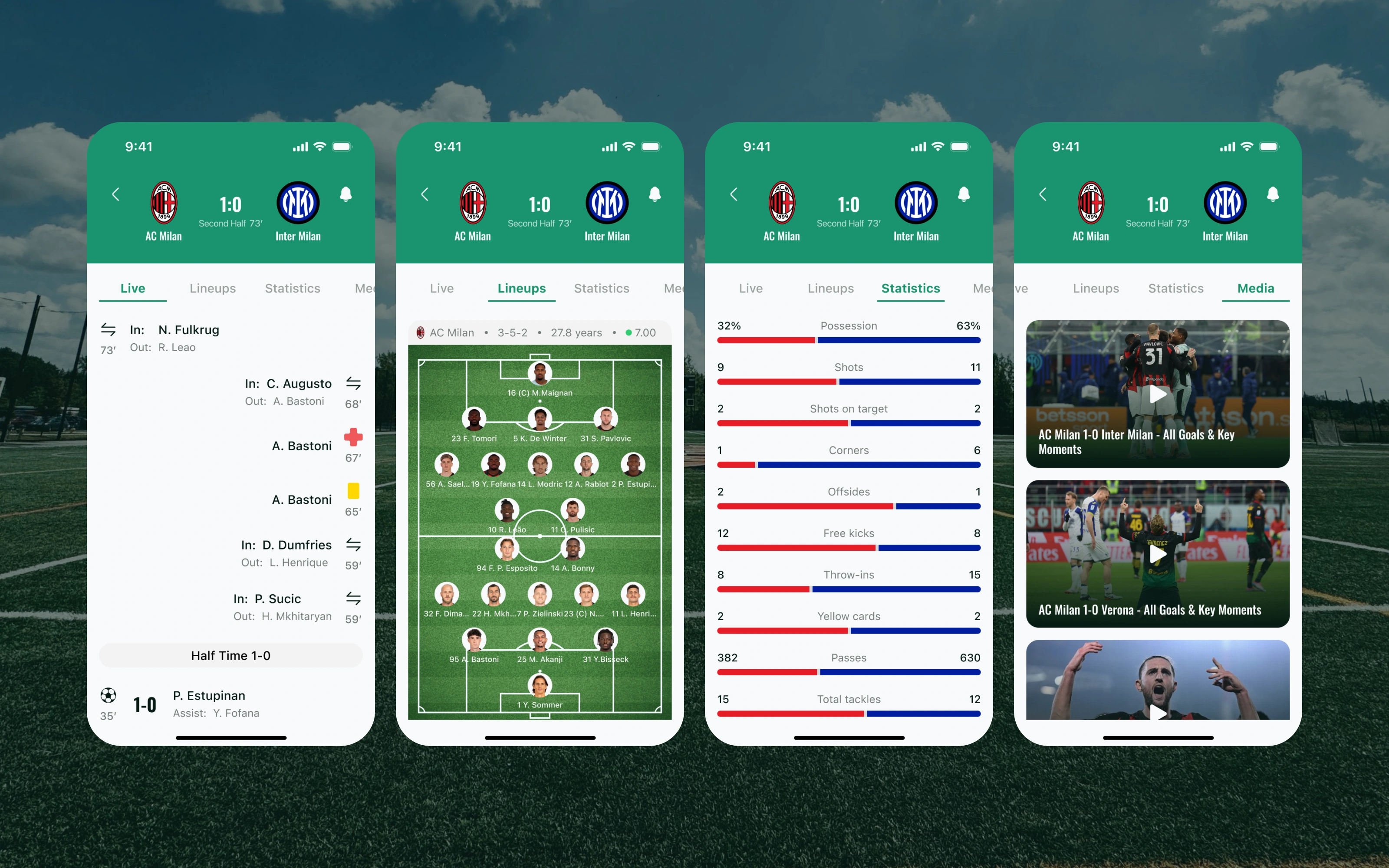
The match screen is the most data-dense part of the app. It opens on a Summary view showing the score, live minute, and key events, then branches into four tabs: Lineups (starting eleven with formation on a pitch graphic), Statistics (dual-sided stat bars comparing both teams), and Match Media (goals clips and post-match highlights).
A key design decision was to keep the score header always visible at the top of every tab, even as the user browses lineups or statistics. This means the context of the match who is winning, what minute it is — is never lost, no matter how deep into the data the user goes.
Onboarding
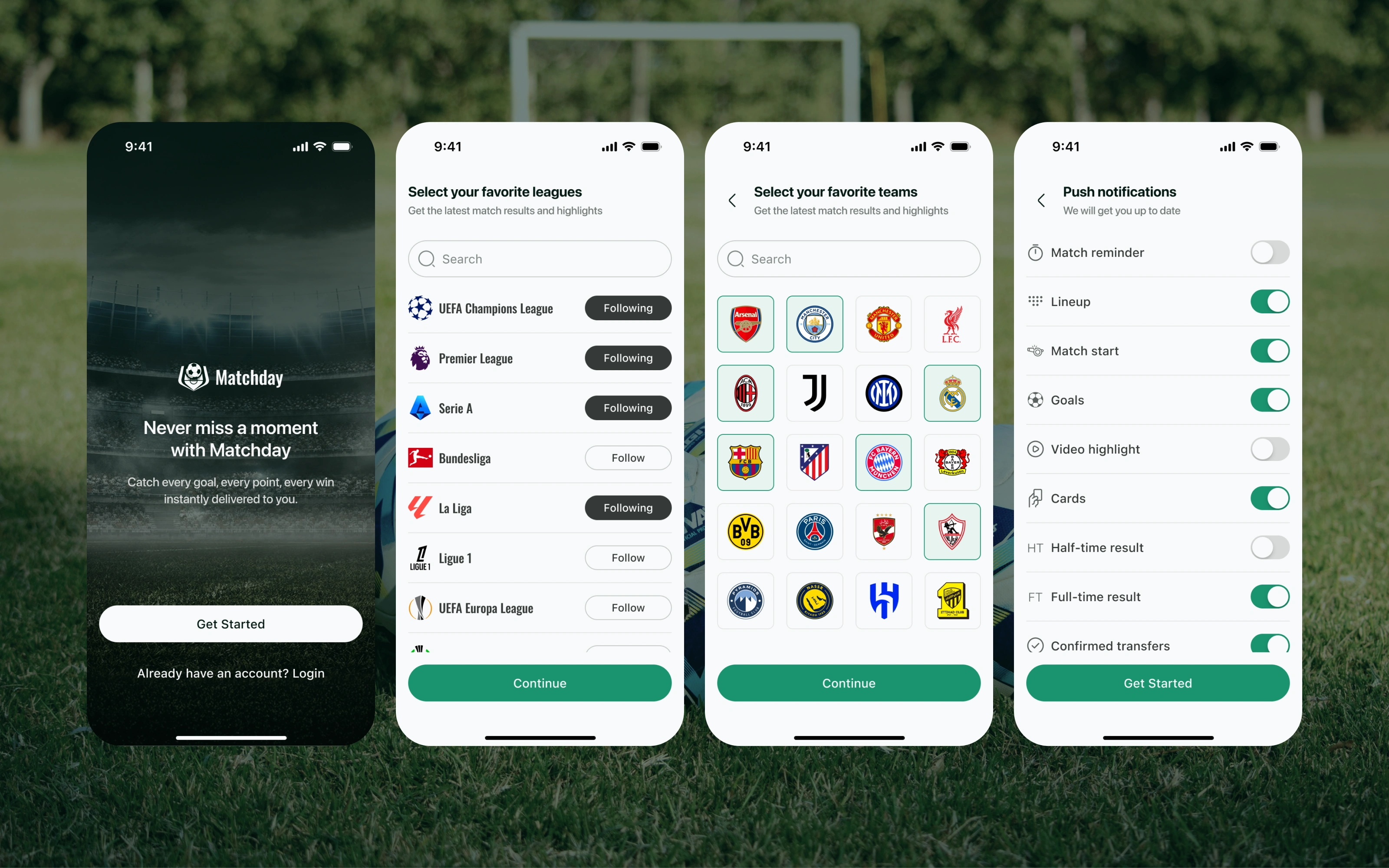
The onboarding flow is three steps and completes in under 60 seconds. It collects only what is needed to make the first feed feel personal — no account wall, no lengthy setup. Every step includes a visible skip option so the app never feels demanding before it has earned the user's trust.
Step 1 asks users to pick their favorite leagues, pre-selected by region so most people can simply confirm rather than build from scratch. Step 2 lets them follow specific teams, which powers the Favorites tab immediately. Step 3 sets notification preferences — goals, match start, full time — broken down by event type rather than a single on/off toggle. The flow ends on a confirmation screen that previews upcoming matches, giving users a reason to stay before they even reach the feed.
Like this project
Posted Jun 8, 2026
A unified live football app merging real-time scores, media, and analytics. Designed to solve fan fragmentation, drive rapid onboarding, and boost retention.