RoboLearn: UI/UX Design for Kids' Educational App

Ismaeel Rabiu
1 collaborator


RoboLearn: A Kids Educational Learning App


Project Overview
RoboLearn is a mobile educational app designed to help young children learn basic academic concepts through interactive lessons, visuals, and short quizzes. The project focused on making learning feel friendly, engaging, and easy to understand for early learners.
As the UI/UX designer, my goal was to create an experience that balances fun and clarity while keeping cognitive load low for children.
Problem Statement
Many kids’ learning apps struggle with:
Overcrowded screens
Confusing navigation
Long explanations that lose children’s attention
Lack of immediate feedback during learning
Children need guidance, visual cues, and encouragement to stay engaged and confident while learning.
Design Goals
Create a simple and intuitive learning flow for kids
Use visual storytelling instead of heavy text
Provide clear progress indicators to motivate learners
Design an interface that feels friendly, safe, and fun
Target Users
Children in early learning stages
Parents and guardians looking for structured learning tools
Educators seeking engaging digital learning experiences
Design Process
1. Research & Understanding
I studied common patterns in kids’ educational apps and focused on how children interact with interfaces. Key insights:
Kids respond better to characters than instructions
Short lessons work better than long sessions
Visual feedback helps reinforce understanding
2. UX Strategy
To address these insights, I structured the app around:
A robot mascot that guides users throughout the experience
Step-by-step lessons broken into small, digestible screens
A linear lesson flow to avoid confusion
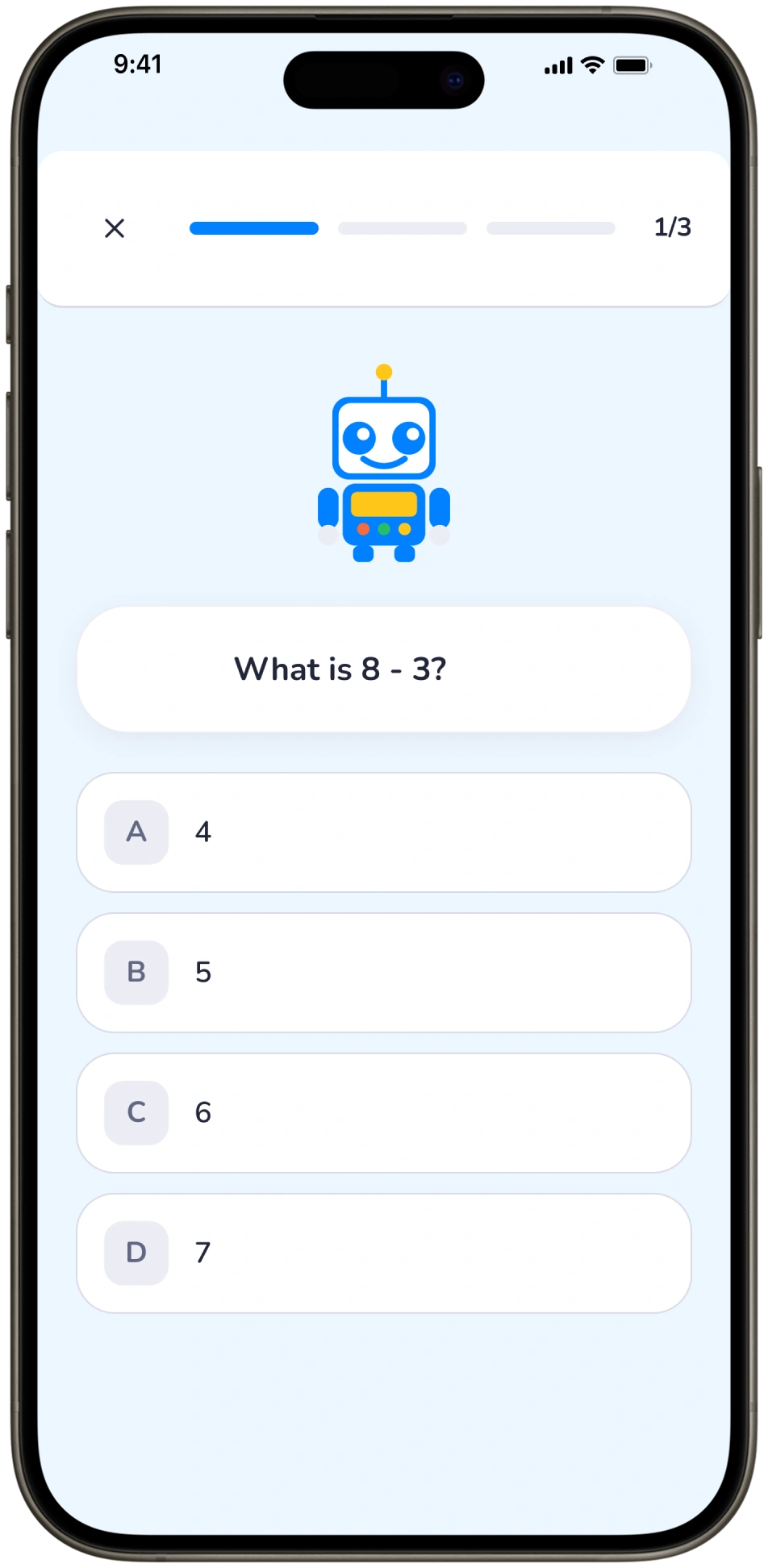
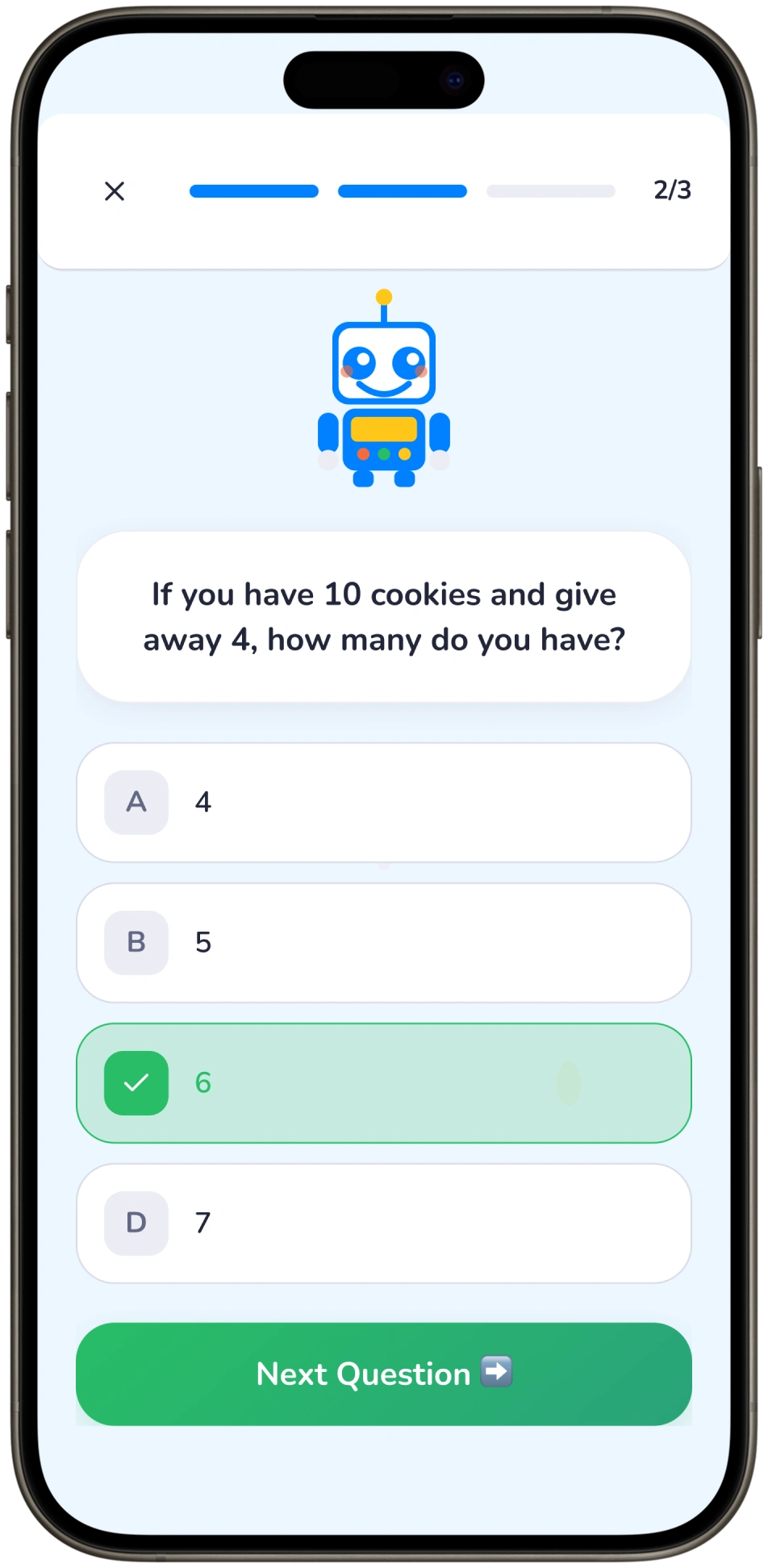
Interactive quizzes with instant feedback
3. UI Design
The interface was designed with:
Soft, friendly colors that maintain focus
Rounded cards and buttons for a playful feel
Large tap targets suitable for small hands
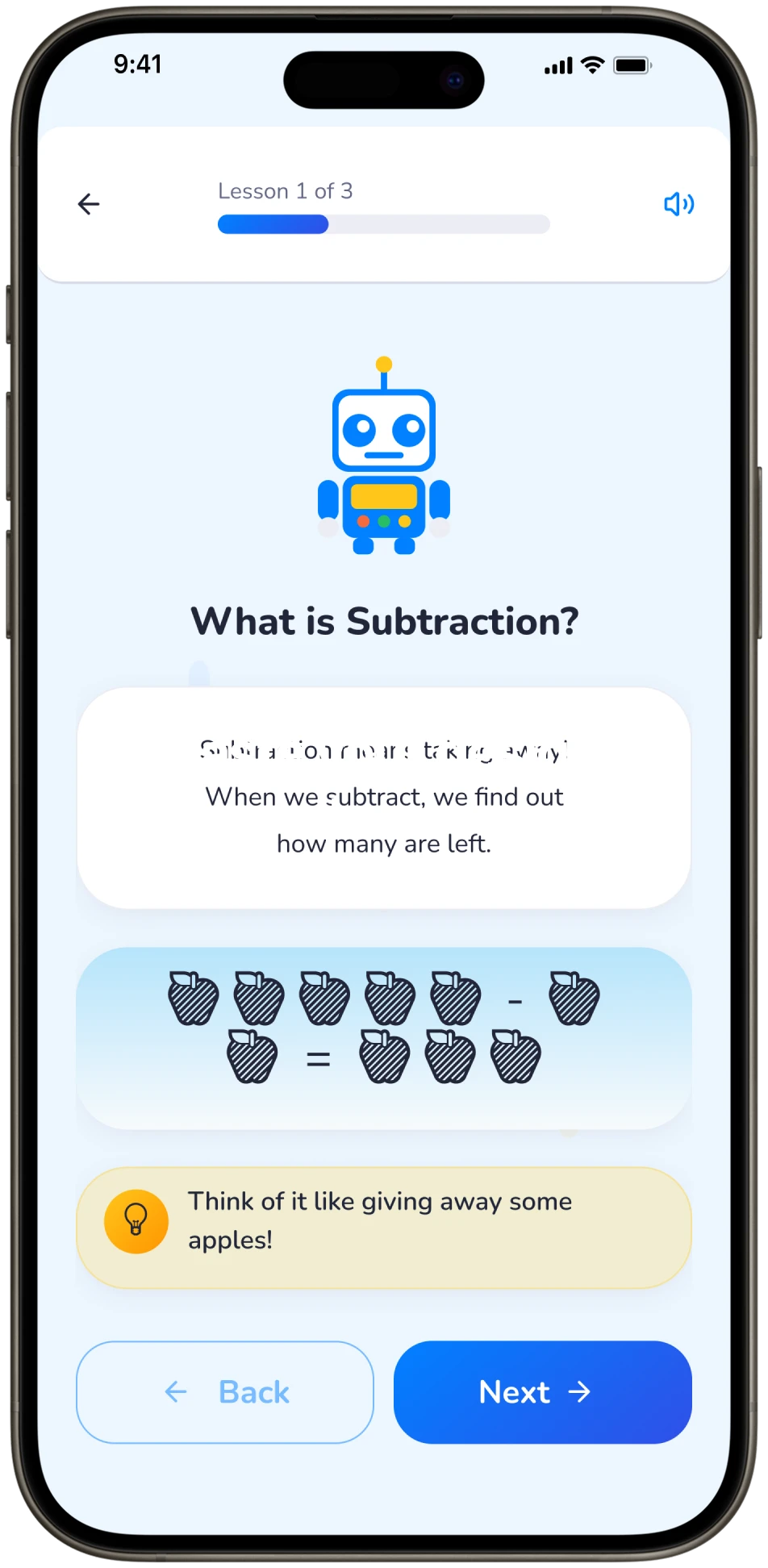
Minimal text paired with illustrations and examples
Each screen has a single, clear purpose to reduce distractions.
Key Features
Onboarding Screen: Introduces Robo, the learning companion, to build familiarity
Subject Selection: Card-based layout for easy navigation
Lesson Screens: Visual explanations with progress indicators
Interactive Quizzes: Multiple-choice questions with immediate feedback
Positive Reinforcement: Correct answers highlighted to boost confidence
Outcome
The final design delivers a calm, engaging learning experience where children can:
Understand concepts like subtraction through visuals and examples
Navigate lessons independently
Learn at their own pace without feeling overwhelmed
RoboLearn transforms studying into a playful, guided experience rather than a task.
Tools Used
Figma
UX Research
Wireframing
UI Design
Interactive Prototyping
Key Takeaway
Designing for children requires empathy, simplicity, and clarity. RoboLearn reinforced the idea that great UX is not about adding more features, but about removing friction and guiding users with intention.
Like this project
Posted Dec 24, 2025
A kids learning app designed to improve focus and comprehension through guided lessons, clear visuals, and instant feedback.
Likes
2
Views
42
Timeline
Dec 23, 2025 - Dec 25, 2025
Collaborators