
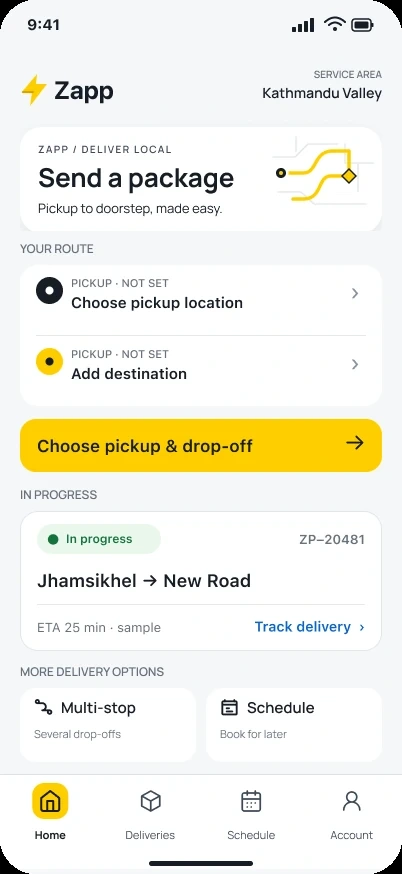
Zapp customer home introduces package booking, pickup and destination entry and an active delivery card. Full original Figma frame; design content is sample data.
The project and my part in it
A delivery involves several people with different jobs. The customer describes what needs moving, the driver handles the next stop, and operations needs enough context to resolve an exception.
My contribution covered these connected mobile journeys. I focused this case on how the customer request becomes a clear delivery task, while keeping customer and driver screens distinct.
What shaped the design
Customers and drivers act on the same delivery with different priorities.
Pickup, parcel and service choices need to stay connected through review.
Address lookup, routing and payment depend on real services.
THE DESIGN CHALLENGE
How can the same delivery feel clear to the person booking it and the person carrying it out?
The customer journey moves from account entry to pickup, parcel details, service selection and a final review. The driver then needs an operational view of the same delivery.
01 / Make the first choice clear
Make the first choice clear
The account-entry screen gives Create account and Sign in their own explanation. New customers have a clear starting point, and returning customers can go straight to the route they need.
Registration and code verification continue that path. Keeping the mobile number and resend action understandable is part of making the next step feel connected to the previous one.
Open image ↗
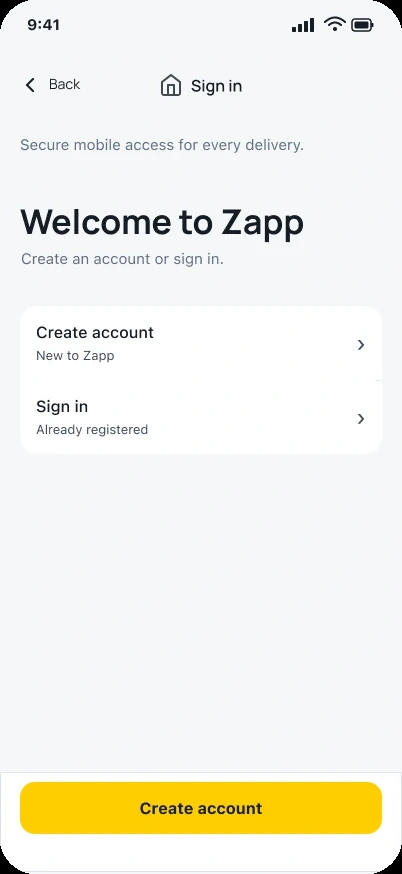
Zapp customer account-entry screen offers create-account and sign-in routes with explanatory labels. Full original Figma frame; design content is sample data.
Open image ↗
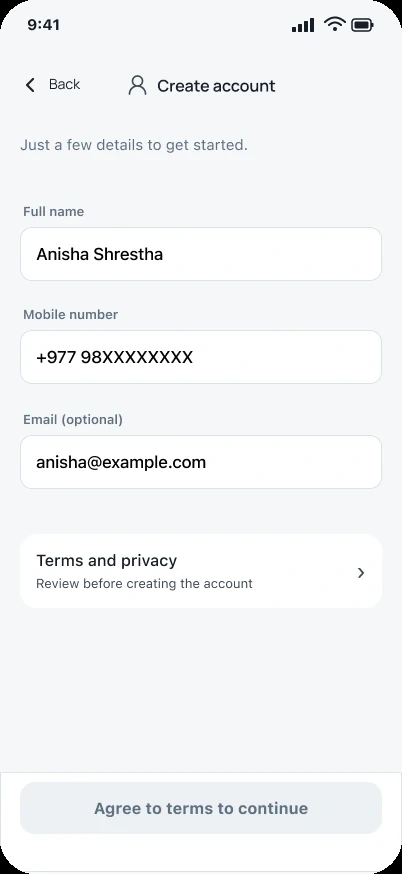
Zapp account creation groups name, mobile and email before the agreement action. Full original Figma frame; design content is sample data.
Open image ↗
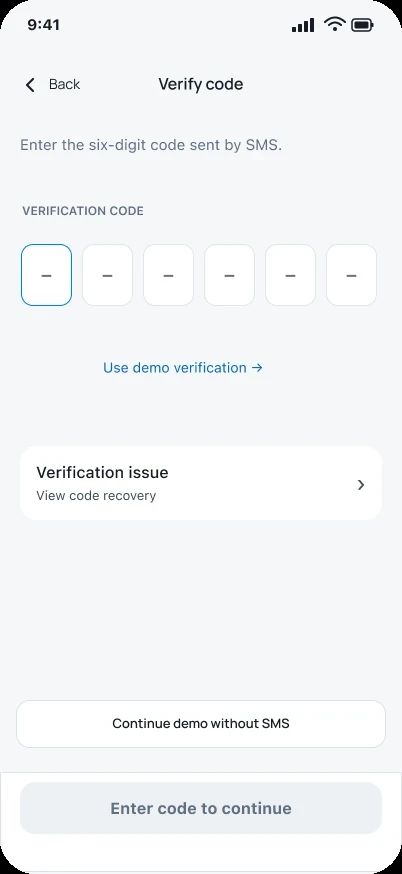
Zapp verification code screen keeps code entry, resend timing and help together. Full original Figma frame; design content is sample data.
Giving the new-customer action more emphasis should not make sign-in hard to find.
02 / Build the request one decision at a time
Build the request one decision at a time
Pickup entry offers address search, a landmark route and current location. The parcel screen then asks what is being carried, with named package types and a description field. Service selection follows after that context exists.
The review screen brings the request together before payment: pickup, recipient, parcel, vehicle and a sample estimate. An edit-recipient action gives the customer a way to correct a detail without starting again.
Open image ↗
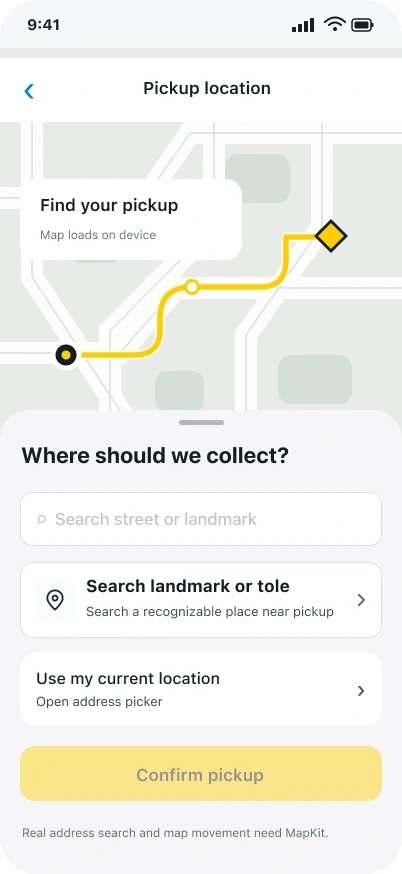
Pickup entry offers several ways to describe a collection point. Map content is illustrative; real lookup requires integration. Complete original Figma frame; sample design data.
Open image ↗
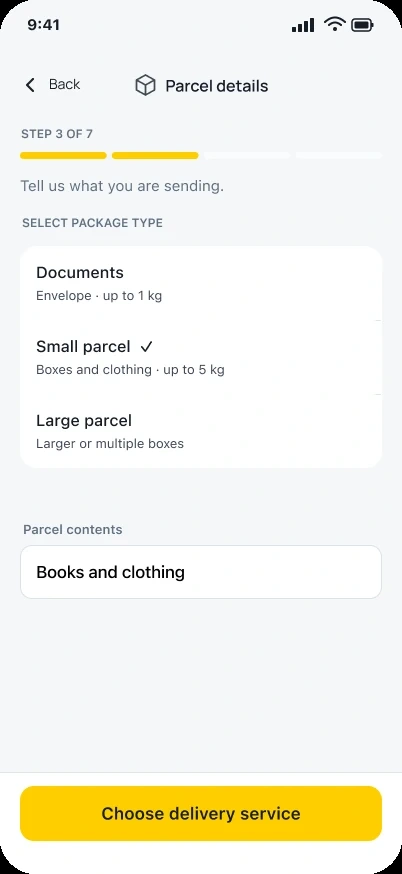
Zapp customer parcel-details screen groups package types, a contents field and the action to choose a delivery service. Full original Figma frame; design content is sample data.
Open image ↗
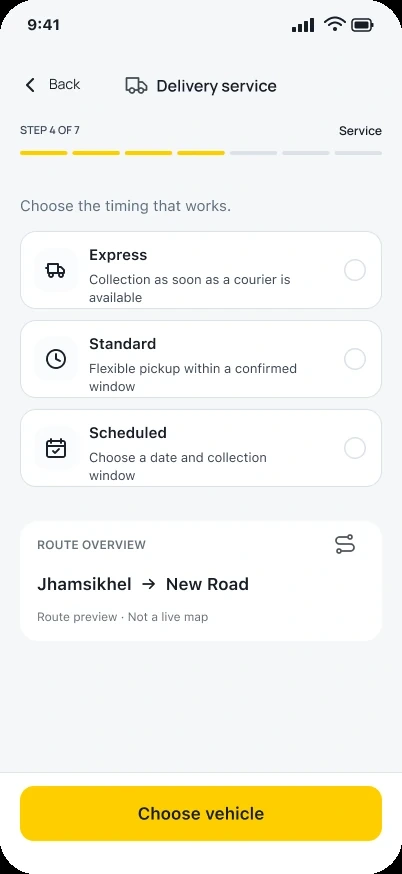
Zapp service selection explains delivery timing choices beside a route summary before vehicle selection. Full original Figma frame; design content is sample data.
Open image ↗
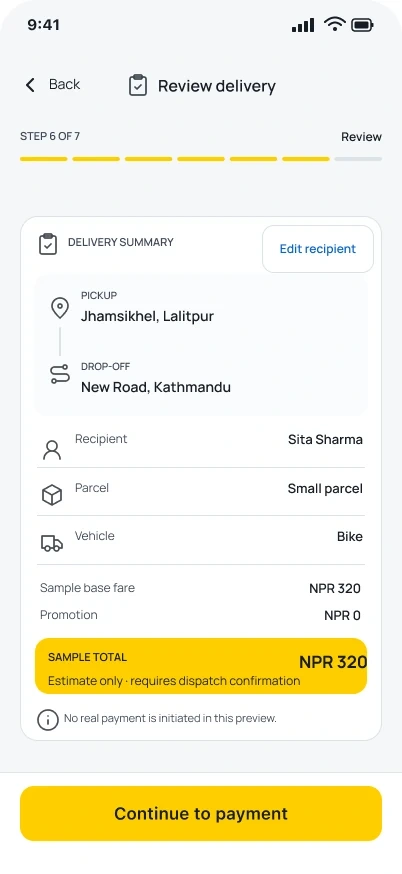
A delivery review brings the request together before payment. Prices are sample estimates; dispatch and payment are not verified. Complete original Figma frame; sample design data.
Breaking up the request keeps each step focused, while the final review needs to show how the choices fit together.
03 / Give the driver a clear next stop
Give the driver a clear next stop
The driver view distinguishes a confirmed pickup from the next drop-off. Progress and the current stop take priority, with a separate route for reporting a stop issue.
This is where the handoff needs an agreed rule. The team has to define which driver action changes the delivery status and what the customer or operations team sees afterward.
Open image ↗
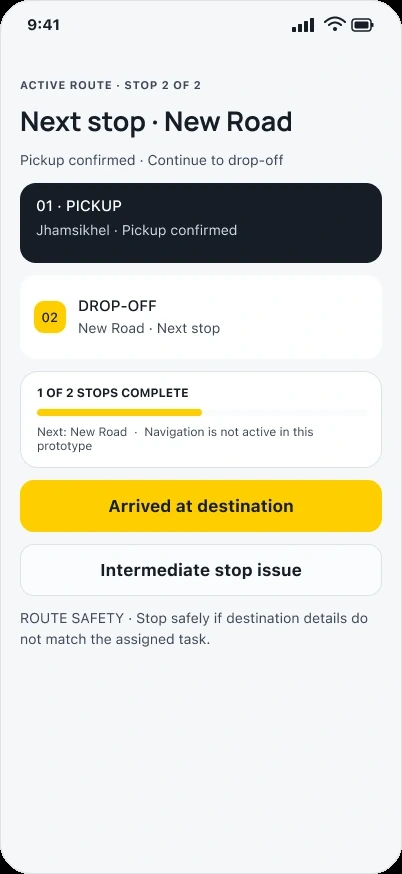
Zapp driver screen distinguishes a confirmed pickup from the next drop-off and offers arrival and intermediate-stop issue actions. Full original Figma frame; design content is sample data.
Driver and customer views need a shared account of progress, even though their next actions differ.
04 / Separate a finished delivery from payment records
Separate a finished delivery from payment records
The completion screen names the handoff and offers a return to availability. Settlement and earnings depend on verified server records, so they remain a different responsibility.
For implementation review, I would check an interrupted handoff, a repeated completion action and the return to the driver dashboard. Those situations are part of making the completion message dependable.
Open image ↗
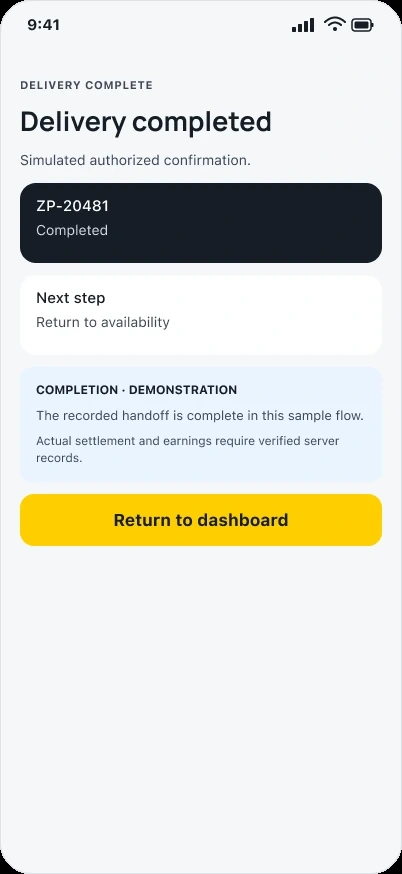
Zapp driver completion screen closes the demonstrated handoff and offers a return to availability. Full original Figma frame; design content is sample data.
A reassuring completion message must describe what is actually known to be finished.
Current public website reference
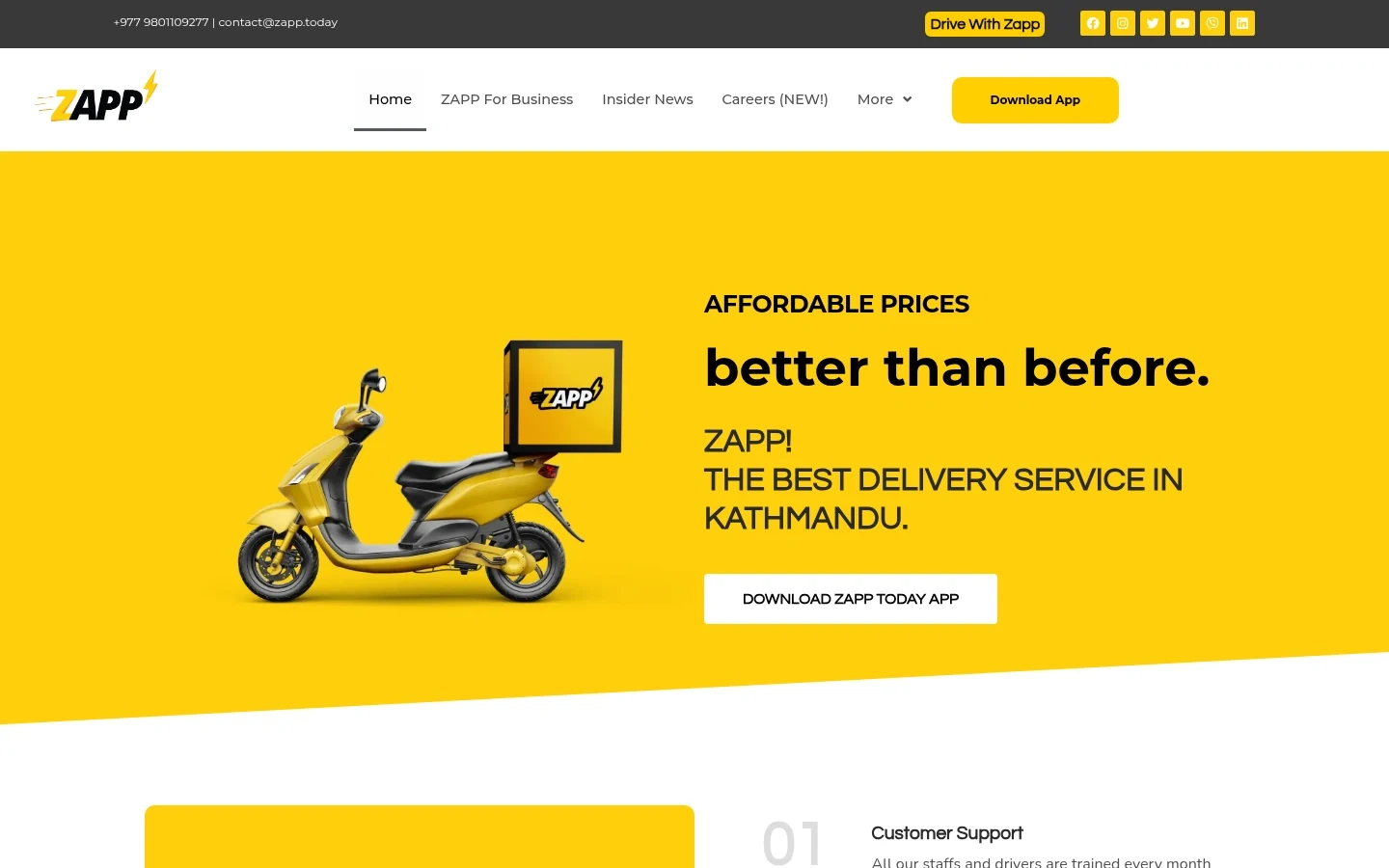
Current public Zapp desktop website, captured on 5 November 2026. This reference is separate from the historical customer and driver designs. Company marketing copy is not a measured outcome of my contribution.
What I delivered
The screenshots connect entry, pickup, parcel and service choices, review, the driver’s next stop and completion. The added pickup and review screens fill in the customer journey between the earlier examples.
Current public website, checked 5 November 2026. Its presentation may differ from the customer-app design contribution described in this case.
Outcomes and next steps
The design gives the customer and driver different priorities within one delivery story. Routing, dispatch, payment and delivery performance still need real-service evidence.
What I would test next
Compare the customer milestone with the driver action for pickup, arrival and completion; each pair should describe the same service event.
Walk through an intermediate-stop failure and delayed completion update. Check that the next action remains clear without implying settlement has occurred.
What I learned
A delivery flow becomes easier to explain when every screen answers a practical question: what are we moving, where is it going, what happens next and who acts now?
About the screens
Customer iOS and driver prototype references are labeled as design work. Map content and prices are illustrative; current lookup, dispatch, tracking and payment are not certified. Historical project year remains unverified.
Related work and reading
RELATED EXPLORATION
Mobile product design services
RELATED EXPLORATION
Review the full journey before redesigning
RELATED EXPLORATION
Another multi-role product
Got a product in mind?
0 likes · 0 views · Nov 7, 2026
Zapp Today delivery apps: connected customer and driver journeys covering account entry, pickup and parcel details, service selection, review and completion.
