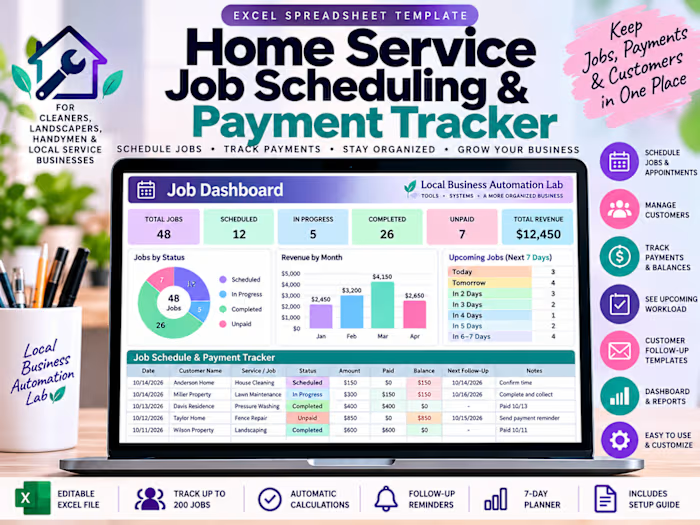
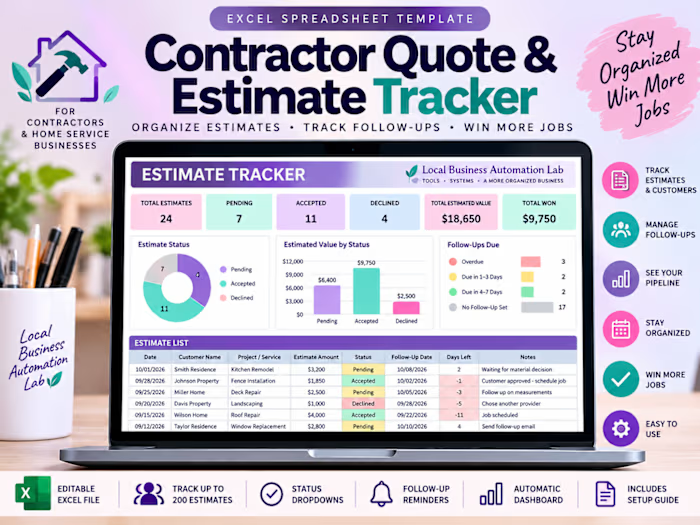
Home-Service Operations Dashboard (Spec Build)

Ivy

Less Admin. More Control. A Business That Runs Smoother.
Portfolio disclosure: This is an independent interactive demonstration using synthetic customer and business data. The browser-local workflows illustrate operational tracking, approval processes, reporting, and automation design. External services such as Gmail, Slack, HubSpot, and Google Calendar are not live-connected in this demonstration. Production integrations can be scoped and implemented separately. Screenshots do not represent actual client results.
What if you could see your leads, appointments, estimates, jobs, and outstanding payments in one organized dashboard?
Running a small business shouldn't mean constantly switching between spreadsheets, emails, customer records, and scheduling tools.
I created this interactive business operations dashboard to demonstrate how disconnected workflows can be brought together into one clear, manageable system. Instead of searching for information, business owners can quickly identify what needs attention and what happens next.
01 | Executive Dashboard — Know What Needs Your Attention
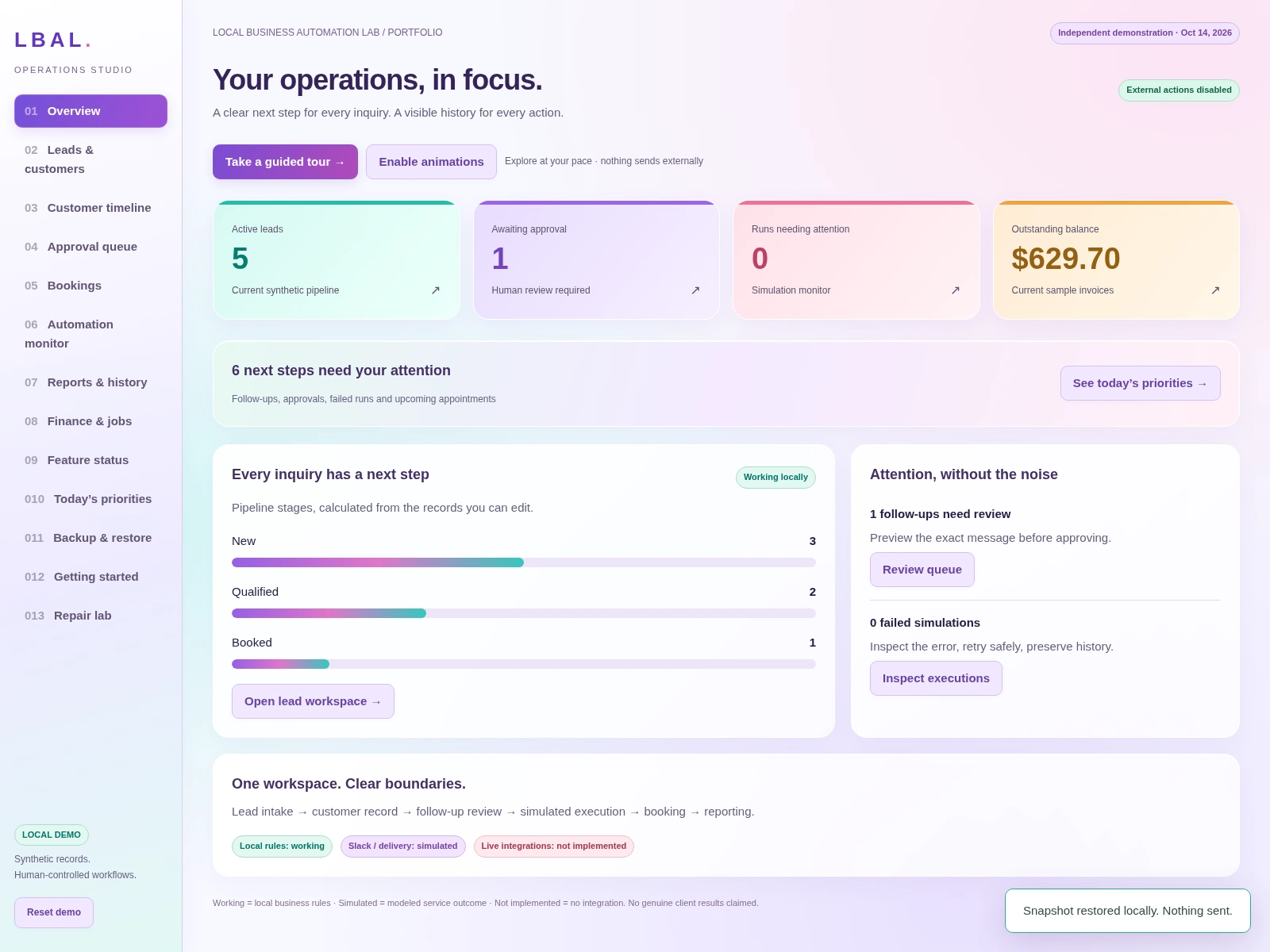
Executive Dashboard
Your business at a glance. See priorities, customer activity, and financial summaries in one organized view.
Why it matters: A clear daily view helps owners spot priorities and make decisions without hunting through multiple records.
02 | Lead Management — Keep Every Opportunity Organized
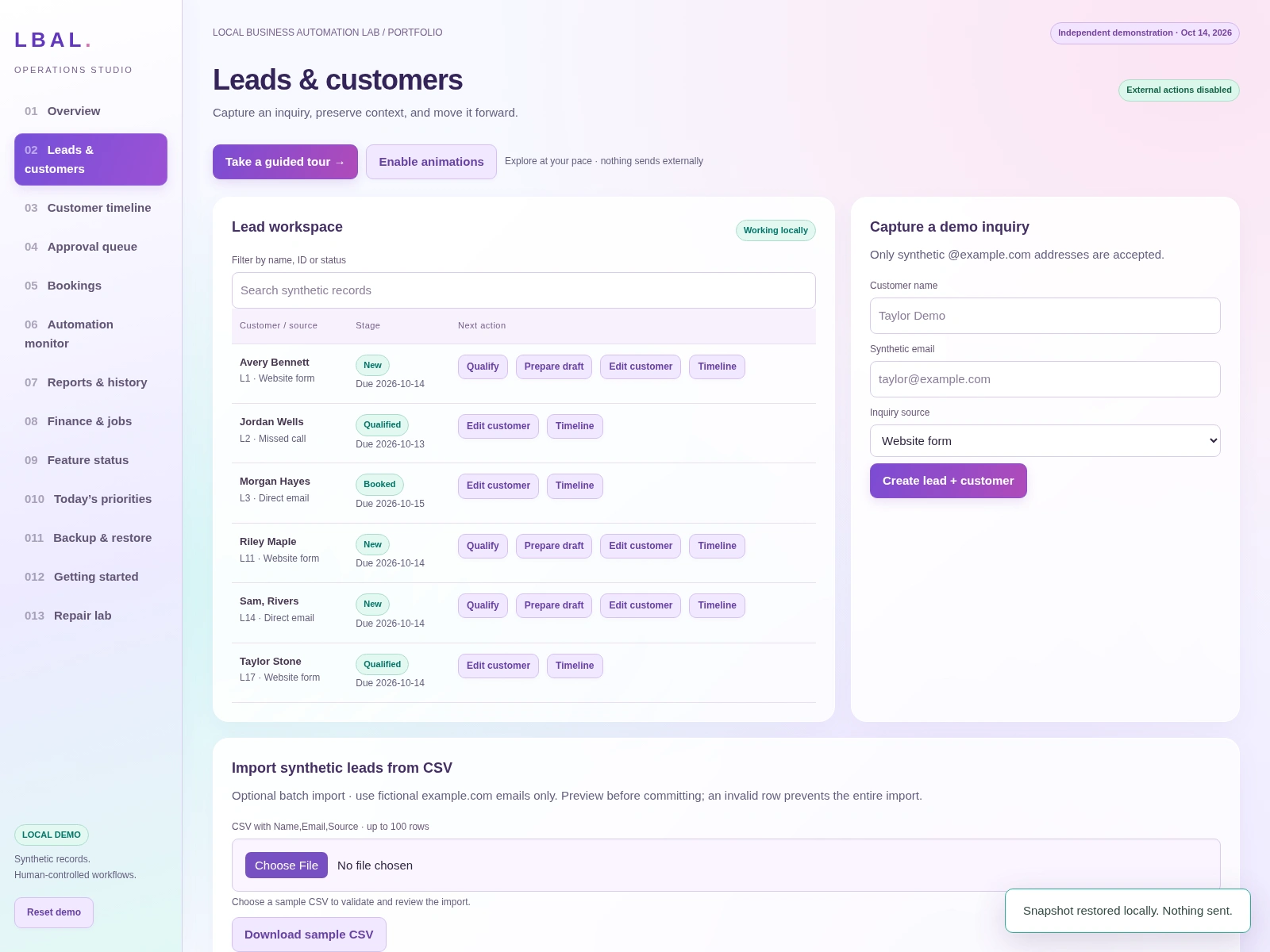
Lead Management
Keep customer inquiries organized, track new opportunities, and see which leads need attention.
Why it matters: A visible lead pipeline makes it easier to follow up before promising inquiries get overlooked.
03 | Approval Queue — Stay in Control
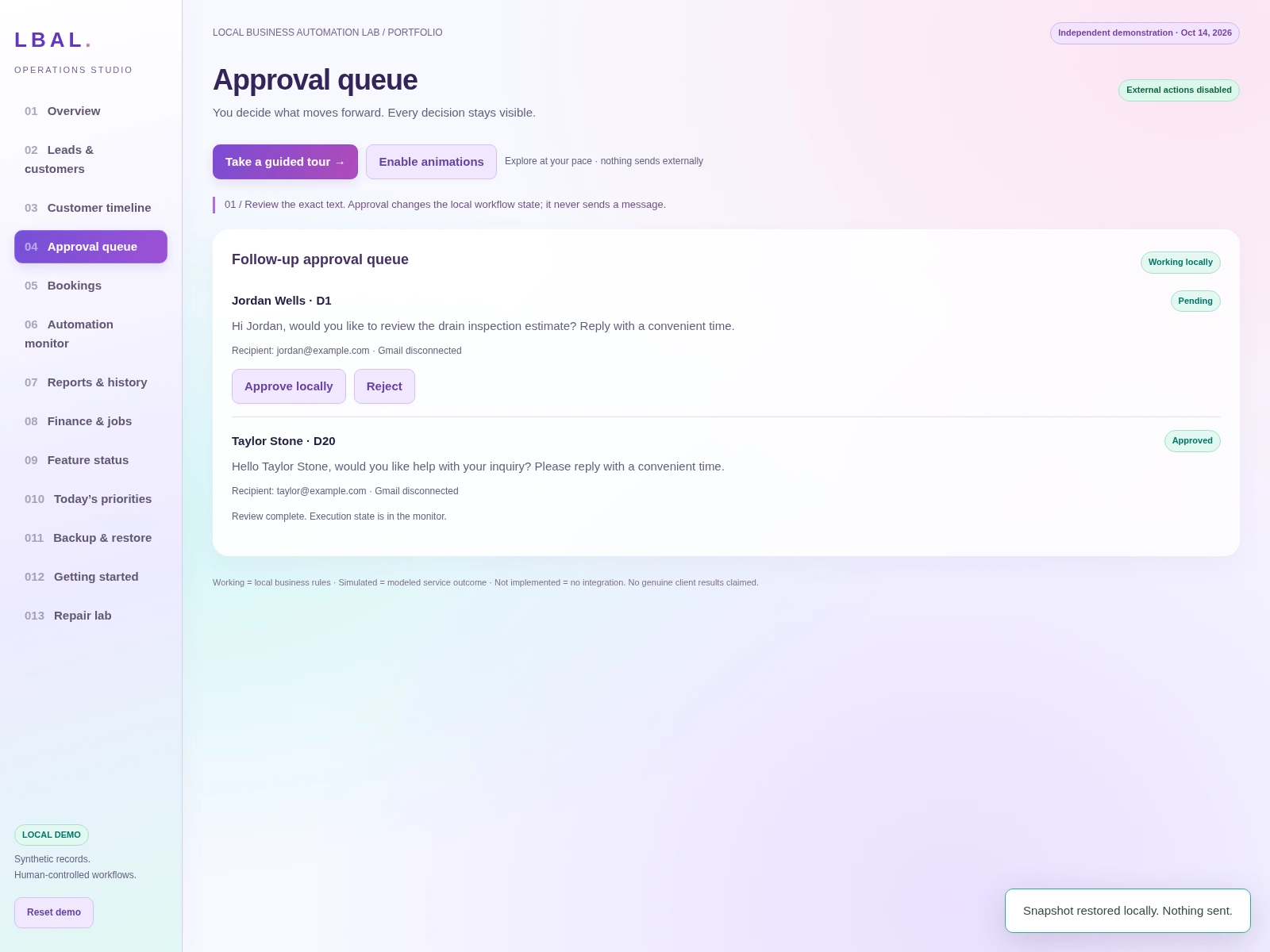
Approval Queue
Review follow-up actions and maintain control over important customer communication decisions.
Why it matters: Automation can support the process while people retain the final say on important communications.
04 | Scheduling & Booking Oversight — Keep Commitments Visible
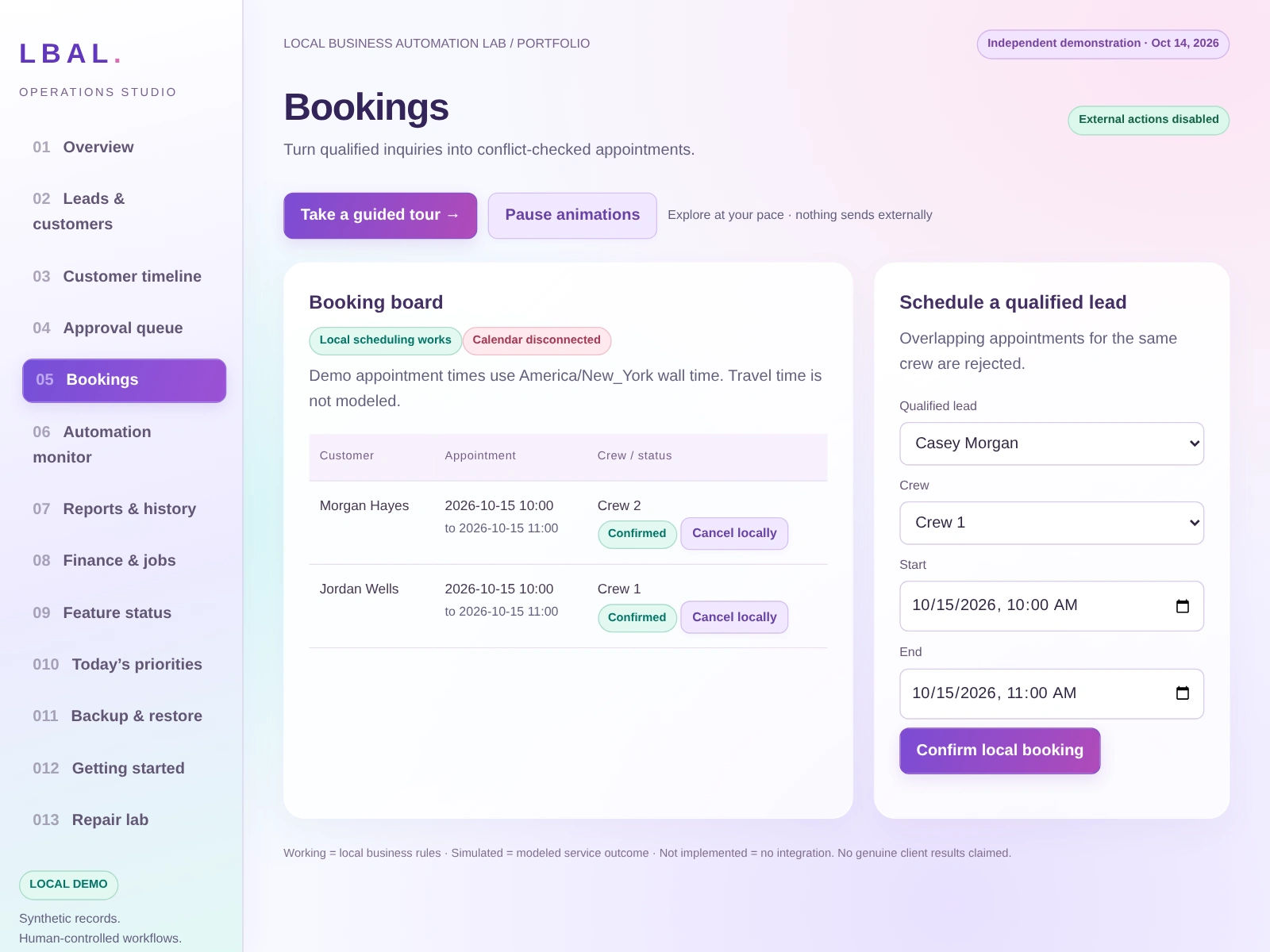
Scheduling and Booking Oversight
Organize appointments, keep job commitments visible, and surface potential scheduling conflicts in one workspace.
Why it matters: A shared view of appointments helps reduce avoidable double-booking and last-minute confusion.
05 | Estimates, Jobs & Payments — Follow the Work. Track the Money.
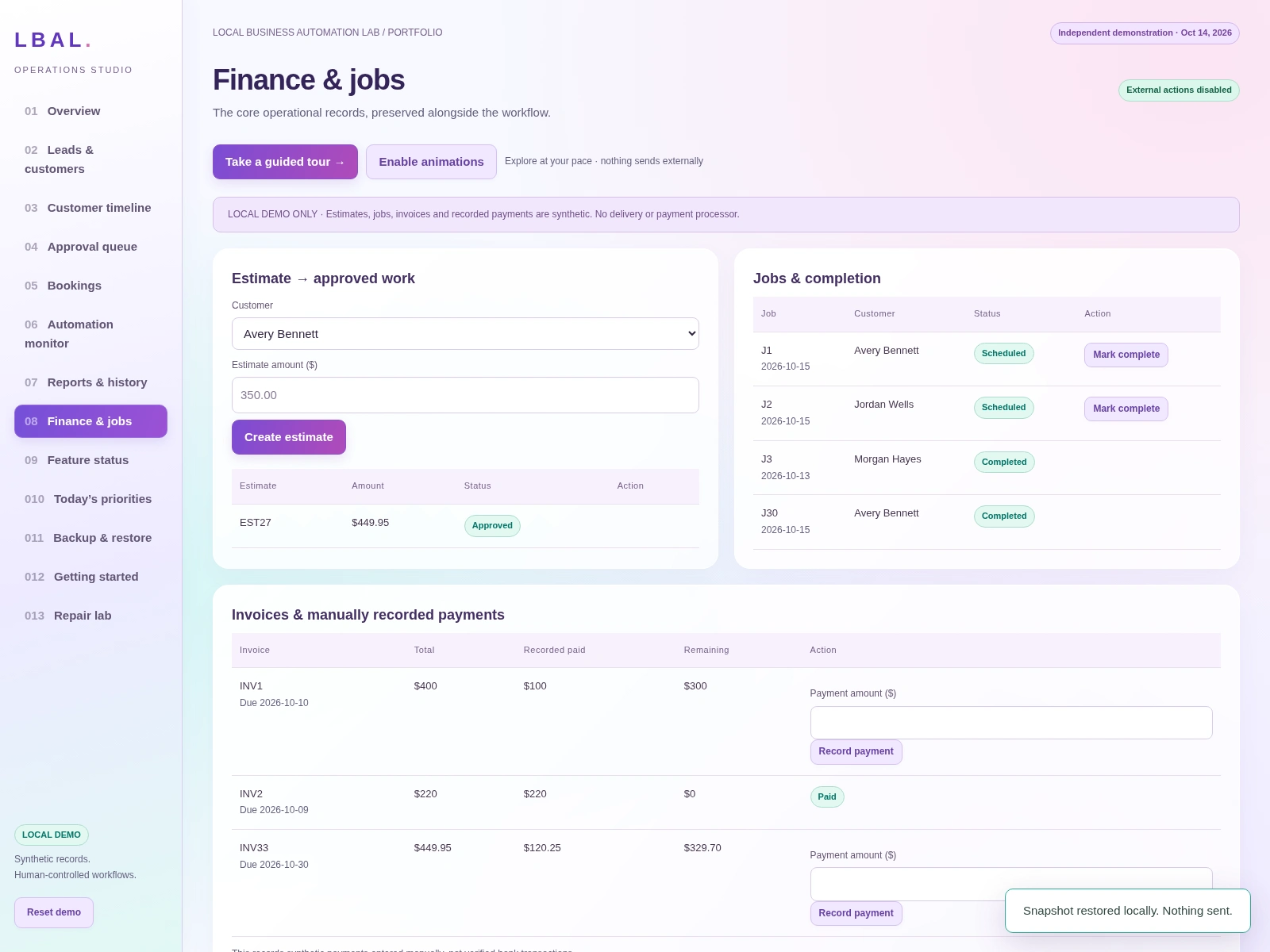
Estimates, Jobs and Payments
Track estimates, job progress, invoices, recorded payments, and outstanding balances in one connected workflow.
Why it matters: Connecting work and payment records makes pending jobs and balances easier to review.
06 | Business Reporting — Turn Information Into Better Decisions
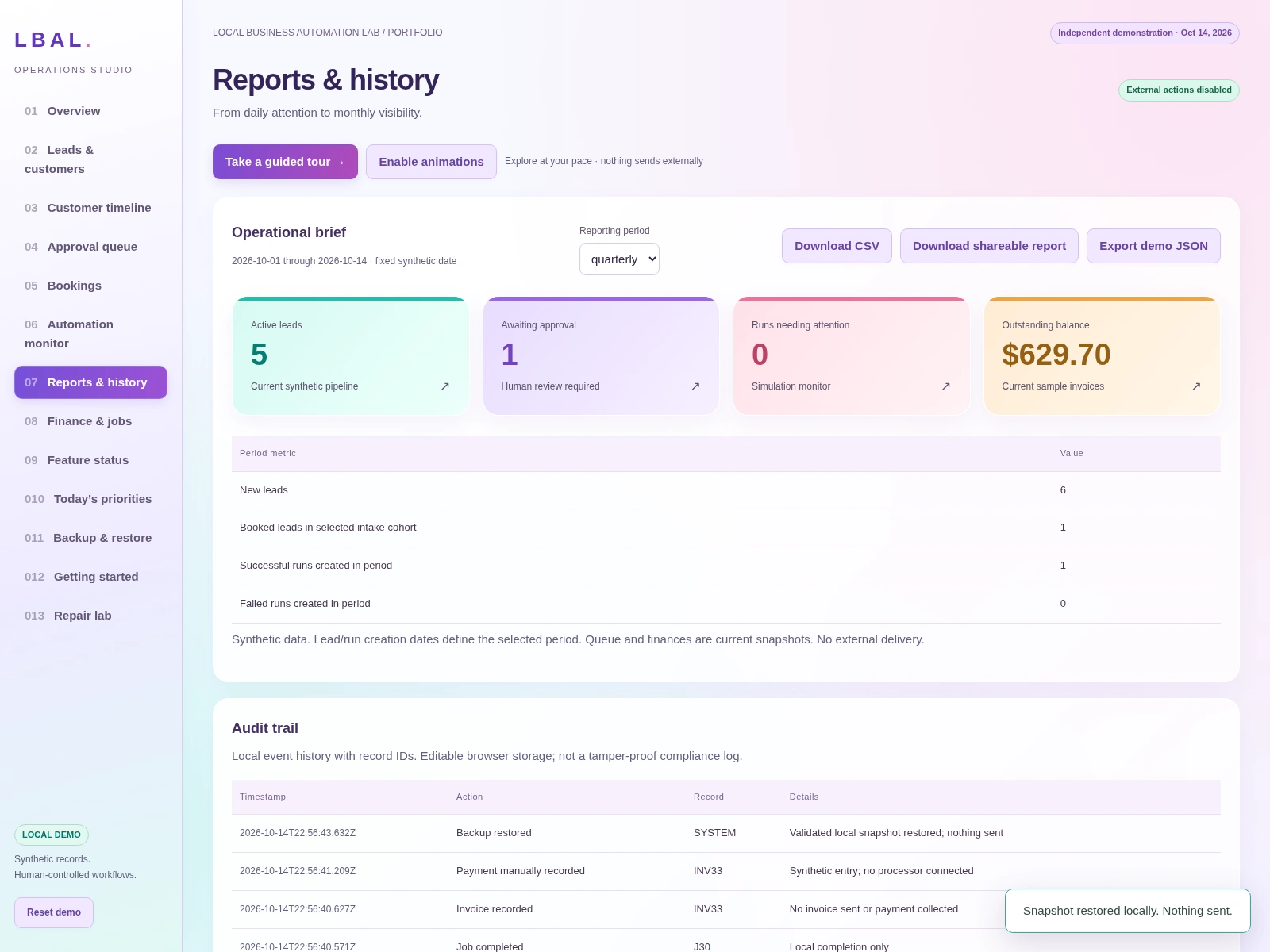
Business Reporting
Review operational activity and financial information through organized, downloadable reports.
Why it matters: Organized reporting supports regular business reviews without manually piecing together updates.
07 | Automation Monitoring — Know What's Working
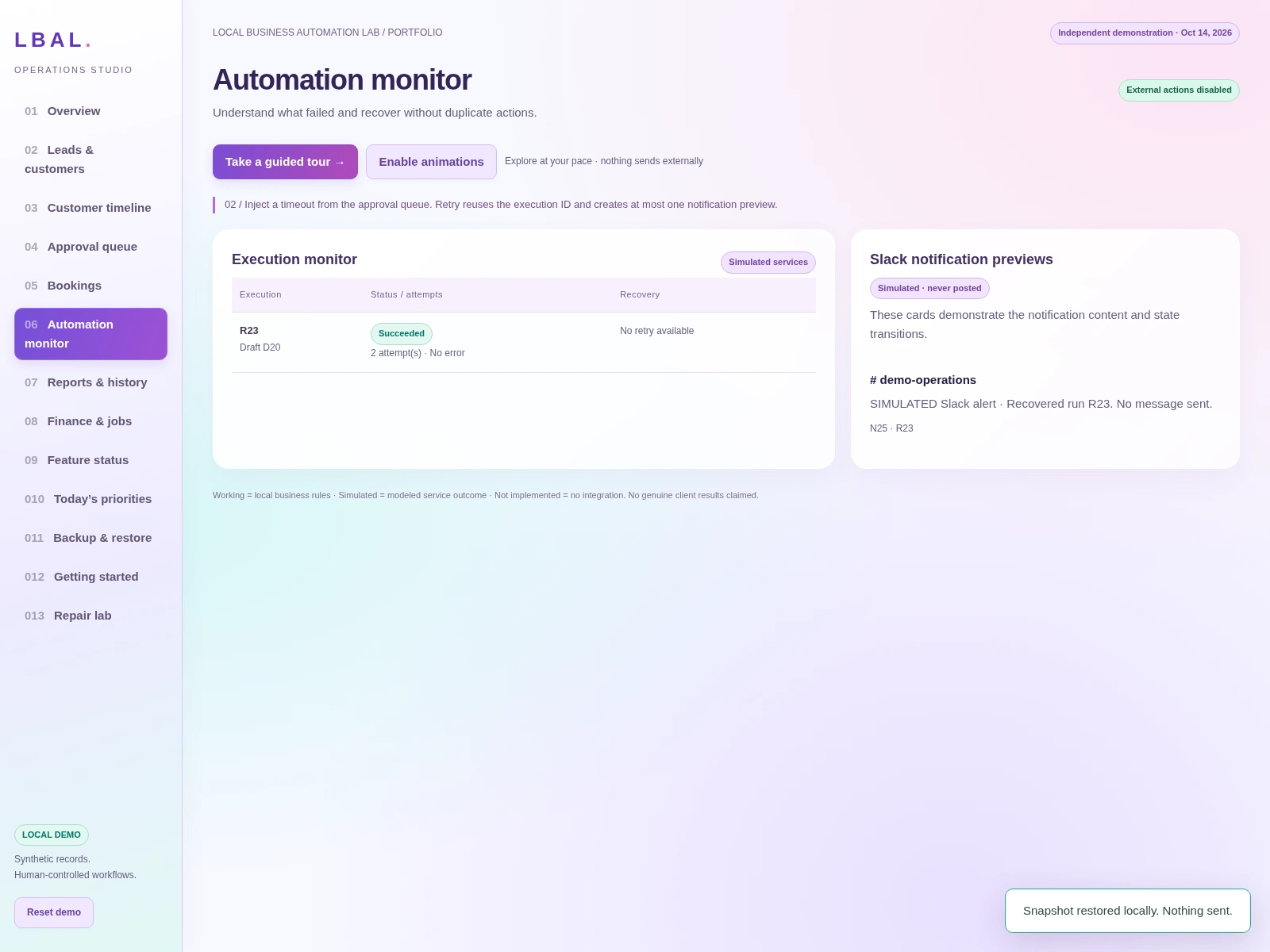
Automation Monitoring
Monitor workflow activity, review simulated failures, and see how controlled recovery works.
Why it matters: Workflow visibility helps surface issues for investigation instead of letting them disappear unnoticed.
08 | Customer History — Every Interaction in Context
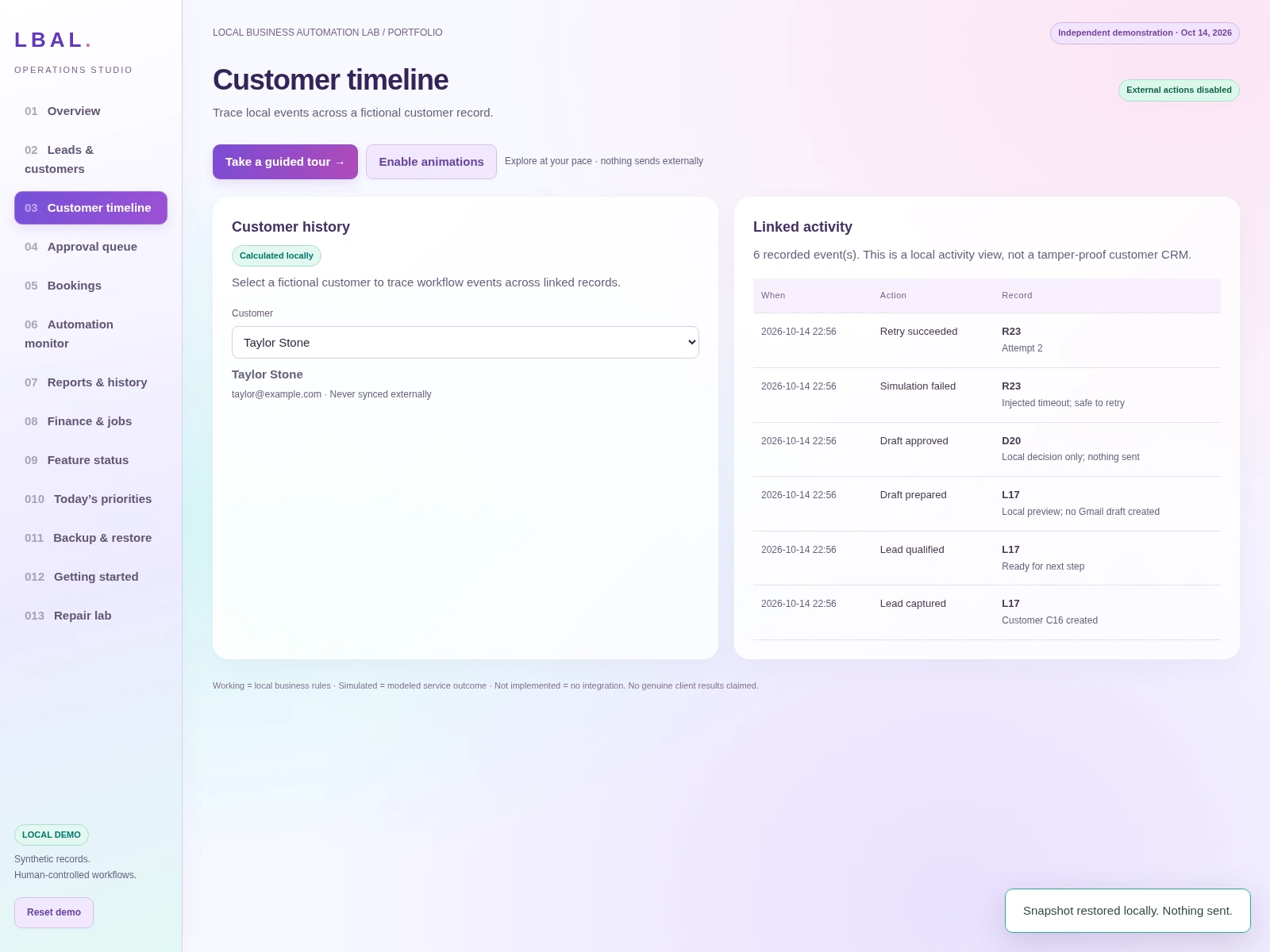
Customer History
Keep customer activity and important workflow events organized in one searchable timeline.
Why it matters: A connected record gives the team context before the next customer interaction.
Why I Built It
Small businesses often don't need more complicated software. They need better visibility, organized information, and workflows designed around how they actually operate.
My focus is creating practical, user-friendly systems that make everyday business operations easier to manage.
Technology & Skills
Google Sheets and spreadsheet workflow design
Google Apps Script development and troubleshooting
JavaScript, HTML, and CSS used in this browser demonstration
Interactive dashboards
Workflow automation architecture
Business reporting
Data validation and quality assurance
The browser demonstration does not include live third-party integrations. Production Google Workspace and business-tool integrations can be scoped and implemented separately.
Your Business Is Unique. Your Workflows Should Be Too.
Need a version built around your scheduling, estimates, payments, or follow-up process?
Like this project
Posted Oct 14, 2026
Interactive spec build showing how a home-service team can track leads, appointments, estimates, jobs, payments, and reporting in one Google Sheets workflow.