Built with FlutterFlow

Case study · Inventory software · In rollout
Inventory software for a Nanaimo glass and glazing company that left pen and paper on the shop floor and took the retyping off the office’s desk.
5 types
of shop paperwork, read from a photo or a PDF
1 approval
before any stock number changes
Every form
kept on record: who, when, what changed
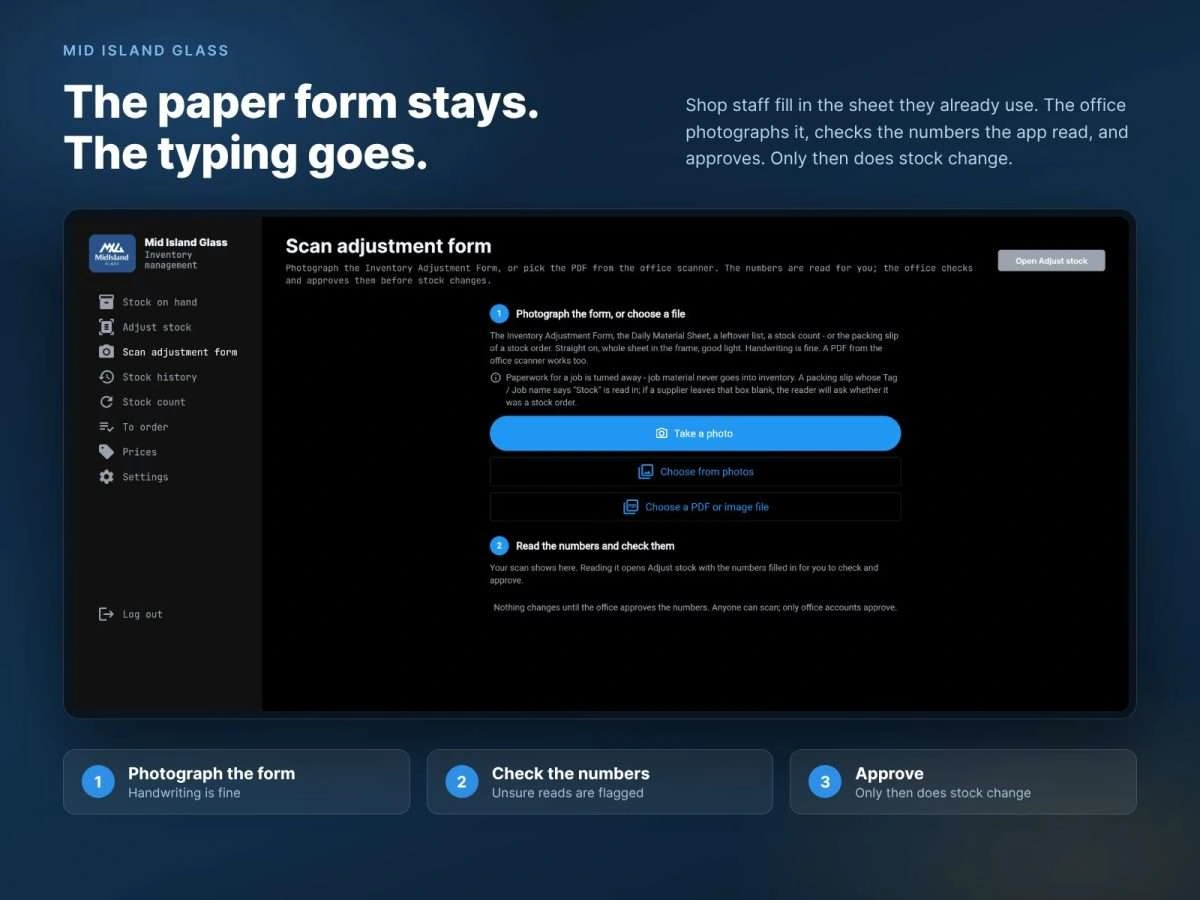
The whole loop on one screen. Photograph the form, check what was read, approve.
The challenge
Mid Island Glass is a glass and glazing company in Nanaimo, on Vancouver Island. The shop runs on aluminum: extrusions in full lengths, plus gaskets, sealant and hardware by the box and the roll. Some of it is bought for a specific job and some is held as stock, and what is actually on the racks decides what has to be ordered for the next job.
That number lived on paper and in people’s heads. The stock had never been counted in a way anyone relied on, so when a new job came in, nobody could say with confidence what was already there to draw on. It was too valuable to guess at.
The textbook answer is a tablet at every rack and a login for every installer. That is also how inventory systems die. The people pulling a 24-foot extrusion are wearing gloves and have somewhere to be, and a system that depends on them typing does not stay accurate for long.
The approach
So we left the paper alone. The crew write what came in and what went out on a printed adjustment sheet, the same way they would fill in any shop form. The office then photographs the sheet with a phone, or picks the PDF from the office scanner, and Gemini reads the handwriting into rows.
Then nothing happens, and that is the design. The office sees what the reader produced beside what is on hand, with the lines it was unsure of flagged, and corrects or approves them. Stock changes only on approval, and only office accounts can approve. The reason for that step came from their office, not from us: material on the rack is sometimes already promised to another job, and software that deducted on its own would quietly spend it.
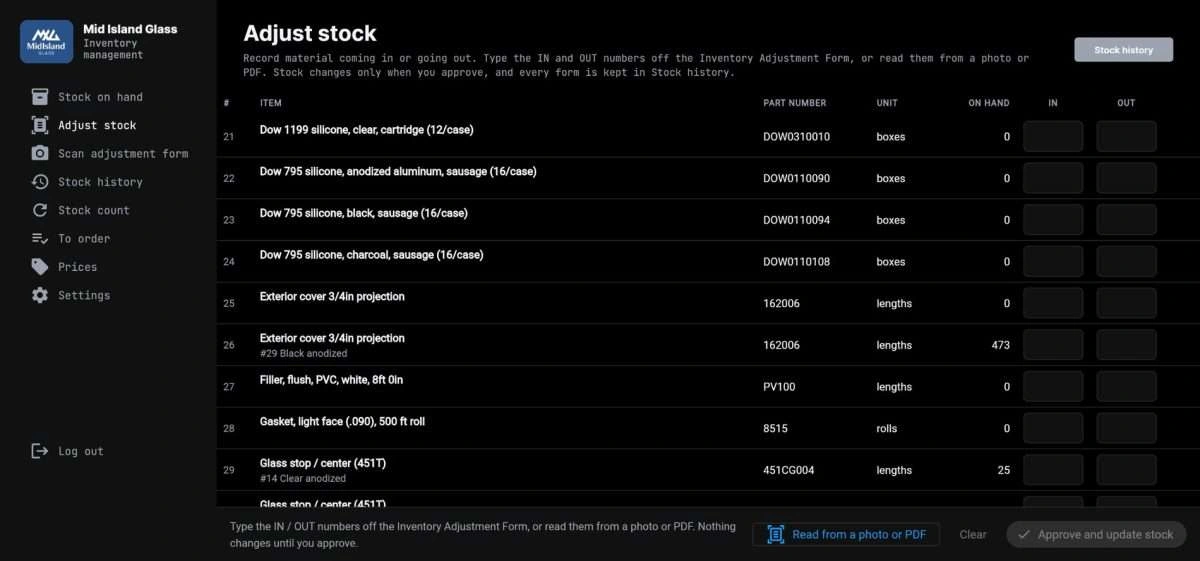
The approval step. Numbers arrive typed or read from a photo, and nothing changes until the office approves them.
The rest of the build is a list of small decisions, each of which removed a reason not to use it:
Daily sheets record what moved, not what is left. A separate stock count screen takes a full physical count when they do one, replaces the numbers, and leaves any row they skipped untouched.
Job paperwork is turned away. A packing slip for a job never enters inventory; only stock orders do. If a supplier left the tag blank, the reader asks rather than guesses.
PDFs as well as photos. Paperwork that already exists as a file is picked from the office scanner instead of being photographed page by page.
The screens use the shop’s words. The team has strict meanings for terms like purchase order and bill of materials, so the menu says what they say: stock on hand, adjust stock, to order.
Reordering is a list, not a purchasing system. Items at or below their minimum appear grouped by supplier and wait under “on order” until the stock arrives. It does not try to replace how they raise purchase orders.
Prices stay out of the way. Price history has its own page, so the daily view shows quantities and nothing else.
Every sheet is kept. Stock history lists each approved form: who entered it, when, how many lines, and how many were flagged.
It is built in FlutterFlow on Firebase, which is why the same system runs on the office desktop and on a phone held over a sheet of paper.
Where it stands
The first version is in testing at the shop with real stock loaded, and we are working through the team’s feedback before we lock it. The database was designed so that project tracking can sit on top of the same inventory later without a rebuild. We’ll update this page when version one is signed off.
What we took from it
Small businesses do not resist software. They resist retraining. The cheapest interface is the one the crew already knows, and here that was a clipboard. The AI did not replace the paper. It removed the retyping between the paper and the database, and a person still signs off on every number.
That pattern travels: keep the habit, automate the transcription, leave the approval with a human. It is what we mean by invisible AI , and it fits a great deal of back-office work that has been written off as too messy for software.
0 likes · 0 views · Nov 22, 2026
Built an inventory app that turns photographed or scanned shop forms into stock adjustments, with office review and approval before records change.


