Built with FlutterFlow
InfiniteUp Tasks: AI Productivity App via MCP

InfiniteUp Agency
3 collaborators


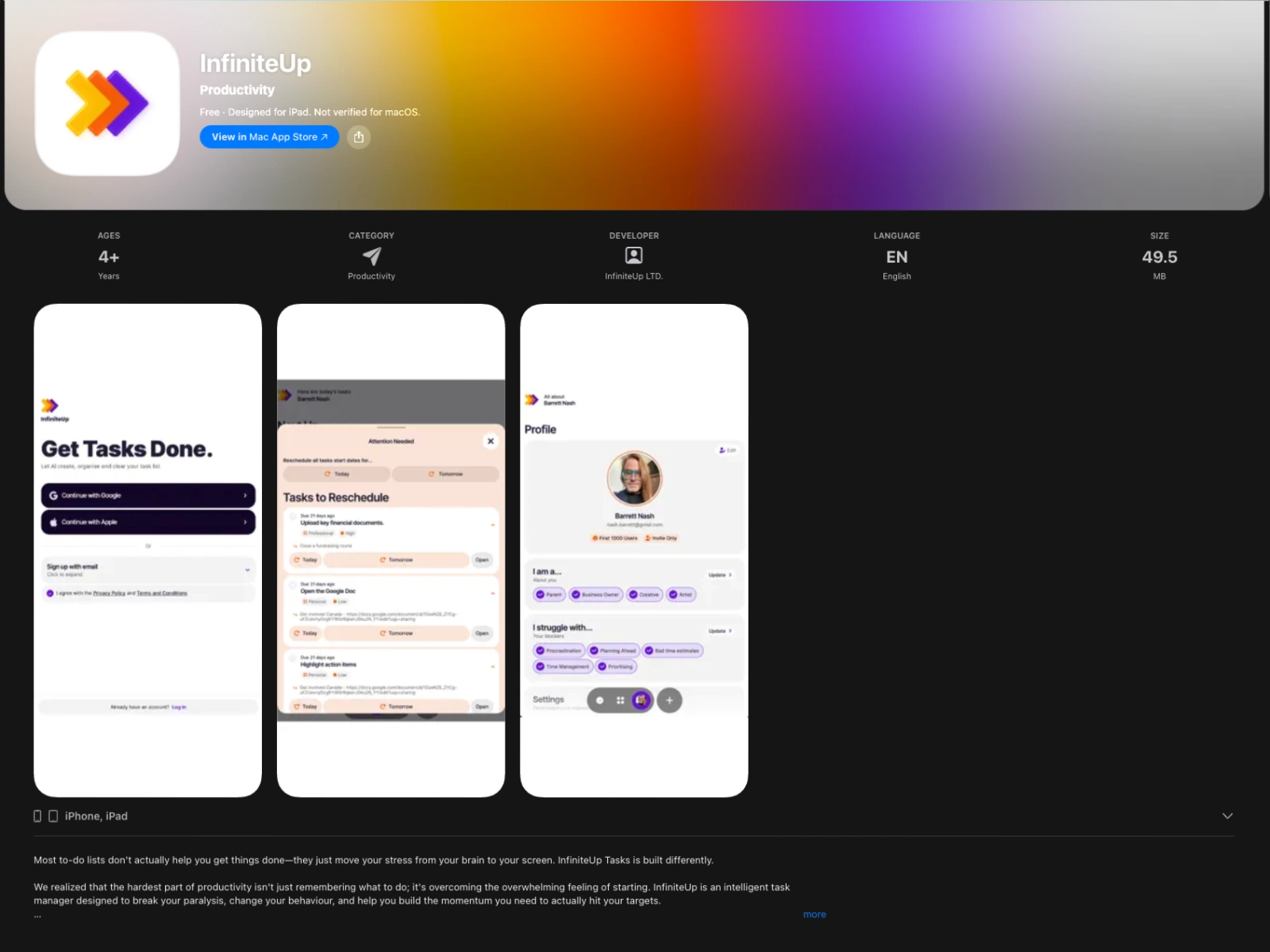
InfiniteUp Tasks hero
Say the thing. Get the steps.
Most to-do apps are a place to store your intentions. InfiniteUp Tasks takes the thing you've been avoiding, breaks it into steps you can actually start, and stays with you until it's done. Type it, speak it, or photograph the list you already wrote.
Built with FlutterFlow MCP and Claude Code
This project represents a major milestone in how we build software. Significant portions of InfiniteUp Tasks were developed through the FlutterFlow MCP, using Claude Code as the orchestration layer. Rather than switching between IDE and browser, we described features, iterated on logic, and shipped production code through MCP-driven workflows.
The same approach powered our agency website rebuild (infiniteup.dev), where we built a bilingual CMS from scratch using Claude MCP on WordPress. InfiniteUp Tasks pushed the MCP workflow further: into FlutterFlow's visual development environment, across a full-stack app with real-time multi-user collaboration, AI agents, and cross-platform deployment.
This isn't experimental. It's how we ship now.
What it actually does
InfiniteUp Tasks desktop and mobile views
Break it down. Describe what you're trying to get done. Tasks turns it into concrete, ordered subtasks with real start and due dates. The plan you would have written if you had an hour and a clear head.
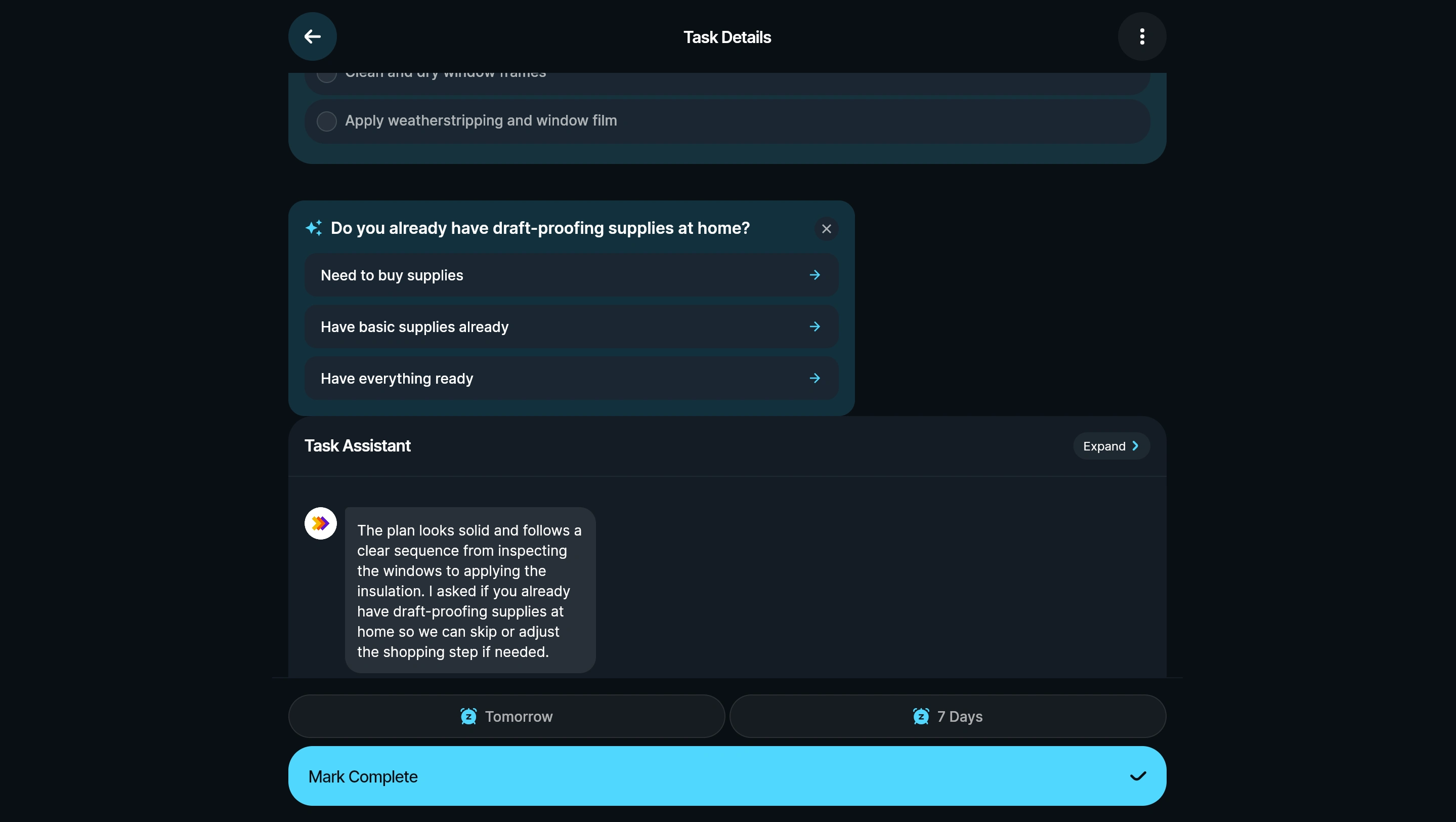
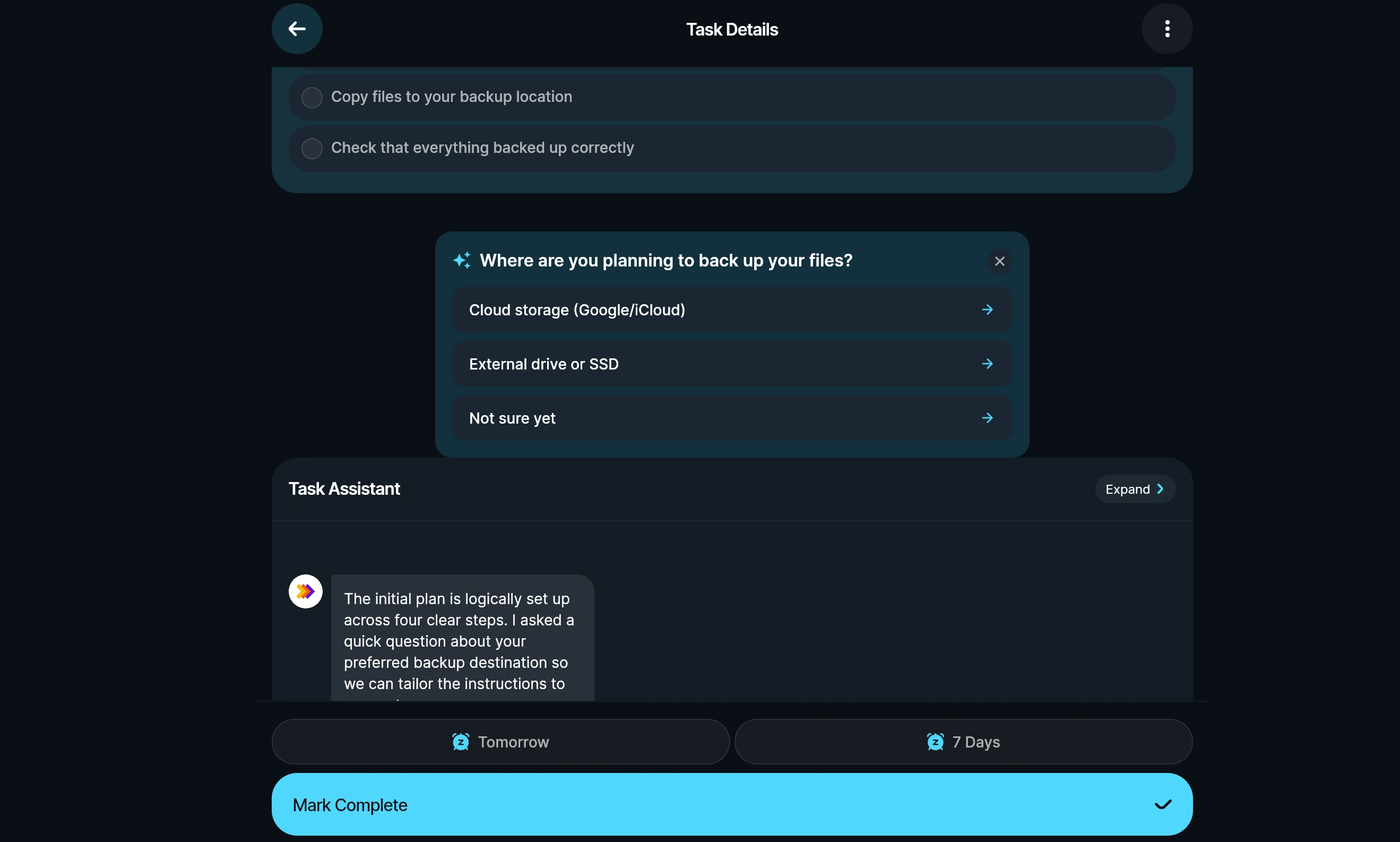
Active AI partner per task. Every task has a partner that reviews the steps, asks the one question that actually changes the plan, and adjusts it when you answer. Not a chatbot bolted on the side; it edits the task in front of you.
Three ways in. Type a line. Hold your phone and say it (voice-to-text on iOS and Android). Or take a photo of the list already on your desk and let it read the items in. Bulk upload by screenshot is built in.
Invisible AI and predictive task generation. The AI works behind the scenes. It anticipates what comes next based on your patterns and generates tasks before you think to write them down.
Share it. Invite anyone to a task by email. They see the same steps and the same chat, and nothing lands on their board until they accept it. Multi-user was the single biggest engineering investment in this release: it's one thing to say "collaboration," another to execute end-to-end shared workspaces with proper state sync.
Your week, your way. On mobile it's a clean daily feed. On desktop it becomes a kanban board and a calendar you can drag your week around on. Same account, same tasks, whichever screen you're at.
Kanban and calendar views on desktop
It follows up. A nudge at 7am your time with what's actually due, in your own timezone. Notifications when a shared task moves. Classic colours or Neon mode (toggle in settings).
Personalization that shapes every plan

Onboarding preferences
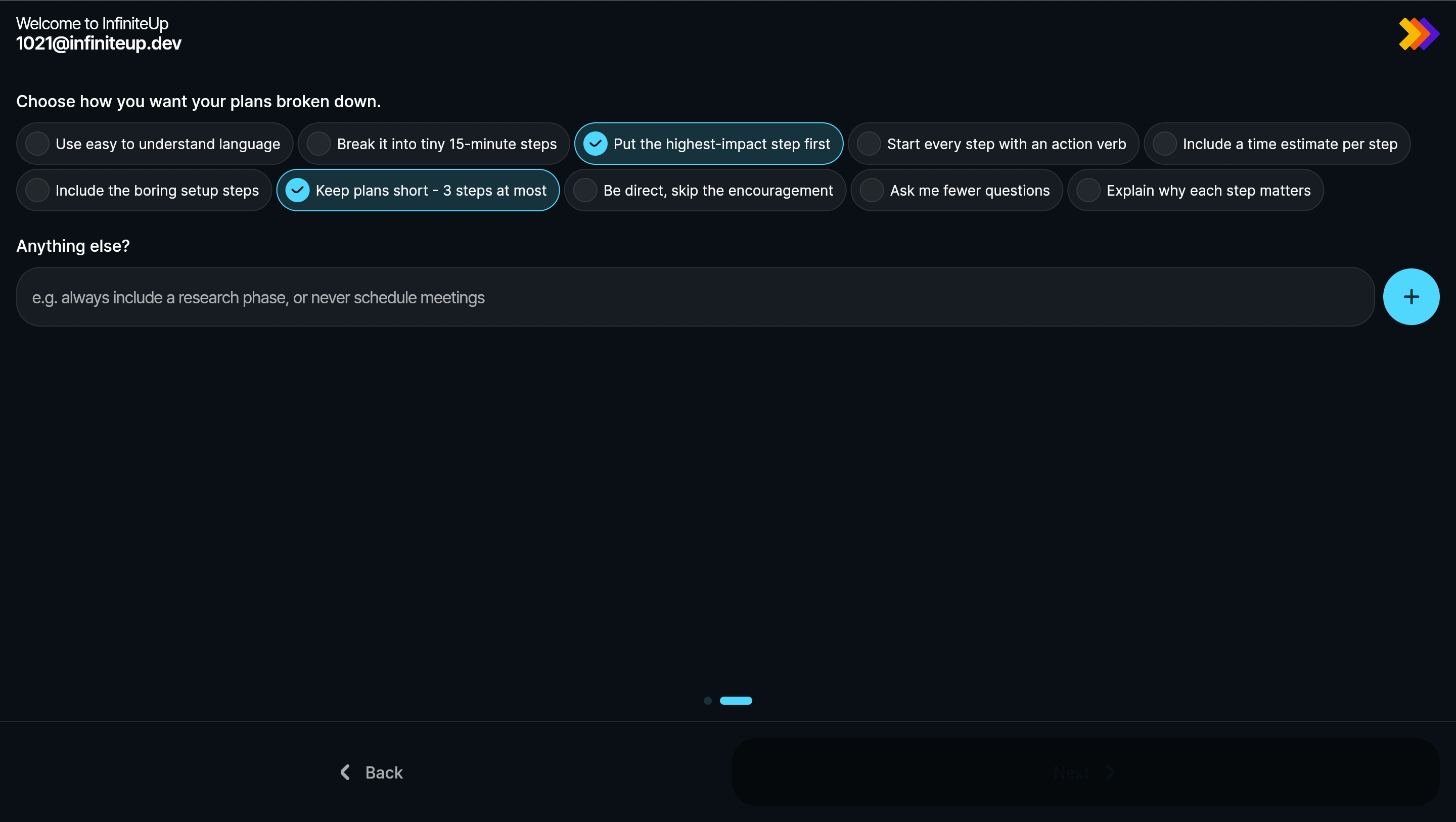
When you sign up you say what you're trying to make progress on (career, money, health, home, study, family) and how you like a plan written. Tiny 15-minute steps or bigger blocks. Time estimates on or off. Highest-impact step first. Skip the encouragement and be direct. Those preferences shape every plan it writes for you afterwards.
Task partner asking a clarifying question
Why we built it
Before this we built DOER Business, a task manager that reached 5,890 users across 117 countries with a 68.6% engagement rate on zero ad spend. We retired it anyway.
The usage data told the story. People weren't short of places to write things down. They were stuck at the same moment every time: the item too big to start, sitting untouched while the small stuff got ticked off around it. A better list was never going to fix that. Something that does the breaking-down might.
We took the lessons, retired a product people loved, and built the sharper tool the data pointed at.
Technical architecture
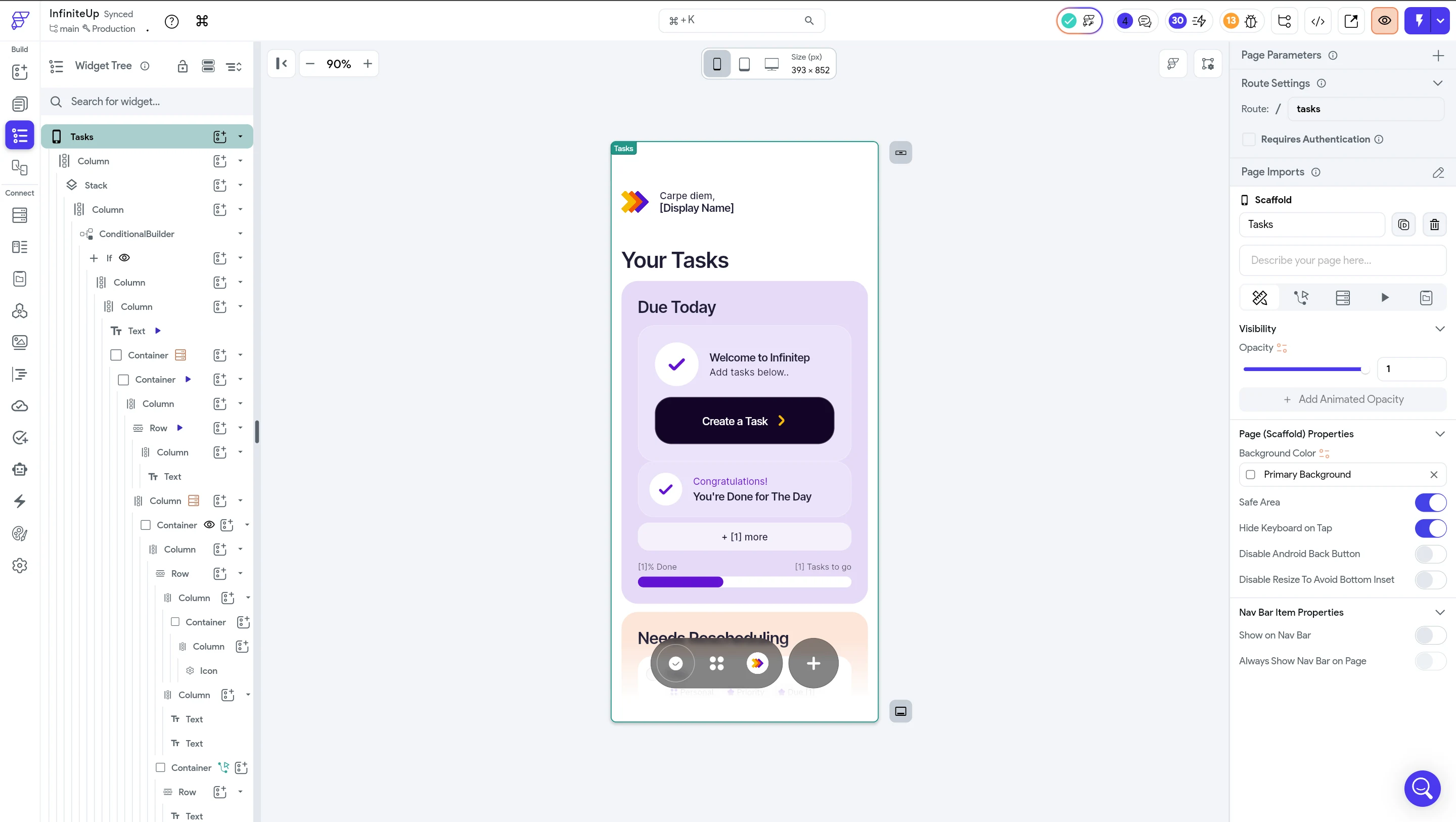
InfiniteUp Tasks in the FlutterFlow development environment
Frontend: FlutterFlow, developed significantly via FlutterFlow MCP through Claude Code
Backend: Firebase (Authentication, Firestore, Cloud Functions)
AI: Google Gemini on Cloud Vertex AI for task planning and partner conversations; OpenAI for supplementary generation
Deployment: iOS (App Store), Android (Google Play), Web (tasks.infiniteup.dev)
Cross-platform: Single codebase serving all three platforms
Design system: Custom theme with Classic and Neon colour modes
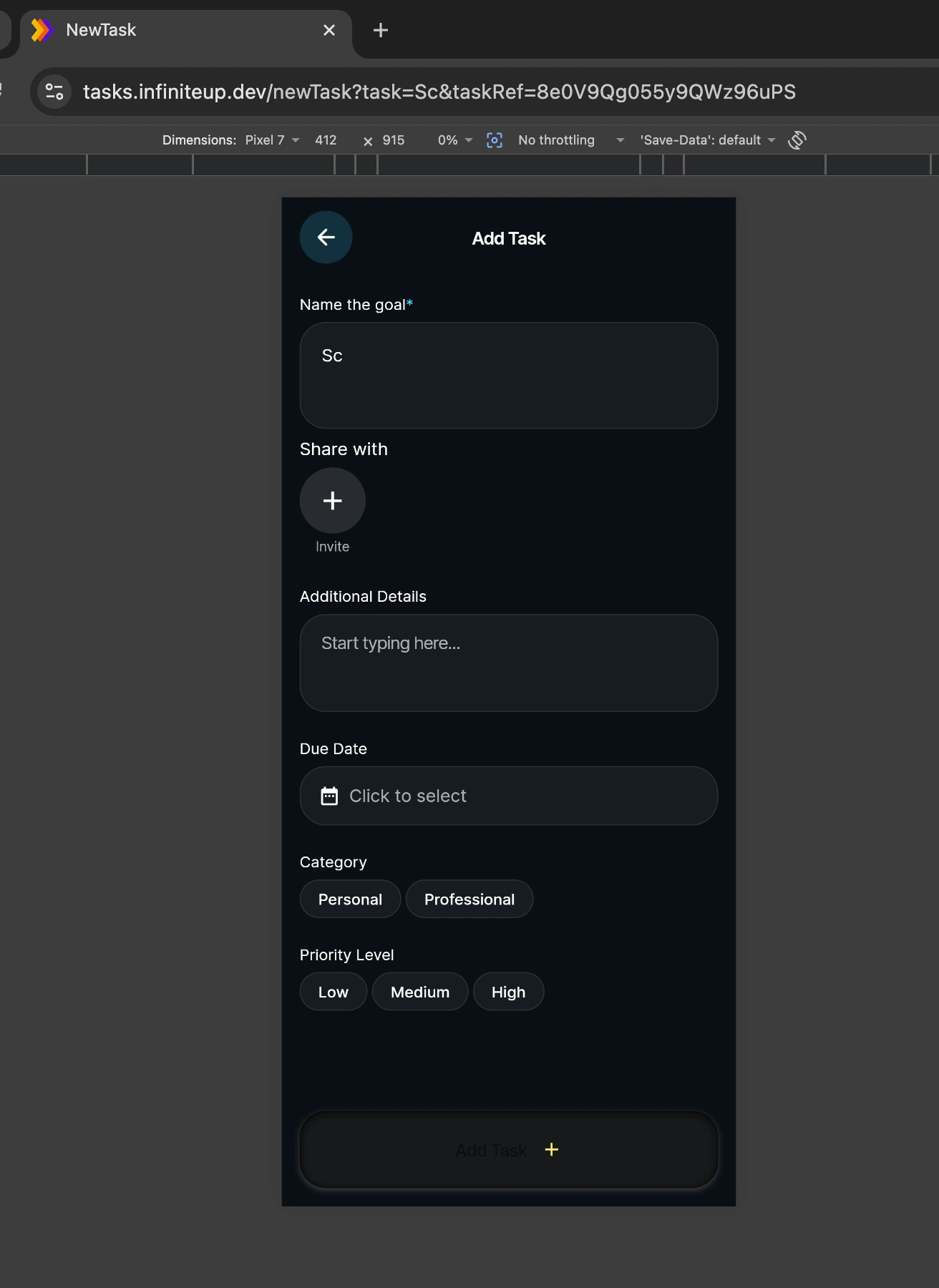
InfiniteUp Tasks feature overview
What's next
Currently releasing to iOS and Android app stores. Roadmap includes gamification, multilingual support, analytics dashboard, and OneSignal push notification integration. The product page at infiniteup.dev/tasks is the link Y Combinator has.
InfiniteUp Tasks mobile experience
The team
Built by InfiniteUp's 4-person Foundry Pod:
Barrett — AI architecture, MCP development, product strategy, QA
Malaz Aroub — AI engineering, FlutterFlow development
Wasim Alshadadi — UI design, FlutterFlow development
Hiba Al Fayssal — QA engineering, FlutterFlow development
Team collaboration on InfiniteUp Tasks
Try it
The app is free while we shape it. Bring the thing you've been avoiding.
Like this project
Posted Apr 8, 2026
A cross-platform AI productivity app built largely through FlutterFlow MCP and Claude Code. Breaks overwhelming tasks into actionable steps with an active AI partner per task. Live on iOS, Android, and web.