Smart Checkout Prototype: Interaction Design in Figma

Barbara Melloni

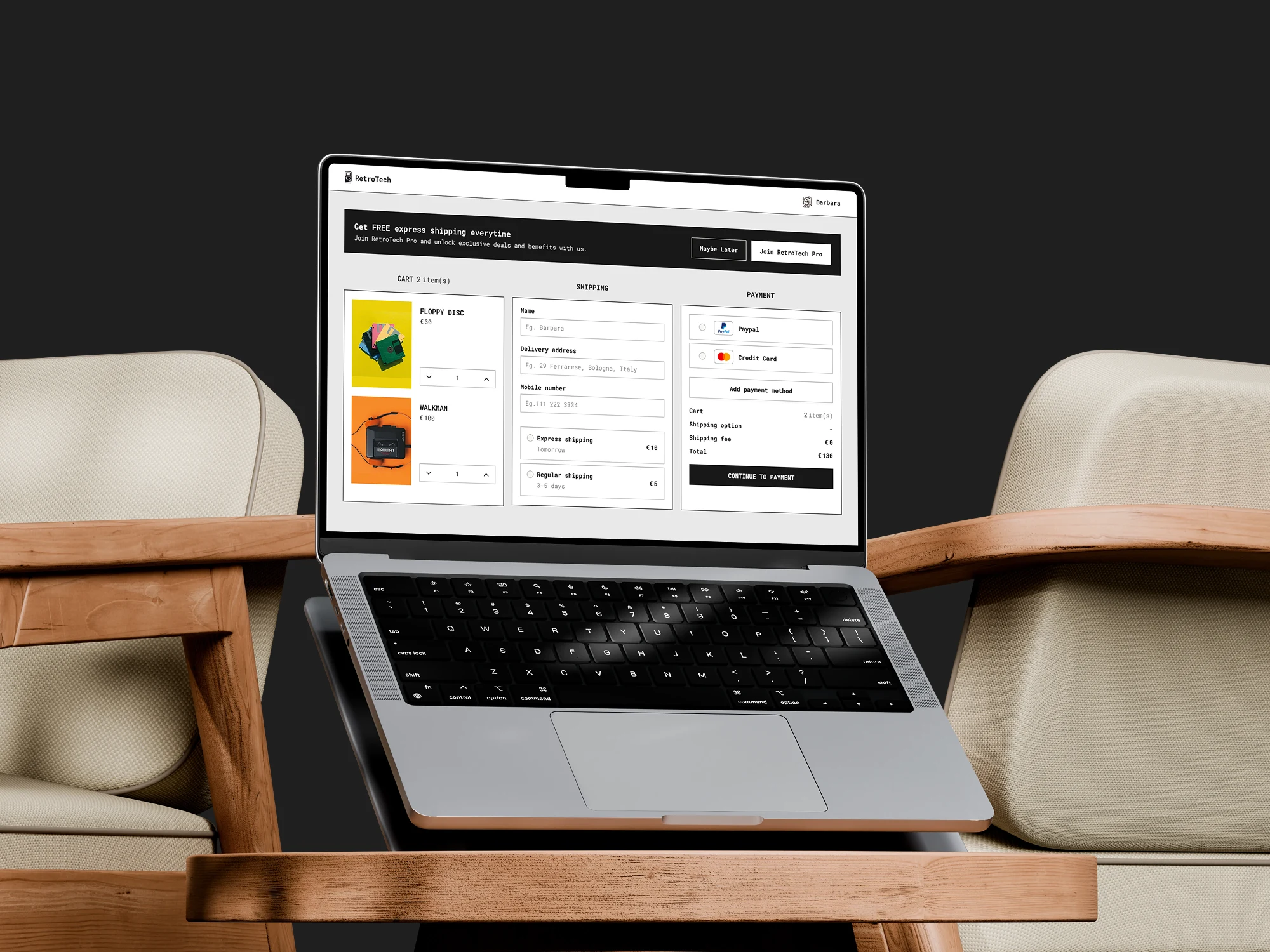
Smart Checkout Prototype: Interaction Design in Figma.
Project Type: Interaction Design / Prototype (Concept)
Role: UI/UX & Interaction Designer
Tools: Figma (Variables & Conditional Logic)
Timeline: 2025
Overview:
Checkout is where e-commerce loses the most users.
This concept prototype tackles the most common friction points: quantity adjustments, price updates, and shipping selection.
Using Figma's variables and conditional logic to simulate a fully dynamic, realistic flow. No static screens, no click-through illusion. It behaves like a real product.
The Problem:
Most checkout prototypes show the happy path. This one was built around the moments that cause drop-offs: updating a quantity and not seeing the price change instantly, choosing a shipping method without understanding what it actually costs, making a change and losing your place in the flow.
Key Interactions:
1. Real-time item updates
Quantities can be increased or decreased with totals recalculating instantly. When an item reaches zero it disappears automatically, keeping the cart clean without a separate "remove" action.
Real-time item updates
2. Smarter Shipping Selection
Users toggle between Normal and Pro modes, each showing different shipping options and pricing with a seamless transition. The design makes the cost implications of each choice immediately visible.
Smarter Shipping Selection
What made this technically interesting:
Both interactions are powered by Figma variables and conditional logic, not manually linked frames. This means the prototype responds to user input the way a real product would, making it genuinely useful for developer handoff and stakeholder presentations, not just visual review.
Takeaway:
A checkout that gives users real-time feedback reduces hesitation and drop-offs. This prototype demonstrates that with the right Figma setup, you can test and validate dynamic interactions before a single line of code is written.
Like this project
Posted Jun 5, 2025
A Figma prototype simulating real dynamic checkout behaviour: real-time price updates, smart shipping selection, built with variables and conditional logic.
Likes
1
Views
13