Prototype App Dashboard

Cansaas Agency

Overview
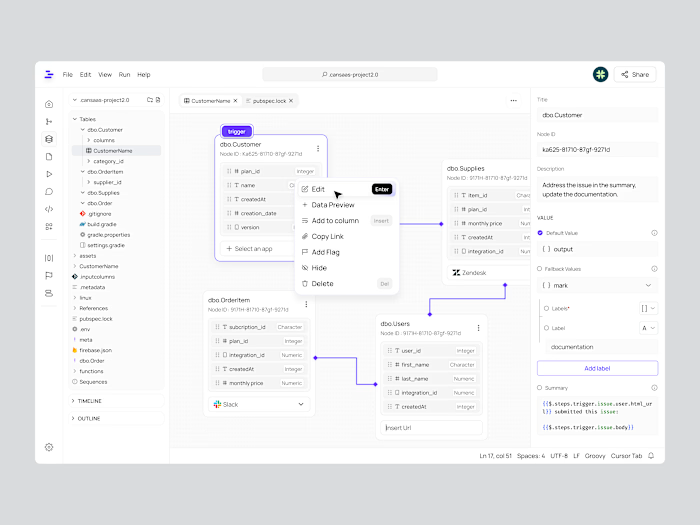
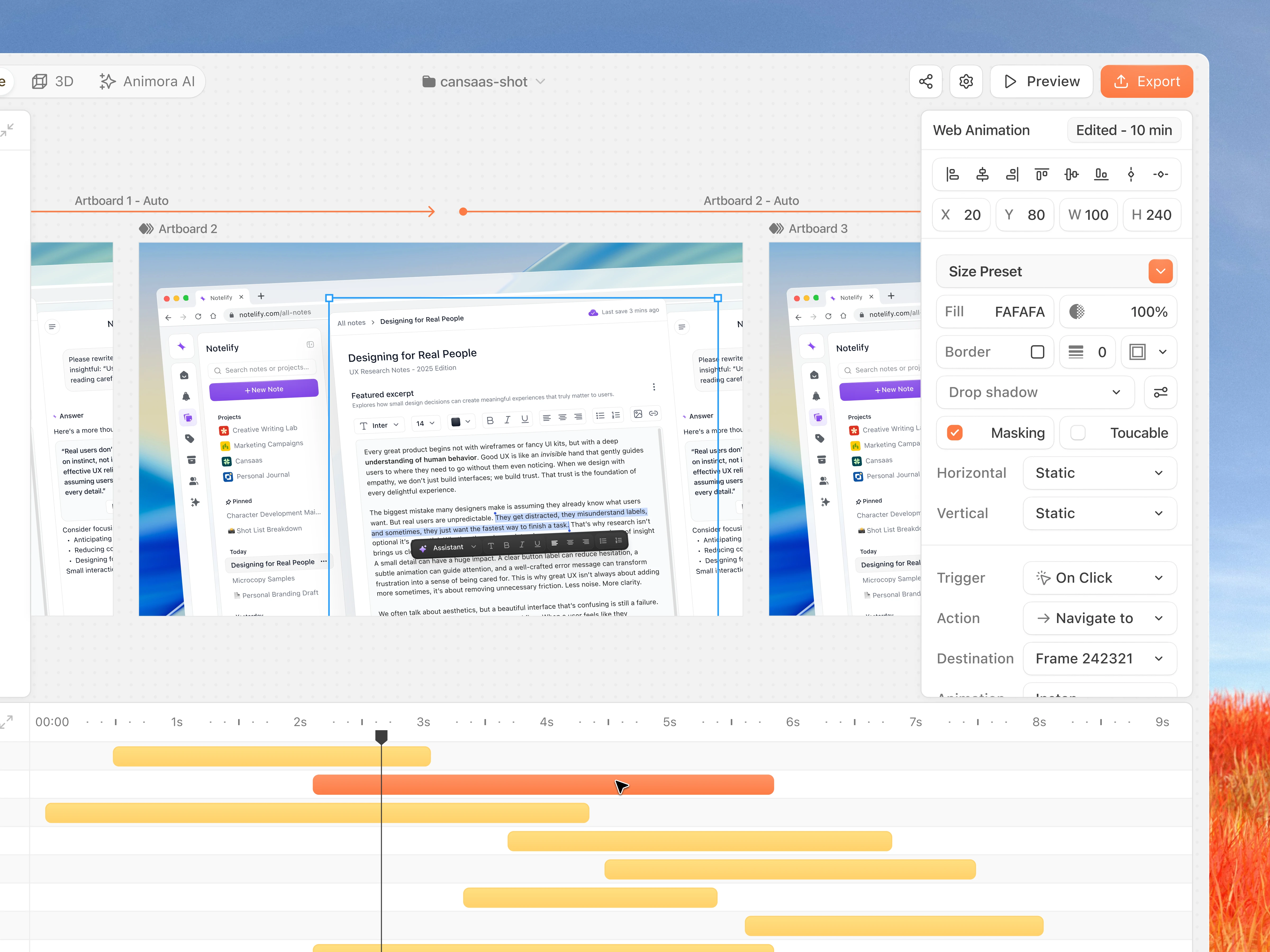
This dashboard exploration presents a clearer way to build and preview interactive prototypes. We designed the interface to help creators manage scenes, organize layers, and control animations inside one focused environment. The goal was creating a workspace that feels structured and supports fast iteration.
The Challenge
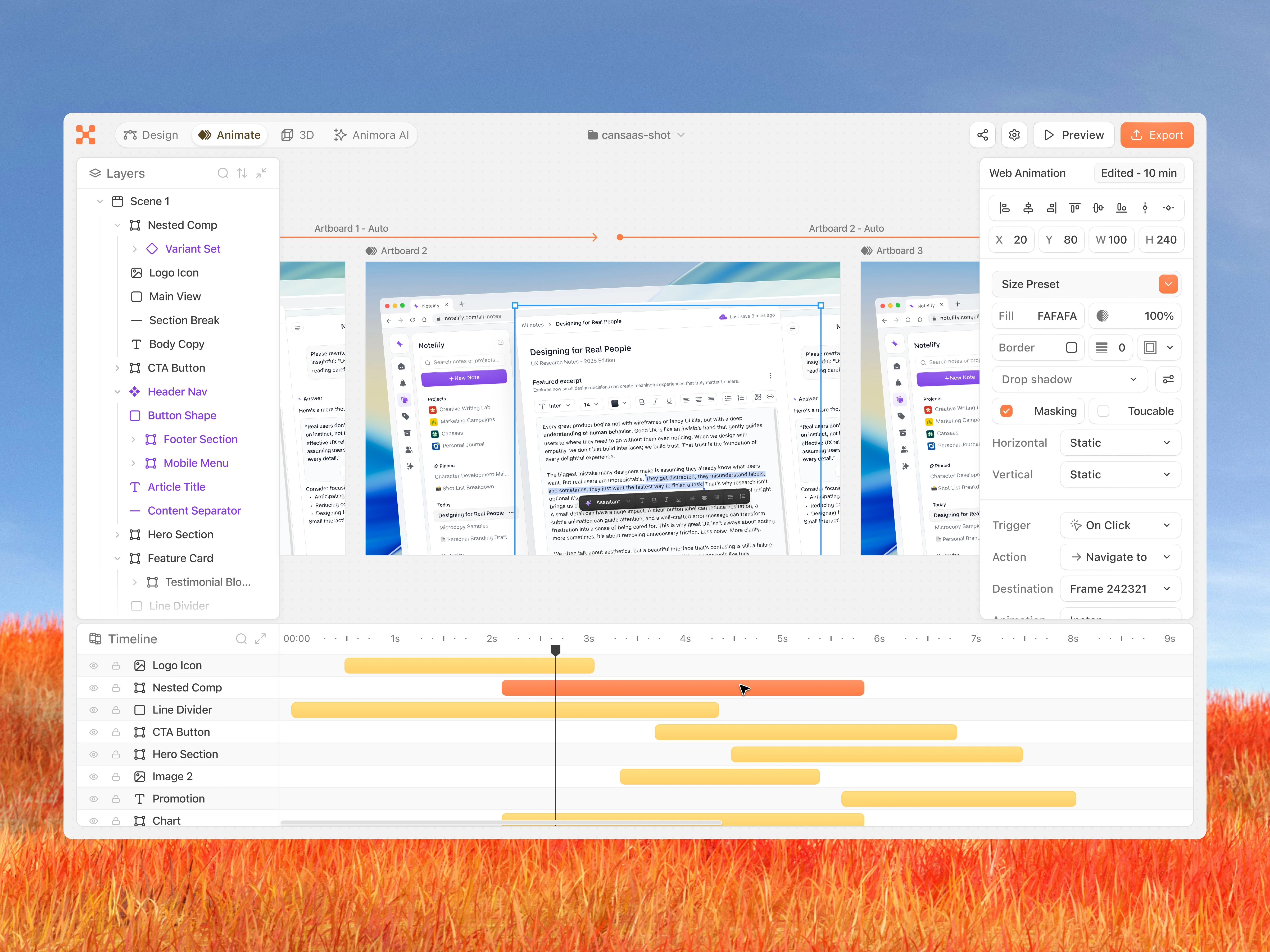
Prototyping tools often scatter controls across different panels which slows down the process. Users struggle to keep track of layers, animation timing, and transitions while switching between views. Our challenge was creating a dashboard that keeps everything visible without overwhelming the user.
Recognition Rather Than Recall
Minimize the user’s memory load by making elements, actions, and options visible. Users should not have to remember information from one part of the interface to another.
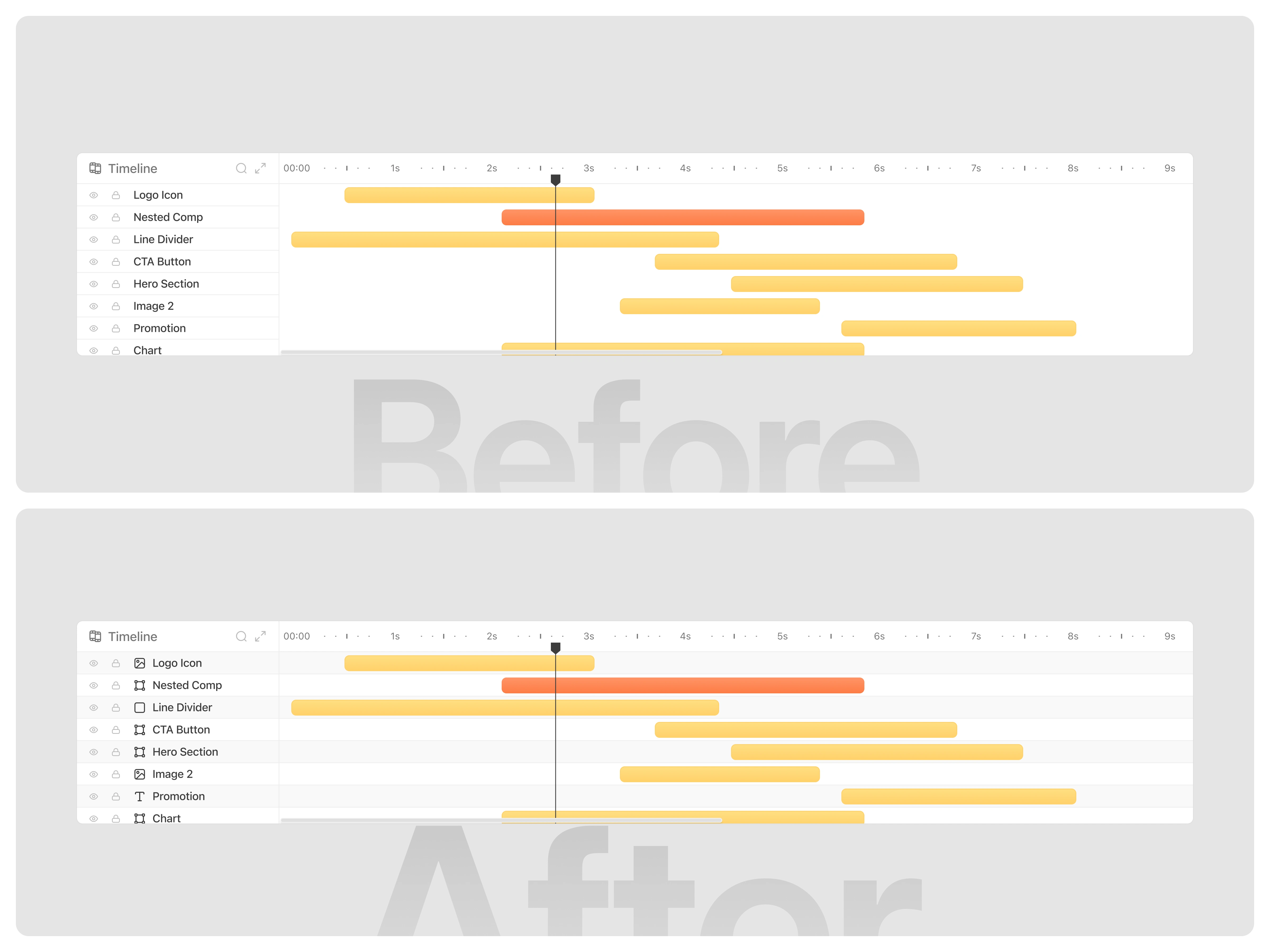
In the initial version, each layer in the timeline appeared without icons and lacked clear visual separators. All items looked visually identical, forcing users to read every label to identify which layer they were interacting with. This reliance on remembering the position of each layer increased cognitive load and made navigation slower, especially when working with many layers.
In the improved version, each layer now includes an icon that visually represents its component type. Users can instantly recognize layers at a glance instead of relying on memory. Additionally, clearer row dividers create stronger visual separation, making the timeline easier to scan and understand. These enhancements shift the experience from recall to recognition, allowing users to navigate, locate, and manage layers much more efficiently.
(src: Jakob Nielsen – 10 Usability Heuristics for User Interface Design)
The Solution and Impact
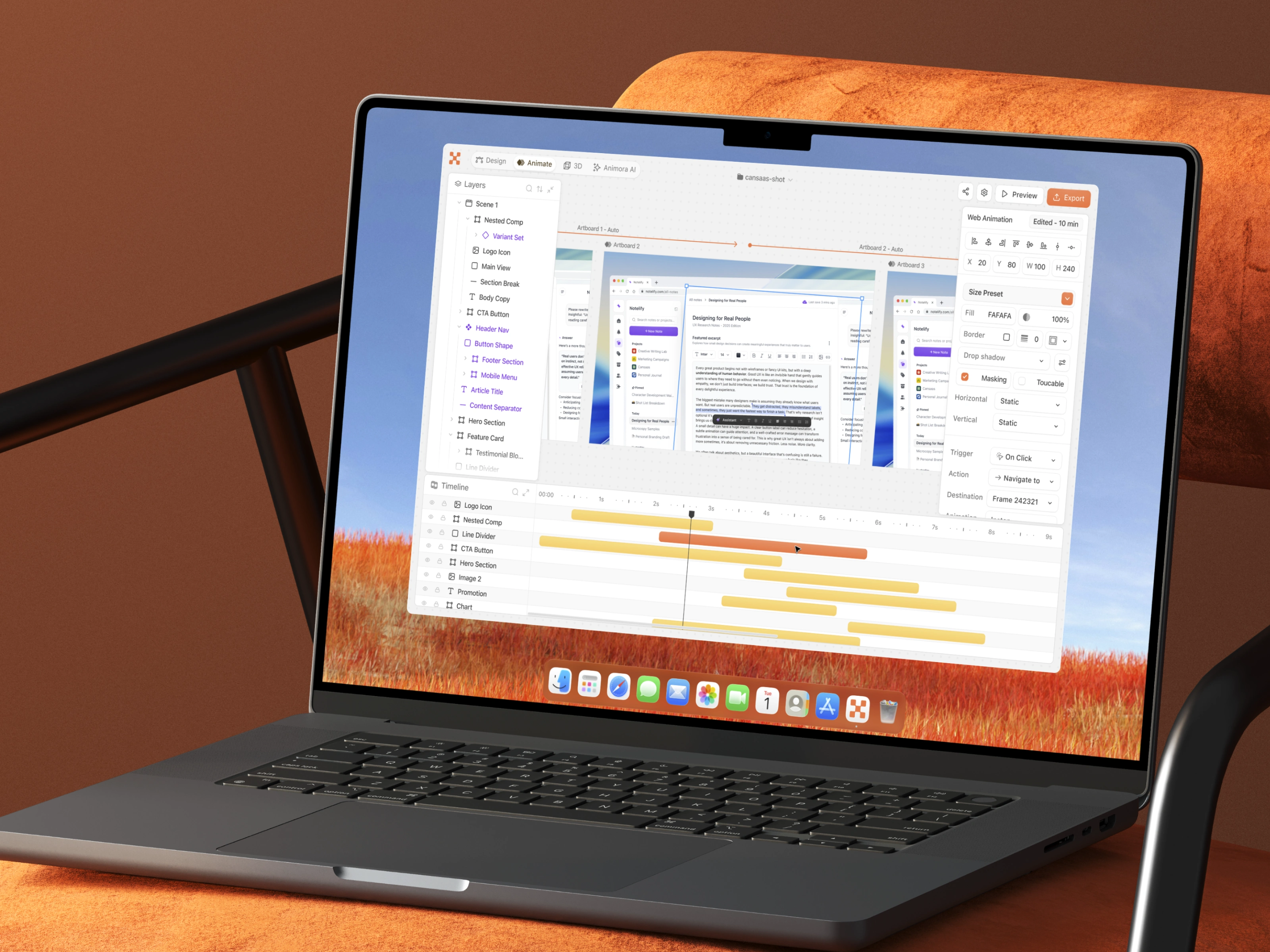
By combining clear navigation with intuitive editing tools, the dashboard simplifies how users manage prototype states and interactions. Creators can build scenes faster, coordinate animations more accurately, and maintain a better overview of the entire project. The result is a workspace that feels efficient and supportive for rapid design workflows.
Like this project
Posted Nov 27, 2025
We refined prototype creation by organizing layers, animations, and interactions into a clear workspace that helps users build and adjust scenes with ease.
Likes
1
Views
16