Hive AI — Product Marketing Deck

Zain Khan
Verified

Role: Visual & Presentation Design
Scope: 5-slide product marketing deck + visual system
Deliverable: Flexible asset kit for landing page, launch, and pitch use
The brief
HIVE AI is an AI-powered canvas for work and ideas — a workspace where teams can brainstorm, organize projects, collaborate in real time, build custom layouts, and use inline AI to polish their writing. The product does a lot, which was exactly the problem.
When everything is a feature, nothing is the headline. The team needed a deck that could introduce HIVE AI to someone who'd never heard of it, walk them through what it actually feels like to use, and leave them with a single clear mental model: one canvas, many ways to work.
Five slides. Three verbs per slide max. No jargon.
The approach
I structured the deck around a journey, not a feature list. Each slide answers one question a first-time visitor actually has:
What is this thing?
What do I use it for?
Can my team actually use it together?
Will it fit how I already work?
What's the AI part, really?
Once the narrative was locked, I built the visual system — warm sunrise gradient backgrounds, rounded floating label chips with emoji anchors (📁 Organize, 🎨 Create, 🧠 Think), and layered UI compositions that let users feel the canvas without getting lost in screenshot detail.
Slide 1 — The one-line pitch
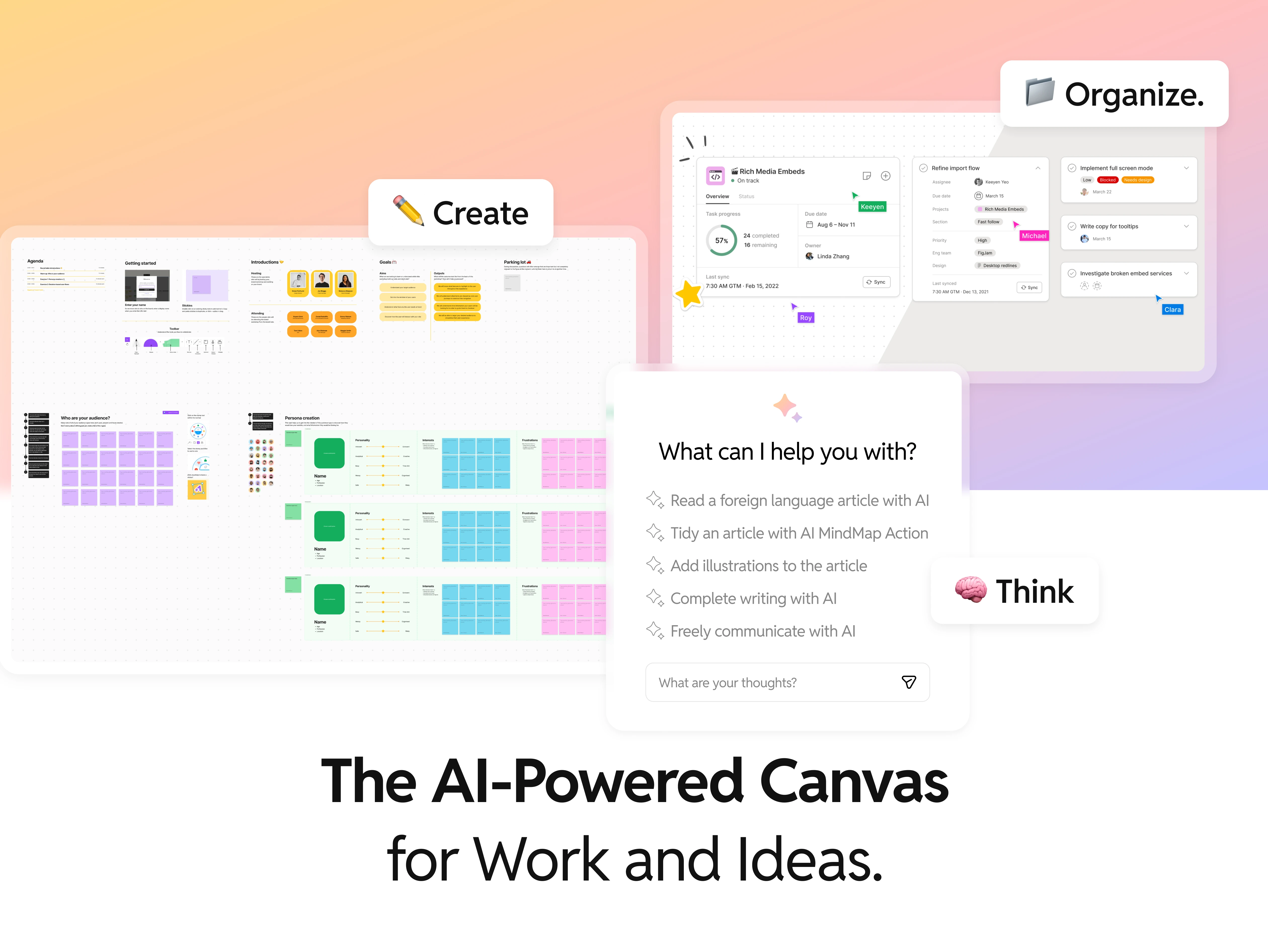
"The AI-Powered Canvas for Work and Ideas"
The opener has to do two things: say what the product is and hint at the breadth of what it does. I landed on a three-chip system — Create, Organize, Think — each floating above a different UI moment:
Create sits over a persona-mapping canvas (purple grids, green anchor cards)
Organize sits over a project management view with task progress and assignees
Think sits over an AI prompt interface asking "What can I help you with?"
Three screenshots, three different workflows, one canvas. That's the whole pitch.
The emoji-in-chip pattern I established here carries through every slide and became the deck's visual signature.
Slide 2 — What you actually do with it
"Bring clarity to complex ideas with visual thinking"
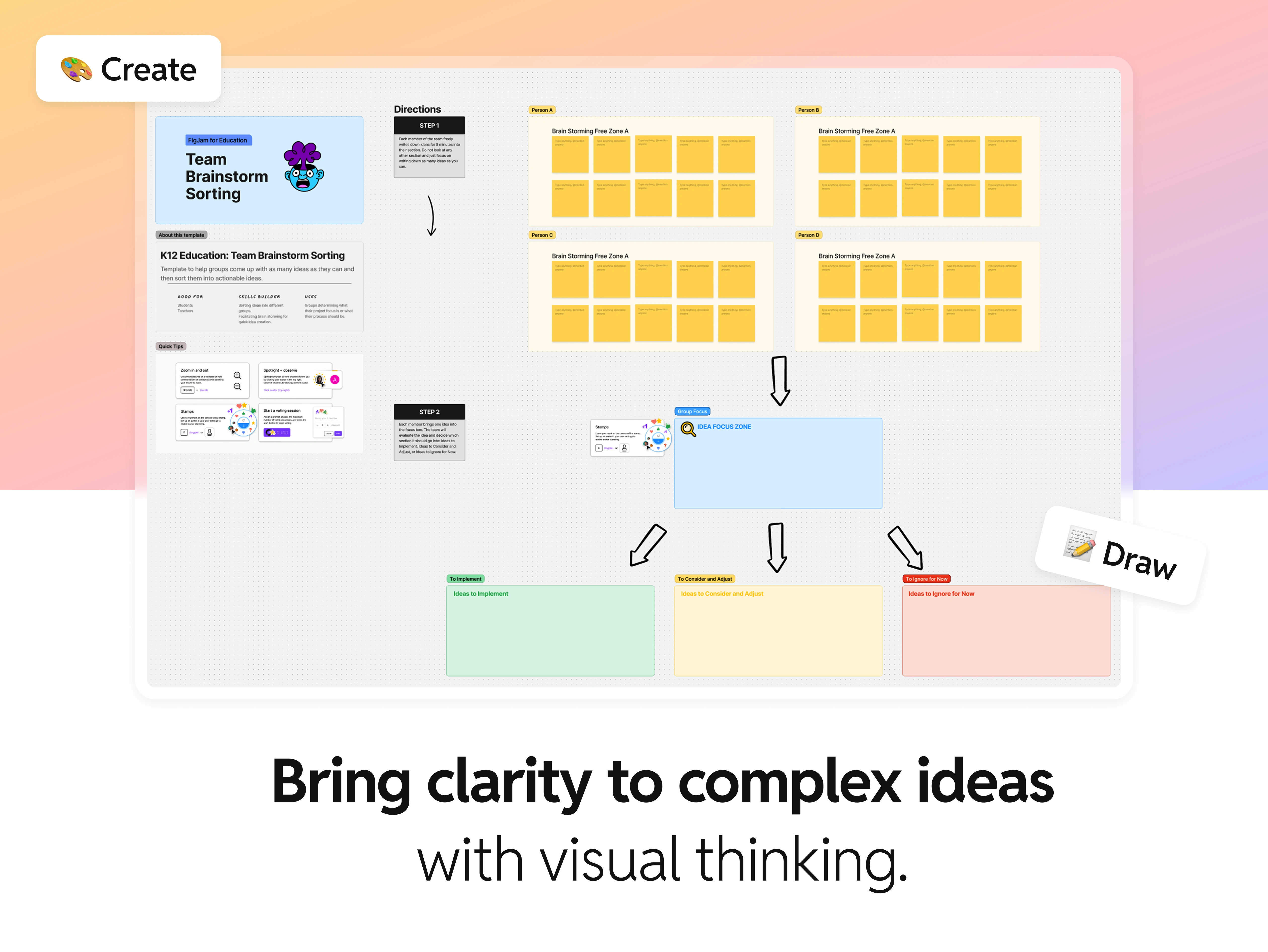
"Bring clarity to complex ideas with visual thinking."
Slide 1 established breadth. Slide 2 zooms into depth — showing one real use case in full detail: a team brainstorm template flowing from individual ideation → group focus → action buckets (Implement / Consider / Ignore).
I left the template legible enough that a viewer can trace the logic (arrows moving from four brainstorm zones into a focus zone, then branching into three decision columns) without having to zoom in. Two floating chips — Create and Draw — bracket the composition, reinforcing that this isn't a static template but an active workspace.
The headline does the heavy lift: clarity is the promise, visual thinking is the method.
Slide 3 — The collaboration moment
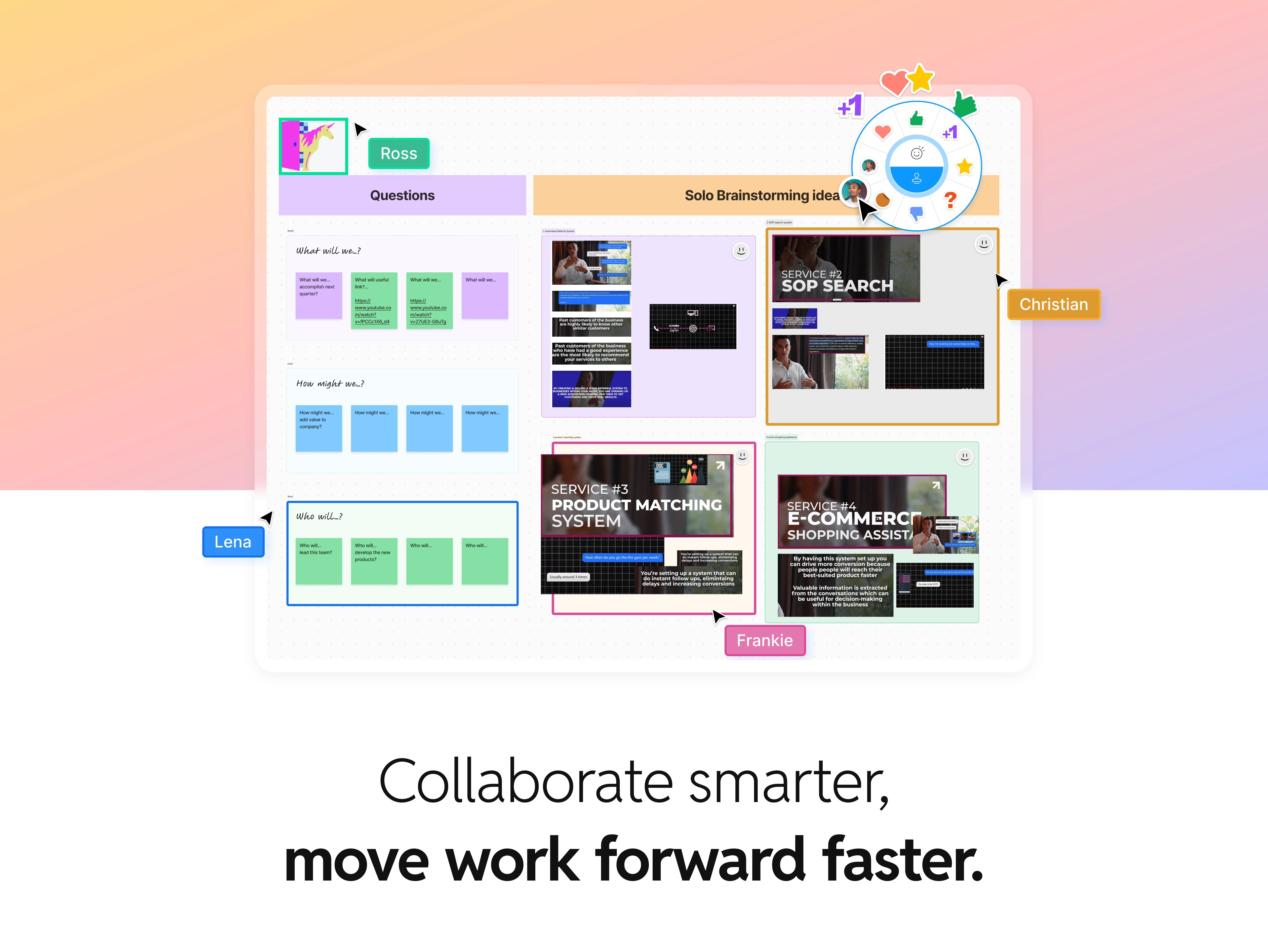
"Collaborate smarter, move work forward faster."
This is the slide that sells HIVE AI to team leads. I pulled a canvas mid-session — multiple named collaborators (Ross, Christian, Frankie, Lena) with their live cursors and colored avatar tags, a reaction wheel mid-interaction (+1s, hearts, stars), sticky notes in a How Might We framework, and service brainstorming tiles populated with real-looking content.
The visual message is: this isn't a whiteboard you stare at alone at midnight — this is what a working team looks like inside HIVE AI. Names, reactions, cursors, color-coded ownership. You can feel the session happening.
The headline uses a weight shift ("Collaborate smarter, move work forward faster") to mirror how the product itself shifts from ideation to action.
Slide 4 — Flexibility and power
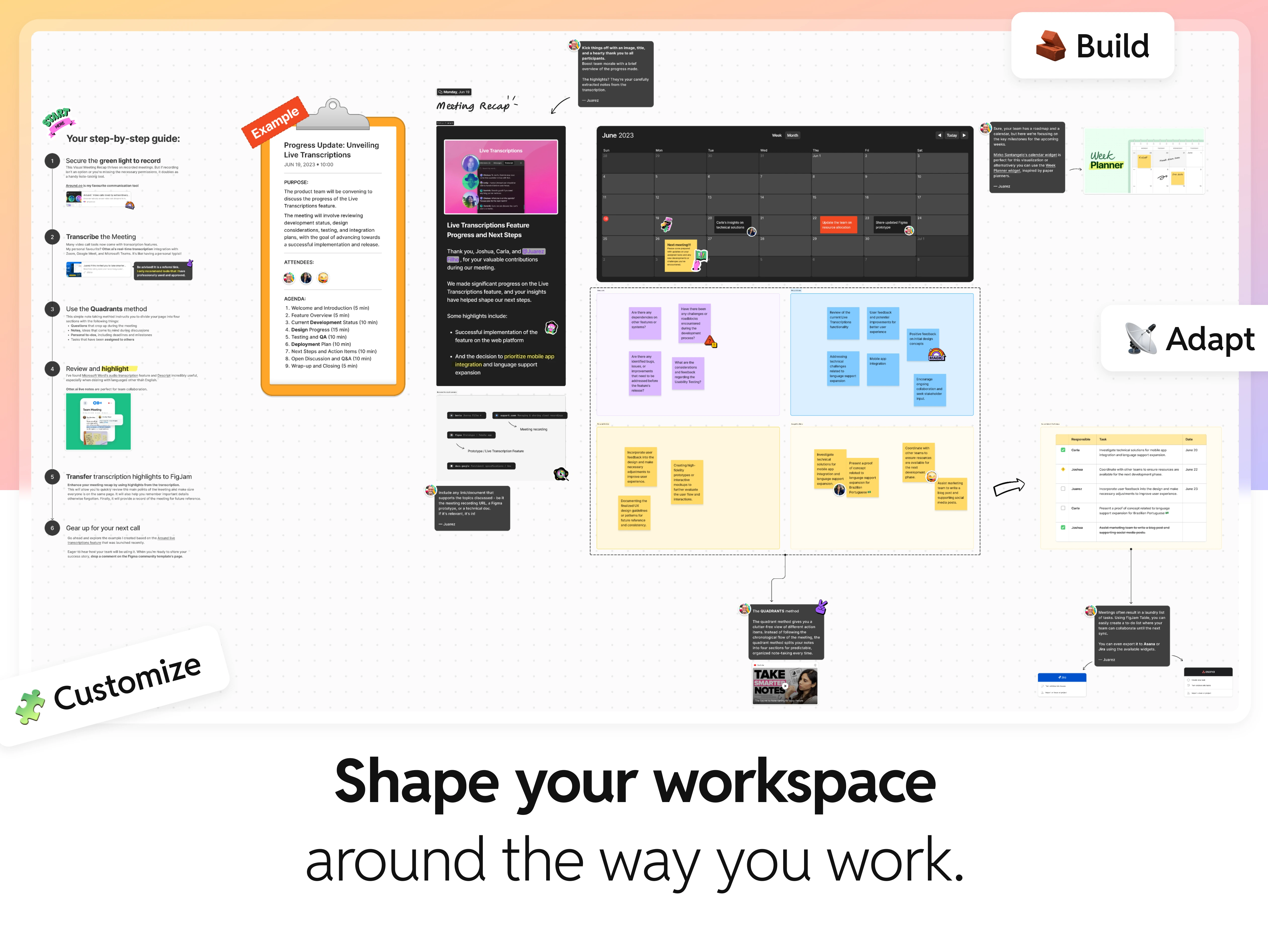
"Shape your workspace around the way you work"
Slide 4 is the power-user slide. I composed it as a sprawling, single-workspace view — a step-by-step guide on the left, a meeting recap with transcriptions and attendees, a calendar view, a sticky-note retrospective quadrant, and a task table on the right.
Three floating chips anchor the composition: Build, Adapt, Customize. The message: HIVE AI doesn't impose a workflow — it adopts yours. The layout is deliberately busy because the point is the breadth. A clean, tidy slide here would undersell the flexibility.
This is the slide that stops ops leads and project managers from bouncing.
Slide 5 — The AI payoff
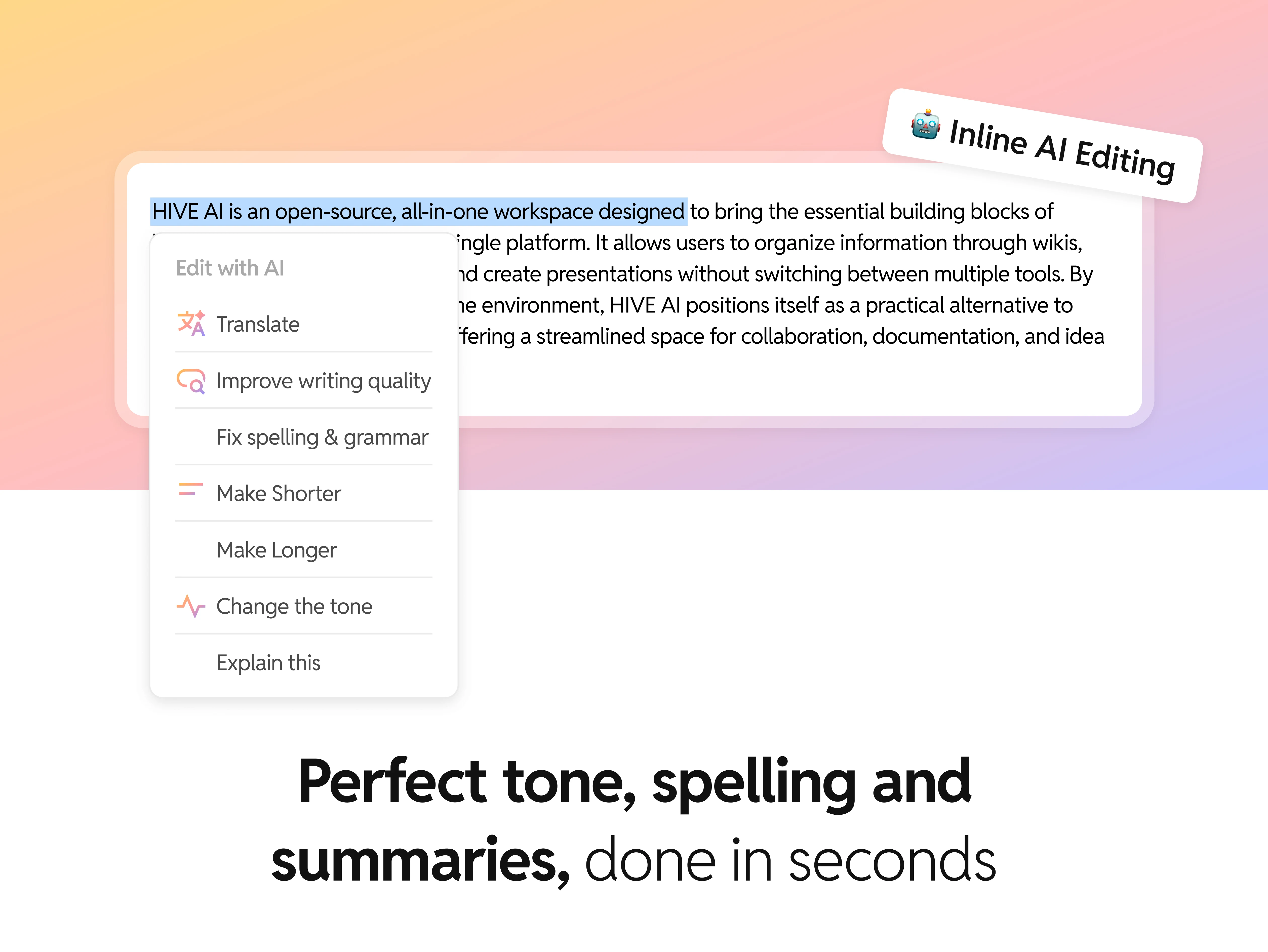
"Perfect tone, spelling, and summaries, done in seconds"
After four slides of canvas, collaboration, and flexibility, the deck closes on the thing in the product name: AI.
I designed this slide as a tight, single-moment composition — a paragraph of real body copy describing HIVE AI itself (a nice recursive touch), with the inline AI editing menu open over it. The menu items are the whole product promise in one component: Translate, Improve writing quality, Fix spelling & grammar, Make Shorter, Make Longer, Change the tone, and Explain this.
One chip: 🤖 Inline AI Editing. One headline with an emphasis shift: "Perfect tone, spelling and summaries, done in seconds."
The deck opened with the AI prompt interface asking "What can I help you with?" and closes with AI actually helping. That callback was intentional — it bookends the story.
The visual system holding it together
Five things repeat across every slide. The repetition is what makes five different feature explanations read as one product:
Sunrise gradient backgrounds — warm peach-to-lavender wash that softens the UI density and gives the deck a recognizable signature at thumbnail size
Floating emoji-chip labels — 📁 Organize, 🎨 Create, 🧠 Think, 🧱 Build, 📡 Adapt, 🧩 Customize, 🤖 Inline AI Editing — consistent shape, rotation, and shadow treatment throughout
Heavy display typography with selective weight/italic shifts on emphasis words to create rhythm across headlines
Layered, rotated UI fragments — never flat screenshots, always composed like objects on a desk, which makes the canvas feel tactile rather than abstract
Named collaborators and real-feeling content — no "Lorem ipsum," no "User A" — every name, label, and sticky note reads like it came from an actual session
Skills applied: Product marketing design · Presentation design · Visual design · Art direction · Typography · Layout · Visual storytelling · Composition
Like this project
Posted Apr 22, 2026
Built Hive AI's visual story across 5 slides — from canvas creation to real-time collaboration to inline AI editing.
Likes
0
Views
30
Clients
YaseenAI, Inc.