Built with Rive
Portals: A Creative Workspace for Design and Motion

Aavirash Mitra


Portals is a creative workspace I designed and built end to end: the canvas, the interface, the design system and the agent inside it.
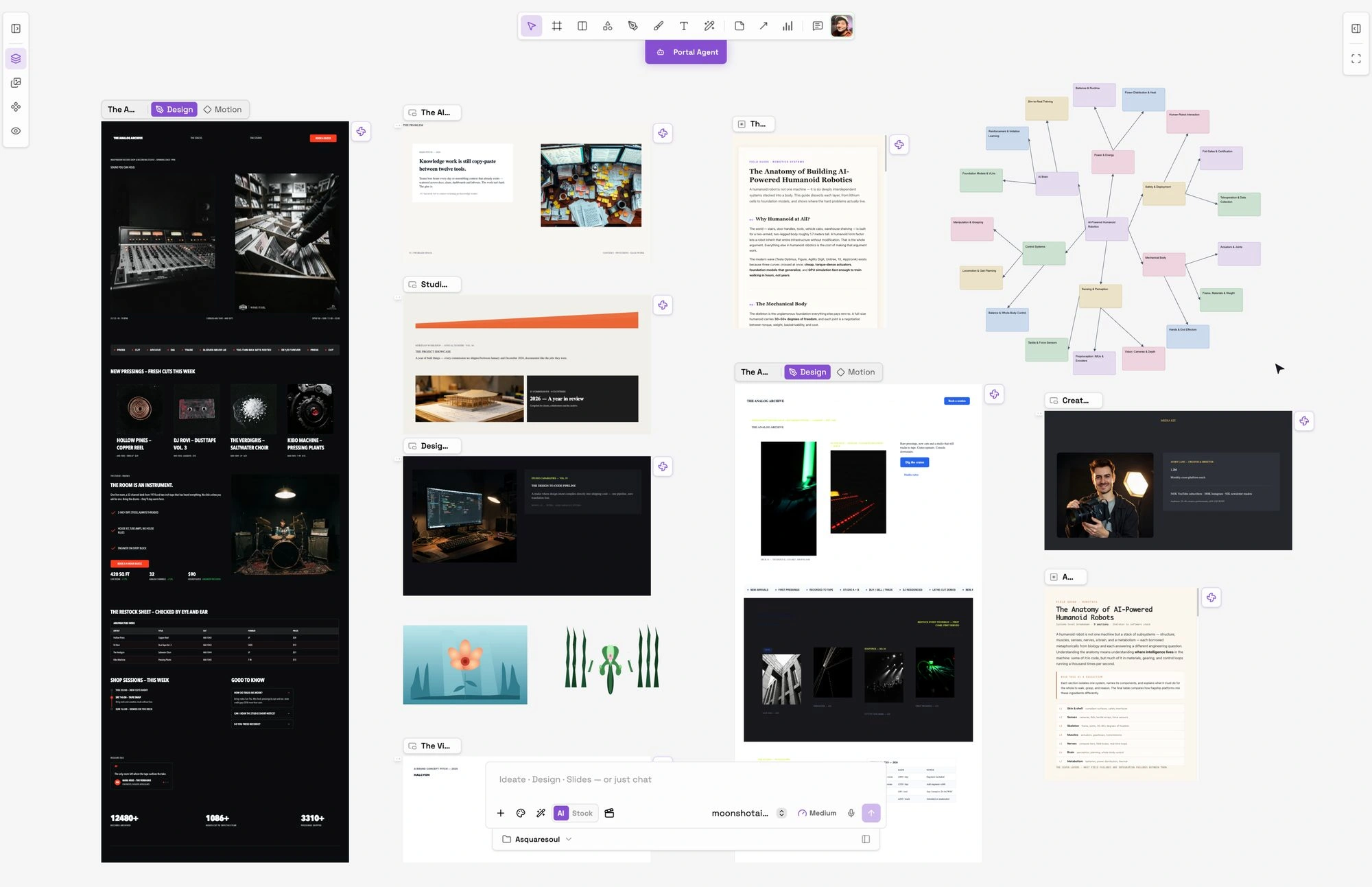
The Portals workspace on one infinite canvas
One canvas for everything you make
The frames you draw, the agent's output, the notes, the decks and the mind maps all sit on one infinite board. There is no document you have to leave to think, and nothing you make is trapped in a mode you cannot get back to.
Four parts, each carrying one decision
The interface is small on purpose. These are the pieces it is made of, and the reasoning behind each one rather than a feature list.
The toolbar. Select, frame, shape, pen, brush, text, and AI vector art sit in a single pill at the top. The tools are the whole surface of the app, so the row stays one row and nothing hides behind a submenu you have to recall.

The Portals design toolbar
The frame. A frame carries both Design and Motion. You draw it and you move it on the same board, so animating is a switch rather than a hand-off to a second application. The tab lives on the frame itself, which is what makes motion feel like part of the design instead of an export.
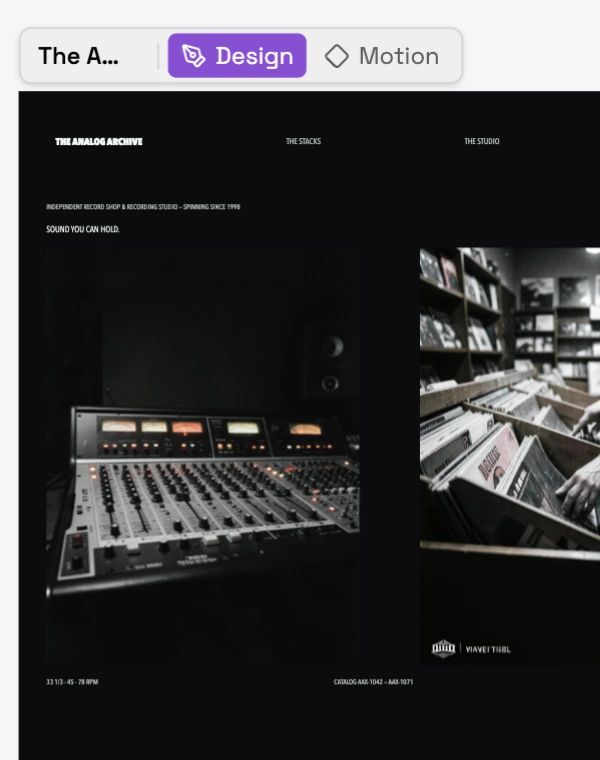
A Portals artboard with its Design and Motion tabs
The timeline. The timeline docks under the canvas and belongs to the frame in Motion. Layers and their keyframes read in one column, so you see the design and its animation at the same time instead of translating between two windows.
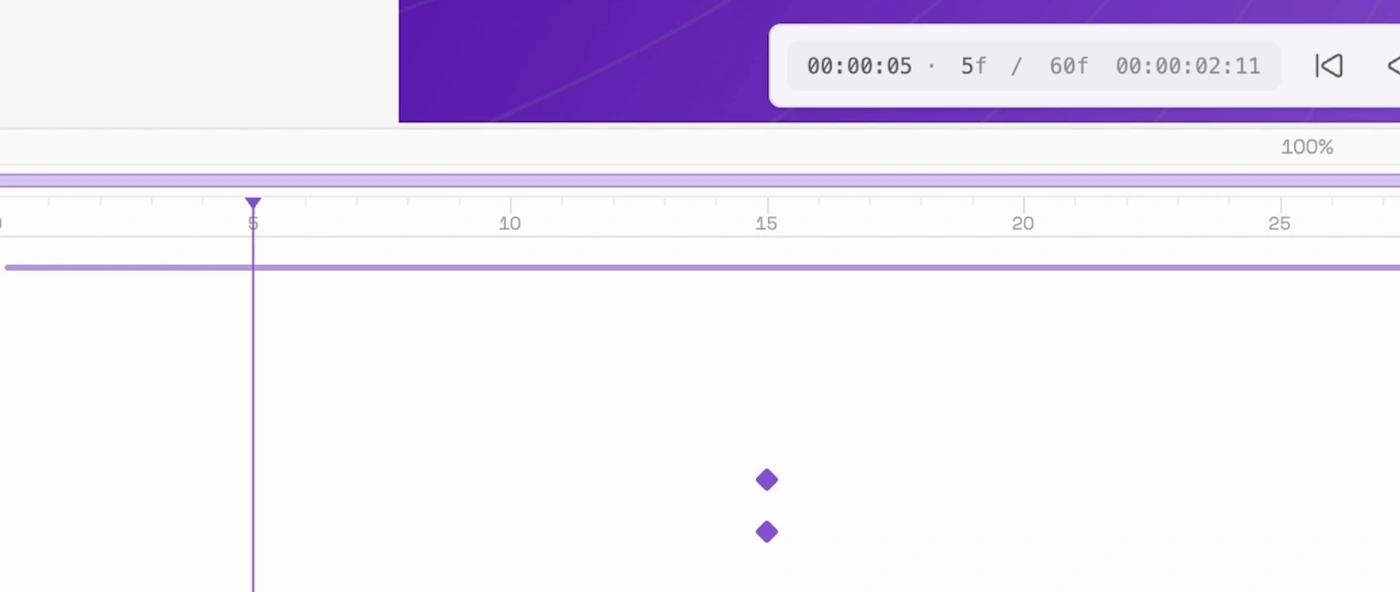
The Portals motion timeline
The agent. The agent lives in the same bar as the surface you are on, so a prompt means what the mode means. Ideate, Design and Slides are the only mode switch, and the agent works on the canvas beside you rather than in a panel of its own.

The Portals AI toolbar
What it makes
The same canvas makes a design, a deck, a mind map, a diagram, vector art and an image. Each is a real, editable document on the board rather than an export, so a deck, a page and a film can all share one system and one agent.
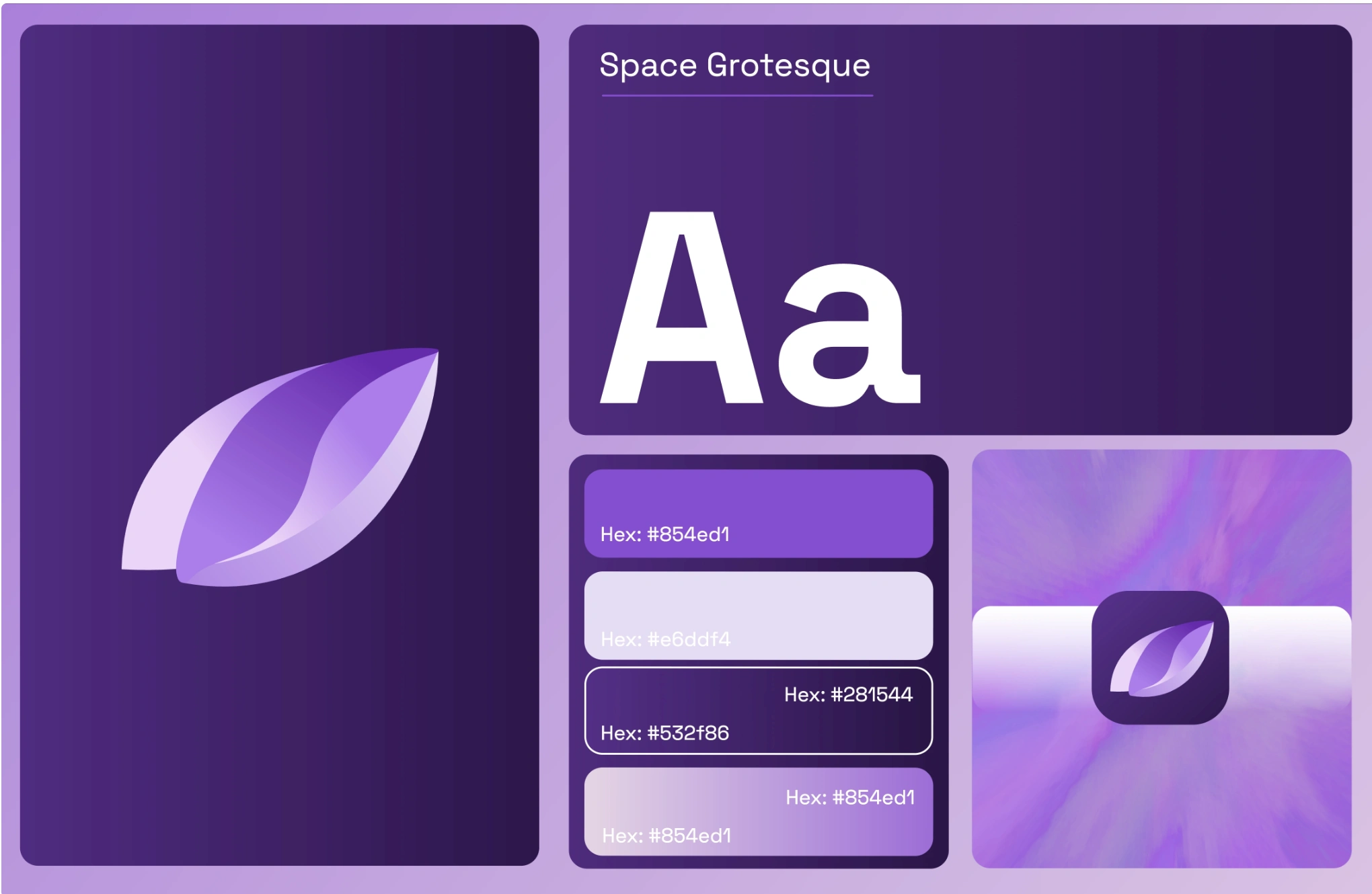
The design system
Every frame is built inside the same tokens, so a deck, a site and a film made months apart still look like one product. The system is defined once and read by everything, which is what lets the accent move the whole app without anything being restyled by hand. These are the tokens it ships.
Colour. One accent leads: Portals iris purple, #854fd1 in the light appearance and #9d6be0 in the dark, and shifting it retints every accent surface app-wide. Under it sits a semantic set of exactly one hue per meaning: red for error, orange for warning, yellow for pending, green for success, blue for info, purple for accent support and magenta for highlight. Surfaces run from the canvas ground up through side panels to popovers and toolbars, each with its own light and dark value, because the app themes per frame rather than per app.
Type. Two families and a scale. Space Grotesk is the app-wide face, a variable 300 to 700, geometric and slightly wider than Inter, which is its first fallback. The scale is ten steps, from an 11px small at a 14px line height up to a 24px heading at 30px, and every step carries its own weight rather than being scaled by eye.
Shape. Four radii: 6px for dialogs and controls, 5px for small controls, and a full pill for buttons, badges and segmented tracks. Spacing is a fixed set of steps, 4, 8, 12, 16, 24, 32 and 48.
Motion. Six named easing presets, including a snappy cubic-bezier(0.22, 1, 0.36, 1) for interface transitions, and six named springs: gentle, bouncy, poppy, heavy, quick and languid. Movement is chosen from a shared vocabulary instead of being hand-tuned per surface, which is why the app feels like one thing.
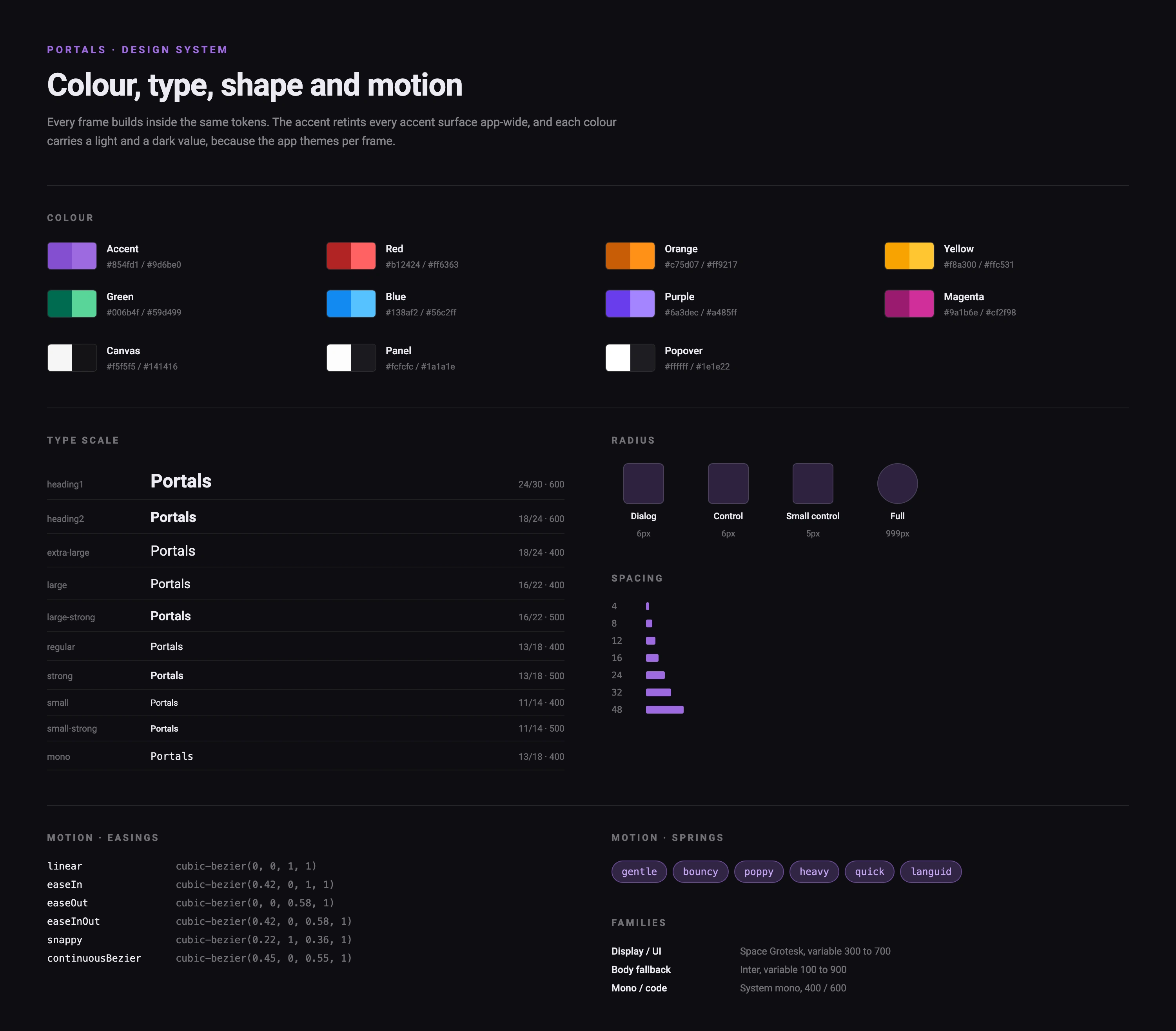
The Portals design system: colour tokens, type scale, radius, spacing and motion
Built end to end
I designed the product, the interface and the design system, and I build it. The study above is the shape of the decisions rather than the implementation, because the decisions are the part worth showing.
The live app is at https://app.asquareportal.com
Like this project
Posted Oct 13, 2026
A creative workspace for design and motion, with an agent that works beside you and a design system the whole workspace builds inside.
Likes
0
Views
3