
Hassaan Javed
Webflow Website Developer And Manager


How to Make Your Webflow Site Actually Accessible
Most Webflow builds treat accessibility as an afterthought — a quick pass with the built-in checker before handoff. That's not enough. Accessible sites load faster, rank better, and convert better. Here's the quick checklist I run on every project.
Use real headings Don't fake an H2 with a styled div. Keep heading order H1 → H2 → H3, no skipping levels — screen readers navigate by structure.
Write real alt text For every image, ask: "If someone couldn't see this, what would they need to know?" Mark decorative images as decorative. Skip "image of..." — screen readers already say it's an image.
Fix your contrast Light gray on white looks nice, reads badly. Aim for 4.5:1 on body text, 3:1 on large text. Webflow's Designer flags this for you.
Make it keyboard-friendly Tab through your site with no mouse. Custom div buttons need tabindex="0" and visible focus states. Never strip outline: none without a replacement.
Label your forms Placeholders aren't labels — they vanish once someone types. Give every input a real (visible or sr-only).
Respect motion settings Wrap heavy parallax/autoplay in prefers-reduced-motion so users who need it get a calmer experience.
Use semantic landmarks Swap generic divs for , , , so screen reader users can jump straight to content.
Test it once, for real Turn on VoiceOver or NVDA and complete one flow — a form, a booking, a blog read. You'll spot the biggest gaps in minutes.
0
52
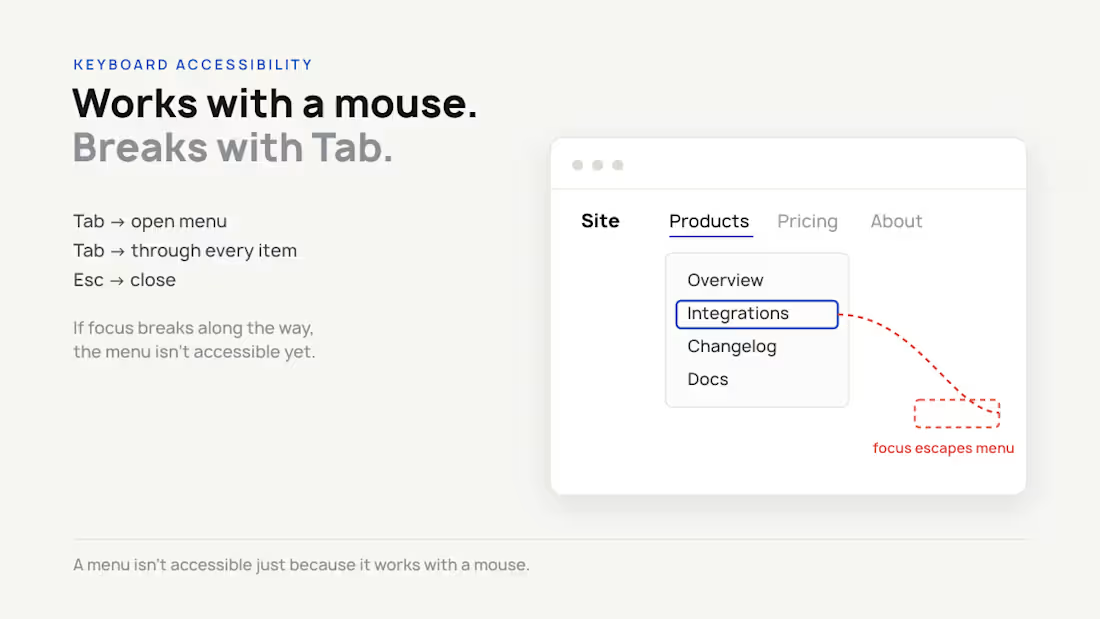
Most Webflow menus have this keyboard bug.
They work perfectly with a mouse.
But try navigating them with Tab.
You can end up with focus moving behind the open menu, or skipping menu items completely.
That means the menu works visually, but not for everyone.
A quick test:
Tab → open menu → Tab through every item → Esc to close.
If focus gets lost, your menu needs some work.
A menu isn't accessible just because it works with a mouse.
0
45
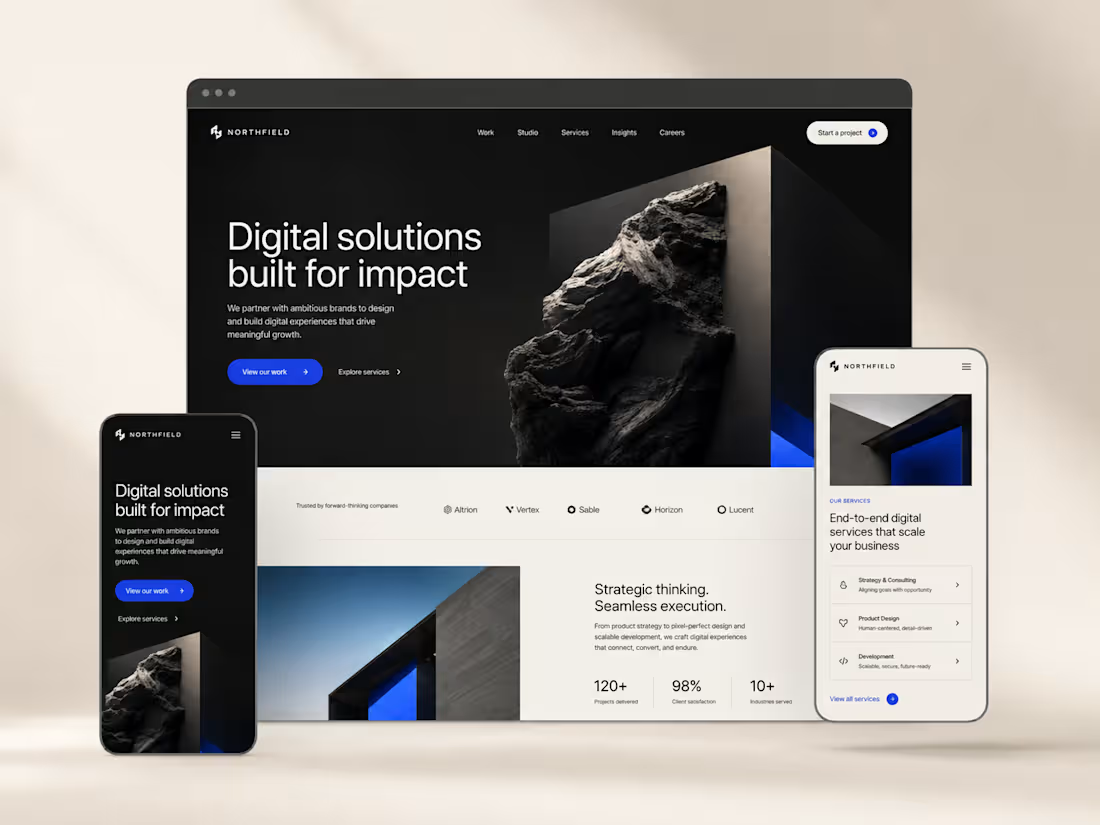
Northfield is a self-initiated digital agency website concept created with a modern, premium visual direction. The design combines bold typography, a dark editorial layout, cobalt-blue accents, and responsive desktop and mobile experiences. The goal was to create a polished, conversion-focused website that feels credible, engaging, and easy to navigate.
0
64
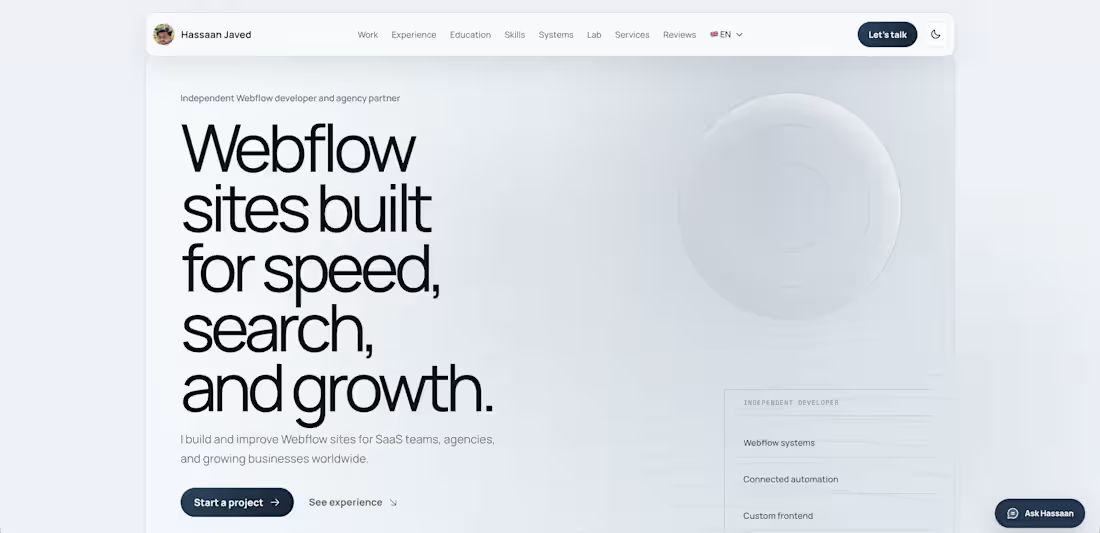
Designed and built my own portfolio site from scratch to showcase my Webflow and automation work for SaaS teams and agencies. It highlights 9+ live client builds (Open Mindset Project, Slingr, Selectimo, Vesko Retail OS, and more), a full services breakdown (Figma to Webflow, performance optimization, technical SEO, migrations), and an interactive performance lab where visitors can tune payload settings and see a live load-time estimate.
0
73