The network for creativity
Join 1.25M professional creatives like you
Connect with clients, get discovered, and run your business 100% commission-free
Creatives on Contra have earned over $150M and we are just getting started
Back to feedPost

How to Make Your Webflow Site Actually Accessible
Most Webflow builds treat accessibility as an afterthought — a quick pass with the built-in checker before handoff. That's not enough. Accessible sites load faster, rank better, and convert better. Here's the quick checklist I run on every project.
Use real headings Don't fake an H2 with a styled div. Keep heading order H1 → H2 → H3, no skipping levels — screen readers navigate by structure.
Write real alt text For every image, ask: "If someone couldn't see this, what would they need to know?" Mark decorative images as decorative. Skip "image of..." — screen readers already say it's an image.
Fix your contrast Light gray on white looks nice, reads badly. Aim for 4.5:1 on body text, 3:1 on large text. Webflow's Designer flags this for you.
Make it keyboard-friendly Tab through your site with no mouse. Custom div buttons need tabindex="0" and visible focus states. Never strip outline: none without a replacement.
Label your forms Placeholders aren't labels — they vanish once someone types. Give every input a real (visible or sr-only).
Respect motion settings Wrap heavy parallax/autoplay in prefers-reduced-motion so users who need it get a calmer experience.
Use semantic landmarks Swap generic divs for , , , so screen reader users can jump straight to content.
Test it once, for real Turn on VoiceOver or NVDA and complete one flow — a form, a booking, a blog read. You'll spot the biggest gaps in minutes.

The network for creativity
Join 1.25M professional creatives like you
Connect with clients, get discovered, and run your business 100% commission-free
Creatives on Contra have earned over $150M and we are just getting started











Related posts

Working on another website design + dev project.
We added some cool coloroma interactive components there. How does it look?


How often do you actually run the manual accessibility checks on your site? And do you have a screen reader installed? People deserve to use your website no matter how they experience the web.
My entry for the Base44 Challenge is Rampa. It walks through your website the way a keyboard and screen reader user would, with AI agents covering the checks that usually fall through the cracks of automated WCAG tools. Using Browserless and Gemini, it also finds images with missing or weak alt text and suggests descriptions that fit the page, in the page's language.
Use it alongside a proper accessibility audit. It's built so builders who think visually can catch more on their own.
Try it on your own site: https://rampa-scan-flow.base44.app
How does your site rank?
#Base44Challenge


Walking a site the way a keyboard and screen reader user would is such a good framing for this. The alt text suggestions in the page's own language is a detail I hadn't seen before. Did Browserless plus Gemini handle the whole scan flow, or did you wire in custom checks too?

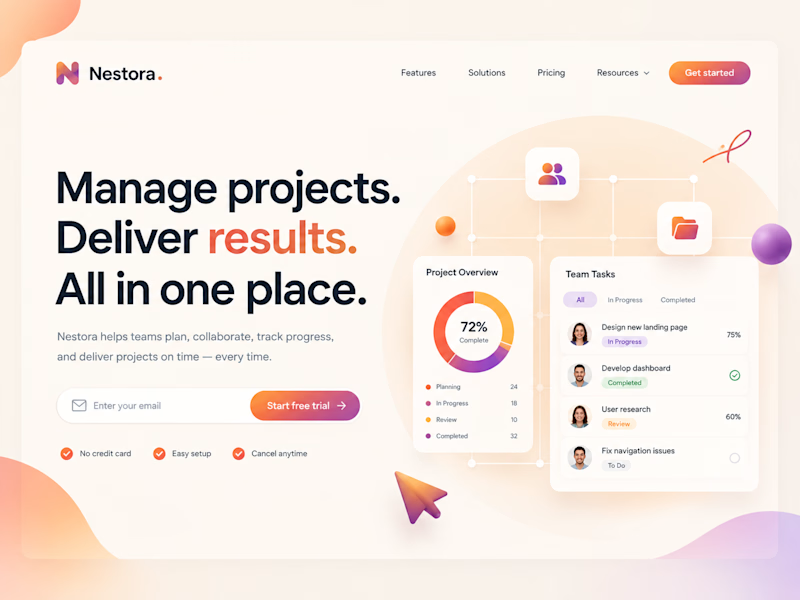
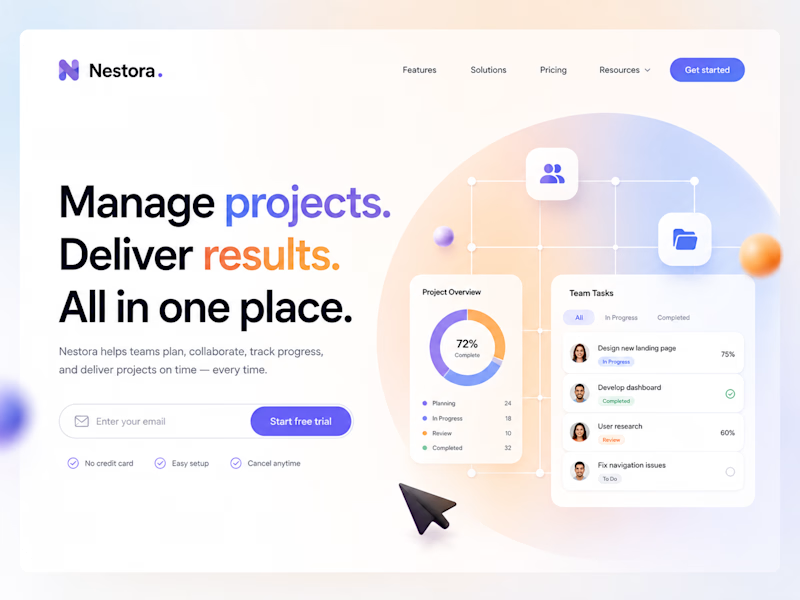
Same layout, same message....but the color shift changes how the product feels.
One says get things moving, the other says stay in control.
Designed in Figma, built in Webflow.
Which one would you ship? 👇
2 voted
20%
8 voted
80%
10 votes
Closed

Great job