Freelancers using Figma Make in KarachiFreelancers using Figma Make in Karachi
I don't just design I solve user problems
22
Followers
I don't just design I solve user problems
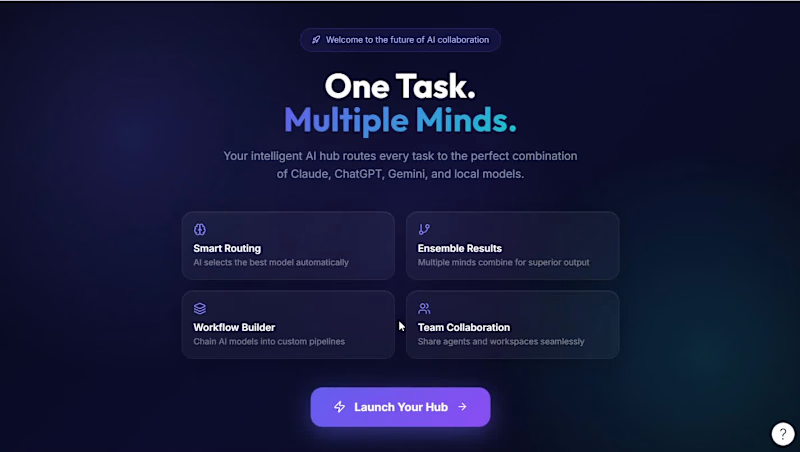
Cover image for Multi-AI Agent Hub – Problem
Multi-AI Agent Hub – Problem & Solution Description The Problem Today, people use multiple AI tools for different purposes. One AI may be great for research, another for coding, and another for content creation. As a result, users constantly switch between platforms, rewrite prompts, compare responses, and spend a significant amount of time finding the best solution. Students, developers, researchers, businesses, and professionals often struggle to determine which AI is best suited for a specific task. This creates inefficiency, increases costs, and slows down productivity. The Solution To solve this challenge, I created Multi-AI Agent Hub, an intelligent platform that brings multiple AI models together in one place. Instead of making users choose the right AI, the system automatically analyzes the task and assigns it to the most suitable AI model. For complex tasks, the platform can collaborate with multiple AI models simultaneously, combining their strengths to produce more accurate, reliable, and high-quality results. Users only need to submit their request once, and the AI Agent handles the entire workflow automatically. Key Benefits Saves time by eliminating the need to switch between AI platforms. Delivers higher-quality results through AI collaboration. Simplifies AI usage for students, professionals, and businesses. Increases productivity and efficiency. Reduces the complexity of managing multiple AI tools. Provides a single intelligent workspace for all AI-powered tasks. Impact Multi-AI Agent Hub transforms the way people interact with artificial intelligence by making advanced AI capabilities accessible through a single platform. It enables users to work faster, make better decisions, and achieve more with less effort. Tagline "One Task. Multiple Minds. One Powerful Solution." Elevator Pitch "Multi-AI Agent Hub is an intelligent platform that automatically selects and combines the best AI models for every task, allowing users to achieve faster, smarter, and more accurate results without switching between multiple AI tools." 🚀 Figma link: https://www.figma.com/make/QqaFXXs6WnGBjgliXVYBTb/Multi-AI-Agent-Hub?t=qzIyFPQwxXu5oJ8G-20&fullscreen=1 Figma community link: https://human-desk-38777870.figma.site
2
4
158
Full-Stack Engineer | Node.js, React, AI & Web3

$1k+
Earned
1x
Hired
5.0
Rating
5
Followers
Full-Stack Engineer | Node.js, React, AI & Web3
Cover image for ScopeBridge: Revolutionizing Freelance Project Clarity with AI
Excited to submit ScopeBridge for the Config Makeathon. Live Prototype: https://orchid-array-71734735.figma.site/ Figma Community File: https://www.figma.com/community/file/1649353646419325324 Why this idea Every freelance project starts with a conversation. Before pricing is discussed, clients and freelancers usually define requirements, priorities, expectations, assumptions, budget, and timelines through chat. But in many cases, quotes are shared before both sides fully understand what the work actually includes. This can create confusion for clients, uncertainty for freelancers, and project scopes that shift after the work has already started. ScopeBridge explores the step before proposal writing: scope alignment. Instead of helping freelancers simply generate faster proposals, ScopeBridge focuses on helping both sides understand the project better before the proposal or quote exists. The Solution ScopeBridge is a chat-side AI scope alignment assistant for freelance platforms. It sits beside a project conversation and turns early chat messages into quote-ready clarity by identifying: - What is already defined - What still needs alignment - Key assumptions - Important clarification questions - Suggested milestones - A structured scope packet both sides can review In the prototype, a client shares an early dashboard project idea. ScopeBridge analyzes the conversation, suggests alignment questions, updates the readiness score as more details are provided, and generates a structured scope packet before pricing begins. How I designed this I designed ScopeBridge using Figma Make as an interactive concept prototype. The workflow included: Framing the problem around freelance project communication Designing a simulated freelance chat interface Creating a ScopeBridge assistant panel inside the conversation Mapping the flow from early chat to alignment questions to quote-ready scope Adding a demo mode to show how scope clarity improves as the client provides more details Publishing both the live prototype and Figma Community file Impact ScopeBridge helps freelancers scope faster, clients communicate more clearly, and projects start with shared understanding instead of uncertainty. The goal is not to replace human judgment or negotiation. The goal is to create a clearer bridge between the first project conversation and the final quote.
1
121
Cover image for Niprm
Cover image for Cobe
Cobe
0
25
UI/UX, Webflow, Framer, WordPress & Shopify Development
22
Followers
UI/UX, Webflow, Framer, WordPress & Shopify Development

Logo & Brand Identity Designer

22
Followers
Logo & Brand Identity Designer
Entry-level Data & SEO professional with analytics skills
Cover image for Aesthetic Digital Planner – 2026
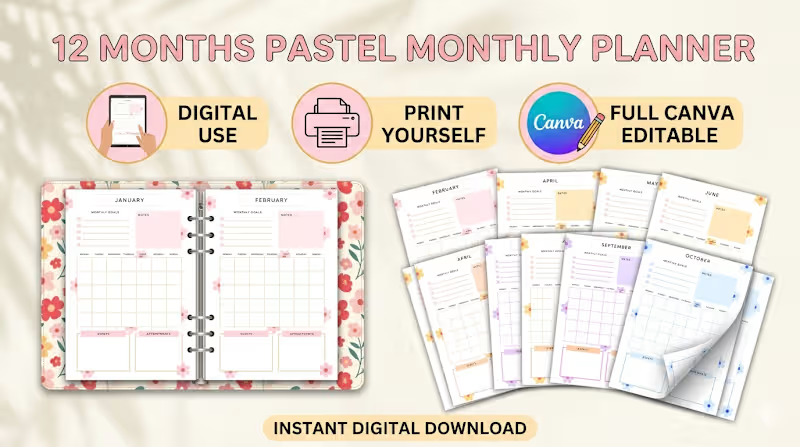
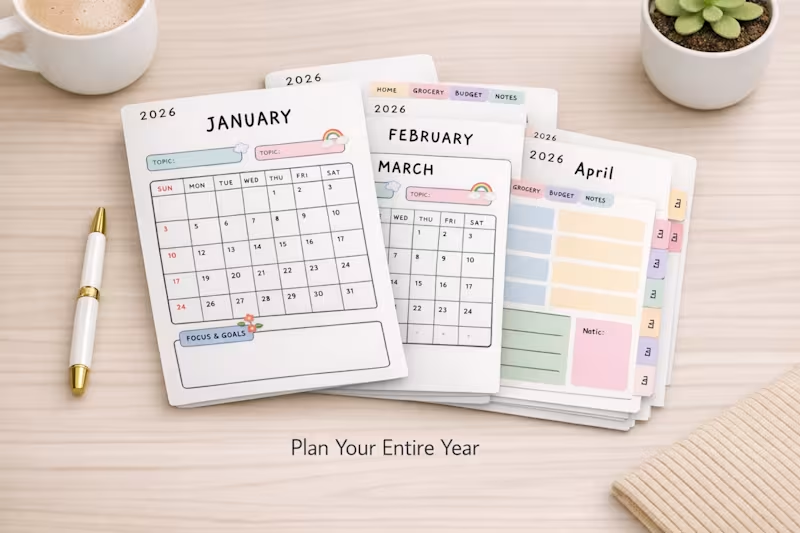
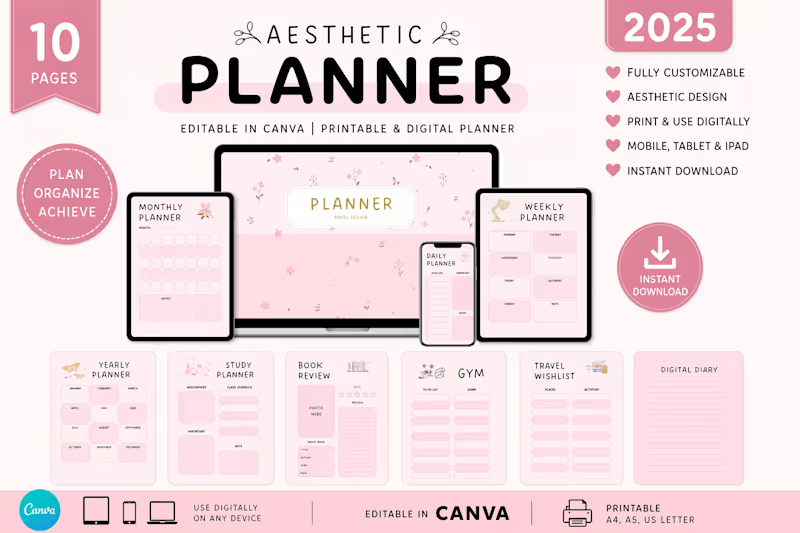
Aesthetic Digital Planner – 2026 Edition Project Overview I designed a 10‑page customizable digital planner that blends clean minimalism with soft pastel aesthetics. Built as an editable Canva template, this planner is optimized for digital use across iPad, tablet, laptop, and mobile. Buyers can also print it if they prefer a physical version, but the product is delivered as an instant digital download. Features Editable in Canva – personalize layouts to fit your workflow. Daily, Weekly & Monthly Pages – structure your schedule with clarity. Notes Section – capture ideas, reflections, and reminders. Multi‑Device Friendly – works seamlessly on iPad, tablet, laptop, and mobile. Premium Aesthetic – soft pastel colors, clean typography, and balanced layouts. Deliverables Gumroad‑ready product mockups (hero image, multi‑device layouts, close‑up detail shots). SEO‑optimized product title, description, and tags for Gumroad Discover. Marketing copy for Medium, Pinterest, and Contra portfolio. Refund policy and trust badges for buyer confidence. Why It Works This planner isn’t just a tool it’s a lifestyle upgrade. By combining functionality (editable, multi‑layout, instant download) with design appeal (minimal, pastel, professional), it positions itself as a premium digital product that resonates with students, freelancers, and professionals worldwide. Call to Action Explore the full product here: Aesthetic Digital Planner 2026 (https://planorastudioo.gumroad.com/l/aesthetic-planner-2026)
2
33
Cover image for Stop treating your freelance lead
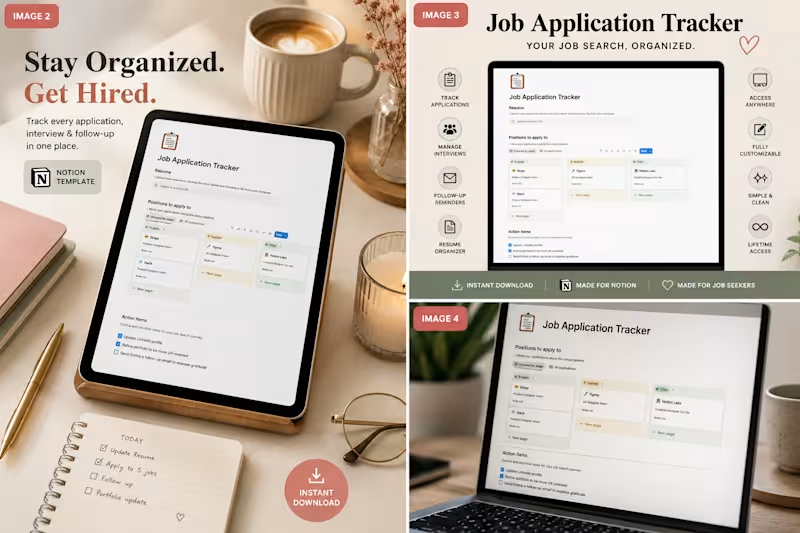
Stop treating your freelance lead generation like a messy checklist. Tracking client pitches, job board applications, and contract conversations in scattered notes apps or clunky spreadsheets is a recipe for missed revenue. When you scale your freelance business, your intake pipeline is everything. If a prospective client reaches out for an intro call, you need to know exactly which pitch deck you sent them, what their budget parameters were, and when you last followed up. The solution? Turn your job search into a visual workspace. Here is the exact setup I use to manage my opportunities: 1. Centralized Asset Hub: Every application entry holds the exact portfolio link, custom proposal version, and job description text before it gets taken down. 2. Visual Kanban Statuses: Move opportunities seamlessly from Pitching ➔ Interviewing ➔ Contract Proposal ➔ Closed/Signed. 3. Follow-Up Reminders: Keep clean checkboxes for daily micro-tasks so a warm lead never goes cold. To help fellow independents skip the administrative headache, I packaged my personal system into a clean, minimal dashboard. The Job Application Tracker Notion Template gives you a ready-to-use pipeline to manage applications, interviews, and follow-ups in one view. It's built to keep your pipeline clean so you can focus entirely on executing great client discovery calls. Grab the tracker for just $3 here: gumroad.com (http://gumroad.com) How are you currently tracking your active freelance pitches and contract leads this month?
2
64
CMS Expert | Webflow, WordPress & Shopify Developer
Cover image for Shipped OZURA designed in Figma,
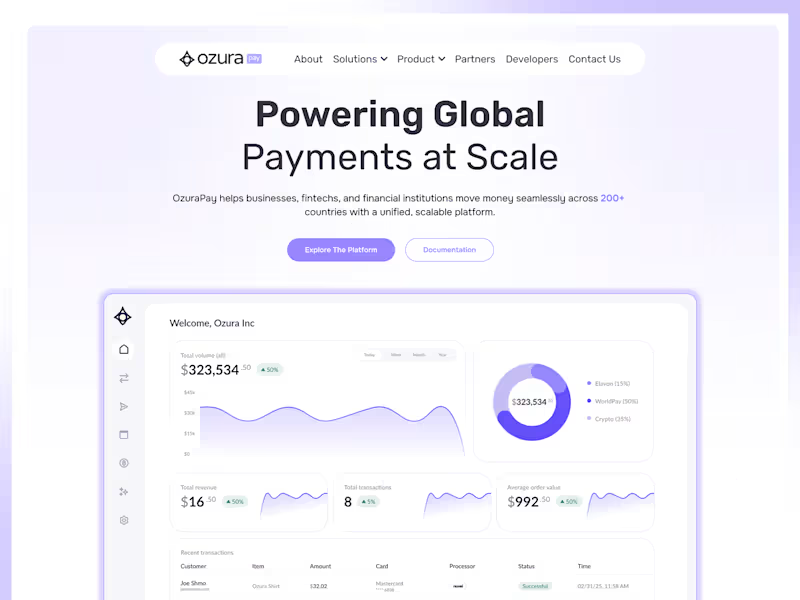
Shipped OZURA designed in Figma, built on Framer CMS. www.ozurapay.com (http://www.ozurapay.com)What I designed (Figma): Complete design system with purple accent theme Component library & design tokens Information architecture for payments platform Premium SaaS aesthetic (light + modern) Mobile-first responsive layouts Interactive prototypes & user flows What I developed (Framer CMS): Built on Framer (modern design-to-code platform) High-performance, zero-config hosting Dashboard with real-time data visualization Dynamic content management Fully responsive across all devices Design system implemented with zero friction The result: A sleek payments platform website that communicates global scale and builds trust instantly. This is what modern web design looks like designed beautifully, built fast. hashtag#WebDesign (https://www.linkedin.com/search/results/all/?keywords=%23webdesign&origin=HASH_TAG_FROM_FEED) hashtag#Figma (https://www.linkedin.com/search/results/all/?keywords=%23figma&origin=HASH_TAG_FROM_FEED) hashtag#Framer (https://www.linkedin.com/search/results/all/?keywords=%23framer&origin=HASH_TAG_FROM_FEED) hashtag#SaaS (https://www.linkedin.com/search/results/all/?keywords=%23saas&origin=HASH_TAG_FROM_FEED) hashtag#DesignToCode (https://www.linkedin.com/search/results/all/?keywords=%23designtocode&origin=HASH_TAG_FROM_FEED) hashtag#ModernWeb (https://www.linkedin.com/search/results/all/?keywords=%23modernweb&origin=HASH_TAG_FROM_FEED) hashtag#StartupDesign (https://www.linkedin.com/search/results/all/?keywords=%23startupdesign&origin=HASH_TAG_FROM_FEED)
1
48