Freelance Mobile Engineers in Giza DistrictFreelance Mobile Engineers in Giza District
Frontend Expert: Quality Web Apps & Hybrid Mobile Apps

$10k+
Earned
1x
Hired
5.0
Rating
8
Followers
Frontend Expert: Quality Web Apps & Hybrid Mobile Apps
Full-stack developer — MERN/PERN, Next.js & React Native
New to Contra
Full-stack developer — MERN/PERN, Next.js & React Native
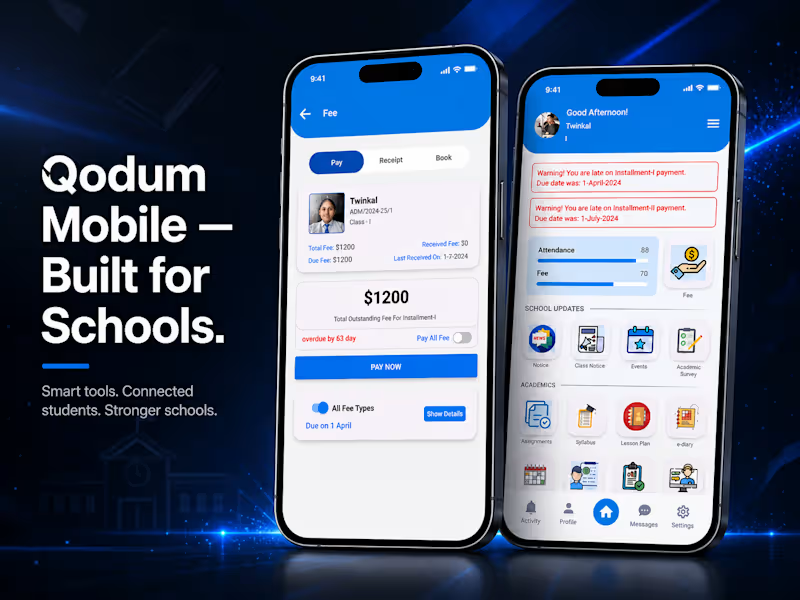
Cover image for Qodum Mobile — School Management
Qodum Mobile — School Management App for Teachers, Students & Staff A React Native school management app with multi-role support, assignment workflows, push notifications, and fee payments. The Starting Point The web version of Qodum handled school operations from an admin/staff perspective — but teachers, students, and parents needed their own dedicated way to interact with the system day-to-day, from wherever they were. That's what the mobile app was built to solve. What I Built Qodum's mobile app supports three distinct user types — teachers, students, and staff — each with their own relevant experience within the same app. Core functionality includes an assignment system where teachers can create and review assignments, students can view and submit answers, and teachers can give feedback directly on submissions. The app also includes a notice/notification system, with real-time push notifications powered by Firebase Cloud Messaging, plus an integrated payment gateway so students can pay school fees directly from the app. Tech Stack Built with React Native, with Firebase handling messaging and push notifications, and a dedicated payment gateway integration for fee collection. Why Multi-Role Matters Here Rather than building separate apps per user type, Qodum's mobile app handles teachers, students, and staff within a single codebase — each seeing a tailored experience based on their role, which keeps the app maintainable while still serving genuinely different workflows. How I Work This mirrors my approach on client mobile projects — one codebase, role-based experiences, and integrations (like payments and push notifications) that actually work reliably in production, not just in a demo. GitHub: https://github.com/jonathanadel-dev/qodum-app
0
92
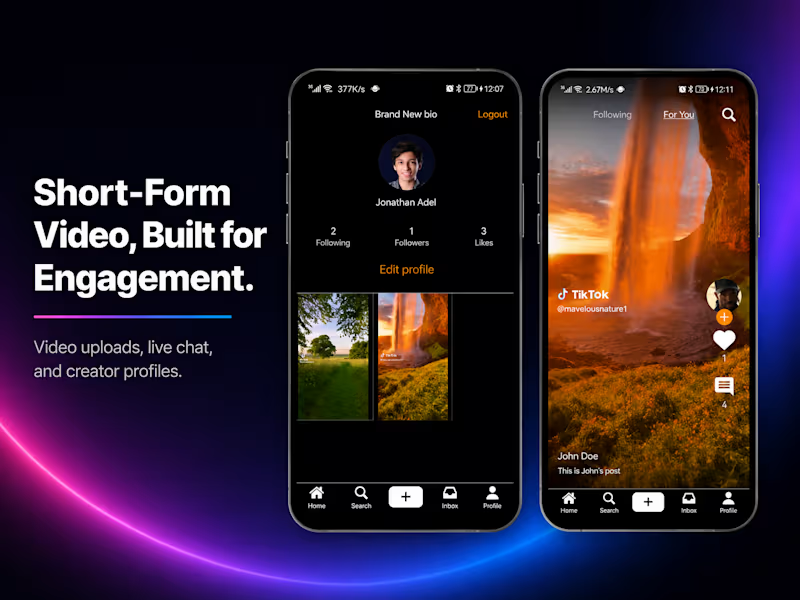
Cover image for Gursha — Short-Form Video Sharing
Gursha — Short-Form Video Sharing App (TikTok-Style) A TikTok-style short-video app built with React Native — video uploads via AWS S3, live chat with Firebase, and user profiles The Starting Point A client came to me wanting a short-form video sharing app in the vein of TikTok — a platform where users could upload, browse, and engage with video content, with real-time social features baked in from the start. What I Built Gursha is a React Native mobile app centered around short-form video content. Users can upload videos, which are stored and served via AWS S3, and browse a feed of content much like TikTok's core experience. A live chat feature, powered by Firebase, lets users message each other in real time. Each user also has a profile page showing their own uploaded videos, giving the app a personal, creator-focused layer on top of the content feed. Tech Stack React Native for the mobile app, AWS S3 for video storage and delivery, and Firebase for real-time chat functionality. Why This Setup Video-heavy apps live or die on how well media is stored and served — using AWS S3 for uploads kept video handling scalable and reliable rather than trying to manage large media files through a single backend server. Firebase's real-time capabilities were a natural fit for chat, since it handles live data sync without needing custom WebSocket infrastructure built from scratch. How I Work This project is a good example of taking a broad, ambitious client request ("build me something like TikTok") and breaking it into concrete, buildable pieces — video storage, feed logic, real-time chat, and profiles — each solved with the right tool for the job rather than forcing one system to do everything. GitHub: https://github.com/jonathanadel-dev/gursha-app
1
129
Cover image for Qodum — Custom School Management
Qodum — Custom School Management ERP System The Starting Point Qodum was built for a real business need — a school required a way to manage their day-to-day administrative operations without relying on scattered spreadsheets and manual processes. Rather than a generic template, the goal was a system built around how a school actually runs: fees, admissions, accounts, and inventory, all in one place. What I Built Qodum is a full-stack ERP system covering four core modules — fee management, admissions, accounts, and stock/inventory tracking. An admin dashboard ties it all together, giving staff a single place to manage records and daily operations instead of juggling disconnected tools. Role-based access ensures different staff members see only what's relevant to their responsibilities. Architecture Built with Next.js, using server components to handle backend logic directly within the framework rather than maintaining a fully separate backend service — keeping the codebase leaner and more maintainable. TypeScript is used throughout for type safety across a codebase of this size, and the project is deployed live on Vercel. Why This Approach Server components let me handle data-fetching and business logic close to where it's needed, reducing client-side complexity while keeping the app fast. For a system handling sensitive operational data (fees, accounts, student records), this structure also made it easier to keep backend logic contained and auditable rather than scattered across API routes. Where It Stands Qodum has been in active, sustained development — over 600 commits reflect continuous iteration rather than a single quick build. It's live and demonstrates a real, functioning ERP architecture: modular by design, with each core business function (fees, admissions, accounts, stock) built as its own cohesive piece within a shared system. How I Work This project reflects how I approach client work generally: understand the actual operational need first, then build modularly so the system can grow — new modules or features added without requiring a rewrite of what already works. Live: qodum.vercel.app (http://qodum.vercel.app)GitHub: jonathanadel-dev/qodum-web (https://github.com/jonathanadel-dev/qodum-web)
0
119
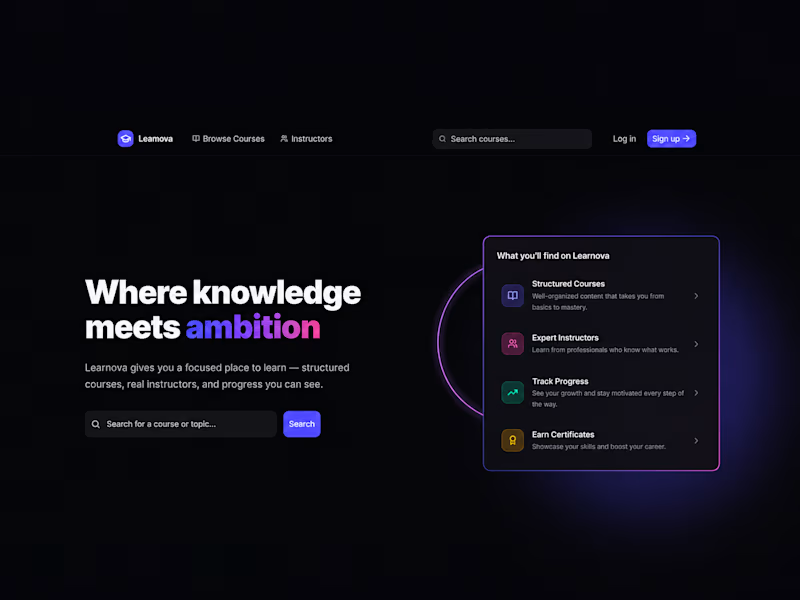
Cover image for Learnova — Full-Stack Learning Management
Learnova — Full-Stack Learning Management Platform The Starting Point I wanted to build something that went beyond a typical CRUD tutorial project — a real learning management platform with the kind of complexity actual ed-tech products deal with: authentication done right, adaptive UI based on user state, and a data layer that could support real course structures, not just placeholder content. What I Built Learnova is a full-stack LMS where users can browse structured courses, follow instructors, and track their own progress toward completion. The core experience revolves around three things: discoverability (search and browse courses by topic), structure (courses broken into organized, sequential content), and visibility (users can actually see their own progress, not just consume content passively). Tech Stack Next.js 16 (App Router), React 19, TypeScript, Tailwind CSS v4, PostgreSQL (Neon), Prisma ORM, deployed on Vercel. Architecture Decisions Worth Calling Out Prisma + PostgreSQL for a relational structure that fits course/instructor/progress relationships more naturally than a document store would. Server-first data fetching using Next.js App Router conventions, keeping client bundles lean. A fallback email provider chain (Resend → Brevo/Nodemailer) instead of a single point of failure for critical auth emails. Where It Stands Learnova is actively in development, with core auth, course browsing, and instructor/progress systems in place. It's built as both a functioning product and a demonstration of how I approach full-stack architecture — clean separation of concerns, resilience in critical paths like auth/email, and attention to the details that make software feel genuinely finished. How I Work I take a similar approach on client projects — thinking through failure points (like email delivery) before they become production issues, and caring as much about the small UI details as the big architectural decisions.
1
3
211
Hey there!👋 I'm Mohamed Ali, I'm a Flutter Developer
1x
Hired
2
Followers
Hey there!👋 I'm Mohamed Ali, I'm a Flutter Developer
Web & Mobile App Dev, Dedicated to Deadlines
Full-Stack Developer | Built 2x SaaS | Next.js - Node.js
Senior Flutter & .NET Engineer | Microservices · CQRS
Cover image for Imagine walking down the street,
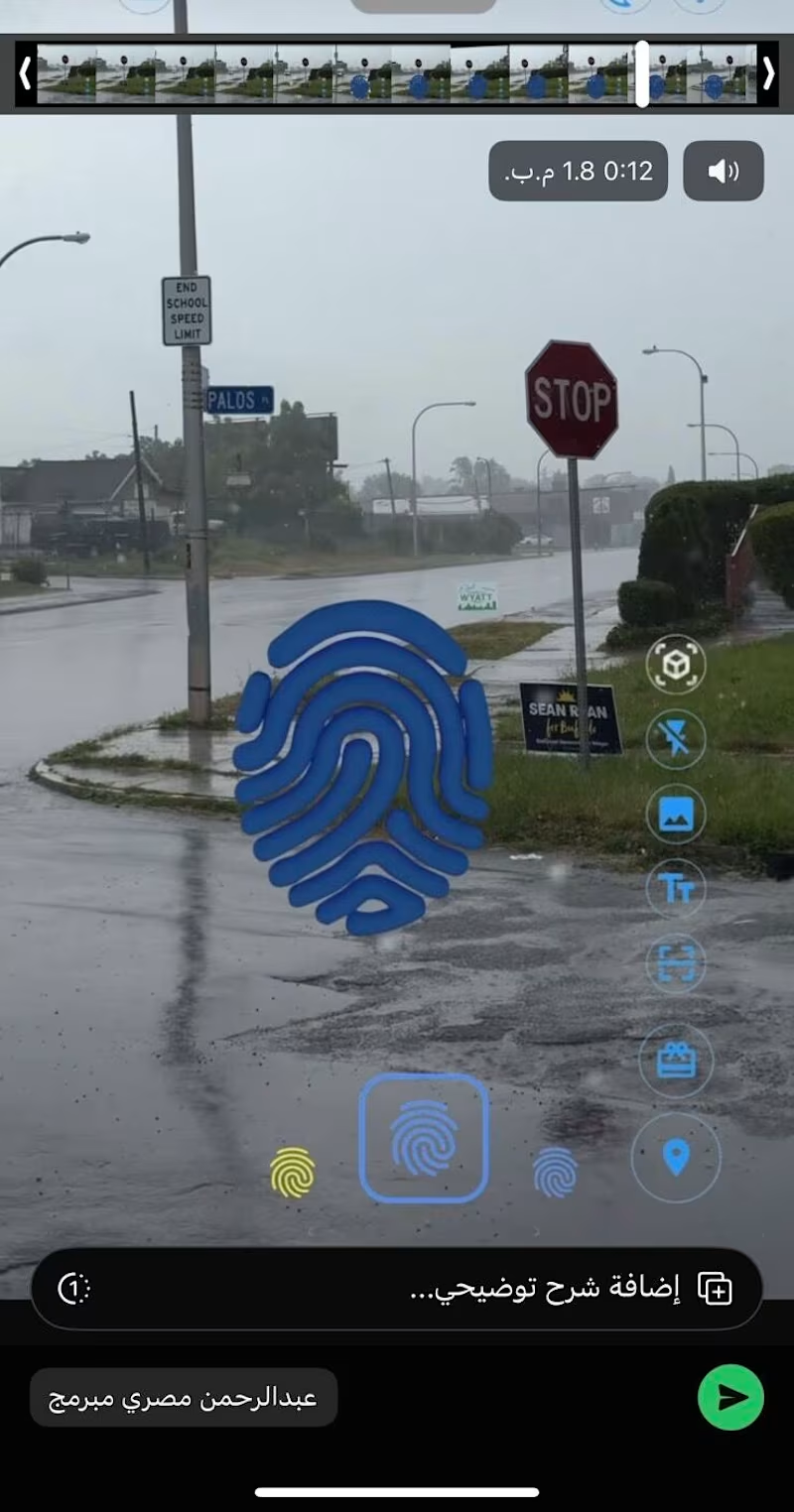
Imagine walking down the street, raising your phone, and finding a message someone left hanging in mid-air right where you're standing—a photo, a song, a text post—like they left a piece of themselves behind in the real world. That was the client’s request. I said, "On it." — I built the feature in just two days. Open the camera, and the object appeared perfectly in the air. I sent it to the client, feeling pretty proud. His response came back: "I don't see anything." — I kept wondering—how is this even possible? I could see it clearly on my screen. Then, it hit me. The AR object was being positioned using GPS. When I dropped it, my device calculated its position based on mycoordinates. When the client opened the app in the same spot, his device calculated it from his side—and the error margin between the two devices reached up to 5 meters. This meant the message I left right in front of the door appeared for him in the middle of the street. — I searched through every available Flutter package to find a solution. Nothing. — That’s where things got complicated, because the only way out was to go Native. I opened Google's ARCore documentation and started digging through the examples. At first, I barely understood a thing. But I kept reading. Slowly, the picture became clearer. I began to understand how anchors are formed—how the device scans the visual features of the physical environment (the angles, the lighting, the precise details) and uploads them to the cloud, instead of relying solely on GPS. It’s called Google Cloud Anchors. And that was the missing piece. I built the method channel between Flutter and Native code by hand. Line by line. Until it finally worked. — The first time I hosted an object, had someone else open the app in the same exact spot, and they saw it precisely where it was meant to be—I felt something hard to put into words. Not just because the code worked. But because I stepped into a territory that terrified me, and I walked out of it with a brand-new skill. — When there isn't a package ready for you, it’s not the end of the road. It’s the beginning of a journey to learn something no one else in your immediate circle is talking about. What’s the toughest technical challenge you've dived into, even when it terrified you? 👇 #Flutter #ARCore #NativeDevelopment #MobileDevelopment #SoftwareEngineering
0
29
Mobile App Developer | Expert in Flutter & Firebase Integrat
7
Followers
Mobile App Developer | Expert in Flutter & Firebase Integrat