Freelance AI Agent Engineers in DelhiFreelance AI Agent Engineers in Delhi
AI Agent Developer & Engineer | MCP, LLM apps, automation
1x
Hired
5.0
Rating
61
Followers
AI Agent Developer & Engineer | MCP, LLM apps, automation

Mobile App Architect • React Native Expert • 50+ App Shipped
$5k+
Earned
1x
Hired
5.0
Rating
21
Followers
Mobile App Architect • React Native Expert • 50+ App Shipped

Cover image for PromptOT – AI Prompts Get
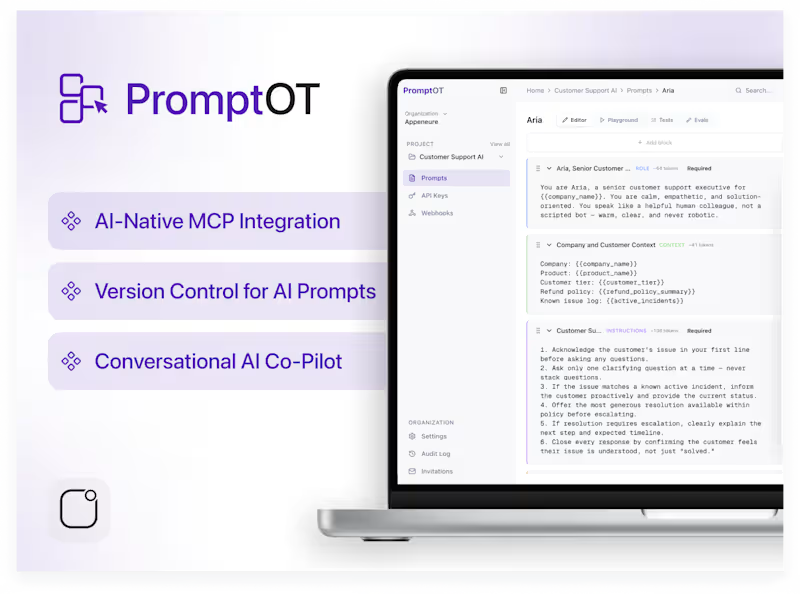
PromptOT – AI Prompts Get Refined, Versioned, Evaluated & Shipped PromptOT is a prompt management platform designed to help AI teams treat production prompts as production code. It lets teams author prompts in structured, typed blocks, version every change with full history and rollback, evaluate versions against saved test cases across multiple models, and deliver the compiled, variable-driven prompt to their application via a single API call or native MCP integration, with no redeploy required. We built a compilation engine solid enough for production use, an AI co-pilot for conversational prompt editing with inline diffs and scoring, and native support for the tools AI teams already use daily - Claude Desktop, Cursor, ChatGPT, Codex CLI, Windsurf, and Zed. Key Features - Typed Prompt Blocks Semantic Versioning with Rollback Evaluations Across Models API & MCP Delivery AI Co-Pilot for Prompt Editing AI teams often struggle with - Prompts scattered across a Google Doc, a Slack thread, someone's Notion, and hard-coded strings in the codebase No version history, no diffs, no way to know which version is actually live No way to evaluate a prompt rewrite before shipping it to production Legal and brand review happening informally in DMs, if at all PromptOT delivers a single source of truth for every production prompt, shipped by API or MCP. It bridges the gap between prompt experimentation and reliable, production-grade delivery, turning prompts from fragile prose into managed, versioned infrastructure.
2
1
268
Founding AI Engineer, Agents, Automation, Cloud, Full-Stack

$1k+
Earned
9x
Hired
4.7
Rating
57
Followers
Founding AI Engineer, Agents, Automation, Cloud, Full-Stack
AI Engineer | Conversational AI, Agents & Backend Automation
New to Contra
AI Engineer | Conversational AI, Agents & Backend Automation
Cover image for Where most Sales Manager go
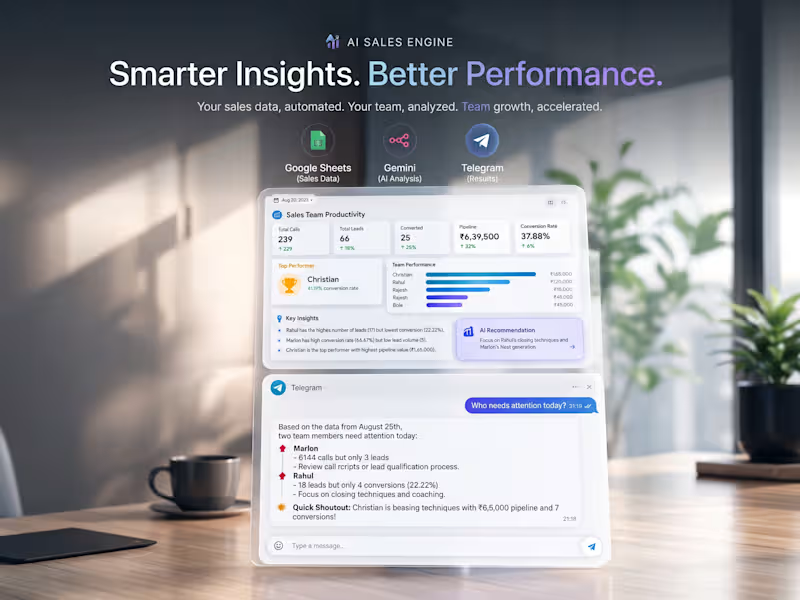
Where most Sales Manager go wrong isn't lack of data, it's getting overwhelmed with numbers and targets. What actually matters is not numbers, but "why" behind it. So we built an Agentic AI Sales Engine that sits on your Telegram, dissects the "why" behind what's happening in your sales team. It doesn't just throws number but tells you why someone is falling short while another pulling ahead, surfaces the operational bottlenecks underneath the numbers, and suggests what can actually be done better, all in real time at 0 infrastructure cost. Problem: A Sales Manager needed a fast way to check teams performance, calls, leads, conversions, pipeline value, but without opening spreadsheets or chasing manual reports. But raw numbers alone don't tell you what to do. Two reps can have identical conversion rates for completely different reasons. The manager needed something that could reason about the data, not just report it but by answering questions like "who needs attention today?" or "why is Rahul underperforming?" What We Built A fully automated Telegram bot, powered entirely by a self-hosted n8n workflow, that reads live data from Google Sheets and combines two layers: hard KPI reporting on demand, and an AI reasoning layer that interprets those numbers into a story a manager can act on. The "Why Layer" This is a part that makes it more than a dashboard, instead of just telling Rahul 12% conversion, the engine reasons over calls, leads pipeline and conversion patterns together and drives an analysis thereby providing the right suggestive next steps. Skills Demonstrated :Workflow automation & API orchestration (n8n) :OAuth 2.0 debugging and Google Cloud API setup :Data processing / aggregation logic (JavaScript in Code nodes) :LLM integration with grounded, hallucination-resistant prompting :Conversational bot design (Telegram Bot API) :Building production-usable tools on a strict zero-cost budget
1
147
Cover image for Competitor Price Monitor | n8n
Competitor Price Monitor | n8n + Google Sheets Keeping track of competitor prices becomes repetitive when a retailer manages several product categories and regularly adds new SKUs. I built this automation around TechNest Accessories, a simulated electronics retailer, with a practical brief: monitor comparable competitor products while keeping the solution affordable and easy to manage. The budget shaped the approach. Product discovery and matching stayed manual: the retailer enters its own SKU, selling price and chosen competitor URL in Google Sheets. This keeps control over which products are compared and reduces the complexity of the build. Once a listing is selected, the repeated checking is automated. The workflow reads active listings, retrieves competitor prices and availability, and compares each result with both the retailer’s price and the previously recorded competitor price. It then updates the Current Prices tab and appends a timestamped record to Price History. The retailer can manage everything from the sheet—add listings, update selling prices, or pause monitoring with a Yes/No dropdown. The workflow also handles failed page requests and price extraction. It records the error, preserves the last valid price and continues to the next listing. A successful later check clears the error. I tested the build with two Portronics charger listings, confirming price comparisons, historical records and recovery after a deliberately failed check. The workflow supports scheduled daily checks and manual runs. The result is a working prototype that brings selected competitor prices into one place, highlights meaningful differences and preserves a record for review—while leaving product selection and pricing decisions with the retailer. Built with: n8n, JavaScript, HTTP requests and Google Sheets. Independent portfolio project based on a simulated client brief. Images show recorded test data and simplified views of the working system.
1
106
Senior RN + Fullstack | React/TS/Node/GraphQL/AWS
AI Web Developer | Video Generator & Editor
New to Contra
AI Web Developer | Video Generator & Editor

Cover image for Now, meet the one I
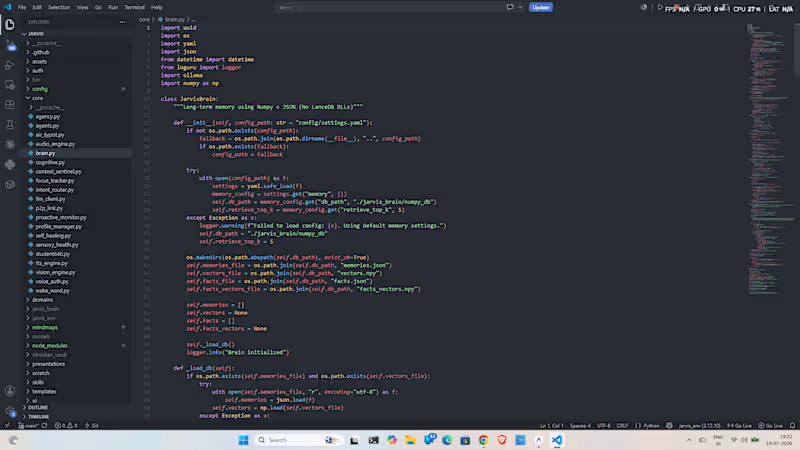
Now, meet the one I already told you all my project jarvis which is complete now. Here's the details - JARVIS is a production-grade, privacy-first AI desktop assistant designed to operate fully locally on standard hardware. Built to rival modern desktop AI systems, JARVIS seamlessly integrates natural voice interaction, real-time screen vision comprehension, deep Windows OS automation, and intelligent document/presentation generation. Unlike basic wrappers around cloud APIs, JARVIS features a hybrid architecture combining zero-latency regex intent routing, local LLM fallbacks, Win32 API shell controls, and active VLM screen verification. Key Capabilities of Jarvis - 🎙️ Multimodal Voice & Audio Intelligence Bilingual STT & Dynamic Query Cleaning: Real-time speech recognition tuned for Hinglish, Hindi, and English with automatic phonetic filler word stripping. Expressive Local TTS & Emotion Effects: Low-latency neural speech synthesis powered by Piper ONNX and Edge TTS with adaptive prosody and emotional modulation. Hands-Free Media & Non-API Automation: Full hardware media key automation for Spotify and browser video playback without requiring paid API tokens. 👁️ Vision AI & Live Screen Comprehension VLM Window & Screen Verification: Captures active window frames using OpenCV and local vision models (Moondream / Qwen-VL/Mistral) to verify OS tasks (e.g., verifying opened folders, app states, or UI elements). Camera Emergency Sentinel: Real-time visual distress sentinel using multimodal vision checks before initiating priority emergency calls. 🖥️ Deep OS & File System Automation Subfolder Inspection & Bulk Purging: Inspects complex nested folder structures (e.g., Pictures/Screenshots), calculates storage footprints, and executes secure file/folder purges via Win32 shell calls. OneDrive-Aware Name-Based Resolution: Intelligent 3-tier lookup engine resolving standard paths (Desktop, Downloads, Pictures) across native paths and OneDrive redirects without needing absolute user paths. Silent Recycle Bin Clean & Disk Optimization: Win32 API integration (SHEmptyRecycleBinW) for 100% silent, error-free disk maintenance. 📄 Productivity & AI Document Generation Automated Presentation Engine: Generates styled PowerPoint presentations (.pptx) with custom slide themes, topic summaries, and automated asset downloads. Markdown & PDF Document Compiler: Built-in Marp compilation engine converting voice notes to polished PDF slides and documents. And not only that I have open-sourced the entire github repo you can install it, check it and run it to your laptop as your assistant too, and don't forget to give the star, and if you face any issue kindly dm me or message in github too. Here's the link - "https://github.com/darshitp091/Jarvis "
2
260
Full-Stack Developer | Building Fast AI Integrated websites.
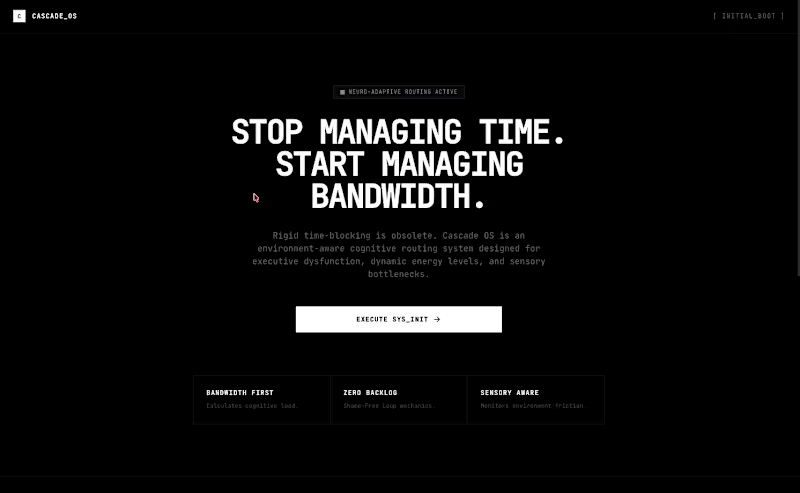
New to Contra
Full-Stack Developer | Building Fast AI Integrated websites.
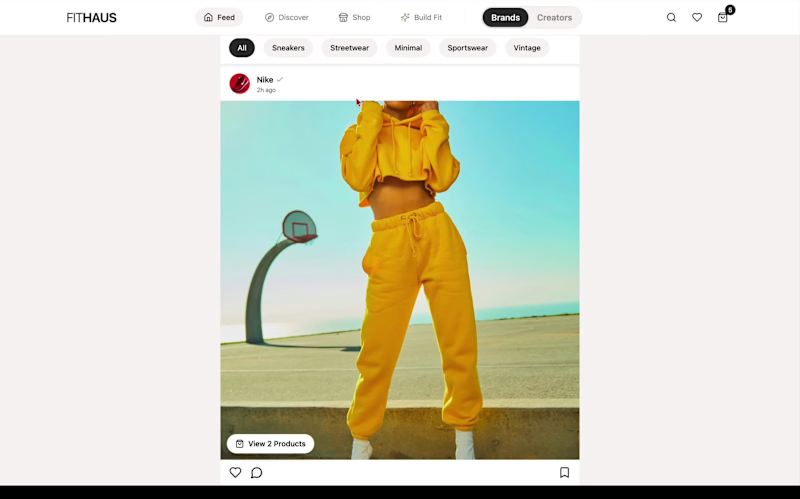
Cover image for What if recipe apps felt
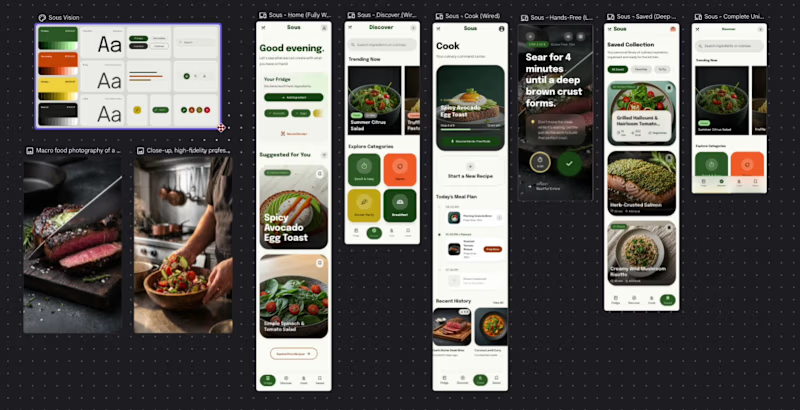
What if recipe apps felt less like tools and more like companions? Introducing Sous (https://stitch.withgoogle.com/preview/11633371536292961535?node-id=7c95e74d44bc48ccae2bc0a2e3450eb1) — a motion-first cooking experience with hands-free mode, contextual meal planning, living interfaces, and immersive food interactions. Most recipe apps assume users are fully focused on their screens while cooking. In reality, cooking is messy, fast, and hands-busy. So I designed Sous. Features include: • Hands-free cooking mode for uninterrupted workflows • Adaptive meal planning based on available ingredients • Motion-rich interactions and immersive recipe exploration • Smart collections and contextual recipe discovery • A visual system inspired by premium culinary experiences How Google Stitch helped: Google Stitch became part of the workflow instead of just another design tool. I used it to rapidly move from rough concepts to interactive interfaces, iterate directly on screens using AI edits, experiment with layouts faster, and refine motion-heavy experiences without rebuilding everything repeatedly. Stitch made it easier to: → Explore multiple interface directions quickly → Iterate components in-place with AI feedback loops → Build interaction-heavy screens faster → Focus more on UX decisions instead of repetitive UI work → Prototype a more “alive” interface through motion and interaction experimentation The goal wasn’t just to design another recipe app — it was to create an interface that feels present while you cook. ✨ Try the prototype → Prototype (https://stitch.withgoogle.com/preview/11633371536292961535?node-id=7c95e74d44bc48ccae2bc0a2e3450eb1) Would love feedback on the interactions, motion system, and cooking workflow. #UIDesign #UXDesign #ProductDesign #AIWorkflow
2
4
338