
Business Systems & Process Optimization
Business Systems & Process Optimization



Strategy & Product Development | Data Analyst
Strategy & Product Development | Data Analyst






Founder & AI Automation Systems Architect
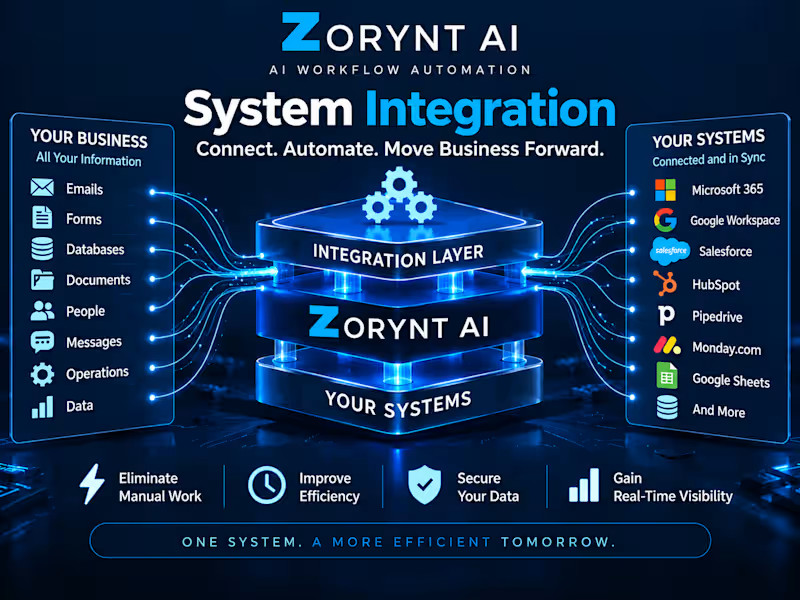
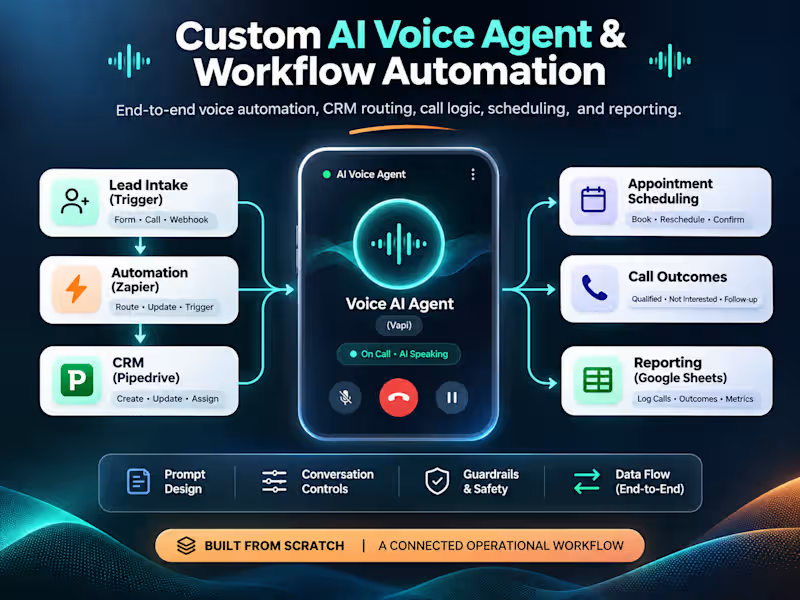
This architecture project demonstrates how Zorynt AI builds a unified integration layer to sync disconnected corporate information channels into a single operating model. We replace manual data handoffs with automated API logic pipelines.
This specific blueprint showcases cross-system orchestration across industry-standard software suites, including:
• CRMs & Pipelines: Integrating HubSpot, Salesforce, and Pipedrive to maintain a synchronized source of truth across sales pipelines.
• Productivity & Operations: Bridging Microsoft 365, Google Workspace, Monday.com (http://Monday.com), and Google Sheets so information moves consistently between team and operational systems.
• Information Channels: Automated ingestion protocols that parse incoming data from emails, digital forms, custom messages, and internal databases while reducing manual handling and the risk of data leakage.
1
192
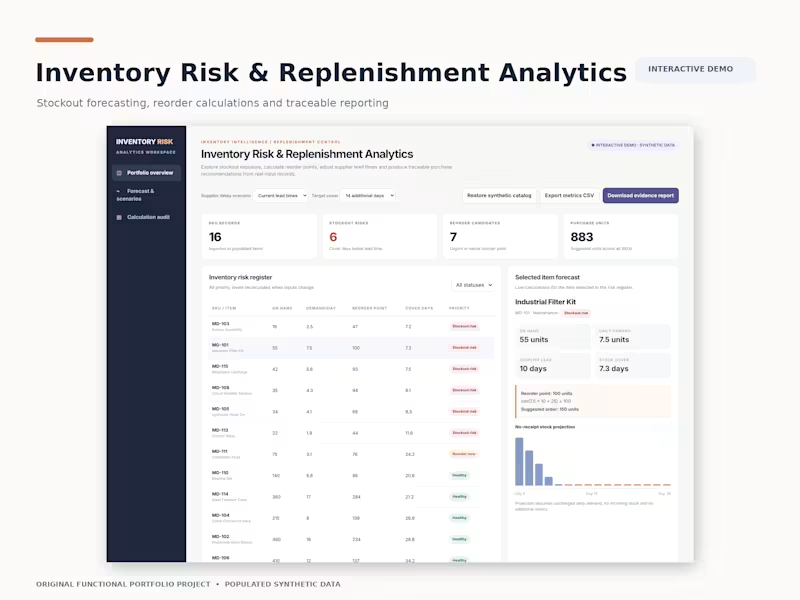
This video demonstrates an interactive inventory analytics application designed to help operations teams monitor stock availability, identify supply shortages, and make informed replenishment decisions.
Using 16 populated synthetic inventory records, the walkthrough demonstrates how changes in stock quantities and supplier lead times automatically update inventory risk calculations.
What the Video Demonstrates
Inventory Dashboard: Displays stock availability, six stockout-risk items, and seven replenishment candidates.
Stockout Risk Detection: Identifies products that may run out before replacement inventory arrives.
Supplier Delay Simulation: Demonstrates how changing lead times affects replenishment calculations and risk exposure.
Interactive Inventory Management: Shows how stock adjustments immediately update dashboard metrics.
Replenishment Analytics: Calculates reorder points using demand, lead time, and safety stock.
Reporting: Provides calculated inventory results and export capabilities.
Technical Implementation
Developed the interactive dashboard, inventory calculation logic, scenario controls, risk filtering, and data import/export functionality using JavaScript, HTML5, and CSS3.
The demonstration showcases a functional inventory management analytics application with reproducible calculations and clearly identified synthetic data.
2
0
136
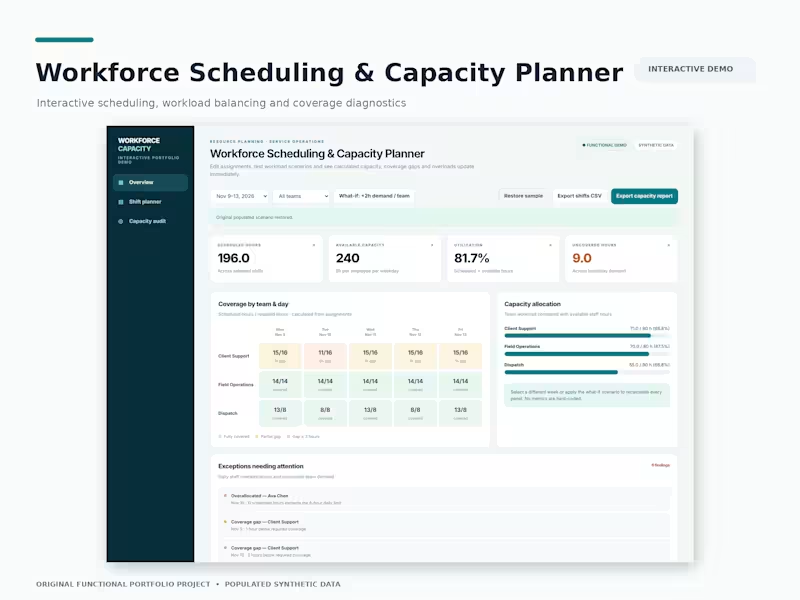
Workforce Scheduling & Capacity Planner | Interactive Demo
This video demonstrates a desktop-optimized workforce scheduling application designed to help operations teams manage staff assignments, monitor capacity, and identify coverage gaps.
Using populated synthetic workforce data, the walkthrough shows how scheduling changes automatically recalculate staffing availability and operational performance metrics.
What the Video Demonstrates
Workforce Capacity Dashboard: Displays 196 scheduled hours, 240 available hours, and 81.7% workforce utilization.
Interactive Shift Management: Demonstrates adding staff assignments and automatically recalculating capacity metrics.
What-If Scenario Planning: Simulates increased staffing demand, raising uncovered hours from 9 to 33.
Multi-Dimensional Coverage Analysis: Displays staffing requirements across departments and weekdays using interactive coverage grids.
Capacity Auditing: Identifies staffing shortages, employee overallocations, and operational exceptions requiring attention.
Technical Implementation
Application Logic: Developed interactive state management that updates dashboard calculations when assignments, reporting periods, or staffing requirements change.
Data Processing: Implemented calculations comparing scheduled staffing hours against available capacity and departmental demand.
Data Management: Built CSV import/export functionality, input validation, and downloadable capacity reports.
Technology: JavaScript, HTML5, and CSS3.
The demonstration showcases a functional workforce planning application with traceable calculations and interactive scenario analysis.
0
38

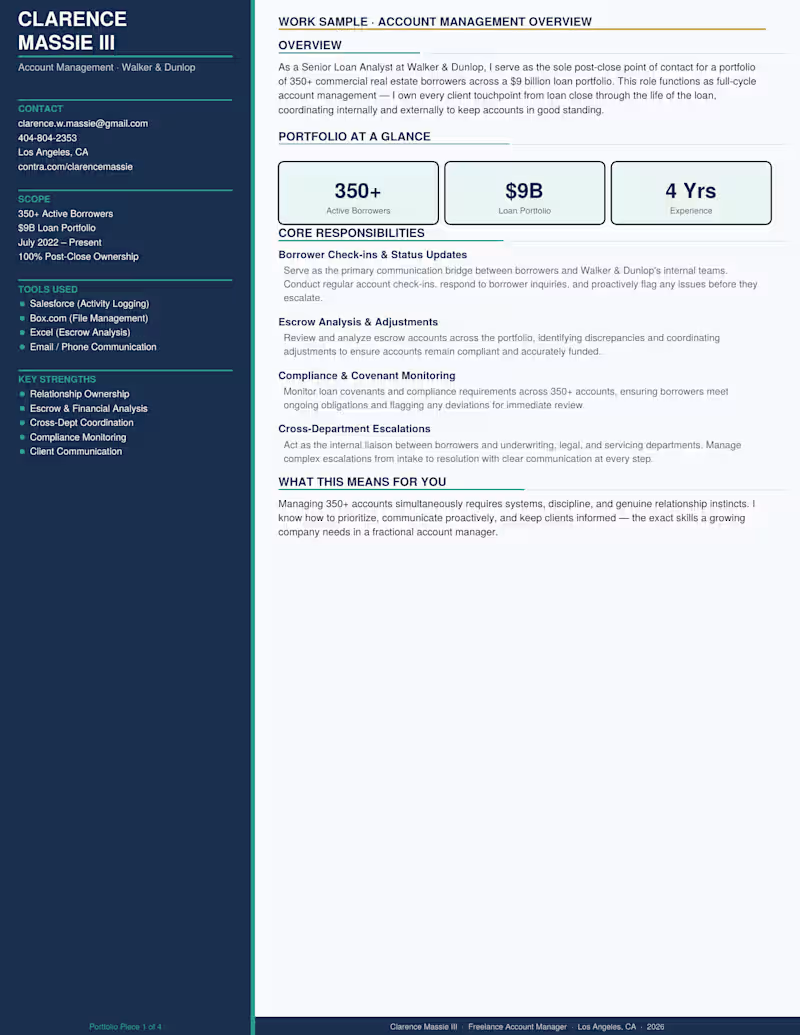
LA based AM keeping clients satisfied and coming back.
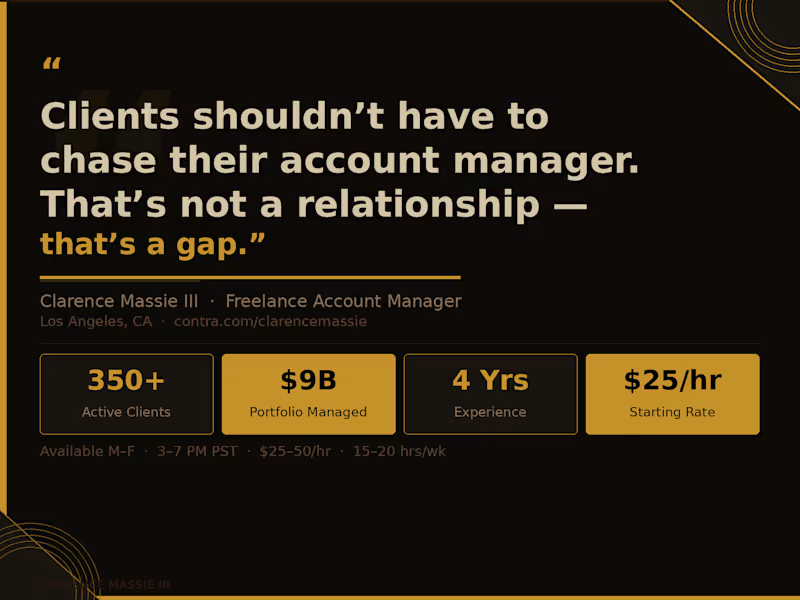
Client Account Management — Keeping Every Account Informed and Every Issue Resolved
This highlights my approach to account management and what it actually looks like in practice — not just the title, but the process behind it.
At the start of every week, I flag anything time-sensitive first. Deadlines, pending items, anything that needs attention before I can move on. Once those are addressed, I work through the rest of my accounts systematically — using a mix of CRM notes, logged activity, and my own familiarity with each client to know where things stand.
When something is unresolved, I don't go quiet. I send a short update so the client is never left wondering, and I loop in the right people internally before anything escalates. Clients shouldn't have to chase their account manager — that's not a relationship, that's a gap.
My focus is on clear, proactive communication and making sure nothing slips. Especially when things get complicated — that's when staying calm and direct matters most.
This reflects my ability to manage multiple accounts simultaneously without losing track of where any single one stands, and to show up as a resource clients can actually count on.
2
305
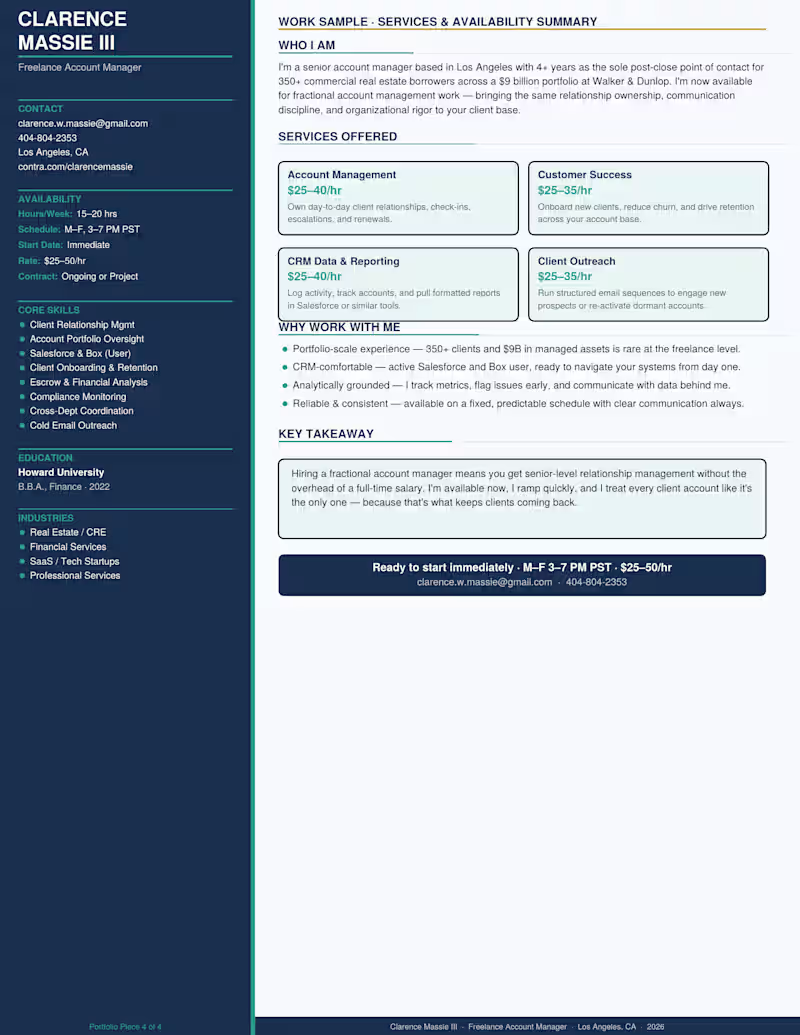
Full scope of the services I offer. If you have needs that are adjacent, but not listed and want to see if I am a good match, let's talk!
2
103

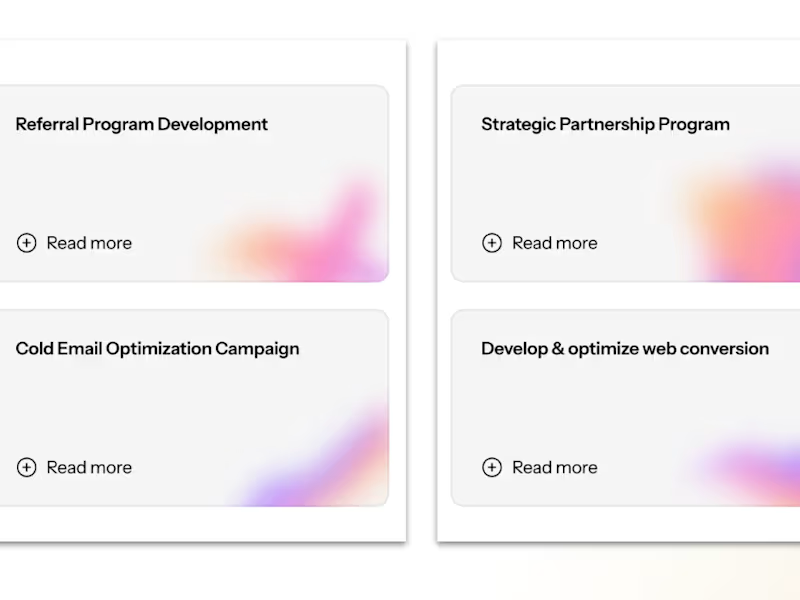
I help early-stage teams with growth (ktbconsults.com)
I help early-stage teams with growth (ktbconsults.com)

Copywriting Wizard
Copywriting Wizard





✨Graphic & Web Designer for Hire✨
✨Graphic & Web Designer for Hire✨




California CPA Accounting & Advisory
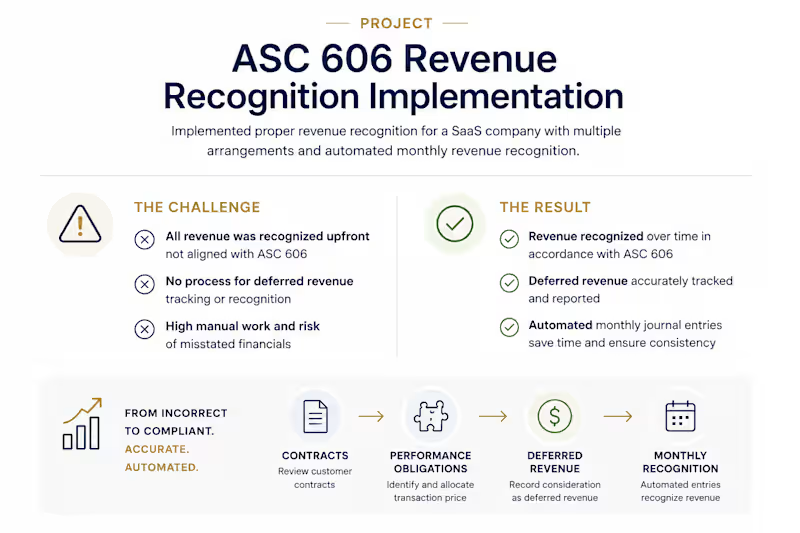
ASC 606 Revenue Recognition Implementation
Implemented a revenue recognition process for a SaaS company with multiple revenue arrangements. The project included analyzing performance obligations, establishing deferred revenue, and automating monthly journal entries to recognize revenue in accordance with ASC 606.
The result was more accurate revenue reporting, reduced manual work, and a consistent process for ongoing revenue recognition.
0
72
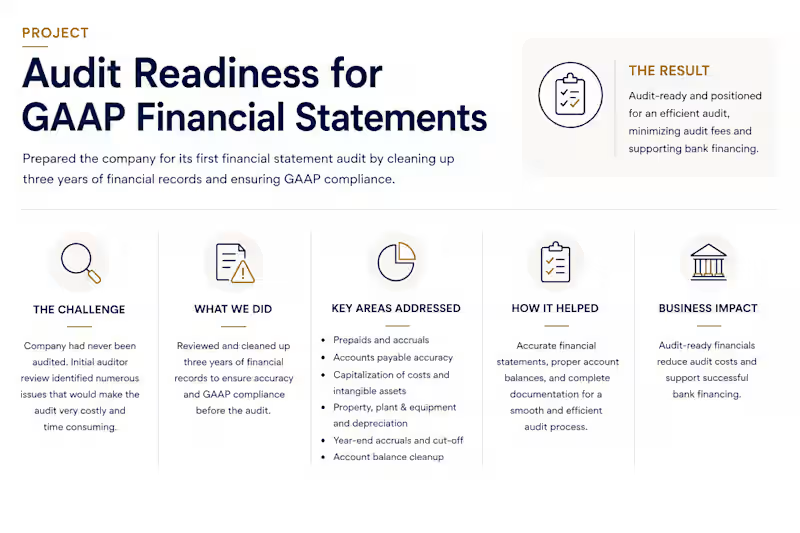
Audit Readiness for GAAP Financial Statements
Prepared a company for its first financial statement audit by reviewing and cleaning up three years of accounting records. The engagement included correcting account balances, prepaids, accruals, AP and year-end cutoff, capitalization of intangible assets and other costs, and PP&E and depreciation.
The goal was to establish accurate, GAAP-aligned financial records and supporting documentation before the audit, helping the company reduce unnecessary audit work and cost and move efficiently toward its financing objectives.
0
69
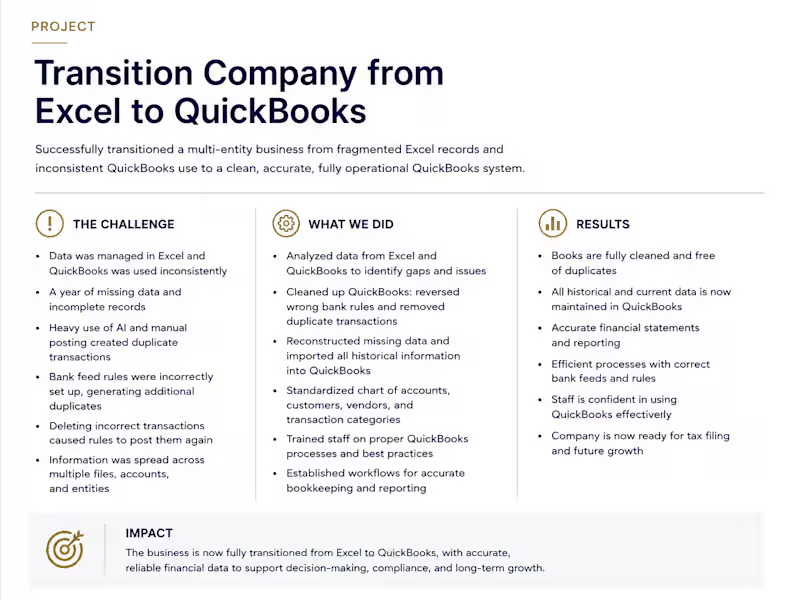
From Excel Chaos to Clean Books in QuickBooks
A comprehensive accounting cleanup and system transition for a multi-entity business that had historically maintained financial information across Excel and inconsistently used QuickBooks.
The challenge
Financial records were fragmented between Excel and QuickBooks, with a significant period of missing information. Manual posting, automated bank-feed activity, and improperly configured QuickBooks rules created duplicate transactions and recurring errors across multiple entities and accounts.
What I did
Mapped and reconciled historical information from Excel and QuickBooks.
Identified missing periods and reconstructed the necessary accounting records.
Reviewed and corrected improperly configured QuickBooks bank-feed rules.
Identified and eliminated duplicate transactions created through manual and automated posting.
Imported and organized historical information into QuickBooks.
Reconciled bank accounts and accounting records across multiple entities.
Established appropriate QuickBooks workflows and trained staff on proper processes.
Created procedures to maintain accurate books going forward.
Result
The business was fully transitioned from Excel-based records to QuickBooks, creating a centralized and reliable accounting system. Historical information was cleaned and reconciled, duplicate transactions were eliminated, and the company gained accurate financial records and reporting needed for ongoing operations, tax filing, and informed business decisions.
0
68
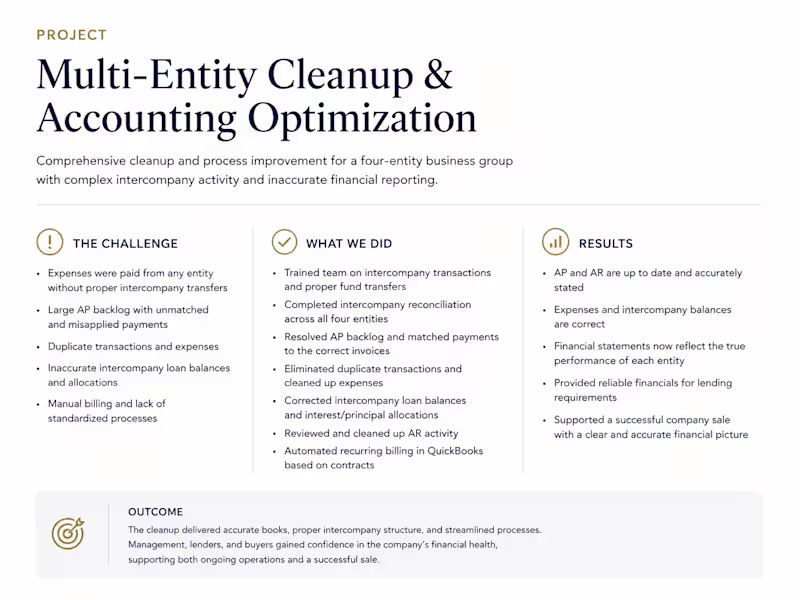
Multi-Entity Cleanup & Accounting Optimization
Project overview
Led a comprehensive accounting cleanup for a four-entity business group with complex intercompany activity, significant AP and AR issues, duplicate transactions, and inaccurate financial reporting.
The challenge
The entities were frequently paying each other’s expenses directly, without properly recording intercompany transfers. This created reconciliation problems, an AP backlog, duplicate expenses, and inaccurate intercompany balances. Manual billing processes also created unnecessary administrative work.
What I did
Established proper intercompany transaction procedures and trained accounting staff on the correct flow of funds between entities.
Completed a comprehensive intercompany reconciliation across all four entities.
Resolved a significant AP backlog by identifying payments made from other entities and matching them to the correct invoices.
Identified and eliminated duplicate transactions that had caused expenses to be overstated.
Corrected intercompany loan balances and the allocation of interest and principal.
Reviewed and cleaned up AR activity.
Automated recurring billing in QuickBooks based on contractual terms.
Trained staff on maintaining proper intercompany accounting going forward.
Results
The cleanup brought AP and AR up to date and improved the accuracy of the financial statements. Expenses and intercompany balances were properly stated, giving management a reliable picture of the financial position and operating performance of each entity.
The improved financial reporting also supported the company during a sale process and provided lenders and prospective buyers with greater confidence in the accuracy and financial health of the business.
0
73