


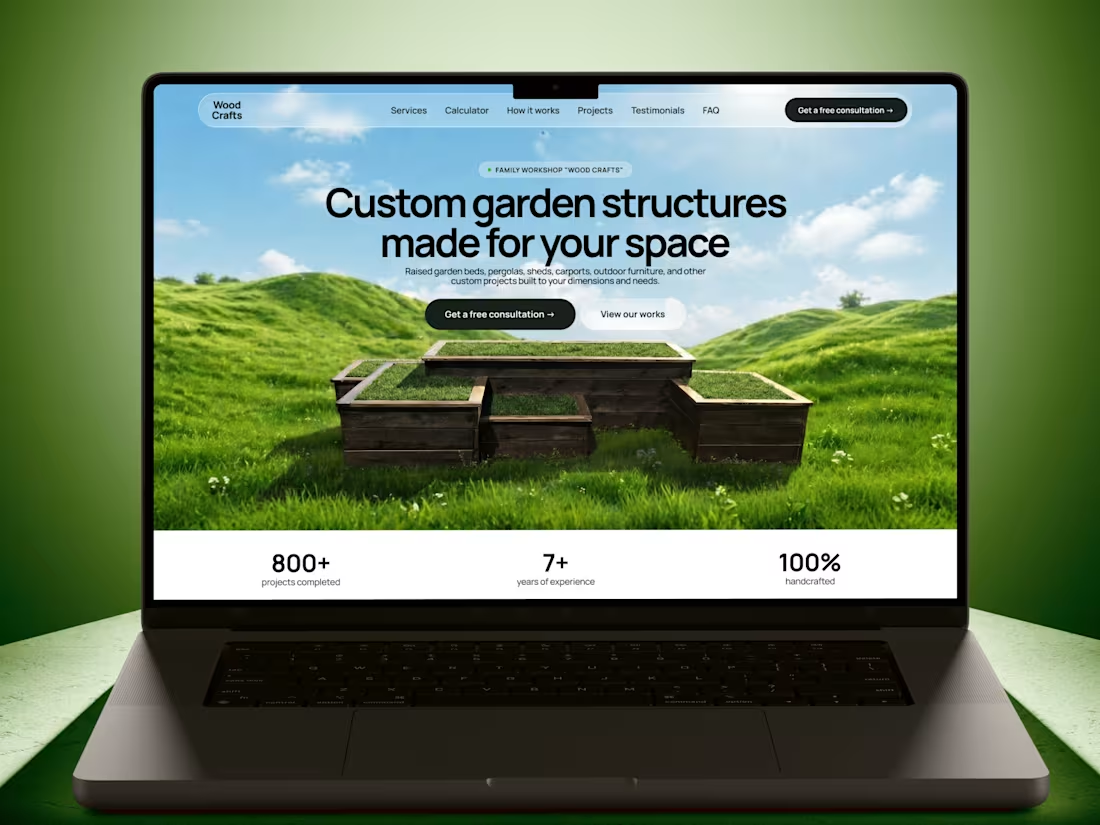
🌿 WoodCrafts — from scattered inquiries to a unified lead system
WoodCrafts is a family-owned workshop building raised garden beds, pergolas, garden sheds, and fences for homeowners.
The problem.
The business ran almost entirely on Facebook. Inquiries came through comments, Messenger, Telegram, Viber, and phone calls, with no single place to track leads. Customers had no way to browse past projects, estimate pricing, or get quick answers — every question went straight to the owner, including the same pricing question asked repeatedly.
The solution.
I designed the experience in Figma and built a fully responsive, live website with Base44, including:
✔️ A project portfolio replacing scattered Facebook posts, showing real completed work
✔️ A pricing calculator that instantly estimates cost for standard raised garden beds by dimensions and materials
✔️ An AI assistant trained on real customer questions about materials, durability, delivery, and custom orders, which hands off to direct contact when a question needs a personal consultation
✔️ A consultation request form for custom projects
The automation.
Consultation requests submitted on the site are automatically delivered to Telegram with full customer and project details — replacing manual tracking across five separate channels with one organized stream of leads.
Why it matters.
This is a real, operating business with a real bottleneck: too many channels, too much repeated manual work. The new system gives the owner a single place to receive and act on leads, and gives customers a faster way to get the information they need before reaching out.
Built with Figma and Base44, designed and shipped as a live product for a real client.
Before. Facebook page:
https://www.facebook.com/woodcraftsua
After. Project Link:
https://wood-crafts-ua.base44.app/
🎥 Watch the demo video to see the full design process, tools used, and how the project was built from idea to interactive prototype
Demo Video (the same as attached): https://drive.google.com/file/d/1T4DTrNSOPLiorc8rzuOTLHkmG_WBciw_/view?usp=sharing
If you enjoyed this project, I would appreciate your support ❤️
———
Social Media Post: https://www.linkedin.com/posts/derhachova-diana_base44giveitaglowchallenge-giveitaglow-share-7482313375461376000-vpJj/?utm_source=share&utm_medium=member_desktop&rcm=ACoAADYPewEB3zdRqYcgpmF1CXhkWmZ1it4tzzY
#base44giveitaglowchallenge @Base44
57
75
3.9K
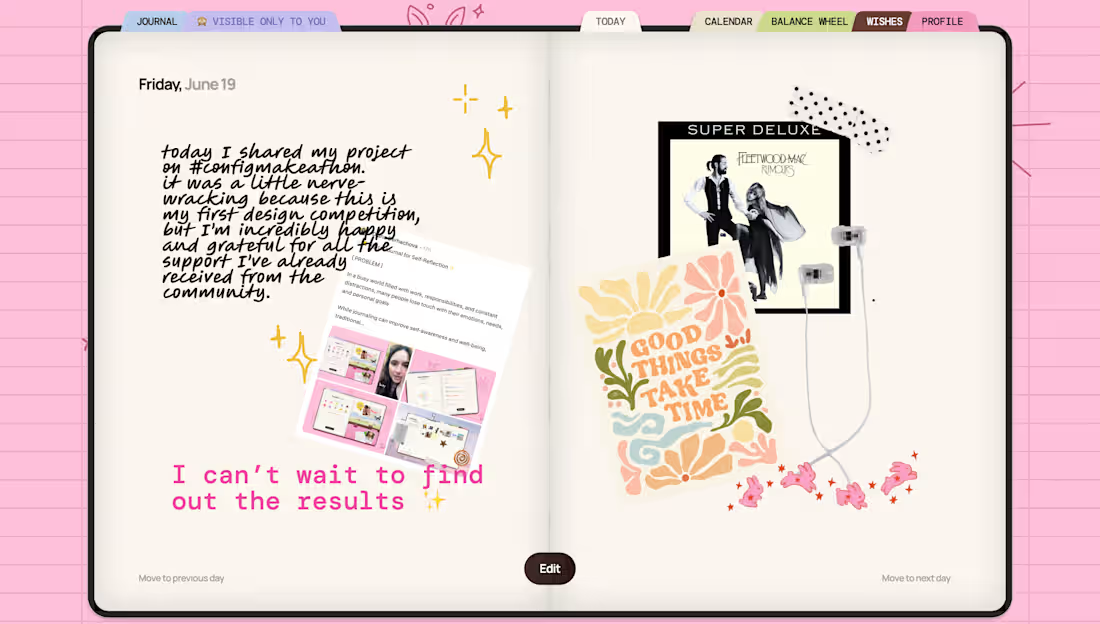
Hello everyone! I’ve decided to challenge myself: I’ll be sharing my completed journal every day until the results are announced. ✨📖
Let’s see if I can stay consistent until the very end. A little reminder: you can try out and support my project using the link below.
https://on.contra.com/pPwW9k
Every like, comment, share, and piece of feedback means a lot to me! 💙
You’re welcome to join the challenge as well! 🌿 Share your journal screenshots in the comments — I’d love to see what you’re creating.
9
24
1.3K
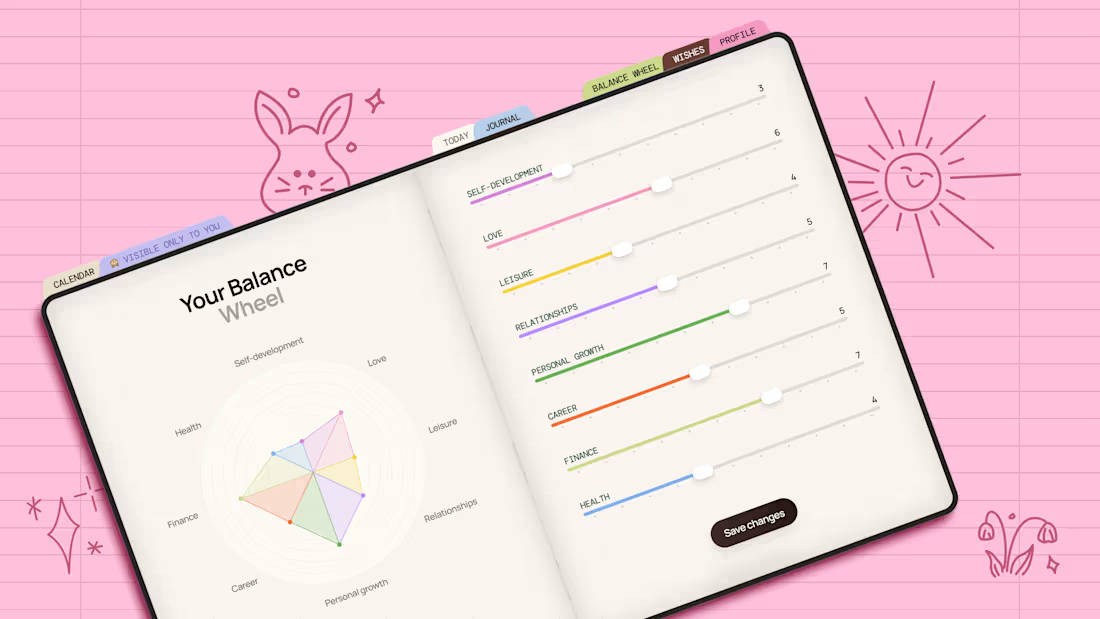
🫧📒 Digital Journal for Self-Reflection ✨
[ PROBLEM ]
In a busy world filled with work, responsibilities, and constant distractions, many people lose touch with their emotions, needs, and personal goals
While journaling can improve self-awareness and well-being, traditional journals are not always practical to use every day
[ SOLUTION ]
I created Digital Journal that makes self-reflection simple and accessible
The app helps users:
💎 Track mood and energy
💎 Reflect on daily experiences
💎 Practice gratitude
💎 Capture thoughts, memories, and dreams
💎 Build greater self-awareness over time
The goal was to combine the convenience of digital tools with the warmth of a scrapbook-style journal
[ TOOLS TESTED ]
During the Makeathon, I explored and tested:
✔️Claude + Figma MCP for generating initial wireframes
✔️Figma AI Agent for early concept exploration and wireframing
✔️Figma for core pages visual design
✔️Figma Make for building and testing the interactive prototype
Project Link: https://aroma-clover-93652527.figma.site
Work File: https://www.figma.com/make/Ti7gPzCXmvbVEfj5jsvjiF/Personal-Digital-Planner--Community-?t=TgTduirzSMXd618r-1
Figma Community Link: https://www.figma.com/community/file/1649625465628837700/personal-digital-planner-community
🎥 Watch the demo video to see the full design process, tools used, and how the project was built from idea to interactive prototype
Demo Video (the same as attached): https://drive.google.com/file/d/16Bvwa4M9g3-vPlygg6ljnqOPhMV69cvV/view?usp=sharing
If you enjoyed this project, I would appreciate your support ❤️
———
Social Media Post: https://www.linkedin.com/posts/derhachova-diana_configmakeathon-configmakeathon-share-7473565840769216512-iuza/?utm_source=share&utm_medium=member_desktop&rcm=ACoAADYPewEB3zdRqYcgpmF1CXhkWmZ1it4tzzY
85
101
3.3K
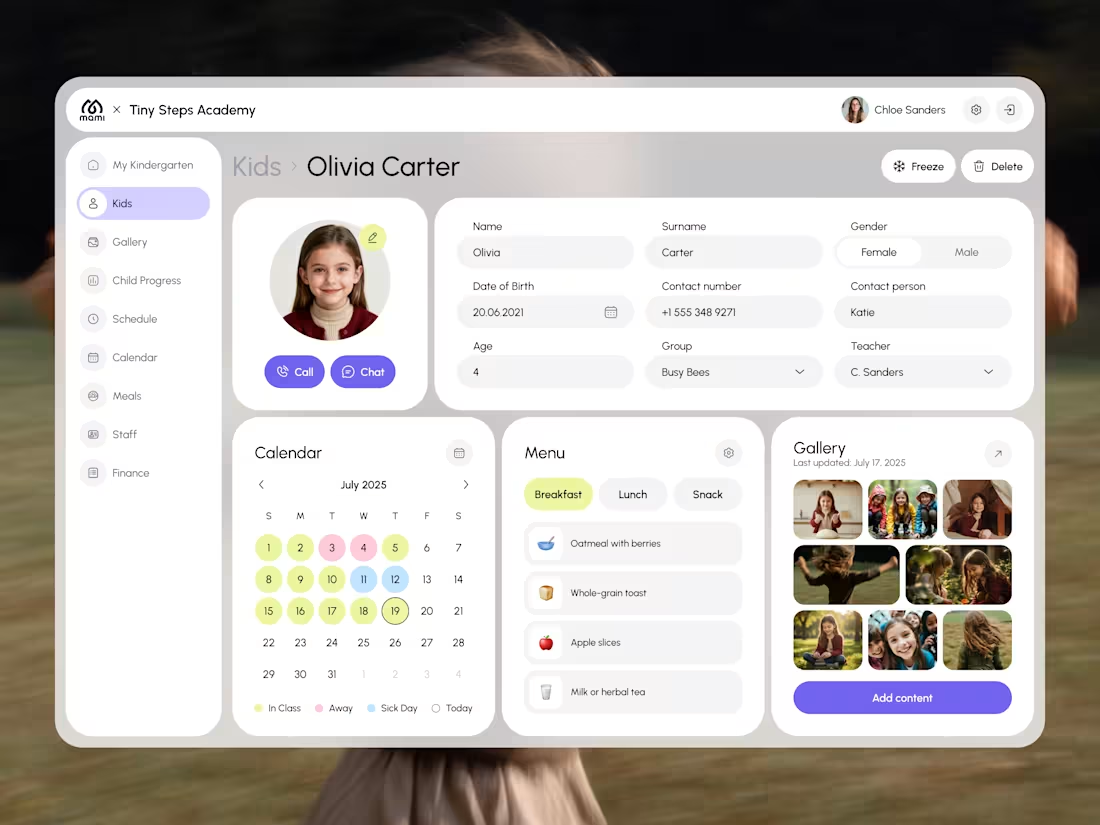
Kindergarten Management Dashboard
1
20
809