The network for creativity
Join 1.25M professional creatives like you
Connect with clients, get discovered, and run your business 100% commission-free
Creatives on Contra have earned over $150M and we are just getting started
Back to feedPost
Most dashboards show data.
But admins don’t want “only data”…
They want clarity and control.
So I designed this admin dashboard with one goal:
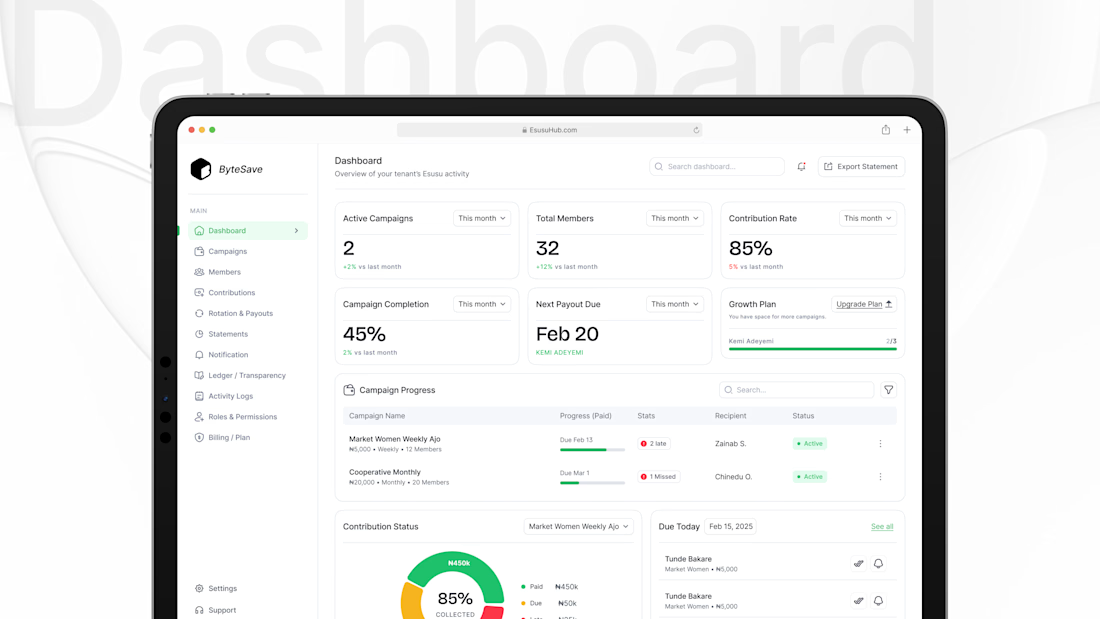
Let a coordinator know what’s happening in 5 seconds and what to do next.
1) Start with the health metrics (top cards)
At a glance, you can see:
Active campaigns
Total members
Contribution rate
Campaign completion
Next payout due
No digging. No guessing.
2) Make “Next payout” impossible to miss
Because in rotation savings, payout timing is everything.
It’s the most anxiety-triggering part of the systemso it gets priority.
3) Progress table = operations view
The “Campaign Progress” table answers the admin’s daily questions:
Which campaign is active?
Who is late / missed?
Who is the recipient?
What’s the status?





Good work

Thank you for the feeback, it is well appreciated
The network for creativity
Join 1.25M professional creatives like you
Connect with clients, get discovered, and run your business 100% commission-free
Creatives on Contra have earned over $150M and we are just getting started
Related posts

E-learning mobile app screen timelapse from wireframe to final screen design
👉 Duplicate the Figma file for free here: https://learning.atheros.ai/figma-components/e-learning-app-home-screen

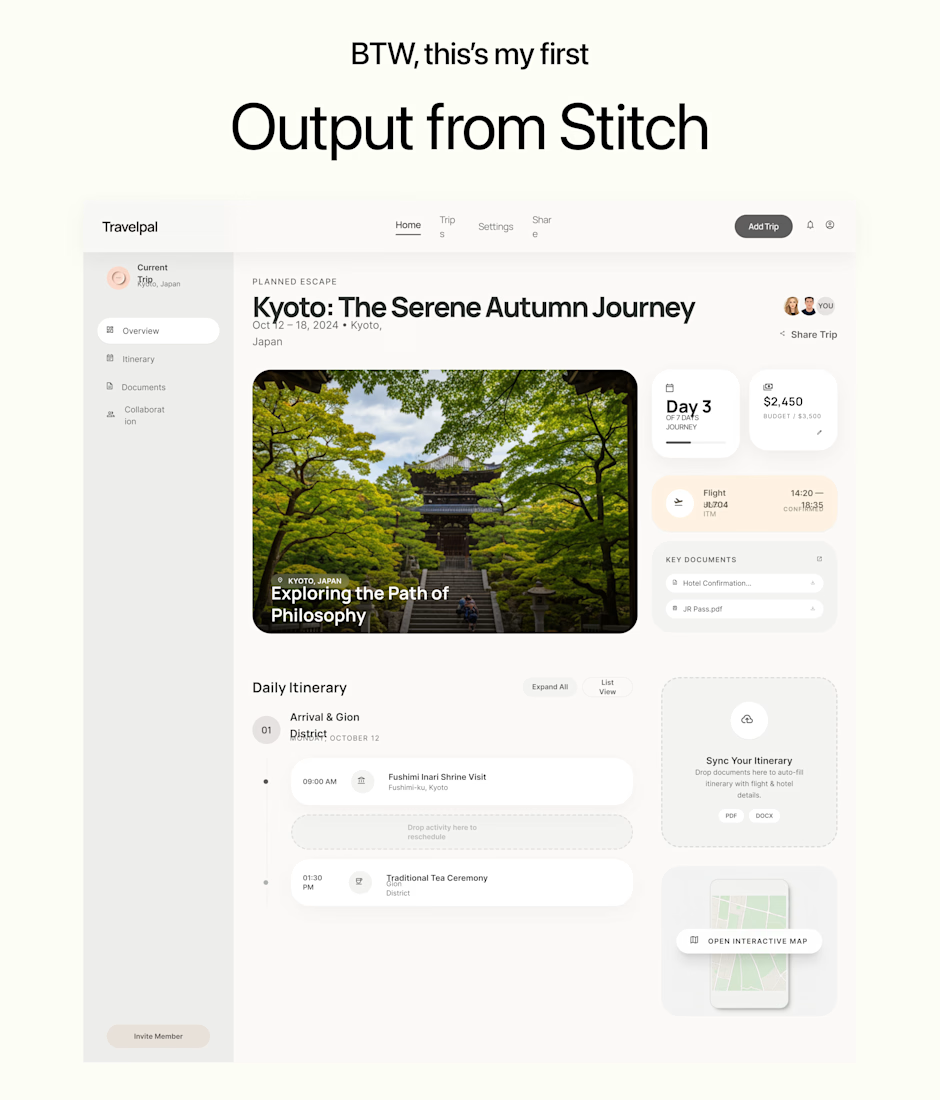
Google Stitch — A Designer's Honest Take (Part 1/2)
Google just launched an AI design tool. But is it actually useful for designers, or just another pretty demo?
I tested it. Here's what genuinely impressed me. 👇
✅ What Works
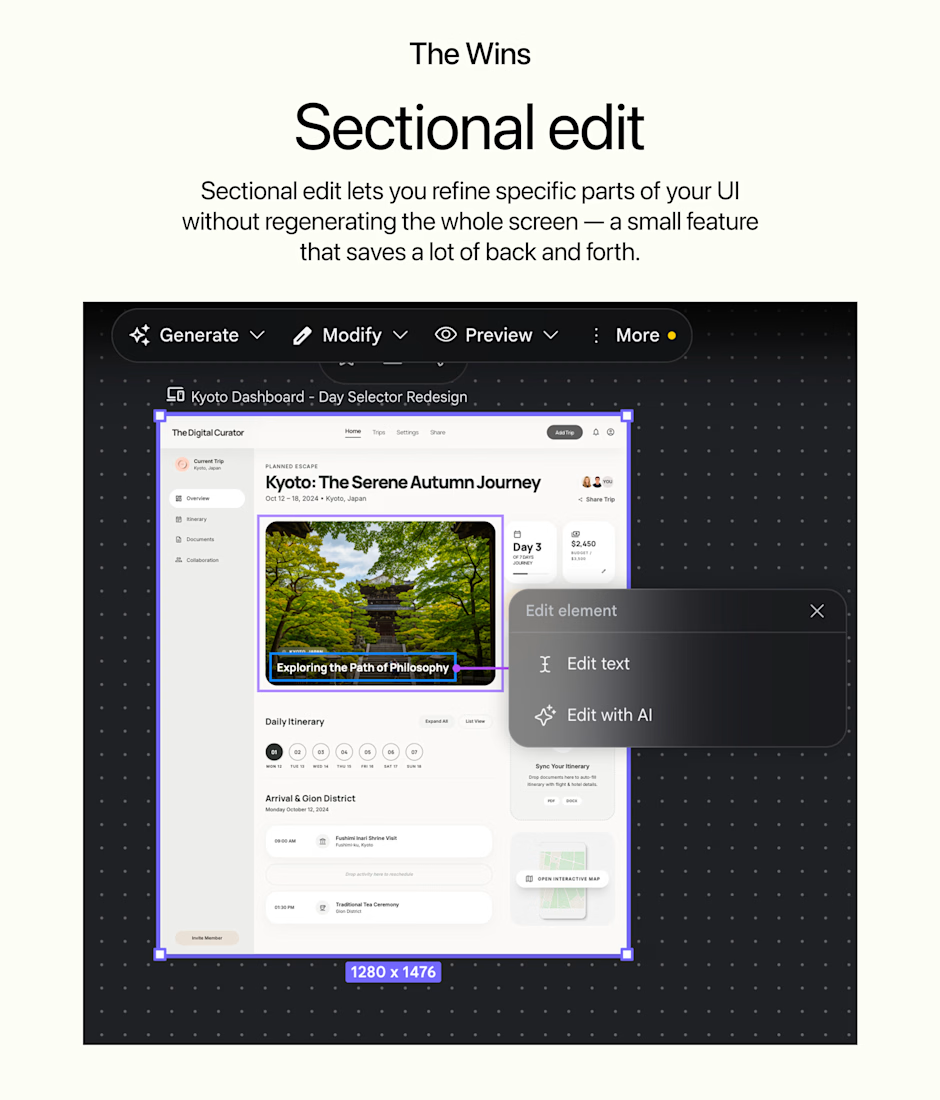
🟡Sectional edit
🟡Set your own theme
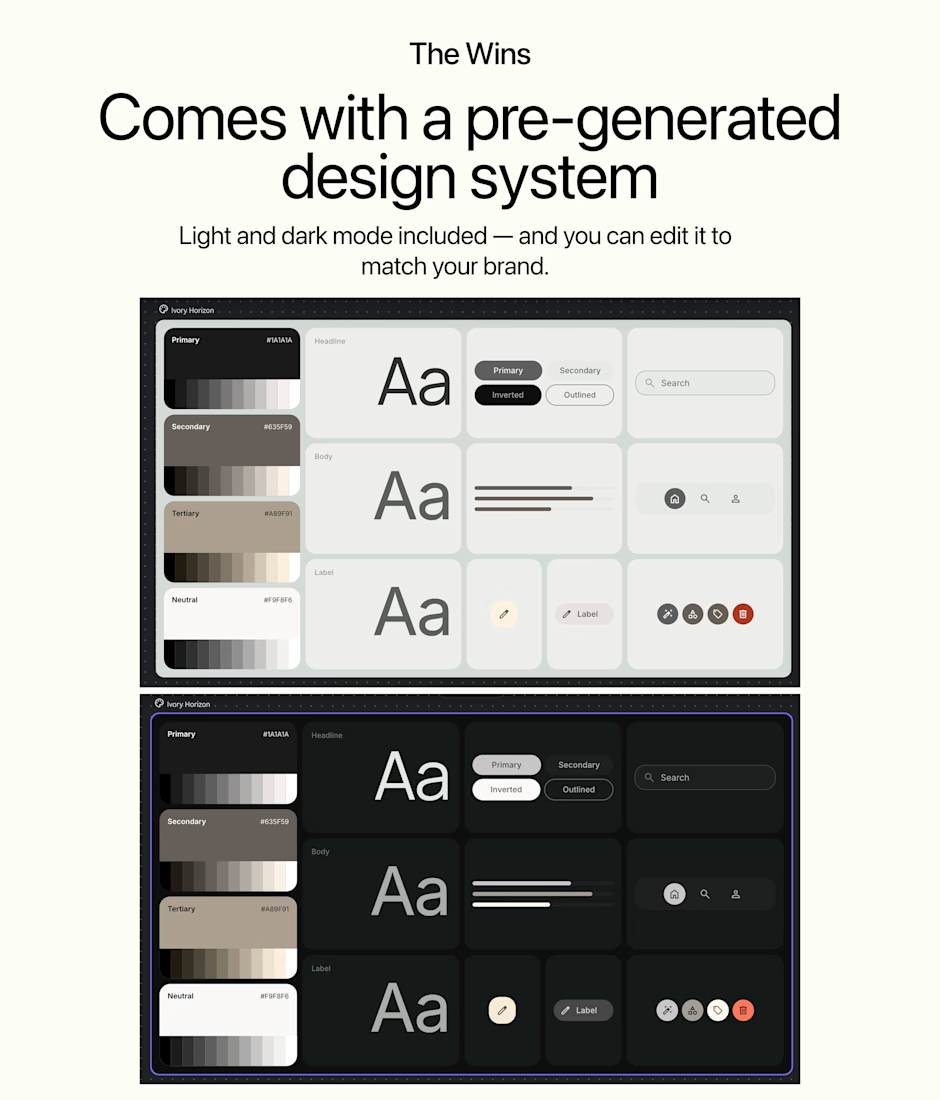
🟡Pre-generated design system
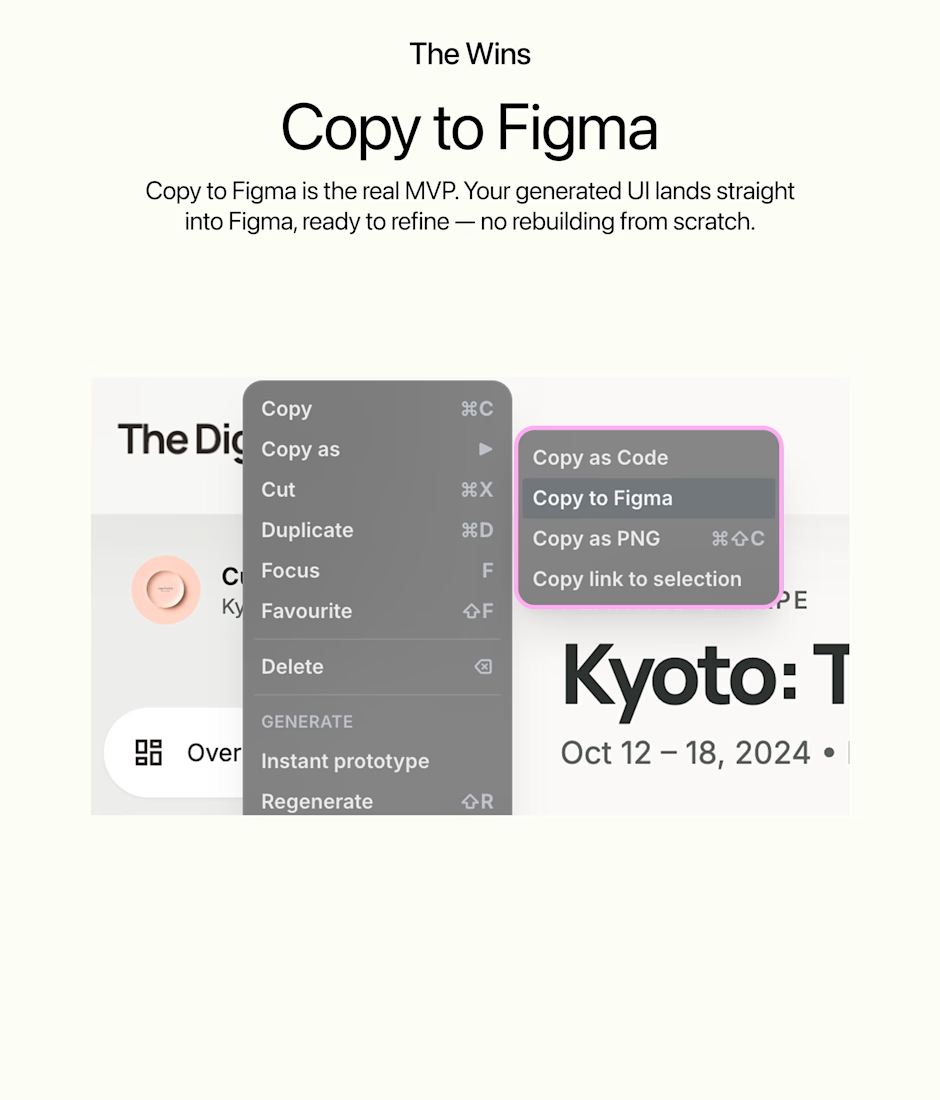
🟡Copy to Figma
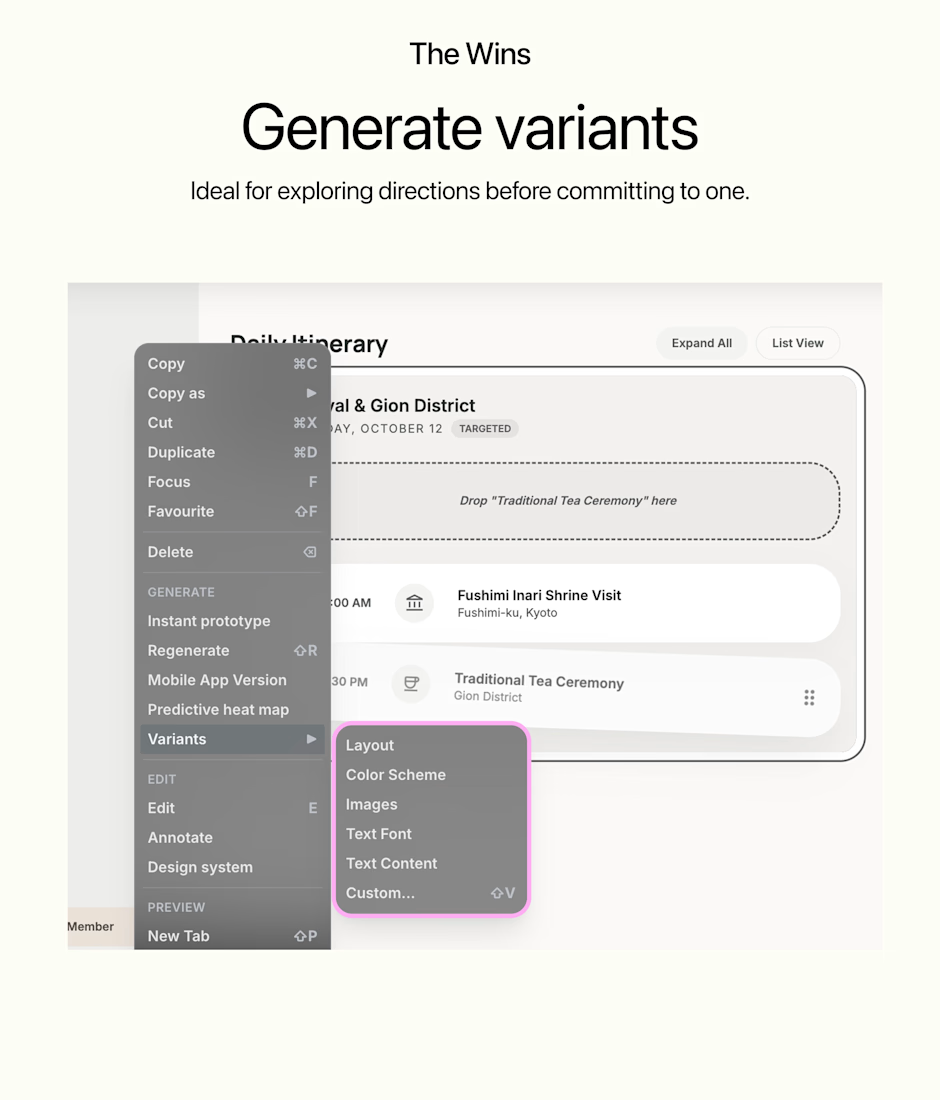
🟡Generate variants in seconds
Part 2 coming — where Stitch falls short. 👀

This breakdown is so useful. The sectional edit feature alone makes it worth testing
Google Stitch — A Designer's Honest Take (Part 2/2)
Last time I covered what works. Now the honest part. 👇
❌ The Gaps
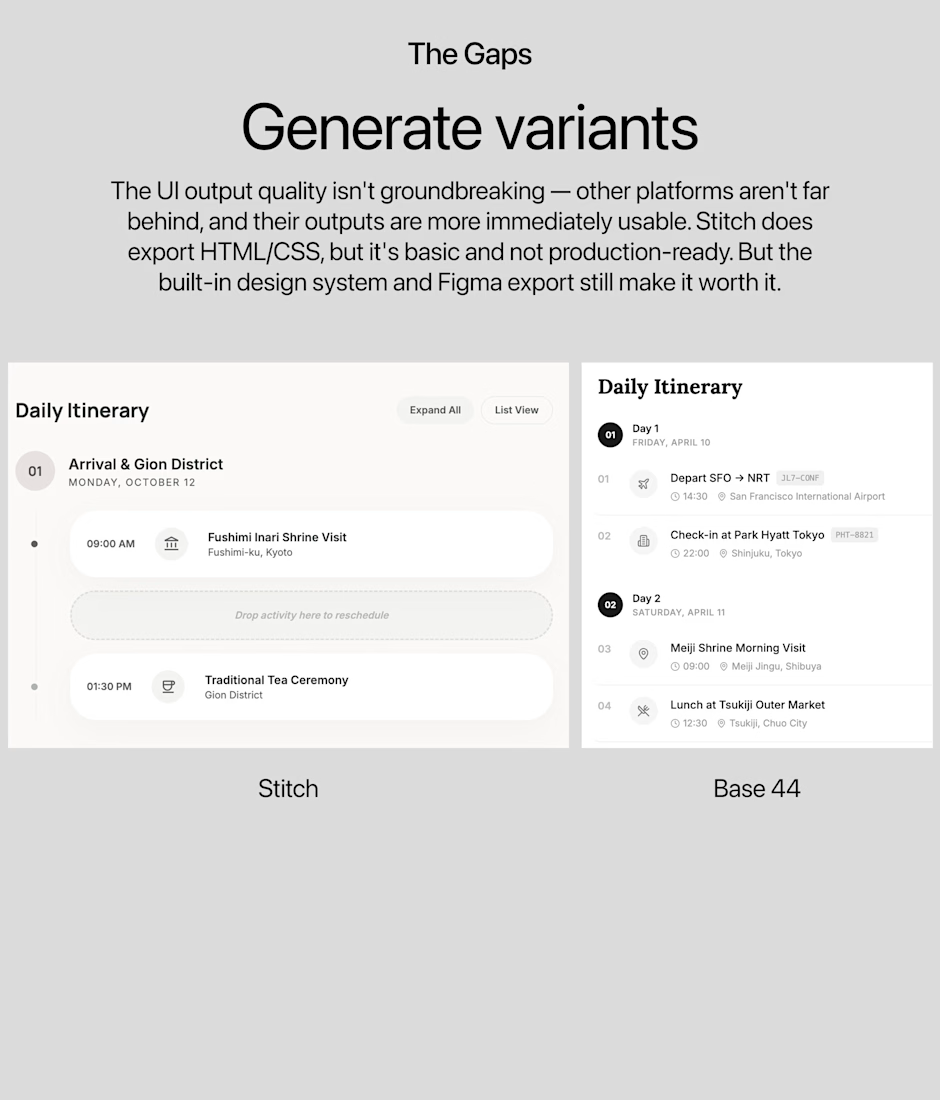
UI output quality isn't groundbreaking
Other platforms aren't far behind, and their outputs are more immediately usable beyond just visuals. Stitch only generates UI, the HTML/CSS export exists, but it's basic and not production-ready.
So who is this actually for?
Stitch isn't trying to replace designers, and it's not quite ready to hand developers production code either. It sits in a sweet spot: rapid ideation with a real design system behind it.
If you're a freelance designer, this shaves hours off early-stage concepting and client presentations. If you're a developer hoping to skip the design phase entirely — not yet.
Threat? No.
Tool? Yes, if you know where to use it.
















Trending


Notion
Notion isn’t just where you work, it’s starting to work for you. What agents are you building?
portfolioreview
The best portfolios tell a story, not just show a grid. Share yours for feedback.
brandguidelines
Brand guidelines are becoming living systems, not static documents. What are you building for your clients?
aivideo
AI video tools are moving at warp speed. Which ones are you experimenting with?
freelancerlife
Freelancer life is wins, pivots, and everything in between. What’s yours right now?