The network for creativity
Join 1.25M professional creatives like you
Connect with clients, get discovered, and run your business 100% commission-free
Creatives on Contra have earned over $150M and we are just getting started
Back to feedPost

Stop paying for multiple AI subscriptions. Here's a smarter workflow.
One thing I've learned over the past few months is that you don't always need ChatGPT Pro, Claude Pro, Gemini Advanced, or other premium AI plans to get serious work done.
There are several powerful free AI models available today. The trick is knowing how to use them efficiently.
In this video, I show how I use multiple free AI models directly inside VS Code to:
Build full-stack web applications
Perform data analysis
Automate repetitive tasks
Debug and generate code faster
Stay productive without relying on a single model
When one model reaches its free usage limit, I simply switch to another and continue working. It's a practical workflow that has helped me save money while maintaining productivity.
If you're a developer, data analyst, data scientist, or AI enthusiast, this approach is definitely worth trying.
🎥 Check out the video and let me know what you think.
What AI tools are part of your daily workflow?
#ArtificialIntelligence #AI #VSCode #SoftwareDevelopment #WebDevelopment #FullStack #DataAnalysis #DataScience #Automation #MachineLearning #Coding #Programming #DeveloperTools #Productivity #OpenAI #Claude #Gemini #TechTips


The network for creativity
Join 1.25M professional creatives like you
Connect with clients, get discovered, and run your business 100% commission-free
Creatives on Contra have earned over $150M and we are just getting started
Related posts

Introducing PUNCH IT! 🎉
I'm so excited to share my final submission to the #ConfigMakeathon !!
The prompt was to create something that improves your life, community or world.
As an early career designer heading to Config next week, what I needed to improve was my networking anxiety 😅
So I built PUNCH IT! A digital business card that rewards networking.
When someone opens it, they get your contact info, portfolio, and LinkedIn.
Then they stamp it...anonymously, or with their own info for a future coffee chat.
Every stamp represents a real person you connected with.
If you want to be competitive, you can also collect cards from other people and add them to your collection (which is ranked based on number of punches 🫢)
The best part is that the app itself is the icebreaker. Asking someone to punch your card is a reason to talk.
It reframes networking from something you have to survive into something that actually feels like progress.
I started with sketches, built it out in Figma Make with a Supabase backend, and went through 126 versions before landing on the final version.
All in time for Config 2026, my first ever design conference!
You can make your own card at the live link below or leave a punch on MY card here: https://punch-it.figma.site/c/8arwxh
Can't wait to connect with you!
✅ Live link: https://punch-it.figma.site
📲 Social link: https://www.linkedin.com/posts/maryeclements_configmakeathon-figma-contra-ugcPost-7473027777584267264-WtMW/?utm_source=share&utm_medium=member_desktop&rcm=ACoAAEEfsIIB1ZgbLf3qNeFmUghCBeAvnEOC7dg
🫂 Community link: https://www.figma.com/community/file/1648802520809084837/punch-it-demo
👩💻 Working project file: https://www.figma.com/make/bQSiFiqqWslB3ObBKFSaG0/PUNCH-IT--_-Config-Makeathon?t=eQASFnxUZjnnnOli-1
** Some extra features not mentioned in the walkthrough
- only you can edit / delete punches on your own card
- As long as you sign in on the same device you made the account with, you'll be signed in automatically!
- Designed for mobile, but works on desktop as well




this is so smart!

Hi creatives! 🐻
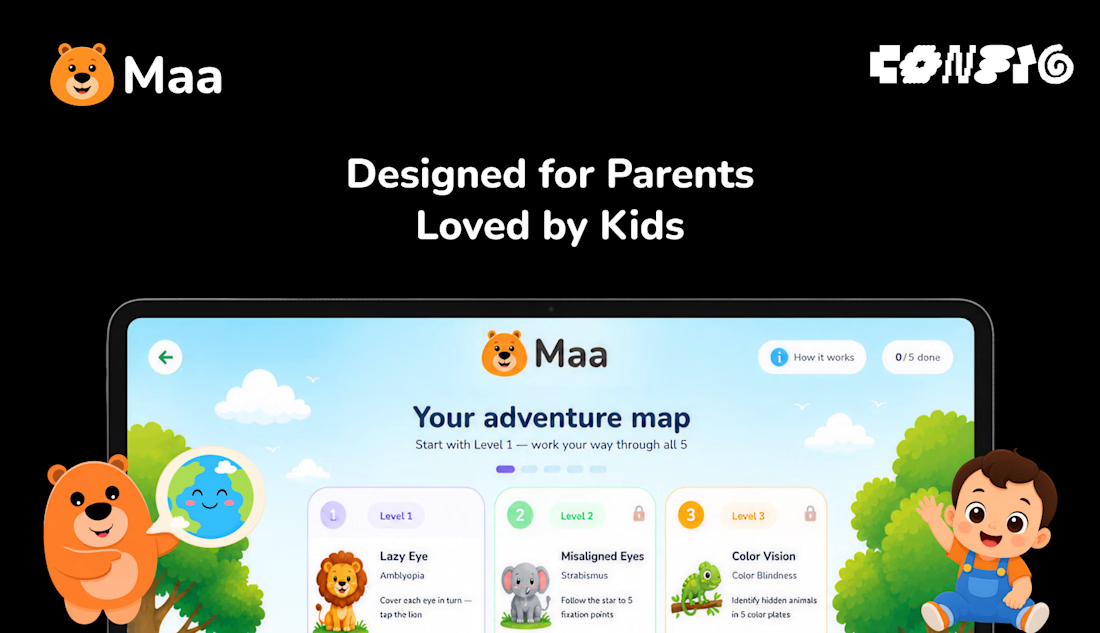
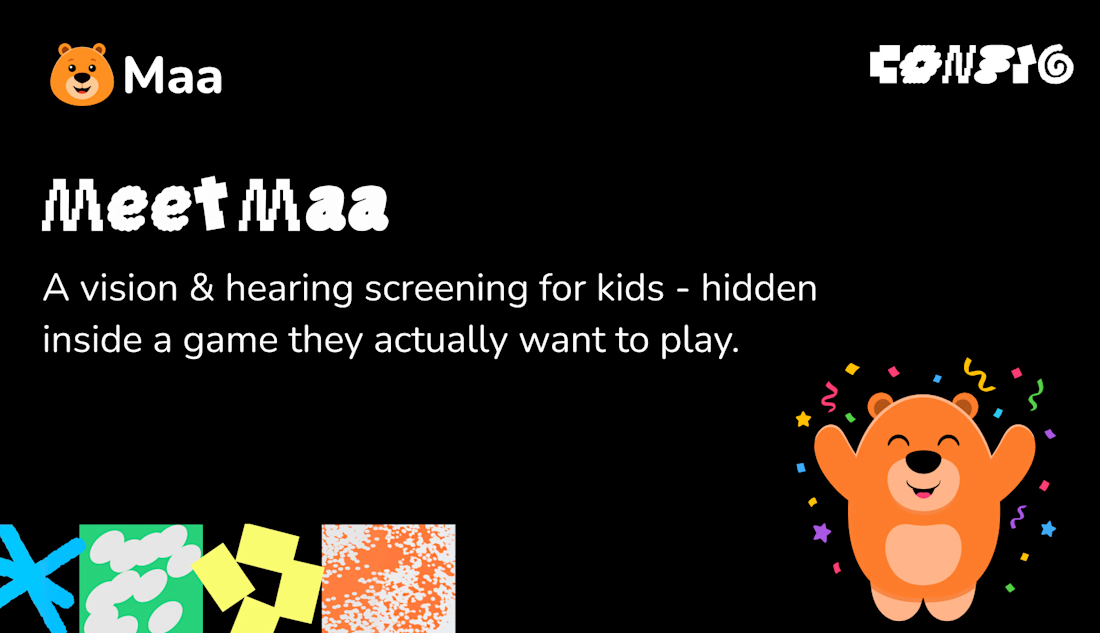
For #ConfigMakeathon, I built Maa - a free vision & hearing screening for children, hidden inside a game.
Here's the problem: most childhood vision and hearing issues are treatable - but only if caught before age seven. After that, the window quietly closes. Yet screening means a specialist, a cost, a city. So millions of children are never checked in time.
Maa changes that. A child plays five simple games – covering one eye like a pirate, tapping a lion, listening for animals – while their eyes and ears are gently checked. Any device. Three minutes. In their language.
At the end, a clear report: what we noticed and what to ask a doctor. A screening, never a diagnosis - but often, a beginning.
One choice shaped everything: no camera measurement. Because a test must work the same on a cheap device as an expensive one. Every child, screened equally.
Designed with Figma agents, illustrated with Figma AI, and built entirely in Figma Make.
See early. See the future. 🐻
Project Link:
https://limb-flock-48563307.figma.site
#configmakeathon


Amazing

I built an automated lead generation system using Make.com that finds businesses on Google Maps and extracts their emails, completely automatically.
Here's exactly how it works:
🗺️ Connects to Google Maps API and searches any industry in any location
📊 Creates a Google Sheet automatically and populates it with business names and websites
📧 Makes HTTP requests to each website and extracts email addresses using AI
✅ Ignores errors automatically and moves to the next lead
⏰ Can be scheduled to run every 15 minutes on autopilot
I ran it live and it found 50 marketing agencies in Bangkok with their emails, automatically.
Any industry. Any location. Anywhere in the world.
As long as the business is on Google Maps, this finds them.
Check out my Linkedln to learn more: https://www.linkedin.com/in/daniel-oluwafikayomi-famuyiwa-268a2a3a6/
Video below 👇
#AIAutomation #LeadGeneration #MakeCom #NoCode #EmailMarketing #BusinessAutomation #WorkflowAutomation #SalesAutomation #AITools #DigitalMarketing



This is a nice build. Wonderful seeing automation guys here












Trending

Claude
Claude has entered the design space. How are you using Claude Design?

Contra University
Learn from expert creatives how to earn more using next-gen AI tools.

MagicPath
The canvas is infinite, and exploration is becoming the workflow. How are you using MagicPath?
creativeaiflow
Creative AI workflows are evolving. What tools do you use, and what are their strengths and weaknesses?
freelancerlife
Freelancer life is wins, pivots, and everything in between. What’s yours right now?