The network for creativity
Join 1.25M professional creatives like you
Connect with clients, get discovered, and run your business 100% commission-free
Creatives on Contra have earned over $150M and we are just getting started
Back to feedPost

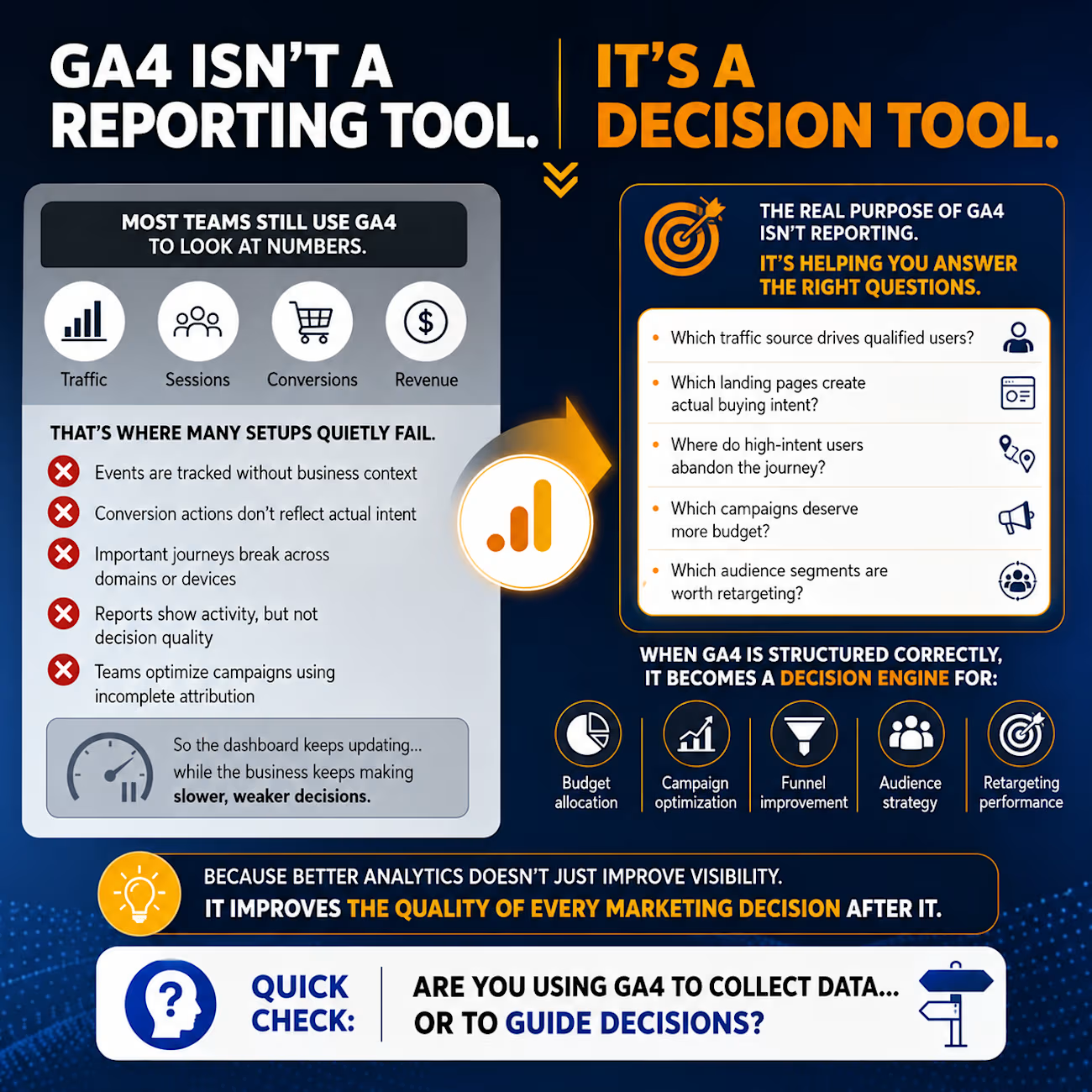
GA4 isn't a reporting tool.
It's a decision tool.
⇣
Most teams still use GA4 to look at numbers.
Traffic.
Sessions.
Conversions.
Revenue.
But GA4 becomes truly valuable when it starts influencing decisions.
That’s where many setups quietly fail.
⨭ Events are tracked without business context
⨭ Conversion actions don’t reflect actual intent
⨭ Important journeys break across domains or devices
⨭ Reports show activity, but not decision quality
⨭ Teams optimize campaigns using incomplete attribution
So the dashboard keeps updating…
while the business keeps making slower, weaker decisions.
The real purpose of GA4 isn’t reporting.
It’s helping you answer questions like:
• Which traffic source drives qualified users?
• Which landing pages create actual buying intent?
• Where do high-intent users abandon the journey?
• Which campaigns deserve more budget?
• Which audience segments are worth retargeting?
When GA4 is structured correctly,
it becomes a decision engine for:
• Budget allocation
• Campaign optimization
• Funnel improvement
• Audience strategy
• Retargeting performance
Because better analytics doesn’t just improve visibility.
It improves the quality of every marketing decision after it.
Quick check:
Are you using GA4 to collect data…
Or to guide decisions?

The network for creativity
Join 1.25M professional creatives like you
Connect with clients, get discovered, and run your business 100% commission-free
Creatives on Contra have earned over $150M and we are just getting started
Related posts

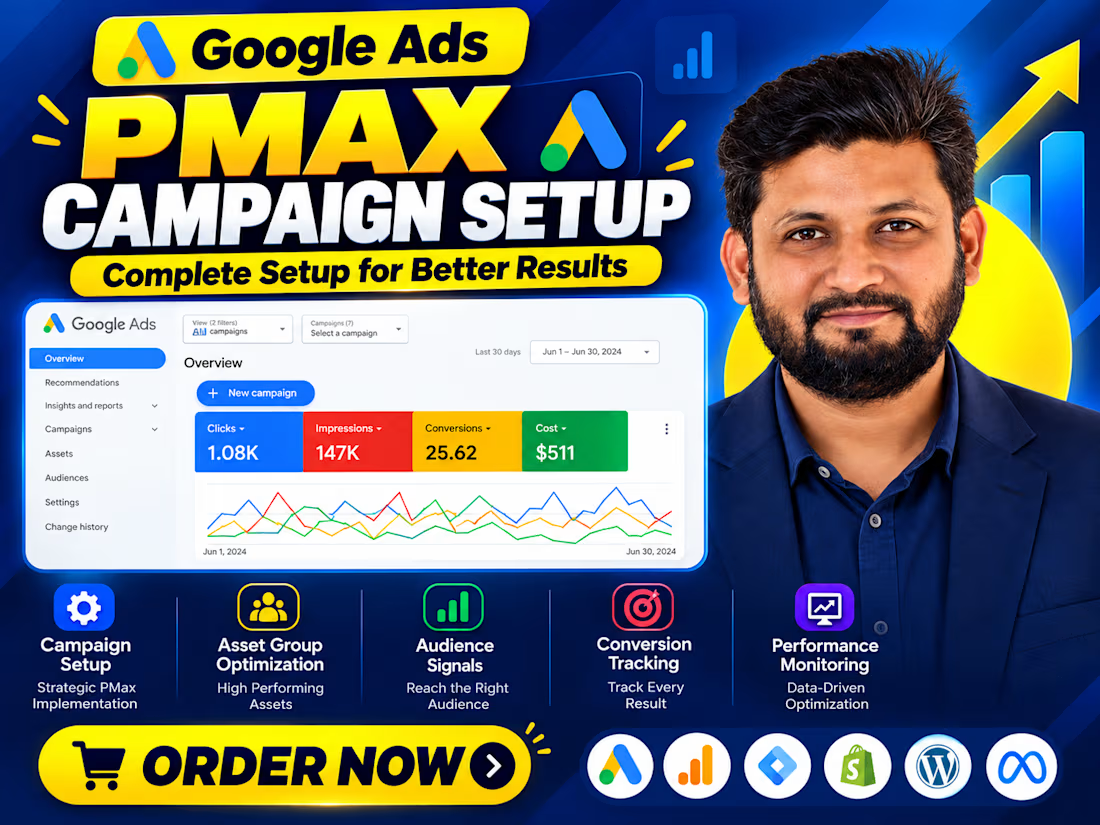
Your Performance Max campaign is spending money. But is it driving real business growth?
Google Ads Performance Max can reach potential customers across Google's channels. But broader reach alone doesn't guarantee better results.
The real challenge is giving the campaign the right signals.
Before scaling, I focus on three things:
→ Conversion Tracking: Are we measuring genuine leads, purchases, and meaningful actions accurately?
→ Campaign Signals: Are conversion goals, audience signals, assets, and product data aligned with business objectives?
→ Performance Quality: Are conversions turning into qualified leads, paying customers, and revenue?
A campaign can report more conversions while business results remain unchanged. That's why tracking quality and downstream outcomes matter.
I'm Sumon Mahmud, a Google Ads and Conversion Tracking Specialist. I help businesses connect campaign optimization with reliable measurement and better marketing decisions.
Need help auditing or optimizing your Performance Max campaign?
Let's discuss your goals.
Visit https://itsumon.com/
#GoogleAds #PerformanceMax #ConversionTracking #PPC #DigitalMarketing


"More conversions, same business results" is the PMax story in one line. In your audits, do creative assets move the needle as much as tracking quality, or is tracking still the bigger lever?

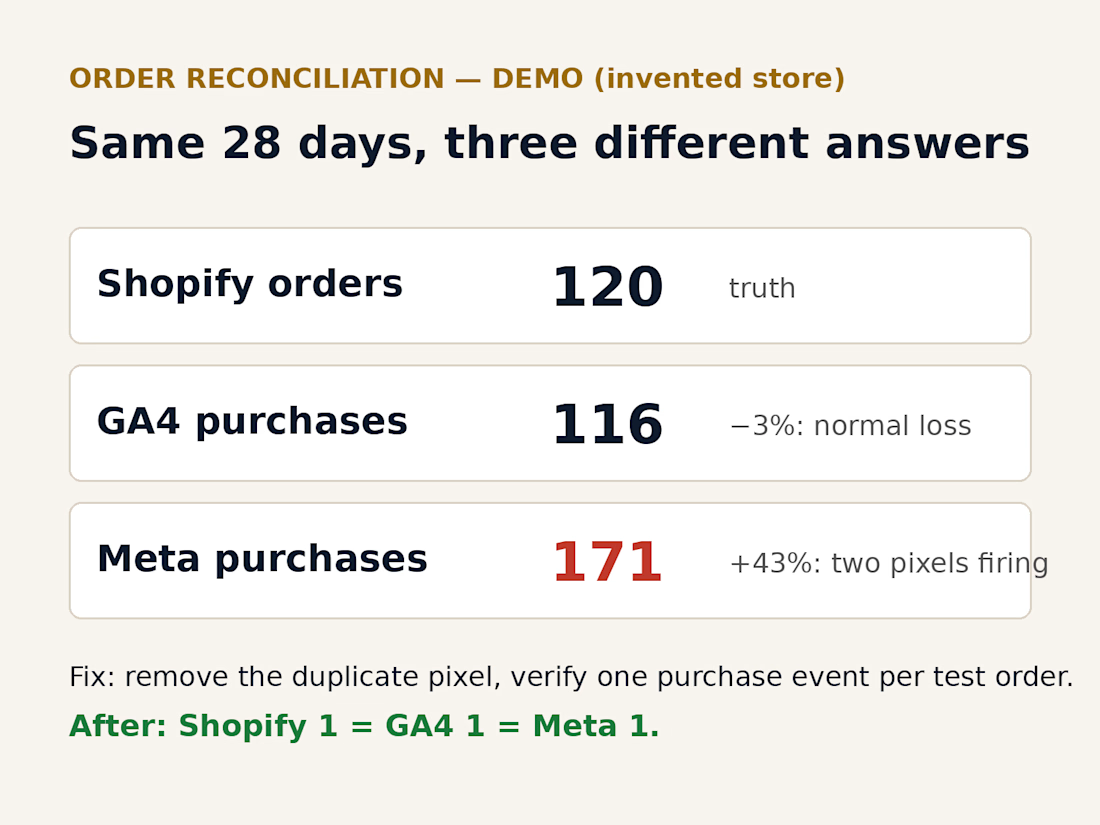
Demo (invented store): what a tracking reconciliation looks like. Shopify, GA4 and Meta disagree on the same 28 days; the cause is a duplicate pixel; after the fix, one test order counts once everywhere.

Local SEO results I delivered over the last month for a roofing client serving 21 NJ counties:
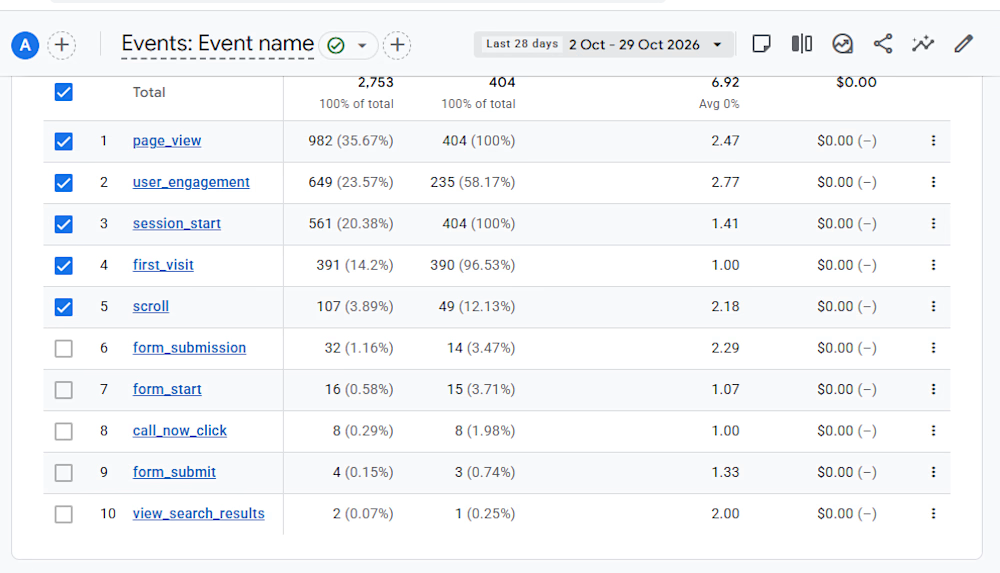
→ 982 page views
→ 404 engaged sessions (41% engagement rate)
→ 391 first-time visitors
→ 32 form submissions
→ 8 call-now clicks
→ 40 total qualified lead actions
That is a 9.9% conversion rate from engaged session to lead action. For a service business in a competitive local market, that is the number that matters. I ranked them #1 on high-intent emergency queries like “roof leak repair NJ” and “roofing and chimney repair Bergen County.”
My playbook: tight on-page optimization I executed across service and location pages, an aggressive citation campaign I ran for NAP consistency, Google Business Profile I manage as a daily asset not a set-and-forget listing, and editorial content I targeted at the exact queries homeowners type at 2am when a storm hits.
If you run a home services business and your website is generating traffic but not leads, there is usually a fixable gap between the two. I would be happy to take a look. Message me to start a conversation.


"the exact queries homeowners type at 2am when a storm hits" is such a clear way to think about roofing. how did you connect with that roofing client