


You know exactly what to type into your own search box.
A new user doesn't.
They open it and see a blinking cursor.
Then they have to guess what your app can do.
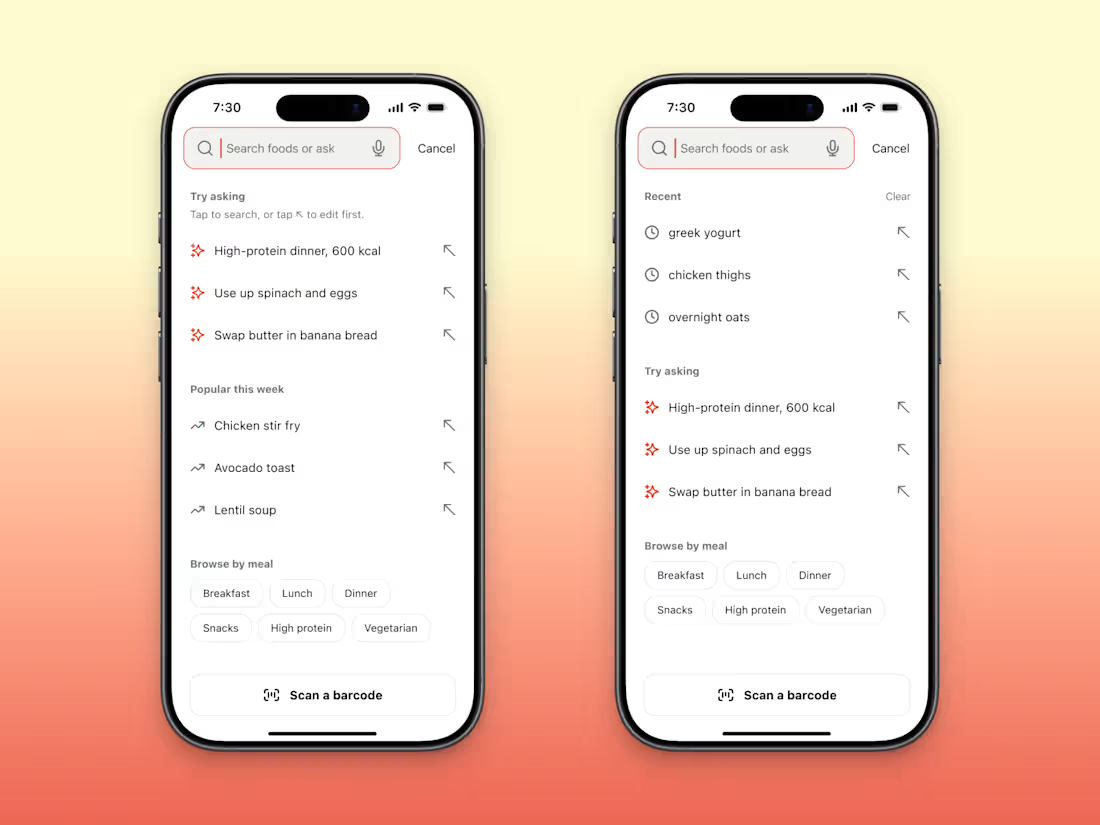
I designed an empty search screen for an AI food tracker concept here's what I put in it (if you want to steal it).
Example questions at the top, like "High-protein dinner, 600 kcal".
Those 4 words tell a new user more than a blinking cursor does.
Recent searches, but only once there's history.
A new user has none.
A few big buttons for people who'd rather tap than type, like Breakfast and Dinner.
Barcode scan pinned to the bottom, where a thumb can reach it.
Clear your history, log out of your own app & open search.
If you wouldn't know what to type, neither will they.
6
4
39
Before someone pastes their real work into your AI app, they look for one switch.
The one that says whether you train on their writing.
If they can't find it in 10 seconds, I'd bet they close the app.
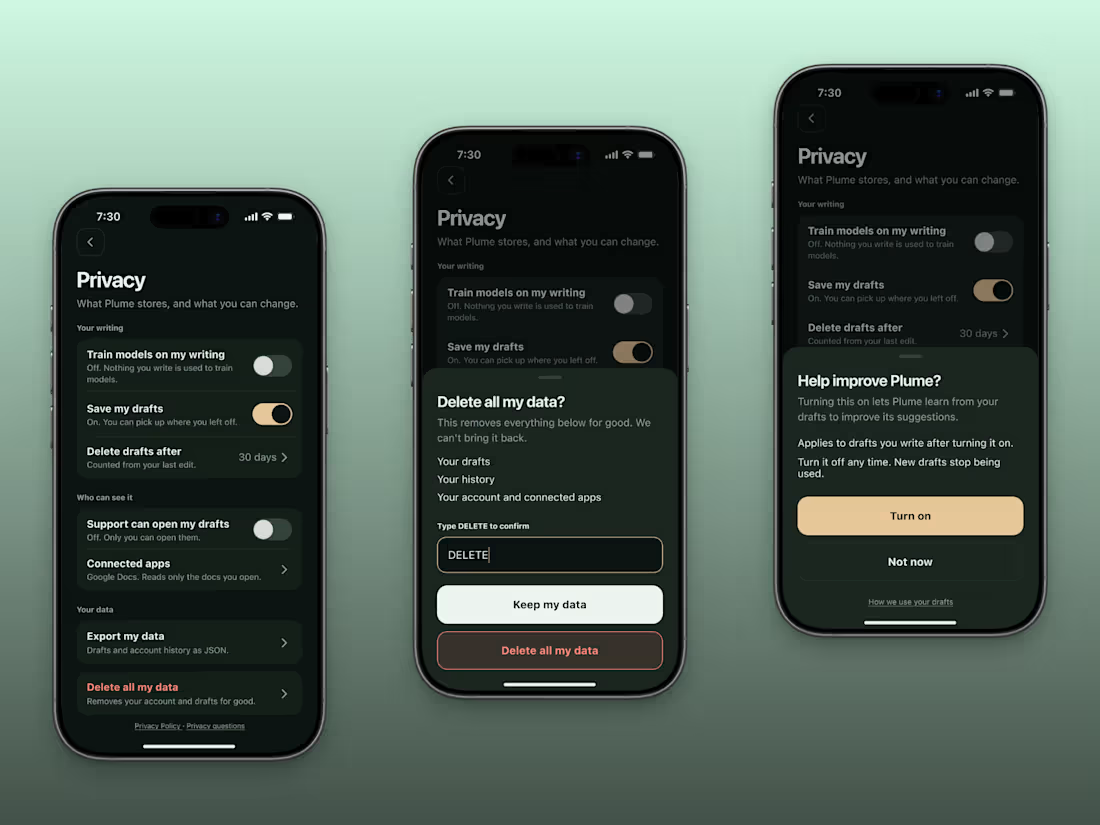
I designed a privacy screen for a concept AI writing assistant.
Here's a checklist you can steal.
1. Say whether you train on their data, and default it to off. Put it at the top of the screen.
2. Write what each toggle is doing right now, under the switch. Without the note, a disabled toggle switch could mean anything.
3. Say who can read their drafts. Your own support team counts.
4. Let them export everything, and say what format it comes in.
5. Give delete its own card, away from the toggles, and ask for the word DELETE before the delete button is enabled.
Open your settings on your phone and tick them off.
Every miss is a support email waiting to happen.
2
29
Typing a password on a phone is the worst part of a login.
A code can beat it.
On an iPhone, a code in Apple Mail can show up above the keyboard.
One tap and you're in.
You skip the forgot password loop too, & there's no password system to build & secure.
The catch is the trip to the inbox.
The email lands in spam.
Or the mail app doesn't send them back to yours.
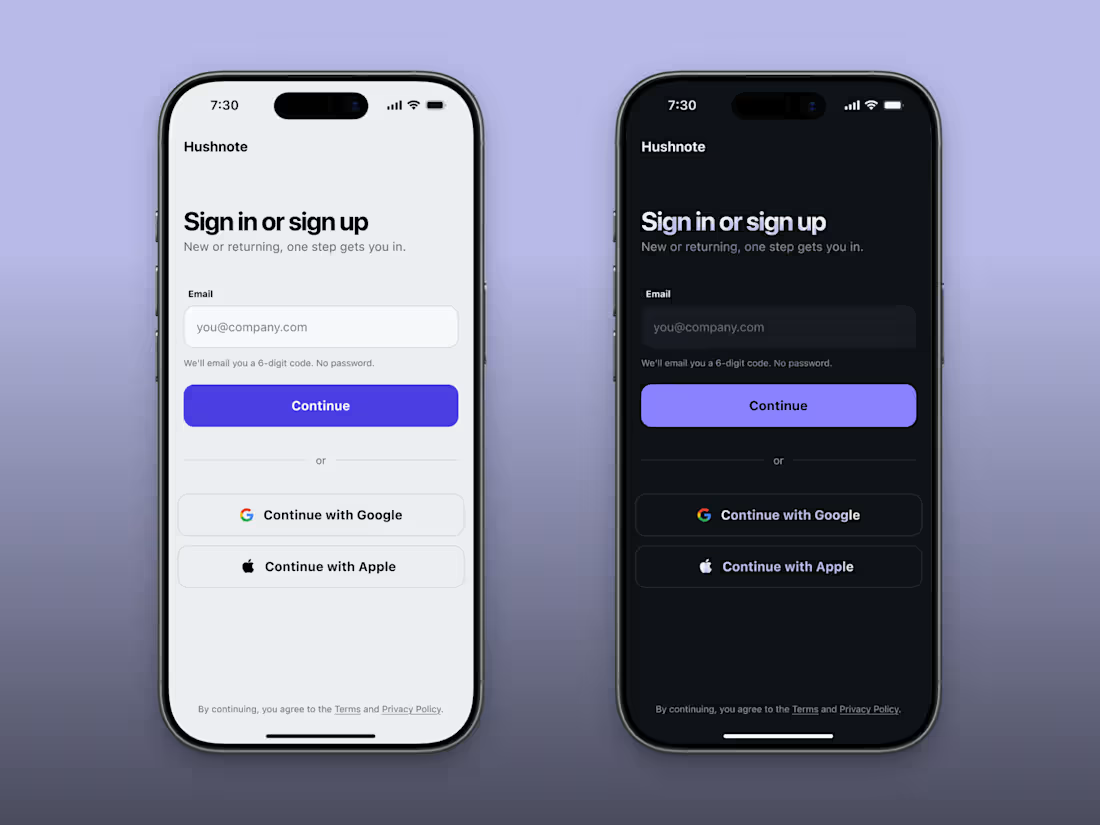
I built the Hushnote login concept around a 6-digit code.
One line under the email field says "We'll email you a 6-digit code. No password."
Users know what's coming before they leave.
The next screen has to do the rest.
An Open Mail button, a resend link after a short wait, a way to fix a typo in the email, & a code field that autofills.
Test your own app.
Sign in with a code on your phone & count the taps between.
A login without a password still has to get people back to your app.
0
26
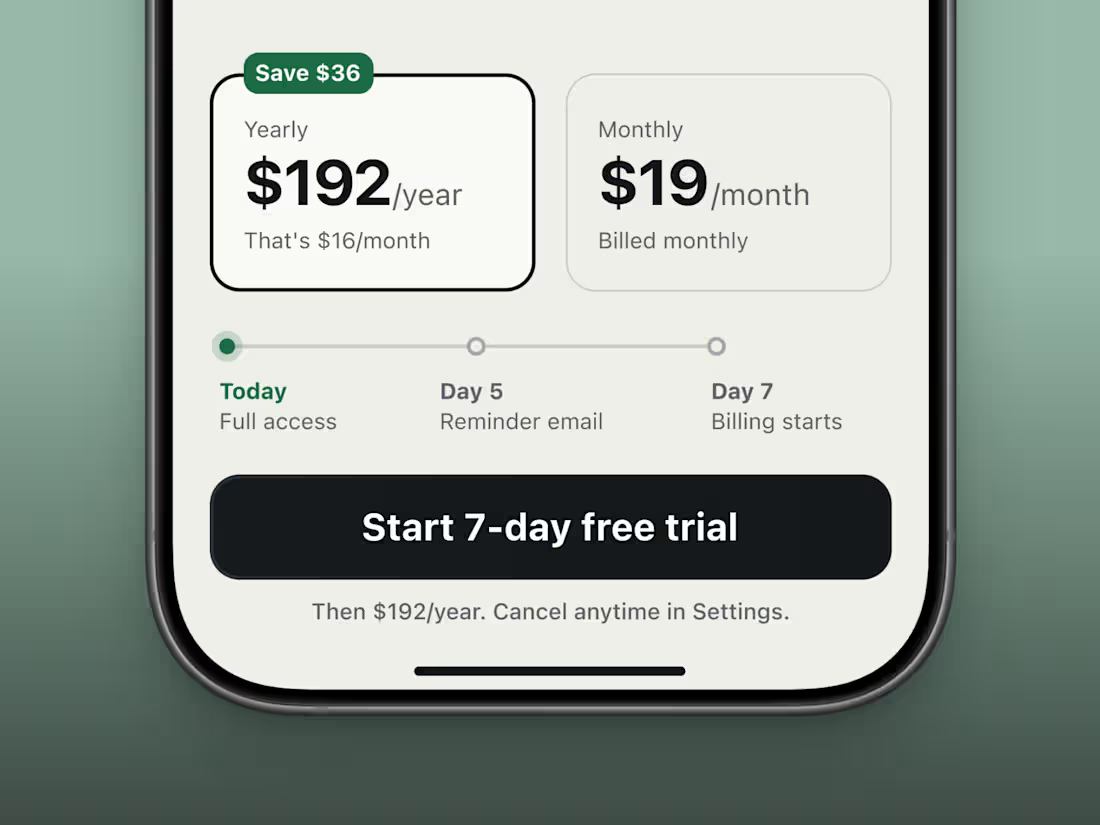
Trials die on day 7.
That's when the first charge lands.
If users didn't see it coming, they ask for a refund or worse, leave a 1 star review.
I made a trial paywall for an AI bookkeeping tool.
It's a concept, so nobody got charged.
My first draft led with $16 a month because it looked better than the real charge, $192. On a second look, $16 was the wrong number to lead with.
So the yearly card now shows $192 in big type, with the $16 underneath, small.
Above the cta, a timeline shows what happens during the trial
Before they tap free trial, can a user see what they'll pay?
And the day they'll be charged?
If the answer is no, that's your first fix.
A charge you saw coming is easier to forgive.
#mobileuiuxdesign #uiuxdesign
1
89