Edcloud Admin Dashboard Design

Andrew Fasuba

Edcloud - Creating a Seamless Admin Experience
Overview
Edcloud is an educational technology platform for online educators and learners. Edcloud enables educators to create and deliver course content, communicate with students and track their progress. Education is a fundamental part of the society that is rapidly evolving due to technological advancement. As a student, I experienced a transition from in-school learning to online learning caused by the covid-19 global pandemic. The major problem we faced was that educators did not have a single platform to streamline our learning needs such as sharing study materials, attending live classes and setting quizzes. hence making learning disorganized from having to use several platforms.
The Admin Dashboard
Student satisfaction with Learning management system usage is closely tied to the information quality contained within LMS modules. The purpose of Edcloud is to make learning as effective as possible by simplifying admin duties so educators can deliver quality courses, Analyze performance and manage users. Hence, I decided to design an intuitive portal to help educators take control and set learners up for success.
Discovery
Research
To get started, I did some extensive research on some SaaS LMS platforms like Docebo and edapp to know what tools and features they offer for effective administration. I went ahead to interview educators, my target were those who have been involved in hosting or selling courses online. The goal was to gather insights on their experiences with the platforms they have used so far and to find out what they will like to be improved
Key Insights
Although many interactive features are available in the LMS, its capacity for use may still be limited because of its demand on the commitments from both instructor and students during a specific time frame
LMS systems are used by a diverse audience with different computer level skills. This makes it difficult for some user to accomplish their goals.
Instructors like that they can upload their course materials to a single platform without needing alternative channels to distribute learning materials
Comprehensive reports and analytics: The ability to analyze learner progress and success across a wide range of metrics is one of the most important features to help admins make decisions to improve their course delivery
While many users opt for asynchronous learning, where all training is fully online and self-paced, a lot of others are opting for a combination of online and real-time, face-to-face learning.
“The quiz creation and grading feature drastically reduced the amount of time I spend marking scripts”
The research process helped me explore the possible user personas and ideal user flows.
User Persona
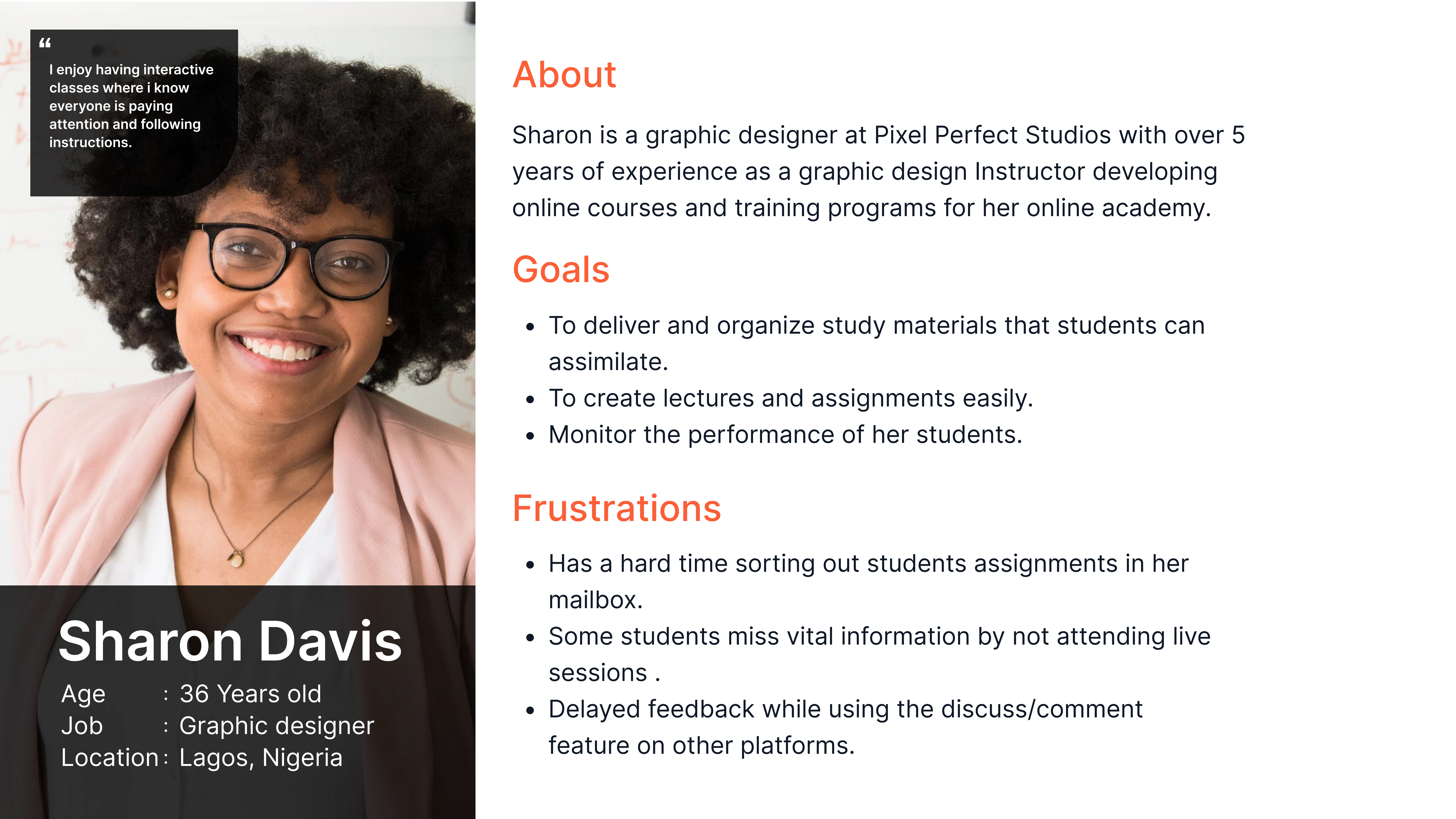
Based on the insights and data gathered, I created a user persona to describe and represent the users of this product.
Information Architecture
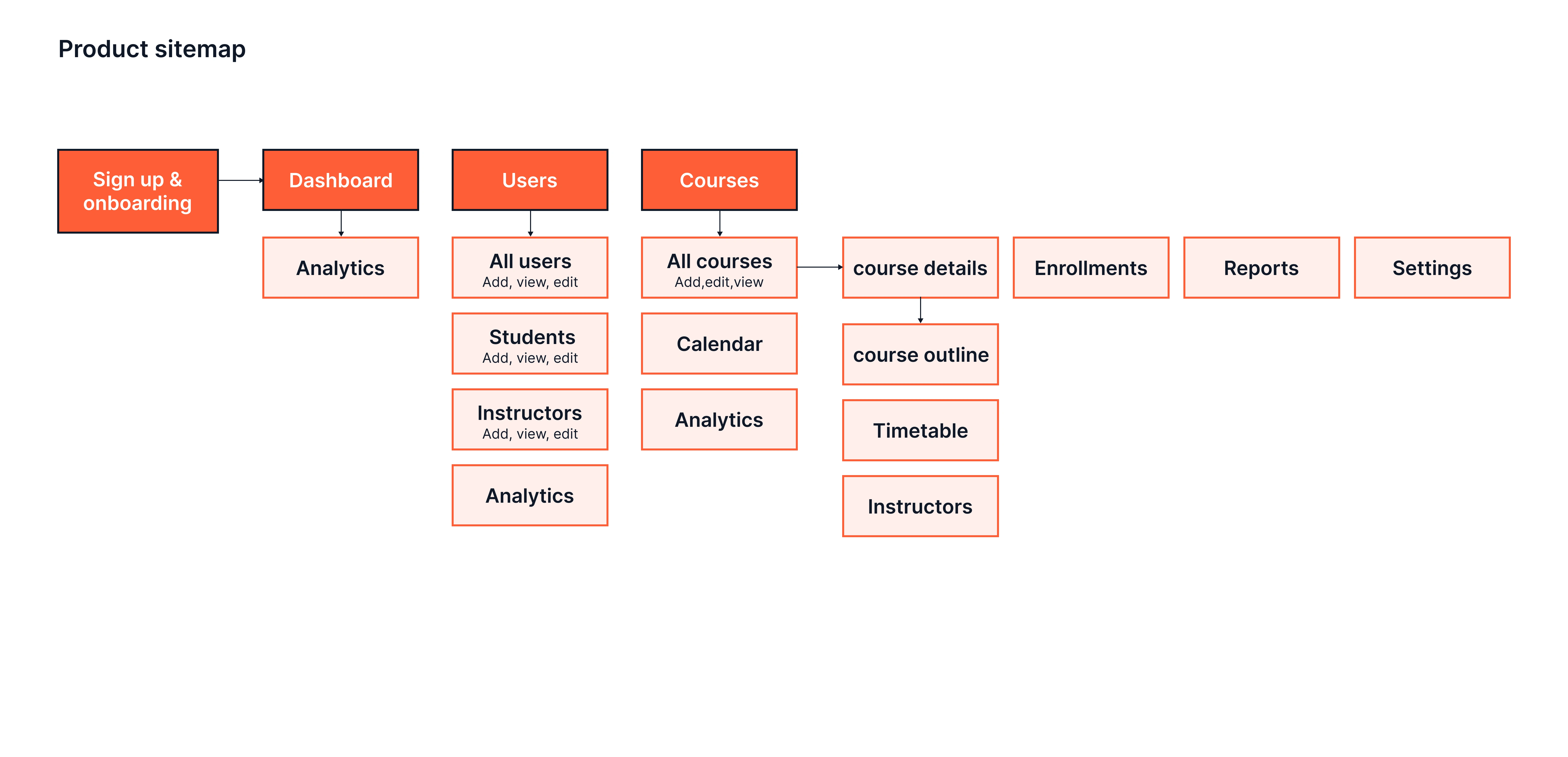
Using the information gathered from the research, I discovered what features are important to the users and then structured the information in an intuitive and accessible to make navigation easy for the users.
Design Process
Sketches
I start my design process by sketching rough drafts on paper to help me quickly visualize ideas and brainstorm design solutions.
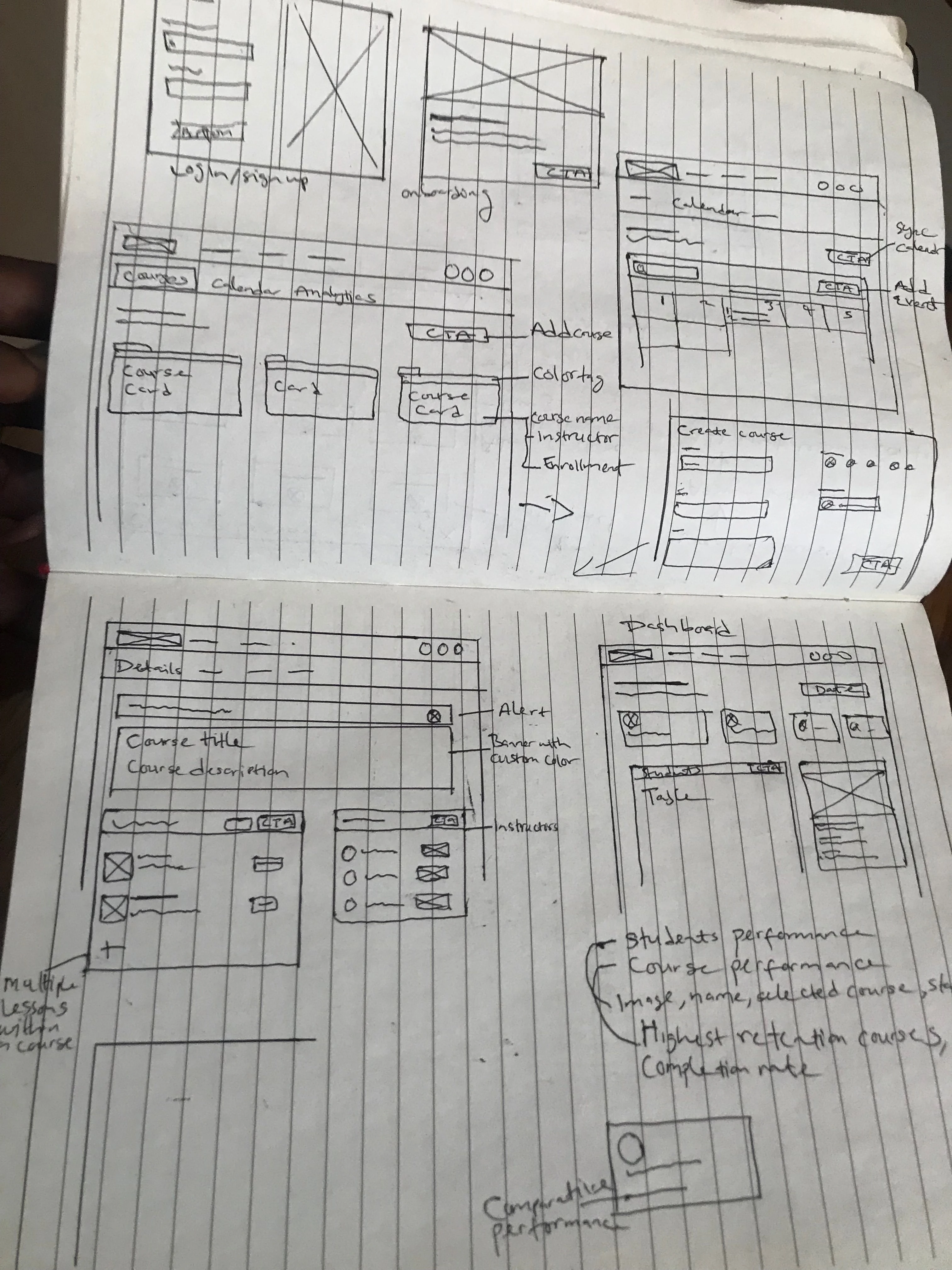
After sketching, I designed wireframes to help me understand the structure and layout of key elements on the pages. I created wireframes mainly for the analytics dashboards because I needed to simplify how important metrics can be presented to the users.
Style guide
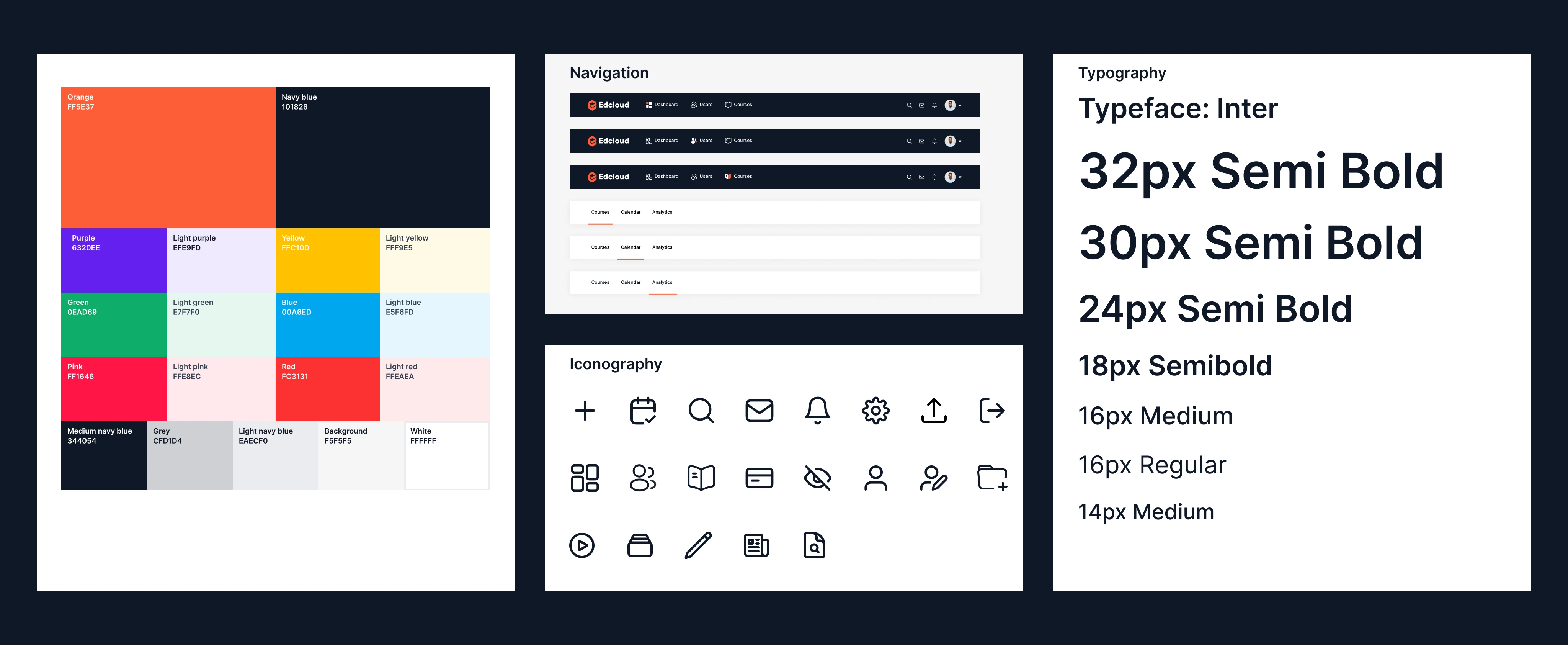
I created a style guide with reusable components to maintain consistency across the UI designs. It also makes updating components easier if changes are made.
Design solution
Onboarding users
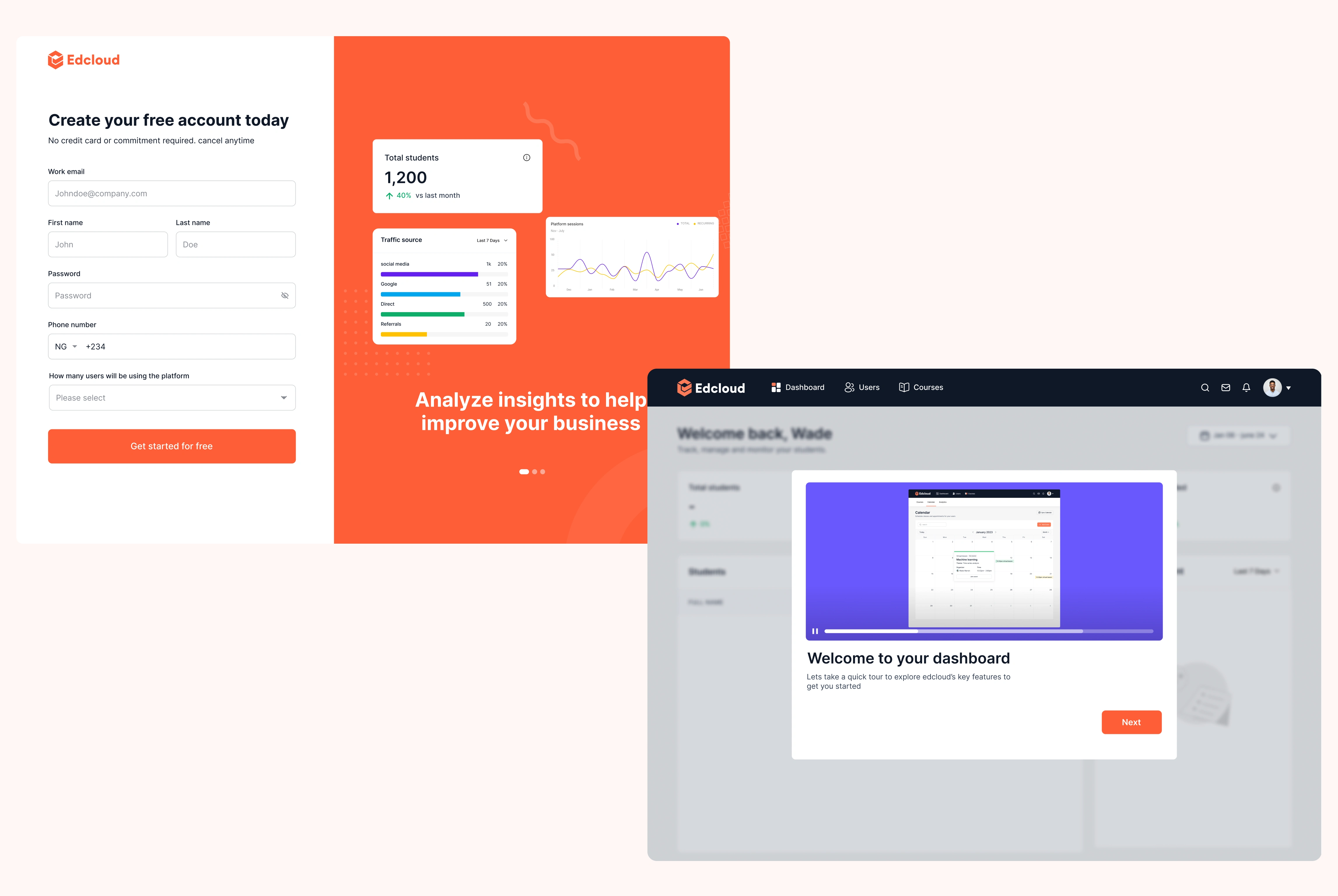
The onboarding is created to ease the user into the products experience. The sign up page is designed to convince users to sign up by offering some satisfaction guarantee, reducing input fields and providing a simple visual overview of the product’s main features. After signing up, the user is welcomed with a product tour to explain the features most important to the user.
Admin dashboard
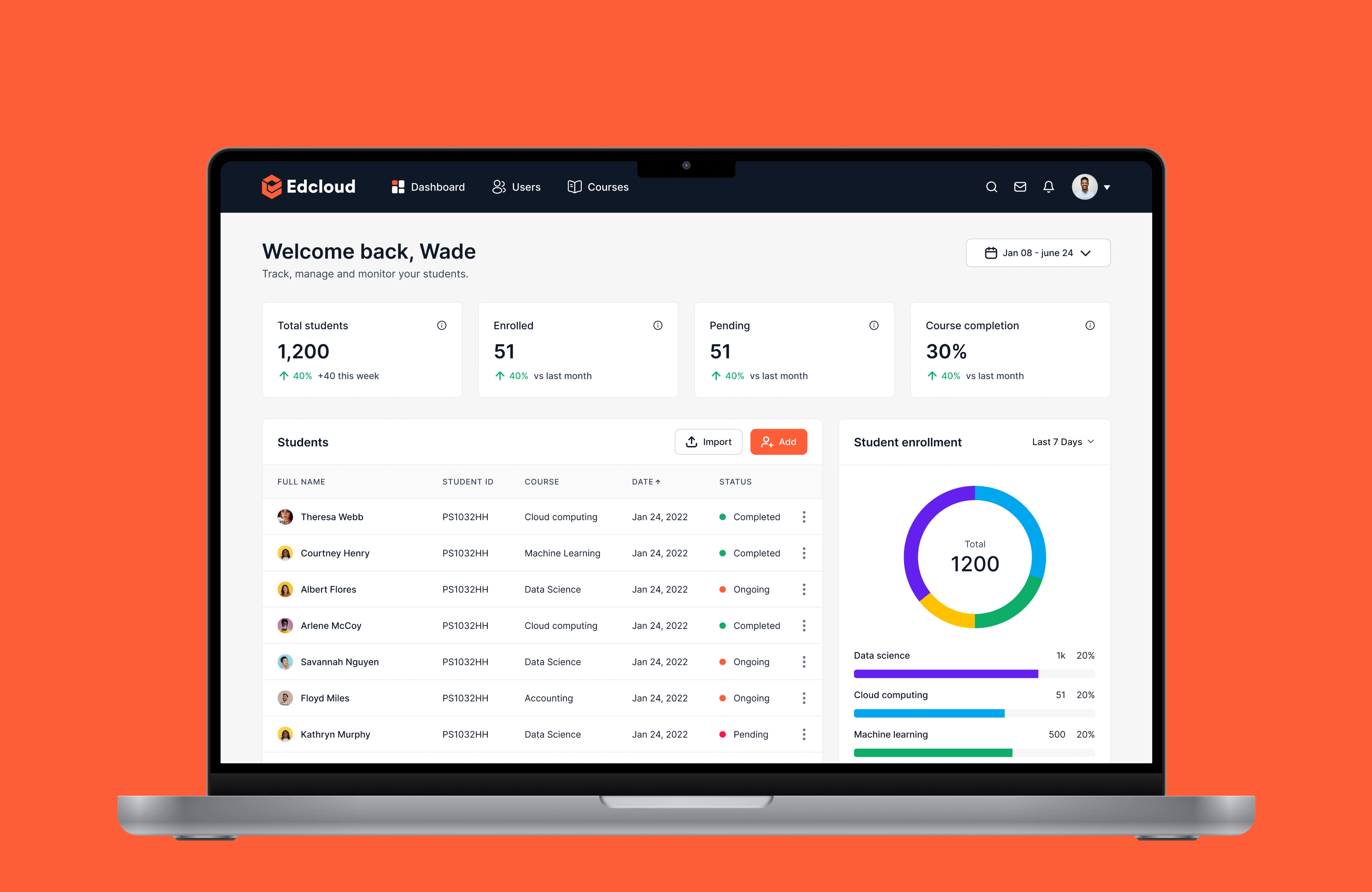
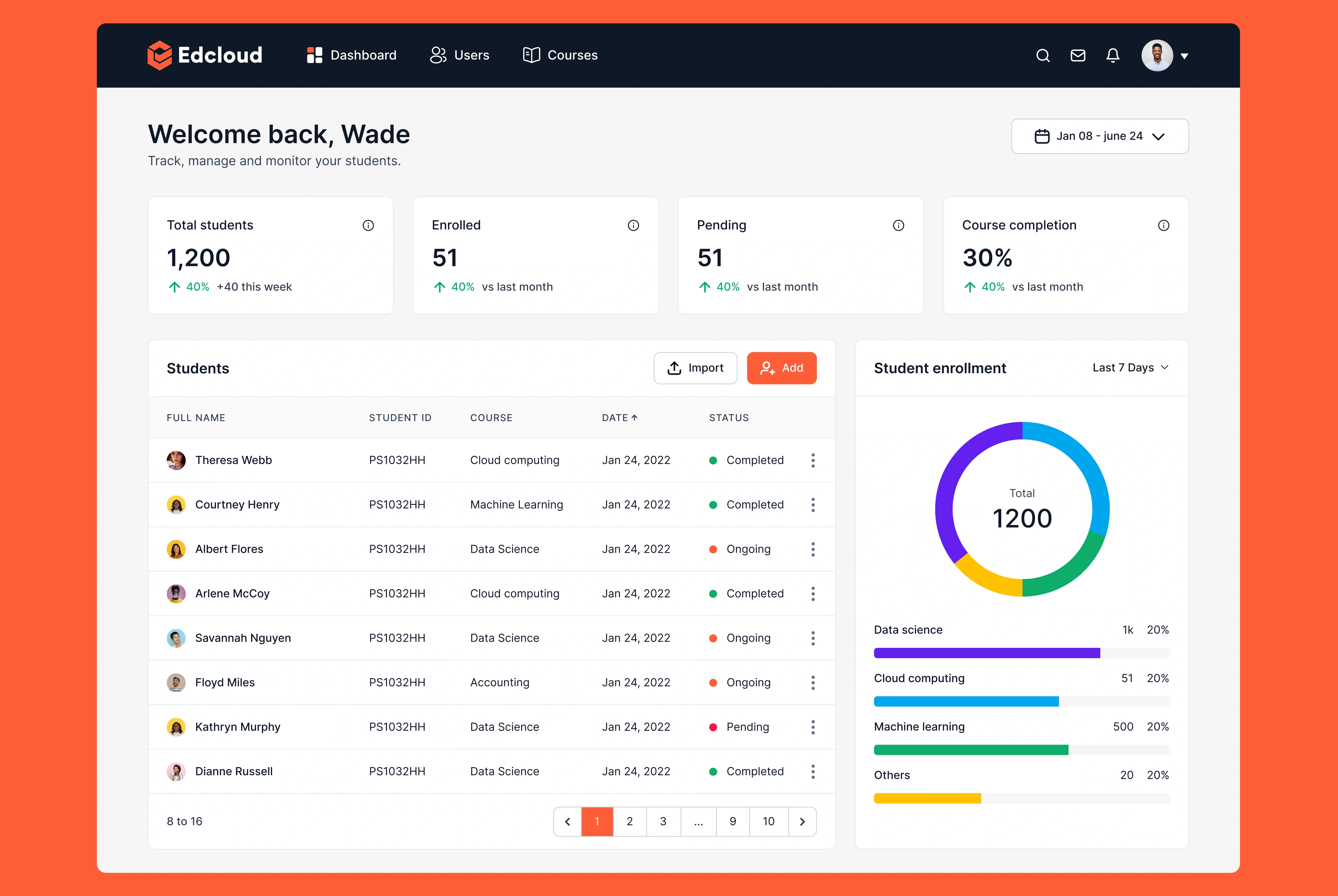
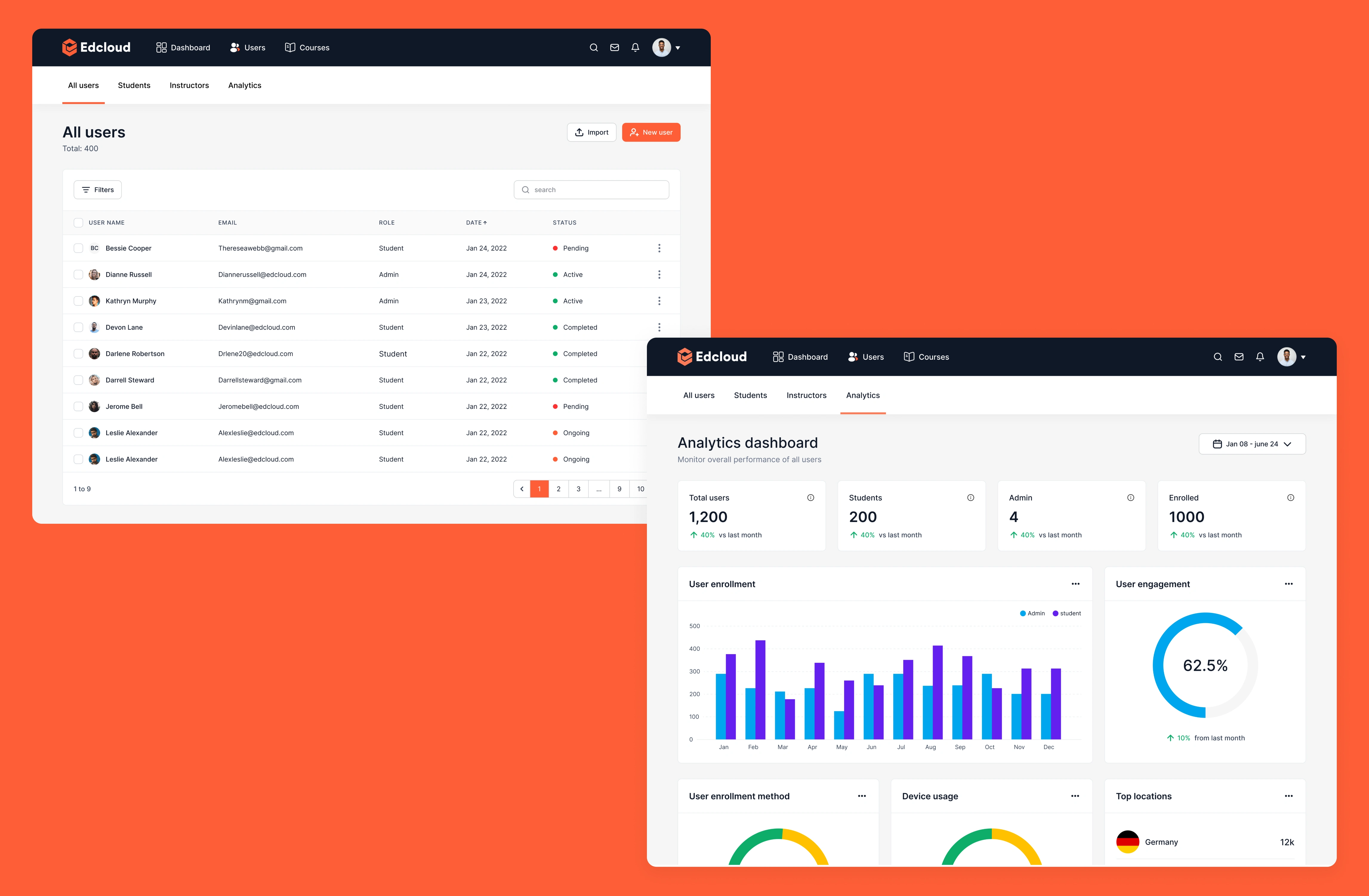
This dashboard is designed to give the admin valuable insights on students progress and on the performance of the educator’s courses. The content of this page includes:
A general overview section with top 4 metrics that the admin needs to keep track of. each metric card has comparative performance percentage to show if there is an improvement or not on that metric
students: this section shows the information and progress of students on the platform. the admin can make quick actions such as adding new students to the platform and assigning students to courses.
this page also has two filters because the general overview and the students data is monthly or lifetime while the other set of metrics can be filtered to weekly data.
Users
The admin can add and edit users on the platform. The super admin controls 2 types of users, the students and the instructors. each user joins the platform as a student before the admin assigns a user as an Instructors. There is an analytics page here to show the admin key insights on users activity on the platform.
Courses
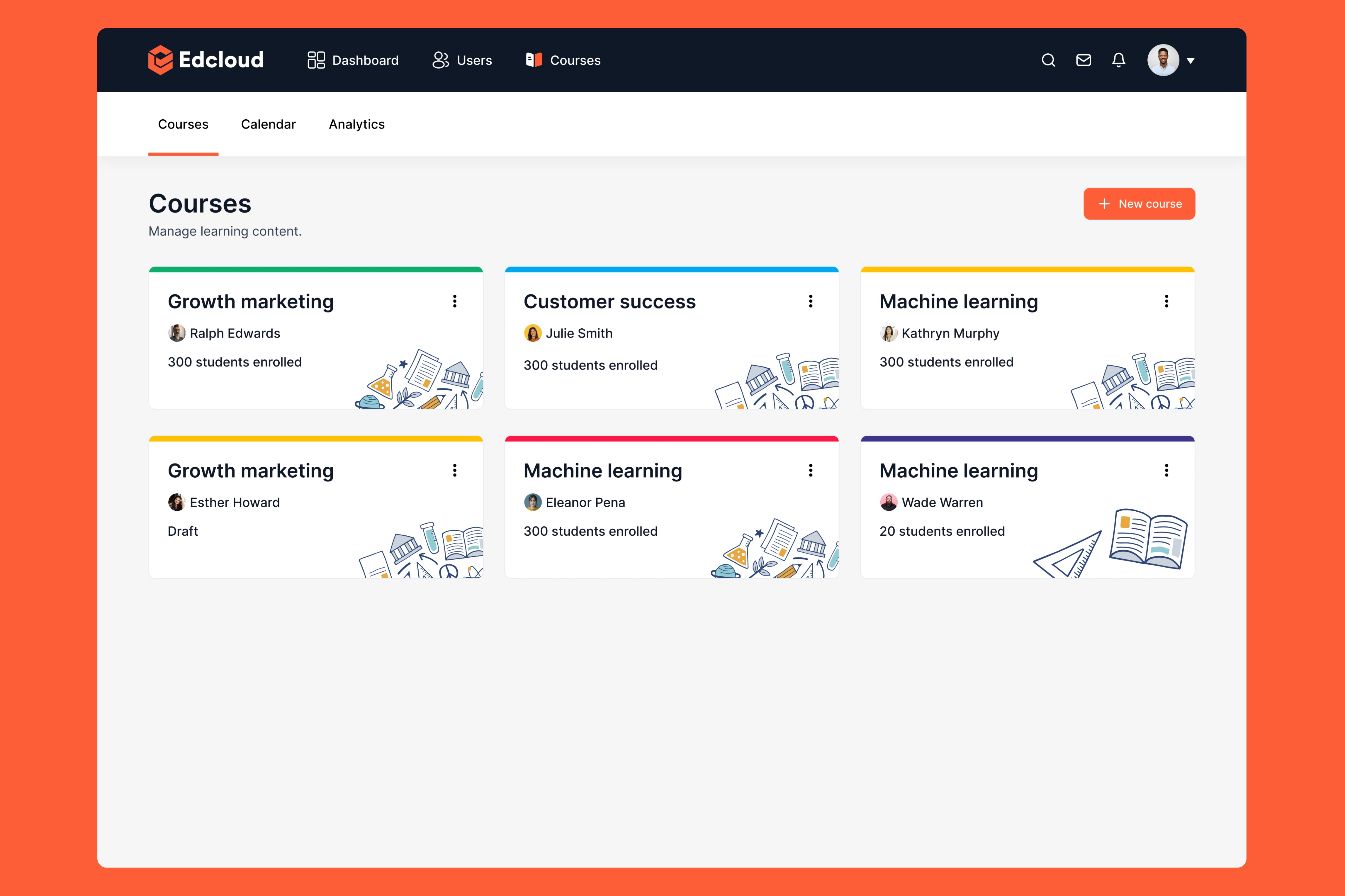
A course is a collection of lessons. This page contains all the courses created by the educators and a CTA for the admin to create a new course. Each course can be personalized with a color theme as seen on the cards below. The course card shows the name of the course, author and number of students enrolled.
Course details
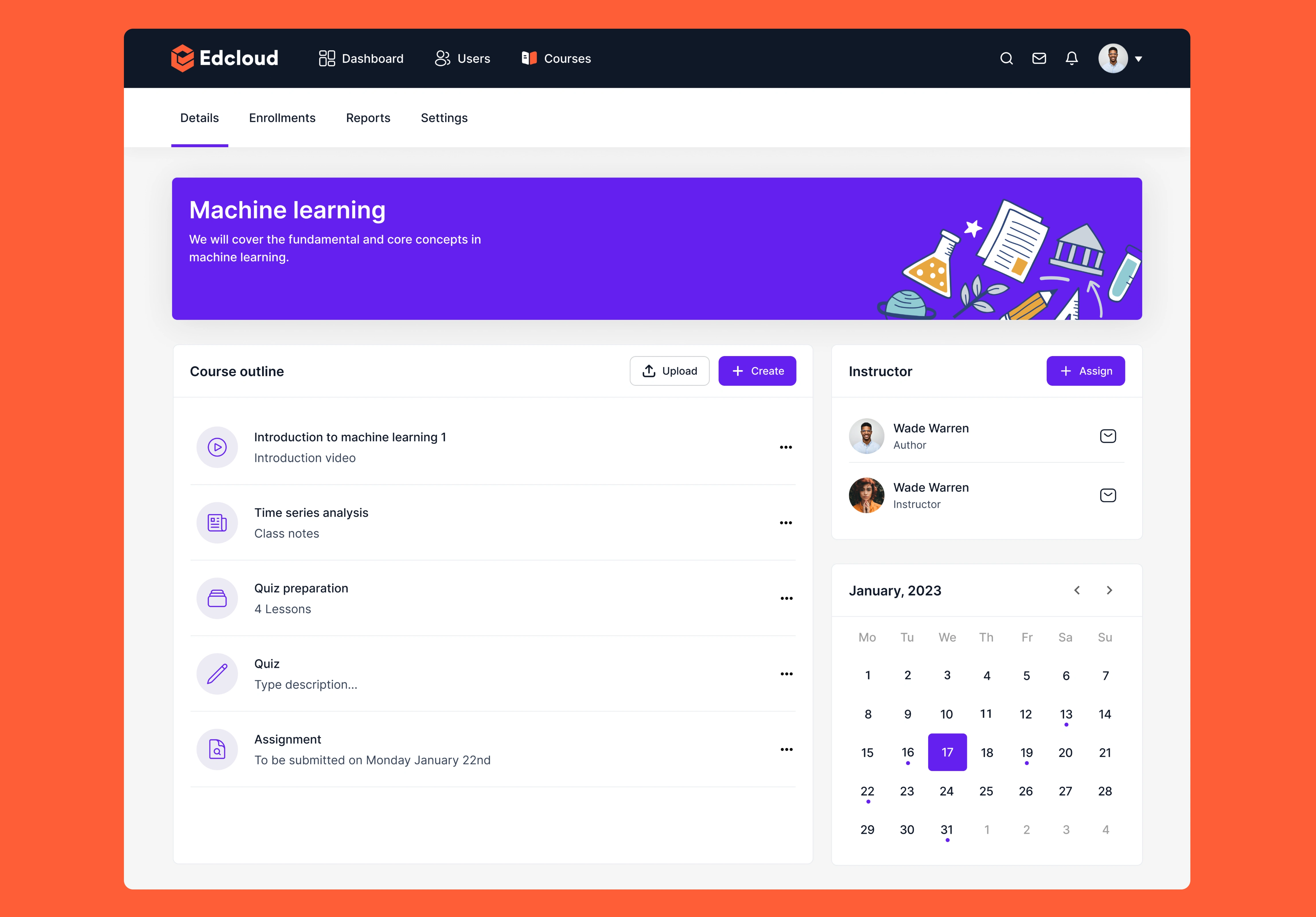
Each course has a details page. This page contains all the lessons and learning materials that are used for the course. Admins can upload or create different forms of learning materials like Assignments, notes, video lessons and more. There is also a calendar that shows all the live class sessions scheduled for that course.
Calendar
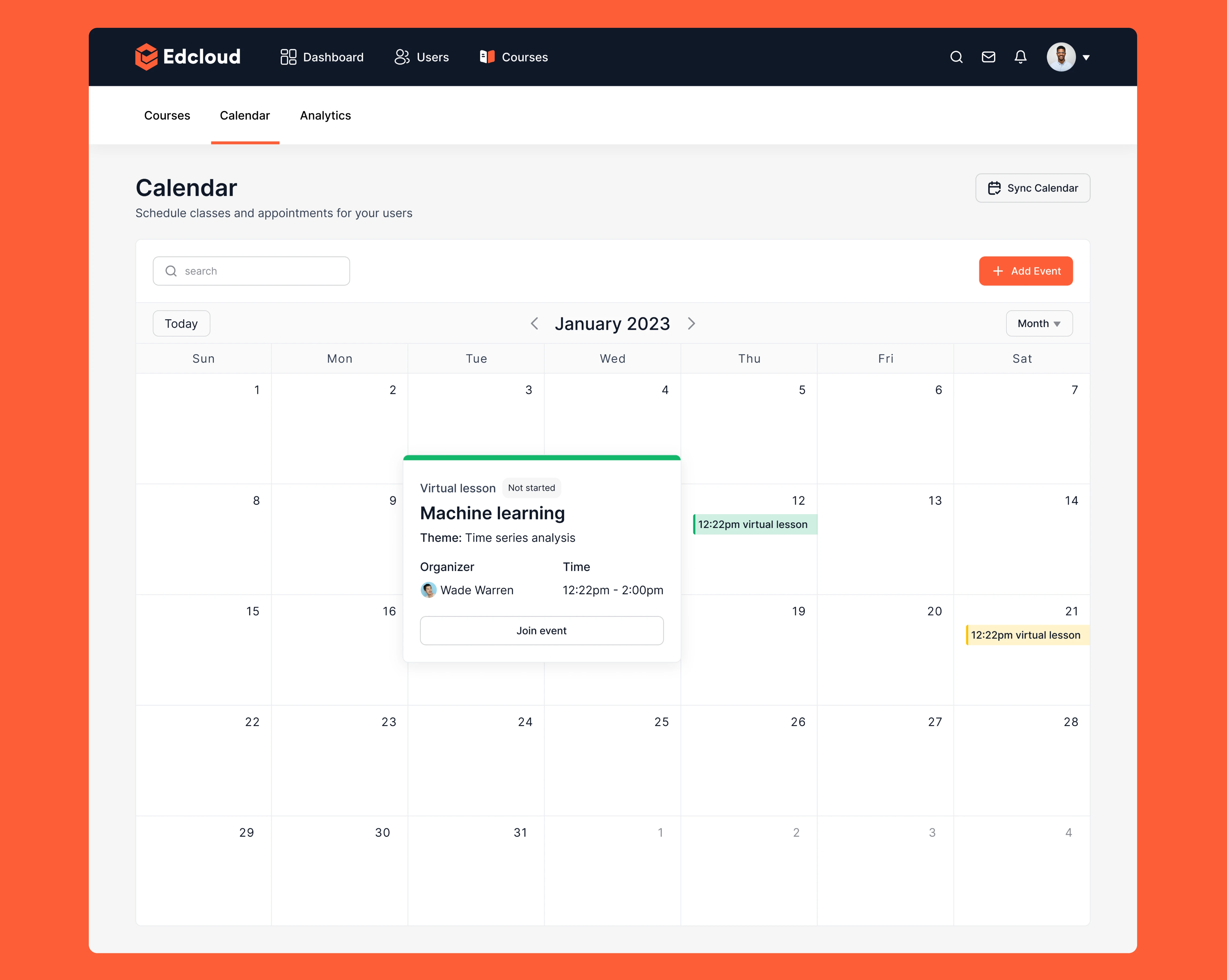
The calendar is used to manage learning activities like live classes and web meetings. The calendar keeps all users on track: invites students and course members for live classes and reminds them about upcoming events.
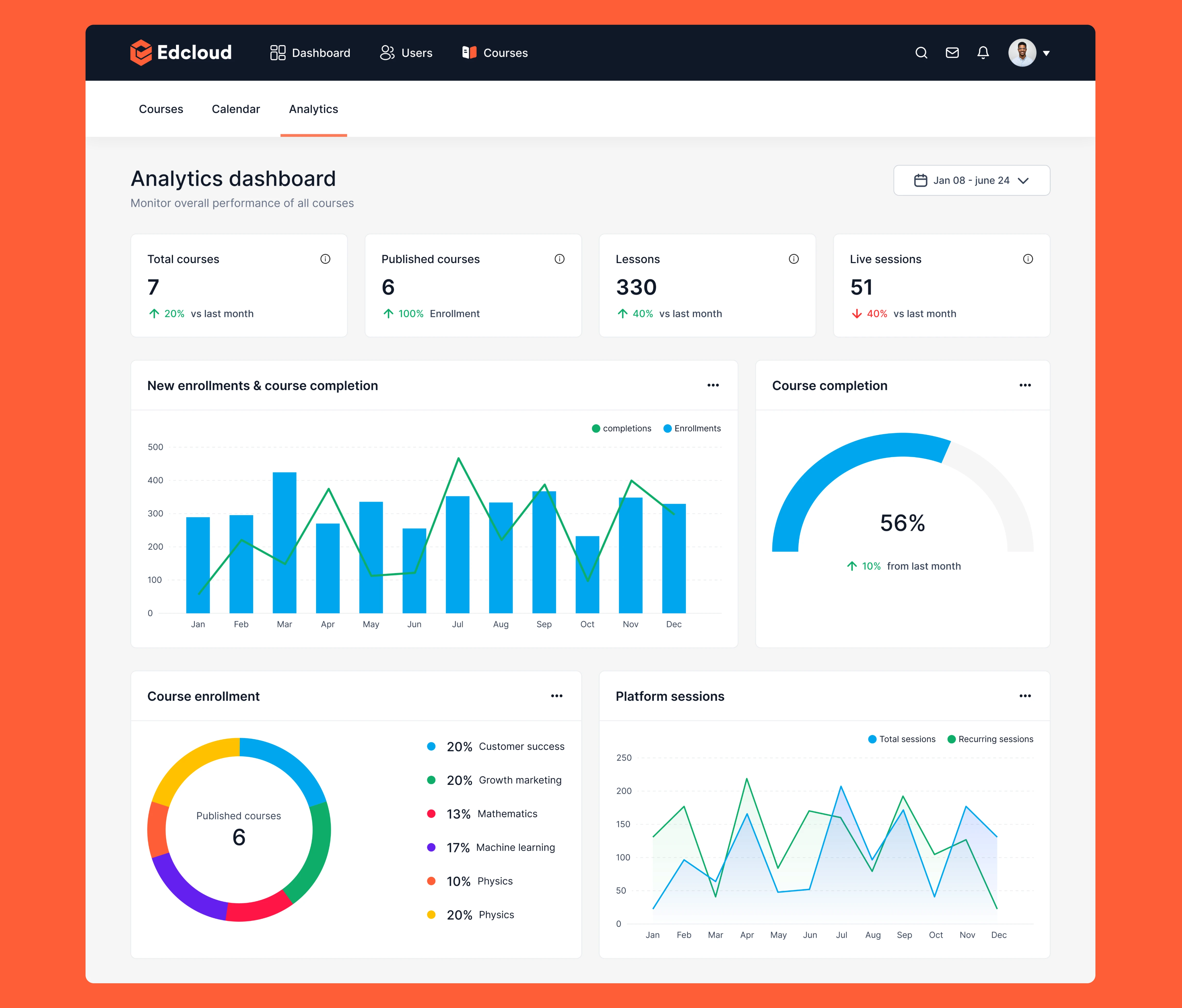
Course Analytics
his analytics give insights on which courses truly work and which prove ineffective. This information can be used to improve courses.
Learnings
Information architecture was most crucial in designing this product because I discovered that other SaaS LMS platforms are packed with a lot of functions that are not so relevant to this product because they offer more services than just a classroom for students’ learning.
Like this project
Posted Oct 8, 2025
Designed an admin dashboard for Edcloud to streamline course management and student tracking.
Likes
0
Views
0